 MetaTrader 5
 专家
专家
 指标
指标
 程序库
程序库
 实用工具
实用工具
 窗口小部件
窗口小部件
 规则
规则
MetaTrader 5 交易实用工具 - 43
 以下是可在MetaTrader 5中简化交易的交易程序。将鼠标悬停在一个工具上,阅读它的描述和用途。
The Expert Advisor will send notifications via Discord when orders are opened/modified/closed on your MetaTrader 5 account. - Send message and screenshot to Discord group/channel. - Easy to customize message. - Support custom message for all languages - Support full Emoji.
Parameters - Discord url Webhook - create webhook on your Discord channel. - Magic number filter - default all, or input magic number to notify with comma, like: 111,222,333. - Symbol filter - default all, or input symbol

The program is use to copy trading from MT5 to MT4 and MT5 on local PC or copy over the Internet . Now you can easy copy trades to any where or share to friends. Only run one Flash Server on VPS, also need allow the apps if you turn on Windows Firewall. Can not add more than 20 account copier to server at same time, include both MT4 and MT5 Get free Copier EA for MT4 and MT5 (only receive signal), download here Instants copy, speed smaller 0.1 seconds, easy to setup How to setup and guide


This application exports all finished operations to a text file delimited by <TAB>, comma, semicolon or any character defined by the user, also including the comments and magic number of the operations, which can be easily exported to EXCEL or Google Spreadsheets.
The files are generated in the "files" folder, individually separated by month with the name in the format: 999999-AAAA BBBB- [9-9999] where:
999999 = MT5 Trading Account Number AAAA BBBB = Trading Account User Name [9-9999] - Month

CopierTrader is an easy-to-use and reliable position copier for the MetaTrader 5 account hedging system.This expert Advisor allows you to copy trades from multiple terminals (master) to a single terminal (slave).
When writing this adviser, the idea of quickly copying positions was implemented, i.e. the adviser sends requests to the server as quickly as possible. If it is impossible to quickly accept requests for trading operations by your broker, the adviser not only resends the rejected reque
This utility tool shows the intraday price variation as a percentage. It just works on any symbol and timeframe. Inputs: Font Size: You can change the font size of the price variation. Defaults to 15. Corner Location: You can choose between "Left upper chart corner", "Left lower chart corner", "Right upper chart corner", "Right lower chart corner" to show the information.
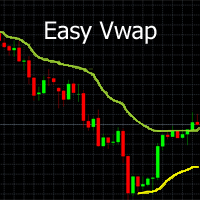
With a single mouse click you can add the indicator Vwap V2 (free download available) to the graph. The indicator Vwap V2 has been extended with a cyclic Vwap indicator. With the cyclic Vwap indicator it is possible to reset the Vwap after a predetermined number of bars. e.g. the CAC 40 index, after 14 (closing - opening: 23-9 = 14) measures, a new day starts and the Vwap is automatically reset with a new time. Or in a graph of 5 minutes, 60/5 = 12, the Vwap will reset the time parameter every h

AnaliTIck is a financial instrument analysis and testing program based on the Metatrader5 platform. The object of analysis is the sequence of changes in the prices of Bid and Ask - ticks. The program may be useful to developers of scalping advisers and strategies, those who work on the news. When the program is loaded, an array of ticks for the financial instrument, on the chart of which the program is installed, is filled for the current period. The analyzed period is 4 trading days. On this pe

1. Development background Forex is a ratio, different from futures and the stocks. For example, if EURUSD has risen, it may be that EUR is falling and USDX has fallen even more. I believe everyone knows that the US dollar index is an essential reference index in forex analysis . In MT5 client, it is very valuable to see the US dollar index. Similarly, if you can see the index of other forex in the MT5 client, which is very valuable for trading. Because the US dollar index is very authoritat

EQUITY PROTECTION EA -MT5- 账户保护器,避免大额损失
一般特徵: 完全控制交易時段的結果。 控制所有外匯交易品種,指數,金屬,股票等的整體結果。對全球股票進行控制。 達到盈虧率時,關閉所有交易品種上的所有交易。- 數量和百分比均可更改的配置。 通過全局跟踪止損來保護結果- 本屆會議取得的成果記錄(更高的權益和更低的權益)。 登錄時,所有計算始終在資產負債表上進行,因此不會影響交易的平倉或平倉。 新的功能! 觸發獲利或止損時自動關閉平台的選項。- 通知功能:觸發TP / SL級別時,將報告發送到電話(按通知)或電子郵件的選項。- 觸發TP / SL時可以選擇刪除掛單- 觸發TP / SL時可以選擇截屏並保存在文件中。- 更改字體大小的選項。- 選擇在“獲利百分比”和“止損百分比”中默認設置值 User's Guide: https://drive.google.com/file/d/19Eo1WXduS525Ww1azzSkktxn64t6tW19/view?usp=sharing

More stable MetaTrader 4 version is available here: Lot Calculator Tool . This tool helps you to automatically calculate and manage risk, conveniently place orders visually, schedule orders, trail stops, move them to break-even and more.
Features Place market or pending orders using draggable lines Schedule orders Calculate and limit risk using various methods See current spread See time till next candle Set custom order comments Trail stops Move stops to break-even See order profit/loss in p

This OCO Closer is one of the most useful things in my toolbox. You can place as many pending orders as you want on your chart, then after adding this to the chart it will delete them all once a Buy or Sell Position Opens. This is great for those times when you think the price might reverse trend, or if you simply want to hedge your bets both ways. Bear in mind that this will only delete the pending orders on the current currency pair, so you can set Buy and Sell pending orders on as many pairs

FiboPlusWave Series products Ready-made trading system based on Elliott waves and Fibonacci retracement levels . It is simple and affordable. Display of the marking of Elliott waves (main or alternative option) on the chart. Construction of horizontal levels, support and resistance lines, a channel. Superposition of Fibonacci levels on waves 1, 3, 5, A Alert system (on-screen, E-Mail, Push notifications). Features: without delving into the Elliott wave theory, you can immediately open one of

Great dashboard for market analytics. The panel helps analyze the values of the Bollinger Bands indicator and prices.
Using this panel you can: watch the current signal from the Bollinger Bands for all time frames; watch the current signal with the Bollinger Bands for different characters; look at how far the Bollinger Bands is from the price; look at how much the Bollinger Bands value has changed; several types of signals for analytics. Value of cell: Bollinger Bands main line; Bollinger

Great dashboard for market analytics. The panel helps to analyze the values of the Envelopes indicator and prices.
Using this panel you can: watch the current signal from Envelopes for all time frames; watch the current signal from Envelopes by different symbols; look at how far Envelopes is from the price; look at how much the value of Envelopes has changed; several types of signals for analytics.
Values in the table cell: Envelopes value upper line; Envelopes value lower line;
"the cor

Time Line for MT5
機能: 昨日高値、安値、本日始値、高値、安値の時間から線を引きます。 時間足により表示する時間が変わります。 1分、5分足では1時間ごとの表示 15分、30分足では4時間ごとの表示 1時間、4時間は12時間ごとの表示 日足以降は時間は表示されません。 高値安値は週足より下位足で表示されます。 各ラベルを変更可能になります。 更新頻度を変更できるのでチャート表示が 重くなることはありません。
各パラメータの説明:
Server_Time:6 サーバとの時間差を入力 Yesterday_High_Label:昨日高値 Yesterday_Low_Label:昨日安値 Show_Open:true 始値の線を表示するかどうか Today_Open_Label:本日始値 Today_High_Label:本日高値 Today_Low_Label:本日安値
max_bar:true 使用するバーを制限するかどうか Maxbars:1500 制限を使用した場合に1分では5日分 UpdateFrequency:60 更新頻度、ディフォルトは60秒ご

Old Partridge knew markets which are almost as old as the Earth itself are never wrong. The legend says he knew how to beat a legion of others. This system he will to me. This system I will give to you.
Example [1] = 100 pips, profit boundary [2] = 2.0, take profit [3] = 400, stop loss [4] = 200 You buy EURUSD as 1.1440. SL will be set to 1.1420, TP will be set to 1.1480, when EURUSD = 1.1460 SL will be moved to 1.1450 EA works with the pair it is run on, [5] option allows to escort positions

Supported copying directions MetaTrader 4 → MetaTrader 4 MetaTrader 4 → MetaTrader 5 MetaTrader 5 → MetaTrader 4 MetaTrader 5 → MetaTrader 5 ️ For MT4 ↔ MT5 copying you need both versions (MT4 + MT5). Working modes Master mode - The terminal is the source of trades (orders are sent from it). Slave mode - The terminal receives and copies trades from the Master. “From myself” mode - Deal multiplier mode (useful if you trade via Signals). What can be copied Buy / Sell trades All symbols or

ResiSupo (Traders Club)
このインジケータは直近の高値と安値を抜いたときに何ら方法で 知る方法はないかと思い開発されました。
機能: 指定したローソク足の本数で終値をベースに最高値と最安値の ラインを自動で引きます。 最高値と最安値のラインにタッチするとアラートで通知します。 通知はE-mailやSNSにも送信することができます。 最高値と最安値のラインを終値か高値または安値ベースにするかを選択できます。 Indicator Noを変えることによるこのインジケータを複数適用することができます。 これにより過去80本と20本などでの最高値と最安値のラインを引くことが可能になります。 現在のATRの値を画面に表示します。 これにより現在のボラリティーの状況が一目で分かります。 表示されているSLはディフォルトではATR値の1.5倍になっています。 この数値は現時点でのボラリティーの状況からの損切り幅の目安となります。 ATRのレベルにより表示の色が変わります。 ボタンを押すことによりアラートの通知を無効にできます。 ※ネットワークの不安定な環
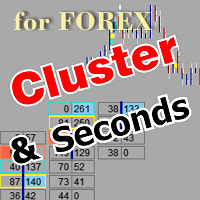
该工具允许绘制不同类型的图表。
秒图从1秒到86400秒 从1滴答开始的滴答图 成交量图 三角洲图 仁科图 范围图 用于体积分析的内置指标。 产品演示 https://www.mql5.com/ru/channels/clustersecondforex 每日市场概况和所选时间框架的市场概况。 集群搜索。 不平衡。 VWAP。 动态POC、VAH、VAL 价格窗口简介 具有不同表现形式的垂直体积。 δ,有不同的可视化选项。 当前的和高的时间框架极 地下室蜡烛图指标 为了控制该图表,我们使用了
鼠标左键--移动图表,在设置中选择不同模式,调用位于屏幕左下角螺丝刀键图标下的主设置窗口。 鼠标右键 - 用于输入位于屏幕左上角图标下的图形结构的设置,以及绘制垂直、水平、趋势线和矩形的个别设置。 在图表区域旋转鼠标滚轮--左右移动图表,按住Ctrl键--上下移动图表,在价格比例区域--按价格比例,在时间轴区域--按时间比例。 H键--在图表上或体积区建立一条水平线(必须启用 "画水平线 "图标),Shift+H键--删除所有水平线。 V键 - 设置垂直线(必须启用 "画垂直线 "图标),S

Utility for know the performance of your acoount.
From dialog you can filter data in this modes:
- You can include or not include the open positions - You can include or not the closed positions - You can filter the data by date (from, to) - You can filter the data by simbols (multi selection) - You can filter the data by magic number (multi selection)
On bottom of table, are show the total of:
- Number of data - Total size - Total commissions paid - Total swap paids - Total profits - Total

Great dashboard for market analytics. The panel helps to analyze the values of the MACD indicator and Macd`s signals.
Using this panel you can: watch the current signal from Macd for all time frames; watch the current signal from Macd by different symbols; look Macd value (main line and signal line); look different between Main line and Signal Line; several types of signals for analytics.
Values in the table cell: Macd value (main line); Macd value (signal line);
main line minus signal l

What this dashboard does The panel displays: Current Ichimoku signal per symbol Current Ichimoku signal per timeframe Key Ichimoku line values Signal direction summary
Instead of switching charts manually, you can analyze the market structure in seconds. Available Ichimoku values Each cell may display: Tenkan-Sen Kijun-Sen Senkou Span A Senkou Span B Chikou Span Span A – Span B difference
This allows detailed analysis or quick signal filtering. Signal types The dashboard can detect:

Excellent dashboard for market analytics. The panel helps to analyze the values of the Stochastic indicator and its signals.
With this panel you can: watch the current signal from Stochastic on all timeframes; watch the current signal from Stochastic for different symbols; watch the current Stochastic value; several types of signals for analytics.
Values in a table cell: Stochastic - Main line Stochastic - SIgnal line Stochastic - Main line minus signal line
Signal type: Stocha

Excellent dashboard for analytics. The panel helps to analyze the values of the Alligator indicator and its signals.
With this panel you can: watch the current signal from Alligator on all timeframes; watch the current signal from Alligator for different symbols; watch the current Alligator value; several types of signals for analytics.
Values in a table cell: Jaw Teeths Lips Jaw - Teeth Jaw - Lips Teeth - Lips
Signal type: Lips - Teeth - green line (lips) crosses red line (tee

Excellent dashboard for analytics. The panel helps to analyze the values of the Parabolic SAR indicator and its signals.
With this panel you can: watch the current signal from Parabolic SAR on all timeframes; watch the current signal from Parabolic SAR for different symbols; watch the current Parabolic SAR value; several types of signals for analytics.
Values in a table cell: value of Parabolic SAR
Signal type: Parabolic SAR crosses Price Parabolic SAR upper/lower Price
Work opti

Excellent dashboard for analytics. The panel helps to analyze the values of the Momentum indicator and its signals.
With this panel you can: watch the current signal from Momentum on all timeframes; watch the current signal from Momentum for different symbols; watch the current Momentum value; several types of signals for analytics.
Values in a table cell: value of Momentum
Signal type: Momentum crosses "100" line Momentum upper/lower "100" line Momentum direction
Work option: all

Excellent dashboard for analytics. The panel helps to analyze the values of the TRIX (Triple Exponential Moving Average) indicator and its signals.
With this panel you can: watch the current signal from TRIX on all timeframes; watch the current signal from TRIX for different symbols; watch the current TRIX value; several types of signals for analytics.
Values in a table cell: value of TRIX
Signal type: TRIX crosses "0" line TRIX upper/lower "0" line
Work option: all symbols added to t
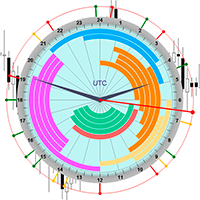
The professional browser of News and Trading Sessions is now available in MetaTrader 5.
Now all the most important market information is collected on one dial!
News located on the Time scale. Planning your working time has never been so easy and convenient ... The news scale can be switched a day, two, a week, a month forward or backward (see the details in the short video). All news updates in real time.
Thanks to the built-in filters, you can configure the display of news by importance, cou

Flat è una utility pensata per chi ama operare con take profit e stop loss virtuali ed ordini di copertura come sistema di protezione del capitale, ma a volte ad esempio la notte non è possibile operare quindi si è costretti ad intervenire nel momento e nel modo sbagliato Facciamo un esempio, dopo aver ricevuto un segnale ti posizioni sul mercato con una posizione Long ma il mercato a bassi volumi e comprendi che il tuo posizionamento è valido ma bisogna attendere più di quanto pensavi fosse ne
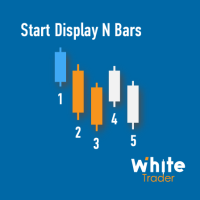
Do you already know Display N Bars?
Do you already know the Start tool (from Midas indicators)?
In this indicator, we unified the two tools, allowing you to define which candle will start counting, or use the automatic numbering that was already available in the previous version.
Description of the utility follows:
Display N Bars
The Display N Bars utility is a simple tool that aims to help identify candles.
If a trader tries to share the knowledge with a colleague but it is difficult t

新機能:Ver3.5 28通貨ペアの強弱も表示するようにしました。 監視ペアで最強、最弱の通貨ペアとなった場合、四つ葉のマークが出るように変更しました。 15分足、1時間足、4時間足単位での通貨ペアの強弱を表示するようにしました。
詳細な情報はこちらにサイトがあります。 https://toushika.top/tc-cs-plus-cfd/
注:こちらはTitanのデモ口座で動作します。 XMで使用したい場合は こちらのでセットファイル を使用してください。
機能: 一目で現在の通貨の方向性と強弱が確認できます。 15M,1H,4Hでの方向性を表示します。 15M,1H,4Hでの方向が揃った場合にドットが表示されます。 通貨の相関が揃った場合にドットが表示されます。 ※相関はピアソン相関係数を使用しています。 より詳しい情報につきましてはこちらを参照してください。 https://www.mql5.com/ja/articles/5481 通貨の強弱を表示します。 現時点でのボラリティーの状況を表示します。 過去20日/過去5日/今日のボラリティーを表示しま

Overview
The Expert Advisor allows you to receive notifications to the mobile phone (or tablet PC), mailbox or play the sound alert when some events occured: opening or closing position (also closing all positions), placing or deleting pending order; changing open price, stop loss or take profit; the account balance, equity, margin level, free margin or drawdown has reached the user specified level. You can specify a notification interval, notification text template and audio file for sound aler

This is Advanced NotifyMe version with large interface.
Overview
The Expert Advisor allows you to receive notifications to the mobile phone (or tablet PC), mailbox or play the sound alert when some events occured: opening or closing position (also closing all positions), placing or deleting pending order; changing open price, stop loss or take profit; the account balance, equity, margin level, free margin or drawdown has reached the user specified level. You can specify a notification interval,

让机器人在您正常生活的同时为您扫描整个市场并发现最佳交易机会。
市场偏差扫描器以百分比为单位衡量价格与给定平均值的偏差。
建议所有平均值的设置为200每日简单移动平均值,但是任何参数都可以随意修改-扫描仪是完全可定制的。
如果违反了某个价格偏差水平,则可以设置电子邮件,MQL推送或警报通知。
在一张图表上,最多可以监视28个仪器。
通过更改工具名称并将Scanner附加到新图表,您可以监控整个市场(28、56、84、112等工具)。
注意!所有工具必须在“市场观察”窗口中可见,以便在屏幕上接收新的报价价格。
在使用或测试扫描仪之前,请确保要扫描的仪器具有完整的计算数据!请先更新图表!
请观看演示视频。
常规设置
MQL通知已禁用/已启用-获得有关您的手机的偏离水平的通知。
电子邮件通知已禁用/已启用-获得有关您的电子邮件地址的偏离程度的通知。
警报通知已禁用/已启用-获取有关终端中交叉偏差水平的通知。
扫描仪刷新率(秒)-设置扫描仪的价格和刷新率。默认设置以及最小值为1秒。
开启图表默认期限-如果您点击仪器名称,例如EURUSD-EURUSD图表将在选定的期间自

Features: fast opening / closing deals automatic closing of trades by profit / loss shows the number of deals and the total profit for the Symbol
Fast open deals: set the Lot volume set StopLoss / TakeProfit in points (if you set "0", then it is not used) set slippage set Magic (if necessary) set comment (if necessary)
Fast open features: fast open Buy fast open Sell fast close ALL open orders for the current Symbol
Auto close deals by profit / loss (analogue of virtual StopLoss / TakeProfi

What this tool does Assistant AutoClose monitors open trades and closes them when selected conditions are met. You can automatically close trades by: Profit in points Loss in points Profit in deposit currency Loss in deposit currency
It can work: On Buy and Sell trades Only Buy trades Only Sell trades
You can also: Limit by number of deals Control total profit per symbol Close trades per-trade or based on overall result Typical use cases Closing trades after fixed profit without using b
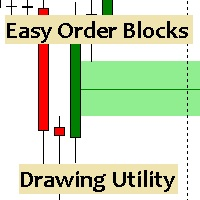
Esta utilidad dibuja Order Blocks y otros bloques fácilmente mediante el trazado rápido de lineas y rectángulos con 1 click y 1 tecla. Las teclas Hotkeys son programables y son 5: Order Blocks Fair Value Gaps (o Liquidity Void) Rejection Blocks Mitigation/Breaker Blocks Fast Object Delete (Borrado Rápido de objetos) Las 4 teclas de dibujo toman las coordenadas de la barra donde se clickeo y trazan 1 linea horizontal y 1 rectángulo delimitando la zona de OTE (Optimal Trade Entry). Automáticamente

Equity X è una utility che chiude tutte le posizioni ed eventuali ordini pendenti ad un importo prestabilito, è possibile fissare il bilancio del tuo conto quando il netto e uguale o superiore oppure uguale inferiore all'importo desiderato Ha integrato un sistema per la notifica mobile instantanea che genera il messaggio ad operazione avvenuta Uno strumento che permette di ottimizzare al massimo il rendimento del tuo investimento, è possibile utilizzarlo anche come gestore virtuale di take prof

Xrade EA is an expert advisor as technical indicator. For short period trade it's the best for next previsions of the trend of the market.
+--------------------------------------------------------------------------------------- Very Important Our robot(data anylizer) does'nt take a trade procedure. If using only our robot you must take positions by yoursels +---------------------------------------------------------------------------------------
The technical indiator provide for a given sma

PanelCME - это инструмент для помощи трейдеру в ручной торговле. Данная панель автоматически выставляет стоп лосс и тейк профик к каждому ордеру. Имеет функцию перевода позиции в безубыток и функцию трала стоп лосса. Основное преимущество данной панели то, что тейк профит выставляется встречным лимитным ордером , что позволяет избежать проскальзывания при закрытии позиции. Данная панель делалась для скальпинга на СМЕ, но может так же работать и на форексе.

Fast closing of all positions in one click. A very useful button when you use position averaging, adding new orders, and when the price returns for a few seconds to the desired point, and there are more than 10 orders, it is very important to have time to close all of them. The second time the price may not return. Super fast execution. Orders are closed asynchronously without waiting for the previous result. The utility allows you to add a button to any window. Multiple buttons can be added fo

Time Closer 可以幫助您在指定的時間“每天”關閉所有未平倉單。
主要適用於不想持單過夜, 不想持單在 不同交易時段 , 不想持單在 特定時間內 。
使用非常簡單
用法 1. 下載並拖動 Time Closer 在圖表上 (圖表符號應與您希望平倉的圖表符號相同) 2. 選中“允許自動交易”為“開” 3. 設定參數
輸入參數 Turnon True - 啟動 Time Closer False - 關閉 Time Closer Close All Open Position Time (Server Time) - 設定指定時間 (交易商平台伺服器時間) , 在 指定時間把 所有未平倉單平倉
Time Closer can help you closing all the open position at the specified time "Everyday". Mainly for Day trader that don't want to hold position overnight, or over different session, or o

Profit X invia notifiche sul tuo dispositivo mobile mantenendoti aggiornato sul profitto dei tuoi investimenti anche nei momenti in cui non puoi fisicamente controllare i mercati, ad esempio quando sei alla guida, sul posto di lavoro, in una riunione o con amici, con parenti e non puoi distrarti Può essere disattivata e attivata ed è possibile scegliere la frequenza del aggiornamenti in minuti, ore, giorni, settimanale o mensile La configurazione e personalizzazione è molto semplice, di default

EnkiSoft Trade Clone EA new!
User description in MQL5 blog
You can use it on unlimilted clients for unlimited time! MT4 version download here
With Trade Clone EA you can trade on multiple MetaTrader 4 and MetaTrader 5 accounts simultaneously, clone the trades of any trading robot from server account to your friends and family accounts. Note: All MetaTrader 4 and MetaTrader 5 must run in same computer, or you need copy the trade file to the Client computer. You can run multiple Tr

EnkiSoft Trade Clone EA
User description in MQL5 blog New version 1.57 Read updates MT4 version download here
With Trade Clone EA you can trade on multiple MetaTrader 4 and MetaTrader 5 accounts simultaneously, clone the trades of any trading robot from server account to your friends and family accounts. Note: All MetaTrader 4 and MetaTrader 5 must run in same computer, or you need copy the trade file to the Client computer. You can run multiple Trade Clone EA as server, and yo

The Expert Advisor helps in manual trading or closes the positions of another Expert Advisor. He is designed to automatically close position or group positions when the total conditions is reached. He does not open deals on his own. The EA can close positions on one symbol, on the entire account or on a specified magic number. You can specify in the settings the general Take and the general StopLoss for a group of positions for close. If you have any questions, comments or suggestions, write me

Protect your EA from unauthorized use. With EA Locker you can generate individual licenses for your EA to your customers.
Product blog page Download MT4 version from here
Protection consists of three parts: 1. Your Unique EA identifier 2. User Identifier 3. Expiration date
Description of parts: 1. EA ID is your internal EA identifier. Itcan be the short name of the EA. (MyGridEA, TradeCopierEA...) 2. User identifier can be anything user specific data (Mt4 account number, Account number + User

Trader's Panel is a simple EA for managing trades once open. Your options for managing open trades are to close an entire open trade, close a percent of an open trade, which can be input from the trader panel, and then set stop loss to break even on an open trade. The Trader's Panel hovers at top left of screen right below the one click order buttons. **Note that this EA does not open trades. It only manages trades once they are open.

MOST IMPORTANT INFORMATION
<1>
Exactly this program was used to set World Record in Trading 2020
Account Equity was increased from $1,000,000 to $100,000,000 in 16 days
Details => www.mql5.com/en/users/AIS
<2>
In the last days of this record the position was creating by 1000-2000 orders
It was used the computer with 1 core Pentium 4 CPU at 2.8 GHz and 1 GB memory
In the last two days the daily profit was $40,000,000 every day
<3>
It was 100% manual trading
And this special program was used to s

This utility sends notification to trader’s MT5 (for MT4 version, checkout this link ) mobile app, to remind traders about their open positions. Super useful for part time traders to keep track and not forget any positions. To turn on notification, please visit this link (https://www.metatrader4.com/en/trading-platform/help/setup/settings_notifications)
Features Keep track on open orders (pending orders, running orders) Customize time to send notification Customize notification interval (se

貿易商經理定單工具使用戶可以輕鬆地手動編輯線來添加止損,止盈,尾隨止盈和目標價。 參量 : Magic Number : 應用於多個資產時用於標識您的EA的編號。 Distance from Bid Price (ticks): 將買或賣定單置於刻度上的當前價格值(每個刻度代表最小的價格變化)。 Slippage (0 = off): 表示要通過的訂單的最大點差。 Volume: 批量. SL Distance (ticks) [0 = OFF]: 如果禁用0,則距止損的距離,以滴答為單位。 TP Distance (ticks) [0 = OFF]: 如果取消激活0,則以刻度為單位的TakeProfit距離。 BE Distance (ticks) [0 = OFF]: 距突破點的距離即使這意味著,當價格達到該值時,止損值將移動到入場價。 TS Distance to Start (ticks) [0 == off]: 激活追踪止損的距離,這意味著,當價格達到該值時,stopLoss將根據“追踪步距”參數中定義的距離開始移動,如果價格與頭寸方向相反,則永遠不會更新。

Set your Stop Loss, Take Profit and enter the operation and with the Close Position button, exit the operation whenever you want and safely. What's more, let us control your operation with Trailing Stop. With Expert Trade Control, you can enter a trade with your stop loss and take profit defined, but if you want to leave before the market reaches these targets, just click on "close position" and your position will be closed at the same time.
Mechanisms like this prevent a counter-order from be

FX Trade Manager is a tool used to open and manage your buy and sell orders with few clicks and with ease in MetaTrader 5 . Through this fantastic tool you can open orders like: SELL BUY SELL LIMIT BUY LIMIT You can open an order just by informing the lot volume you want, your takeprofit and stoploss and clicking on the opening button, or just placing the lot volume you want and clicking on the opening button.
If you don't know the lot size you want to open, let the FX Trade Manager tool do it
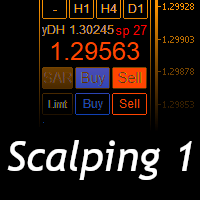
Scalping Day Trading Support Utility Scalping One
setting faile (for white Chart) http://www.emkyuradias.shop/indexenglish.html
One position is displayed with one button. View P & L, Lot, and Point in real time. It is possible to switch the display of positions of only chart currencies and all currency pairs. Supports automatic identification in Japanese and English Account currency notation corresponds to dollar, euro, pound, yen (automatic identification) Lot, take profit and stop los

ATM Auto Trade Manager Expert Advisor will manage all transactions you make using Expert Advisor, or manually from all platforms (Web Trade, MT5 Windows, MT5 Mac, MT5Mobile phone) Multi Currency In one chart, the Tool will manage transactions of all currencies or according to the available list.
Currency Selection All Transactions of All Pairs Based on the Pairs List
Auto Manage, with setup parameters on one chart Auto Close Profit Average Auto Close Profit only Auto SL / TP Auto Trailing
B

News: IDEA 2.0 is out with lot of features, like telegram bot notifications and Limits order! Check the changelog at bottom of page (*).
Hi all,
here you can find my Expert Advisor, called IDEA (Intelligent Detection & managEr Algorithm) . In short, with this software you can: Have a clear view of market status , with an indication of current trend. Simply add symbols you want to monitor to your market watch, and IDEA will notify you if some of them are in trend; Have an automatic lots ca

Indicator to create and manage your own watchlists. It allows you to load one symbol to multiple charts with just one click.
There is an addon to save objects from drawings (lines, fibos etc.) and load when the symbol is changed.
Functions
Supports Multi-Timeframe-Usage
Load one symbols to multiple charts with just one click
Automatically created list with all tradeable symbols
Custom watchlists can be created
Symbols can be added and deleted from the created watchlists
Sortfunction to sort a
一款“设计简洁的”的交易面板,其特点是小巧的字节尺寸,CPU占用率低,步骤简洁,操作迅速,1到2次点击即可完成一个功能操作 ,节省了时间,增加了效率。
面板上手容易,并不繁琐的参数设置,符合交易者习惯。同时,其设计紧凑 ,一目了然 ,功能全面,乃手动交易之利器。 主要功能说明:
点击“价格”点数和价格输入切换 点击“点差”一键清除所有划线 点击“相机”屏幕快速抓图 点击“Lot”显示“统计面板”,如:手数统计,净值,平均价,每日盈亏等 点击“SL或TP”快速删除止损或止盈 点击“PD”快速删除挂单止损和止盈 支持“移动止损”和“保本止损”功能 支持“划线开单”或“报警” (价格高于"Red"红色线自动下单或报警,价格低于"Yellow"黄色线自动下单或报警) 支持“百分比开仓”功能,根据风险百分比和止损大小自动计算开仓手数 支持“OCO订单”功能,一个挂单成交,另一挂单自动取消 支持在“指定时间” 开仓 或 清仓功能 支持到达指定的金额平仓功能 支持反手、反手2倍、平盈利单、平亏损单、平最近单、部分平仓、 锁仓 等基本操作 支持中英文两种语言,支持MT4/MT5两个版本 支持

izi hedge is a tool that helps you manage risk, manage hedge orders and rebalance losing orders.
How it works It will place an order opposite to the order you placed with that currency pair. If the order you place is correct, the reverse order will be automatically deleted If the market unfortunately goes against your order and touches the hedge order, it will begin to calculate the hedging volume to limit the risk of the market going in reverse.
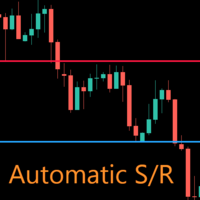
AutoLevels is a precise tool for identifying support and resistance levels. Allows you to trade with reliable information, making your analysis fast and easy. Usage
https://www.youtube.com/watch?v=7tqX4f_QhaA&ab
Features and settings Features : Data based levels Dynamic coloring and width Works on any timeframe Settings : period : sets the averaging the period of the ATR; scale_factor : sets the ATR's multiplicator; levels_number : sets the maximum number of levels on the chart; dynamic_col

THIS PRODUCT CAN NOT BE TEST IN STRATEGY TESTER. PLEASE TRY DEMO VERSION: https://www.mql5.com/en/market/product/58096 RISK AND TRADE MANAGER RISK AND TRADE MANAGER is an advanced trading panel designed for manual trading. Utility helps to manage trades effectively and efficiently with a single click. MAIN FEATURES Convert and display Stop Loss (SL) Pips into % and amount to view the clear picture of the trades if SL hits. Fund allocation for individual trade in % and in amount. Get alert

Com este Expert Advisor tenha a possibilidade de fechar todas as posições de forma automatizada.
Tenha em mãos o recurso de fechar as posições e ordens pendentes por ações, Dólar, Índice ou TODOS estes juntos, algo inovador no mercado.
Ideal para quem quer uma segunda camada de segurança para suas operações automatizadas ou ainda que o próprio robô feche suas operações manuais em um horário programado.
Promoção de 30 dólares para a três primeiras assinatura, posteriormente será cobrado 50 dól

If you want to try the Demo Version, please use this one: https://www.mql5.com/en/market/product/58262
Features: easy positioning of stoploss and takeprofit with horizontal Assistance-lines
automatic Volume calculation fixed risk, set by the trader Closing of all trades of one type, with the click of one button (long or short, for this symbol) Creation of pending orders with one click Direct feedback through responsive buttons
Made for all your needs: Forex Indices Crypto Gold, Silver, Platin

Quickly Helper 是一个帮助我们快速处理多个订单的工具. 它有五个功能键.分别是: 快速平掉所有订单的"清空"按钮;
快速平掉多单的"平多单"按钮; 快速平掉空单的"平空单"按钮; 快速以当前价位买进的"买多"按钮; 快速以当前价位卖出的"买空"按钮; 它有七个显示信息项.分别是: bp:多单的总共收益;(buy profit) avgb:多单的平均价;(average buy) sp:空单的总共收益;(sell profit) avgs:空单的平均价;(average sell) ap:当前收益总值;(all profit) bvol:多单的持仓量;(buy volume) svol:空单的持仓量;(sell volume) 这些信息有助于我们订单量较多的情况下快速分析出当前的状况,便于我们做出最好的选择.并且它可以让我们以极短的时间操作订单,从而避免错过最佳时机.

The program is used to calculate the lot to be used given a certain amount of financial risk. It allows the creation of lines that will mark the entry and stop prices. From these two values the lot is calculated and shown in a small panel. The program also allows choosing the risk-return ratio and creating a horizontal line marking the target. The system does not create orders. These must be created manually by the user.
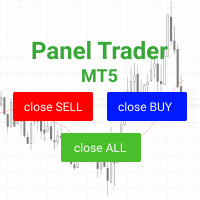
Trading panel for fast and convenient trading. The panel allows you to quickly open and close orders. Separate closing of orders for Sell and Buy positions. It is also possible to close all orders completely.
The trading panel displays information about profit, total volume and number of orders for Sell and Buy positions.
Sometimes some positions may not be closed due to market volatility. In this case, click close the position again.

Closes a losing position. Due to the previous continuous, profitable series. SymbolsWork: Currency instruments (pairs) for the EA to work with. There may be variations when setting a pair. If set simply as EURUSD , GBPUSD: or AUDUSD:ALL , the EA opens both buy and sell orders. If a specific order type is set after a colon USDJPY:BUY , then the EA opens only buy orders and in case of eurjpy:sell , it performs only sell orders. The pairs are separated by commas. For example, the following entry "E
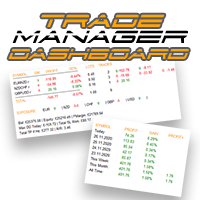
控制您的外匯投資組合。立即查看您的站立位置、工作原理以及導致您疼痛的原因! 此處提供 MT4 版本: https://www.mql5.com/en/market/product/58375
交易經理儀表板旨在讓您一目了然地顯示您當前在外匯市場中的每個頭寸,並使風險管理和貨幣敞口更易於理解。 對於通過多個頭寸或交易網格和籃子策略逐漸進入市場的交易者,這是需要查看的關鍵信息。監控終端中的多個位置通常很難管理。
過度槓桿化和使用低風險:回報是新交易者和一些經驗豐富的交易者面臨的主要問題,交易經理向您展示您對每種貨幣的風險敞口,確保您不會同時進行雙向交易。
特徵: 未平倉交易 - 查看您當前按貨幣對排序的所有未平倉交易。您不僅可以在該貨幣對上看到您的方向偏差,還可以在該貨幣對上運行的每筆交易或頭寸上看到您的方向偏差。 回撤和利潤信息 - 立即查看您交易活躍的貨幣對的回撤或盈利情況。輕鬆識別需要管理的交易。 手數大小 - 查看您在每個貨幣對上的手數以及您進行的交易數量。 風險敞口 - 查看您對每種貨幣的方向偏差,以確保您不會在另一個入場時以相反的方向交易。另請查看您在該貨幣中使用不同貨

Notify To Telegram MT5 Expert Advisor will send notifications via Telegram when orders are opened/modified/closed on your MetaTrader 5 account. Send message to person, channel or group chat. Easy to customize message. Support custom message for all languages Support full Emoji. Parameters Telegram Bot Token - create bot on Telegram and get token. Telegram Chat ID - input your Telegram user ID, group / channel ID, use comma to input multi chat ID as chat_id_1, chat_id_1 Magic number f
MetaTrader市场是 出售自动交易和技术指标的最好地方。
您只需要以一个有吸引力的设计和良好的描述为MetaTrader平台开发应用程序。我们将为您解释如何在市场发布您的产品将它提供给数以百万计的MetaTrader用户。
