 MetaTrader 5
 Experts
 지표
지표
 라이브러리
라이브러리
 유틸리티
유틸리티
 위젯
위젯
 규칙
규칙
MetaTrader 5용 트레이딩 유틸리티 - 47
 다음은 MetaTrader 5의 거래를 단순화하는 거래 프로그램입니다. 유틸리티의 설명과 목적을 읽으려면 유틸리티 위에 마우스를 놓으십시오.
The AlgoKing Squawk Trendlines script will auto draw trendlines on your chart to use with trendline break and retest strategies. Simply drag the script onto your chart.
Recommendation: Be sure all candle bars that you want to include in the trendline calculation are visible. Draw trend lines using multiple timeframes. Delete all lines that you do not want to use in your strategy. Benefits: Join the AlgoKing Lightning Bolt Expert Advisor support group: https://www.mql5.com/en/messages/02E3BDCF

This Service, export the account Orders/History Orders/Deals/Position on each new change. It save at a common folder with path = <DATE>\\<Server Name>.<Login>.<DATE>.<filetype>.csv Each file type have an header You can use it to receive OMS changes and source SQL Servers outside metatrader with bash scripts or others tools, each time the file change you can read it and get new updates, it works using SharedRead option when opening/flock the file.

사용자 매뉴얼: MICROLOTS DERIV (거래량 관리 패널) MICROLOTS DERIV 시스템은 특정 브로커가 부과하는 거래량 제한을 극복하기 위해 설계된 고급 실행 도구로, 특히 합성 지수 또는 파생 상품 시장에서 유용합니다. 주요 목적은 브로커가 작은 거래량 단위를 허용하는 경우, 자산 계약에서 허용하는 최소 거래량보다 적은 거래량으로 포지션을 열 수 있도록 하는 것입니다.
1. 서론 및 목적 많은 시장에서 브로커는 최소 로트(예: 0.20)를 설정합니다. 트레이더가 0.05로 거래하고자 하면 표준 플랫폼에서는 이를 차단합니다. 이 패널은 즉각적인 부분 청산 로직을 사용합니다. 시스템은 허용된 최소치로 거래를 시작하고 수 밀리초 내에 초과분을 청산하여 결과적으로 사용자가 원하는 정확한 "마이크로 로트" 포지션을 남깁니다.
2. 파라미터 가이드 (입력 메뉴) 실행 파일을 불러오면 "입력(Inputs)" 탭에서 다음 옵션을 찾을 수 있습니다.
MagicNumber: 이

Данный советник - это аналог TakeProfit и StopLoss, только невидимый брокеру и остальным участникам рынка. Удобная вещь для скальпирующих стратегий, использующих одинаковый StopLoss и TakeProfit - один раз установил размер предполагаемых убытка и прибыли и далее остается только при соответствующем сигнале открыть позицию, а советник закроет ее сам при достижении установленных уровней.
This EA trails your stops based on percentage of current TP, for both manually and auto-opened trades. You can edit the percentage value in the inputs. Trailing stop is a more flexible variation of a normal exit order. T railing stop is the practice of moving the stop-loss level closer to the current price when the price moves in your favor. Trailing the stop-loss allows traders to limit their losses and safeguard their positive trades. It is a very popular practice. This EA will manage you

TRAILINATOR is a unique Solution to use different Trailing-Stop Variants and change your Tradesetup via Remotecontrol. You configure your Tradesetup for a specified Symbol only once. This setting will be used for all your Positions of the same Symbol. Currently we support these Features: different Trailing-Stops: Standard: works like you use in Metatrader Terminal, starts trailing if your profit is greater than trailing stop Start after points: trailing stop will start after your defined poin
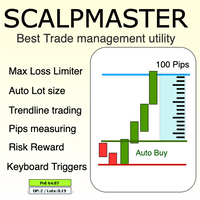
The Scalp Master tool not only provides proper trade management but also helps a trader to build a proper psychology and discipline to gain consistent results in his trading. It offers Max loss Limiter ( Risk per position ) and RPT limiter (Risk per trade), Auto calculates Lot size, CLOSE multiple trades with single click. Buy, Sell, Close with default Trend line and Horizontal line , Pips measuring tool, risk reward measuring tool and many other features. This tool offers to place quick

Description :
A utility to create and save screenshots automatically and send to a chat/group/channel on telegram.
The saved/sent image file will include all objects that exist on the chart and also all indicators are displayed on the chart.
Features: Save screenshot of chart including all objects, indicators, ... Send screenshots to a telegram chat/group/channel
Wide range options to select when create screenshots
Logo and text adding feature
Inputs and How to setup the EA :
Various option

Hello friends. I wrote this utility specifically for use in my profile with a large number of Expert Advisors and sets ("Joint_profiles_from_grid_sets" https://www.mql5.com/en/blogs/post/747929 ). Now, in order to limit losses on the account, there is no need to change the "Close_positions_at_percentage_of_loss" parameter on each chart. Just open one additional chart, attach this utility and set the desired percentage for closing all trades on the account. The utility has the following fu

Drawdown Limit EA Prop Firm trading MT5
If you found this EA, it's probably because you want to get a funded account with a prop firm, but you see a rule that most of traders fear : Maximum Daily Drawdown. I've been through this problem myself as I'm a prop firm trader and I've made a bot to solve this rule, and you can get it to solve this problem too.
How does it work ?
When you first setup this EA, you need to input the initial deposit which corresponds to the size of your funded account.

This utility tool shows the ticker symbol, timeframe, and description information as a watermark on the chart. Text resizes automatically according to chart size. It is useful to identify the correct chart when multiple charts are shown on the screen. Premium version supports changing font name and color independently for symbol name and description, and defining screen location for symbol placement. See the demonstration video below!
Symbol Name Inputs: Font Name: Specifies font used. Needs

Close All and Change Take Profit and Stop Loss All Orders. Main Features
Ability to Close All Orders the Symbol you put this EA. Ability to Change Take Profit to All Order. Ability to Change Stop Loss to All Order. Show Order count. Show Average price with info and Horizontal Line. Show lot open.
Show Price diff from average to price now Show broken price with info and Horizontal Line. Easy to use . How to use
Close All (Symbol) PC : you can click on CloseAl

Size Calculator allow you to calculate the size you need for your position giving two parametres: the number of pips risked and the money risked, for example if you want to risk 20 USD on 200 pips, then you will need to input 200 in the case reserved for pips and 20 in the case reserved for risk, the size will appear in left top carner of the chart in your metatrader 4 platform, Size Calculator support the following symbols : EURUSD GBPUSD AUDUSD NZDUSD GOLD WTI EURJPY GBPJPY USDJPY AUDJP

Telegram 유틸리티 EA는 모든 개인/공용 봇에 연결되며 다음을 수행하는 데 도움이 될 수 있습니다.
명령으로 즉시 모든 주문을 닫습니다. 명령은 사용자 정의 비밀번호로 인코딩되며 나만 알고 있습니다. Telegram 봇은 모든 주문이 마감되면 알려주고 MT5 터미널에서 실행 중인 다른 모든 EA를 일시 중지할 수도 있습니다. 단 한 번의 클릭으로 터미널에서 실행 중인 다른 EA를 일시 중지/재개하세요! 핍 형태 또는 화폐 형태로 수출 무역 보고서. 봇 또는 커뮤니티(텔레그램 채팅 그룹, 텔레그램 채널)에 매수/매도 신호를 보냅니다. 보낼 거래 유형을 수동으로 선택할 수 있습니다. 스크린샷으로 신호를 보냅니다. 차트 스크린샷은 수동으로 선택할 수도 있습니다. 명령할 때 선택한 차트에 스크린샷을 보냅니다. 모든 매개변수를 쉽게 이해하고 수정할 수 있습니다.
With this script you can open or close multiple charts with just one click. Please follow the instructions below; Set your desired symbols in the market watch window. Open one chart. Attach the script to the chart In the input values just select the time frame of your chart. Set open chart value to true. Click ok. To close the charts follow step 3 and 7. In input values set open chart value to false and close chart value to true

Yahoo Finance 데이터를 자동으로 가져와 MetaTrader 5에서 사용자 정의 심볼을 생성하세요. 인디케이터나 전문가 어드바이저와 달리, 이 서비스는 차트에서 실행할 필요 없이 백그라운드에서 실행되며, 브로커에서 제공하지 않는 시장의 역사적 데이터를 지속적으로 업데이트합니다. 주요 특징: 독점 시장 데이터 : VIX, DOLLARINDEX, T-Bond, SP500, NASDAQ100 및 Vanguard Total Stock Market (VTI), SPDR S&P 500 (SPY), iShares MSCI Emerging Markets (EEM), Invesco QQQ Trust (QQQ) 등 다양한 ETF에 접근할 수 있습니다. 완전 자동화 : 데이터를 자동으로 업데이트하여 수동 다운로드와 가져오기를 없앱니다. ETF 및 장기 전략에 최적 : 높은 품질의 데이터를 사용하여 적립 계획을 최적화하고, 거래 신호를 생성하며, 포트폴리오를 시뮬레이션합니다. 사용 방법: 빠른

Do not buy before seeing the Danko Trend Color product, as this panel is a way to view a summary of this indicator on various timeframes.
The Danko DTC Panel utility allows you to look at the trend in up to 5 timeframes. When clicking on the timeframe texts, a new window will open with the indicator plotted on the screen so you can see the complete chart. The width of the panel, with the amount of candles you want to see, is customizable, see the images below.
Ao clicar nos textos dos timeframe
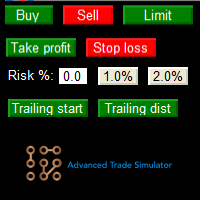
Advanced Trade Simulator for MT5
It is an indicator you can attach to any chart and then buy and sell the given symbol virtually. No actual trading takes place. You can attach it to multiple charts. Then you can buy multiple symbols.
A more detailed description here: https://www.mql5.com/en/blogs/post/750336 Features:
- buy and sell immediately on the given time frame - market , limit and stop orders - generalized OCO, more than 2 orders can cancel each other. - OSO, one sends another.. - bu

Whosa TradePad for MetaTrader 5 Do you trade in MetaTrader 5? Calculating Pips yourself and calculating your risk yourself is a thing of the past with our Tradepad. With this Tradepad you can place your trade in MetaTrader in no time. This Tradepad is fully equipped. Automatically calculates your risk which you can enter in percentages and amount of dollars. Check the video to see all the features! (The video is in Dutch, but you can see the features) This TradePad only works with a new password
The utility for managing open positions can work with stops (take profit and stop loss) in money, percentages or points. The built-in trailing stop starts working from profit, the size of which can be set in currency or as a percentage. With the help of the built-in trading simulator, you can check how the utility works in the strategy tester. Benefits setting stop loss and take profit in the deposit currency, as a percentage of the account balance or by points; adding stop loss and take profit

상품 인쇄 화면은 추가 분석을 위해 계정 거래와 이미지의 저장을 자동화하기위한 스크립트입니다. 이 패널을 사용하면 기록에서 트랜잭션 검색 및 모든 작업 매개 변수의 표시 및 그림을 사용하여 이미지 형식으로 파일 저장과 관련된 기술 작업 시간을 크게 줄일 수 있습니다.
이 스크립트는 어떤 작업을 해결합니까?:
당신은 거래 내역에서 원하는 트랜잭션을 검색 할 필요가 없습니다:당신은 단순히 기간을 선택하고 스크립트는 지정된 기간 동안 모든 무역 거래를 발견하고 가격 수준의 표시 및 트랜잭션 매개 변수 패널과 각각의 이미지를 저장합니다. 하나의 트랜잭션에 대한 정보만 저장하려면 입력 매개 변수에서 적절한 옵션을 선택하고 필요한 트랜잭션의 티켓(아이디)을 입력합니다. 파일 구성,폴더 검색 및 저장에 시간을 낭비 할 필요가 없습니다.이 스크립트는 각 파일을 원칙에 따라 자체 디렉토리로 분해하여 당신을 위해 그것을 할 것입니다./"터미널 디렉토리"/파일/"브로커 이름"/"계좌 번호"/
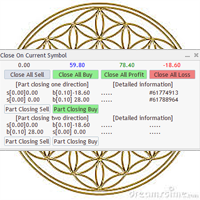
Utility / EA to simplify the exit from the drawdown. Allows you to gradually exit the drawdown correctly, reducing the volume of losing trades. At the same time, profitable trades opened on the same symbol cover losing trades in whole or in part. The volume of partial closing of a losing trade is calculated automatically. Trades opened both in one direction and in the opposite direction are supported. Position Management Closing positions only for purchase, only for sale, only profitable, only

Katana Trading Panel is a tool with many features that help you open and manage your trades more easily. Note: - Click here for Tutorial and Download demo .
- Click here for Katana Trading Panel MT4
- G o to my profile to message me .
- This EA will not work in Tester
The Features: - Line Preview: Show preview on the chart for opening price, take profit and stop loss. It's draggable and contains some valuable information. For market trade and pending trade. - Opening Trade Setting :

Spread Control 은 MetaTrader 5 차트에서 현재 스프레드와 그 변화를 직접 확인할 수 있는 컴팩트한 인디케이터입니다. 기능 실시간 현재 스프레드 표시 최근 값의 기록을 보여주는 스프레드 변화 차트 표시 기간의 LOW / AVG / HIGH 계산 스프레드 상태에 따른 색상 표시: 정상 수준; 경고 수준; 위험 수준 현재 스프레드 값의 시각적 스케일 현재 Bid 및 Ask 표시 시장 활성 상태 표시: LIVE — 호가가 변경되고 있음; OFFLINE — 설정된 시간 동안 Bid와 Ask가 변경되지 않음 현재 심볼 및 타임프레임 표시 Full 및 Compact 모드 설정 Position X — 패널의 초기 가로 위치.
Position Y — 패널의 초기 세로 위치.
Refresh Interval — 인터페이스 새로고침 주기.
Spread Sampling Interval — 스프레드 값을 기록에 저장하는 간격.
Spread History Size — 저장되는 스프레드 기
The utility for manual trading to manage open positions.The built-in trailing stop has three modes and seven instruments: by pips, by bar extremes, by fractals, by volumes, by MA, by Parabolic SAR and by ATR. With the help of the built-in trading simulator, you can check how the EA works in the strategy tester. Guide to UTrailingMiniMT5 can be found in the "Comments" section. Benefits 3 trailing stop modes: normal, total and mobile stop loss; 7 options: by points, by bar extremes, by fractals, b
5 EMA Scalping Strategy Multi Symbol Scanner
This EA utility will scan all symbols which are selected in marketwatch and alert when such condition is formed in chart when Candle low is above EMA 5 for Sell alert and Candle high is lower from EMA5 so you can be ready before selling or buying for scalping purpose on 5min chart For more details watch attached video Logic : When a candle closes above 5 EMA in 5 mins chart, Wait for its low to break and Sell when low is broken by wick, Your SL shou
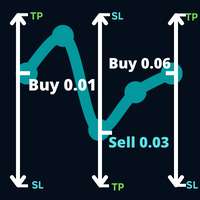
시장이 따르려고 하는 거래에 대한 방향과 귀하의 무역 거래에 보류 중인 거래에 따라 귀하의 무역 거래에서 발생한 거래에 대해 귀하의 무역 거래 작업에 보류 중인 거래 주문을 엽니다.
예시: 0.01 많은 매수를 0.03 포인트 가격에 매수하고, 0.01 다량으로 0.01.0930 가격에 매수하면 0.03 매도 정지 주문이 결정됩니다. 새로운 매수 정지 주문이 1.0930의 가격에 0.06의 랏으로 배치됩니다.
매개변수: 볼륨 -> 첫 번째 작업의 볼륨입니다.
이익을 취하십시오 -> 여러 점에서 이익을 보장하십시오.
Max Hedge -> 생성될 헤지의 양을 제어합니다.
패널 표시 -> 미리보기 패널을 활성화하거나 비활성화합니다.
Magic number -> 배송된 주문의 고유 ID입니다.
forex hedge hedge forex strategy hedging strategy forex hedging forex hedging techniques
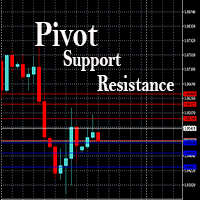
This EA is designed to calculate and draw Pivot Point, Support and Resistance for your selected time frame on the chart.
Works on all currency pair and on any time frames available on MT5.
To make sure the EA works, you need to select the pivot time frame as well as the candle shift that you want to calculate the pivot.
0 = Current candle on chart
1 = Previous 1 candle on the chart

Stack Manager is a MT5 utility that is built to help traders: manage existing stacked trades (multiple trades opened on the same symbol) copy SL / TP levels to newly opened trades update SL / TP levels for all stacked trades, if one SL or TP level is modified calculate and show global SL / TP in currency and points (for all open trades in a stack) SL / TP autocomplete from phone (if left on a VPS, traders can place orders on a phone and SL / TP levels will be copied from the existing trades)
Id

Trailing Stop toolbox MQL5, better and friendly. Trailing Stop tool box using Moving Average, Parabolic SAR, Ichimoku Kijun-sen, trailing stop normal, trailing stop by candle, trailing stop by targets and trailing stop by lowest, highest candle numbers. Manage orders by currency pairs and comments, trailing one or many orders at same time. Mql4 versition: https://www.mql5.com/en/market/product/68181
Workflow: Set your comment, profit, stoploss, lotsize, t imeframes and chose indicator for begi

당신이 좋아하는 심볼을 모니터링하세요 다기능 유틸리티: 66+ 기능 포함, 이 도구 포함 | 질문이 있으면 저에게 연락하세요 | MT4 버전 이 도구는 별도 창에서 열립니다: 이동 가능(어디든지 드래그)하며 최소화 [v] 가능합니다. 패널에서 관찰 목록을 조정할 수 있습니다: [edit list]를 클릭하여 관찰 목록에 심볼을 추가 / 제거합니다. 계산된 값: 마지막 [closed bar] 또는 현재 [floating bar]일 수 있습니다. [timeframe]을 선택하여 계산합니다. 값 정렬에는 2가지 유형이 있습니다: [Symbol] 이름 또는 가격 변화 [price] 기준입니다. 값은 오름차순 [^] 또는 내림차순 [v]으로 정렬할 수 있습니다. 계산 방법은 4가지이며, [v]를 클릭하여 변경합니다:
[bar size, pips]: 바 크기(핍 단위);
[bar size, points]: 바 크기(시장 포인트 단위);
[bar size, % price]: 바

Good money/risk management is more than just position sizing, it's much more. Successful traders analyze your trading activities and keep an eye on your key figures. With the help of AccountMan you can also do this very conveniently, analyze your trading activities for the purpose of professional money / risk management. Evaluate your trades by trade symbol to see if trading is profitable overall with these. Would you like to keep an eye on your individual strategies? e.g. which strategy works b
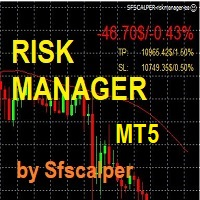
RISK CONTROL MANAGER
Now You can have the same control over risk management as big trading rooms, institutional investors and hedge funds. Managing risk is a fundamental operation for your brokerage. Choose your maximum desired risk exposure in percentage to Your account, set it on the RISK CONTROL MANAGER, the EA will check and make sure that You'll never exceed that. When You ignore the trading risk, and you leave your operations open, that potentially could lead to catastrophic trade expos

Boleta de Operação que funciona para o Mercado B3 feita para Mini Indice e Mini Dollar com Cálculo de Risco e Retorno da Operação. Características e informações: Ao colocar o EA no gráfico inicialmente serão apresentados 1 painel e 3 linhas todos com informações a respeito de operações, saldo e cálculo que facilitam o Trader a ter um operacional mais seguro e menos arriscado. O intuito desta ferramenta é fornecer dados em tempo real para que o Trader (ANTES MESMO DE ABRIR A ORDEM) consiga obter

Trade management is a system that helps you manage your operations, that is, you perform the analysis, and we manage the operations as follows: Automatic Stop Loss once the trade is opened is a short or long with a maximum risk of 1% of the account. Trailing Stop as the price moves in your favor. Risk management is handled in a 2:1 , once the operation reaches a 1:1 move Stop Loss to break even . Once the trade reaches a 2:1 closes half the lot, securing the profit and allowing the operation

Expert Advisor for Automatic Stop Loss and Take profit , calculated by Pips and cover all major pairs . you can activated the EA in your chart then place orders manually and the EA will be place TP and SL automatically for all opened orders , covered Buy market , Sell Market , Buy stop , Sell Stop , Buy limit , Sell limit . it is an easier tool that help you manage your order without effort . 10 Pips = 100 Points Pending orders SL and TP will be placed once order is activated . MT4 Version : ht
This is an Utility to make your trading easier by putting at one click or a few clicks time-consuming tasks as order management and risk management. Contact for a free trial. Features
Risk Management
Calculates automatically lots based on risk specified in either % or $ in the risk field and let you enter just by placing lines for SL TP etc and display real-time Risk Reward . TrueRisk so it includes commissions when calculating lot size on FX pairs only so you risk 1% with a

This EA helps chart pattern traders to automate thier task of placing trades. All you need to do is to draw your trend lines and name your trendlines to match the object name input in the EA.
The EA is safe to turn off anytime.
The input parameters are as follows: UpperBorderline : Upper border line of chart UpperEnteryLine: For entering trades UpperTPLine: Trendline for Take profit LowerBorder: Lower border line of chart LowerTPLine: Take profit line for lower trend line BorderChannel: F
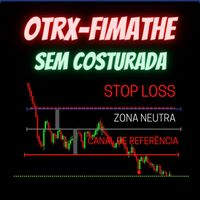
Fimathe Tool for Semi-Automatic Trading.
This tool serves as a support for trading using the Fimathe strategy, the same one used by Trader Marcelo Ferreira in his negotiations.
Features:
Button to set/change Trend chosen by Trader. Adjustment of Buy Zone and Neutral Zone Level Lines. Adjustment of Sell Zone and Neutral Zone Level Lines Subcycle Levels, R1, R2, R3, R4 and S1, S2, S3, S4.
Automatic Trailling Stop for previous level with each new (Subcycle) level reached.
Trading stop at the
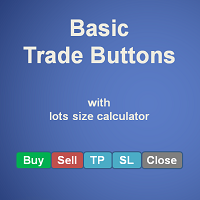
Basic Trade Buttons is a tool to help you to quickly open and close trades, place take profit and stop loss points by clicking on the button of each job that you preferred. Once you attached this tool to mt5 chart, the program will calculate a trade volume(Lots size) automatically to prepare to send to the trade server when you click on 'Buy' or 'Sell' button. Click on 'TP', 'SL' or 'Close' button to place take profit, stop loss based on the predefined levels or to close all open positions respe
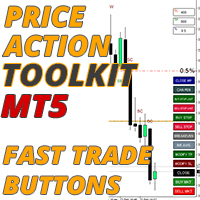
가격 조치 도구 키트 EA는 주로 스캘퍼를 위해 설계되었지만 모든 시간대에 사용하여 정지 수준에 따라 올바르게 계산된 로트 크기로 시장에 빠르게 진입할 수 있습니다. 주문) 그런 다음 시장이 움직일 때 스탑을 조정하고 이익을 얻습니다.
사용할 모든 기능, 설정 및 모범 사례 전략의 전체 목록을 보려면 여기를 클릭하십시오. https://www.mql5.com/en/blogs/post/748072
위험 기반 진입 빠른 주문 버튼을 사용하면 계정의 위험 비율을 기반으로 포지션을 잡을 수 있습니다. 선택한 위험과 손절매까지의 거리를 기반으로 로트 크기를 자동으로 계산합니다. 따라서 브로커가 0.01 로트 크기 사용을 허용하는지 확인해야 합니다. 0.10 또는 1.00 로트 증분을 사용해야 하는 경우 작동하지 않습니다.
빠른 거래 실행 버튼 차트에 빠른 거래 실행 버튼을 배치하여 즉시 거래를 자동으로 열거나 닫거나 조정할 수 있습니다. 일반 진입 버튼뿐만 아니라 모든 포지션을 종

1. 12개의 마스터 계정에서 100개의 슬레이브 계정으로 주문을 복사합니다. 슬레이브 계정의 수는 12에서 100까지 사용자 지정할 수 있습니다. 2. MT4에서 MT4, MT4에서 MT5, MT5에서 MT4, MT5에서 MT5를 지원합니다. 3. EURUSD, EURUSDm, EURUSDk와 같은 다양한 플랫폼에서 거래 종류의 접미사를 식별합니다. 4. XAUUSD=GOLD와 같은 사용자 정의 통화 일치. 5. 모든 거래를 복사하거나 BUY, SELL, CLOSE 지침만 복사할 수 있습니다. 6. 손절매 복사 여부를 선택할 수 있습니다. 7. 마스터 계정이 BUY, 슬레이브 계정이 SELL 또는 그 반대와 같이 역순으로 복사할 수 있습니다. 마스터 계정이 포지션을 청산하면 슬레이브 계정은 같은 방향으로 복사되든 반대로 되든 상관없이 동시에 포지션을 청산합니다. 8. 슬레이브 계정이 해지되는 등의 사고 발생시 마스터 계정은 청산 신호가 있지만 슬레이브 계정은 제때 복사하지 않습니

This EA helps to Close all Positions opened. It saves you the time of closing multiple positions manually.
Parameters: Buy: Close Buy Positions Only Sell: Close Sell Positions Only Buy & Sell: Close Buy & Sell Positions Pending: Close Pending Orders
More Advanced MT5 version available at: https://www.mql5.com/en/market/product/93301?source=Unknown%3Ahttps%3A%2F%2Fwww.mql5.com%2Fen%2Fmarket%2Fmy More Advanced MT4 version available at: https://www.mql5.com/en/market/product/93468?source=Unk

This EA is used to close all your open market positions and/or pending orders with a click of a button. The EA is ultra fast and your positions will close within a blink of an eye. It also allows you to close profit trades only or losing trades. You can also choose to close sell/short trades only or buy/long trades only. If your strategy include having many open and pending orders positions, this is a good EA to help you close your positions all at once with one click.

BETA product Recurring updates, and real-time assistance. Ea Auto is a specialist in inserting TakeProfit and StopLoss of positions, and moving them in favor of operations in an automated way, the user only needs to enter the initial TakeProfit and StopLoss value.
Recommendations on use in any asset In any period Chart So far, this utility only supports Forex
Description of input parameters Theme: set between Light (a lighter theme) and Night (a darker one) Take Profit(points): field where t

Smart Stop Manager EA – Maximize Profits, Minimize Risk!
This Expert Advisor (EA) is designed to automatically adjust your stop loss when your trades move into profit. It works on all open trades for the symbol it is attached to, ensuring maximum profit protection while letting your trades run.
How It Works
The EA uses two key inputs to manage your trades efficiently:
Stop Loss Points – The distance from the current price where the stop loss is placed. Stop Loss Trigger Points – The pro
Multi Symbol ZigZag Breakout Scanner는 마켓워치에서 선택한 모든 기호를 스캔합니다.
가격이 해당 수준에 도달하려고 할 때 이중 상단, 이중 하단 또는 모든 피보나치 확장 수준을 쉽게 찾는 데 도움이 됩니다.
Timeframe 및 Zigzag의 여러 Extdepths(최대 3개)를 선택할 수 있습니다. 권장 ZigZag는 21,34 및 55로 모든 유형의 지그재그 및 필터 노이즈를 포함합니다.
터미널 경고 또는 푸시 알림 또는 둘 다를 수신하도록 설정할 수 있습니다.
Multi Symbol ZigZag Breakout Scanner는 마켓워치에서 선택한 모든 기호를 스캔합니다.
가격이 해당 수준에 도달하려고 할 때 이중 상단, 이중 하단 또는 모든 피보나치 확장 수준을 쉽게 찾는 데 도움이 됩니다.
Timeframe 및 Zigzag의 여러 Extdepths(최대 3개)를 선택할 수 있습니다. 권장 ZigZag는 21,34 및 55로 모든 유형의

This is a tool that enables you to know account information in real time by sending email alerts,both Nedge and Netting modes are supported.
Alerts function as follows:
1. Floating profit and loss alerts, once the profit and loss amounts you have set are reached, EA will automatically send you an email with details of the alert.
2. Order open and close alerts, once your account has an open and close position, EA will automatically send you detailed alerts by email.
3. Multiple Symbol

The utility displays in a convenient form the historical trades made on the account. You can filter trades by magic or comcent, display only profitable or losing trades, and only buy or sell trades. Using this utility, you can see trade entry and exit points, stop loss and take profit levels, trade profit, magic number and comment, order ticket and order size - you only need to run the utility on the chart of the currency pair you want information on get and customize the input parameters. MT4
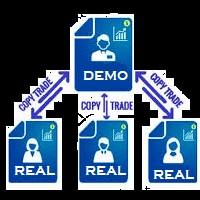
You Can Copy All the Trades from one MT5 terminal to another MT5 terminal hosting two different accounts in the same computer or VPS. It will work with same broker as well as different broker. You can also use it to copy from MT5 to MT4, then you also need to download the MT4 version and set the SEND and RECEIVE accordingly. MT4 version download- https://www.mql5.com/en/market/product/83400 Note: While Testing with demo version, do not use real account, as it will not copy. If your trades are
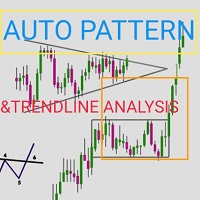
Automatic pattern recognition software for MT5
Trend lines Common chart patterns eg triangles, flags, pennants etc range detection with latest support and resistance levels. object updates to avoid lagging signals. Telegram updates just place your chart ID in the inputs section and it will send you screenshots at a given interval of what is happening in the market so you do not miss out on any opportunity) free updates. all timeframes, all symbols, all brokers
copyright @ GABRIEL MATOVU, BSc.

가격 차트에서 시장 세션 표시기는 뉴욕, 런던, 도쿄 및 시드니의 거래 시간을 보여줍니다. 각 거래 세션의 시작 및 종료 시간은 수동으로 설정할 수 있습니다.
특징:
주요 세션 표시: 시드니, 도쿄, 런던 및 뉴욕. 컬러 라인으로 강조 표시하고 개체를 그립니다. 겹치는 세션에 대한 세션 변동성을 그래픽으로 식별할 수 있습니다. 여기에는 매개변수를 포함한 18개의 이동 가능한 매개변수가 포함됩니다.
시드니 세션 시작 - 시드니 거래 세션 시작 시간 시드니 세션 종료 - 시드니 거래 세션 종료 시간 시드니 세션 색상 - 가격 차트의 시드니 거래 세션 영역 색상 도쿄 세션 시작 - 도쿄 거래 세션 시작 시간 도쿄 세션 종료 - 도쿄 거래 세션 종료 시간 Tokio 세션 색상 - 가격 차트의 도쿄 거래 세션 영역 색상 런던 세션 시작 - 런던 거래 세션 시작 시간 런던 세션 종료 - 런던 거래 세션 종료 시간 런던 세션 색상 - 가격 차트의 런던 거래 세션 영역 색상 NewYork

Assistant for all those who forget to set StopLoss, TakeProfit and Trailing Stop in deal parameters, or trade on a very fast market and fail to place them in time. This tool automatically tracks trades without StopLoss, TakeProfit, Trailing Stop and checks what level should be set in accordance with the settings. The tool works both with market and pending orders. The type of orders to work with can be set in the parameters. It can track either trades for the instrument it runs on, or all

!! BLACK FRIDAY !! FOR LIFETIME !! ================== == 35$ ONLY !! == ==================
BOOK YOURS NOW !!
The Position Manager Contains A Lot of Functions such as; (How to Operate) 1. Adjustable Volume per Trade (You could change the volume as you wish per trade). 2. Adjustable Risk : Reward Ratio (1RR means sacrifice 1 Risk : 1 Reward, 1.5RR, 2RR etc. as you wish) 3. Adjustable Stop Loss Points (Calculated Points as Stop Loss and Automatically adjusted the Risk Reward Ratio) 4. Buy Button
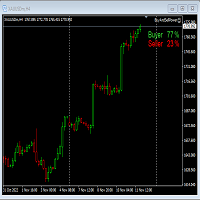
This Expert Advisor will not place any trade.
This Expert Advisor will only show the buyer and the seller power in percentage on the upper right corner of the selected chart. The percentage of the Buyer and Seller is calculated based on the Open, Close, High and Low price of the selected candle.
Candle can be selected using the shift on the Input Tab where 0 means the current candle, 1 means previous 1 candle before the current candle.
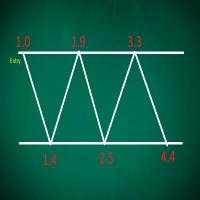
This EA performs with a Hedging strategy by which Buy and Sell signals are from the MACD indicator.... The lot sizes in the input are Custome for you to adjust as you pleased, so you are able to improve your hedging style. Inputs. Close Money- this option is basically the take profit in ($), for example if you set the close money at $20 the EA will automatically close all trades when your overall profit is $20. Nearby Hedge Pips- this basically determine the distance of pips between yo

Big News Promo 40%! From today we have added the possibility to take partials! Purchase or upgrade your autolot to use this new feature immediately. Introducing Autolot 2.0 Trade Management : The Revolutionary Trading Utility is Now Even MORE POWERFUL and EFFICIENT! We're proud to announce the launch of Autolot 2.0, the upgrade that takes your trading to a whole new level! We've listened to your feedback and improved the utility to make it even more versatile and user-friendly. Here are the key
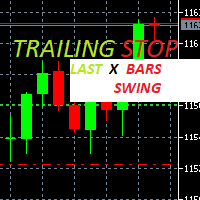
Trailing Stop loss last X candles swing high and low.
X is a value of candles you can set as an input parameter.
This Trailing stop loss moves the SL below the last X candles low(if BUY positions) or high(for SELL positions)
If we are in a trend and we open a position following the trend, the SL will be automatically placed at the low or high of the last X bars.
contact me if you need further assistence

Hello, Every one
This is "Close All Button" future 2
A script to manage order and close all market positions and/or pending orders.
----------------------------------------------------------------------------------- This is Close All Market positions and/or pending orders button
You can close all or manage orders in 1 second by one click
------------------------------------------------------------------------------------
Download for Demo Account: Demo version: Close 1s manage v1.7 DEMO
F
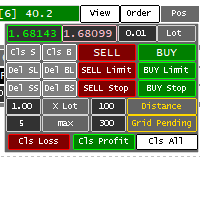
Panel for help Manual Trade if trader take order in multi Symbol/pair this will help more. this is look like hybrid dashboard in multi pair with small display
Panel have function : TP/SL, that also have funtion in Average TP/SL from BreakEvent (this will have for trader with multi trader in singgle pair) in Point can response multi Symbol
Trailing and Average Trailing from BreakEvent in Point can response multi pair. breakEvent in point Take Profit/Stop Loss in $ will detect in multi pair, an

Forget about coding! You no longer need EAs! Any indicators (and not only) can now trade themselves anything anywhere!
GRat_IndiTrade is a unique strategy builder for automatic trading by the signals of ANY indicators available on the chart without limits (both standard and custom), ANY candlestick patterns , as well as ANY of their combinations, without the need to write, generate or compile any code . You no longer need to be or hire a programmer to test and automate ALL your trading id

Do You Like Catching 100+, 500+ Pips In Seconds, Trading During High Impact News Like NFP, and CPI..?
I have been trading news for 2 year with my mentor Raja Banks, playing the Buy Stop, Sell Stop pending orders.
In normal news events price shots straight-down or straight-up based on the data of the event, and sometimes it whipsaws up and down.
As a manual trader, somedays I would miss out on securing big profits because price moved too quick, and retraced back to hit my Stop Loss, or even B

Drawdown Protector는 원하는 최대 일일 하락폭을 관리하는 데 사용되는 유틸리티 도구입니다.
프롭 회사와 도전의 시대에는 일일 감소 한도를 인식하는 것이 매우 중요합니다 . 자본 손실 관리 및 보복 거래 방지에 사용하기 쉬운 효과적인 EA입니다. 입력 매개변수:
거래를 차단하는 데 몇 시간이 걸립니까? - 여기에서는 일일 % 하락폭을 위반한 후 EA가 새로운 거래를 차단할 시간을 설정합니다 . 값은 0보다 커야 합니다. 다음 날까지 거래를 차단하시겠습니까? - 예/아니요(변경하려면 두 번 클릭). 여기에서는 위의 입력(거래를 차단하는 시간)에 관계없이 새 거래를 차단하려면 새 달력 날짜 (서버 시간대의 자정) 까지 적용할지 여부를 설정합니다 .
이 입력이 "예"로 설정되고 위의 입력으로 "거래 차단 시간"도 설정한 경우 두 매개변수 중 가장 빠른 시간에 거래가 다시 허용됩니다. 일일 % 하락률 - 여기에서 한도로 원

Binance Grid Pro offers an alternative to the built in Grid systems Binance Platform offers.
This utility let you define a grid parameters for interact with your Binance account using an Isolated Margin account. This is, similar to Spot Grid in Binance. This is not for handle with derivatives contracts, is for handle with Spot through Isolated Margin Account. But obviosly this utility offers a different approach than built in Binance Grid to handle the Grid, which I have found useful based on
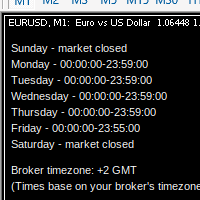
MarketSchedule displays market sessions' open/close time for each day through out the week, also broker's timezone.
It also supports instruments that have more than 1 session per day (maximum of 2 as most instruments don't have more than this)
e.g. crypto market such as BTCUSD which usually has a few hours break mid-day thus it spans into 2 market sessions. You don't have to spend time looking for such information on broker's website. It's an on-demand script that you can drop onto the chart to

This is a standalone dashboard that let the user save their entry strategies for an unlimited number of currency pairs/indexes/commodities. Strategies remain saved after closing the meta trader or removing the EA. It saves your favourite assets to trade and places your trades in an instant. You can save, your lot size, risk percentage, stop loss and take profit points and trailing stop points. You can double-entry positions or reverse trades at the click of a button. After the purchase, you

Утилита Trade By Time предназначена для автоматизации торговли для списка валютных пар в определённое время, например, во время выхода новостей. Принцип работы будет описан немного ниже. Сама утилита работает только с заранее подготовленным файлом с таймингом и списком инструментов. Сам файл нужно положить в каталоге данных в папку Files , указать название этого файла в настройках утилиты и перезапустить её. Файл должен содержать строки с данными следующей структуры: yyyy.mm.dd hh:mm; <EURUSD|

Blow Stopper EA V3 – Your Ultimate Trading Edge Ready to elevate your trading game? Introducing Blow Stopper EA V3 , the cutting-edge trading tool meticulously crafted to turn market uncertainty into opportunity. Designed by the visionary Tsietsi Gladson Nyathi , this groundbreaking Expert Advisor delivers unmatched precision, unparalleled risk management, and consistent profitability across EURUSD, NZDUSD, AUDUSD, EURJPY, GBPUSD, USDJPY, USDCHF, USDCAD, EURCHF, and XAUUSD (GOLD) . Why Blow Sto
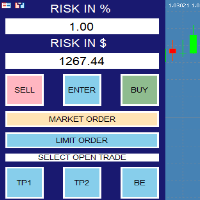
RISK CALCULATOR - TRADING PANEL - CHART OVERLAY with:
PARTIAL TAKE PROFIT ("virtual TP") % RISK LOT SIZE TRAILING STOP LOSS Fast and simple control of your trades Easy lot size calculation with easy SL/TP setting. Your trading will be much more comfortable with this tool!
Works like any EA, add it to selected chart and trade !
(this version is converted from MT4)
Features: start trade with calculated lot based on % of account balance * that you want to risk/ or based on

Is your trade at a loss? Does not matter ! You can use this Extra martingale tool. In the set loss of your trade or your EA's trade , this tool will open another trade at a better price. It can also open multiple trades at different distances and with different lot sizes. Each trade will be assigned a TakeProfit. This tool has a lot of settings. You can set variable lot sizes, variable trade distances, variable TakeProfit sizes, maximum total profit or loss in money. You can also close trades
MetaTrader 마켓은 개발자들이 거래 애플리케이션을 판매할 수 있는 간단하고 편리한 사이트이다.
제품을 게시하고 마켓용 제품 설명을 어떻게 준비하는가를 설명하는 데 도움이 됩니다. 마켓의 모든 애플리케이션은 암호화로 보호되며 구매자의 컴퓨터에서만 실행할 수 있습니다. 불법 복제는 불가능합니다.
