 MetaTrader 5
 专家
专家
 指标
指标
 程序库
程序库
 实用工具
实用工具
 窗口小部件
窗口小部件
 规则
规则
MetaTrader 5 交易实用工具 - 36
 以下是可在MetaTrader 5中简化交易的交易程序。将鼠标悬停在一个工具上,阅读它的描述和用途。
Delving deep into the sphere of finance and trading strategies, I decided to conduct a series of experiments, exploring approaches based on reinforcement learning as well as those operating without it. Applying these methods, I managed to formulate a nuanced conclusion, pivotal for understanding the significance of unique strategies in contemporary trading.
FREE

This MT5 Utility is designed to simplify the process of managing multiple trades. If you have several open positions, it can be time-consuming to close each one manually. With this tool, you can easily close all profit trades, losing trades, or just the trades that are linked to the chart you're currently viewing. It saves you time and effort by allowing you to manage your trades with just a few clicks, making your trading experience smoother and more efficient. Whether you're focusing on profit
FREE

An Essential Tool for Traders regardless of experience
Problem : You want to place trades for a few trading pairs, you now have to scroll through individual charts to place your trades. Your playing it wisely and would like to secure small gains for trades that go in your favour and here you are again checking your trades back and forth and closing some off manually Solution : Use the panel. Drag and Drop the panel into any single chart and type in the pairs you need in the inputs. Save time an
FREE

Less is more. Find the strongest trends! This expert scans ALL currency pairs for a strong trend combined with a breakout.
Requirements for a trend report: 1. Up-trend or down-trend must be found in all of the following timeframes (D, H4, H1, M30) 2. Breakout in the daily timeframe (the upper or lower band of the Bollinger band must be broken)
The correctness of the trend is confirmed to 90%
FREE

Простая утилита, которая показывает на какую сумму средств куплено активов в портфеле. Необходима для отслеживания загрузки депозита. Выводит информацию в удобную надпись, которую можно разместить в любом месте графика. Учитывает валюту депозита: USD или RUB Учитывает, в какой валюте торгуется актив (USD или RUB) и автоматически конвертирует по текущему курсу. Можно настроить размер и цвет надписи
FREE

CauCa Server is the command and control center for the Fishing Strategy ecosystem. It manages state, automation switches, signal-based actions, and visual trading structure so your strategy can run with better coordination and less manual intervention. The Server EA gives you centralized control over BUY and SELL behavior, supports auto-action from valid signals, and aligns strategy visualization with live client state. It is designed for traders who want stronger operational control, cleaner au
FREE

Script for Metatrader 5. One click to Delete the background grid and object, all objects on the chart such as Trend lines you have drawn or created by another program arrows text Fibonacci lines removes the background grid making a clearer clean chart horizontal and vertical lines
Easy for clearing a chart or when opening new charts. Please leave a review on how its working.
FREE

Title: Stoch Mantis Description: Stoch Mantis is a professional multi-timeframe utility designed to monitor the Stochastic Oscillator across your current chart while providing a broader trend context using the 200 EMA. This tool does not execute trades automatically; instead, it serves as a highly efficient alert system and market analyzer for manual traders who utilize pullback strategies. Trading extreme zones on lower timeframes can be risky without considering the major trend. Stoch Mantis
FREE

This panel shows the price position and the selected MAs for the selected timeframes and symbols.
You can control up to 3 symbols; up to 6 timeframes; up to 10 different Moving Averages. Version for MetaTrader 4: https://www.mql5.com/ru/market/product/28281 Version for MetaTrader 5: https://www.mql5.com/ru/market/product/28096
Parameters NUM_BAR - bar number for analysis; timeframe_1....timeframe_6 - names of used timeframes (if set to "current", the timeframe will not be used); symbol_1 ....
FREE

1. 產品概述 (Product Description) AlphaLogic PropProtector is an institutional-grade utility designed specifically for Prop Firm traders (FTMO, FundedNext, etc.). It acts as your final line of defense, ensuring your account equity never breaches the strict daily or total loss limits of your challenge. 2. 詳細參數設定 (Input Parameters) 參數分組 & 變數名 預設值 說明與建議設定 === AQ MONITORING === InpAllSymbols true 建議開啟 。監控帳戶內所有品種的持倉與訂單。 InpUseComm true 極其重要 。開啟後會精確計算每一筆成交的佣金與手續費,確保淨值與券商後台 100% 同步。 === PROP COMPLIANCE ===
FREE

This Expert Advisor captures and sends information about all open positions to a REST API server in real-time using HTTP POST requests. It is ideal for building synchronization tools, external monitoring systems, or custom trade copier solutions. What does this EA do? Iterates through all active orders in the account. Compares current positions with the previously sent ones. If any change is detected (SL, TP, price, symbol, volume, type, etc.), it sends updated information to the defined endpoi
FREE

Ladies and gentlemen, let me explain a simple tool that can help adjust stop-loss positions based on historical data and customized distance. Tool Name: Trailing Stop Pro Description: A trailing stop is a risk management tool commonly used in trading. It allows traders to set a dynamic stop-loss level that automatically adjusts as the price moves in their favor. Here’s how it works: Initial Stop-Loss: When you enter a trade, you set an initial stop-loss level. This is the price at which you’re
FREE

GT No Trading Zone – Smart Trade Restriction for Enhanced Risk Management Overview The GT No Trading Zone indicator is a powerful tool designed for traders who want to implement structured trade restrictions during specific time intervals. This is ideal for avoiding high-risk periods, such as news releases, market opens/closes, or any other predefined time frames where trading may be unfavorable. With GT No Trading Zone , you can:
Define up to 5 custom no-trade periods during the day.
Automa
FREE

How to Use All Symbols Opener Preparation : Open any symbol chart in your MetaTrader 5 platform. Select your preferred time frame for the open chart (e.g., M5, H1, D1). Launch All Symbols Opener : Attach the All Symbols Opener utility to the currently open chart: Drag and drop it from the Navigator window under Experts onto the chart. Alternatively, double-click All Symbols Opener from the Navigator to activate it. Automatic Operation : The tool will detect the active chart’s time frame and appl
FREE
I find the lot calculation tedious so I just use this script and tell it the dollar amount to use. It then does the rest. This works for any currency.
How-To: Open a buy position using the desired dollar amount instead of lots. To use, just drop it onto a chart and set inputs as needed. The script will then do the necessary lot calculation and open the trade.
Inputs: FIXED_DEAL_AMOUNT: Fixed amount to use per trade e.g 100 to open a R100 deal USE_SL_ON_BUY: If true then a suitable stoploss wil
FREE
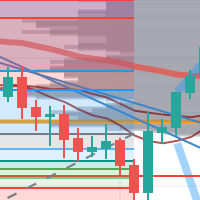
每次一忙都會錯過訊號下單,或不想一直花時間盯盤下單,可以用這個工具掛單,讓MT5 自動 盯盤並在滿足條件後下單 。
demo : https://www.youtube.com/watch?v=JBPiFkixqT4 configuration: https://www.youtube.com/watch?v=D7xESKKD26o #############################################
使用場景:
一般交易可以分為2種,分別是: 左側交易: 價格到達關鍵位置時就下單交易,想要自動下單,可以使用buy limit和sell limit掛單 右側交易: 價格到達關鍵位置, 同時出現做多或做空訊號 時下單交易, 想要自動下單, 就 可以用本工具自動掛單 本工具會 在你指定的阻力區域偵測到做空訊號時,建空單 ; 並在你指定的支撐區域偵測到做多訊號時,建多單。 demo影片: https://www.youtube.com/watch?v=JBPiFkixqT4
########################################
FREE

该脚本旨在评估各种窗口函数中的权重。基于这些窗口函数构建的指标可以在 https://www.mql5.com/ru/market/product/72159 下载 输入参数: iPeriod – 指标周期。 iPeriod >= 2 iCenter 是窗口函数中心所在的参考索引。默认情况下,此参数为 0 - 窗口中心与指标中心重合。当 1 <= iCenter <= iPeriod 时,窗口函数的中心将移动,因此指标的某些特征将发生变化。在图 1 中,您可以看到中心的选择如何影响窗口功能和指标的显示。此参数可以以 0.5 为增量进行更改。 Histogram width - 直方图的宽度。 Histogram color - 直方图的颜色。 Show duration - 显示持续时间。 Screenshot - 启用此选项时,图片将保存在 Files 文件夹中。 一些窗口函数使用附加参数 - ParameterA 和 ParameterB。它们会影响窗口权重。正因为如此,指标的特性发生了变化。该表显示了窗口函数和更改参数的限制(如果使用它们)。 Windo
FREE

本产品已更名为 PositionRelay Slave Subscriber。
请从 MQL5 Market 安装 PositionRelay Slave Subscriber。此 TradeEcho 列表已被取代并将隐藏。Market 产品标题无法重命名。
同一 User ID 与云端 API。请卸载 TradeEcho Slave Subscriber,然后在每个跟随账户上附加 PositionRelay Slave Subscriber。
配套产品:PositionRelay Master Publisher。
关键词:复制交易, 跟单, PositionRelay, 品牌迁移, slave
PositionRelay Slave Subscriber 从 PositionRelay 主账户读取持仓并在本地 MetaTrader 5 终端镜像。支持固定、缩放与余额适配手数、品种级控制,以及定期自报以便控制台查看。
配套产品:PositionRelay Master Publisher(免费)。从账户镜像持仓前,主账户须运行相同 User ID 的 PositionRe
FREE

FREE

Dashboard – Trading Panel for MetaTrader 5 Dashboard is an essential tool for traders who need a centralized view , efficient order control , and quick access to key market information , all displayed directly on the MetaTrader 5 chart. Features: Clear display of open positions Quick order management (open/close) Profit/loss tracking per trade Built-in trend indicators (moving averages, candles, etc.) Customizable panel for different trading styles Optimized interface for day trading, swing
FREE

ARMOR Risk Calculator Trade with a plan. Calculate your risk before you enter the market. ARMOR Risk Calculator is a professional and easy-to-use risk management tool for MetaTrader 5, designed to help traders calculate their position size and potential trade risk before placing a trade. Instead of manually calculating lot sizes and risk values, ARMOR Risk Calculator provides a clean and intuitive dashboard where you can enter your trade parameters and instantly review the calculated results. Ke
FREE

GUARDIAN 交易面板 GUARDIAN 交易面板 控制市场,而非追随市场。 GUARDIAN 不仅仅是另一个交易面板。
它是一个命令系统 ,专为拒绝混乱、犹豫或情绪化执行的交易者设计。 为理解一个真理的专业人士打造:
执行速度和掌控力决定结果。️ GUARDIAN 消除了决策与行动之间的隔阂。
它以结构取代随机性。️
它将您的图表转变为指挥中心。 GUARDIAN 强制执行:️ 直接从图表一键执行 ️ 通过受控的、基于规则的操作强制遵守纪律 实时交易环境感知 自动拒绝不安全条件 无噪音。无装饰。纯粹功能。 每次点击都有意图 每笔交易都经过深思熟虑 GUARDIAN 不仅仅是辅助您。
它指挥您的工作流程。️ GOLDEN EDGE 生态系统 您不是在用工具交易。
您是在操作系统。 GUARDIAN 是核心。️
其他一切都服务于它: Price Edge — 实时分析价格强度和动量 Candle Sentinel — 将时间转化为战术优势 FVG Edge — 揭示价格未竟之区域
FREE

当一段趋势持续了很长时间时,你是否曾被眼前的行情波动所左右?
基于“行情快要反转了”这种直觉的逆势交易。 因为“不想失去既得利益”的焦虑而过早止盈。 如果能等到蜡烛线确定,所有这些后悔都是可以避免的。为了消除长时间盯着屏幕的压力,并支持纪律性交易,我开发了这款工具。
核心优势本工具是一个简单的监控EA,专门为您捕捉趋势中的关键时刻。
当看涨或看跌蜡烛线确定(收盘)时,它会立即发出警报通知,帮助您在波动的市场中保持冷静,坚守交易纪律,不再因心理压力而做出错误的判断。
功能特点 操作:只需选择“看涨”或“看跌”并按下SET按钮。 通知:在指定的蜡烛线确定的瞬间,通过警报音和弹窗实时通知。 多语言支持:支持11种语言(可通过Language按钮快速切换)。 FX交易的核心在于“等待”。希望这款EA能成为您交易台上的得力助手,助您迈向成功的职业交易者之路。 We also offer other useful products. Check them out!
FREE

NORA NEWS SHIELD - Professional News Protection System Product Description Overview NORA NEWS SHIELD is a professional risk management tool that automatically protects your trading during high-impact economic news releases. It monitors major global currencies and temporarily suspends trading activity during critical market-moving events, helping you avoid sudden volatility spikes and potential losses. How It Works The system continuously scans the economic calendar for upcoming high-impact news
FREE

It can only be used in EURCHF . The Expert Advisor is a great tool that allows you to control your trade with ease and precision. The tool can be moved in the graphs and offers the following characteristics:
Instant order entry with a single click. Entry of pending orders using price tags and trend lines. Instant order closure with a single click. Instant order closure using trend lines as output levels that the broker can not see. We can modify the way to enter and exit the market, allowing us
FREE
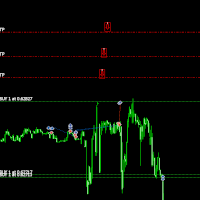
Move TakeProfit - 使用说明 如何使用 拖放 点击并拖动脚本到您想要设置新的 TakeProfit 水平的图表上。 在您想要的价格水平释放脚本。 确认弹窗 释放脚本后,将弹出确认窗口。 它将显示被修改的仓位数量和确切的 TakeProfit 价格。 点击“是”确认,或点击“否”取消。 自动更新 TakeProfit 如果确认,脚本将为当前图表上的所有未平仓订单更新 TakeProfit。 如果某个订单没有 TakeProfit,脚本会自动添加一个到所选价格。 位置验证 脚本确保 买单 (BUY) 的 TakeProfit 高于 进场价格。 卖单 (SELL) 的 TakeProfit 低于 进场价格。 如果 TakeProfit 位置无效,脚本将显示错误并取消操作。 处理经纪商限制 某些经纪商要求 TakeProfit 与当前市场价格之间有最小距离。 如果 TakeProfit 设定过近,服务器可能会拒绝它。 发生这种情况时,脚本将显示错误信息,说明无法移动 TakeProfit 的原因。 完成消息 最终消息将确认成功更新的订单数量。
FREE

Daily PnL Notifier – Get Telegram alerts when your daily profit or loss target is reached! Looking for a simple, fast, and reliable way to monitor your daily performance on MetaTrader 5?
Daily PnL Notifier is the tool you need. ️ Key features : Sends an instant Telegram notification when your account hits a custom profit or loss threshold . Fully customizable : you set your own daily gain or loss limits. Ultra simple: minimal interface , no useless settings. Works on all accounts (demo or li
FREE

North Connection - MetaTrader 5 与 North Trader Station 之间的官方连接桥梁 North True Funding 是一家以技术为核心的 prop firm ,旨在帮助交易者以更清晰的结构、更明确的方向和更强的操作纪律进行成长。 我们的项目为交易者提供更有组织的成长路径,包括清晰的规则、专业的操作环境,以及帮助交易表现、准备程度和机会之间建立联系的工具。 在 North,我们不销售夸张或不现实的承诺。我们的目标是提供 结构、操作数据读取和清晰方向 ,帮助交易者了解自己目前所处的位置、下一步需要做什么,以及整个交易旅程正在如何推进。 了解 North True Funding 的项目 如果您正在寻找更清晰的交易旅程、技术支持、客观标准以及通过 North Trader Station 进行跟踪的环境,欢迎了解我们的官方项目。 官方网站:
https://www.northtruefunding.com 什么是 North Connection? North Connection 是 North True Funding 为 MetaT
FREE

EquityShield 是一款轻量且可靠的 MetaTrader 5 专家顾问(EA),专为保护您的交易账户免受过度亏损而设计,同时保持最小的资源占用。它会监控账户净值的回撤,并在亏损超过您设定的百分比(%)或固定金额($)阈值时,自动关闭所有未平仓头寸和挂单。作为一个坚固的安全屏障,EquityShield 确保您的资金在意外的市场波动、策略失误或高风险交易场景中保持安全。 EquityShield 的用途是什么? EquityShield 非常适合希望以下的交易者: 保护资金 ,避免市场突然波动或交易错误带来的损失。 控制风险 ,在使用高频或激进交易系统时限制风险。 在高波动期间保持安全 ,例如在新闻事件或市场跳空期间。 安全测试新策略 ,通过设置最大亏损限制。 无忧交易 ,即使不在市场旁也能确保账户安全。
FREE
The script removes all of the indicators on the chart with one movement of the hand. There are situations when there are too many indicators on the chart. And it is required to delete all of them without closing the tab. Unfortunately, the settings window doesn't allow us to select all indicators at once and we have to delete one by one. This script will solve this problem. Simply drag the script from Navigator window onto the chart.
FREE
This indicator is to be used in bot connectors for automation of Pct Multi indicator entries.
How to use: Configure the bot connector with the following information: Indicator name: pctmultibot Call buffer: 0 Put buffer: 1
Do not add this indicator to the chart, just configure it in the bot connector!
Pct Multi indicator:
https://www.mql5.com/en/market/product/111091
FREE

This utility is a graphical shell for other Expert Advisors that do not have their own graphical shell or whose graphical shell you do not like. Just run the utility on a free chart of any currency pair, specify in the input parameters the "Magic Number" of the advisor to which you want to connect the utility, and a graphical shell will appear on the graph, containing information about the traded currency pairs, current positions and trading results of your advisor. If you like this utility, tak
FREE
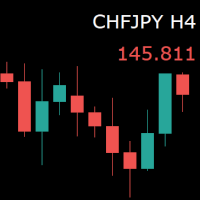
For those who monitor charts from afar, this utility is essential. It displays the chart symbol, time frame, and bid price as text. Users can adjust the text position, color, and font size. It’s also a useful tool for forex video publishers. There will be no more complaints about which symbol and time frame are displayed on the screen, even if the content is viewed on a phone. Symbol prefixes such as “_ecn” or “_stp” can be removed from the displayed symbol.
FREE

MetaTrader 5 플랫폼에서 사용되는 사용자 정의 인디케이터로, 다양한 타임프레임에서의 시장 트렌드를 시각적으로 표시하는 데 사용됩니다. 이 인디케이터는 사용자가 지정한 X 및 Y 좌표에 위치하는 패널을 생성하여, M1부터 MN1까지 총 21개의 타임프레임에 대한 트렌드를 각각 라벨 형태로 보여줍니다. 각 타임프레임의 트렌드는 20기간 단순 이동평균(SMA)과 50기간 단순 이동평균을 비교하여 결정되며, 상승 트렌드는 초록색, 하락 트렌드는 빨간색, 보합은 회색으로 표시됩니다. 또한, 모든 타임프레임에서의 트렌드를 종합하여 상승 비율을 계산하고, 이 비율에 따라 전체 시장 트렌드가 표시됩니다. 전체 트렌드는 일정 간격으로 깜빡이며 사용자에게 시각적 주의를 끌도록 설계되었습니다. 이 인디케이터는 시장 상황을 빠르게 파악하고자 하는 트레이더들에게 유용하며, 업데이트 간격과 깜빡임 간격은 사용자의 필요에 맞게 조정할 수 있습니다. 또한, 패널의 위치와 색상도 사용자 정의가 가능하
FREE

OrderCalc opens a window in the chart with the data of your orders:
Position size, stop loss, take profit, profit/loss
Only the positions for this symbol are displayed. If several positions exist, these are totalled and displayed in the last line. If you work with pyramids, you can see at a glance how big the total profit or loss is.
M can be used to display information about the symbol: Margin, spread, minimum order size, increment etc. R opens the risk calculator. A click in the chart calc
FREE
Selam arkadaşlar özellikle gold scalp yaparken zamana ve reflekse ne kadar ihtiyacımız olduğunu biliyorsunuz.
Bu sebeple ben kendime scalp yaparken bana yardımcı olacak buttonlar hazırladım.
ben gold scalp yaparken : 3 .çeşit Sell
3 .çeşit buy close sell close buy
açık emirleri kapat hepsini kapat
şeklinde kendime butonlar hazırladım. ve çok faydasını gördüm.
bütün butonların renklerini lot değerlerini isimlerini değiştirebililrsinz.
kesinnikle çok seveceğinize eminim
bol kazançlar.
FREE

Vyl Focus Trainer — это инструмент для дыхательной разминки, разработанный для MetaTrader 5, который помогает трейдерам войти в спокойное, сосредоточенное состояние перед началом торговой сессии.
В отличие от стандартных торговых инструментов, эта утилита не анализирует рынок и не открывает сделки. Ее цель — подготовить вас, трейдера, к дисциплинированной, эмоционально уравновешенной торговле. Благодаря двухминутной управляемой дыхательной сессии с визуальными подсказками, инструмент помогает
FREE

Помощник для ручной торговли. Рассчитывает лот по вашему риску, показывает все параметры сделки до её открытия.
Два режима: Market - для входа по текущей цене. Линия Open следит за Ask/Bid автоматически. Breakout - для отложенных ордеров. Выбираешь свечу и таймфрейм, линии ставятся на High/Low.
Можно менять цвета линий, переназначать клавиши, двигать панель куда удобно.
FREE

Would appreciate a review of the product if possible.
This program, is designed to automatically log and monitor trading account performance metrics in MetaTrader 5. It tracks daily balance and equity, calculates performance metrics, and records them in a CSV file for later analysis. Key Features: 1. Initialization: • Inputs for account name ( Account_Name ), starting day balance ( Start_Day_Balance ), and equity ( Start_Day_Equity ) are accepted. • If the starting balance or equity is not prov
FREE

An Essential Tool for the Professional Trader
Problem: As a professional trader, you have worked out entry points across several charts and now your anticipating price action. At this stage, you are having to constantly check your mobile phone or PC across several charts hoping for those prices to be achieved
Solution: Enter all the prices for all charts into a single display and get instant notifications to your mobile phone or PC. Save yourself time and frustration
Note: This product wil
FREE

The script analyzes all trading instruments listed in the Market Watch of the MT5 platform to assess their suitability for trading on the timeframes specified in the settings. Based on the analysis, the script displays a table, where trading instruments deemed suitable and recommended for trading are marked in green, based on their compliance with the risk-to-reward ratio coefficient, including the spread (default 1:3). Instruments not recommended for trading are marked in red.
FREE

Fastest Trades Copier is the fastest and most lightweight trade copier between MT5 accounts available on the market. Running entirely through the MT5 Common Folder — no DLLs, no external servers, no internet dependency — it copies your trades between two terminals on the same VPS or PC with near-zero latency, polling every 500ms with minimal CPU footprint. Key Features: Ultra-fast local copy via MT5 Common Folder Configurable symbol name translation between brokers (e.g. USDJPY.sc → USDJPY)
FREE
多数の通貨を取引している場合、画面をカチャカチャ切り替えの際にどの通貨を見ているか 迷ったことはありませんか。 表示している通貨が大きく表示されるMT4用のインジケーターは あるのですがMT5用がなかったので作成しました。
機能: どの通貨でも表示可能になります。 表示位置 (左上 、 右上 、 左下 、 右下) の 指定 が可能 になります。 表示位置(X軸、Y軸)が変更可能 になります。 フォントの色を 変更可能 になります。 使用するフォント を指定することが可能になります。 フォントサイズ の 変更が可能 になります。 インストール方法: ファイル->データフォルダーを開く->MQL5フォルダー->Indicatorsフォルダー 配下にex5ファイルを置いてMT5を再起動してください。
FREE
I find the lot calculation tedious so I just use this script and tell it the dollar amount to use. It then does the rest. This works for any currency.
How-To: Open a sell position using the desired dollar amount instead of lots. To use, just drop it onto a chart and set inputs as needed. The script will then do the necessary lot calculation and open the trade.
Inputs: FIXED_DEAL_AMOUNT: Fixed amount to use per trade e.g 100 to open a R100 deal USE_SL_ON_BUY: If true then a suitable stoploss wi
FREE
I find the lot calculation tedious so I just use this script and tell it the dollar amount to use. It then does the rest. This works for any currency.
How-To: Creates a sell limit order at chosen MA price using the desired dollar amount instead of lots. To use, just drop it onto a chart and set inputs as needed. The script will then do the necessary lot calculation and create a sell limit order.
Inputs: FIXED_DEAL_AMOUNT: Fixed amount to use for the trade e.g 100 to open a R100 deal MA_PRICE:
FREE

VR Economic News Matrix is an MT5 chart utility that displays upcoming economic calendar events in a structured matrix directly on the chart. Using the built-in MetaTrader 5 calendar, the utility retrieves upcoming news, filters events by low, medium, and high impact , and maps their relevance across key instruments including XAUUSD, EURUSD, GBPUSD, BTCUSD, and USDJPY . Traders can view event times in server time, Copenhagen local time, or both , making it easier to align broker timing with real
FREE

The Tetris — the most famous time killer is now on MT. Game develops active logic, attention and speed of decision making. This is a classic version of the game, no frills, but you can still adjust the size of the glass, the scale of the game, the color of the figures, and the desired speed. The game is made as an indicator. Control Keys: 'W,A,S,D' or 'Cursor' or 'NumPad'. S — Start new game. C — Continue previous game. P — pause on / off. Space — drop a figure. Esc — exit to menu.
FREE
This indicator allows to hide CCI oscillator (on all MT5 timeframes) from a date define by the user, with a vertical line (Alone) or a panel (with "Hidden Candles"). Indicator Inputs: Period Apply To Information on "Commodity Channel Index" indicator is available here: https://www.metatrader4.com/en/trading-platform/help/analytics/tech_indicators/commodity_channel_index ************************************************************* Hey traders!! Give me your feeds! We are a community here and
FREE

EA to help traders stay within tight risk management.
Asks only for account's initial balance and Stop Out DD. This is meant for prop firm traders, but will help any trader who is looking for a simple risk manager.
Trasks and reports daily PnL and will advise you to stop at 1% daily loss. Will advise you to wait if you have too many open trades.
Based on the open chart (symbol and timeframe) will recommend size and SL distance in order to risk the desired cash risk. See screenshot for example
FREE

!!!The first 10 users are free!!! Prop Protector — Trading Panel and Risk Management Utility Prop Protector is a utility designed for position sizing and risk management in the MetaTrader 5 terminal. The tool assists in calculating lot sizes based on defined risk parameters and monitoring daily drawdown limits. Key Features: Trading Panel: Provides an interface for executing market Buy and Sell orders directly from the chart. Lot Size Calculation: Automatically calculates the required lot s
FREE

Bundle Risk Manager Pro EA
"Risk Manager Pro EA is an all-in-one trading utility that combines advanced risk management tools, ensuring full control over your trading account while protecting your capital and complying with trading regulations. By bundling Limit Positions , Concurrent Risk Capital , and the newly added Limit Profit , this EA is the ultimate solution for disciplined trading and achieving evaluation goals. Key Features: 1. Limit Positions : Enforces a maximum number of open posi
FREE

Trading Companion is an EA bridge to the Telegram chat. It does not place trades, it provides to your Telegram's terminal information about your accounts - it can be used with any other EA, indicator or trading solution. It notifies you about the server lag (ping between your terminal and your broker) and includes a feature to withdraw wisely from your account.
Settings Ping limit: default 300ms - will warn you if ping is superior Basis Fund: 0, deactivated - each time you will withdraw, it is
FREE

该智能交易顾问(EA)会在 MetaTrader 5 中监控所有交易品种上的所有持仓。一旦在任意持仓上 手动设置或调整 了止损(SL)或止盈(TP),EA 会将该值 自动应用于其他所有未平仓头寸 ,无论是买单还是卖单、哪个交易品种。这确保整个账户的 SL 和 TP 水平始终保持同步。
非常适合通过平板或智能手机进行移动交易!
......................................................................................................................................................
FREE

CloseByLossOrProfit Expert Advisor closes all positions as their total profit or loss reaches a specified value (in deposit currency). In addition, it can delete pending orders. Allow AutoTrading before running the Expert Advisor. Usage: Run the Expert Advisor on a chart. Input Parameters: Language of messages displayed (EN, RU, DE, FR, ES) - language of the output messages (English, Russian, German, French, Spanish); Profit in the currency - profit in points; Loss in the currency - loss in p
FREE

CxPV Analyst is a high-performance trading utility and Expert Advisor designed for traders who demand data-driven precision over simple indicator crossovers. By combining four distinct quantitative engines into a single "Cert Score" (Certainty Score), this tool identifies high-conviction market phases while filtering out low-probability "noise." Whether you are a manual analyst looking for a powerful dashboard or an algorithmic trader seeking automated execution, CxPV Analyst provides the instit
FREE
Copier MS MT5 Netting Copyist MS is a fast and easy-to-use copier of trade orders; it works as an advisor in the form of a single file with switching between the Master and Slave operating modes. The current version of the adviser works only on netting accounts. Settings Type of work - selection of the operating mode: Master or Slave; Master account number - number of the trading account of the master terminal; Selective copying currency pairs - individual selection of currency pairs for copyin
FREE

Universal HTF Box Candle Overlay: Multi-Timeframe Wick Stats & Liquidity Tracker The Ultimate Multi-Timeframe Visualization Tool for MT5! Stop switching tabs to check higher timeframes. Universal HTF Box Overlay brings any higher timeframe (HTF) structure directly onto your current lower timeframe (LTF) chart. Whether you are a Gold scalper or a Trend follower, this utility gives you the "Eagle Eye" view needed for precision trading. Key Features: Fully Universal HTF Support: Overlay ANY time
FREE
CYP Trade Manager Basic - Advanced Position Management for MT5 Protect Your Trades with Professional Risk Management CYP Trade Manager Basic is a sophisticated trade management Expert Advisor designed to protect your trading capital and maximize profit potential through intelligent position management. Perfect for both beginner and experienced traders who want to automate their trade management without the complexity. Key Features Automatic Breakeven Protection Moves stop loss to breakeven
FREE

直接在您的 MetaTrader 5 图表上提供简洁、快速的实时盈利因子(Profit Factor)追踪。 告别杂乱的屏幕和笨重、卡顿的仪表盘。InnovaDash 推出的 Simple Profit Factor Tracker 是一款超轻量级的小工具,能够在您最需要的地方为您提供最精确的数据。 为什么要追踪盈利因子? 盈利因子(总盈利 ÷ 总亏损)是衡量交易优势的终极标准。高于 1.0 意味着您的策略在赚钱;低于 1.0 意味着它在烧钱。此小工具可让您即时了解交易系统的真实盈利能力。 InnovaDash 生态系统 此小工具是 InnovaDash 分析引擎的免费示例。想一次性查看所有指标而不让 MT5 图表变得杂乱吗? 访问 innovadash.com 绑定您的账户并解锁完整的仪表盘。同时追踪 50 多项高级指标,按自定义日期范围筛选数据,分析特定交易品种,按注释进行筛选等等。
FREE

Test Trade Saver Script
Application Type: Script
Application Functions: Saves test results cache file data into text files
About the Application The script extracts trading results from a test system cache file and saves them into text files for further analysis. How to Use Parameters: LOG_LEVEL - Logging level in the Experts terminal section. DEBUG provides the most detailed information, while ERROR gives the minimum. CUSTOM_MAGIC_NUMBER - The system identifier (Magic Number) used to save resu
FREE

一 運作方式(如下圖)
在一個單邊向上的行情中, 自動交易工具做以下動作: 當價格來到高點,等待突破訊號在進場。
當價格回調,等待回調結束要往上時在進場。 當進場下單後,
如果一直漲就持續持單,等待價格漲不上去準備下來時,在獲利離場。
但如果一直跌,就等待要上漲時在進場,進場時加倍下單,
一個做底單,動作同上等待獲利離場,
另一個單用做倉位修正,此單和第一張單在盈虧為0時會各自平倉,不造成損失。 Ps:
在一個單邊向下的行情中,動作則相反
二 設定方法(如下圖)
Step1 一開始要自己指定工具的方向.
如果認為會往上走,設定i_tradeup=true, i_tradedown=false,
如果認為會往下走,設定i_tradeup=false, i_tradedown=true,
Step2 指定目標位置和止損位置
如果認為會往上走,i_top輸入目標位置,i_bottom輸入止損位置
如果認為會往下走,i_top輸入止損位置,i_bottom輸入止盈位置
當價格到達目標位置會強制平倉獲利並暫停工具運作
當價格到達止損位置會反向開單鎖倉
FREE

HeatMap – Volume & Pips Change Analyzer for MT5 The HeatMap indicator for MetaTrader 5 is a powerful and interactive tool designed to help traders identify the most active and volatile trading hours across the last 14 days. By default, the indicator starts as a simple floating button labeled "HeatMap" in the top corner of your chart.
With just one click, it opens a compact, easy-to-read panel showing historical market behavior in a 24-hour x 14-day grid layout . What it shows: Hourly Data: Each
FREE

This MQL5 script calculates and displays a recommended trading lot size, offering both automatic and manual modes. In automatic mode, it calculates lot size based on account balance, market volatility (ATR), or a hybrid of both. The script defines lot size types (Micro, Mini, Standard) with switching thresholds, volatility settings, and safety limits. It aims to automate lot size calculations for systematic risk management, adapting to market dynamics and account parameters. Core Features Out
FREE

The utility TradeKeeper Lite can show your profits for different periods and bip a sound when you reach a profit target value. Click the tachometer to quickly switch to the next profit period. There are 5 of them: This Day, This Week, This Month, Last 90 Days and All I Made. With the utility TradeKeeper Pro , available at this link , you can also open trades with a magic number and volume of your choice, trail any orders with a simple trail or iSAR-based trail, as well as close any open trades a
FREE

Margin Tick Ratio — margin efficiency analysis for all broker's instruments
Margin Tick Ratio is a script for MetaTrader 5 that runs through your broker's tools in one run and answers a practical question: how much "tick" profit do you get for each unit of collateral, and how expensive is the entry spread.
The script does not trade. It collects data, ranks tools by efficiency, and generates a user-friendly report in a terminal, CSV, and interactive HTML file.
Who is this product for
• T
FREE

️ Drawdown Protection – Manual Trading Blocker (MT5) Protect Your Account from Manual Trading Mistakes Drawdown Protection – Manual Trading Blocker is an Expert Advisor designed exclusively for MetaTrader 5 to strictly control daily drawdown caused by manual trading . Once the predefined daily maximum drawdown is reached, this EA automatically blocks all new manual trades , helping traders avoid emotional decisions and revenge trading. ️ How It Works The EA continuously monitors the accoun
FREE

这是一个MT5的脚本,帮助把交易记录按照品种分类统计。 参数 Select Period: 这是7个选项的参数,分别是上个月,本月,上周,本周,今天,指定日期。 Specify Starting Date: 输入一个起始日期,如果上面参数你选择的是指定日期的话。 Specify Ending Date: 输入一个截止日期,如果上面参数你选择的是指定日期的话。 如果参数Select Period 选择的不是 指定日期,那么后面的两个参数就不用填写了。 脚本会有一个文件输出结果,文件保存在MQL5\Files文件夹中。 希望对你有帮助,真心希望对你有帮助,我觉得会有帮助。 必须满足300个字,我必须说些废话,好了好了,希望对你有帮助。 MT4 Version: https://www.mql5.com/zh/market/product/23802
FREE
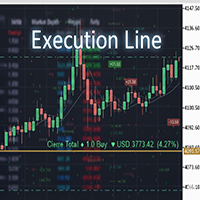
Result and Execution line, which shows the net global position, the expected profit at a given price level, and its percentage of the account balance. Additionally, with the line unselected, it executes position and/or order closing actions. You can move the line from one price to another by selecting it, to obtain information on the closing result of positions at different price levels. If you wish to close trades and/or orders, select this option in the EA parameters and then deselect the li
FREE

Play Trading: Get started in trading by playing and learning how Limit (rebound) and Stop (continuation) orders work. From a mobile and transparent panel (by clicking on the header), anticipate market developments and place Limit and/or Stop orders. Set the initial distance to generate the grid with the number of orders you want (for each type of order). Set the take profit points and lot size as you wish. Set the type of orders you want: BUY – SELL – NO (delete orders) – BOTH (Buy and Sell
FREE

NS Financas Clear All Objects Automatically Script for quick removal of all objects from your chart (lines, shapes, symbols, etc ...) Don't waste any more time trying to find all the objects on your screen for removal. Use this script and in one click all objects will be removed from the chart automatically. Also, it is possible to configure hotkeys to make the script even faster in its use. NS Financas Clear All Objects Automatically does not remove indicators. Take the opportunity to visit our
FREE
MetaTrader市场是 出售自动交易和技术指标的最好地方。
您只需要以一个有吸引力的设计和良好的描述为MetaTrader平台开发应用程序。我们将为您解释如何在市场发布您的产品将它提供给数以百万计的MetaTrader用户。
