 MetaTrader 5
 Experts
 지표
지표
 라이브러리
라이브러리
 유틸리티
유틸리티
 위젯
위젯
 규칙
규칙
MetaTrader 4용 무료 트레이딩 유틸리티 - 5
 다음은 MetaTrader 4에서 외환 거래를 단순화하는 거래 프로그램입니다. 아래 목록의 유틸리티 위로 마우스를 가져가면 해당 설명과 용도를 읽을 수 있습니다.
Your chart. One glance. Total clarity. Built by @Ash_TheTrader for traders who are tired of guessing, Extreme Trading Dashboard is a professional-grade heads-up display that sits quietly in the corner of your chart — dark charcoal, rounded, semi-transparent, and genuinely easy on the eyes — until the moment it matters. Dual Session Highlighter Shade up to two independent time windows directly on your chart — London, New York, or your own custom kill-zone. Each gets its own color, so overlappi
FREE

This utility allows you to check and improve your binary options trading skills. This is an indicator, not an Expert Advisor. Therefore, you do not need to remove your active EA from the chart.
Inputs Expiry, min - option expiration time; InfoPanel background color - info panel background color; InfoPanel text color - info panel text color; InfoPanel text fontsize - info panel font size.
FREE

EA는 수익성 있는 포지션을 검색하고 마감함으로써 수익성 없는 포지션을 마감할 수 있습니다 .
이 조수는 모든 직위 중에서 터미널에서 가장 수익성이 낮은 직위를 찾습니다 . 또한, 나머지 수익성 있는 포지션을 검색하여 하나 이상의 포지션의 이익이 다른 포지션의 손실보다 클 때 손실을 보상할 수 있는 일련의 포지션을 계산합니다. 그러한 포지션 세트가 발견되면 고문은 해당 포지션을 닫습니다. 일련의 위치는 절대적으로 모든 위치로 구성될 수 있습니다. 최대 수는 조언자 설정에서 조정 가능합니다. 검색 시 최소 손실 금액과 마감 시 추가 이익을 지정할 수도 있습니다. MT5 버전
전체 설명 구입 방법
설치하는 방법
로그 파일을 얻는 방법 테스트 및 최적화 방법 Expforex의 모든 제품 전략 테스터에서 Expert Advisor를 테스트하고 시각적 모드에서 EAPADPRO 도구 모음을 사용하여 거래할 수 있습니다! 차트에서 Cl
FREE

Удобная торговая панель для MT4 с поддержкой нескольких символов. Быстрые кнопки Buy / Sell / Close All. Гибкие настройки: лот, SL/TP в $, Magic, спред. Настраиваемый интерфейс (цвета, размеры, позиция). Максимум удобства для ручной торговли. Кому подойдёт: MultiSymbolPanel — это инструмент для трейдеров, которые хотят: Управлять сделками вручную, но быстрее и удобнее; Контролировать несколько валютных пар с одной панели.
FREE

ATC Alert Manager를 사용하면 차트에서 직접 가격 알람을 설정하고 하나의 작은 패널에서 관리할 수 있습니다. 각 알람은 차트의 선으로 표시되며 새 가격으로 드래그할 수 있습니다. 알람은 가격이 레벨을 횡단하는 순간에 한 번 발생하며, 팝업 알림, 소리 및 휴대폰으로의 선택적 푸시 알림이 함께 제공됩니다. 이미 레벨을 지난 가격은 트리거하지 않으므로 매 틱마다 반복 알림을 받지 않습니다.
이 도구는 포지션 도구, 거래 관리 및 성과 분석과 함께 All In One Trade Management Panel MT4 의 일부이기도 합니다.
주요 기능: 한 번의 클릭으로 알람을 추가합니다. 가격 필드는 현재 가격에서 시작하며 방향을 선택합니다: Above 또는 Below.
모든 알람에 메모를 추가합니다. 예: "런던 고점". 메모는 알림 메시지에 포함됩니다.
각 알람은 차트 오른쪽에 가격 레이블이 있는 선으로 그려집니다. 레이블을 드래그하여 가격을 변경하면 알람이 새 레벨
FREE

The script is based on the indicator Stochastic Oscillator.
The script draws up arrows or down arrows.
The tooltip arrows indicate the recommended price level.
The script can signal an alert, which also indicates the price level.
The script draws an up arrow when the Stochastic Oscillator lines go out of the oversold zone.
The script draws a down arrow when the Stochastic Oscillator lines out of the overbought zone.
Indicator signals are not filtered in any way - this is the classic Stocha
FREE

It is just an alternative fibo lines, because mt4 have is a very strange drawing of fibo lines A simple Box (Rectangle) graphic element with adjustable levels binding: it is possible to specify up to 17 custom levels, all rectangles on the chart with the given prefix in their name are processed. Levels are specified in % of the height of the rectangle. A convenient graphical element for analyzing charts by growth-correction levels. Enjoy your work!
FREE

Action Scanner is a market scanner. It’s yet another product in my "Can’t trade with out it" series. Do you want to know what is moving right now? Action Scanner scans your watchlist and opens the 10 currently most moving charts. You can chose between, most moving in points, most moving in your account currency(if you were to trade it with a standard lot size 1.00) and most moving in percentage. The standard version is a complete tool with no limitations. However the pro version has additiona
FREE
Introduction to Order Risk Management EA ORM EA is specially designed for fast and accurate market order execution to be used with our Price Action and Econometric Trading strategies listed below. ORM EA is fully automatic and ORM EA is also very easy to use. ORM EA is totally free of charge. You can also use this robust order execution feature of this ORM EA for any other your own trading strategy.
Trading Strategy Guide Order Risk Management EA provides the guide for the risk management for y
FREE

Real-time spread tracking and monitoring software
Displays spread values in form of histograms on current timeframe of chart Convenient for analyzing spread changes, as well as for comparing trading conditions of different brokers By placing on desired chart, the spread changes at different trading times are displayed
Additionally Fully customizable Works on any instrument Works with any broker
FREE

Key Features & Core Logic ATR Rope Indicator Logic (Pine Script Replication) Utilizes a custom-calculated Average True Range (ATR) "Rope" mechanism that adapts dynamically to market volatility . Functions as a trailing baseline and trend-direction filter, helping the EA stay on the right side of market momentum Scoring System & Risk Filtering Evaluates market conditions through a comprehensive scoring algorithm (out of 14 points for both Buy and Sell sides) . Trades are only executed or alerted
FREE

G2 DASHBOARD PRO by Ida Bagus Putu Mahardika PROFESSIONAL TRADE EXECUTION & MANAGEMENT DASHBOARD G2 Dashboard Pro is a comprehensive trading management tool that revolutionizes how you place and manage orders. No more manual calculations or switching between windows – everything you need is in one interactive, draggable dashboard directly on your chart. KEY ADVANTAGES 1. CHART-BASED PENDING ORDER PLACEMENT Click on the chart to set your entry price visually Support for all order types: Buy
FREE

Sentinel Pro V is a professional-grade MetaTrader 4 Expert Advisor designed for traders who demand precision and mobility. By combining three layers of RSI and Stochastic analysis with custom trendline tracking, this bot ensures you stay informed of every critical market move via instant Telegram notifications. Key Specialized Features 1. Triple-Level RSI & Stochastic Alerts Unlike standard bots, Version 2 allows you to set three distinct alert zones for both RSI and Stochastic indicators. This
FREE

A simple and convenient utility for closing orders. It can close both all orders together as well as buy, sell or pending orders separately. Has an intuitive graphical interface. MT5 version of the utility - https://www.mql5.com/en/market/product/78599 If you like this utility, take a look at my other products - https://www.mql5.com/en/users/nina_yermolenko/seller
FREE

Use this indicator to ensure all your open charts are constantly displaying the same time frame. Change the time frame in any one chart and watch the others instantly change to the same time frame. Also allows scrolling of candles in one chart to be replicated in all other synchronized charts. Analyze correlation between different symbols by linking charts together on the same time frame Display a vertical marker move across all your open charts, so you can quickly compare price action at the sa
FREE

Простая утилита MQLTA Draw Grid поможет вам нарисовать сетку на вашем графике. Она полезна при изучении графика и моделирования сетки.
Как она работает? Утилита будет создавать горизонтальные линии в зависимости от заданных параметров
Как использовать этот инструмент Установите индикатор на график, выбрав параметры по умолчанию. Выберите начальную точку, значения минимума и максимума диапазона и стиль. В появившейся графической панели вы сможете создавать и удалять сетку, а также изменять неко
FREE

K-line Terminator - a countdown tool that accurately grasps every second Core Summary: Still anxious about not knowing when the current candlestick will end? 'Candlestick Terminator' is an indispensable tool in your trading toolbox! It utilizes a clear and intuitive countdown timer to display the precise time remaining for the currently active candlestick in real-time, helping you avoid making hasty decisions during the chaotic moments of candlestick transitions, thus allowing you to enter, exit
FREE

TradeSnap은 BUY/SELL 주문이 실행될 때 화면을 자동으로 캡처하고 저장합니다.
차트에 설정만 하면 추가 작업 없이 자동으로 저장됩니다.
해도의 선, 화살표 등도 이미지에 그대로 저장됩니다.
이미지 크기는 10000x10000 픽셀이 될 수 있으므로 가격 변동 내역을 보여주는 가로 이미지를 저장할 수 있습니다.
매개변수 정보
--이벤트 매개변수--
매직 넘버(0=ALL): EA가 있는 경우 머직 넘버를 설정합니다.
항목: true: 공개 실행 시 캡처.
종료: true: 종료 실행 시 캡처.
--캡처 정보--
이미지 너비, 이미지 높이: 이미지 크기 x/y(픽셀 단위). 최대:10000px
--메시지 정보--
텍스트 색상, 텍스트 크기, 텍스트 위치, 표시 초: 메시지 표시를 변경하려면 설정을 변경하십시오.
이미지 필터: deta filder/MQL4/Files/OshiraseSnap/
NONE: 필요한 경우 오래된 이미지를 삭제하십시오.
이 제품에
FREE

One Click Close All is a script that when thrown on any chart will automatically close all orders regardless of the asset or what type of orders they are, it will close everything much faster than a human could. You will find paid versions of the same style of this script, but read carefully and you will see that it performs the same function ... here you have it for free, enjoy it.
FREE

Script to create arrows and lines on chart of history positions traded on account for the symbol where you launch the application. From inputs you can select: - Magic number (default is -1; -1 = all magics number) - "From" date and time (default is 1970.01.01 00:00; all positions) - "To" date and time (default is 1970.01.01 00:00; all positions) - Color for buy open positions (arrows and lines between open and close) - Color for buy closing positions (arrows) - Color for sell open positions (arr
FREE

This tool can delete any object drawn on MT4 platform charts. you can delete: Line_Objects (Vertical_Line, Horizontal_Line, Trend_Line, TrendLinebyAngle, Cycle_Line) Channel_Objects (Fibo_Channel, Equidistant, Linear_Regression, Standard_Deviation, Andrews_Pitchfork) Gann_Objects (Gann_Line, Gann_Fan, Gann_Grid) Fibonacci_Objects (Fibo_Retracement, Fibo_TimeZones, Fibo_Fan, Fibo_Arcs, Fibo_Expansion) Shapes_Objects (Rectangle, Triangle, Ellipse, Text, Label) Arrows_Objects or you can Delete_All_
FREE

EA Close All Set TPSL All Panel MT4 EA Close All Set TPSL All MT4 is a professional utility tool for MetaTrader 4 that helps traders manage orders quickly and efficiently.
With a clean on-chart control panel, you can close trades or set Take Profit / Stop Loss levels for all orders with just one click. [MT5 Version ---> click . ] Key Features On-Chart Control Panel – Light gray background with simple and intuitive design. Close All Orders – Instantly close all active Buy, Sell, and Pe
FREE

Delete big amounts of orders, in just a few clicks. Drag the script to any chart to delete open and pending orders, you can delete all the orders from the account or delete a specific order groups, identifying them by magic number. You can modify the parameter MAGICN on the followay way: - Introduce the magic number that was used to place the orders you want to delete, the script will delete all pending and open orders that were placed with that magic number. - Also, introduce 0 (cero) to delete
FREE

PendingOrderActivator manages pending orders in the forex market in a continuous cycle.
The user must configure the duration of the orders, stop loss levels, take profit levels, and the MagicNumber.
The expert advisor automatically places pending orders based on the distance from the current price and deletes them when the opposite order is triggered.
When an order is activated, the bot will take a break until the user reconfigures it or changes the timeframe, at which point the bot will reactiv
FREE

Account Info EA It is a tool that presents on the graph all the positions of the account, and specific information concerning the positions, but also the account. It enables the user to have an image of his account at a glance. Use like any expert advisor. You can't attach it in the same chart with other expert advisor. It does not have the ability to open or manage positions. You can attach it on any chart and any timeframe.
FREE

Pairs Navigator is a simple and easy-to-use tool that allows you to view all of your charts in a single window. This eliminates the need to open multiple charts from the Market Watch window, saving you time and effort. Pairs Navigator is also very lightweight, so it will not put a strain on your RAM or cause your MT4/5 platform to hang. To use Pairs Navigator, simply drag and drop the currency pairs you want to view into the Pairs Navigator window. You can then easily switch between charts by c
FREE

Smart Lot-Size Calculator And Trade Assistant for Mobile Trading Overview: This is the tool every trader in the market must have no matter if you are scalper, swing traders, day trader, or long term trader. This On-The-Go trading tool will help you stay disciplined and also stay free from daily trade management chores, Most traders face common problems like 1. Calculation of proper lot-size of a position to take controlled risk 2. Managing every trade and trailing stop-loss if trades goes in
FREE

The Equity Curve indicator is a simple and helpful tool that shows the development of the equity curve in real time. For precision measurement, it should be used in a separate window with a period of M1.
Main features The indicator shows the development of the equity curve in real time. High precision on the minute chart. High-speed calculation. Available for MT4 and MT5. Please visit the Equity Curve indicator product page for the input and output parameters settings.
FREE
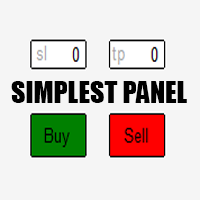
Just a simple panel that I created to make my trading life easier. Features: Buy and Sell with TP & SL right on chart Lot size is calculated by risk percentage Martingale - will open opposite position when SL hit (please don't enable unless you know what you are doing)
Will have more add-ons like Close-all button, Break-even, Trailing-Stop, etc. It's FREE so please leave your negative review somewhere else.
FREE

EA Germany 30 Functions: Detects and analyzes market gaps, providing insights into potential trend reversals or continuations. Facilitates risk management and order adjustments based on your configured settings. Trades exclusively from 10:00:00 (broker's time) onwards and solely on the Germany 30 (DE30) index. Please note: Trading involves risks. The EA Germany 30 expert advisor provides tools for analysis; however, results may vary. Use at your own discretion.
FREE

MK Auto SL and TP (Universal Profit Close EA) is an advanced, institutional-grade risk and basket management Expert Advisor designed exclusively for MetaTrader 4. It operates on a single symbol and provides precise control over open positions by combining time-gated profit realization, aggregate basket management, and emergency stop-loss protection. Key Features Gradual Close Mechanism: Automatically closes individual profitable positions sequentially at a user-defined time (broker hours) with a
FREE

The VR Orders History script is designed to upload a trade report to a csv file. This format is intended for additional analysis of trading history in programs such as EXCEL, Openoffice, and Libreoffice. Thanks to the script, it is now much easier for a trader to analyze their trading history. The program facilitates the analysis of the trading history for the MetaTrader 5 terminal. The trader sees structured trading. The entire report is based on the following principle: Position > Order on the
FREE

The utility displays information about performed trades on the current chart. The account history as well as a separate file can be used as a data source. The file format is set manually or selected from available templates.
Settings: Source - where to take data from, from_History - account history, from_File - csv file. File Name - file name. The file has to be located at ..\MQL4\Files\ directory of the terminal. File Format - select the file format from the list: MQ_Signals - file of trades f
FREE

This Expert Advisor is a tool for managing orders.
The EA can Place/remove a take profit. Place/modify/delete a stop loss. Manage all orders or specific ones having a certain ID.
You can to get the source code from here .
Parameters ManageOrders : Order_By_Order = Manage separately each order. Same_Type_As_One = manage same orders (all buy or all sell as one order, like basket system). PutTakeProfit : Put take profit in orders (yes/no). TakeProfitPips : Take Profit in pips. PutStopLoss : Put
FREE

MT4 to Telegram & Discord Notifier MT4 to Telegram & Discord Notifier is a lightweight and practical notification utility for MetaTrader 4 that automatically sends real-time trade updates to your Telegram and Discord channels. It is designed for traders who want to stay informed about trading activity without constantly watching the terminal. Once connected, the notifier delivers instant alerts whenever a trade is opened or closed, helping you monitor live activity, improve communication, and ke
FREE

핵심 설명 Ultimate Trading Dashboard MT4 is a complete visual trading control system that integrates drag and drop order execution, multi-symbol monitoring, automated timeframe rotation, and advanced market analysis tools into a single unified workspace designed to improve speed, precision, and decision-making efficiency in manual trading on MetaTrader 4. 주요 특징 차트에 직접 드래그 앤 드롭하여 주문을 실행하고, 매수 지정가, 매수 손절매, 매도 지정가, 매도 손절매 주문을 자동으로 감지합니다. 단일 인터페이스에서 여러 통화 쌍을 자동으로 순환하며 모니터링하는 멀티 심볼 모니터링 기능 H4, H1, M30,
FREE

과거 차트를 재생하고 특정 시간 포인트에 즉시 포커스를 이동할 수 있습니다. 생성된 포커스 라인으로 차트를 이동하여 중요한 시간 포인트를 효율적으로 관찰하고 분석할 수 있습니다.
특징 포커스 시간 포인트로 즉시 이동 자동 재생으로 차트의 움직임과 흐름을 파악하고 패턴 검색이 가능 재생 사양 재생 방향: 과거 → 미래 이동 바 수: 1 재생 속도: 고정 재생 중 일시정지 / 재개 가능 END 버튼으로 프로그램 종료 조작 방법 Crt FocusLine: 포커스 라인 생성 Position: 표시 위치 전환 (오른쪽 / 가운데 / 왼쪽) Focus: 생성된 포커스 라인으로 즉시 이동 Pause / Restart: 재생 일시정지 / 재개 END: 프로그램 종료 에디션별 기능 비교 본 제품(Player Edition)과 상위 모델(Full Version)의 기능 차이는 다음과 같습니다. 사용자 인터페이스(UI)의 레이아웃은 동일하지만, 사용 가능한 모드와 설정 범위가 다릅니다.
주요 기
FREE

Range Analyzer calculates the Average True Range (ATR) values for different timeframes in pips to give a fast and simple overview about the volatility of the chosen symbol. Settings are very easy: bars for calculation: Choose the number of bars for calculation or use the default value (14 periods). from bar: Choose the youngest bar to start the calculation or use the default setting (0 = current bar). You can use it for forex, crypto, indices, commodities or for what ever you want.This expert is
FREE

For more info, questions and problems join to discord.gg/reitakfx
Very informative and detailed tool for your account. - pairs, number of trades, lot size, profit, lose, nett p/l, net pips - profit growth chart
Instalation : - open chart and delete every other indicator on it - put this report on chart
Setting : - magic number - filters (comment, symbols, currencies) - date (today, week, month custom) - Start / End date (this is for custom date) - report type (open - only active trades wi
FREE

PulseBar is a visual trading tool designed for MT5/MT4 that eliminates guesswork when planning your trades. It draws an interactive horizontal line on your chart that instantly calculates and displays the projected PnL (Profit/Loss) of your open positions (long or short) if the price were to reach that exact level. It is ideal for Price Action traders, Scalpers, and Day Traders who need to quickly and cleanly visualize Take Profit targets, partial exit levels, or risk zones without leaving the
FREE
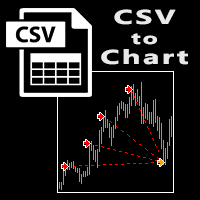
The script visually displays deals from CSV format reports on MT4 terminal charts. It automatically recognizes popular formats: MQL5.com Trading Signals for MT4 / MT5 platforms
MyFXBook service Copy the report file to the <Data Folder>\MQL4\Files folder and run the script on any chart. The script analyzes the CSV file, automatically creates new charts for all instruments that are found in the report, and draws the deals of each instrument on a separate chart. The script additionally calculates a
FREE

Round numbers (or key levels) is an amazing strategy. These numbers are strong support and resistance levels. So what this indicator does is draw horizontal lines on the chart to help you find these levels. Configurations: 1St level: Color - lines color. Style - lines style. Width - lines width. 2Nd level: Second level lines? - turn off second level lines. Color - lines color. Style - lines style. Width - lines width. Space between lines in points - I don't need explain :) Display at backg
FREE

MT4 Tick History Sync – Real Tick Downloader, History Verification & Data Export Download. Synchronize. Verify. Export. Make Every Backtest Count. Are you confident that your MetaTrader 4 backtests are using complete real tick history? Missing historical ticks can compromise the reliability of your backtesting results, especially when testing scalping strategies, high-frequency trading systems, and Expert Advisors that depend on precise price movements. MT4 Tick History Sync by Zistilo is a prof
FREE

BuntuFx Copier Pro is a fast and reliable trade copier for synchronizing orders between Master and Slave accounts on MetaTrader 4 and MetaTrader 5. Main Features MT4 and MT5 cross-platform copying Market and pending order synchronization Automatic SL, TP, partial close, and order close copying Multiple lot modes: multiplier, fixed lot, risk percentage, and lot sequence Symbol mapping and suffix support Magic number, symbol, direction, and comment filters Reverse trading mode Layer-based copying
FREE
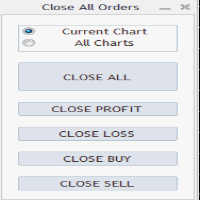
Close All Orders Assistant program sends orders to: Close All Profit, Close All Loss, Close All Buy, Close All Sell Positions. Depending on pressed button.
You can apply buttons to the current charts or for all charts. Enjoy using !
Attention ! The shutdown process may take a longer. Pay attention to this especially when you have more positions and the market is about to close.
FREE

Grid, martingale, and averaging strategies share one weakness: a stop-loss tight enough to matter is usually tighter than your broker's minimum Stop Level allows. Traders work around this by tracking stops virtually inside the terminal — but a virtual stop only works while the terminal is running. If your connection drops, your VPS reboots, or the platform crashes, a purely virtual stop offers zero protection at the exact moment you need it most. Grid SL Guardian runs two protection layers at
FREE

Precision Candle Timer is a must-have visual indicator that accurately displays the remaining time of the current candle on your chart. Perfect for traders who need precise timing for entries and exits , especially in scalping , day trading , or candle-formation-based strategies. Designed to be fully customizable, you can easily change its position, color, font, and size to match your trading layout. It adds clarity, control, and responsiveness to your trading routine. Key Features: Precise t
FREE

Export Order History Free ! Meta Trader 4 script Please leave a review about this product to help other users benefit from it. Export trades history into a CSV file ( Excel sheet ) The summary is saved into a file in MQL4\Files folder. Choose / A ccount history / C ustom period from your MT4 Select period Click OK to Export file directory Open MT4 data folder CSV file ( Excel sheet ) Order > Open time > Close time > Type > Symbol > Size > Entry price > Exit price > T/P >
FREE

This EA helps traders in the following benefits : - show the entry point for sell or buy orders that you makes. -show the TP & SL levels on chart - control the lot size - control the TP & SL level in points - works on all chart period - rising algo trading rank in your signal - closing all deals in one click - closing only profitable deals - closing only losable traders enjoy
FREE

Medi Partial Close Pro is a high-performance trade management utility engineered for professional intraday traders, specifically optimized for high-volatility pairs like XAUUSD . Why Choose Medi Partial Close Pro? Smart Directional Logic: Unlike standard utilities, v5.5 features an intelligent trigger system that detects if your target is a "Take Profit" or "Stop Loss" scale-out based on current market price. Master Control Panel: Manage your entire portfolio from a single dashboard. Close 25%,
FREE

Close Positions on Candle Close This tool allows you to automatically close positions based on the last candle's closing price, helping confirm trade exits and avoiding unpredictable price movements. How It Works: The EA waits for a candle to close above or below the Stop Loss level before executing a position close. It eliminates the need to manually monitor trades and helps automate exit strategies. Settings: Order_Type: Select the types of orders or positions to be managed. CandleTimeFrame:
FREE

Risk Panel Pro (MT4) Risk Panel Pro is a Tool for MetaTrader 4 that automates placing Stop Loss and Take Profit based on a percentage of the account balance. It is a trade management utility; it does not provide trading signals and does not guarantee any profit. Main functions Auto-apply SL/TP on new orders using balance-based risk (default: SL 2%, TP 4%). Switch Automatic mode off to manage SL/TP manually. One-click buttons to apply SL or TP to existing positions at any time. Close Chart : clo
FREE

An egg is the organic vessel containing the zygote in which an embryo develops until it can survive on its own, at which point the animal hatches. An egg results from fertilization of an egg cell . Most arthropods , vertebrates (excluding live-bearing mammals ), and mollusks lay eggs, although some, such as scorpions , do not. Reptile eggs, bird eggs , and monotreme eggs are laid out of water and are surrounded by a protective shell , either flexible or
FREE

This script allows you to toggle the "Show Trade Levels" option, but for the current chart only. Normally, you can only change the setting using the Options -> Chart menu for ALL charts, but this script allows you to do it for a SINGLE chart. I'm using it when I take screenshots, because most of the time I'm not trying to show the trades, just some functionality of one of my other tools. Iif you need that functionality, then this script is very helpful!
If the script helps you, please let me k
FREE

Description VisualHistory plots positions (Buy and sell orders only) from history of account on a chart. It draws the standard arrows for entry/exit and connects them by the dashed line. Also, VisualHistory displays information on the top left corner of a chart concerning displayed positions: positions count, net profit. Download it to the <MQL4/Experts> directory of your MetaTrader.
Options
Start date for history orders - start date of displayed trade history End date for history orders - end
FREE

MetaTrader 4용 Indicator Test Report — 지표가 실제로 어떻게 작동하는지 보여주는 MT4 다시 그리기 검사기 및 지표 테스터 컴파일된 표시기 내부는 볼 수 없습니다. Indicator Test Report는 구매, 작성 또는 MetaTrader에 내장된 모든 지표를 로드하고 설명이 할 수 없는 질문에 답합니다. 다시 그리는지, 얼마나 많은 기록이 필요한지, 실제로 무엇을 게시합니까? 행동을 보고합니다. 등급을 매기지 않습니다. Strategy Tester에 지표를 로드하고 해당 동작의 12가지 측면(공개하는 버퍼 수, 값이 의미를 갖기 전에 필요한 기록 양, 닫힌 막대의 값이 나중에 변경되는지 여부, 읽는 데 드는 비용)에 대한 일반 언어 보고서를 받으세요. 지표가 좋은지 여부에 대한 점수, 합격 표시, 평결은 없습니다. 단지 관찰된 것과 증명된 것과 증명되지 않은 것만 있을 뿐입니다. 답변 내용 1. 버퍼. 지표가 실제로 게시하는 번호가 매겨진 데이터 시
FREE
Update:ver1.53 (2023/08/16) ・ Overview and required environment Generate a duplicate limit order reservation for manual orders or orders from other tools, etc. This is specialized to "simplify the ordering operation". For the analysis to decide ordering, please do your best by yourself, such as fishing for materials, deriving a rule of thumb, using other analysis tools and EA together, etc. Since version 1.28, the function of "automatically re-order after settlement" has been implemented. (This
FREE
This utility identifies certain candle open times on chart, this can help you to see your favorite candle open and use it as it fits in your strategy. This tool is very useful for intraday charting and indicating your sessions. ___________________________________________________________________________________
Disclaimer: Do NOT trade or invest based upon the analysis presented on this channel. Always do your own research and due diligence before investing or trading. I’ll never tell you what
FREE
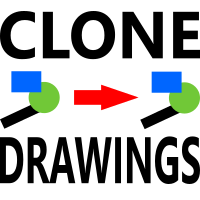
이 스크립트를 사용하면 추세선, 피보나치 되돌림 등과 같은 모든 유형의 그리기 개체를 하나 이상의 다른 차트에 복사할 수 있습니다.
기본적으로 스크립트는 현재 차트, 즉 스크립트가 적용된 차트의 모든 개체를 현재 로드된 동일한 심볼의 다른 차트에 복사합니다.
설정
목적지 시간 프레임 PERIOD_CURRENT 이외의 값으로 설정하면 스크립트가 적용된 차트와 동일한 심볼의 열린 차트에 객체를 복사합니다. 값을 특정 기간(예: PERIOD_D1)으로 설정하면 동일한 기호 AND 기간의 차트만 업데이트됩니다. CopyObjectsOfType 이것을 복사하려는 특정 유형의 개체로 설정할 수 있습니다. 그러면 해당 유형의 개체만 다른 차트에 복사됩니다. CopyIndicatorWindowObjects True로 설정하면 표시기 창의 개체도 복사됩니다. 이는 소스 차트와 동일한 지표를 동일한 순서로 갖는 두 번째 차트에 의존합니다.
마음의 내용에 차트 사이에 개체를 복제하십시오!
FREE

Risk Management Panel is unique to tool calculate your risk quickly and place trades based on your account money. There are two options for the user Account Equity Account Balance Tools like these is specially useful when you have to take a quickly decision about your trade but dont have the time to calculate the risk. It works with magic number. So the advantage is a trade placed by this panel could be manipulated by the other expert advisors as well
FREE

Use Forex Trading Profit Tracker to keep a record of your earnings across accounts. This indicator will show a dashboard in the Meta Trader chart to show for the profit or loss money in your account. It’s easy to see just how much money you’re making matched betting with the Forex Trading Profit Tracker. Key features: Track your profit over time Check out your stats. Track expected profits against actual profits. Export account history to Excel.
MT5 version(*): https://www.mql5.com/en/market/
FREE

Информирование пользователя о величине текущего спрэда цветом, в зависимости от тренда. Простой и удобный информатор. Расположить можно в любом месте графика (настраивается во входных параметрах). При активном индикаторе наносим на график горизонтальную линию цветом, указанным во входных параметрах. Эта линия будет (по Вашему мнению) точкой разворота тренда. Если цена будет ниже линии - цвет величины спрэда будет окрашен в цвет "медвежьего" тренда, если цена буде выше линии - цвет величины спрэ
FREE

Get This: The Ultimate Power Tool for Traders—Draw My Levels! Believe me, folks, this is BIG. This isn’t just some regular, everyday tool—this is *the* essential tool for your trading arsenal. “Draw My Levels” is a simple, elegant, and powerful script that’ll take your trading game to a whole new level. You want precision? You want control? You want to see where the real action is happening on the chart? Then this script is for you. Why Do You Need This Script? Let me tell you, if you’re a trade
FREE
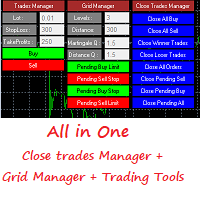
This is a demo version . Download the full version from this link https://www.mql5.com/fr/market/product/84850
Full version Allows you to : Set the number of levels (trades). Lot size and you can do Martingale to raise the lot size for each level. Set distance between levels, and you can manage the distance for each level using Distance Q. Static TP and SL for each level. You can open : BUY STOP / BUY LIMIT / SELL STOP / SELL LIMIT (levels in one click). Close all buy orders. Close all s
FREE

S imple arrow with alert on chart. This is NOT an entry indicator but a direction indicator. It uses MACD signal line to show you possible future direction of a trend. Please use it with other filters or confirmations to trade properly. Recommended for scalping and short term trades. Made for EURUSD M5 but it should work on every major pair on M5 timeframe. For MT5 version please go here! *If you need a fully automated trading system. Please check this EA here! FEATURES: Very simple directional
FREE

Screen logger with telegram - takes screenshots of all open MetaTrader 4 charts.
Why do you need
Recording incoming quotations from a broker. In case of any corrections, this moment will be fixed. Check the data of the indicator and notice cases of signal redrawing or overwriting Maintaining own accounting for changes in trading indicators on the account Creation of real trading video from the obtained snapshots
Advantages It consumes significantly less resources than any screen recording
FREE

PositionPilot — One-Click Trade Manager PositionPilot puts professional trade execution and position management directly on your chart. One click — and your trade is protected. Unlike most EAs that only handle their own orders, PositionPilot works with ALL positions — manual, from other EAs, or opened via its panel. One-Click Execution BUY/SELL buttons with auto lot by risk % Hotkeys F1–F6 for keyboard-only trading Auto SL/TP with configurable ratio ️ Smart Risk Management Balance or equity-
FREE

The TradingView-style hide-drawings button MT4 never had
"From the maker of Risk Sentinel — risk-first position sizing that keeps your risk fixed as you drag the stop: https://www.mql5.com/en/market/product/185979 "
Hide/Show Drawing is a one-tap chart-cleanup utility for MT5. Hide all your drawings — or just trendlines, Fibs, shapes, or text — to read raw price action, then restore everything exactly as it was, per-timeframe settings and all. Nothing is deleted; every object stays in memory
FREE
ScoutFX Panel is created to make manual trading and decision making process easier for the traders who prefer manual trading. This trading panel will help you to make a market entry decision by displaying the majority of trades statistics. Using this data, trader can easily determine the market entry direction or to make corrections for used trading strategy based on statistics.
ScoutFX Panel notifies the trader about reached percent of sell or buy overtake for each instrument, via voice noti
FREE

Spread Data tool will display current spread and average spread. It will record spread for every hour (from 0 to 23) and can give better data about your broker spread. Run it for 2 days or more to get better spread data . Every spread smaller than MinSpread will be recorded as MinSpread Every spread larger than MaxSpread will be recorded as MaxSpread It help to decide what spread to be used when do backtest, EA spread settings, EA that trade in specific time interval, especially for scalping EA
FREE
MetaTrader 마켓은 과거 데이터를 이용한 테스트 및 최적화를 위해 무료 데모 거래 로봇을 다운로드할 수 있는 유일한 스토어입니다.
어플리케이션의 개요와 다른 고객의 리뷰를 읽어보시고 터미널에 바로 다운로드하신 다음 구매 전 트레이딩 로봇을 테스트해보시기 바랍니다. 오직 MetaTrader 마켓에서만 무료로 애플리케이션을 테스트할 수 있습니다.
