EagleEyes ICT Setups Scanner
- Göstergeler
- Sürüm: 2.0
- Güncellendi: 12 Eylül 2026
- Etkinleştirmeler: 20

EagleEyes ICT Setups Scanner — Professional Overview
Introduction
The EagleEyes ICT Setups Scanner is a sophisticated multi-symbol, multi-timeframe MetaTrader 5 indicator built for traders who follow the Inner Circle Trader (ICT) methodology. Rather than requiring a trader to manually flip through dozens of charts hunting for a specific sequence of price actions, EagleEyes automates the entire ICT setup detection workflow and presents the best opportunities on a single royal-styled dashboard.
At its core, the indicator looks for a complete, high-probability ICT trade narrative — not just a single pattern. It requires price to first sweep liquidity (take out a prior swing high or low), then form a Fair Value Gap (FVG) or Inverted Fair Value Gap (iFVG), then confirm a Change in State of Delivery (CISD), and finally give an entry inside the Optimal Trade Entry (OTE) zone between the 0.5 and 0.79 Fibonacci retracement levels. On top of this, it layers an unmitigated H1 Order Block confluence, an H4 structural trend filter, a Daily Bias overlay, and an economic news filter — all of which are used to grade each setup with a star rating out of five.
This is not a "signal generator" in the retail sense. It is a context engine — a tool designed to compress hours of manual chart-marking into a single click, so the trader can focus on execution, risk management, and decision-making.
---
What the Indicator Detects
The EagleEyes engine is built around a strict, sequential ICT model. Each layer must be present for a signal to be generated.
1. Liquidity Sweep
Every ICT setup begins with a liquidity grab. The indicator scans recent swing highs and swing lows (using a user-defined fractal arm — by default 2 bars on each side) and identifies moments where price wicks through a prior swing but closes back inside the range. This is the classic "stop hunt" or "turtle soup" behavior that ICT traders interpret as smart money accumulating orders against retail stops.
For a bullish setup, the scanner looks for a low that was swept and rejected — price traded below the swing low but closed back above it. For a bearish setup, the reverse: a high was swept and price closed back below it.
2. Fair Value Gap (FVG) or Inverted FVG
After the sweep, the indicator looks for a displacement candle — a momentum candle with a body larger than the average body multiplied by the user-set momentum multiplier (default 1.3). The presence of a true gap between the wick of candle N-1 and the wick of candle N+1 defines an FVG. If that FVG is later violated by a close, the indicator reclassifies it as an iFVG (inverted FVG), which is still valid in the ICT framework as a confirmation of order flow reversal.
3. Change in State of Delivery (CISD)
CISD is the moment where the market proves a shift in delivery — the last opposing candle's open is reclaimed by the new directional momentum. The indicator tracks the highest open of down-closes (for bullish) or the lowest open of up-closes (for bearish) between the sweep and the FVG, and requires the FVG candle to close beyond it. This is a critical quality filter: without CISD, most retail "FVG" entries are premature.
4. Optimal Trade Entry (OTE)
Once the impulse leg is confirmed, the indicator measures the range from the sweep low (bullish) or sweep high (bearish) to the impulse extreme, and calculates the OTE zone between 0.5 and 0.79 retracement. The entry is placed at the 0.5 level — the aggressive side of the OTE — giving the trader a clear, rule-based entry price.
5. Stops and Targets
Stops are placed just beyond the sweep extreme with a small buffer based on average body size and spread. Targets are projected using the user-defined risk-reward multiplier (default 3:1). The indicator does not manage the trade — it simply maps the geometry.
6. H1 Order Block Confluence
In parallel, the scanner continuously searches the H1 timeframe for unmitigated Order Blocks — the last opposing candle before a momentum move that creates an FVG and breaks structure. If the signal's OTE zone overlaps with an unmitigated H1 OB, the setup gains a star. If an unmitigated H1 OB exists at all in the same direction, another star is added. This is one of the strongest filters in the tool because OB mitigation is a well-known ICT principle.
7. H4 Structural Trend
Using fractal swing analysis on H4, the indicator determines whether the higher timeframe is making higher highs and higher lows (bullish), lower highs and lower lows (bearish), or is ranging. Alignment between the signal direction and the H4 trend adds a star.
8. Daily Bias
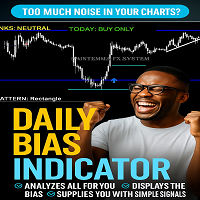
The Daily Bias module is ported and generalized from the supplied DailyBiasIndicator. It aggregates signals from the daily EMA(20), RSI(14), MACD(12,26,9), ADX(14), the prior day's pivot, and the relationship between the current price and the prior day's close. The result is a simple directional readout: TODAY: BUY ONLY, TODAY: SELL ONLY, or TODAY: NO CLEAR BIAS, displayed as a cosmetic overlay at the top of the chart. When the signal direction agrees with the daily bias, it earns a star.
9. News Filter
The scanner reads the MT5 economic calendar and pulls all high-importance events within the user-defined look-ahead window (default 240 minutes). Any signal whose symbol contains a currency that has an upcoming high-impact release is flagged with a ⚠ warning on the dashboard row. This is not a blocker — it is a caution flag so the trader can decide whether to reduce size, wait, or skip the setup entirely.
---
The Star Rating System
The star rating is the heart of the dashboard's prioritization. Every signal starts at one star and can earn up to five:
· +1 star if the OTE zone overlaps with an unmitigated H1 Order Block
· +1 star if the H4 structural trend aligns with the signal direction
· +1 star if the Daily Bias aligns with the signal direction
· +1 star if any unmitigated H1 OB exists in the same direction
A five-star setup is one where every layer of the ICT framework is in agreement: liquidity sweep, FVG, CISD, OTE entry, H1 OB confluence, H4 trend alignment, and Daily Bias support. These are the setups that deserve the largest risk allocation.
A one-star setup is a technically valid sequence but lacks higher-timeframe confluence. These are tradeable but should be treated as lower-probability, smaller-size opportunities — or skipped entirely if the trader prefers only A+ setups.
---
The Dashboard
The royal-styled panel sits at the top-left of the chart (below the Daily Bias cosmetic banner). It contains three sections:
Header and Scan Button. The title bar reads "♛ EAGLEEYES ICT SETUPS SCANNER ♛" in Georgia Bold gold on deep purple. Below it is a large button labeled "⚔ SCAN ALL PAIRS (M5–H4) ⚔". Clicking this button triggers a full scan of every Market Watch symbol across M5, M15, M30, H1, and H4.
High Impact News Section. Displays up to five upcoming high-impact calendar events within the look-ahead window, formatted as "USD | Non-Farm Payrolls | in 45m". If no events are in the window, it displays "No high impact news in window."
Top 5 Signals Section. The five highest-rated signals appear as clickable rows. Each row shows the star rating, symbol, timeframe, direction (▲ BUY or ▼ SELL), and a ⚠ if the symbol has an upcoming news event. Bullish rows are tinted teal; bearish rows are tinted soft red.
Clicking any row opens that signal in its own chart window, pre-loaded with every drawing: the H1 Order Block, the FVG/iFVG rectangle, the sweep line, the CISD line, the OTE Fibonacci with 0.5/0.62/0.79 levels, the shaded OTE zone, and the entry-to-TP (green) and entry-to-SL (red) projection boxes. The Daily Bias cosmetic banner is also drawn on that chart and refreshes every 30 seconds.
The status line at the bottom shows the last scan time and the total number of signals found.
---
How to Use Effectively Every Day
The EagleEyes scanner is designed to be part of a disciplined daily routine. Here is a professional workflow that extracts maximum value from the tool.
Pre-Session Preparation (Before London or New York Open)
Start by attaching EagleEyes to a clean chart — ideally a low-spread major like EURUSD or GBPUSD on the M15 timeframe. This is your "control" chart. The Daily Bias banner will immediately tell you the higher-timeframe context for your base symbol.
Next, verify that the Market Watch contains the pairs you intend to trade. The scanner reads only from Market Watch, so if a symbol is not in the list, it will not be scanned. Keep the list focused — 20 to 40 symbols is ideal. Scanning 200 symbols takes longer and produces more noise.
Click SCAN ALL PAIRS about 15 to 30 minutes before your session begins. This gives the indicator time to read rates across all symbols and timeframes and to pull the calendar. The dashboard will populate with the current top five opportunities.
Review the news section first. If a major event like NFP, CPI, or a central bank decision is within the next two hours, you may want to delay entries on affected pairs or reduce risk.
Signal Selection
Do not trade every five-star signal. Use the star rating as a filter, not a trigger. A professional approach:
· 5 stars: Full risk allocation. These are the setups where every layer of the ICT framework is aligned.
· 4 stars: Standard risk. The setup is strong but missing one confluence layer.
· 3 stars: Half risk, or skip unless the missing layer is the news filter and the news is far away.
· 1–2 stars: Skip. These are technically valid but lack the higher-timeframe agreement that gives ICT setups their edge.
Click a row to open it. Study the chart. Verify that the drawings make sense to your eye — the sweep, the FVG, the CISD, the OTE zone. If the geometry looks forced or the OTE zone is extremely wide, the setup may be low quality even if the star rating is high. Trust your eyes over the algorithm.
Execution
Once you have selected a setup, plan the trade around the projected entry, stop, and target. The indicator provides the price levels — you provide the execution. Wait for price to actually trade into the OTE zone before entering. Do not chase. If price runs without you, let it go. There will be another setup.
Because the scanner uses 3:1 risk-reward by default, the target is aggressive. Many traders prefer to take partial profits at 2R and let the rest run to the projected 3R, or to trail behind structure. The indicator's TP is a projection, not a mandate.
Mid-Session Monitoring
The panel refreshes every 30 seconds via the OnTimer event. News warnings update automatically. You can click SCAN ALL PAIRS again at any point to refresh the top five — though be aware that a full scan across many symbols takes time and is best done between trades, not during them.
Post-Session Review
At the end of your session, note which signals you took, which you skipped, and how they played out. Over time, this journal will tell you whether the star rating genuinely correlates with your win rate. Most traders find that 4- and 5-star setups carry the bulk of their profitability, while 1- and 2-star setups are essentially noise.
---
Do's and Don'ts
Do
Do keep your Market Watch curated. The scanner reads from Market Watch only. A tight, liquid, low-spread list of 20–40 symbols produces cleaner signals and faster scans than a bloated list of 200 exotics.
Do run the scan before your session, not during. Scanning 200 symbols across five timeframes is computationally heavy. Run it 15–30 minutes before London or New York open so the dashboard is ready when you are.
Do treat the star rating as a filter, not a trigger. A five-star signal is a high-quality candidate — it is still your job to confirm the geometry on the chart and to wait for price to reach the OTE zone.
Do respect the news warning. The ⚠ flag is there for a reason. Trading into a high-impact release on the affected currency is gambling, not trading.
Do use the Daily Bias banner as your first filter. If the banner says "TODAY: BUY ONLY" and the scanner produces a SELL signal, that SELL signal is fighting the higher-timeframe context. Skip it, or treat it as a scalp at best.
Do verify the drawings visually. The scanner draws the sweep, FVG, CISD, OTE, and OB so you can see exactly why it flagged the setup. If something looks wrong — a sweep that isn't really a sweep, an FVG that's marginal — trust your eyes.
Do let the scanner do the boring work. The value of EagleEyes is that it eliminates hours of manual chart-flipping. Use that saved time to focus on execution quality, position sizing, and trade management.
Do backtest on a demo account first. Every scanner has a personality. Run EagleEyes on demo for at least a month to learn how its signals behave on your broker's feed before risking real capital.
Do adjust the momentum multiplier and fractal arm for your market. The default 1.3 multiplier and 2-bar fractal arm work well on majors. Exotics and indices may benefit from a higher fractal arm (3) and a higher multiplier (1.5).
Do keep the R:R reasonable. The default 3:1 is a good starting point. If your win rate on 5-star setups is below 40%, a lower R:R (2:1) will smooth your equity curve. If it is above 50%, keep the 3:1 and let winners run.
Don't
Don't trade every signal. The scanner is a candidate generator. Most days, only one or two setups deserve your capital. Some days, none do. Being selective is the edge.
Don't ignore the higher-timeframe context. A bullish M5 signal that contradicts the H4 trend and the Daily Bias is a counter-trend scalp at best. The star rating already penalizes this — respect the penalty.
Don't override the news filter. If a red-flag event is 30 minutes away on a currency in your pair, close the trade or skip the setup. The market can move 100 pips in seconds on a surprise print.
Don't chase price outside the OTE zone. If price blows through the 0.5 level without retracing into the zone, the setup is invalidated. Let it go.
Don't move your stop. The stop is placed beyond the sweep extreme for a reason — that is where the invalidation lies. Widening the stop after entry is the fastest way to turn a small loss into a large one.
Don't scan while the market is closed. Rates on weekends and holidays are stale. Scanning on a Saturday will produce phantom signals based on Friday's close. Always scan during active session hours.
Don't rely on the scanner alone. EagleEyes is a powerful assistant, not a replacement for understanding ICT concepts. If you cannot explain why a setup is valid in your own words, you should not be trading it.
Don't run EagleEyes on a chart alongside a dozen other heavy indicators. MT5 has finite resources. Keep the control chart clean so the scanner can compute efficiently.
Don't expect the scanner to catch every setup. The ICT model is strict — sweep, FVG, CISD, OTE, OB, trend, bias. Some valid setups will not qualify because one layer is missing. This is a feature, not a bug: the scanner is designed to filter, not to catch everything.
Don't ignore the star rating's meaning. A one-star setup is not the same as a five-star setup. Position sizing should reflect that. Flat-sizing every signal destroys the statistical edge that the star rating is designed to capture.
Don't trade during major holidays or illiquid sessions. The scanner will still produce signals, but the liquidity dynamics that make ICT setups work are absent. Skip the Asian session on Christmas Eve, skip the Friday after Thanksgiving, skip the first hour after a surprise geopolitical event.
Don't use the scanner as a crutch. The best traders use tools like EagleEyes to accelerate their analysis, not to replace their judgment. The scanner tells you where to look; you decide whether to trade.
---
Advanced Tips
Combine timeframes deliberately. A 5-star M5 signal that also matches a 5-star M15 signal on the same symbol is a much stronger setup than either alone. Watch for this kind of multi-timeframe agreement — the dashboard will not show it explicitly, but you can spot it by clicking through the top five rows.
Use the H1 Order Block as a magnet. When a signal fires and the H1 OB is nearby, price often retraces to the OB before continuing. This gives you a second entry opportunity if you miss the OTE entry.
Watch the CISD level on the opened chart. If price closes back through the CISD line after entry, the delivery has shifted again. This is an early warning to reduce or exit.
Note the sweep time. The recency of the sweep matters. A sweep that happened 5 bars ago is fresher and more reliable than a sweep 50 bars ago. The indicator already prioritizes recent swings, but a quick visual check helps.
Track your 5-star win rate separately. If your 5-star win rate is below 45% over 30 trades, something is off — either your broker's feed is producing noisy rates, or your session timing is poor, or you are entering late. Review your journal.
Adjust for your broker's feed. Different brokers have different high/low sequences, especially on lower timeframes. Test EagleEyes on your specific broker's demo feed before going live — signals can vary slightly across feeds.
Use the news filter as a volatility calendar, not just a warning. If three high-impact events are lined up in the next four hours, expect choppy, unpredictable price action. Consider sitting out until the dust settles.
---
Final Thoughts
The EagleEyes ICT Setups Scanner is a serious tool for serious traders. It compresses the entire ICT setup detection workflow — liquidity sweep, FVG/iFVG, CISD, OTE, Order Block confluence, H4 trend, Daily Bias, and news context — into a single click and a five-row dashboard. It does not replace the trader's judgment. It accelerates it.
Used with discipline — curated Market Watch, pre-session scans, star-rating-based filtering, news awareness, and honest journaling — the scanner can meaningfully improve the speed and quality of your ICT trade selection. Used carelessly — scanning everything, trading every signal, ignoring context — it becomes just another noise generator.
The tool is only as good as the trader behind it. Treat the star rating as a filter, the drawings as a visual explanation, the news flag as a caution, and the Daily Bias as context. Then let your eyes, your plan, and your risk management do the rest.
Trade the plan. Trust the process. Let the scanner find the setups — you decide which ones deserve your capital.