DualVision AI
- Yardımcı programlar
-
Andres Eduardo Rodriguez Fortunato
 I am a software developer and independent quantitative trading researcher with a passion for understanding how markets behave beyond traditional indicators.
 - Sürüm: 1.31
- Güncellendi: 17 Ağustos 2026
- Etkinleştirmeler: 10
Genel bakış
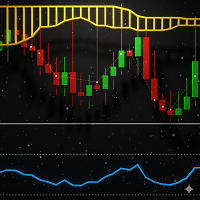
DualVision AI, görüntü tabanlı grafik analizi için bir MetaTrader 5 Expert Advisor’dır. Kullanıcı iki dikey çizgiyle bir mum aralığı seçer ve isteğe bağlı bir AI analizi çalıştırır. DualVision AI o aralık için optimize edilmiş bir mum görüntüsü ve normalize OHLC verisi üretir, ardından bunları Claude (Anthropic) veya ChatGPT’ye (OpenAI) gönderir. Model trend, yerel formasyon, conflict bayrağı, confidence, take profit ve stop loss içeren yapılandırılmış bir sinyal döner.
DualVision AI bir analiz asistanıdır. Emir göndermez ve risk yönetiminin yerini almaz.
Başlamadan önce
MetaTrader 5’te WebRequest URL’lerini etkinleştirin:
- Tools > Options > Expert Advisors öğesini açın.
- Allow WebRequest for listed URL seçeneğini açın.
- Bu URL’leri ekleyin (satır başına bir tane):
- https://api.anthropic.com — Claude için gerekli
- https://api.openai.com — ChatGPT için gerekli
DualVision AI’yi Expert Advisor olarak ekleyin (gösterge olarak değil). WebRequest göstergelerde kullanılamaz. Grafikte Algo Trading açık olmalıdır.
Anthropic ve/veya OpenAI’den kendi API key’inize ihtiyacınız vardır. API kullanımı sağlayıcı tarafından hesabınıza göre faturalanır.
Grafik nesneleri
Dikey çizgiler:
- Start line — seçilen mum aralığının başlangıcı
- End line — seçilen mum aralığının sonu
Her iki çizgi sürüklenebilir. Analiz yalnızca Start ile End arasındaki mumları kullanır.
Onaylı bir sinyalle başarılı analizden sonra:
- Entry line — seçilen aralığın son close’u, confidence ve risk/reward etiketiyle
- Take profit line
- Stop loss line
Sol panel:
- Sağlayıcı adı ve mum sayısı
- Status / signal / confidence / risk-reward
- Trend, conflict, yerel formasyon ve kısa cause metni
Düğme:
- Analyze AI — geçerli aralık için bir vision isteği çalıştırır
Nasıl kullanılır
- Yukarıdaki gibi sağlayıcı URL’lerine izin verin.
- DualVision AI’yi canlı bir grafiğe ekleyin (Expert Advisors).
- Sağlayıcı ve modeli ayarlayın, ardından API key’i Inputs’a bir kez yapıştırın (veya bir anahtar dosyası kullanın).
- Start ve End’i incelemek istediğiniz yapıya sürükleyin.
- Analyze AI öğesine tıklayın.
- Herhangi bir işlem kararı vermeden önce Entry / TP / SL ve paneli gözden geçirin.
Yararlı aralıklar genelde net bir yapıdır. Çok kısa aralıklar az bağlam verir; çok geniş aralıklar token ve maliyeti artırır.
AI isteği nasıl çalışır
Her Analyze’de DualVision AI şunları gönderir:
- seçilen aralığın sıkıştırılmış mum PNG’si (düşük dosya boyutu)
- normalize OHLC değerleri (0 = pencere minimumu, 1 = pencere maksimumu), 6 ondalık
- gerçek fiyat çapaları: period, last close, window min, window max
Model zorunlu yapılandırılmış şema (tool/function çıktısı) ile cevap verir, böylece alanlar tutarlı kalır: trend, localPattern, conflict, signal, tpPrice, slPrice, confidence, cause.
Kararlı talimatlar system prompt’tadır. Değişken veriler (çapalar + OHLC + görüntü) user message’dadır. Bu istekleri daha temiz tutar ve bozuk JSON’u azaltır.
Sinyal filtreleri
- Signal — BUY, SELL veya NONE
- Conflict — sinyal pencere trendine karşıysa true (örneğin trend UP iken SELL)
- Min confidence (conflicts) — çakışan sinyaller yalnızca confidence bu değerde veya üstündeyse onaylanır (varsayılan 0.75)
- Low confidence mark — bu değerin altındaki sinyaller onaylandıysa yine gösterilir ama LOW olarak işaretlenir (varsayılan 0.55)
Entry, TP ve SL çizgileri yalnızca sinyal bu kurallarla onaylandığında çizilir.
Sağlayıcılar ve modeller
- Claude (Anthropic) — varsayılan. Örnek model: claude-sonnet-4-6
- ChatGPT (OpenAI) — örnek model: gpt-5.4
Pratikte ChatGPT çoğu zaman daha kısa açıklamalar döner ve daha hızlı yanıt verir. Claude çoğu zaman daha uzun bir cause yazar ve yanıtı daha uzun sürebilir. Kalite ve confidence aynı aralıkta bile farklı olabilir; ikisini de analiz asistanı olarak ele alın.
Tipik token kullanımı (referans)
Optimize görüntü + normalize OHLC ile DualVision AI üzerinde ölçüldü. Değerler sembol basamakları, görüntü genişliği ve model ayrıntısına göre değişir.
Claude · claude-sonnet-4-6
- 100 mum — input ≈ 5602 · output ≈ 348
- 150 mum — input ≈ 7672 · output ≈ 394
- 200 mum — input ≈ 9614 · output ≈ 360
ChatGPT · gpt-5.6-luna
- 100 mum — input ≈ 4721 · output ≈ 132
- 150 mum — input ≈ 6687 · output ≈ 126
- 200 mum — input ≈ 8635 · output ≈ 121
Görüntü genişliği sınırlı olduğu için token artışı mum sayısına göre tam doğrusal değildir. Faturalama her sağlayıcının milyon token başına güncel fiyatını kullanır.
API key işleme
- Anahtarı Inputs’a bir kez yapıştırıp onaylayın. DualVision AI yeniden kullanım için onu Common\Files\VisionClaude\ altına kaydeder.
- Varsayılan dosyalar:
- Claude — api_key_anthropic.txt
- OpenAI — api_key_openai.txt
- Dosya kaydedildikten sonra Inputs’taki API Key alanını temizleyin ve OK’e basın; böylece anahtar ayarlar penceresinde görünmez.
- Anahtar alanı boş olan yeni grafikler kayıtlı dosyayı otomatik yükler.
MetaTrader girdi alanlarını parola gibi gizleyemez. Anahtarı yerel bir dosyada tutmak, grafikten grafiğe yeniden kullanım için pratik yoldur.
Girdiler
- AI Provider — Claude (Anthropic) veya OpenAI (ChatGPT)
- API Key — isteğe bağlı yapıştırma alanı; dosyadan yüklemek için boş bırakın
- API Key file — Common Files altında isteğe bağlı özel yol; boşsa sağlayıcı varsayılan dosyasını kullanır
- Model ID — sağlayıcı model adı
- Initial period — ilk Start/End yerleşimi için kullanılan mumlar
- Min confidence — çakışan bir sinyali onaylamak için gereken minimum confidence
- Low confidence mark — onaylı sinyalleri LOW olarak işaretleme eşiği
- Timeout — milisaniye cinsinden WebRequest zaman aşımı
- Max tokens — sağlayıcı çağrısı için maksimum üretim token’ı
- Temperature — örnekleme sıcaklığı (daha kararlı sonuçlar için 0 önerilir)
- Save debug files — isteğe bağlı PNG / OHLC / ham yanıt dökümü MQL5\Files\VisionClaude\ altında
- Clean abnormal gaps — isteğe bağlı: görüntü ve OHLC oluşturulmadan önce aykırı open boşluklarını kapatır (örneğin güçlü pazartesi/seans boşlukları); normal küçük boşluklar korunur
- Gap percentile — anormal boşlukları temizlerken kullanılan eşik (varsayılan 0.925)
- Dikey çizgiler, BUY/SELL, SL, conflict ve düşük confidence vurgu renkleri
Notlar
DualVision AI, harici AI sağlayıcılarıyla grafik analizi içindir. Sonuçlar seçilen aralığa, görüntüye, OHLC’ye, modele ve sağlayıcı politikasına bağlıdır. Piyasa koşulları değişir. Karar vermeden önce her zaman kendi teyit kurallarınızı ve risk kontrolünüzü uygulayın.
Bu ürün API kredisi içermez. Sağlayıcı hesabı, faturalama ve MetaTrader 5’teki URL izinleri sizin sorumluluğunuzdadır.