Codex Assistant Pro
- Yardımcı programlar
- Sürüm: 8.0
- Etkinleştirmeler: 5

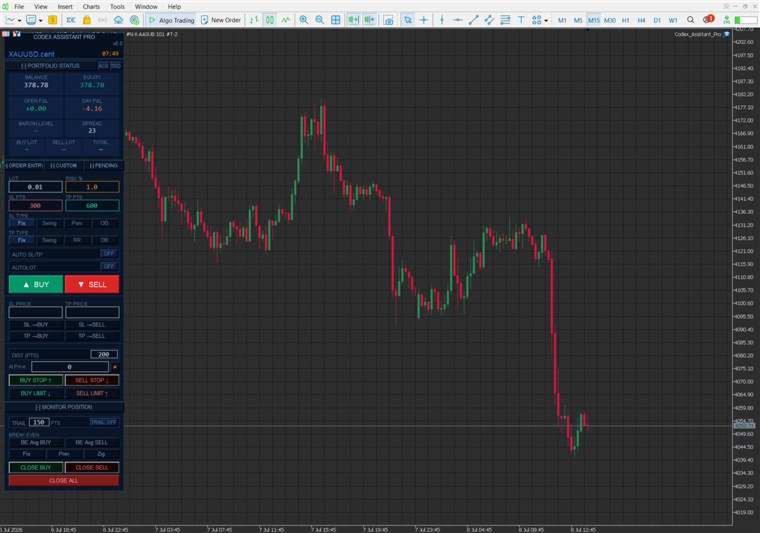
Codex Assistant Pro is a professional on-chart trade panel that turns manual trading into a fast, disciplined, one-click workflow. Place orders with automatic risk-based lot sizing, manage SL/TP by dragging zones directly on the chart, and let the built-in risk guards protect your account.
Works on any symbol and timeframe. Netting and hedging accounts supported. 5- and 3-digit brokers are detected automatically.
This is a manual trading utility — it does not trade by itself and is not intended for the Strategy Tester.
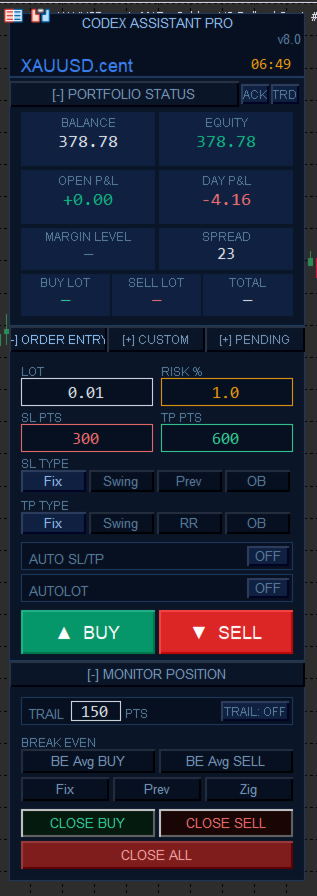
One-click order entry
- BUY / SELL market orders with instant SL & TP
- AUTOLOT: lot size auto-calculated from your Risk % and SL distance
- Live risk and lot values update in real time as you type
- Auto SL/TP mode picks stop and target prices for you
Smart SL / TP placement — 4 modes each
- Fix — exact distance in points
- Swing — nearest swing high/low detected by the panel
- Prev — previous candle high/low
- OB — nearest Order Block boundary
- TP can also be set by R:R multiple (e.g. 2 = 2R)
Draggable on-chart zones
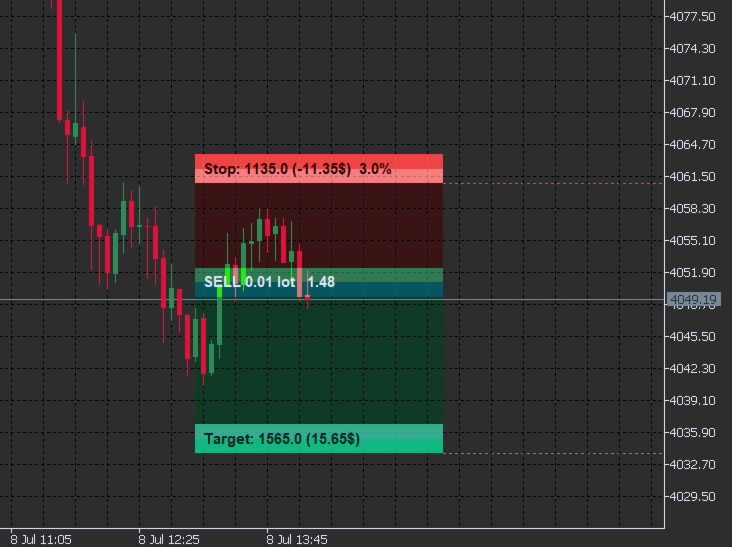
- Every position shows TARGET (green), ENTRY (navy) and STOP (red) strips
- Drag the Target or Stop strip — the panel modifies the position instantly
- Live Risk % shown on the Stop strip; break-even turns the strip amber
- Overlapping levels are highlighted so you never stack conflicting orders
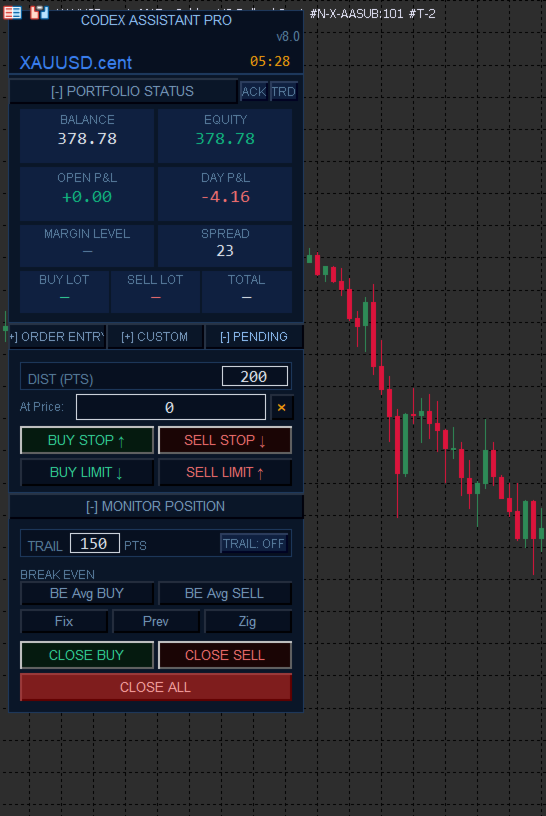
Pending orders
- Buy/Sell Stop and Limit orders by distance or exact price
- Draggable cyan entry strip — move the pending order by dragging it on the chart
- Independent SL/TP mode binding for pending orders
Position management
- Trailing stop with configurable start distance and step
- Break-even tools: average-entry BE for BUY/SELL, with Fix / Prev candle / ZigZag pivot modes
- CLOSE BUY / CLOSE SELL / CLOSE ALL one-click buttons
- Custom Price tab: apply an exact SL/TP price to all positions in one click
Built-in risk guards (ACK overlay)
- Daily loss limit — blocks new orders for the rest of the day when hit
- Max drawdown % — blocks new orders beyond your drawdown tolerance
- Max open trades — caps the number of simultaneous positions
- When blocked, you can still manage and close existing positions
Live monitoring
- Portfolio Status bar: balance, equity, open P&L, day P&L, margin level, spread, buy/sell/total lots — updated every tick
- All Trades (TRD) overlay: every open position and pending order with live P&L
Three professional themes
Deep Navy (default), Midnight Purple, Dark Forest — switch via a single input.
How to use
- Attach the panel to any chart
- Enable AutoTrading (Ctrl+E)
- Set your Risk % and SL/TP mode
- Trade with one click — manage everything on the chart
Main inputs
- Theme, default lot, magic number
- Risk % and AutoLot on/off
- SL/TP distances, swing lookback, buffers, R:R ratio
- Trailing start/step, break-even offset
- Daily loss limit, max drawdown %, max open trades
A detailed PDF user manual is available — message me after purchase and I will send it to you.
If you have questions or feature requests, please post them in the Comments tab — I answer every message.