Trade Panel Risk

Stop losing money on bad lot sizes. Trade Panel Risk calculates exactly how much to buy or sell, executes your trade in one click, and protects your account automatically — all from a single panel on your chart.

You tell it: "I want to risk 1% of my balance with a 20-pip stop loss." It tells you: "Buy 0.43 lots." You click BUY. Done.

No spreadsheets. No mental math. No mistakes.

─────────────────────────────────────────── THE PROBLEM MOST TRADERS HAVE ───────────────────────────────────────────

Most traders lose money not because they have bad trade ideas — but because they manage risk poorly.

They open positions that are too big when they're feeling confident. They forget to move their stop loss to breakeven. They hold losing trades too long hoping they'll recover. They blow prop firm accounts by exceeding the daily drawdown limit.

These are not strategy problems. They are execution problems.

Trade Panel Risk solves all of them.

─────────────────────────────────────────── WHAT IT DOES — SIMPLE VERSION ───────────────────────────────────────────

Imagine you have $10,000 in your account. You want to risk $100 (1%) on a trade. Your stop loss is 20 pips away.

Without this panel: you open a calculator, look up the pip value for your symbol, do the math, type in the lot size, and hope you didn't make a mistake.

With Trade Panel Risk: you type "1%" and "20 pips." The panel shows you "0.50 lots." You click BUY or SELL. The trade opens at the correct size, with SL and TP already set.

That's it.

─────────────────────────────────────────── TAB 1 — TRADE (Open Positions) ───────────────────────────────────────────

This is where you open trades.

▸ RISK CALCULATOR Choose how you want to define your risk:

Mode 1 — Percentage: risk X% of your balance per trade Example: 1% of $10,000 = $100 at risk

Mode 2 — Fixed Dollar: risk a fixed amount every trade Example: always risk $50 per trade, no matter the balance

Mode 3 — Fixed Lot: always trade the same lot size Example: always open 0.10 lots

The panel reads your stop loss distance and calculates the correct lot size automatically. You see the result before you click.

▸ BUY / SELL BUTTONS One click opens the trade with the calculated lot size, at your defined SL and TP. No confirmation dialogs. No delays.

▸ CLOSE BUTTONS Close All — closes every open position Close Profitable — closes only winning positions Close Losing — closes only losing positions

▸ CHART LINES (Visual Mode) Toggle Entry, SL, and TP lines directly on your chart. Drag them to the exact price you want. The panel reads the distances and recalculates everything in real time.

Lines are color coded: Entry line — Gold Stop Loss line — Red Take Profit line — Green

Each line shows the price and the distance in pips.

▸ R:R LOCK (Risk:Reward Lock) Enable R:R Lock and set your ratio (example: 1:2). When you move your Stop Loss, the Take Profit moves automatically to maintain your ratio. When you move your Entry, both SL and TP move together, keeping all distances intact.

Default ratio: 1:2 (active by default)

─────────────────────────────────────────── TAB 2 — MANAGE (Control Open Positions) ───────────────────────────────────────────

This is where you manage trades that are already open.

▸ BREAKEVEN Breakeven means moving your Stop Loss to your Entry price so you cannot lose money on that trade.

Set a trigger distance (in pips). When price moves that many pips in your favor, the panel automatically moves your SL to entry. You no longer have to watch the screen.

Example: you open a BUY at 1.1000 with SL at 1.0980 (20 pips). You set breakeven trigger to 15 pips. When price reaches 1.1015, your SL automatically moves to 1.1000. Your trade is now risk-free.

▸ TRAILING STOP A trailing stop follows the price as it moves in your favor, locking in profit automatically.

Three modes:

Fixed Pips — SL trails at a fixed distance behind price Example: price moves up 30 pips, SL moves up 30 pips

ATR-Based — SL distance adjusts based on market volatility Good for: markets that change speed frequently

Step Trailing — SL moves only when price advances by a full "step" Example: step = 10 pips. SL only moves after every 10-pip gain.

▸ PARTIAL CLOSE Close part of your position to lock in profit while keeping the rest open.

Buttons: 25% / 50% / 75% Example: you have 1.00 lot open. Click 50% → closes 0.50 lots. The rest stays open.

─────────────────────────────────────────── TAB 3 — STATS (Your Performance) ───────────────────────────────────────────

See how you are performing without leaving your chart.

▸ P&L TRACKING Today — profit/loss since today's market open This Week — profit/loss since Monday This Month — profit/loss since the 1st of the month

▸ OPEN POSITIONS Floating P&L — total unrealized profit/loss right now Number of open trades

▸ WIN RATE Wins and losses counted automatically Win rate shown as a percentage Example: 7 wins, 3 losses = 70% win rate

▸ ACCOUNT INFO Current Balance Current Equity Margin used

Everything updates every second.

─────────────────────────────────────────── TAB 4 — SETTINGS (Prop Firms & Language) ───────────────────────────────────────────

▸ PROP FIRM PRESETS If you are trading a funded account or a prop firm challenge, this is critical.

Prop firms give you a maximum drawdown limit. If you exceed it, you fail the challenge and lose your account. Trade Panel Risk monitors this for you in real time.

Built-in presets:

FTMO — Daily drawdown limit: 5% — Total drawdown limit: 10%

E8 Funding — Daily drawdown limit: 4% — Total drawdown limit: 8%

MyFundedFX — Daily drawdown limit: 5% — Total drawdown limit: 10%

The5ers — Daily drawdown limit: 4% — Total drawdown limit: 6%

Select your firm from the dropdown. The panel shows a visual progress bar for both limits.

Color system: Green — you are safe Yellow — you are getting close to the limit (caution) Red — you are near the limit (stop trading)

This alone can save your funded account.

▸ LANGUAGE Switch between English and Spanish with one click. The entire panel rebuilds in the selected language instantly. Your language preference is saved and remembered next time you open MT5.

─────────────────────────────────────────── WORKS ON ANY MARKET ───────────────────────────────────────────

Forex pairs — EURUSD, GBPUSD, USDJPY, etc. Gold — XAUUSD Indices — US30, NAS100, SP500, DE40 Crypto — BTCUSD, ETHUSD Commodities — Oil, Silver

The panel reads the correct pip/point value for each symbol automatically. No manual configuration needed when you switch charts.

─────────────────────────────────────────── WORKS ON ANY ACCOUNT TYPE ───────────────────────────────────────────

Hedging accounts — you can have BUY and SELL open at the same time Netting accounts — only one position per symbol at a time

The panel detects your account type automatically and adjusts.

─────────────────────────────────────────── SETTINGS ARE SAVED ───────────────────────────────────────────

Every setting you change — risk mode, risk value, SL/TP, prop firm preset, language, panel position — is saved automatically when you close MT5.

Next time you open the platform, everything is exactly as you left it. You do not have to set it up again.

─────────────────────────────────────────── INPUT PARAMETERS ───────────────────────────────────────────

Risk Mode — Percentage / Fixed USD / Fixed Lot (default: Percentage) Risk Value — how much to risk (default: 1.0) Default SL — stop loss in pips (default: 20) Default TP — take profit in pips (default: 40) Prop Firm Preset — None / FTMO / E8 / MyFundedFX / The5ers (default: None) Language — English / Spanish (default: English) Magic Number — unique ID for this panel's trades (default: 202603) Panel X Position — horizontal position on screen (default: 10) Panel Y Position — vertical position on screen (default: 20)

─────────────────────────────────────────── HOW TO GET STARTED ───────────────────────────────────────────

Step 1 — Attach the panel to any chart in MetaTrader 5

Step 2 — Select your risk mode and set your risk value

Step 3 — Set your SL and TP in pips, or enable chart lines to place them visually

Step 4 — Click BUY or SELL — correct lot size opens automatically

Step 5 — Go to Manage tab, enable Breakeven and/or Trailing Stop

Step 6 — Check Stats tab to monitor your daily P&L and win rate

Step 7 — If trading a prop firm: go to Settings, select your firm, watch the drawdown bars

─────────────────────────────────────────── FREQUENTLY ASKED QUESTIONS ───────────────────────────────────────────

Q: Does it place trades automatically? A: No. You decide when to trade. You click BUY or SELL. The panel calculates the lot size and manages your open trades — it never opens a trade on its own.

Q: Does it work on Gold (XAUUSD)? A: Yes. It automatically reads the correct pip value for Gold. No extra setup needed.

Q: Can I use it on multiple charts at the same time? A: Yes. Attach one panel per chart, each with a different Magic Number.

Q: What happens to my settings when I close MetaTrader 5? A: Everything is saved automatically. When you reopen MT5, the panel is exactly as you left it.

Q: Does it work with prop firms? A: Yes. Select your firm in Settings. The panel monitors your daily and total drawdown in real time.

Q: Does it support Spanish? A: Yes. Go to Settings → Language → Español. The entire panel switches instantly.

Q: Does it work on demo accounts? A: Yes. Works identically on demo and live accounts.

Q: Is it compatible with 5-digit brokers? A: Yes. Handles both 4-digit and 5-digit pricing automatically.

─────────────────────────────────────────── DEVELOPED BY CHCORP ───────────────────────────────────────────

Trade Panel Risk is built for traders who take risk management seriously — whether you are learning to trade, growing a personal account, or trying to pass a prop firm challenge.

Every feature answers one question: how do I not blow this account?

Know your risk before you enter. Protect your trades while they are open. Stop before you exceed your limits.

That is what Trade Panel Risk does.


Önerilen ürünler
EZ Trends
Guillermo Pineda
EZ Trends , piyasa yapısı değişimlerini gerçek zamanlı olarak kolayca tespit etmeye yönelik tasarlanmış hassas bir trend algılama indikatörüdür. Benzersiz EMA–HMA hibrit bant sistemi kullanarak, mum renklerini uyarlamalı şekilde değiştirerek trend yönünü öne çıkarır ve her yeni trend başlangıcında tepki seviyelerini işaretler. Sonuç olarak, trader’ların momentumla uyumlu kalmasına ve piyasa gürültüsünü filtrelemesine yardımcı olan pratik bir araçtır. TEMEL ÖZELLİKLER Trend tespit mantığı: EMA ve
Amazing Edge Maker
Satendra Kumar Gupta
Amazing XAU Edge Maker Overview Amazing XAU Edge Maker is an Expert Advisor for MetaTrader 5 designed to automate trading using configurable entry methods, position management, and risk management tools. It is optimized for XAU/USD (Gold) but can also be configured for other symbols supported by your broker. The EA combines signal-based trading with flexible trade management, allowing traders to customize its behavior according to their trading strategy. Main Features Trading Modes Signal Tradin
CRT Pro Scanner
Frank Jose Olivo Flores
CRT Pro Scanner   Stop wasting hours watching multiple charts and missing setups while you blink. CRT Pro Scanner solves the most painful problem every trader faces: being in the wrong chart at the right moment. Instead of jumping between pairs and constantly asking yourself "did I miss something?", the scanner does the watching for you. It monitors all your symbols simultaneously, detects Candle Range Theory setups the instant they form, and alerts you immediately — so you can focus on executi
Auto SL TP MT5
KEENBASE SOFTWARE SOLUTIONS
5 (2)
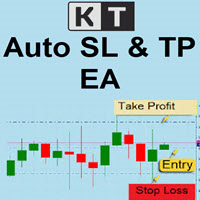
Auto SL TP, elle açılan pozisyonlara ve bekleyen emirlere Stop Loss ve Take Profit seviyelerini otomatik olarak yerleştirir. İstediğiniz SL ve TP mesafelerini bir kez belirleyin, araç seçtiğiniz kapsama uyan bir işlem algıladığında bu seviyeleri otomatik olarak uygulasın. Tek bir grafikten mevcut sembolü veya tüm sembolleri yönetebilir, pozisyonları, bekleyen emirleri veya her ikisini seçebilir ve gerektiğinde ayarlanabilir takip eden stopu kullanabilirsiniz. Tek bir sembolü veya tüm hesabı yöne
SwiftEdge Scalper Tam Manuel Kontrollü Profesyonel Tick Scalping EA Scalping, anlık kararlar, hassas risk yönetimi ve kusursuz emir yürütme gerektirir. Fiyat hareketini izlerken başabaş hesaplamalarını, takip eden stopları ve birden fazla pozisyonu yönetmek, doğru araçlar olmadan bunaltıcıdır. SwiftEdge Scalper, aktif scalper'lar ve günlük trader'lar için tasarlanmış profesyonel trading asistanınızdır. Tek tıklama veya klavye kısayolu ile işlem yapın, EA otomatik olarak başabaş, takip eden stop
Partial
Pablo Filipe Soares De Almeida
Partial Close Manager – İşlem Hacmi Ayarlama Aracı Bu araç, MetaTrader 5’te açık işlemlerde kısmi kapatma yapmanızı sağlar. Özellikler Kısmi Kapatma: Açık işlemlerin bir kısmını tek işlemle kapatın. Hacim Hesaplama: Kapatılacak hacmi otomatik hesaplar, manuel giriş gerekmez. Çoklu Emir Desteği: Aynı semboldeki tüm açık emirlerde kısmi kapatma uygular. Taşınabilir Tablo: Başlığı tıklayıp basılı tutarak tabloyu grafikte istediğiniz yere taşıyın.
Draws high of the day and low of the day anchored VWAPs for multiple days.                   DaysBack = Today only, today + 1 day back, today + 2 days back...               Today recalculates live                             Historical days are computed ONCE and frozen (static).                Colors tab shows exactly 2 entries:                                  High of the day VWAP color  (default: Green)                                   Low of the day VWAP color  (default: Red)               
General Description Auto SL/TP Manager is a professional utility for MetaTrader 5 designed to automate the management of Stop Loss and Take Profit levels on open positions. The levels are calculated based on monetary risk values defined by the user, rather than fixed pip distances. This tool helps maintain consistent risk discipline without manual intervention. Main Functionality The EA continuously monitors all open positions and automatically applies Stop Loss and Take Profit levels when they

More stable MetaTrader 4 version is available here:  Lot Calculator Tool . This tool helps you to automatically calculate and manage risk, conveniently place orders visually, schedule orders, trail stops, move them to break-even and more. Features Place market or pending orders using draggable lines Schedule orders Calculate and limit risk using various methods See current spread See time till next candle Set custom order comments Trail stops Move stops to break-even See order profit/loss in p
TradePanel Pro - Manual Trading Panel with Grid, Trailing, and Targets  "Complete manual trading panel for MT5: grid, trailing stop, smart breakeven, daily targets and risk management in one click." TradePanel Pro is a professional manual trading panel for MetaTrader 5, built for traders who want speed, organization and automatic position protection — without juggling multiple tools or complex setups. Everything you need lives in a single panel: one-click buy/sell, point-based stops and targe
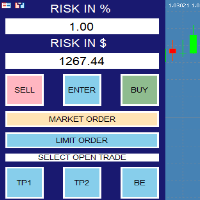
Trade Manager — Risk-Based Trade Panel Trade Manager is a MetaTrader 5 Expert Advisor that provides an on-chart panel for planning and executing trades with precise risk control. It is designed for traders who want to define their risk in advance and have their lot size calculated automatically before each trade. Core Functionality The panel sits on your chart and lets you set a risk amount either as a percentage of your account balance or as a fixed dollar amount. Both fields stay in sync — ch
# Zikiman Risk Panel Pro — MT5 Risk Yöneticisi, Lot Hesaplayıcı ve Trade Manager Zikiman Risk Panel Pro, manuel işlem yapan yatırımcılar için bir MT5 risk yönetimi EA’sıdır. MT5 risk yöneticisi, lot hesaplayıcı, pozisyon büyüklüğü hesaplayıcı, risk hesaplayıcı, işlem paneli, işlem yöneticisi ve pozisyon yöneticisini grafik tabanlı tek bir iş akışında birleştirir. Yönü, riski ve fiyat seviyelerini siz belirlersiniz. Panel lot büyüklüğünü hesaplar, planlanan riski ve olası getiriyi gösterir, pi
Professional risk management utility. Auto lot-size calculator + live risk panel. Works alongside any other EA — does not open trades independently. - **Auto lot size**: calculated from % risk per trade + SL distance in pips + balance - **Live dashboard**: Balance | Equity | Drawdown % | Suggested Lot | R:R ratio - **Daily drawdown alert**: notification when daily DD exceeds threshold - **Auto-close option**: closes all positions on daily DD breach (configurable) - Zero trade opening — purely a
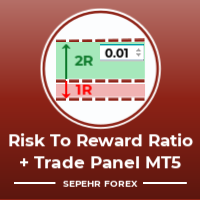
Merhaba Beyler "Trader Assistant Mini", akıcı bir R:R paneliyle işlem başına riski hesaplamak için kullanışlı bir araçtır. Risk-Ödül Oranı artı Ticaret Paneli: Kârın boyutuna göre zararın büyüklüğünü hesaplamak ve ayrıca bunun iyi bir ticaret olup olmadığına karar verebilmek için tacir başına riski yönetmek her tacir için kullanışlıdır. Ayrıca kayıp ve karı pip ve yüzde cinsinden ve kayıp ve karı gösterir. How to install the demo version + Demo file: Trader Assistant Mini MT5 Demo "Trader As
Trade Manager JM
Jonathan Ferreira De Magalhaes
Efficient Manual Trading Panel for Professional Traders === TRADING SESSIONS DISPLAY & BAR TIMER INCLUDED === Trade Manager JM is a comprehensive, intuitive utility designed to revolutionize manual order execution and management on MetaTrader 5. Built for speed and precision, this panel consolidates everything a serious manual trader needs into a single, sleek interface. Stop wasting precious seconds calculating lot sizes or manually setting SL/TP levels. Trade Manager JM allows you to focus pur
RISK CALCULATOR - TRADING PANEL - CHART OVERLAY with:   PARTIAL TAKE PROFIT  ("virtual TP")   % RISK LOT SIZE  TRAILING STOP LOSS  Fast and simple control of your trades Easy lot size calculation with easy SL/TP setting. Your trading will be much more comfortable with this tool!   Works like any EA, add it to selected chart and trade ! (this version is converted from MT4) Features: start trade with   calculated lot   based on   % of account balance * that you want to risk/ or based on
Protect your capital and lock in profits automatically with Account Guard Pro . This indispensable account management Expert Advisor ensures strict adherence to your daily risk limits. Set a maximum daily loss and a daily profit target—once either is reached, Guardian Pro instantly closes all open positions and pending orders, and halts all trading activity until the start of the next day. Its integrated visual dashboard provides a clear, real-time view of your daily P/L and current status. A cr
500’den fazla işleve sahip manuel işlem için Asistan modu, 2) 45 tür Stop Loss, 3) 7 tür Take Profit, 4) 8 Risk Yönetimi seçeneği, 5) 3 Para Yönetimi seçeneği, 6) pozisyon hacmini artırmak için 3 seçenek, 7) 15 pozisyon yönetimi yöntemi, 8) 8 koruma filtresi, 9) 10 sinyal doğrulama seçeneği, 10) Pozisyon Yönetimi için Görsel Yönetici, 11) Pozisyonların kısmi azaltılması, 12) Başabaş, 13) PLANLAYICI modu, 14) Zarar Limiti, 15) Kâr Limiti, 16) TP RR% SL kâra, 17) harici KONTROL PANELİ, 18) MT5’te
This is a common, simple and easy to use but effective tool to manage trading risks for all traders. It also help trader places stop loss and take profit levels at the same time the order is filled. How to set the expert advisor's parameters to support your trading style? Lots size. Fixed lots size - For traders who prefered to trade with fixed lots size, they can input the lots size in 'User lots' menu in the expert advisor's properties. The input value should be from the 'Minimum Volume' to th
Lot Sizer & Dynamic Risk Management Panel for MT5 Take full control of your trading risk with Lot Sizer & Dynamic Risk Management Panel —an essential, high-speed execution utility designed for discretionary traders, prop firm account evaluators, and scalp/intraday traders. Calculating position size manually during fast-moving market sessions (London/New York opens or news releases) leads to execution delays and costly sizing errors. This interactive panel automates your risk management directly
Trade Assistance AlgoMatrix v2.0 – Advanced Trade Management Utility for MetaTrader 5 Trade Assistance AlgoMatrix v2.0 is a professional trade management utility for MT5 designed for traders who want better control over positions, exits, and risk directly from the chart. Many traders spend most of their time searching for entries, but long-term consistency often depends on how trades are managed after entry. This utility was created to make that process easier by providing a structured and pract
Big Us100 Us30
Cristiano Rodrigo Olegini
BigMoney Forex — Forex İçin Tam Otomatik Expert Advisor BigMoney Forex , TraderEA tarafından geliştirilen %100 otomatik bir Expert Advisor'dır (EA). Piyasa analizinden işlem açılışına, pozisyon yönetiminden otomatik kapanışa kadar tüm işlem sürecini manuel müdahale gerektirmeden yönetir. Duygusal kararları ortadan kaldırarak disiplinli ve tutarlı bir işlem deneyimi sunmak için tasarlanmıştır. Ayrıca grafik üzerinde kapsamlı bir kontrol paneli ile gelişmiş risk yönetimi ve sermaye koruma özellikl
EasyTradePad – MetaTrader 5 için Ticaret Paneli EasyTradePad   , manuel ve yarı otomatik ticaret için bir araçtır. Panel, emirlerin ve pozisyonların hızlı bir şekilde yönetilmesini ve tek tıklamayla risk yönetimi hesaplamalarının yapılmasını sağlar. Panel Özellikleri: Önceden tanımlanmış risk (% veya mevduat para birimi) ile işlemleri açın ve kapatın SL ve TP'yi puan, yüzde veya parasal değerler olarak ayarlayın Risk-ödül oranını otomatik olarak hesaplayın Zarar durdurmayı breakeven'a taşıyın K
Smart Risk Trade Panel is a trading panel for MetaTrader 5 built around one idea: you decide how much you are willing to lose, and the panel calculates the correct lot size for you . No calculator, no spreadsheet, no guessing. Press BUY or SELL and three lines appear on the chart: entry, stop loss and take profit. Drag the stop or the target wherever the chart tells you, and the lot size, the loss at stop, the gain at target and the reward:risk ratio are recalculated instantly. When everything l
Grid Trading EA is a semi-automated one-click trading EA for both Normal Trading and Grid/Martingale Trading . Normal Trading Simply click Buy or Sell directly from the chart. The EA will automatically manage trades by: Setting Stop Loss and Take Profit Managing Trailing Stop Grid / Martingale Trading (For Hedging Account Type Only) When Grid Trading mode is enabled, the EA will automatically open additional grid orders at specified distances while increasing the lot size based on your settings.
Levels Map
AL MOOSAWI ABDULLAH JAFFER BAQER
Levels Map See the market through its most important price levels. Levels Map is a professional MetaTrader utility that automatically identifies and displays significant market price levels directly on your chart. Designed to help traders visualize key areas of support, resistance, and market structure, Levels Map provides a clearer understanding of where price is likely to react before making trading decisions. Instead of manually drawing horizontal lines and constantly updating your charts, Le
Merhaba arkadaşlar, Birden fazla MetaTrader 5 hesabınız mı var? Bir hesapta açtığınız (veya bir EA'nın açtığı) işlemleri diğer hesaplarınıza otomatik, gecikmesiz ve risk kontrollü şekilde aktarmak mı istiyorsunuz? Smart Copy Trader , tam da bunu yapmak için tasarlandı: bir "kaynak" (Master) hesaptaki pozisyonları, bir veya daha fazla "alıcı" (Slave/Receiver) hesaba, milisaniye hassasiyetinde kopyalar — ve bunu yaparken hesabınızı korumak için günlük kâr/zarar limitleri, açık pozisyon zarar limit
Quickly Helper is a tool to help us deal with multiple orders quickly. It has five function keys. They are: The "清空" button to quickly level out all orders;  Quick flat out the long position "平多单" button;  Quick flat out the short position "平空单" button;  The "买多" button to quickly buy at the current price;  The "买空" button to sell quickly at the current price;  It has seven display information items. They are: bp: the total income of multiple orders; (  profit of  buy/long position ) avgb: avera
Overview Harmonic Patterns MT5 is a technical analysis indicator designed for the MetaTrader 5 platform. It identifies and displays harmonic price patterns, such as Butterfly, Cypher, Crab, Bat, Shark, and Gartley, in both bullish and bearish directions. The indicator calculates key price levels, including entry, stop loss, and three take-profit levels, to assist traders in analyzing market movements. Visual elements and customizable alerts enhance usability on the chart. Features Detects six ha
Imagine flying a real aircraft without ever stepping into a flight simulator. That's what trading is like. You have to simulate your strategy before you can take it to a live market. It is good if you can simulate things speedily before even stepping into any live market, or before coming up with an automated system.  People don't have all day to stare at a higher timeframe chart until the entry signal finally arrives. That's why I built this so that you can simulate your strategy with speed. Th
FREE
Bu ürünün alıcıları ayrıca şunları da satın alıyor
Trade Assistant MT5
Evgeniy Kravchenko
4.43 (216)
It helps to calculate the risk per trade, the easy installation of a new order, order management with partial closing functions, trailing stop of 7 types and other useful functions. Additional materials and instructions Installation instructions - Application instructions - Trial version of the application for a demo account Line function -   shows on the chart the Opening line, Stop Loss, Take Profit. With this function it is easy to set a new order and see its additional characteristics bef
Trade Manager EA’ye hoş geldiniz! Ticaretin daha sezgisel, hassas ve verimli hale gelmesi için tasarlanmış nihai risk yönetim aracı ile tanışın. Bu sadece bir emir verme aracı değil; ticaret planlaması, pozisyon yönetimi ve risk kontrolü için kapsamlı bir çözüm. İster yeni başlayan bir yatırımcı olun, ister deneyimli bir trader ya da hızlı emir gerektiren bir scalper, Trade Manager EA ihtiyaçlarınıza uyum sağlar ve forex, endeksler, emtialar ve kripto paralar dahil tüm piyasalarda esneklik sunar
Telegram to MT5 Multi-Channel Copier   , Telegram kanallarınızdaki alım-satım sinyallerini doğrudan MetaTrader 5'e otomatik kopyalar. Bot yok, tarayıcı uzantısı yok, elle kopyalama yok. Sinyal Telegram'a düşer ve EA birkaç saniye içinde terminalinizde işlemi açar. Ve bir kanalı kopyalamadan önce, yerleşik backtester o kanalın hesabınızda ne yapmış olacağını gösterir. Ürün iki bileşenden oluşur: Telegram kanallarınızı dinleyen bir Windows uygulaması ve sinyalleri MT5 terminalinizde yürüten bu Exp
================================================================================ POC BREAKOUT - V20.72. Full Professional Grade Toolkit ================================================================================ POC Breakout is a full MetaTrader 5 trading dashboard for discretionary traders who want breakout signals, Point of Control (POC) context, volume profiles, order flow, market structure, news, alerts, and advanced trade planning in one professional workspace. Attached directly to you
TradePanel MT5
Alfiya Fazylova
4.88 (170)
Trade Panel, çok işlevli bir ticaret asistanıdır. Uygulama, manuel ticaret için 50'den fazla ticaret fonksiyonu içerir ve çoğu ticaret görevini otomatikleştirmeyi mümkün kılar. Uygulama talimatları: https://www.mql5.com/en/blogs/post/756482 Demo hesabı için uygulamanın deneme sürümü: https://www.mql5.com/en/blogs/post/750865 Uygulamayı nasıl kurulur: https://www.mql5.com/en/blogs/post/756239 Uygulamayı görsel modda nasıl test edilir: https://www.mql5.com/en/blogs/post/770277 Uygulamayı VPS MetaT
Telegram sinyallerini kendi işlem kurallarınızla kopyalayın Telegram to MT5 Signal Trader , herkese açık ve özel Telegram kanallarındaki ve gruplarındaki metin tabanlı işlem sinyallerini otomatik olarak MetaTrader 5'e kopyalar. Tek bir masaüstü uygulamasından birden fazla sinyal sağlayıcısını ve MT5 hesabını yönetin; her sağlayıcı için ayrı risk ve işlem ayarları belirleyin. Sinyal kopyalamak için Telegram botu veya API kurulumu gerekmez. Kendi Telegram hesabınızla telefon numarası veya QR kod k
Power Candles Strateji Tarayıcısı - Kendi Kendini Optimize Eden Çoklu Sembol Kurulum Bulucu Power Candles Strateji Tarayıcısı , Power Candles göstergesini çalıştıran aynı kendinden optimize edici motoru, Piyasa İzleyicinizdeki her sembol üzerinde yan yana çalıştırır. Tek bir panel, şu anda istatistiksel olarak hangi sembollerin işlem yapılabilir olduğunu, her birinde hangi stratejinin kazandığını, en uygun Stop Loss / Take Profit çiftini gösterir ve yeni bir sinyal geldiği anda size bildirim gön
Farmed Hedge Yield Farming | All Markets (Manual - Hybrid - Semi/Automated EA) VERIFIED TRADING RESULTS - Farmed Hedge Yield Axi Copy:  https://www.mql5.com/en/signals/2356376 - Farmed Hedge Yield Exn Copy:   https://www.mql5.com/en/signals/2356404 - Farmed Hedge Yield V Copy:  https://www.mql5.com/en/signals/2357156 IMPORTANT NOTICE: FarmedHedge is a MANUAL-FOCUSED TRADING UTILITY ,not a fully automated EA. Results shown on this Signal include manual trades and overall strategic management.
Grid Manual MT5
Alfiya Fazylova
4.73 (22)
Grid Manual, sipariş ızgarasıyla çalışmak için kullanılan bir ticaret yardımcı programıdır. Yardımcı program evrenseldir, esnek ayarlara ve sezgisel bir arayüze sahiptir. Sadece kayıpların ortalaması yönünde değil, aynı zamanda kazanç artışı yönünde de bir emir ızgarası ile çalışır. Tüccarın bir emir ızgarası oluşturmasına ve eşlik etmesine gerek yoktur, bu yardımcı programı yapacaktır. Emri açmanız yeterlidir ve Grid manual otomatik olarak ona bir emir ızgarası oluşturacak ve kapanana kadar ona
Footprint Chart Pro — Professional OrderFlow EA for MetaTrader 5 Version 6.34 | Professional tool for real traders | Institutional-Grade Visualization DEMO USERS - PLEASE SELECT EVERY TICK / REAL TICK WHEN TESTING AND YOU HAVE DOWNLOADED HISTORICAL DATA. IF YOU SEE A WAITING SCREEN AND IT IS NOT DOWNLOADING, IT MEANS YOU HAVE LOW HISTORICAL DATA. TRY 1 MIN AND 5 MIN FIRST ON 1 DAY DATA. ONE DAY DATA SHOULD BE THE NEWEST AND MOST CURRENT DATE. PLEASE WAIT UNTIL THE MARKET HAS ROLLED OVER PERIOD.
Welcome to ENTRY IN THE ZONE AND SMC MULTI TIMEFRAME /  Official Website :   https://www.fableedge.net Entry In The Zone and SMC Multi Timeframe is a real-time market analysis tool based on Smart Money Concepts (SMC), designed to analyze market structure, price direction, and key trading zones. It supports both Single-Timeframe Analysis and Multi-Timeframe Analysis, providing a clearer view of the overall market structure across multiple timeframes, with real-time BUY / SELL signals that do not
MT5 to Telegram Signal Provider , hesabınızı bir sinyal sağlayıcı haline getirerek belirtilen sinyalleri Telegram'ın sohbetine, kanalına veya grubuna göndermeyi sağlayan kullanımı kolay, tamamen özelleştirilebilir bir araçtır. Rakip ürünlerin çoğunun aksine, DLL içe aktarması yapmaz. [ Demo ] [ Kılavuz ] [ MT4 Versiyonu ] [ Discord Versiyonu ] [ Telegram Kanalı ]  New: [ Telegram To MT5 ] Kurulum Adım adım bir kullanıcı kılavuzu mevcuttur. Telegram API'si hakkında bilgi gerekmemektedir; ihtiyac
Premium Trade Manager - İçine Koç Yerleştirilmiş İşlem Paneli Premium Trade Manager , grafiğinizin içine bir trading koçu yerleştirir; altında tam bir yürütme motoru çalışır. İşlemi her zamanki gibi kurun, ardından yapay zeka trading koçunuz Max, o kurulumu tam olarak okusun ve canlı hesabınıza göre taahhüt etmeden önce size net bir değerlendirme sunsun: stop disiplinli bir yaklaşıma uyuyor mu, risk büyüklüğü makul mü, yüksek etkili bir haber dakikalar sonra mı geliyor, prop firm limitinize yakl
Your EAs cannot see each other, but Anchor can. Anchor gives you one place to coordinate your EAs, manage risk, and decide when trading is allowed. It works alongside the trading bots you already use without any changes to them. The Problem One EA opens a trade. Then another starts trading. The next thing you know, you wake up to multiple grids built across your account. Each EA may be doing exactly what it was designed to do, but together they can place far more risk on your account than you in
Trade Indicator Assistant   is a powerful MT5 utility designed to turn indicators into automated trading systems. Its main feature is the ability to automatically detect an indicator’s   BUY and SELL signal buffers , without requiring you to know the buffer numbers, search through indicator settings, or modify the indicator source code. Bonus Indicator:   After purchasing Trade Indicator Assistant, contact me to receive   Trade Signal Pro   completely free as a bonus indicator. [Download Demo V
Quant Panel
Kevin Craig E Gittins
QUANT PANEL Independent per-algo analytics, protected MT5 history and professional PDF reporting Quant Panel is built for traders who run several Expert Advisors or strategies on one MT5 account and need to know how each algo is actually performing. Instead of treating the terminal as one combined portfolio, Quant Panel groups closed positions by EA comment or magic number and calculates every strategy independently. It gives you one clear dashboard for comparing algos, finding weak systems and
YuClusters
Yury Kulikov
4.93 (43)
Attention: You can view the program operation in the free version  YuClusters DEMO .  YuClusters is a professional market analysis system. The trader has unique opportunities to analyze the flow of orders, trade volumes, price movements using various charts, profiles, indicators, and graphical objects. YuClusters operates on data based on Time&Sales or ticks information, depending on what is available in the quotes of a financial instrument. YuClusters allows you to build graphs by combining da
Riskinizi otomatik olarak hesaplarken işlemlere hızlı bir şekilde girip çıkmanıza yardımcı olacak Ticaret Yöneticisi. Aşırı Ticaret, İntikam Ticareti ve Duygusal Ticaretten korunmanıza yardımcı olacak özellikler içerir. İşlemler otomatik olarak yönetilebilir ve hesap performans ölçümleri bir grafikte görselleştirilebilir. Bu özellikler, bu paneli tüm manuel yatırımcılar için ideal kılar ve MetaTrader 5 platformunun geliştirilmesine yardımcı olur. Çoklu Dil desteği. MT4 Sürümü  |  Kullanım Kılavu
DrawDown Limiter
Haidar Lionel Haj Ali
5 (23)
DrawDown Limiter v5.0 — Gelişmiş Hesap Koruma Kontrolcüsü DrawDown Limiter v5.0, trading hesabınızı izlemek ve yapılandırılmış risk, kâr, haber, zamanlama, rollover veya pozisyon sayısı limitlerine ulaşıldığında otomatik olarak tepki vermek üzere tasarlanmış istemci taraflı bir hesap koruma kontrolcüsüdür. Tek bir özel grafik üzerinden manuel işlemleri, otomatik stratejileri, birden fazla Expert Advisor'ı, bekleyen emirleri ve açık pozisyonları izleyebilir. Tüm hesabı koruyabilir veya Magic Numb
Smart Stop Scanner – Gerçek piyasa yapısına dayalı çoklu varlık stop-loss analizi Genel Bakış Smart Stop Scanner, birden fazla piyasadaki stop-loss seviyelerini profesyonel bir şekilde takip etmek için tasarlanmıştır. Sistem, gerçek piyasa yapısına dayanan breakout’ları, daha yüksek zirveleri ve daha düşük dipleri otomatik olarak algılar ve en önemli stop bölgelerini tespit eder. Tüm bilgiler, yüksek çözünürlüklü ekranlarla uyumlu (DPI-aware) net ve düzenli bir panelde sunulur. Forex, Altın, E
This service is designed to stream online cryptocurrency quotes   from the Binance exchange to your MetaTrader 5 terminal. You will find it perfectly suitable if you want to see the quotes of cryptocurrencies in real time — in the Market watch window and on the MetaTrader 5 charts. After running the service, you will have fully featured and automatically updated  cryptocurrency charts in your MetaTrader 5. You can apply templates, color schemes, technical indicators and any non-trading tools to
The Expert Advisor will help you forward all alert from  MetaTrader 5 to Telegram channel/ group.  All alert must save to folder <Data folder>MQL5\Files\Alerts\ , text file with format *.txt and screenshot with format *.gif or *.png. Parameters: - Telegram Bot Token: - create bot on Telegram and get token. - Telegram Chat ID:  - input your Telegram user ID,  group / channel ID - Forward Alert: - default true, to forward alert. - Send message as caption of Screenshot: - default false, set true t
Prop Guardian Risk Manager MT5 – Drawdown, Risk & Hedge Protection for Prop Firm and Managed Accounts Prop Guardian Risk Manager is a professional risk-control utility for MetaTrader 5, designed for prop firm traders, money managers and anyone who wants strict account-level risk protection. It does not generate trading signals, strategy entries or trading decisions. Instead, it runs in the background, monitors your account risk and can automatically block new exposure, close managed positions or
Mentfx Mmanage mt5
Anton Jere Calmes
4.25 (8)
The added video will showcase all functionality, effectiveness, and uses of the trade manager. Drag and Drop Trade Manager. Draw your entry and have the tool calculate the rest. Advanced targeting and close portions of a trade directly available in tool (manage trades while you sleep). Market order or limit order on either side with factored spread. Just draw the entry, the tool does the rest. Hotkey setup to make it simple. Draw where you want to enter, and the stop loss, the tool calculates al
The product will copy all telegram signal to MT5 ( which you are member) , also it can work as remote copier.  Easy to set up, copy order instant, can work with almost signal formats, image signal,  s upport to translate other language to English Work with all type of channel or group, even channel have "Restrict Saving Content", work with  multi channel, multi MT5 Work as remote copier: with signal have ticket number, it will copy exactly via ticket number. Support to backtest signal. How to s
Trade Manager DashPlus
Henry Lyubomir Wallace
4.85 (13)
DashPlus , MetaTrader 5 platformunda işlem verimliliğinizi ve etkinliğinizi artırmak için tasarlanmış gelişmiş bir işlem yönetim aracıdır. Risk hesaplama, emir yönetimi, gelişmiş ızgara sistemleri, grafik tabanlı araçlar ve performans analitiği gibi kapsamlı bir özellik yelpazesi sunar. Temel Özellikler 1. Kurtarma Izgarası Olumsuz piyasa koşullarında işlemleri yönetmek için ortalama alma ve esnek bir ızgara sistemi uygular. İşlem kurtarma çabalarını optimize etmek için stratejik giriş ve çıkış
EA Overfitter
Stephen J Martret
5 (1)
That backtest looks great. But will it still be making money tomorrow, next week, next month? EA Overfitter re-runs your EA on 100 price histories it has never seen. One score tells you if the edge is real. A backtest tells you what an EA did on one price history — the one that happened to occur. What you cannot tell from it is how much of that result was the strategy and how much was the particular path. EA Overfitter answers that. It builds up to 100 synthetic price histories your EA has n
EASY Insight AIO – Akıllı ve zahmetsiz yatırım için hepsi bir arada çözüm Genel Bakış Tüm piyasayı — Forex, Altın, Kripto, Endeksler ve hatta Hisseler — saniyeler içinde, manuel grafik incelemesi, gösterge kurulumu ya da karmaşık ayarlar olmadan analiz edebildiğinizi hayal edin. EASY Insight AIO , yapay zekâ destekli yatırım için nihai, kullanıma hazır dışa aktarma aracınızdır. Tüm piyasanın kapsamlı bir anlık görüntüsünü tek bir temiz CSV dosyasında sunar; bu dosya ChatGPT, Claude, Gemini, Pe
One button. One trade. MT5 Trading Deck is a hotkey trading panel for MetaTrader 5 that turns the platform into a keyboard-driven execution cockpit. Stop loss, take profit and lot size are pre-calculated for every key; the moment you press, a market order is live on the broker. A complete technical user manual is attached in the product Comments section. It documents every input parameter, the full hotkey map, the recommended Stream Deck XL layout, and the advanced workflows for Pre-Limit orders
VERON LINK MASTER MT5 — Real-time Multi-Account Dashboard & Sync Controller Veron Link Master is a high-performance, centralized monitoring and synchronization control center designed for MetaTrader 5. Built specifically for traders managing multiple accounts, prop firm portfolios, grid/martingale EAs, or client networks, Veron Link Master provides a seamless, ultra-modern dark-themed GUI dashboard directly on your MT5 terminal. ️ Important Requirement / System Usage: To use this system, yo
Filtrele:
Değerlendirme yok
Değerlendirmeye yanıt