Trade Panel Risk

Stop losing money on bad lot sizes. Trade Panel Risk calculates exactly how much to buy or sell, executes your trade in one click, and protects your account automatically — all from a single panel on your chart.

You tell it: "I want to risk 1% of my balance with a 20-pip stop loss." It tells you: "Buy 0.43 lots." You click BUY. Done.

No spreadsheets. No mental math. No mistakes.

─────────────────────────────────────────── THE PROBLEM MOST TRADERS HAVE ───────────────────────────────────────────

Most traders lose money not because they have bad trade ideas — but because they manage risk poorly.

They open positions that are too big when they're feeling confident. They forget to move their stop loss to breakeven. They hold losing trades too long hoping they'll recover. They blow prop firm accounts by exceeding the daily drawdown limit.

These are not strategy problems. They are execution problems.

Trade Panel Risk solves all of them.

─────────────────────────────────────────── WHAT IT DOES — SIMPLE VERSION ───────────────────────────────────────────

Imagine you have $10,000 in your account. You want to risk $100 (1%) on a trade. Your stop loss is 20 pips away.

Without this panel: you open a calculator, look up the pip value for your symbol, do the math, type in the lot size, and hope you didn't make a mistake.

With Trade Panel Risk: you type "1%" and "20 pips." The panel shows you "0.50 lots." You click BUY or SELL. The trade opens at the correct size, with SL and TP already set.

That's it.

─────────────────────────────────────────── TAB 1 — TRADE (Open Positions) ───────────────────────────────────────────

This is where you open trades.

▸ RISK CALCULATOR Choose how you want to define your risk:

Mode 1 — Percentage: risk X% of your balance per trade Example: 1% of $10,000 = $100 at risk

Mode 2 — Fixed Dollar: risk a fixed amount every trade Example: always risk $50 per trade, no matter the balance

Mode 3 — Fixed Lot: always trade the same lot size Example: always open 0.10 lots

The panel reads your stop loss distance and calculates the correct lot size automatically. You see the result before you click.

▸ BUY / SELL BUTTONS One click opens the trade with the calculated lot size, at your defined SL and TP. No confirmation dialogs. No delays.

▸ CLOSE BUTTONS Close All — closes every open position Close Profitable — closes only winning positions Close Losing — closes only losing positions

▸ CHART LINES (Visual Mode) Toggle Entry, SL, and TP lines directly on your chart. Drag them to the exact price you want. The panel reads the distances and recalculates everything in real time.

Lines are color coded: Entry line — Gold Stop Loss line — Red Take Profit line — Green

Each line shows the price and the distance in pips.

▸ R:R LOCK (Risk:Reward Lock) Enable R:R Lock and set your ratio (example: 1:2). When you move your Stop Loss, the Take Profit moves automatically to maintain your ratio. When you move your Entry, both SL and TP move together, keeping all distances intact.

Default ratio: 1:2 (active by default)

─────────────────────────────────────────── TAB 2 — MANAGE (Control Open Positions) ───────────────────────────────────────────

This is where you manage trades that are already open.

▸ BREAKEVEN Breakeven means moving your Stop Loss to your Entry price so you cannot lose money on that trade.

Set a trigger distance (in pips). When price moves that many pips in your favor, the panel automatically moves your SL to entry. You no longer have to watch the screen.

Example: you open a BUY at 1.1000 with SL at 1.0980 (20 pips). You set breakeven trigger to 15 pips. When price reaches 1.1015, your SL automatically moves to 1.1000. Your trade is now risk-free.

▸ TRAILING STOP A trailing stop follows the price as it moves in your favor, locking in profit automatically.

Three modes:

Fixed Pips — SL trails at a fixed distance behind price Example: price moves up 30 pips, SL moves up 30 pips

ATR-Based — SL distance adjusts based on market volatility Good for: markets that change speed frequently

Step Trailing — SL moves only when price advances by a full "step" Example: step = 10 pips. SL only moves after every 10-pip gain.

▸ PARTIAL CLOSE Close part of your position to lock in profit while keeping the rest open.

Buttons: 25% / 50% / 75% Example: you have 1.00 lot open. Click 50% → closes 0.50 lots. The rest stays open.

─────────────────────────────────────────── TAB 3 — STATS (Your Performance) ───────────────────────────────────────────

See how you are performing without leaving your chart.

▸ P&L TRACKING Today — profit/loss since today's market open This Week — profit/loss since Monday This Month — profit/loss since the 1st of the month

▸ OPEN POSITIONS Floating P&L — total unrealized profit/loss right now Number of open trades

▸ WIN RATE Wins and losses counted automatically Win rate shown as a percentage Example: 7 wins, 3 losses = 70% win rate

▸ ACCOUNT INFO Current Balance Current Equity Margin used

Everything updates every second.

─────────────────────────────────────────── TAB 4 — SETTINGS (Prop Firms & Language) ───────────────────────────────────────────

▸ PROP FIRM PRESETS If you are trading a funded account or a prop firm challenge, this is critical.

Prop firms give you a maximum drawdown limit. If you exceed it, you fail the challenge and lose your account. Trade Panel Risk monitors this for you in real time.

Built-in presets:

FTMO — Daily drawdown limit: 5% — Total drawdown limit: 10%

E8 Funding — Daily drawdown limit: 4% — Total drawdown limit: 8%

MyFundedFX — Daily drawdown limit: 5% — Total drawdown limit: 10%

The5ers — Daily drawdown limit: 4% — Total drawdown limit: 6%

Select your firm from the dropdown. The panel shows a visual progress bar for both limits.

Color system: Green — you are safe Yellow — you are getting close to the limit (caution) Red — you are near the limit (stop trading)

This alone can save your funded account.

▸ LANGUAGE Switch between English and Spanish with one click. The entire panel rebuilds in the selected language instantly. Your language preference is saved and remembered next time you open MT5.

─────────────────────────────────────────── WORKS ON ANY MARKET ───────────────────────────────────────────

Forex pairs — EURUSD, GBPUSD, USDJPY, etc. Gold — XAUUSD Indices — US30, NAS100, SP500, DE40 Crypto — BTCUSD, ETHUSD Commodities — Oil, Silver

The panel reads the correct pip/point value for each symbol automatically. No manual configuration needed when you switch charts.

─────────────────────────────────────────── WORKS ON ANY ACCOUNT TYPE ───────────────────────────────────────────

Hedging accounts — you can have BUY and SELL open at the same time Netting accounts — only one position per symbol at a time

The panel detects your account type automatically and adjusts.

─────────────────────────────────────────── SETTINGS ARE SAVED ───────────────────────────────────────────

Every setting you change — risk mode, risk value, SL/TP, prop firm preset, language, panel position — is saved automatically when you close MT5.

Next time you open the platform, everything is exactly as you left it. You do not have to set it up again.

─────────────────────────────────────────── INPUT PARAMETERS ───────────────────────────────────────────

Risk Mode — Percentage / Fixed USD / Fixed Lot (default: Percentage) Risk Value — how much to risk (default: 1.0) Default SL — stop loss in pips (default: 20) Default TP — take profit in pips (default: 40) Prop Firm Preset — None / FTMO / E8 / MyFundedFX / The5ers (default: None) Language — English / Spanish (default: English) Magic Number — unique ID for this panel's trades (default: 202603) Panel X Position — horizontal position on screen (default: 10) Panel Y Position — vertical position on screen (default: 20)

─────────────────────────────────────────── HOW TO GET STARTED ───────────────────────────────────────────

Step 1 — Attach the panel to any chart in MetaTrader 5

Step 2 — Select your risk mode and set your risk value

Step 3 — Set your SL and TP in pips, or enable chart lines to place them visually

Step 4 — Click BUY or SELL — correct lot size opens automatically

Step 5 — Go to Manage tab, enable Breakeven and/or Trailing Stop

Step 6 — Check Stats tab to monitor your daily P&L and win rate

Step 7 — If trading a prop firm: go to Settings, select your firm, watch the drawdown bars

─────────────────────────────────────────── FREQUENTLY ASKED QUESTIONS ───────────────────────────────────────────

Q: Does it place trades automatically? A: No. You decide when to trade. You click BUY or SELL. The panel calculates the lot size and manages your open trades — it never opens a trade on its own.

Q: Does it work on Gold (XAUUSD)? A: Yes. It automatically reads the correct pip value for Gold. No extra setup needed.

Q: Can I use it on multiple charts at the same time? A: Yes. Attach one panel per chart, each with a different Magic Number.

Q: What happens to my settings when I close MetaTrader 5? A: Everything is saved automatically. When you reopen MT5, the panel is exactly as you left it.

Q: Does it work with prop firms? A: Yes. Select your firm in Settings. The panel monitors your daily and total drawdown in real time.

Q: Does it support Spanish? A: Yes. Go to Settings → Language → Español. The entire panel switches instantly.

Q: Does it work on demo accounts? A: Yes. Works identically on demo and live accounts.

Q: Is it compatible with 5-digit brokers? A: Yes. Handles both 4-digit and 5-digit pricing automatically.

─────────────────────────────────────────── DEVELOPED BY CHCORP ───────────────────────────────────────────

Trade Panel Risk is built for traders who take risk management seriously — whether you are learning to trade, growing a personal account, or trying to pass a prop firm challenge.

Every feature answers one question: how do I not blow this account?

Know your risk before you enter. Protect your trades while they are open. Stop before you exceed your limits.

That is what Trade Panel Risk does.


Produits recommandés
EZ Trends
Guillermo Pineda
EZ Trends est un indicateur de détection de tendance conçu pour identifier les changements de structure du marché en temps réel. Grâce à un système hybride EMA–HMA, il met en évidence la direction de la tendance avec une coloration adaptative des bougies et trace des niveaux de réaction au début de chaque nouvelle tendance. Résultat : un outil pratique qui aide les traders à rester alignés sur le momentum tout en filtrant le bruit du marché. FONCTIONNALITÉS PRINCIPALES Logique de détection de te
CRT Pro Scanner
Frank Jose Olivo Flores
CRT Pro Scanner ===============   Stop wasting hours watching multiple charts and missing setups while you blink. CRT Pro Scanner solves the most painful problem every trader faces: being in the wrong chart at the right moment. Instead of jumping between pairs and constantly asking yourself "did I miss something?", the scanner does the watching for you. It monitors all your symbols simultaneously, detects Candle Range Theory setups the instant they form, and alerts you immediately — so you can
SwiftEdge Scalper EA Professionnel de Scalping avec Contrôle Manuel Complet Le scalping exige des décisions en une fraction de seconde, une gestion précise des risques et une exécution parfaite des ordres. Gérer les calculs de breakeven, les trailing stops et plusieurs positions tout en surveillant l'action des prix est accablant sans les bons outils. SwiftEdge Scalper est votre assistant de trading professionnel conçu pour les scalpers actifs et les day traders. Exécutez des trades en un clic o

Partial
Pablo Filipe Soares De Almeida
Partial Close Manager – Outil d’Ajustement du Volume de Transaction Cet outil permet d’effectuer des fermetures partielles sur les positions ouvertes dans MetaTrader 5. Fonctionnalités Fermeture Partielle : Fermez une partie de vos positions ouvertes en une seule action. Calcul du Volume : Calcule automatiquement le volume à fermer, sans saisie manuelle. Support Multi-Ordres : Applique la fermeture partielle à toutes les positions ouvertes du même symbole. Table Déplaçable : Cliquez et maintenez
Draws high of the day and low of the day anchored VWAPs for multiple days.                   DaysBack = Today only, today + 1 day back, today + 2 days back...               Today recalculates live                             Historical days are computed ONCE and frozen (static).                Colors tab shows exactly 2 entries:                                  High of the day VWAP color  (default: Green)                                   Low of the day VWAP color  (default: Red)               
Pare de seguir as "sardinhas" e comece a operar como big player, de forma automática. O robô Imbalance Autotrader é a mais recente tecnologia de trade que monitora os big players (grandes investidores) do mercado financeiro. Com estratégia de rompimento ( breakout ) ou pullback (Fair Value Gap FVG e Order Block) , você consegue configurar o robô para o ativo, conforme condições que você deseja operar. Além disso, o robô pode ter stops configuráveis, dinâmicos ou fixos. Na questão de gerenciamen
Lot calculator tool MT5
Ernestas Kvedaras
3.67 (3)
More stable MetaTrader 4 version is available here:  Lot Calculator Tool . This tool helps you to automatically calculate and manage risk, conveniently place orders visually, schedule orders, trail stops, move them to break-even and more. Features Place market or pending orders using draggable lines Schedule orders Calculate and limit risk using various methods See current spread See time till next candle Set custom order comments Trail stops Move stops to break-even See order profit/loss in p
Trade Manager Pad MT5
Rajadurai Thiyagarajan
Trade Manager — Risk-Based Trade Panel Trade Manager is a MetaTrader 5 Expert Advisor that provides an on-chart panel for planning and executing trades with precise risk control. It is designed for traders who want to define their risk in advance and have their lot size calculated automatically before each trade. Core Functionality The panel sits on your chart and lets you set a risk amount either as a percentage of your account balance or as a fixed dollar amount. Both fields stay in sync — ch
Take the manual stress out of risk management with AutoShield. This utility automatically applies Stop Loss and Take Profit levels to every trade you open, ensuring no position is ever left unprotected . Universal Protection: Automatically detects and updates both active positions and pending orders . Multi-Pair Compatibility: Choose to manage only the current chart or every open symbol on your account simultaneously . Clean Visual Interface: Features a customizable on-chart display showing your
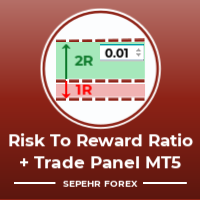
Bonjour gars "Trader Assistant Mini" est un outil pratique pour calculer le risque par transaction avec un panel R:R fluide. Rapport risque/récompense plus panel commercial : Il est pratique pour chaque trader de calculer la taille de la perte par rapport à la taille du profit et de gérer également le risque par trader afin qu'il puisse juger s'il s'agit d'une bonne transaction ou non. En outre, il montre la perte et le profit en pips et en pourcentages et la perte et le profit. How to insta
Trade Manager JM
Jonathan Ferreira De Magalhaes
Efficient Manual Trading Panel for Professional Traders === TRADING SESSIONS DISPLAY & BAR TIMER INCLUDED === Trade Manager JM is a comprehensive, intuitive utility designed to revolutionize manual order execution and management on MetaTrader 5. Built for speed and precision, this panel consolidates everything a serious manual trader needs into a single, sleek interface. Stop wasting precious seconds calculating lot sizes or manually setting SL/TP levels. Trade Manager JM allows you to focus pur
RISK CALCULATOR - TRADING PANEL - CHART OVERLAY with:   PARTIAL TAKE PROFIT  ("virtual TP")   % RISK LOT SIZE  TRAILING STOP LOSS  Fast and simple control of your trades Easy lot size calculation with easy SL/TP setting. Your trading will be much more comfortable with this tool!   Works like any EA, add it to selected chart and trade ! (this version is converted from MT4) Features: start trade with   calculated lot   based on   % of account balance * that you want to risk/ or based on
Protect your capital and lock in profits automatically with Account Guard Pro . This indispensable account management Expert Advisor ensures strict adherence to your daily risk limits. Set a maximum daily loss and a daily profit target—once either is reached, Guardian Pro instantly closes all open positions and pending orders, and halts all trading activity until the start of the next day. Its integrated visual dashboard provides a clear, real-time view of your daily P/L and current status. A cr
This is a common, simple and easy to use but effective tool to manage trading risks for all traders. It also help trader places stop loss and take profit levels at the same time the order is filled. How to set the expert advisor's parameters to support your trading style? Lots size. Fixed lots size - For traders who prefered to trade with fixed lots size, they can input the lots size in 'User lots' menu in the expert advisor's properties. The input value should be from the 'Minimum Volume' to th
General Description Auto SL/TP Manager is a professional utility for MetaTrader 5 designed to automate the management of Stop Loss and Take Profit levels on open positions. The levels are calculated based on monetary risk values defined by the user, rather than fixed pip distances. This tool helps maintain consistent risk discipline without manual intervention. Main Functionality The EA continuously monitors all open positions and automatically applies Stop Loss and Take Profit levels when they
FREE
Trade Assistance AlgoMatrix v2.0 – Advanced Trade Management Utility for MetaTrader 5 Trade Assistance AlgoMatrix v2.0 is a professional trade management utility for MT5 designed for traders who want better control over positions, exits, and risk directly from the chart. Many traders spend most of their time searching for entries, but long-term consistency often depends on how trades are managed after entry. This utility was created to make that process easier by providing a structured and pract
EasyTradePad for MT5
Sergey Batudayev
5 (5)
EasyTradePad – Panneau de trading pour MetaTrader 5 EasyTradePad   est un outil de trading manuel et semi-automatisé. Son interface permet une gestion rapide des ordres et des positions, ainsi que des calculs de gestion des risques en un clic. Caractéristiques du panneau : Ouvrir et fermer des transactions avec un risque prédéfini (% ou devise de dépôt) Définissez SL et TP en points, en pourcentages ou en valeurs monétaires Calculer automatiquement le ratio risque/récompense Déplacez le stop lo
Trade Command Center
Nguyen Thanh Trieu
5 (2)
Compte finance. Un lot mal calcule. Limite de drawdown depassee. Compte ferme. Pas parce que la strategie a echoue. Parce que le risque n'a pas ete controle au moment de l'execution. Trade Command Center est un panneau d'execution visuelle et de gestion des risques. Calcule le lot a partir de la distance SL. Gere les positions automatiquement. Surveille les limites de drawdown en temps reel. Cinq onglets. Un panneau graphique. Pas de DLL. Pas de connexions externes. Concu pour les traders manuel
Quickly Helper is a tool to help us deal with multiple orders quickly. It has five function keys. They are: The "清空" button to quickly level out all orders;  Quick flat out the long position "平多单" button;  Quick flat out the short position "平空单" button;  The "买多" button to quickly buy at the current price;  The "买空" button to sell quickly at the current price;  It has seven display information items. They are: bp: the total income of multiple orders; (  profit of  buy/long position ) avgb: avera
Overview Harmonic Patterns MT5 is a technical analysis indicator designed for the MetaTrader 5 platform. It identifies and displays harmonic price patterns, such as Butterfly, Cypher, Crab, Bat, Shark, and Gartley, in both bullish and bearish directions. The indicator calculates key price levels, including entry, stop loss, and three take-profit levels, to assist traders in analyzing market movements. Visual elements and customizable alerts enhance usability on the chart. Features Detects six ha
Imagine flying a real aircraft without ever stepping into a flight simulator. That's what trading is like. You have to simulate your strategy before you can take it to a live market. It is good if you can simulate things speedily before even stepping into any live market, or before coming up with an automated system.  People don't have all day to stare at a higher timeframe chart until the entry signal finally arrives. That's why I built this so that you can simulate your strategy with speed. Th
FREE
Capital Management EA – Smart Risk Management & Profit Optimization for MT5 Take control of your trading capital with smart, automated strategies — fully optimized for MetaTrader 5 (MT5). Looking to protect your capital and maximize profits through automated money management strategies ? Capital Management EA is the all-in-one Expert Advisor for MetaTrader 5 (MT5) that helps you trade smarter, not harder. Core Features: 5-in-1 Capital Management Strategies – Built-in versatility Gr
Harmonic Pattern Structure Harmonic Pattern Structure is a professional MetaTrader 5 indicator that automatically detects classic harmonic patterns using strict Fibonacci ratio validation and XABCD price structure. Designed for traders who value precision, clean visuals, and structured analysis, the indicator highlights potential reversal zones based on price geometry, supporting consistent and objective decision-making. SUPPORTED HARMONIC PATTERNS Gartley (222) Butterfly Bat Crab Shark Cy
Ora Trade Manager Dashbord
Galauda Kandalage Buddika Prasad Athukorala
Overview ORA Trade Manager 2 MT5 is a powerful manual trade management dashboard designed for MetaTrader 5. It provides traders with quick and efficient control over their open positions, allowing them to modify SL/TP, set breakeven, and close trades with just one click. This EA is not an automated trading system—it’s a manual trade assistant that helps traders manage multiple positions efficiently without manually adjusting each one. Key Features One-Click Trade Management Modify Stop
Auto Volume & Risk Management Tool  - Effortless Position Sizing & Entry It helps to calculate the risk per trade, the easy installation of a new order, order management Precise Position Sizing – A Critical Step Toward Successful Trading In the world of professional trading, accurately calculating position size while managing risk is one of the most crucial aspects of long-term success. Time and again, traders with solid, profitable strategies end up with negative statements. Upon review, it oft
FREE
Tired of fumbling with lot size calculations and manually managing every trade? The Visual Risk Manager (VRM) is a professional-grade trading panel designed to streamline your trading and enforce discipline. This Expert Advisor is not a strategy; it's a powerful utility that allows you to manage your risk and execute trades with unparalleled speed and precision, directly from your chart. Why You Need the Visual Risk Manager Stop letting emotions and guesswork control your trading. VRM ensures t
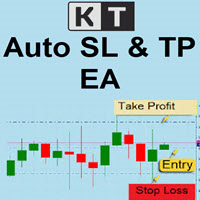
Auto SL TP MT5
KEENBASE SOFTWARE SOLUTIONS
5 (2)
KT Auto SL TP définit automatiquement le stop-loss et le take-profit dès qu'il détecte des ordres placés manuellement sur le graphique. Il peut facilement configurer le stop-loss et le take-profit pour les ordres de marché, limite et stop simultanément. Caractéristiques Peut définir le stop-loss et le take-profit pour tous les symboles actifs à partir d’un seul graphique. Équipé d’un trailing stop-loss avec des paliers.  Fonctionne parfaitement avec les ordres de marché et les ordres en attente
SmartRAL
Jemy Yeferson Dimu Ludji
SmartRAL (Smart Risk Auto-Lot EA) SmartRAL: The Ultimate Risk & Lot Management Expert Advisor (EA) SmartRAL is an essential tool for traders who demand precise risk management and automated position sizing in MetaTrader 5. Stop guessing your lot size and let the algorithm handle the calculations. This EA allows you to trade with confidence by guaranteeing your risk exposure on every single trade, while offering absolute flexibility in setting your Stop Loss (SL). Key Features & Benefits Guarante
FULL AUTO RISK MANAGEMENT EA – PRO + ACCOUNTING is an advanced Expert Advisor designed to protect your trading capital through fully automated risk control. Key Features: Progressive Stop Loss adjustment Partial position close at predefined loss levels (50% / 70%) Automatic Break Even at 50% Take Profit Profit Lock system at 50% and 70% of Take Profit Smart accounting of initial risk and saved capital Works with any trading strategy (manual or automated) No entry signals – risk management only T
Définir TP et SL par Prix – Modificateur automatique d’ordres pour MT5 Définissez automatiquement des niveaux de TP et SL précis sur toute opération ️ Fonctionne avec toutes les paires et tous les EAs, filtrage par symbole ou Magic Number Cet Expert Advisor vous permet de définir et d’appliquer des niveaux exacts de Take Profit (TP) et Stop Loss (SL) à l’aide de valeurs de prix directes (ex. : 1.12345 sur EURUSD). Aucun point, aucun pip. Une gestion de trade propre et précise, sur toutes l
Les acheteurs de ce produit ont également acheté
Trade Assistant MT5
Evgeniy Kravchenko
4.43 (211)
It helps to calculate the risk per trade, the easy installation of a new order, order management with partial closing functions, trailing stop of 7 types and other useful functions. Additional materials and instructions Installation instructions - Application instructions - Trial version of the application for a demo account Line function -   shows on the chart the Opening line, Stop Loss, Take Profit. With this function it is easy to set a new order and see its additional characteristics bef
Bienvenue sur Trade Manager EA, l’outil ultime de gestion des risques conçu pour rendre le trading plus intuitif, précis et efficace. Ce n’est pas seulement un outil d’exécution d’ordres ; c’est une solution complète pour la planification des trades, la gestion des positions et le contrôle des risques. Que vous soyez débutant, trader expérimenté ou scalpeur ayant besoin d’une exécution rapide, Trade Manager EA s’adapte à vos besoins, offrant une flexibilité sur tous les marchés, des devises et i
TradePanel MT5
Alfiya Fazylova
4.87 (154)
Trade Panel est un assistant commercial multifonction. L'application contient plus de 50 fonctions de trading pour le trading manuel et permet d'automatiser la plupart des tâches commerciales. Avant l'achat, vous pouvez tester la version de démonstration sur un compte de démonstration. Télécharger la version d'essai de l'application pour un compte de démonstration : https://www.mql5.com/fr/blogs/post/762644 . Instructions complètes ici . Commerce. Permet d'effectuer des opérations commerciales e
Farmed Hedge Yield Farming | All Markets (Manual - Hybrid - Semi/Automated EA) MULTI-ASSET SUPPORT Trade any asset available on your broker - Forex: Major, Minor, Exotic pairs - Crypto: BTC, ETH, XRP, SOL, BNB - Stocks: Apple, Tesla, Amazon, Google, etc. - Commodities: Gold, Silver, Oil, Gas - Indices: US30, NAS100, SPX500, DAX40 - Any CFD your broker offers VERIFIED TRADING RESULTS - Farmed Hedge Yield Axi Copy:  https://www.mql5.com/en/signals/2356376 - Farmed Hedge Yield Exn Copy:   https:/
Version Bêta Le Telegram to MT5 Signal Trader est presque prêt pour la sortie officielle en version alpha. Certaines fonctionnalités sont encore en développement et vous pourriez rencontrer de petits bugs. Si vous rencontrez des problèmes, merci de les signaler, vos retours aident à améliorer le logiciel pour tout le monde. Telegram to MT5 Signal Trader est un outil puissant qui copie automatiquement les signaux de trading depuis des chaînes ou groupes Telegram vers votre compte MetaTrader 5 .
Power Candles Strategy Scanner - Outil de recherche de configurations multi-symboles à optimisation automatique Le Power Candles Strategy Scanner utilise le même moteur d'auto-optimisation que celui qui alimente l'indicateur Power Candles, pour chaque symbole de votre Market Watch, en parallèle. Un panneau vous indique quels symboles sont statistiquement négociables à l'instant, quelle stratégie est la plus performante pour chacun, la paire Stop Loss / Take Profit optimale, et vous alerte dès qu
Copy Cat More Trade Copier MT5 (Chat Copieur MT5) est un copieur de trades local et un framework complet de gestion des risques et d'exécution conçu pour les défis commerciaux d'aujourd'hui. Des défis de prop firms à la gestion de portefeuille personnel, il s'adapte à chaque situation avec une combinaison d'exécution robuste, de protection du capital, de configuration flexible et de gestion avancée des trades. Le copieur fonctionne à la fois en mode Master (expéditeur) et Slave (récepteur), avec
AntiOverfit PRO MT5
Enrique Enguix
5 (4)
Avant d’acheter un EA, vérifiez s’il tient vraiment la route ou s’il a simplement eu de la chance en backtest. La plupart des robots se vendent avec un beau backtest. Une courbe qui monte. Un bon profit factor. Très peu de doutes. Et pourtant, beaucoup de ces EA s’effondrent dès que le marché cesse de se comporter comme dans cet historique précis. Pourquoi ? Parce qu’un backtest ne prouve qu’une seule chose : que cette stratégie a fonctionné sur un parcours de prix bien précis. Il ne prouve pas
The product will copy all telegram signal to MT5 ( which you are member) , also it can work as remote copier.  Easy to set up, copy order instant, can work with almost signal formats, image signal,  s upport to translate other language to English Work with all type of channel or group, even channel have "Restrict Saving Content", work with  multi channel, multi MT5 Work as remote copier: with signal have ticket number, it will copy exactly via ticket number. Support to backtest signal. How to s
Footprint Chart Pro — Professional OrderFlow EA for MetaTrader 5 Version 6.34 | Professional tool for real traders | Institutional-Grade Visualization DEMO USERS - PLEASE SELECT EVERY TICK / REAL TICK WHEN TESTING AND YOU HAVE DOWNLOADED HISTORICAL DATA. IF YOU SEE A WAITING SCREEN AND IT IS NOT DOWNLOADING, IT MEANS YOU HAVE LOW HISTORICAL DATA. TRY 1 MIN AND 5 MIN FIRST ON 1 DAY DATA. ONE DAY DATA SHOULD BE THE NEWEST AND MOST CURRENT DATE. PLEASE WAIT UNTIL THE MARKET HAS ROLLED OVER PERIOD.
Timeless Charts
Samuel Manoel De Souza
5 (5)
Timeless Charts est une solution de graphiques avancée conçue pour les traders professionnels qui ont besoin de graphiques personnalisés / unités de temps personnalisées – y compris les graphiques en secondes / unités de temps en secondes, les graphiques Renko / barres Renko, les graphiques en clusters / footprints et des outils avancés similaires à ceux disponibles sur les plateformes les plus populaires. Contrairement aux graphiques hors ligne traditionnels ou aux simples indicateurs personnal
HINN Lazy Trader
ALGOFLOW OÜ
5 (2)
The core idea: using the user interface, you configure the parameters the chart must meet before entering a position (or positions), choose which entry models to use, and set the rules for when trading and planning should end. Lazy Trader  handles the rest: it  takes over all the routine chart watching and execution! full description  :: 3 key videos [1] ->  [2]   ->  [3] What can it do? - Understands Larry Williams market structure - Understands swing market structure by Michael Huddleston
Bots Builder Pro MT5
Andrey Barinov
4.17 (6)
This is exactly what the name says. Visual strategy builder . One of a kind. Turn your trading strategies and ideas into Expert Advisors without writing single line of code. Generate mql source code files with a few clicks and get your fully functional Expert Advisors, which are ready for live execution, strategy tester and cloud optimization. There are very few options for those who have no programming skills and can not create their trading solutions in the MQL language. Now, with Bots Builde
Trade Manager DaneTrades
Levi Dane Benjamin
4.28 (29)
Trade Manager pour vous aider à entrer et sortir rapidement des transactions tout en calculant automatiquement votre risque. Y compris des fonctionnalités pour vous aider à éviter le sur-trading, le trading de vengeance et le trading émotionnel. Les transactions peuvent être gérées automatiquement et les mesures de performances du compte peuvent être visualisées dans un graphique. Ces fonctionnalités rendent ce panneau idéal pour tous les traders manuels et contribuent à améliorer la plateforme
Le Local Trade Copier EA est une solution pour les commerçants individuels ou les gestionnaires de compte qui ont besoin d'exécuter des signaux commerciaux à partir de sources externes ou qui ont besoin de gérer plusieurs comptes en même temps, sans avoir besoin d'un compte MAM ou PAMM. Il copie jusqu'à 8 comptes maîtres vers un nombre illimité de comptes esclaves [ Guide d'installation | Guide de mise à jour | Dépannage | FAQ | Tous les produits ] 100% auto-hébergé Facile à installer et à util
MT5 to Telegram Signal Provider est un utilitaire facile à utiliser et entièrement personnalisable qui permet l'envoi de signaux spécifiés vers un chat, un canal ou un groupe Telegram, transformant ainsi votre compte en fournisseur de signaux. Contrairement à la plupart des produits concurrents, il n'utilise pas d'importations DLL. [ Démonstration ] [ Manuel ] [ Version MT4 ] [ Version Discord ] [ Canal Telegram ]  New: [ Telegram To MT5 ] Configuration Un guide utilisateur étape par étape est
Grid Manual MT5
Alfiya Fazylova
4.9 (21)
Grid Manual est un panneau de trading permettant de travailler avec une grille d'ordres. L'utilitaire est universel, possède des paramètres flexibles et une interface intuitive. Il fonctionne avec une grille d'ordres non seulement dans le sens des pertes, mais aussi dans le sens de l'augmentation des profits. Le commerçant n'a pas besoin de créer et de maintenir une grille d'ordres, l'utilitaire le fera. Il suffit d'ouvrir une ordre et "Grid Manual" créera automatiquement une grille de ordres po
Trade Manager DashPlus
Henry Lyubomir Wallace
5 (13)
DashPlus est un outil de gestion de trading avancé conçu pour améliorer l'efficacité et la performance de vos transactions sur la plateforme MetaTrader 5. Il offre un ensemble complet de fonctionnalités, incluant le calcul des risques, la gestion des ordres, des systèmes de grilles avancés, des outils basés sur les graphiques et des analyses de performance. Fonctionnalités principales 1. Grille de récupération Implémente un système de grille flexible et de moyenne pour gérer les transactions dan
YuClusters
Yury Kulikov
4.93 (43)
Attention: You can view the program operation in the free version  YuClusters DEMO .  YuClusters is a professional market analysis system. The trader has unique opportunities to analyze the flow of orders, trade volumes, price movements using various charts, profiles, indicators, and graphical objects. YuClusters operates on data based on Time&Sales or ticks information, depending on what is available in the quotes of a financial instrument. YuClusters allows you to build graphs by combining da
Ultimate Trailing Stop EA MT5
BLAKE STEVEN RODGER
4.13 (8)
This EA Utility allows you to manage (with advanced filtering) unlimited open orders (manual or EA) with 16 trailing stop methods: fixed, percent, ATR Exit, Chandelier Exit, Moving Average, Candle High Low Exit, Bollinger Bands, Parabolic, Envelope, Fractal, Ichimoku Kijun-Sen, Alligator, Exit After X Minutes or Bars, RSI and Stochastic. The trailing stop can be either real or virtual, and you can exit fully or with a partial close percent on touch or bar close.  Moreover, you can add (override
Ultimate Extractor
Clifton Creath
5 (9)
Ultimate Extractor - Professional Trading Analytics for MT5 *****this is the local HTML version of Ultimate Extractor. !!!!!it is not compatible with Cloud!!!! For the online version please reach out to me directly****** Ultimate Extractor transforms your MetaTrader 5 trading history into actionable insights with comprehensive analytics, interactive charts, and real-time performance tracking. What It Does Automatically analyzes your MT5 trading history across all Expert Advisors and generates
Prop Guardian Risk Manager MT5 – Daily and Overall Drawdown Protection for Prop Firm Traders Prop Guardian Risk Manager is a professional risk-control utility for MetaTrader 5, created for traders who operate under prop firm rules. It does not open trades and does not implement any trading strategy. Instead, it runs in the background, monitors your account risk and can automatically block trading or close exposure when your own limits are reached. Use it as a safety layer on top of your manual t
Custom Alerts AIO : Surveillez tous les marchés à la fois — sans aucune configuration Présentation Custom Alerts AIO est une solution de surveillance du marché prête à l’emploi, sans configuration nécessaire. Tous les indicateurs requis — FX Power, FX Volume, FX Dynamic, FX Levels, IX Power — sont directement intégrés. Aucun graphique n’est affiché, ce qui rend cet outil idéal pour la génération d’alertes en temps réel. Il prend en charge toutes les classes d’actifs proposées par votre courtie
Telegram To MT5 Receiver
Levi Dane Benjamin
4.31 (16)
Copiez les signaux de n'importe quel canal dont vous êtes membre (y compris les canaux privés et restreints) directement sur votre MT5.  Cet outil a été conçu en pensant à l'utilisateur et offre de nombreuses fonctionnalités nécessaires pour gérer et surveiller les trades. Ce produit est présenté dans une interface graphique conviviale et attrayante. Personnalisez vos paramètres et commencez à utiliser le produit en quelques minutes ! Guide de l'utilisateur + Démo  | Version MT4 | Version Disc
Trader Evolution
Siarhei Vashchylka
5 (7)
" Trader Evolution " - A utility designed for traders who use wave and technical analysis in their work. One tab of the utility is capable of money management and opening orders, and the other can help in making Elliott wave and technical analysis. Manual (Be sure to read before purchasing) | Version for MT4 Advantages 1. Trading in a few clicks. Immediate and pending orders are available in the panel 2. Money management. The program automatically selects the appropriate lot size 3. Simplifies
AlgoRadar
Stephen J Martret
5 (4)
AlgoRadar is an on-chart analytics dashboard for MT5 that aggregates Expert Advisor performance across multiple accounts, brokers, and platforms, including both MT4 and MT5 data, into a single live view on your MT5 chart. All analysis runs from the chart interface, with no external applications or manual report processing required. EA Analysis and Ranking For traders running multiple Expert Advisors, AlgoRadar provides a consolidated view of each EA's performance across accounts. Active EAs a
RiskGuard Management
MONTORIO MICHELE
5 (22)
ATTENTION : Pour une version d’essai gratuite, visitez mon site web. Manuel d’utilisation RiskGuard Management — Votre allié ultime pour un trading sans compromis. Lot Calculator — Calcul automatique de la taille de la position. Quantum — Risque automatique pour maximiser les profits et réduire les drawdowns. Automatic Journal — Inclus et téléchargeable gratuitement sur mon site. Automatic Screenshot — Deux captures d’écran : une à l’ouverture et une à la fermeture du trade. Partial Profit — S
EA Auditor
Stephen J Martret
5 (2)
EA Auditor is an independent analysis tool for traders evaluating Expert Advisors and trading signals on MetaTrader 5. It audits backtest reports, reviews posted developer signals, and cross-verifies the two against each other to help traders assess strategies before committing capital. The MQL5 market offers a wide range of Expert Advisors from many developers, with varying approaches, quality, and transparency. EA Auditor provides a consistent, data-driven framework for reviewing them, answer
Signal TradingView to MT5 Pro Automator Exécution professionnelle instantanée entre TradingView et MetaTrader 5 Automatisez votre stratégie de trading avec le pont de communication le plus robuste entre les alertes TradingView et l'exécution réelle sur MT5. Conçu pour les traders qui exigent vitesse, flexibilité et une gestion des risques impeccable, cet Expert Advisor transforme tout message d'alerte en un ordre au marché ou à cours limité précis. POINTS FORTS ET AVANTAGES Moteur d'analyse univ
FUTURES ORDERFLOW FOOTPRINT CHART Professional OrderFlow EA for MetaTrader 5 Version 1.01| Professional tool for real traders | Institutional-Grade Visualization STRATEGY TESTER USERS - PLEASE SELECT EVERY REAL TICK WHEN TESTING AND YOU HAVE DOWNLOADED HISTORICAL DATA. IF YOU SEE A WAITING SCREEN AND IT IS NOT DOWNLOADING, IT MEANS YOU HAVE LOW HISTORICAL DATA. TRY 1 MIN AND 5 MIN FIRST ON 1 DAY DATA. ONE DAY DATA SHOULD BE THE NEWEST AND MOST CURRENT DATE. PLEASE WAIT UNTIL THE MARKET HAS ROL
Filtrer:
Aucun avis
Répondre à l'avis