
Liquidity HeatMap Profile
- Göstergeler
- Sürüm: 1.3
- Etkinleştirmeler: 5

Here our more valuable tools MT4 VERSION
SMC Trend Trading , Easy SMC Trading , Institutional SMC Architect
2. Key Features
-
Dynamic Filtering: The core feature. As soon as the current price crosses a historical liquidity level, that level disappears. This reduces chart clutter and prevents you from trading off "dead" support/resistance.
-
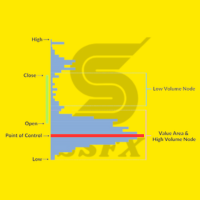
Liquidity Heatmap (Histogram): On the right side of the chart, it groups these levels into bins. The longer the bar, the more "resting volume" is calculated to be at that price level.
-
Point of Control (POC): The level with the highest density of liquidity is highlighted in Orange (or your Max Point Liquidity color). This acts as a magnet for price.
-
Liquidity Lines: Thin lines extending from past candles to the present. These show exactly how old the support/resistance is.
-
Buy vs. Sell Zones:
-
Green/Lime (Below Price): Buy Liquidity / Support.
-
Blue (Above Price): Sell Liquidity / Resistance.
-
3. What Information Do You Get?
By looking at the HeatMap, you gain three specific types of market intelligence:
-
Magnetic Zones (POC): The orange POC line represents the heaviest concentration of orders. Markets often drift toward the POC to facilitate trade before choosing a direction.
-
High Resistance Areas: Large clusters of bars in the heatmap indicate "Walls." Price is likely to bounce off these areas on the first touch because absorbing that liquidity takes significant effort.
-
Liquidity Voids (Low Volume Nodes): Areas with no lines or very short heatmap bars represent "thin" liquidity. Price usually moves through these areas very quickly (Expansion/Imbalance).
4. How to Use It
-
Timeframe: Best used on H1, H4, and Daily. On lower timeframes (M1-M5), the noise creates too many levels that are swept too quickly.
-
Installation: Attach it to your chart. Ensure LookBack is sufficient (default 300 is good for H1/H4).
-
Visual Check:
-
Look at the right side of your chart.
-
Identify the largest protrusions (Longest bars). These are your major Key Levels.
-
5. Best Results Strategy: "The Liquidity Sweep & Reclaim"
This strategy focuses on the market hunting liquidity (Stop Runs) into the HeatMap zones and then reversing.
The Setup
-
Timeframe: H1 or H4.
-
Direction: Counter-trend to the immediate impulse, but pro-trend to the higher structure.
Step 1: Identify the Wall
Look for a dense cluster of lines on the HeatMap (a long histogram bar) that is notably larger than the surrounding bars.
-
If Shorting: Look for a large Blue cluster above current price.
-
If Longing: Look for a large Green cluster below current price.
Step 2: Wait for the Sweep (The Touch)
Do not place a limit order blindly at the line. Wait for price to enter the zone.
-
Price should pierce into the Liquidity level.
-
Note: The indicator might update and remove some lines as price hits them. This is normal; we are watching the reaction to that zone.
Step 3: The Trigger (Rejection)
Watch for a Reversal Candle Pattern inside or just after touching the liquidity zone.
-
Bullish: Hammer, Pin Bar, or Bullish Engulfing candle rejecting a Green Zone.
-
Bearish: Shooting Star or Bearish Engulfing candle rejecting a Blue Zone.


















































The heatmap is a absolut gamechanger. Its very accurate in combination with a breakout indicator. Highly recommand to buy.