 MetaTrader 5
 Uzmanlar
 Göstergeler
 Kütüphaneler
 Yardımcı programlar
 Widgetlar
 Kurallar
YouTube'dan Mağaza ile ilgili öğretici videoları izleyin
Bir alım-satım robotu veya gösterge nasıl satın alınır?
Uzman Danışmanınızı
sanal sunucuda çalıştırın
sanal sunucuda çalıştırın
Satın almadan önce göstergeyi/alım-satım robotunu test edin
Mağazada kazanç sağlamak ister misiniz?
Satış için bir ürün nasıl sunulur?
MetaTrader 5 için yeni alım-satım yardımcı programları - 7
 Aşağıda MetaTrader 5'te işlem yapmayı kolaylaştıran alım-satım programları bulunmaktadır. Açıklamasını ve amacını okumak için aşağıdaki listeden ürünün üzerine gelin.
Smart UT Bot MT5 (PRO EA for MT5) - User Manual & Operations Guide 1. System Overview & Architecture Smart UT Bot Pro EA (MT5 Edition) is an institutional-grade, fully automated trading system engineered specifically for MetaTrader 5. Optimized for Gold (XAUUSD) , Forex pairs, and Indices, the EA combines high-frequency ATR volatility tracking with a multi-layered indicator matrix and Smart Money Concepts (SMC) structure analysis. The system is built on a native MQL5 execution architecture, util

MSB Pro ALGO Neon Trade Manager MSB Pro ALGO Neon Trade Manager is a visual trade planning, execution and risk management utility for MetaTrader 5 It is designed for traders who want to plan, calculate and execute trades directly from the chart while keeping risk information visible before placing an order. The product does not generate trading signals and does not open trades automatically. The trader remains in full control of every trade decision. Main Features BUY and SELL trade preparation

Drag the stop line on your chart and see the lot size update live. Sizes every trade from your own risk setting, using the broker's real contract size and lot step. It does not trade and it sends no orders. What it does Set the stop where you actually want it - by dragging a line on the chart, not by typing points into a box - and read the lot size straight off the panel. The panel shows direction, entry, stop, stop distance in price and points, your risk in both percent and account currency, th
FREE

AIT AI Trading Terminal AIT AI Trading Terminal 是一款面向 MetaTrader 5 的多维市场分析与风险辅助 EA。 它将趋势、市场结构、成交量分布、订单块、FVG、技术指标和风险控制集中显示在同一张图表上,减少在多个指标之间来回切换的操作。 本产品重点是帮助交易者更快地了解当前市场状态、关键价格区域和风险条件。它不会保证盈利,所有信号和分析结果都应结合个人交易计划进行判断。 主要功能 1. 多维市场分析 系统会综合分析当前交易品种的市场状态,包括: 趋势方向 市场结构 支撑位与压力位 波动率 RSI EMA ATR 成交量信息 多空强弱 风险状态 分析结果直接显示在图表面板中。 2. 市场结构识别 自动识别重要价格结构,包括: HH — 更高高点 HL — 更高低点 LH — 更低高点 LL — 更低低点 BOS — 结构突破 CHoCH — 市场结构变化 帮助用户更直观地观察趋势延续和潜在结构变化。 3. Order Block 订单块 系统可以自动识别并绘制潜在的订单块区域。 支持: 多个订单块显示 订单块有效期控制 距离过滤 位
FREE

What this tool does Daily and Max Loss Protector is a protective account monitor for traders on prop firm challenge or funded accounts (built with common prop firm evaluation rule methodology in mind, and adjustable to match similar rules from other firms). It continuously tracks your account against: Daily loss limit — measured from your account BALANCE at the start of each trading day (matching how many prop firms calculate this, rather than a simplified equity-only approximation) Maximum ove
FREE

Risk Lot Calculator Utility
Risk Lot Calculator Utility is a simple and practical risk management tool for MetaTrader 5.
The utility helps traders calculate an appropriate lot size based on account balance or equity, selected risk percentage, and Stop Loss distance.
It is designed to make position sizing and trade planning faster and easier directly from the MetaTrader 5 chart.
MAIN FEATURES
- Automatic lot size calculation - Percentage-based risk management - Balance or Equity based calcu
FREE

A prop-firm account runs under a second rulebook MetaTrader 5 knows nothing about: a maximum loss measured from a fixed starting balance, a daily limit that resets at an hour the broker's clock does not agree with, a payout consistency ceiling, a minimum number of trading days, a news blackout, a Friday cutoff. Break the first rulebook and you lose a trade. Break the second and you lose the account. PropFirm Defense watches all of them at once, on any account, next to whatever else you are runni
FREE

COASYN ATR Table is a multi-timeframe volatility reference for MetaTrader 5. It displays Average True Range across up to four user-selected timeframes and converts the values into pips for a cleaner comparison of how much the market is currently moving. The indicator does not generate signals, determine direction, or execute trades. Its purpose is simple: Use ATR as a ruler for current market movement. Features Up to 4 selectable timeframes Adjustable ATR length ATR displayed in pips Optional ra
FREE

The tool helps a trader handle trading faster. Order Management Market order buy, sell with big prices. Buy and sell buttons are active when EA and MT5 allow Algo Trading. Bid and ask prices are active when the market is open. Calculate required margin for input lots. Input lots apply minimum, maximum and step regulated by the broker. Batch of positions: close loss, close profit, close all. Close buttons are active when EA and MT5 allow Algo Trading and when there is an open position. Risk Mana

Basket Risk Planner MT5 is a chart-based utility for monitoring and planning existing MetaTrader 5 position baskets. It does not generate trading signals and it does not open or add trades.
Attach it to the chart of the symbol whose positions you want to review. The panel updates with current market quotes and presents the basket in account currency.
What the utility shows
Basket Risk Planner MT5 displays the current position count, floating profit/loss and estimated net basket result. Open p

Watchman is a news filter and drawdown guard for MetaTrader 5. It pauses any Expert Advisor during high-impact economic news, closes or protects open positions, and enforces daily loss and maximum drawdown limits across the whole account. It works with any EA, including commercial products with no built-in news filter and no accessible source code. Attach Watchman to one empty chart. It finds every chart in the terminal running an EA, reads the MetaTrader economic calendar for events affecting t

Set your limits before emotions take over. RiskGuard by Cold Execution is a risk-management utility for MetaTrader 5 that helps you follow your trading rules. Configure daily loss limits and profit giveback protection to help control overtrading and enforce a break when your limits are reached. Main features Two-level daily loss limits: set separate Level 1 and Level 2 thresholds. Level 1 provides a configurable trading break. The Level 2 daily loss lock remains active until the next day in the

Precision Trade Manager
Precision Trade Manager is a professional trade and risk management utility designed for MetaTrader 5.
It provides traders with a convenient on-chart control panel for managing positions, calculating risk, protecting the trading account and performing common trade management operations from one interface.
The utility does not generate trading signals or use a trading strategy. It is designed to help traders manage their own manual positions efficiently and consistentl

Trading Journal Analyzer
Trading Journal Analyzer is a professional trade history analysis utility for MetaTrader 5.
It helps traders review their historical trading performance directly inside MT5. Instead of manually calculating statistics from account history, the utility analyzes completed trades and presents important performance metrics in a simple on-chart panel.
The program does not open, modify, or close trades. It is designed purely for trade history analysis and performance review

Trade Insight Pro
Trade Insight Pro is an advanced trading performance analytics utility for MetaTrader 5.
It transforms your MT5 trading history into clear and useful performance statistics directly on the chart. The utility is designed for traders who want to understand their historical results in greater detail, identify performance patterns, compare BUY and SELL behavior, and review their trading activity using objective data.
Trade Insight Pro does not generate trading signals and does

Chartkin - A Pixel Companion for MetaTrader 5 Chartkin adds a small animated pixel-art companion to your MetaTrader 5 chart. It is a cosmetic and account-monitoring utility. Chartkin does not open, close, or modify trades. It does not provide signals, predictions, or investment advice. Main Features Built-in orange cat named Mochi Four animated states: IDLE, WATCHING, CHEER, and SAD Reactions based on open positions and account profit or loss context Contextual dialogue when the pet is clicked

Average Exit Manager is a trade management tool for MT4 and MT5, designed to help manage exits by average price, profit, loss, points, money, or percentage of balance. You can manage buy and sell positions separately or combined using One Basket for money and percentage targets. The on-chart panel provides quick trade buttons, close controls, lot adjustments, live results, balance and equity display, delete pending orders, and reset to input values. Average Exit Manager supports real broker TP a

HCS Basket Exposure HCS Basket Exposure is a read-only MT5 position monitor that summarizes open-position exposure on the current chart symbol. It is designed for traders working with multiple entries, scaled positions, hedged positions, grids, Expert Advisors or manual multi-position trading. What it shows BUY and SELL position counts, total lots, weighted entry and floating profit/loss. Net lots, gross lots, combined floating profit/loss and a separate swap total. A one-sided basket entry basi

HCS EA Session Ledger HCS EA Session Ledger is a read-only MetaTrader 5 utility that groups today's recorded trading activity by Magic Number. It provides a compact view of EA activity and trade history alongside current open-position figures. Automatic Magic Number discovery Session Ledger automatically discovers Magic Numbers from currently open positions and today's deal history. You do not need to remember or manually enter an Expert Advisor's Magic Number. Select: ALL activity MAGIC 0 / UNA

HCS EA Deployment Monitor HCS EA Deployment Monitor is a read-only MetaTrader 5 utility that provides a compact terminal-wide view of which Expert Advisors are attached across your open MT5 charts. Instead of checking charts individually, Deployment Monitor automatically builds an inventory showing where EAs are attached and where no EA is present. Terminal overview The summary displays: Terminal Algo Trading ON/OFF Total open charts Charts with an attached EA Charts without an EA If Expert Advi

EZ Trading Assistant is an MT5 Expert Advisor that adds an on-chart control panel for preparing, opening, and managing trades - including Auto Lot sizing, Break Even, Trailing Stop Loss, and Partial Closes - across up to 5 independent trades at once. It applies a concept of preparing your buy or sell order before executing to prevent accidentally pressing the wrong button and opening a trade in the wrong direction. 1. Getting Started Attach EZTradingAssistant to a chart for the symbol you want t

RiskGuard Pro enforces a daily loss limit, a profit lock and a maximum drawdown on your account - across your manual trades and any other EA you run. It does not open trades and it does not predict anything. What it does RiskGuard Pro watches your account equity and enforces three limits you set: Daily loss limit - measured against your start-of-day equity. Daily profit lock - stop trading once the day has gone well enough. Maximum drawdown - measured from your account's peak equity, not from to

Prop Firm Shield is an account-level risk lock for MetaTrader 5.
It does not generate signals. It does not size lots. It does not promise you will pass a challenge. It measures live equity against the rules you configured and, at a buffer you choose, it closes, blocks and logs.
Not affiliated with FTMO, FundedNext, FundingPips, The5ers, E8 or any other proprietary trading firm. Built-in presets are snapshots of public rules (verified 2026-09-17). Always confirm the live program before an evalu

Axivor Trade Copier is a local MT5 trade copier and multi-account execution utility for native Windows desktop and VPS environments. One Sender can copy supported market-position lifecycle actions to multiple independently configured Receivers without a separate relay service. It does not generate signals or select trades. The trader controls the source account, while each Receiver applies its own configured volume policy and remains subject to its broker and account conditions. SIMPLE MT5-TO-MT

Keyboard Scalper Pro is a customizable keyboard trading utility for MetaTrader 5.
It is designed for traders who want direct manual control of order execution without being limited to a fixed keyboard layout. Every trading hotkey can be configured to match the user's preferred workflow, while the default layout is built around the numeric keypad for fast operation.
The utility does not generate signals and does not decide when to trade. The trader chooses the setup, direction and timing. Keyb

AK2 Risk Monitor Dashboard is a lightweight, 100% read-only account and risk monitoring panel for MetaTrader 5. It puts your balance, equity, realized P&L, drawdown, and full weekly/monthly recap history directly on your chart — in the currency you actually think in — so you always know exactly where your account stands, at a glance, without opening the terminal's history tab or doing mental math on exchange rates. It never places, modifies, or closes a single order. No OrderSend, no OrderCheck,

AK2 Risk Monitor Dashboard + Telegram Notification is a lightweight, 100% read-only account and risk monitoring utility for MetaTrader 5 — with your account's balance, equity, drawdown, and full weekly/monthly history delivered straight to your chart and straight to your phone. Get an instant Telegram alert the moment your risk status changes, receive an automatic daily recap, or just ask the bot /status , /today , /week , /month , or /day whenever you want an update — no need to even open Meta

That backtest looks great. But will it still be making money tomorrow, next week, next month?
EA Overfitter re-runs your EA on 100 price histories it has never seen. One score tells you if the edge is real.
A backtest tells you what an EA did on one price history — the one that happened to occur. What you cannot tell from it is how much of that result was the strategy and how much was the particular path.
EA Overfitter answers that. It builds up to 100 synthetic price histories your EA has n

MTRemote — RDP olmadan MetaTrader terminallerinin merkezi yönetimi
Yavaş RDP oturumları arasında sürekli geçiş yapmaktan, zayıf mobil bağlantılarla uğraşmaktan ve onlarca VPS sunucusunu yönetmekten yoruldunuz mu?
MTRemote, tüm MT4/MT5 terminallerinizi hızlı ve güvenli tek bir web panelinde toplar. Hesaplarınızı izleyin ve Uzman Danışmanlarınızı (EA) telefonunuzdan, tabletinizden veya herhangi bir bilgisayardan doğrudan tarayıcı üzerinden yönetin.
İlk 20 alıcıya özel lansman fiyatı
İlk 20 alı

MetaTrader için satılan neredeyse her şey yön tahmin ediyor. Bunun mümkün olup olmadığını on üç yıllık EURUSD ve altın verisiyle sınadım: ileriye doğru yürüyen doğrulama, üstüne de etiketleri rastgele karıştırılmış bir kontrol koşusu. Yön yüzde 48 ile 51 arasında çıktı. Altında aynı modeller karıştırılmış etiketlerde yüzde 53,4 aldı; yani gerçek veriden daha yüksek. Aşırı uydurulmuş bir sistem içeriden böyle görünür ve bir geriye dönük test eğrisinin neden kanıt olmadığı da budur. Yarınki hareke

Grid EA'nız 10 işlemin 9'unu kazanıyor. Soru hiçbir zaman bu değildi. En çok satan altın robotlarının kullandığı mekanizmayı — grid, recovery, hiçbir pozisyonda stop loss yok, tek bir sert equity stopu — dört yıllık gerçek XAUUSD verisi üzerinde çalıştırdım; her bardan alınan gerçek spread, gerçek komisyon ve gerçek swap ile. 169 serinin 156'sı kârda. Yüzde 92,3 kazanma oranı. Hesap yüzde 86,2 eksiyle kapandı, en yüksek düşüş yüzde 96,8. İki sayı da aynı anda doğru ve sorunun tamamı bu. Yüzde 92

Market Watch Bulk Loader'ın Starter sürümü: bir sembol listesini yapıştırın ve tek tıklamayla Piyasa Gözlemi'ne ekleyin. Her yüklemede en fazla 5 sembol.
Sembolleri tek tek yazmak yerine panodan Piyasa Gözlemi'ne ekleyin.
Bu, Market Watch Bulk Loader'ın Starter sürümüdür. Tam sürümle tamamen aynı şekilde çalışır, tek sınırı vardır: her yüklemede 5 sembol. Aracın, brokerinizin sembolleri nasıl adlandırdığını tanıyıp tanımadığını kontrol etmek için kullanın.
Nasıl çalışır
1. Bir sembol listes
FREE

ApexForge Visual Pending Orders
## Sürüklenebilir Çizgilerle Görsel Bekleyen Emirler | Multi-Chart Senkronizasyonu | H Ana Grafik | S/C ile Hızlı Gönderme ve İptal
ApexForge Visual Pending Orders, MetaTrader 5 (MT5) üzerinde manuel işlem yapan traderlar için tasarlanmış görsel bir bekleyen emir yönetim aracıdır.
Artık MT5 emir penceresini tekrar tekrar açmanız, fiyatı manuel olarak girmeniz ve ayarları yeniden onaylamanız gerekmez.
Bekleyen emir modunu seçtikten sonra EA, ilgili fiyat çizgil

SinalTrade, Telegram işlem sinyallerini MetaTrader 5 ile yönetmek için geliştirilmiş profesyonel bir platformdur. EA, MT5 ile SinalTrade Arayüzü arasında güvenli bir Connector olarak çalışır. Ayarların büyük bölümü doğrudan Arayüz üzerinden yönetilir. Bu yapı, konfigürasyonu kolaylaştırırken Telegram sağlayıcılarının, MT5 hesaplarının, işlem kurallarının ve risk yönetiminin merkezi olarak kontrol edilmesini sağlar. Başlıca özellikler: • Telegram işlem sinyali takibi
• Otomatik BUY/SELL sinyal al

NINJA SYMBOL PASSPORT MT5 PRO NINJA Symbol Passport MT5 Pro, brokerınızın sunduğu sembolleri ve mevcut işlem koşullarını tek panelden incelemek için geliştirilmiş, salt okunur bir çoklu sembol denetim aracıdır. Panel ve giriş adları İngilizcedir. Sembol görünümü; sözleşme, işlem modu, seans, kotasyon, spread maliyeti, tahmini marjin, Spread/ATR oranı ve broker tarafından sağlanan diğer kullanılabilir özellikleri sunar. Preflight, sembolleri mevcut yürütme koşullarına göre PASS, WARN, BLOCK veya

İki ay aynı sonuçla kapanabilir. Biri bu sonuca sakin bir şekilde ulaştı; diğeri günlerce -%20 yüzen zararda kaldı. Broker ekstreniz bu ikisini birbirinden ayırt edemez. Trading Track Record, MetaTrader 5 grafiğinizde bunu yapabilir. Trading Track Record, hesap geçmişinizi ve açık pozisyonlarınızı okuyan ve işlemlerinizin gerçekte ne sonuç verdiğini gösteren bir performans panosudur: gün, hafta, ay, çeyrek ve yıl bazında, sembol, magic number ve emir yorumu bazında, her günün en derin yüzen zara

Strategy Drift Pro, canlı çalışan bir EA’nın, kopya işlemlerin veya bir sinyalin davranışının beklenen referansıyla uyumlu kalıp kalmadığını izler. EA’lar için referans, MT5 Strategy Tester raporundan içe aktarılır; MQL5 Signals ve kopya işlemler için ise referans, yayımlanan sinyal istatistiklerinden oluşturulur. EA’nizin gerçekten güvendiğiniz backtestteki gibi çalışmaya devam ettiğini nasıl anlarsınız? Backtest, bir stratejinin geçmiş koşullarda nasıl davrandığını gösterir. Aynı performans pr

İşlemi grafikte planlayın, tıklamadan önce tutarı görün ve tüm pozisyonları tek bir panele bırakın - tek tek de, hepsini tek bir sepet olarak da. Ücretsiz. Ücretli sürüm yok, deneme süresi yok, DLL yok, web isteği yok. Tür Yardımcı araç (işlem ve pozisyon yöneticisi) Semboller Tümü Hesap Hedging (Netting: henüz test edilmedi, 9. bölüme bakın) İşlem açar Yalnızca bir butona bastığınızda Yatırımcılar neden grafikte tutuyor Tıklamadan önce maliyeti bilin. Stop çizgisini sürükleyin; lot, riskteki t
FREE

1) manuel işlem için Asistan modu, 870'den fazla pozisyon yönetim fonksiyonu ile, 2) 45 çeşit stop-loss + trailing SL, 3) 10 çeşit take-profit + trailing profit, 4) harici KONTROL PANELİ hem gerçek işlemlerde hem de Tester'da çalışır, 5) 3 para yönetimi modu, 6) pozisyon hacmini artırmak için 5 seçenek, 7) 15 pozisyon yönetim yöntemi, 8) 8 koruma filtresi, 9) 9 sinyal onay seçeneği, 10) Görsel Pozisyon Yöneticisi, 11) TP ve SL için pozisyonların kısmi azaltılması, 12) Başabaş, 13) PLANLAYICI mod

EA Claim Consistency Checker, bir EA satış sayfasından elle girilen değerlerin istatistiksel olarak kendi içinde tutarlı olup olmadığını denetleyen yerel bir MT5 yardımcı programıdır.
Bir EA satış sayfasındaki veya tanıtım metnindeki başlıca değerleri doğrudan betik girdilerine yazarsınız: Profit Factor, kazanma oranı, kazanç/risk oranı veya ortalama kazanç/ortalama kayıp, işlem sayısı, maksimum düşüş, aylık getiri, beyan edilen dönem ve başlangıç sermayesi. Yardımcı program hiçbir rapor dosya

Position Sizer Pro MT5 , 500'den fazla kez indirilen Position Sizer MT5'in geliştirilmiş sürümüdür. Ücretsiz sürüm, pozisyon büyüklüğünüzü lot cinsinden hesaplar. Pro sürümü ise işlemin tamamını grafik üzerinde planlamanızı, uygun hacmi hesaplamanızı ve emri doğrudan panelden göndermenizi sağlar. Manuel hesaplama yok. Ayrı bir emir penceresi yok. Emir gönderilmeden önce giriş fiyatını (Entry), zarar durdurma seviyesini (SL), kâr alma seviyesini (TP), lot miktarını ve gerçek riski görebilirsiniz.

BOLETA CHART PRO - TRADE PANEL | Day Trading için En Hızlı ve En Kapsamlı Panel Menülerde tıklayarak fırsatları kaçırmayı bırakın. Grafik üzerinde doğrudan 1 TIK ile Alın, Satın, Koruyun ve Kısmi Çıkış Yapın. Traderlar tarafından traderlar için yapıldı. NEDİR?
Boleta Chart Pro, grafiğinize sabitlenmiş profesyonel bir işlem panelidir (Trade Panel). Yavaş MetaTrader panelini akıllı, görsel ve ultra hızlı bir panelle değiştirir. İhtiyacınız olan her şeyi görürsünüz - lot, risk, hedef ve stop başaba

Trade Heat Recorder MT5 , açık pozisyonların işlem süresince nasıl davrandığını kaydetmek için tasarlanmış salt okunur bir analiz aracıdır. MAE, MFE, en iyi seviyeden geri verilen kâr, net P/L, yakalama verimliliği ve diğer işlem yönetimi verilerini takip eder. Pozisyon açılışından itibaren izlenen işlemler LIVE , program başlatıldıktan veya yeniden başlatıldıktan sonra bulunan pozisyonlar ise RECOVERED olarak açıkça ayrılır. Başlıca özellikler: Canlı MAE / MFE takibi Giveback / From Peak Net P/

Contract Change Watch, bu hesabın bağlı olduğu brokerın sembol ayarlarını okur ve bu değerler değiştiği anda kaydeder. Araç herhangi bir şey tahmin etmez ve tavsiye vermez. Günlüğündeki her kayıt zaten gerçekleşmiştir - bu hesabın brokerının gerçekten ayarladığı bir değer, bir an önce farklıydı.
Neden var: bir broker, bir sembolün swap oranını, stop seviyesini, hacim adımını, gereken marjini ya da diğer altı ayarı, terminalde göreceğiniz herhangi bir bildirim olmadan istediği zaman değiştirebil

Order Type Ledger, bu hesabın işlem geçmişini değil, emir geçmişini okur ve verilen her emre gerçekte ne olduğunu sayar. Araç herhangi bir şey tahmin etmez ve tavsiye vermez. Hiçbir zaman işlem sonuçlarına bakmaz; yalnızca sonuçları sayar: gerçekleşti, iptal edildi, süresi doldu, reddedildi.
Neden var: çoğu işlem aracı yalnızca gerçekleşmiş işlemlere geriye dönük bakar. Dokunulmadan süresi dolan bir limit emri, reddedilen bir stop emri, gerçekleşmeden önce saatlerce bekleyen bir emir - bunların

Trade Duration Profile, bu hesabın kendi kapanmış işlem geçmişini okur ve pozisyonların gerçekte ne kadar süre tutulduğunu tek bir ortalama olarak değil, bir dağılım olarak gösterir. Tahmin yapmaz, tavsiye vermez. Hiçbir yerde işlem sonuçlarına bakmaz; yalnızca zamanı ölçer.
BU ARAÇ NEDEN VAR Çoğu trader kendi tarzı hakkında yalnızca kabaca bir fikre sahiptir - "daha çok scalper'ım", "pozisyonları uzun tutma eğilimindeyim" - ama bunun arkasında gerçek bir rakam yoktur. Hesabın geçmiş sekmesi iş

Weekend Hold Report, bu hesabın kendi kapanmış işlem geçmişini okur ve pozisyonların bir hafta sonunu aşarak ne sıklıkla tutulduğunu sayar - basit bir sayım, sembole göre dökülmüş ve hafta sonunu aşan bu pozisyonların ne kadar süre açık kaldığı. Yargılamaz, tavsiye vermez ve hiçbir yerde işlem sonuçlarına bakmaz; yalnızca sayar ve zamanı ölçer.
BU ARAÇ NEDEN VAR Bir pozisyonu hafta sonu boyunca taşımak nadiren bilinçli bir plandır; genellikle ancak olay gerçekleştikten sonra fark edilir. Hesabı

Partial Close Tracker, bu hesabın kendi kapanmış işlem geçmişini okur ve pozisyonların birden fazla adımda ne sıklıkla kapatıldığını sayar - basit bir sayım, bir oran ve bu tür kısmi kapanışların tipik olarak kaç adım sürdüğü. Yargılamaz, tavsiye vermez ve hiçbir yerde işlem sonuçlarına bakmaz; yalnızca sayar.
BU ARAÇ NEDEN VAR Bir şeyi güvence altına almak için pozisyonun bir kısmını kapatıp geri kalanını yönetmeye devam etmek, birçok trader'ın uymayı amaçladığı ama nadiren kontrol ettiği bir

Stop Distance Ledger, bu hesabın kendi kapanmış işlem geçmişini okur ve bir pozisyon açılırken gerçekten bir zarar durdur (stop-loss) veya kâr al (take-profit) ayarlanıp ayarlanmadığını ve ne kadar uzaklıkta - açılış fiyatının yüzdesi olarak - yerleştirildiğini gösterir. Tahmin yapmaz, tavsiye vermez ve hiçbir yerde işlem sonuçlarına bakmaz; yalnızca ayarlanmış olanı ölçer.
BU ARAÇ NEDEN VAR Bir işleme girmeden önce her zaman bir zarar durdur koymaya karar vermek, birçok trader'ın uymayı amaçla

Margin Usage History, bu hesabın kendi kapanmış işlem geçmişini okur ve her pozisyon açıldığı anda hesap bakiyesinin ne kadarının tipik olarak marjin olarak taahhüt edildiğini - yüzde olarak - gösterir. Tahmin yapmaz, tavsiye vermez ve hiçbir yerde işlem sonuçlarına bakmaz; yalnızca her seferinde hesabın ne kadarının riske atıldığını ölçer.
BU ARAÇ NEDEN VAR Aynı lot büyüklüğü, o andaki hesap bakiyesinin büyüklüğüne göre çok farklı bir anlam taşır. Bakiye azalırken lot büyüklüğü aynı kalırsa, h

Tick Value Reference, bu hesabın Market Watch listesindeki her sembolü okur ve 1.00 lotluk tek bir tick'in bu hesabın kendi para biriminde ne kadar değerinde olduğuna göre yan yana dizer. Lot büyüklüğü hesaplamaz, işlem açmaz ve risk değerlendirmesi yapmaz — yalnızca terminalin her sembol hakkında zaten bildiği bilgiyi, semboller arasındaki farkların kolayca görülebileceği şekilde sıralar.
BU ARAÇ NEDEN VAR Aynı 1.00 lot, sembole bağlı olarak çok farklı bir anlama gelir. Bir FX ana paritesinde

The EfratBuilds Risk Manager Tool is a chart based trading aid built for traders who want to plan a position visually before sending it to the market. Instead of typing prices into an order ticket, the trader drags three lines directly on the chart - Entry, Take Profit, and Stop Loss - and the tool keeps the money value, the point distance, and the resulting reward to risk ratio updated on screen at all times. The design goal is simple - reduce the chance of a mistyped price or a forgotten stop,

Superior WhatsApp Signals Copier MT5 automatically copies trading signals from your WhatsApp channels or groups straight to your MetaTrader 5 account. It reads the signal text, works out the symbol, direction, entry, stop loss and take-profit levels, sizes the position under your own risk rules, and sends the trade to MT5 within moments of the message arriving — no manual reading, typing or guessing during fast markets. The software is two parts working together: a desktop app that connects to D

ReplayTrainer turns your MT5 into a chart replay practice environment. Pick any date in your broker's history, hide the future, and trade it as if it were live — with your own indicators on the chart . Why replay practice? Scrolling back through a finished chart is not the same as trading it. When you already know what happens next, you are not training the decision. ReplayTrainer replays history candle by candle, or tick by tick , so every decision is made without hindsight . Free-form replay P

The Replay Trader Panel ULTRA MT5 is a free Expert Advisor developed to transform the visual mode of the MetaTrader 5 Strategy Tester into a practical environment for replay and manual training.
The panel uses the asset, timeframe, dates, and historical data selected directly in the Strategy Tester. It can be used in different markets, as long as the asset is available in the broker's MT5. See the gui de .
To begin, simply select the Replay Trader Panel as your Expert Advisor, choose the asse
FREE

Apex Terminal is a trade panel for MetaTrader 5 that sizes every position from your risk and manages it from entry to exit.
Set how much you accept to lose and where the stop-loss goes. Before you click, the panel shows the lot, the loss at the stop and the profit at the full target. One click opens the trade with the stop-loss and the whole take-profit ladder already in place.
TRADE - Position size from % of balance or equity, a fixed amount of money or a fixed lot. The lot is rounded down t
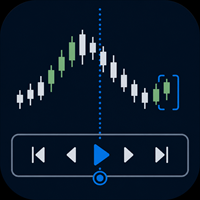
Practise your trading process with recorded broker history inside MetaTrader 5.
MT5 Backtesting Studio is a manual trading simulator for discretionary traders. It combines historical chart replay, simulated orders, strategy notes, session journaling, and detailed analytics without placing or modifying broker orders.
Use it to test intraday or swing-trading ideas, repeat a structured practice plan, and review what happened after each session.
Replay recorded history from your broker
The EA u

SmartTrade EA is a manual trading panel that docks on the chart. It brings order entry, position management, risk limits, statistics, the economic calendar and price alerts into one interface, so you can open, protect and close a trade without leaving the chart or opening a dialog.
It is a tool, not a strategy. It does not place trades on its own and does not generate signals. Every entry is yours. What it handles is the work after the click: moving stops, closing in parts, and keeping you ins

Check an MQL5 signal before you subscribe. A signal can look convincing on the provider page and still be a poor fit for your account. Different symbol names, minimum lots, leverage, hedging or netting, copy latency and a fixed monthly fee can materially change what happens on your account. MT5 Signal Sentinel is not a trading robot and not a signal. It does not trade. It analyzes available data and explains technical and historical risks in plain language. Why this tool was created Many problem

️ EA Thunder SLTP Advanced Suite for MetaTrader 5
Professional Trade Management | Precision Risk Control | Multi-Asset Compatibility Are you tired of watching winning trades turn into losses because of slow manual adjustments? Do you struggle with consistent risk management? Introducing the EA Thunder SLTP Advanced Suite . This is not just another Expert Advisor; it is a professional-grade trade management powerhouse designed to give you institutional-level control over your positions on Meta

[Introduction] This panel serves as your tactical command hub, allowing you to design and execute diverse strategies and tactics — such as trend following, mean reversion, and defensive hedging — by combining specialized tactical lines. Smart Value: Operates based on the value entered in the Smart EditBox ([SE]). ABS(Value) = 0: Smart function disabled (Immediate execution via button click). ABS(Value) < Cutoff: Interpreted as a relative offset/delta from the current market price. ABS(Value)

LEGEND TERMINAL PRO — Trade Execution & Risk Management Panel for MetaTrader 5 Legend Terminal Pro is a manual trade execution, risk management and position management panel designed for MetaTrader 5. It brings the essential stages of discretionary trading into one interface: trade preparation, risk calculation, order execution, position management and performance analysis. Legend Terminal Pro does not generate trading signals and does not make trading decisions for you. The trader remains in fu

TrendSync AutoSL Guardian
Trade and manage manual positions at the speed of a keystroke — every order protected the instant it opens. TrendSync AutoSL Guardian turns manual trading on MetaTrader 5 into a fast, disciplined workflow. Open, protect, scale and close positions straight from the chart or the keyboard — no order dialogs, no hunting for tickets. It is a trade-management and execution tool, not a signal EA : you make the decisions, it makes them instant and safe. Perfect for discretion

DELTA ATLAS Orderbook Order-Flow Visualization Dashboard for MetaTrader 5 Futures
A unified, full-screen dashboard for discretionary futures traders that turns the raw order flow into one clear picture. Every executed trade is rendered as volume bubble scrolling across a live liquidity heatmap, read against a real depth-of- market ladder, a live footprint, the session volume profile and cumulative delta — the whole auction, drawn in real time. On top of the tape sits a graded Analyst and a fam

Legend Terminal is a manual trade execution and risk management panel for MetaTrader 5. Designed to provide a clear and structured trading workflow directly from the chart, it combines order execution, position sizing and risk calculations in one interface. Order Types • Buy
• Sell
• Buy Limit
• Sell Limit
• Buy Stop
• Sell Stop
• Buy Stop Limit
• Sell Stop Limit Risk Management • Fixed lot position sizing
• Percentage risk position sizing
• Automatic volume calculation
• Risk amount calculation

"Manual trading panel for MT5: trailing stop, daily targets and risk management in one click."
TradePanel Single is a professional manual trading panel for MetaTrader 5, built for traders who want speed, organization and automatic position protection, without juggling multiple tools or complex setups.
Everything you need lives in a single panel: one-click buy/sell, point-based stops and targets, trailing stop, and real-time daily/weekly/monthly results.
===== KEY FEATURES =====
- ONE-CLICK Q
FREE

Stop Guessing Your Lot Size. Trade With Defined Risk. Order Management Script is a FREE risk-management utility that automatically calculates your lot size, Entry, Stop Loss, and Take Profit based on your predefined trading rules. No manual position-size calculations.
No repeated SL/TP calculations.
Just define your risk and trading setup. KEY FEATURES Automatic Lot Size Calculation
Calculate the correct position size using: • Fixed monetary risk
• Percentage of account equity Multip
FREE

AP PROFITRADE is a hybrid tool for MT5 that combines the ALEKSEEV PROFIT robot and the AP HELPER indicator in a single panel. It allows simultaneous viewing of market analysis and order management. Can be used as a panel for manual trade setup with full analytics — two tools in one interface. Analysis includes volume, RSI, Stochastic, MACD, ATR, support and resistance levels, price projection, stop loss and take profit. Differs from the AP HELPER indicator in that it allows not only viewing a

One click to open. One click to protect. SMART PANEL is a minimalist panel for disciplined trading: no extra noise — only what a trader really needs every day: order placement, risk control and profit protecti 1. Fast order placement BUY / SELL buttons with MARKET / LIMIT / STOP menu. Entry, stop and take-profit lines — draggable right on the chart. Ready ratios 1:1 · 1:2 · 1:3 — one click, risk is already set. −% / +% buttons — risk per trade adjusted in a second. 2. Built-in

One job, maximum flexibility: the expert watches all activity on your trading account and sends you a Telegram message and/or chart screenshot for any chosen event type. Every event, message template and filter is user-configurable. What it is for You trade manually and want to know instantly about your trades in Telegram (openings, closings, TP/SL, trailing, breakeven, partial close). You run EAs — have a single notification channel for every trade on the account without opening t
MetaTrader Mağazası - yatırımcılar için alım-satım robotları ve teknik göstergeler doğrudan işlem terminalinde mevcuttur.
MQL5.community ödeme sistemi, MetaTrader Hizmetlerindeki işlemler için MQL5.com sitesinin tüm kayıtlı kullanıcıları tarafından kullanılabilir. WebMoney, PayPal veya banka kartı kullanarak para yatırabilir ve çekebilirsiniz.

Alım-satım fırsatlarını kaçırıyorsunuz:
- Ücretsiz alım-satım uygulamaları
- İşlem kopyalama için 8.000'den fazla sinyal
- Finansal piyasaları keşfetmek için ekonomik haberler
Kayıt
Giriş yap
Web sitesi politikasını ve kullanım şartlarını kabul edersiniz
Hesabınız yoksa, lütfen kaydolun