 MetaTrader 5
 Uzmanlar
 Göstergeler
 Komut dosyaları
 Kütüphaneler
 Depo
Depo
Fan sayfamıza katılın
- Görüntülemeler:
- 223
- Derecelendirme:
- Yayınlandı:
-
 Alım-satım fırsatlarını kaçırıyorsunuz:
- Ücretsiz alım-satım uygulamaları
- İşlem kopyalama için 8.000'den fazla sinyal
- Finansal piyasaları keşfetmek için ekonomik haberler
Kayıt Giriş yapWeb sitesi politikasını ve kullanım şartlarını kabul edersiniz
Hesabınız yoksa, lütfen kaydolun -
 Bu koda dayalı bir robota veya göstergeye mi ihtiyacınız var? Freelance üzerinden sipariş edin
Freelance'e git
Bu koda dayalı bir robota veya göstergeye mi ihtiyacınız var? Freelance üzerinden sipariş edin
Freelance'e git
- Clean, dependency-free source code (standard library only)
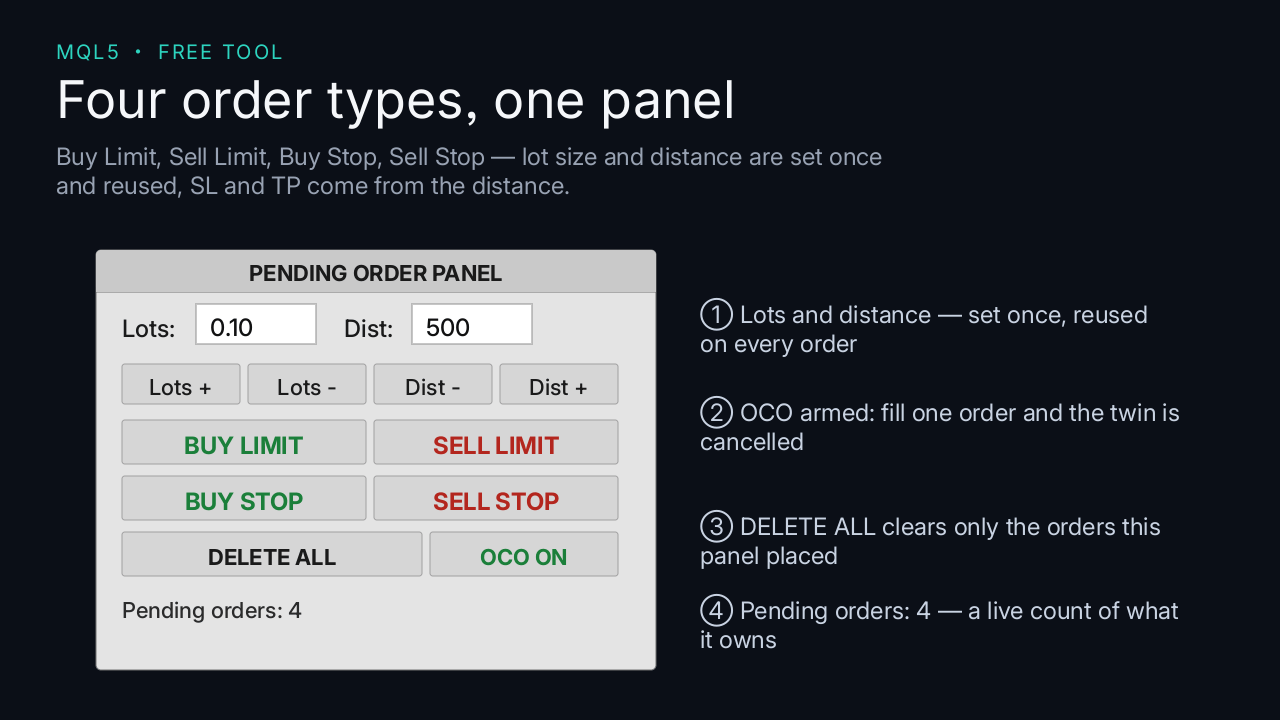
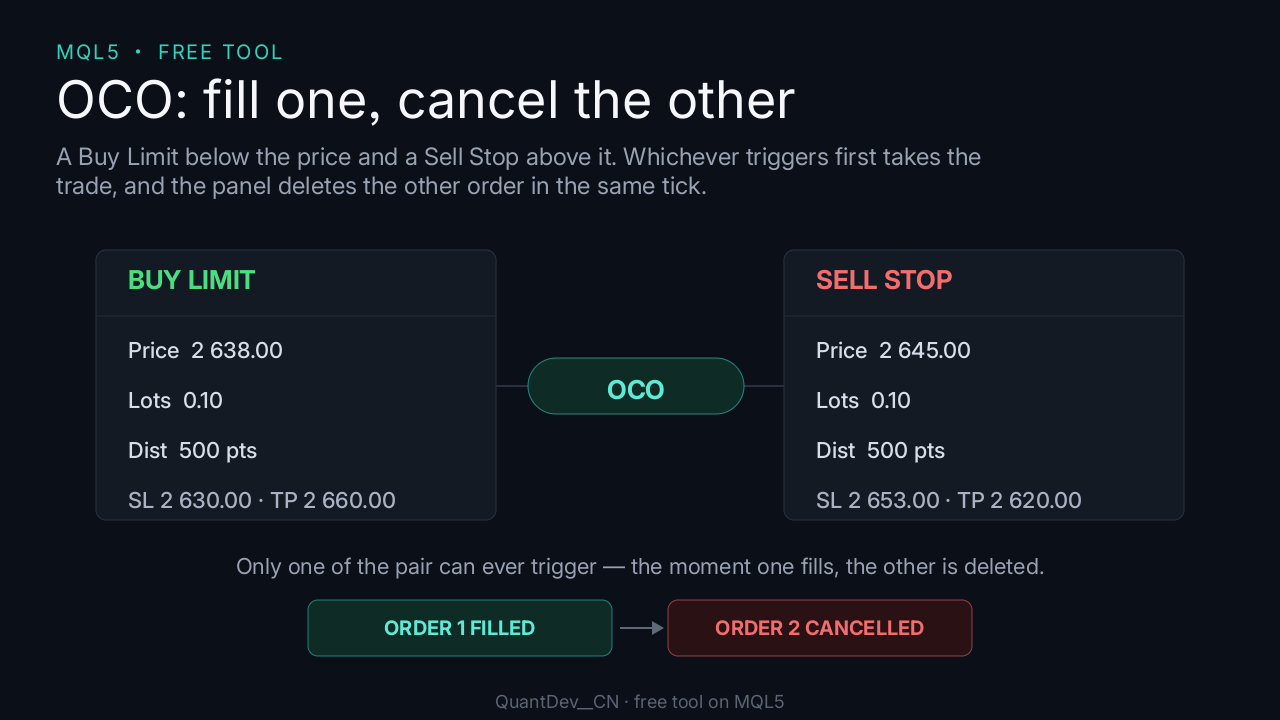
6. Toggle OCO to enable or disable one-cancels-the-other pairing.
Important notes
- No trading result is guaranteed in any way.
MetaQuotes Ltd tarafından Çinceden çevrilmiştir.
Orijinal kod: https://www.mql5.com/zh/code/78307
 Trend Buy/Sell Zones with Auto Lot Size - Risk Panel
Highlights potential buy zones in uptrends and sell zones in downtrends on closed candles (no repainting), with automatic lot size for your balance and a daily loss guard.
 GM Matrix Monitor — read-only risk dashboard for your EA matrix
Read-only panel showing per-magic net P/L, account drawdown, daily-loss breaker progress and freeze/liquidate thresholds. Does NOT trade.
Prior Bar Break Odds with Level Bars and a Rolling Hit Rate
Measures, on the chart's own history, how often a bar takes out the prior high or the prior low after bullish and after bearish bars, at up to five levels spaced by the average range. Each level carries a probability bar, and a table scores the favored side over all bars and over the last 200.
ICT Premium / Discount and OTE - dealing range, standard deviations, IPDA ranges
ICT dealing range from confirmed swings: premium and discount zones, equilibrium, the OTE band (62 - 79 %, 70.5 %), standard deviation targets and the IPDA 20 / 40 / 60-day ranges. No repaint. Alerts and EA buffers.