Punkey Prime
- Эксперты
- Версия: 1.0
- Активации: 5

Grid Trading EA with Clear Controls, Live Volume Tracking, and Recovery Features
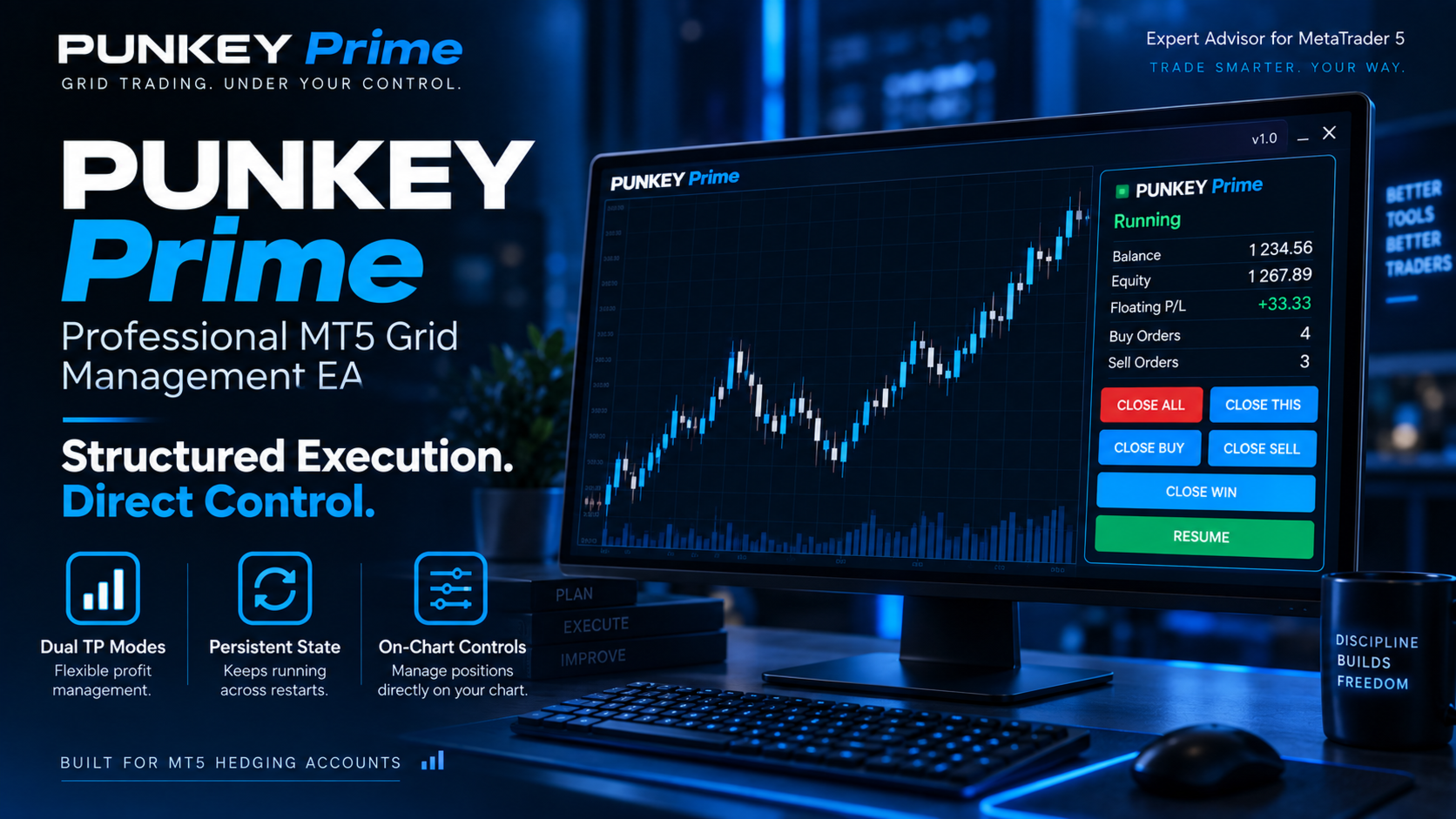
PUNKEY Prime is an MT5 Expert Advisor designed for traders who want a simple way to control grid trading, monitor closed lots, and manage positions directly from the chart.
You do not need programming knowledge to use it.
The main idea is simple:
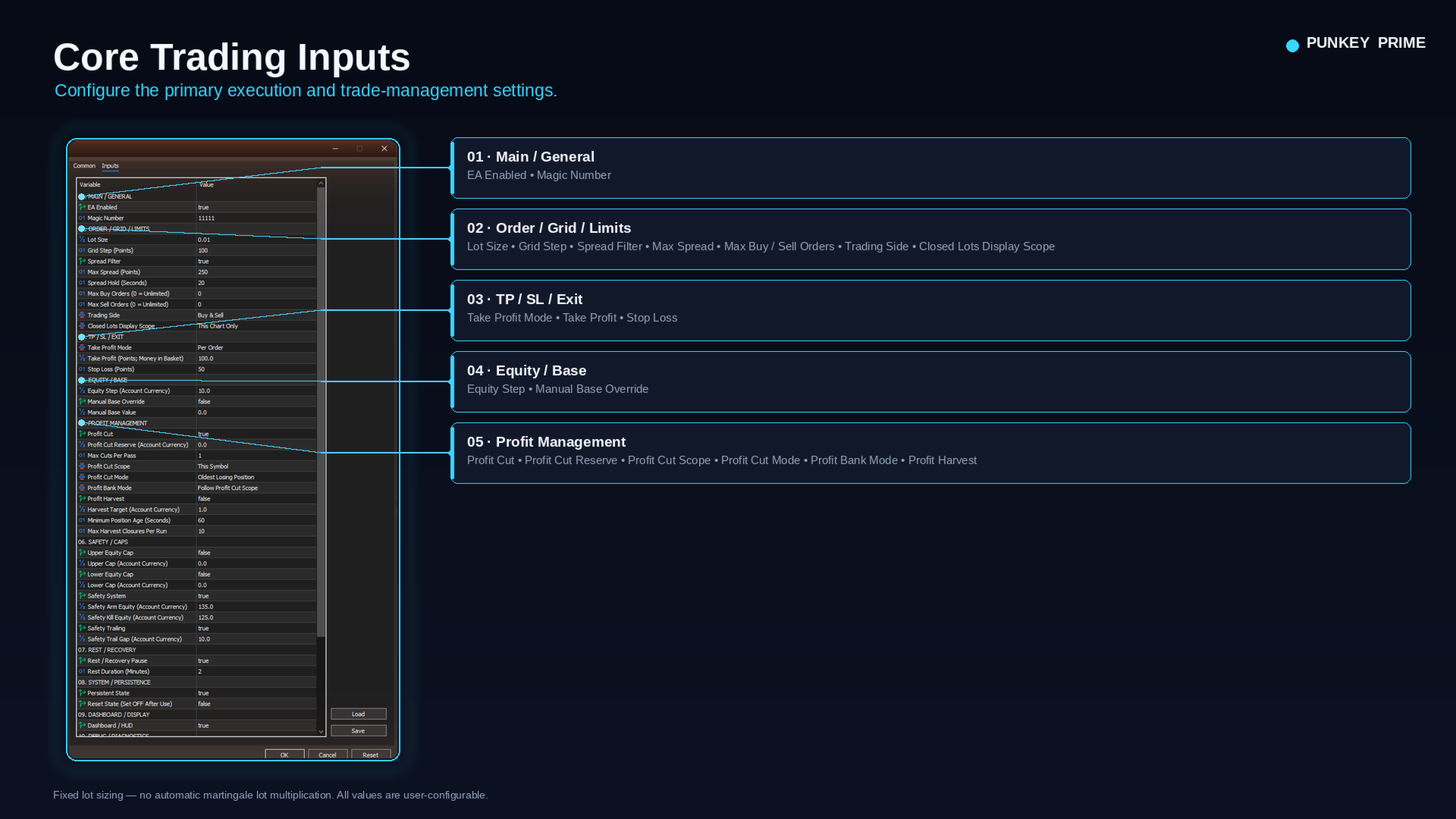
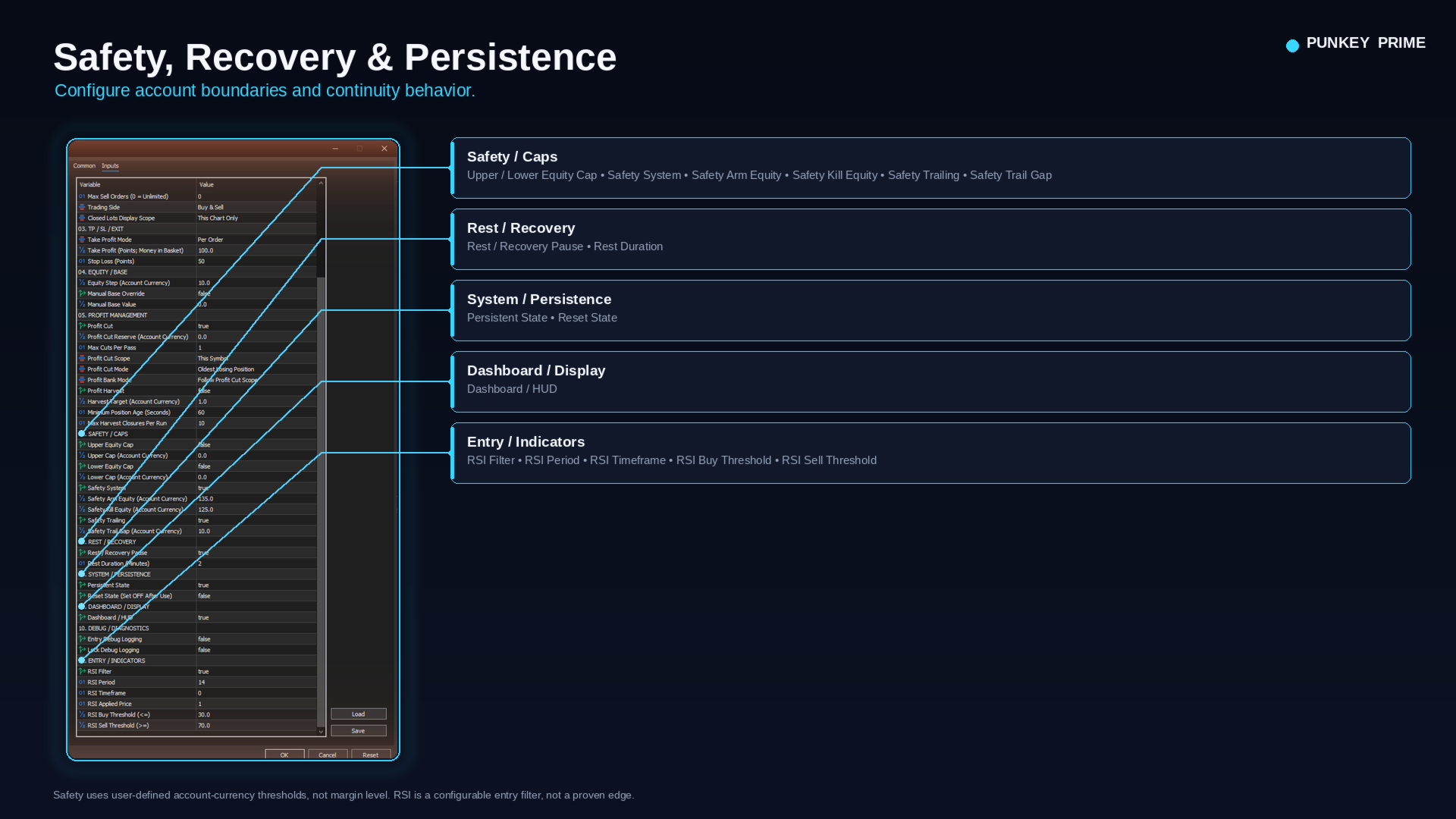
- You choose the lot size
- You choose how far apart trades can open
- You choose how many BUY and SELL positions are allowed
- You choose how trades take profit
- You can monitor important account values directly on the chart
- You can close positions with dashboard buttons
- The EA can remember important management state after MT5 restarts
PUNKEY Prime is especially useful for traders who monitor trading volume, lots, rebate, cashback, or IB volume, because the dashboard can show how many lots were closed Today and Yesterday.
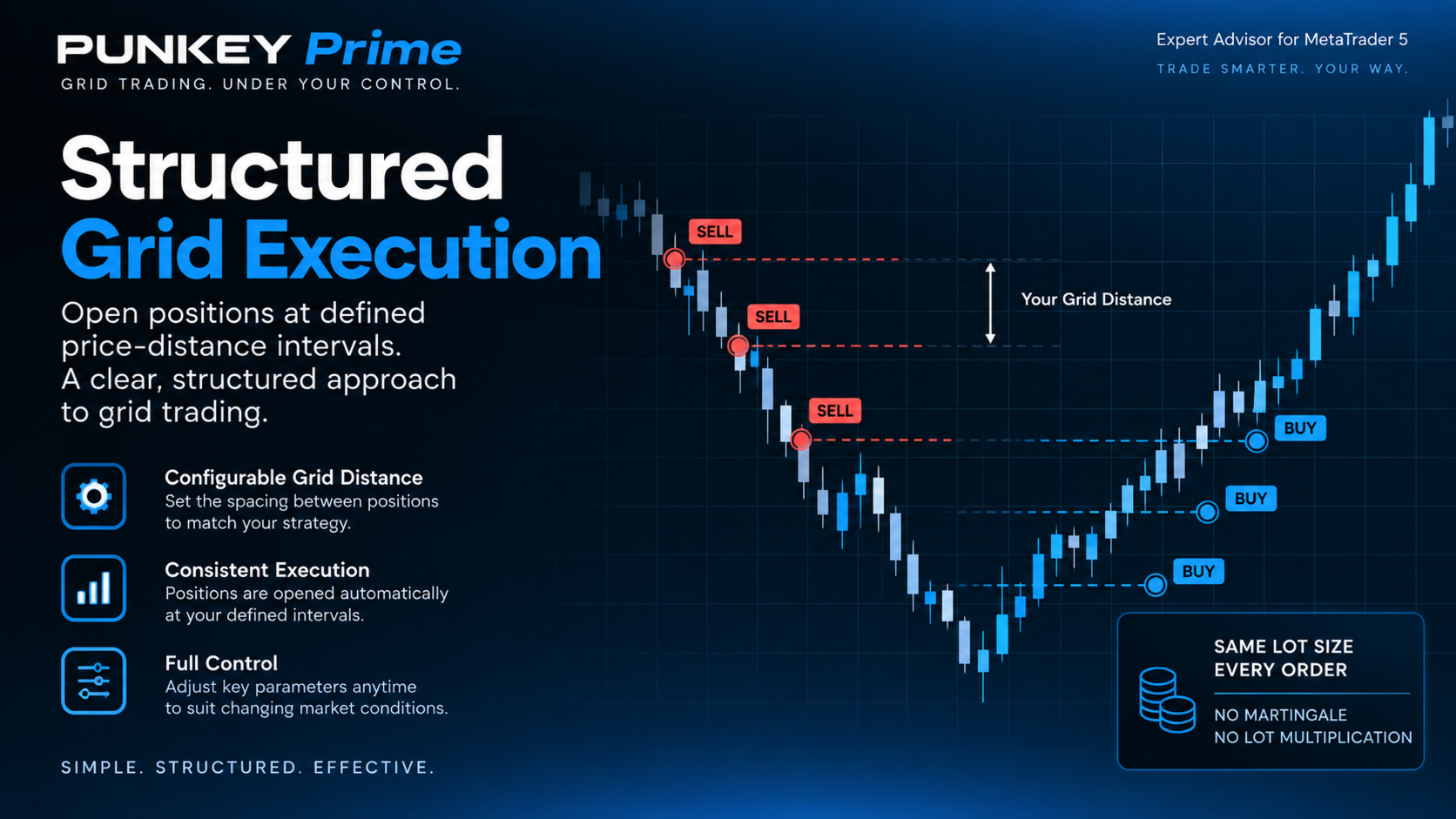
FIXED LOT — NO AUTOMATIC MARTINGALE MULTIPLICATION
Every trade uses the fixed lot size you choose.
Example:
If:
Lot = 0.01
each new position is opened at 0.01 lot.
PUNKEY Prime does not automatically increase lot size after a loss.
There is no hidden doubling or automatic Martingale lot progression.
CONTROL HOW CLOSE GRID TRADES CAN OPEN
The Step input controls the minimum distance between same-side grid positions.
Example:
Step = 100
means another BUY position must satisfy the configured 100-point distance from existing BUY positions before the distance rule allows a new BUY.
Smaller Step values can create more frequent trading activity.
Larger Step values create wider spacing and generally slower position accumulation.
For volume/rebate traders, Step is one of the main controls affecting trading activity.
However, tighter spacing can also increase spread cost, commission, open positions, and exposure.
SET SEPARATE BUY AND SELL LIMITS
You can control the maximum number of BUY and SELL positions separately.
Example:
MaxBuyOrders = 5
MaxSellOrders = 5
means the EA can hold up to 5 BUY and 5 SELL positions for the relevant symbol and Magic.
Important:
0 = Unlimited
It does not mean zero positions.
New users should review these limits carefully before live use.
CHOOSE THE TRADING DIRECTION
The Side input allows you to choose:
- No New Entries
- Buy Only
- Sell Only
- Buy & Sell
This gives you a simple way to control which directions the EA is allowed to open.
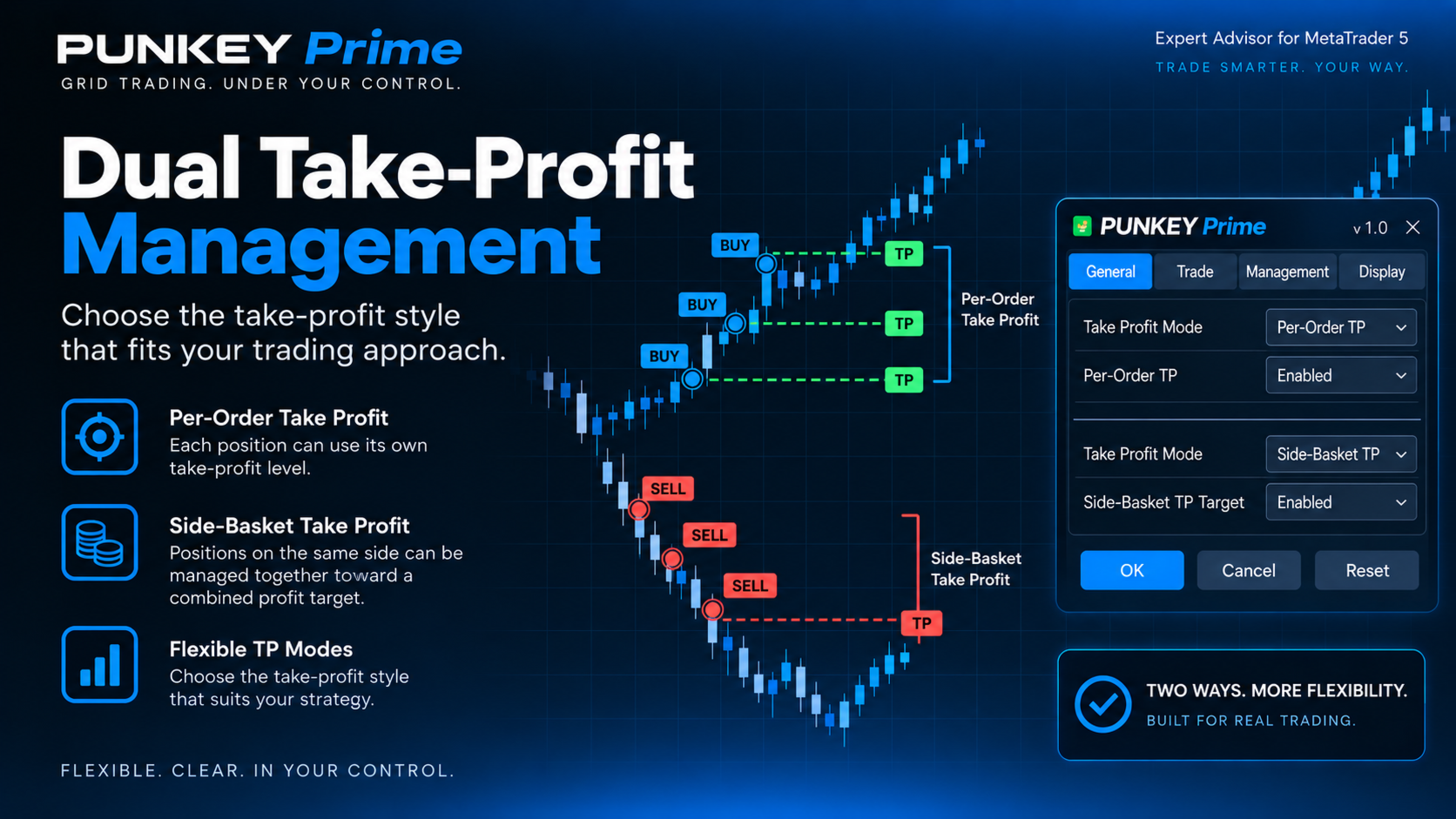
TWO TAKE-PROFIT STYLES
PUNKEY Prime offers two different ways to manage Take Profit.
Per-Order TP
Each position has its own Take Profit and closes independently.
Example:
You have 4 BUY positions.
Each position can close separately when its own TP target is reached.
Side-Basket TP
All BUY positions or all SELL positions can be managed as one basket.
When the combined floating profit of that side reaches the configured target, the side basket can close together.
Important:
In Side-Basket TP, the TP value is a money amount in account currency, not a point distance.
PER-ORDER STOP LOSS
PUNKEY Prime can place a real broker-side Stop Loss on individual positions.
The SL value is set in points.
A smaller SL closes losing trades sooner.
A larger SL gives positions more room before being stopped.
If SL is disabled, that position does not have this per-order stop protection.
SPREAD FILTER
PUNKEY Prime can block new entries when spread conditions are too expensive.
The main settings are:
MaxSpread_On
Turns the spread filter on or off.
MaxSpread_Pt
Sets the maximum acceptable spread.
SpreadHold_Sec
Requires spread to stay acceptable for a defined number of seconds before a new entry is allowed.
This is useful because a brief one-second spread improvement may not represent stable trading conditions.
BASE — THE EA'S REFERENCE POINT
PUNKEY Prime uses an internal value called Base.
Think of Base as a reference number the EA remembers for account-management functions.
Base itself does not open or close trades.
It is used by other management tools to compare current account conditions against a stable reference.
Do not confuse:
- Balance = result of completed trades
- Equity = Balance plus current floating profit/loss
- Base = PUNKEY Prime's stored management reference
EQSTEP — OPTIONAL CLOSE AND RESET CYCLE
EqStep can automatically close the applicable position book when Equity rises by a defined amount above Base.
Example:
Base = 1,000
EqStep = 50
When Equity reaches the required 1,050 level, EqStep can trigger its close-and-reset process.
After the close completes, Base can be re-anchored for the next cycle.
EqStep is optional and should be understood on demo before live use.
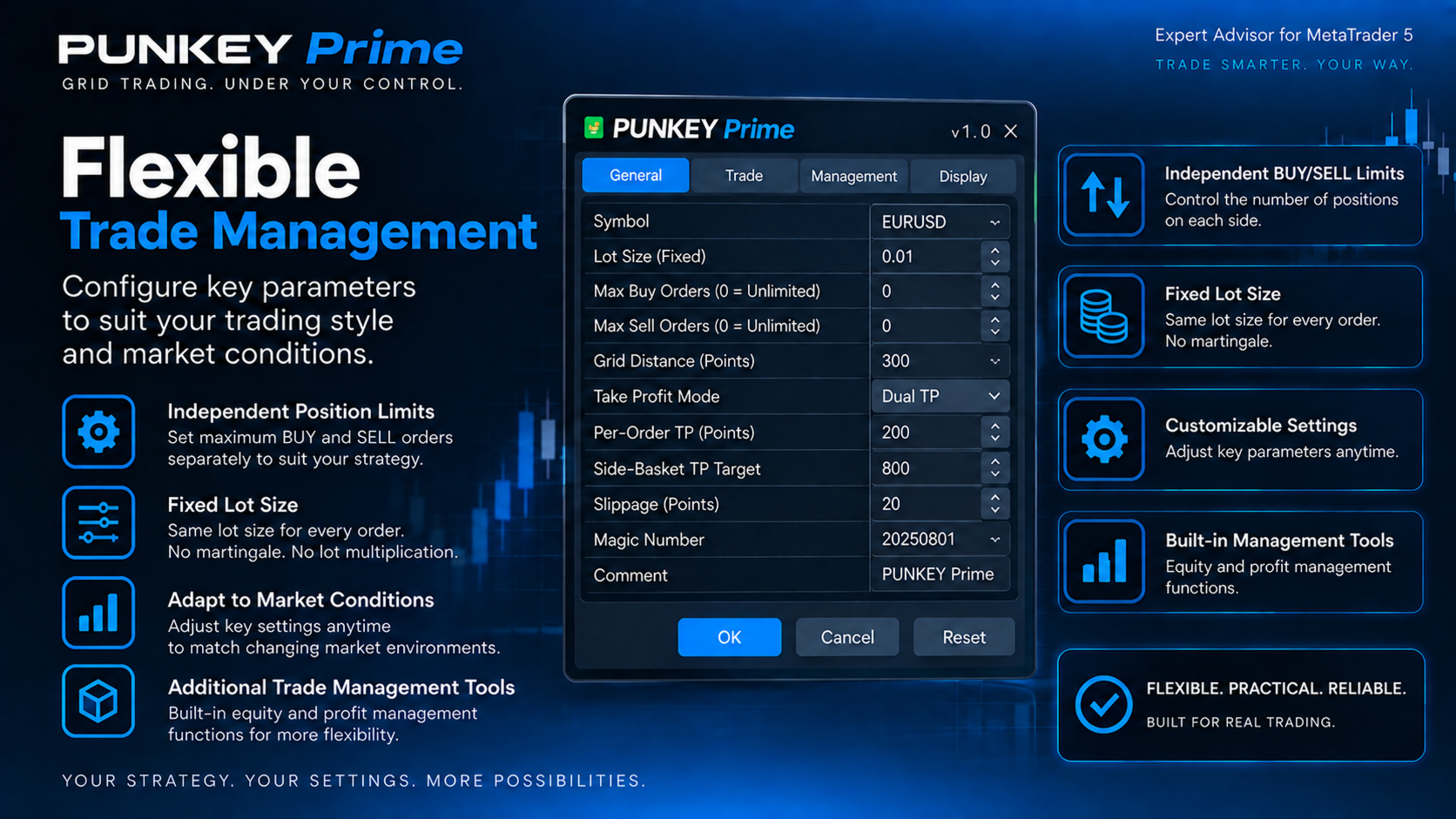
SAFETY — USER-DEFINED EQUITY TRIP-WIRE
Safety is an optional equity-based full-close system.
It uses:
- Arm
- Kill
- Optional trailing
- Gap
Simple example:
Arm = 1,100
Kill = 1,050
When Equity reaches 1,100, Safety becomes armed.
If Equity later falls to 1,050, Safety can trigger the full-close response.
Think of it as:
Arm = Start watching
Kill = Close when the armed condition falls to this level
Safety does not automatically calculate the correct risk level for your account.
It does not know your leverage, margin comfort, or broker stop-out level.
You choose the values.
PROFIT CUT
Profit Cut does not simply close profitable trades.
Its purpose is to use available funded surplus, according to its rules, to close losing positions.
You can choose the priority:
- Oldest losing position
- Worst losing position
If the required surplus does not exist, Profit Cut does nothing.
PROFIT HARVEST
Profit Harvest is separate from Profit Cut.
It looks for qualifying profitable positions.
You can configure:
- Profit target
- Minimum position age
- Maximum positions closed per run
Example:
If the configured floating-profit target is reached and a position has been open long enough, Profit Harvest can begin closing eligible profitable positions.
REST / COOLDOWN
After certain major close events, PUNKEY Prime can temporarily pause new entries.
Example:
Rest_Min = 2
means the EA can wait approximately 2 minutes before allowing normal entry activity to resume.
This gives the system a short cooldown before rebuilding the grid.
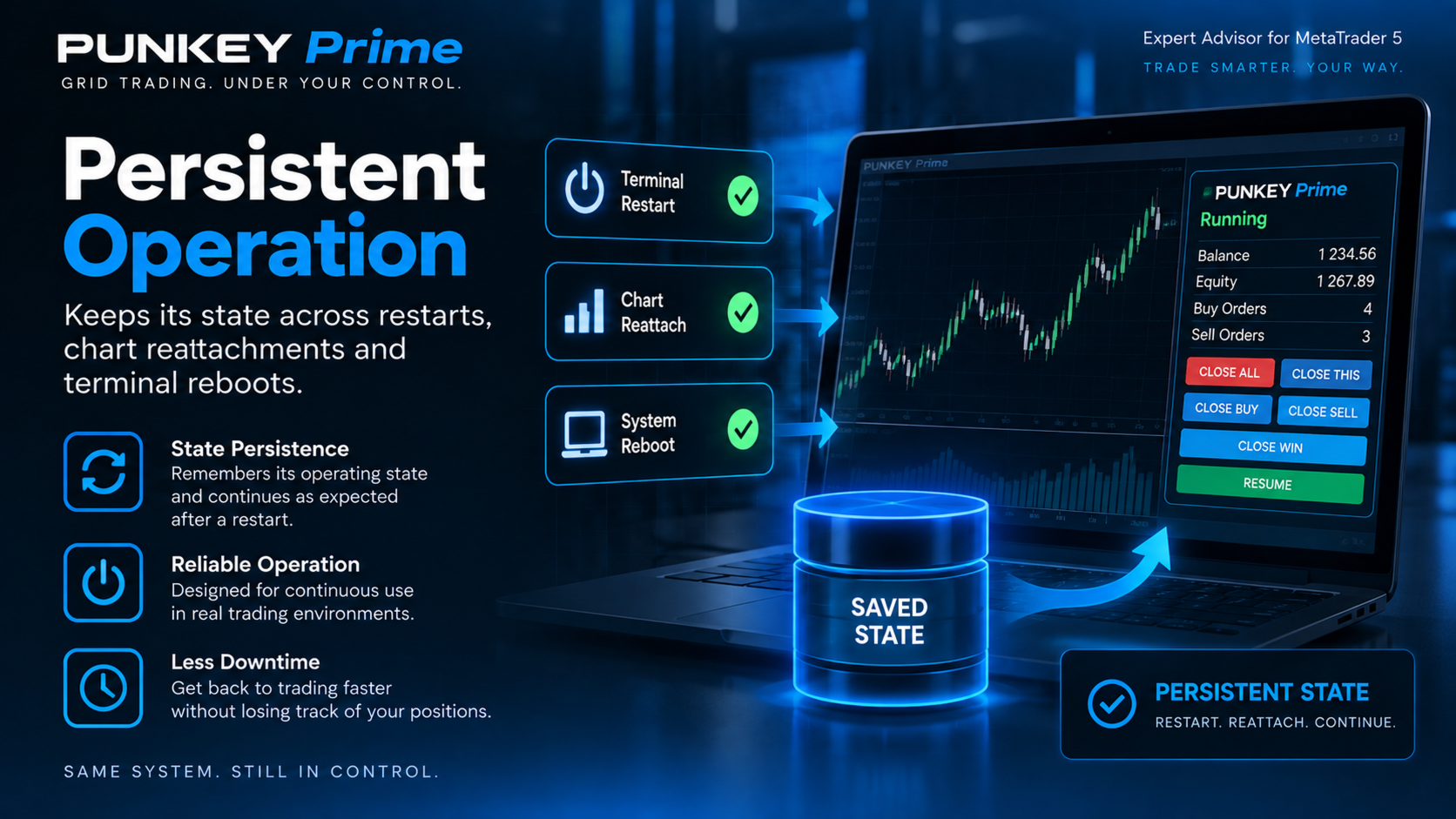
PERSISTENT STATE AND RESTART RECOVERY
PUNKEY Prime is designed to remember important management state.
When persistence is enabled, information such as Base, Safety state, caps, and rest state can survive:
- MT5 restart
- EA reattachment
- VPS reboot
For mass-close operations such as EqStep, Safety Kill, or CLOSE ALL, the EA also stores close intent so an interrupted close process can be detected and recovered after restart.
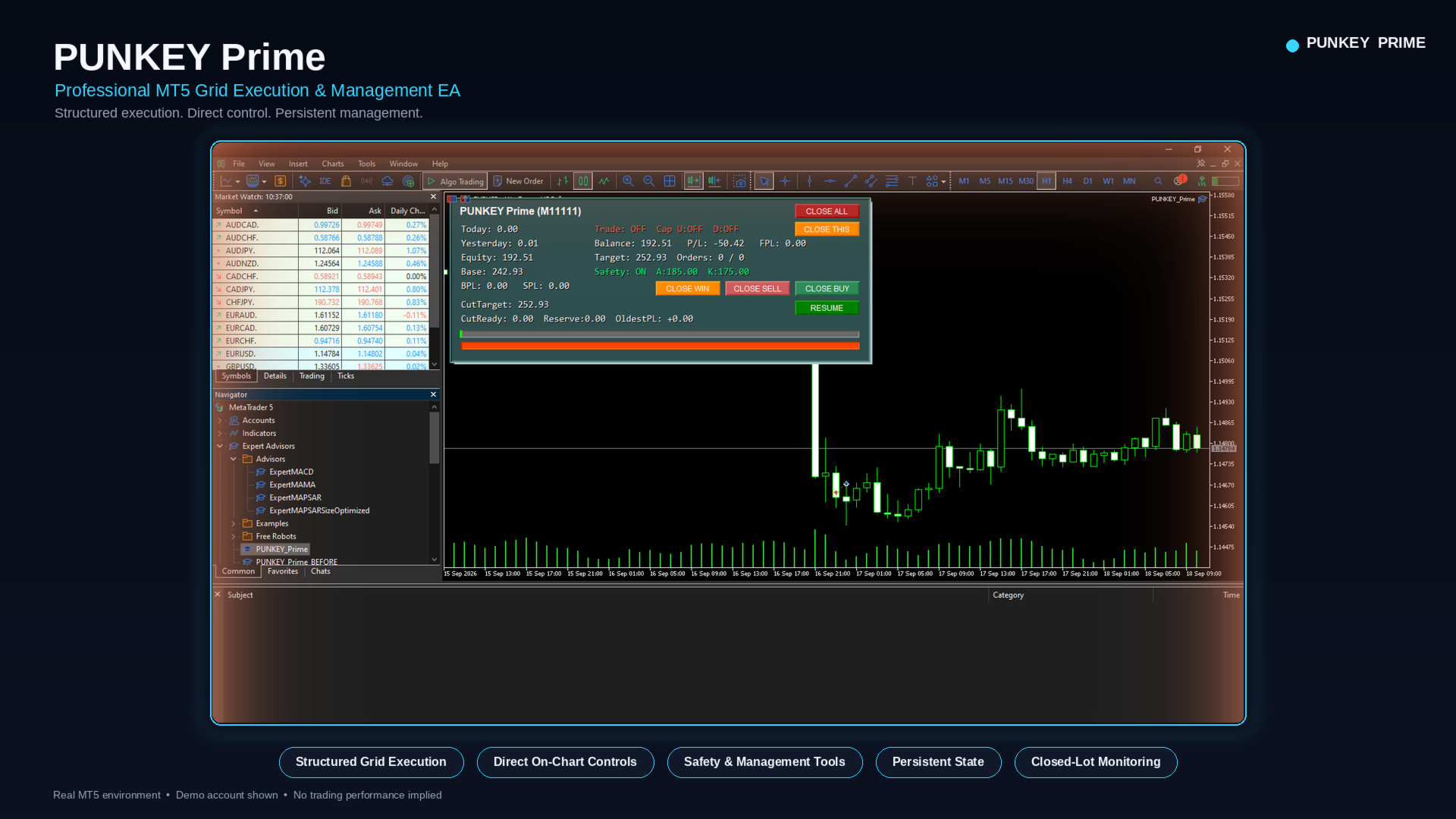
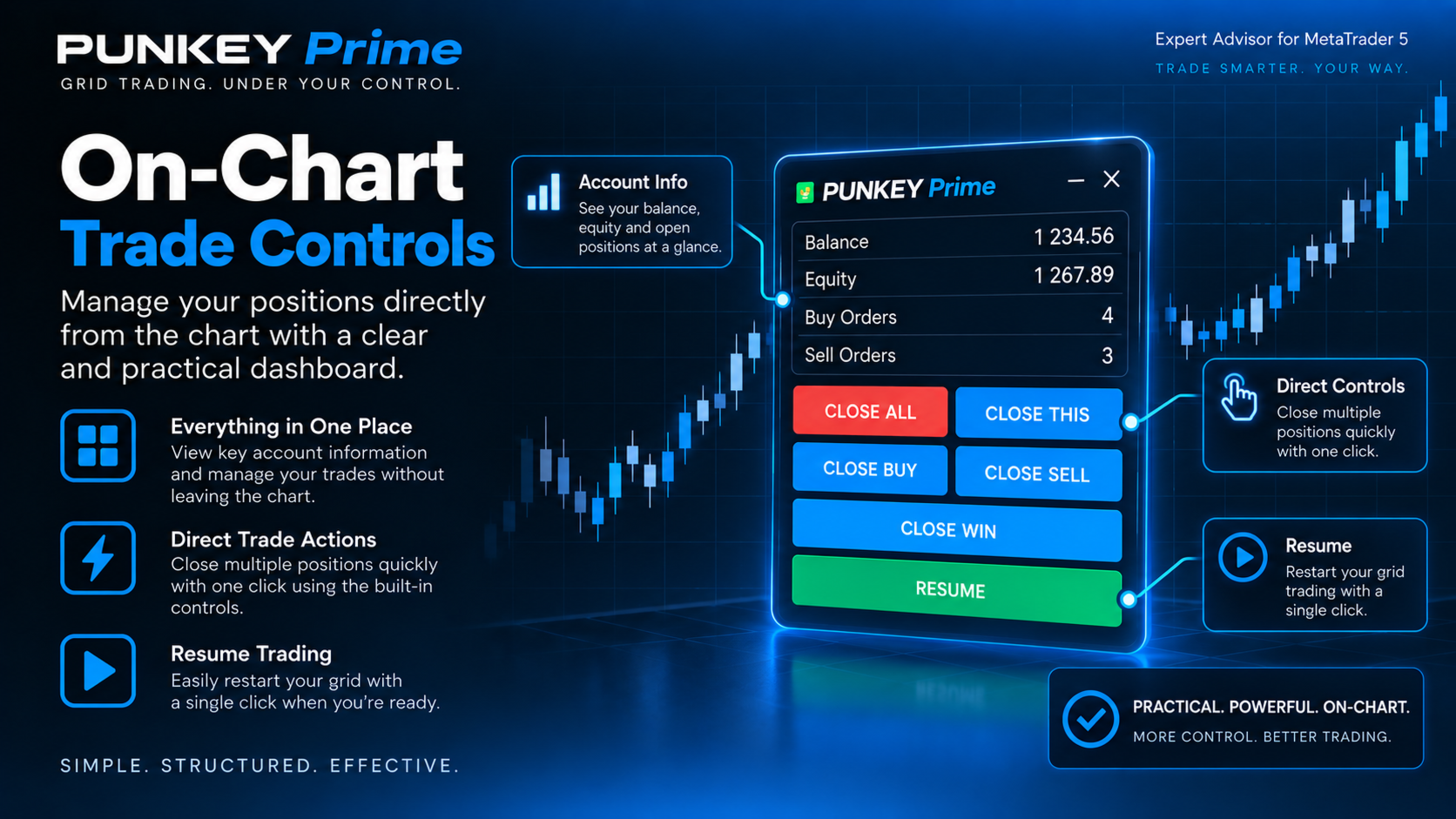
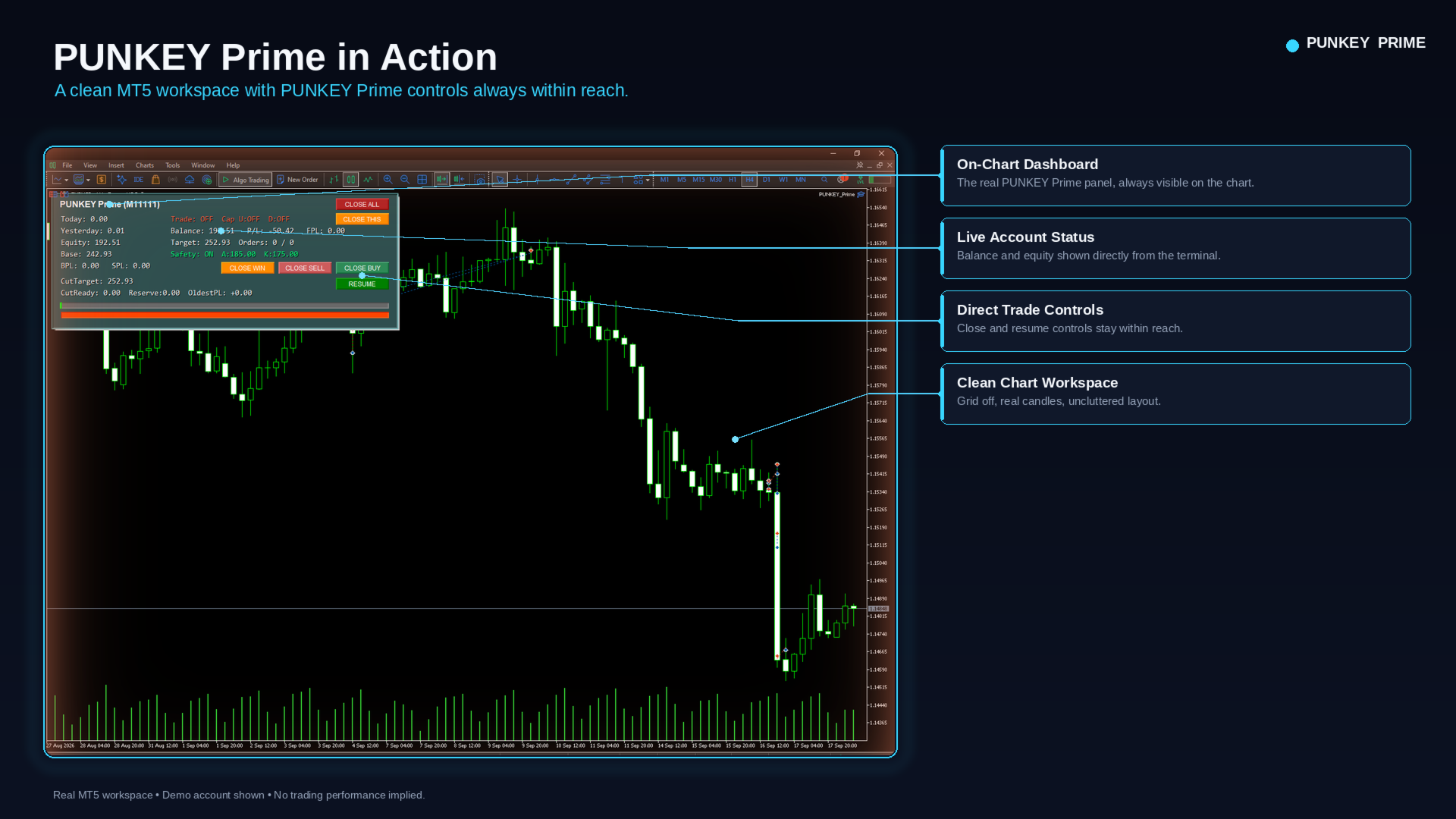
LIVE DASHBOARD
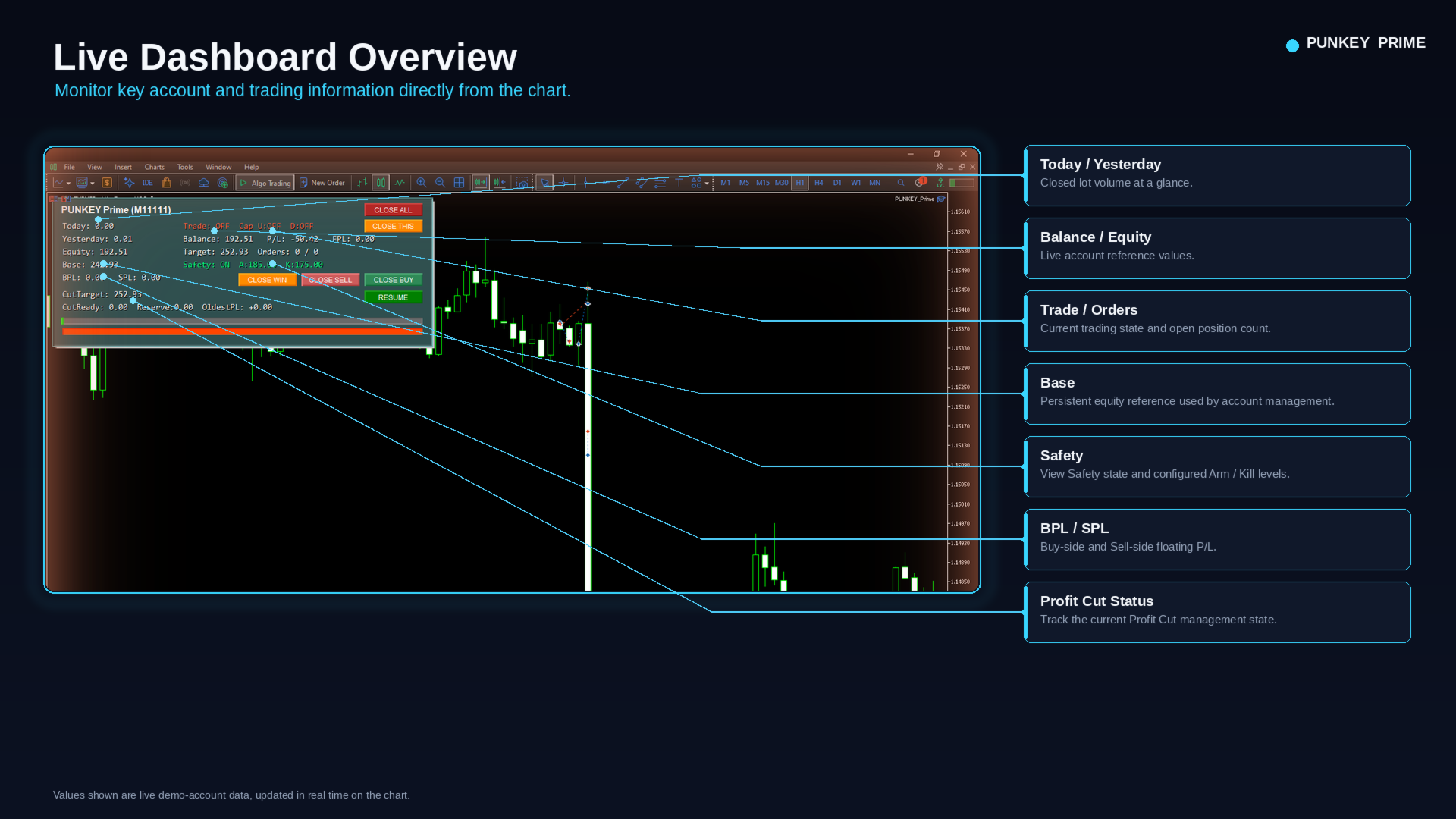
PUNKEY Prime includes an on-chart dashboard so you can see important information without constantly opening account history.
The dashboard can show values such as:
Today
The number of lots already closed today.
Example:
Today: 1.25
means 1.25 lots have been closed today.
It does not mean 1.25 lots are currently open.
Yesterday
The number of lots closed during the previous day.
Balance
Current account Balance.
Equity
Current account Equity, including floating profit/loss.
Base
The EA's stored management reference.
BPL
BUY-side floating Profit/Loss.
Example:
BPL: -12.50
means the BUY side is currently floating approximately -12.50 in account currency.
SPL
SELL-side floating Profit/Loss.
Safety
Shows the current Safety status and related information.
Profit Cut information
When Profit Cut is being used, the dashboard can also show information such as:
- CutTarget
- CutReady
- Reserve
- OldestPL
BUILT-IN CLOSED-LOT TRACKING FOR VOLUME / REBATE USERS
One of PUNKEY Prime's useful features for rebate and volume traders is live closed-lot tracking.
The dashboard shows:
Today
and
Yesterday
You can choose whether this reflects:
- This Chart Only
- All applicable charts under the same Magic
This allows you to monitor trading volume without manually calculating every closed trade from broker history.
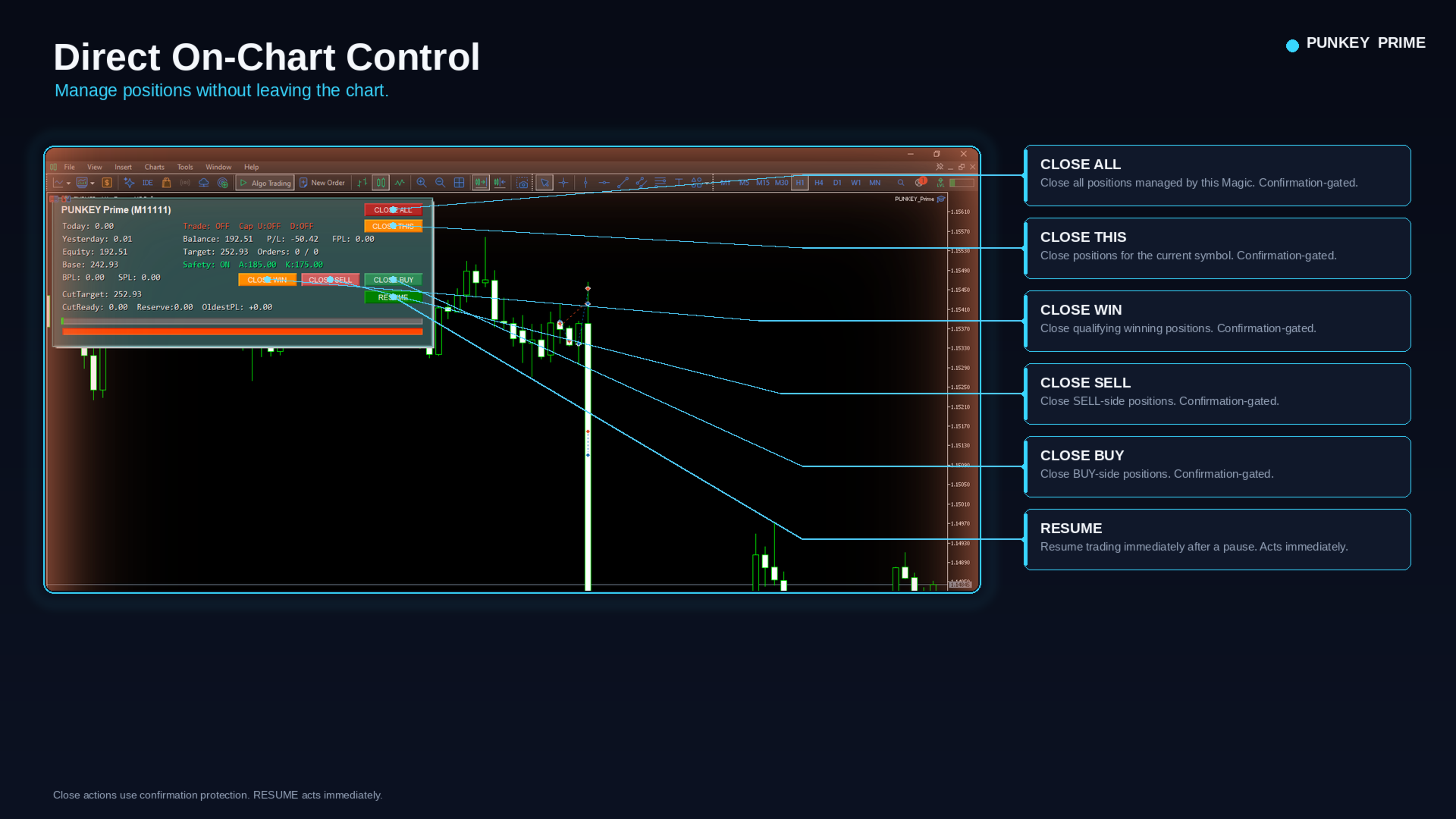
DIRECT ON-CHART CONTROL
PUNKEY Prime includes six dashboard actions:
CLOSE ALL
Close the full applicable position book.
CLOSE THIS
Close positions for the current chart symbol.
CLOSE BUY
Close BUY positions.
CLOSE SELL
Close SELL positions.
CLOSE WIN
Close qualifying profitable positions.
RESUME
Resume trading after a pause or rest state.
The five close actions require confirmation before execution.
RESUME acts immediately.
This helps reduce the risk of accidentally closing positions with one mistaken click.
RSI ENTRY FILTER
PUNKEY Prime can use RSI as an additional entry condition.
RSI is a configurable filter, not a guaranteed trading signal.
Main settings include:
RSI_On
Turns the RSI filter on or off.
RSI_Period
Controls how many candles are used in the RSI calculation.
RSI_TF
Controls the RSI timeframe. A value of 0 uses the current chart timeframe.
RSI_BuyMax
BUY entries can pass the RSI condition when RSI is at or below the configured level.
Example:
RSI_BuyMax = 30
RSI_SellMin
SELL entries can pass the RSI condition when RSI is at or above the configured level.
Example:
RSI_SellMin = 70
Other entry conditions must still be satisfied.
A SIMPLE WAY TO START
If you are new to PUNKEY Prime, do not change every input immediately.
Start with the main settings:
- Lot
- Step
- MaxBuyOrders
- MaxSellOrders
- TP Mode
- TP
- Spread Filter
- Dashboard
- RSI Filter
Then learn the advanced tools separately:
- Base
- EqStep
- Safety
- Profit Cut
- Profit Harvest
- Caps
- Persistence
Change only one major setting at a time during testing so you can clearly see what effect it has.
VOLUME / REBATE USE
PUNKEY Prime provides several settings that can affect trading volume.
Lot
Larger Lot = more volume per trade, but also more exposure.
Step
Smaller Step can allow trades to build closer together, increasing trading activity and costs.
Position Limits
Higher MaxBuyOrders / MaxSellOrders allow more positions to accumulate.
RSI Filter
More restrictive RSI conditions can reduce entry frequency.
Rest
A shorter cooldown allows trading activity to resume sooner after qualifying close events.
Important:
More trading volume does not automatically mean better net rebate results.
Higher trading activity can also mean:
- More spread cost
- More commission
- More exposure
- More drawdown
- More swap where applicable
The final result depends on your broker costs, rebate arrangement, market movement, and configuration.
IMPORTANT BEGINNER NOTES
- MaxBuyOrders = 0 means Unlimited
- MaxSellOrders = 0 means Unlimited
- Lot is fixed; PUNKEY Prime does not automatically multiply lots
- Basket TP uses a money target, not points
- Safety uses user-defined currency levels
- Safety is not margin-aware
- Advanced management tools are optional
- RSI is a filter, not a guaranteed trading edge
- Always test your intended configuration on demo first
WHAT PUNKEY PRIME IS
PUNKEY Prime is a trading execution and management tool.
It gives you control over:
- Fixed lot size
- Grid spacing
- BUY and SELL position limits
- Trading direction
- Spread filtering
- Take Profit style
- Stop Loss
- Account-level management
- Safety thresholds
- Profit-management tools
- Persistent state
- Recovery after interruption
- Daily closed-lot monitoring
- Direct chart controls
WHAT PUNKEY PRIME IS NOT
PUNKEY Prime is not a promise of profit.
It does not predict the market.
No configuration removes trading risk.
Grid trading can hold multiple positions at the same time, so total exposure can become significant.
Always test on a demo account before using real funds.
PUNKEY Prime
Structured execution. Clear control. Live volume visibility. Persistent management.