Edge Analyser
- Утилиты
- Версия: 5.20

Edge Analyzer — Multi-EA Performance Truth
Find out which of your Expert Advisors actually has a statistical edge — and which one is just noise. Reads your real trade history, groups it by EA, and gives you an honest verdict.
Which of your EAs is actually making money?
You're running several Expert Advisors. Your account moved this month — but which EA earned it? Which one is quietly bleeding? And that impressive win rate on your favourite bot: is it an edge, or a lucky streak that's about to end?
Most traders never find out. They judge systems by the last few trades they happened to notice, and by how those trades felt.
Edge Analyzer answers the question with math.
What it does
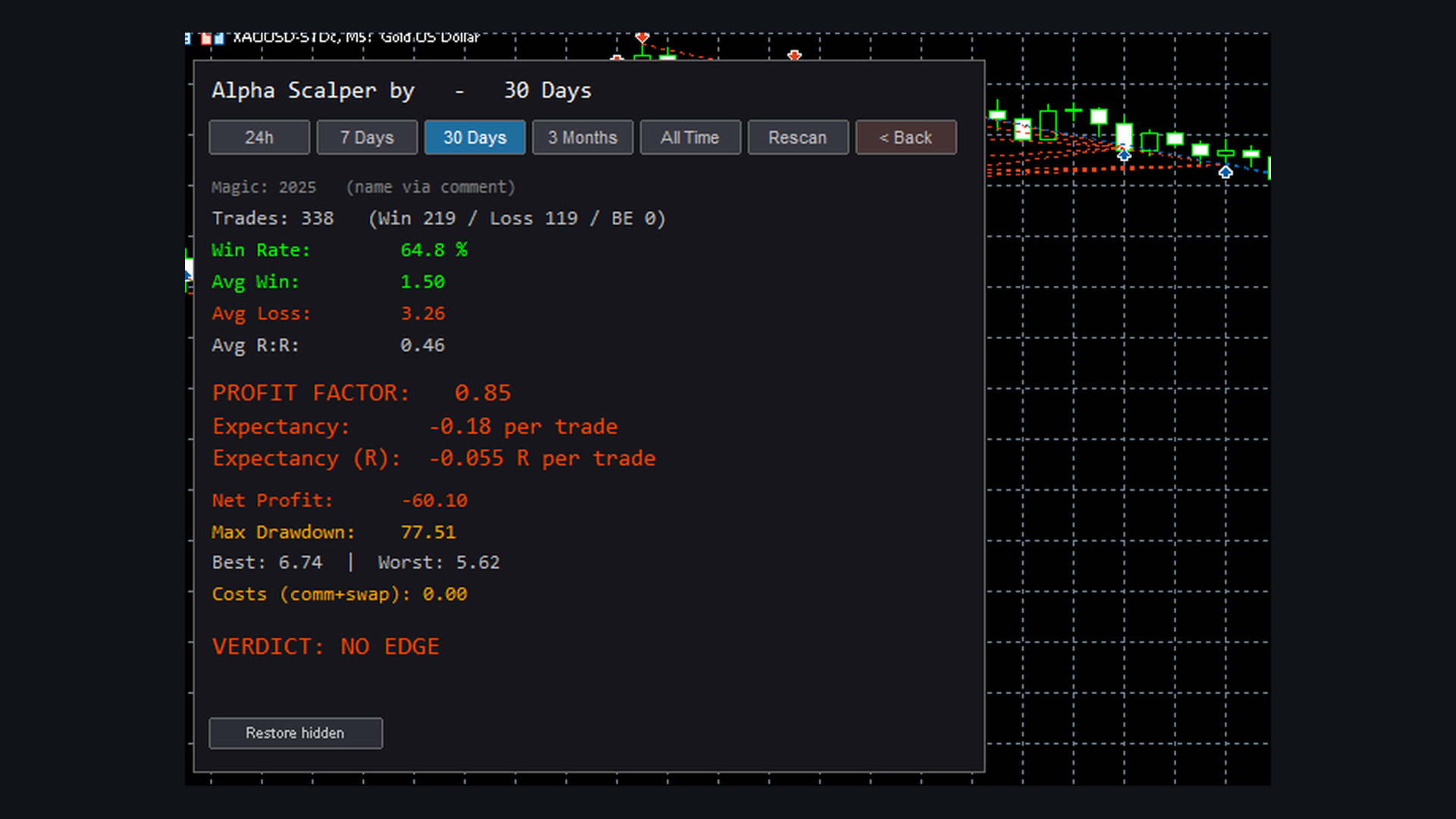
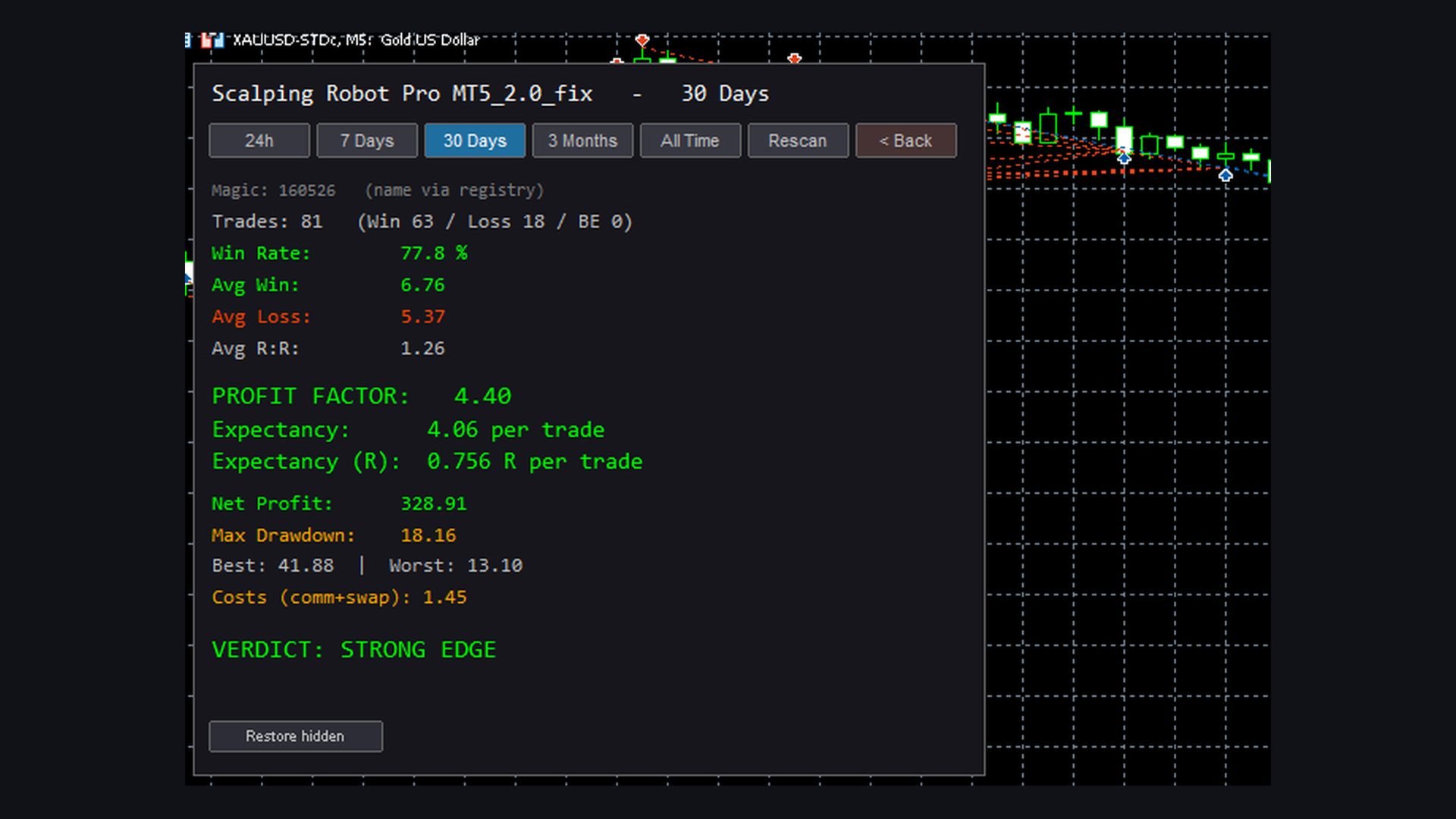
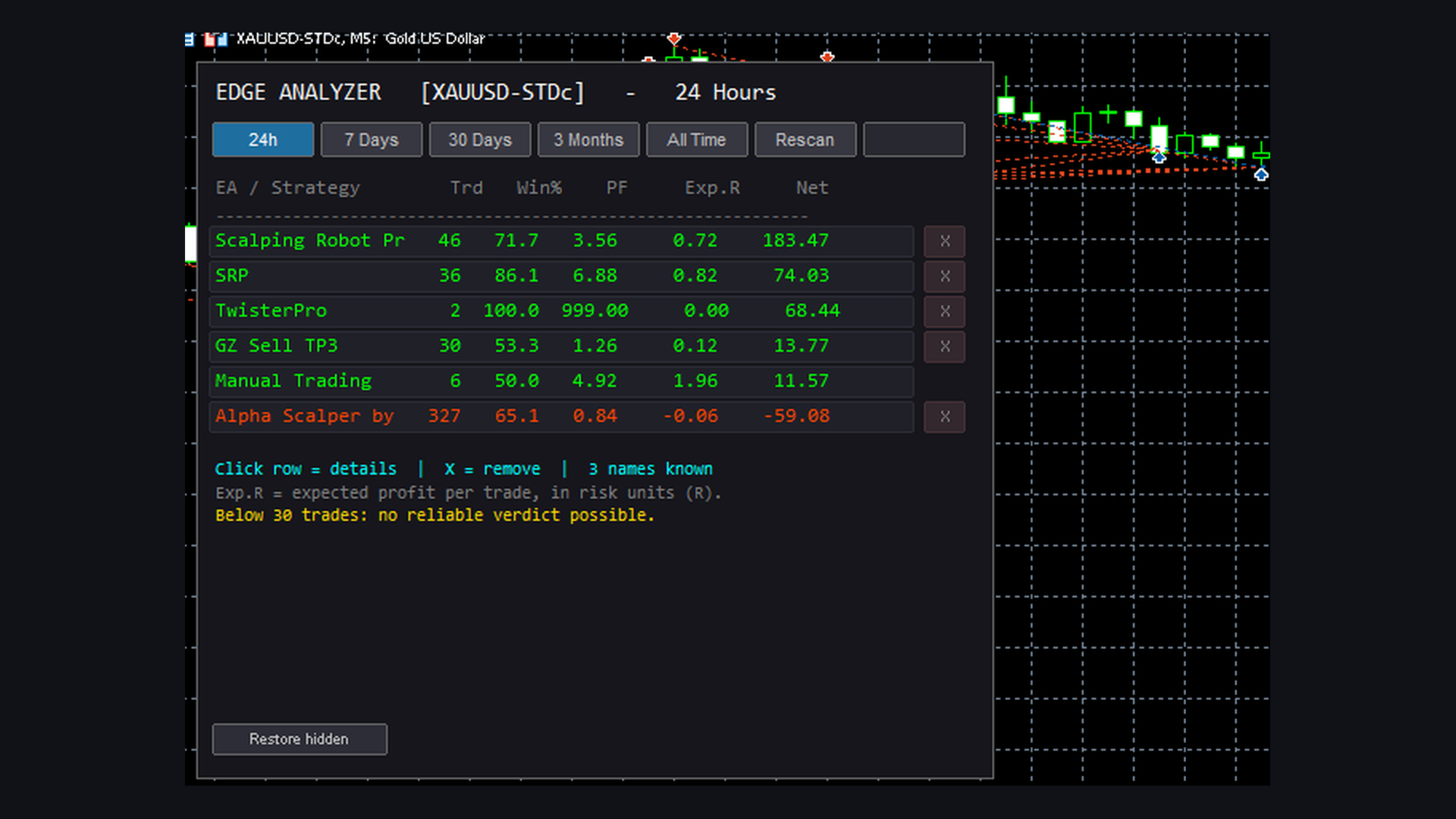
It reads your actual closed trade history — not simulated signals, not optimised backtests — and calculates the real statistical performance of every EA on your account, grouped automatically by Magic Number.
For each EA you get:
- Profit Factor — gross profit divided by gross loss
- Expectancy (R) — what you earn per trade, measured in risk units
- Win Rate and Average R:R — and whether they actually add up
- Maximum Drawdown of the trade equity curve
- Real costs — commission and swap, itemised separately
Every figure is net after costs. Spread, commission and swap are already baked into your closed deals — nothing to assume, nothing to fudge.
The verdict
The panel doesn't just show numbers. It tells you what they mean:
| Verdict | Meaning |
|---|---|
| STRONG EDGE | Profit Factor ≥ 1.5, positive expectancy |
| WEAK EDGE | Profit Factor ≥ 1.15 |
| MARGINAL | Barely above break-even — could be chance |
| NO EDGE | Losing money over time |
| INSUFFICIENT DATA | Not enough trades to say anything |
That last one matters more than the rest. Below your chosen minimum trade count, Edge Analyzer refuses to give a verdict at all. Five winners in a row is not an edge — it's noise. Most tools will happily show you a Profit Factor of 3.0 from six trades. This one tells you it means nothing.
Zero setup — it finds your EAs by itself
No configuration files. No changes to your EAs. No mapping to maintain.
Edge Analyzer scans your open charts, identifies the EAs running on them, matches each one to its Magic Number, and stores the names permanently — so they stay readable even after you switch an EA off. Press Rescan whenever you add a new one.
Where a name can't be discovered, it falls back to deal comments, then to the magic number itself. Broker markers like [tp] and sl 2401.50 are filtered out automatically.
You can also map names manually if you prefer, and remove EAs you no longer care about with one click.
Analysis periods
One click switches the entire analysis:
24 Hours · 7 Days · 30 Days · 3 Months · All Time
Check today's damage, review the week, or judge a strategy over a full quarter. Click any EA for a complete breakdown.
Who this is for
- Traders running several EAs who need to know which ones carry the account
- Anyone about to scale up an EA and wanting proof before risking more capital
- Portfolio managers comparing strategies on identical, honest metrics
- Anyone tired of judging a system by how the last three trades felt
What this tool is not
It does not predict anything. It does not place trades. It will not tell you what to buy.
It measures what already happened, honestly, and shows you the result — including when that result is that your favourite EA has no edge at all. That's an uncomfortable answer, and it's exactly the one that saves accounts.
Settings
- Minimum trades for a reliable verdict (default 30)
- Current symbol or all symbols
- Include or exclude manual trades
- Fixed risk per trade, or auto-derived from your average loss
- Optional manual name mapping
Attach to any chart. Works immediately. No configuration required.