Pro Trade Panel Preview
- Утилиты
- Версия: 1.1
Pro Trading Panel Lite is a clean, professional trading panel built for traders who want fast, risk-controlled trade execution directly from the chart — no input fields to type into, no manual lot calculations, no switching between windows.
Drop it on any chart, drag your SL and TP lines to where you want them, and click Buy or Sell. The lot size is calculated automatically from your defined risk percentage. That's it.
This is the free Lite edition. The full Pro Trading Panel is available separately with an extended feature set covering pending orders, grid trading, automated trade management, and prop firm monitoring — all described at the bottom of this page.
You can purchase the full version here: https://www.mql5.com/en/market/product/181399
How It Works
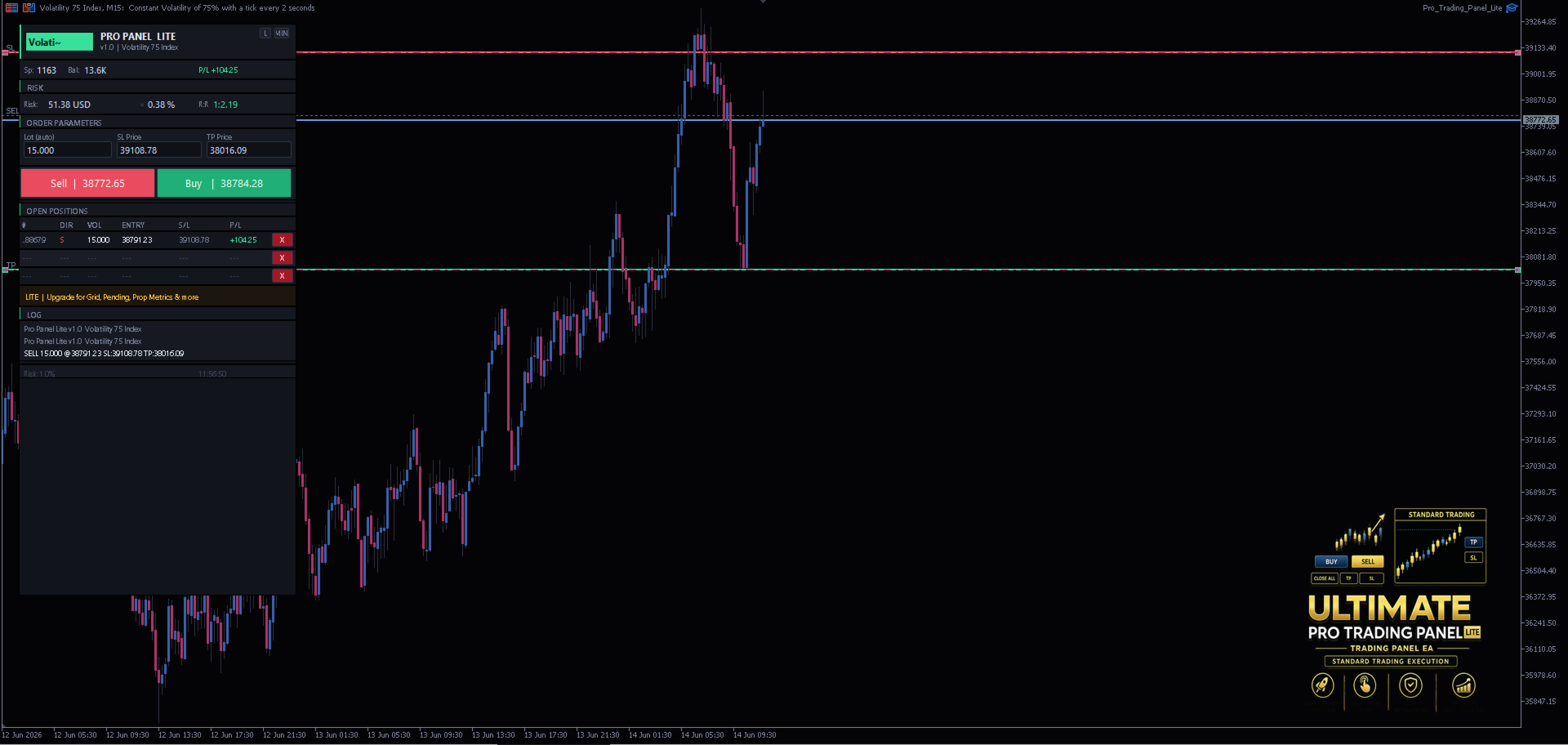
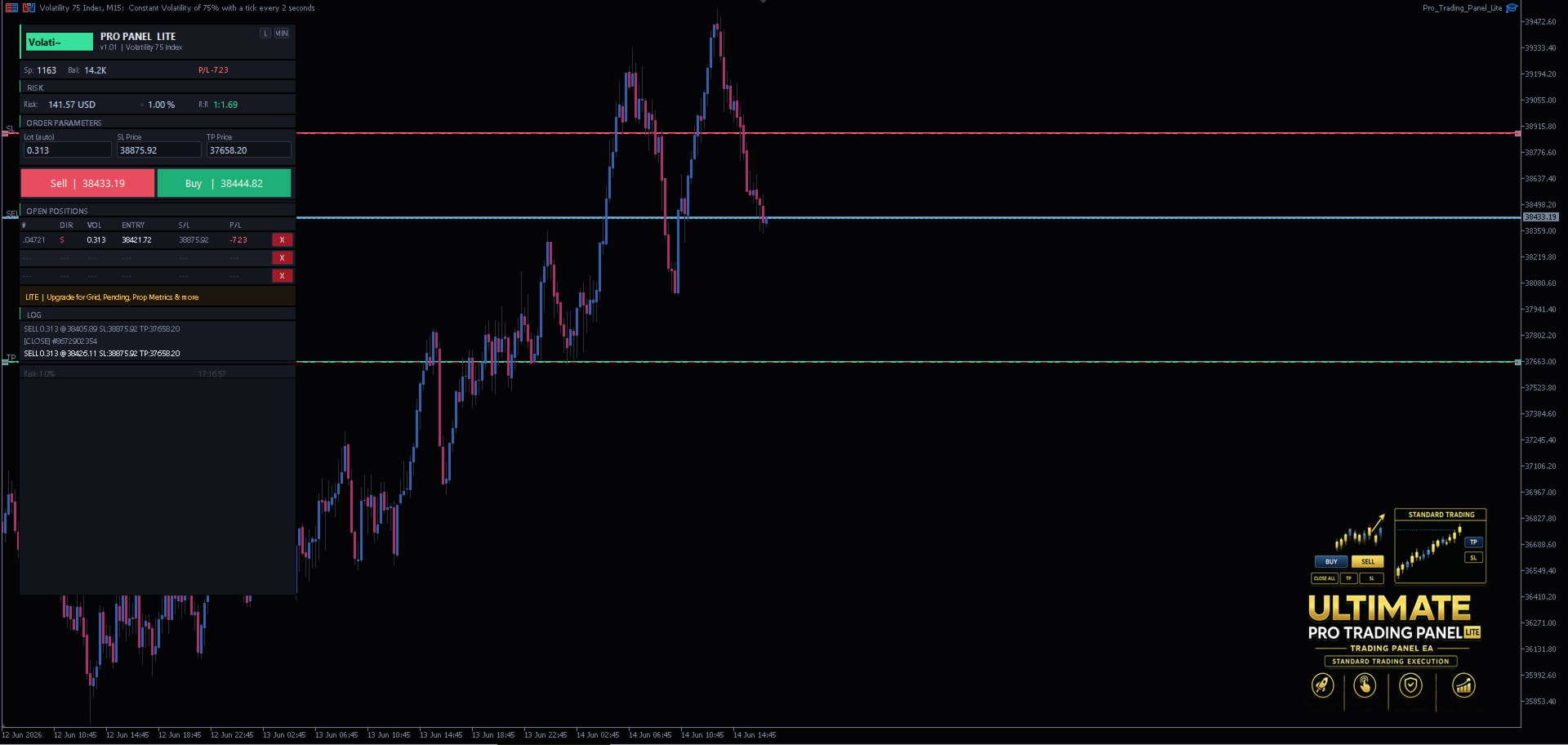
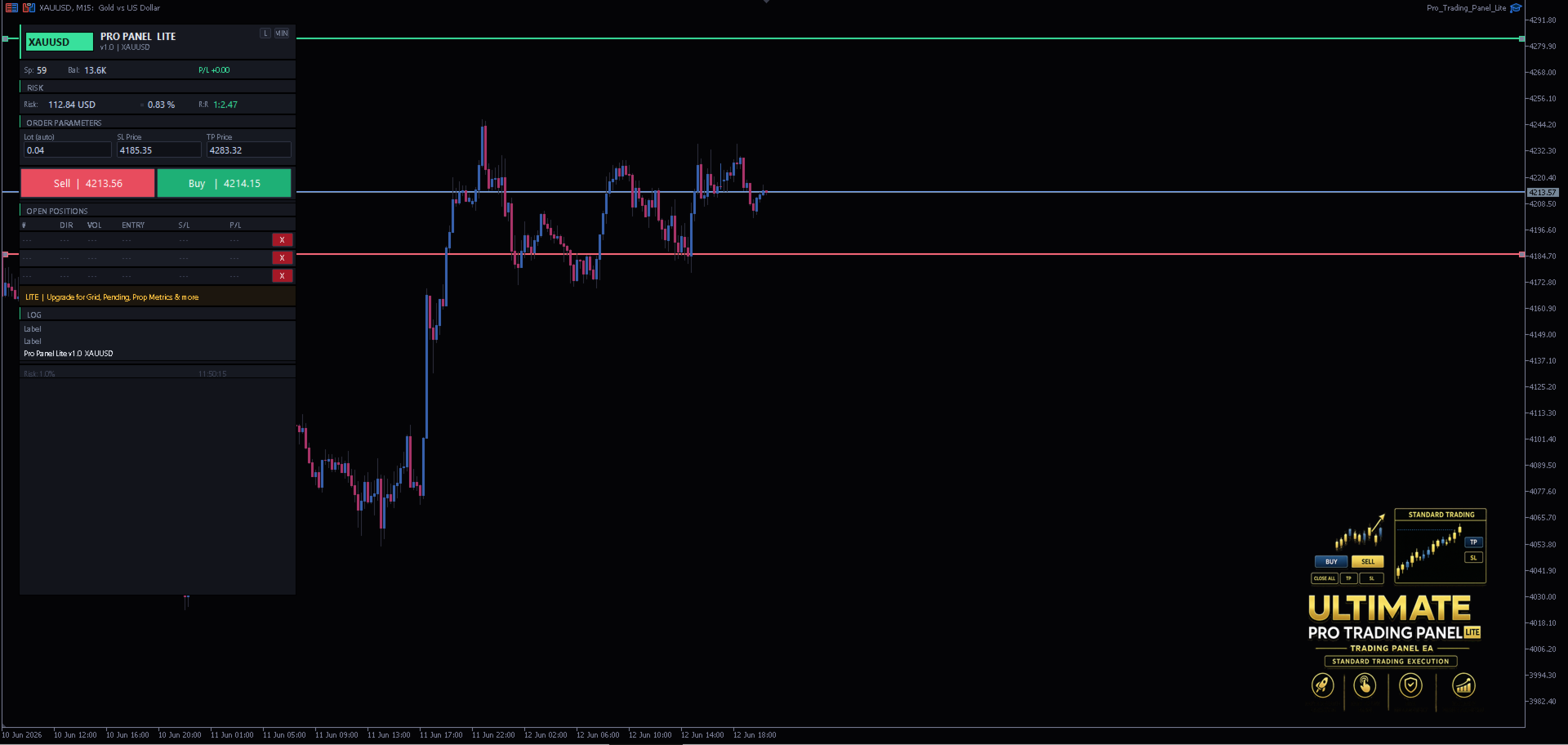
When the EA loads, three horizontal lines appear on the chart:
- ENTRY (blue) — your intended entry price, follows the market automatically when you have no open positions
- STOP LOSS (red) — drag to where your invalidation level is
- TAKE PROFIT (green) — drag to your target
The panel reads the distance between the Entry and SL lines, calculates the correct lot size for your chosen risk percentage, and displays the result in the Lot (auto) field. The SL and TP prices update live in the order parameters section as you drag.
When you are ready, press Buy or Sell. The order fires at market with the SL and TP values taken directly from the lines.
Panel Layout
Status ribbon — live spread (turns amber when the spread filter is breached), account balance, and running P/L for open positions on the current symbol.
Risk section — shows the calculated risk in USD and as a percentage of balance, plus the current R:R ratio of your SL/TP setup. The R:R value is colour-coded: green when above 1.5, amber between 1.0 and 1.5, red below 1.0.
Order Parameters — three read-only fields showing the auto-calculated lot size, SL price, and TP price derived from the chart lines. Everything updates in real time as you drag.
Buy / Sell buttons — large, colour-coded buttons showing the live bid/ask price. The buttons turn dark red when the spread exceeds the configured limit, blocking execution until the spread normalises.
Open Positions table — shows up to 3 open positions on the current symbol with ticket, direction, volume, entry price, stop loss, and P/L. Each row has an X button to close that position individually.
Log — a 3-line rolling trade log showing the most recent actions.
Notes
- Works on all symbols and timeframes
- Lot size is recalculated on every tick — if you drag the SL line closer or further, the lot size updates immediately before you execute
- The three chart lines follow the market price automatically when you have no open positions, so you are always starting from a sensible baseline
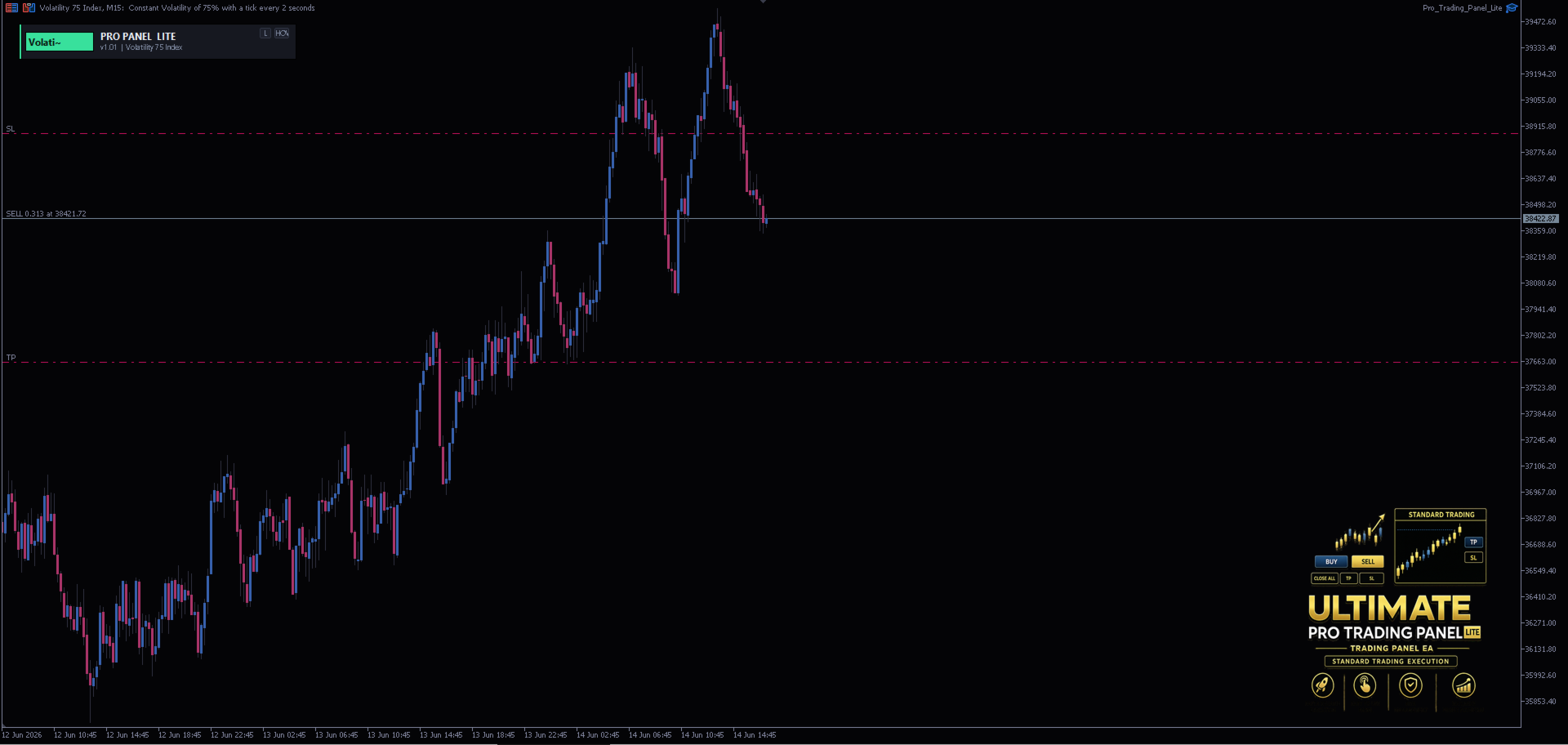
- Panel can be minimised to just the title bar to keep your chart clean
- Dark and Light themes available, toggleable at runtime without reloading
- The Lite edition does not save state between sessions — the SL/TP lines reset on each attach
Upgrade to Pro Trading Panel
The full Pro Trading Panel expands on every aspect of the Lite edition and adds four complete tabs of functionality.
Lot Sizing
The Lite edition supports % risk only. The full version adds:
- Fixed lot — specify an exact lot size
- Risk in money — size by a fixed dollar/currency amount rather than a percentage
- Balance or Equity — choose which figure the percentage is applied against
- Max lots per click — configurable safety cap
Trade Tab — Additional Features
- Adjustable R:R ratio — set your reward-to-risk multiple with +/− buttons; the TP line repositions automatically
- Auto SL/TP from R:R — snap the SL and TP lines to a precise ratio relative to current price in one click
- Lot Calc button — recalculate and display the lot size at any time without executing
- Lines toggle — hide or show the pre-trade SL/TP/Entry lines without removing them
- Trade comment field — attach a custom comment to every order

- Pending orders — Stop and Limit order buttons alongside Buy and Sell, placed at the Entry line price
- OCO bracket — places a Buy Stop and Sell Stop simultaneously at a configurable distance either side of price; whichever fills first, the other is cancelled automatically
- OTO (One-Triggers-Other) — places a pending order; when it fills, a second bracket order fires automatically
- Multi-target TP — split a position across up to three take profit levels at configurable ratios
- Fn (Function) button — quick access to bracket and advanced order types from the trade tab
- R:R badge and visual display — colour-coded R:R ratio displayed prominently in the risk/reward card
- 5-row positions table — shows up to 5 open positions with per-row Breakeven and Close buttons
- Snap to corner — pin the panel to any corner of the chart; it repositions automatically when the chart is resized
- Panel nudge buttons — fine-position the panel with directional arrow buttons
Close Tab
A dedicated tab for managing and closing positions, not present in the Lite edition:
- Close All — close every open position on the current symbol with one click
- Close Profitable — close only positions currently in profit
- Close Losing — close only positions currently in drawdown
- Partial close — close a configurable percentage of a position (default 50%)
- Delete All Pending — cancel all pending orders on the symbol
- Breakeven — move the SL of all open positions to their entry price
- Trailing Stop — apply an ATR-based trailing stop to all open positions immediately from the Close tab
- Per-row management — each position row has individual Breakeven and Close buttons

Grid Tab
A full grid trading engine, not present in the Lite edition:
- Grid levels — configurable number of orders (default 5)
- ATR-based spacing — grid step calculated from ATR with adjustable multiplier, or fixed pip spacing
- Draggable reference line — place the GRID_Line on the chart and drag it to set the Level 1 price; all other levels calculate from it automatically
- Bidirectional / Buy Only / Sell Only — choose which side of the market the grid fires on
- Stop or Limit orders — toggle between grid of Stop orders or Limit orders
- Per-level SL and TP — optional ATR-spaced SL and TP applied to each grid level individually, with draggable preview lines shown on the chart before execution
- Grid TP line — a draggable line that sets a common TP price for all grid orders
- Grid SL line — a draggable line that sets a common SL for all grid orders
- ATR multiplier adjustment — fine-tune the ATR multiplier at runtime with +/− buttons without reloading
- Martingale lot scaling — optional multiplier applied to each successive grid level
- Average profit close — set a target average P/L across all grid positions; the engine closes all of them automatically when the target is reached
- Delete grid orders — cancel all pending grid orders with one click
- Close grid positions — close all filled grid positions with one click
- Grid preview lines — before executing, colour-coded horizontal lines show exactly where every order will be placed
Info Tab
A live monitoring dashboard, not present in the Lite edition:
Account section
- Balance, Equity, Free Margin, Margin Level
- Open P/L for the current symbol
Prop Firm Metrics section
- Daily drawdown — loss from midnight balance reset, in USD and %
- Overall drawdown — loss from balance at EA attach, in USD and %
- Equity drawdown — loss from session peak equity, in USD and %
- Daily P/L and overall P/L
- Per-symbol or all-symbols scope toggle
- Automatic daily reset at midnight with log entry
Symbol section
- Current spread, swap long/short, contract size, tick value, minimum lot, lot step
Active Lines section
- Live display of current Entry, SL, and TP prices with distance in pips and dollar values
Automated Trade Management
The full version runs continuous management logic on every tick, none of which is present in the Lite edition:
- ATR trailing stop — activates once price moves a configurable number of ATRs in profit; trails price at a defined ATR distance with a minimum step to avoid noise
- Breakeven automation — moves SL to entry once price reaches a configurable pip threshold
- Time-based close — automatically closes all positions at a specified server time
- OCO monitoring — watches both legs of an OCO bracket and cancels the unfilled side when one executes
- Pause after loss — blocks new orders for a configurable number of minutes after a losing trade closes
- Global exposure limit — blocks new orders when total margin usage exceeds a defined percentage
Additional Quality-of-Life Features
- Draggable live SL/TP lines — after a position opens, its SL and TP appear as draggable chart lines; drag them to modify the position in real time
- Rich line labels — every chart line displays pip distance, USD value, and R:R ratio as a floating label directly on the chart
- SL/TP zone shading — coloured rectangles highlight the risk and reward zones between entry and SL/TP
- State persistence — panel remembers its position, theme, and runtime settings between chart reloads
- Push notifications — optional mobile push notifications on trade open and close
- Trade confirmation dialog — optional confirm popup before execution showing full trade details
- Audio alerts — configurable sound files on open and close
- Martingale engine — standalone martingale mode with configurable multiplier and step limit, separate from the grid engine