Trade Risk Manager MT5

🚀 Introductory Launch Price – Only $49 USD (Limited Time!)**

*This special price is available for the first 30 days only. After that, the price will increase to $99 USD. Get it now!

🔥 Trade Risk Manager MT5 

Welcome to Trade Risk Manager MT5 – a simple but complete risk management tool that helps you trade smarter. It is not just an order panel. It helps you plan your trade, manage your risk, and control your positions without any complex calculations.

✅ Whether you are a beginner or an experienced trader, Trade Risk Manager MT5 works for you. It works on any market – forex, gold, indices, crypto, commodities.

🎯 With Trade Risk Manager MT5, you just drag lines on your chart to set your entry, stop loss, and take profit. You tell the EA your risk percentage, and it calculates the lot size for you automatically. It also shows you all the numbers in real time – in pips, points, or your account currency.


📌 Key Features


✅ Position Size Calculator – The EA calculates the right lot size instantly based on your stop loss distance and your risk percentage. You never need to guess.

✅ Easy Trade Planning – You plan your trade directly on the chart using draggable horizontal lines. No typing prices manually.

✅ Real-Time Display – The panel shows your stop loss and take profit in your account currency, pips, or points. Everything updates as you drag the lines.


⚙️ How to Use Trade Risk Manager MT5


1. Attach the EA to your chart and make sure Algo Trading is turned on (blue icon). The panel will appear at the top left corner.

2. Choose your order type by clicking one of the six buttons:
   - BUY – instant market buy
   - SELL – instant market sell
   - BUY STOP – pending buy above current price
   - SELL STOP – pending sell below current price
   - BUY LIMIT – pending buy below current price
   - SELL LIMIT – pending sell above current price

3. Drag the red Stop Loss line to where you want your risk level. The EA will immediately calculate the lot size and show you exactly how much money you will lose if your stop loss hits.

4. Drag the green Take Profit line to your target level. Or use the quick ratio buttons on the panel – 1:1, 1:2, 1:3, 1:5. For example, if your stop loss is 20 pips away and you click 1:3, the take profit will automatically move to 60 pips away.

5. Look at the panel. You will see the entry price, stop loss price, take profit price, distance in points, lot size, risk amount in dollars, and reward amount. All these numbers update as you drag the lines.

6. When you are ready, press the CONFIRM button. Your order will be sent to the broker with your stop loss and take profit included.

7. If you need to exit everything quickly, press the CLOSE ALL button. It closes all open positions and removes all pending orders for that chart instantly.

🛡️ Risk Management


- You set your risk percentage in the EA inputs (for example, 1.0 means one percent of your account balance). The EA makes sure you never lose more than that on any trade, no matter where you put your stop loss.

- The risk calculation works on any symbol. The EA uses your broker's own calculation to get the exact loss per lot.

- The panel shows your risk amount in real time before you open the trade. No surprises.

📊 R:R Ratio (Risk to Reward)

- The quick buttons on the panel let you set your take profit based on your stop loss distance.
- 1:1 means take profit is the same distance as your stop loss.
- 1:2 means take profit is twice the distance of your stop loss.
- 1:3 means take profit is three times the distance.
- 1:5 means take profit is five times the distance.
- This helps you keep a good risk-to-reward ratio on every trade without thinking too much.

🔢 Magic Number – What You Need to Know

- The Magic Number is just a label that the EA uses to mark its own orders. The default number is 999999.

- You do not need to change the Magic Number if you are using only one Trade Risk Manager EA on your MT5. Even if you put the same EA on ten different charts with the same Magic Number, it will still work fine. The EA knows which order belongs to which chart because it also looks at the symbol name.

- You only need to change the Magic Number when you have two different EAs running on the same chart. Then give each EA a different Magic Number so they do not touch each other's orders.

- For most traders, just leave it as 999999 and forget about it.


⚙️ Input Settings (What You Can Adjust)

Before you attach the EA, double click it in the Navigator and go to the Inputs tab. Here is what you can change:

- Risk Per Trade (%) – The percentage of your account balance you want to risk per trade. Default is 1.0.
- Default Risk:Reward Ratio – The initial TP/SL ratio when you first drag the stop loss. Default is 2.0 (which means 1:2).
- Magic Number – Leave it as 999999 unless you have a good reason to change it.
- UI Scale Factor – Change the size of the panel. 0.85 makes it smaller. 1.25 makes it bigger. Default is 1.0.
- Entry Line Color – Change the color of the entry line. Default is Goldenrod.
- Stop Loss Line Color – Change the color of the SL line. Default is Red.
- Take Profit Line Color – Change the color of the TP line. Default is LimeGreen.
- Line Thickness – How thick the lines are. Default is 3.

⚠️ Troubleshooting (Common Problems and Fixes)

- Panel does not appear – Make sure your Algo Trading button is blue. Also go to the Common tab of the EA and tick "Allow Algo Trading".

- Cannot drag the lines – Click on the line first. When you see small circles at the ends, hold your mouse button and drag.

- Error "Invalid stops" – Your stop loss or take profit is too close to the current price. Most brokers have a minimum distance. Move your lines further away.

- Lot size shows 0.00 – Your stop loss distance is too small. Make the stop loss wider, or increase your risk percentage a little.

- Lines are hard to see on a white chart – Go to Inputs and change the line colors to darker ones. For example, DarkGoldenrod, DarkRed, and DarkGreen.

⚠️ IMPORTANT WARNING FOR SMALL ACCOUNTS

Please understand how the lot calculation works:

- The EA calculates lot size based on your Risk % and your Stop Loss distance.

- If you drag your Stop Loss too far / too wide, the calculated lot may become smaller than the broker's minimum allowed lot.

- When that happens, the EA will use the minimum lot instead. This means your actual risk will be HIGHER than your set risk percentage.

- Example: You set Risk = 1% ($10 on a $1000 account). You drag SL very wide (500 pips). The EA calculates lot = 0.001 but broker minimum is 0.01. EA uses 0.01 lot. Your real risk becomes 10x bigger = 10% of your account.

- How to avoid this: Keep your Stop Loss distance reasonable. Do not drag SL too far from entry. The panel will show a warning "OVER" in red if your real risk exceeds your target.

- Always check the panel before confirming. If you see "Risk: XXX USD !! OVER" in red, your stop loss is too wide for your account size.

✅ Safe practice for small accounts:

- Use a tighter Stop Loss (closer to entry).
- Or increase your Risk % slightly to match the minimum lot requirement.
- Or trade on a symbol with smaller minimum lot (e.g., micro lots).
- Always verify the lot size and risk amount shown on the panel before clicking CONFIRM.

💻 Requirements

- MetaTrader 5 (any recent version)
- A broker that allows algorithmic trading (almost all brokers do)
- Algo Trading must be turned on in MT5

🚀 Trade Risk Manager MT5 makes risk management easy and fast. You focus on where to put your stop loss. The EA does the lot calculation for you. No stress. No mistakes.

📦 Get Trade Risk Manager MT5 today and trade with confidence!


Рекомендуем также
CosmiCLab SMC FIBO CosmiCLab SMC FIBO — это профессиональный торговый индикатор, основанный на концепциях Smart Money Concepts (SMC), анализе структуры рынка и уровнях Fibonacci. Индикатор автоматически определяет свинги рынка и строит уровни Fibonacci по последнему импульсному движению. Также индикатор определяет ключевые изменения структуры рынка: BOS — Break Of Structure CHOCH — Change Of Character Дополнительно отображаются сигнальные стрелки BUY / SELL при пробое структуры. Индикатор подход
Key Features: 200+ Fully Implemented Patterns   across all categories Advanced Market Structure Analysis Smart Money Integration   (Wyckoff, Order Blocks, Liquidity) Professional Risk Management Multi-Timeframe Analysis AI-Powered Confidence Scoring Advanced Visualization Real-time Alerts Pattern Categories: Single Candle Patterns (Hammer, Doji, Marubozu, etc.) Multi-Candle Patterns (Engulfing, Stars, Harami, etc.) Chart Patterns (Head & Shoulders, Cup & Handle, Triangles, etc.) Harmonic Pattern
FREE
Trading Utility for Forex Currency Pairs Only not for Gold  Functions Auto Lot Calculation based on Risk Auto stoploss  Auto TakeProfit Breakeven Auto Close Half % Close in percentage with respect to the PIPs Pending Orders BuyLimit Sell Limit with distances BuyStop Sell Stop    with distances Trading Informations Risk in percentage For Multiple trades Combine Takeprofit and Combine Stoplosses
XauG0D Assistant
Darell Valiente Taganas
XauG0D Assistant – Smart Trading Panel for XAUUSD (MT5) XauG0D Assistant is a powerful and modern trading panel designed for MetaTrader 5, built specifically for XAUUSD traders who want speed, precision, and full control. It transforms your chart into a complete trading command center, combining manual execution with smart automation. This EA allows you to execute trades instantly, manage risk efficiently, and monitor your performance in real-time — all from a sleek and intuitive interface. Key
RSI Currency Strength Meter is a powerful and elegant multi-currency indicator that measures the real-time relative strength of the 8 major currencies using RSI logic. By calculating the smoothed performance of each currency across its major pairs and applying the RSI formula, it delivers clean and responsive strength lines that make it easy to spot which currencies are truly strong or weak at any moment. This indicator is particularly useful for visualizing currency correlations and divergence
TradePilotmt5
Hossein Khalil Alishir
TradePilot Expert Advisor (EA) for MetaTrader 5 TradePilot is a professional and user-friendly Expert Advisor (EA) for MetaTrader 5 (MT5) . It simplifies automated trading , risk management , and trade execution with a smart trading panel . Perfect for beginners and experienced traders looking for a reliable trade manager EA with automated lot size calculation and smart position management. Key Advantages User-Friendly Trading Panel: Customizable panel with buttons and hotkeys for fast ex
CoPilot dashboard MT5
Frederic Jacques Collomb
CoPilot — Торговая панель дня Знайте свои цифры. Торгуйте с ясностью. MT4 версия Что такое CoPilot? CoPilot — это торговый помощник профессионального уровня , который отображает в режиме реального времени всю статистику дневной производительности прямо на графике — с живой кривой эквити , обновляемой сделка за сделкой. Разработан для активных трейдеров, которым нужна мгновенная видимость торговой сессии без переключения вкладок. CoPilot агрегирует каждую закрытую сделку дня по всем инструментам
Bastion is a monitor-and-close-only risk manager for prop-firm traders. It watches your account against your firm's daily-loss and maximum-drawdown limits in real time and force-closes your open positions BEFORE you cross a line. It never opens a trade of its own, so it stays fully within the tools allowed by FTMO, FundedNext, The5ers, FTUK and FXIFY. Why traders fail challenges A large share of failed evaluations end on a single daily-loss breach: a moment of inattention, a news spike, one tra
Pipfinite creates unique, high quality and affordable trading tools. Our tools may or may not work for you, so we strongly suggest to try the Demo Version for MT4 first. Please test the indicator prior to purchasing to determine if it works for you. We want your good reviews, so hurry up and test it for free...we hope you will find it useful. Combo Energy Beam with Swing Control Strategy: Confirm swing pullback signals Watch Video: (Click Here) Energy Beam with Trend Laser Strategy: Confirm Tre
AxiomSuite – Advanced Risk Manager for MetaTrader 5 A full-account real-time risk controller for disciplined and prop-firm-compliant trading. AxiomSuite is a professional Risk Management System for MetaTrader 5 , designed to actively protect trading accounts with institutional-grade rules. It supervises all trading operations — manual entries, EA trades, pendings, multi-EA VPS environments — acting as a full-account risk firewall . AxiomSuite does not open or close trades. It enforces your ri
Painel Profit — это торговая панель для MetaTrader 5, созданная для упрощения ручного исполнения сделок и визуального управления ордерами прямо на графике. Принцип работы прост: трейдер выбирает инструмент, таймфрейм, объем, тип входа и стратегию выхода. На основе этих команд панель отправляет или организует сделку через интерфейс, отображая на графике уровни входа, take profit и stop loss для визуального контроля. Этот продукт не является сигнальным роботом и не принимает торговые решения за по
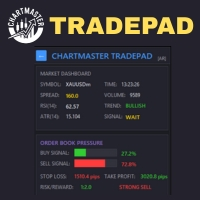
Take control of your trading with ChartMaster TradePad – a powerful all-in-one trading panel designed to simplify order execution, risk management, and market analysis. Whether you’re a scalper, day trader, or swing trader, ChartMaster TradePad gives you the speed, clarity, and precision you need to maximize your trading performance. Key Features Market Dashboard Real-time Market Data : Symbol, spread, RSI(14), ATR(14), trend direction, volume, and trading signals at a glance. Clear Trend & S
Обзор RealCost Risk Governor MT5 - это утилита для мониторинга риска счета и открытых торговых позиций в MetaTrader 5. Она не прогнозирует движение цены и не дает сигналов на покупку или продажу. Утилита отслеживает заданные лимиты риска и показывает компактную панель на графике: дневной P/L, плавающий P/L, просадку по equity, количество сделок, открытые позиции, отложенные ордера, общий объем лотов и текущий спред графика. По умолчанию включен режим только уведомлений. Если трейдер явно включ
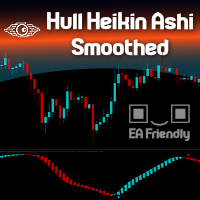
Heikin Ashi candlesticks are a powerful tool for traders, offering a clear and smooth visualization of market trends. Unlike traditional candlesticks, they filter out market noise, providing a cleaner view of the market's direction and strength, which helps traders make more informed decisions. The Hull Heikin Ashi Smoothed indicator from Minions Labs takes this a step further by integrating the Hull Moving Average for enhanced smoothing and precision. This indicator not only simplifies trend id
MT5Eezeorder 2
Tawanda Tinarwo
3 (1)
Open and close Multiple Trades on MT5 in 1 click at one price. Enter the Lot size Specify the number of trades you want to open Choose whether you want TP SL or Trailing Stop Once you are done, click Buy or Sell Create trailing stop for multiple trades  PLEASE NOTE: This is not a script, save it in the experts folder What to Always Note Check the minimum stop levels for the symbol you want to trade  Cross-Check your parameters  1. Make sure Auto trading is on 2. Make sure the SL and TP are great
Noize Absorption Index - is the manual trading system that measures the difference of pressure between bears forces and bulls forces. Green line - is a noize free index that showing curent situation. Zero value of index shows totally choppy/flat market.Values above zero level shows how powerfull bullish wave is and values below zero measures bearish forces.Up arrow appears on bearish market when it's ready to reverse, dn arrow appears on weak bullish market, as a result of reverse expectation.
NRP Risk Manager Pro Institutional-Grade Trade Management & Prop Firm Protection Get the MetaTrader 4 Version Here: https://www.mql5.com/en/market/product/179888 Get the MetaTrader 5 Version Here: https://www.mql5.com/en/market/product/179885 Trading isn't just about finding the right entry; it is about flawlessly executing your edge while fiercely protecting your capital. NRP Risk Manager Pro is not an automated trading robot—it is a comprehensive, institutional-grade trade terminal d
Range Volume Hybrid Generator
Trade The Volume Waves Single Member P.C.
1. Introduction Range Volume Hybrid (RVH) is a MetaTrader 5 Expert Advisor that creates custom chart symbols using a unique dual-condition bar formation method. Unlike traditional charts where bars close based on a single criterion (time, range, or volume), RVH bars close only when BOTH a minimum price range AND a minimum volume threshold are met simultaneously.  Download also and install RVH Monito r Indicator - to control the EA from the custom charts (it's Free)  https://www.mql5.com/en/marke
Trading Assistent - это многофункциональная торговая панель, которая объединяет все необходимые инструменты для профессиональной торговли. Панель предоставляет полный контроль над позициями, углубленный анализ рисков и быстрое исполнение ордеров. ОСНОВНЫЕ ФУНКЦИОНАЛЬНЫЕ БЛОКИ Управление позициями: - Просмотр всех открытых позиций в реальном времени - Сортировка по символу, прибыли, объему и типу - Визуальная индикация прибыльных и убыточных позиций - Групповые операции закрытия - Функция Brea
Inverted_Chart_EA Utility Expert Advisor Inverted_Chart_EA creates and maintains a mirror-inverted chart of any symbol and timeframe. It automatically generates a custom instrument (e.g. US30_INV ) and keeps its price history updated in real time, with bars mirrored around a chosen pivot. This utility gives traders a new way to analyze the market from a different perspective by flipping the chart upside down. Why use an inverted chart? Highlight hidden patterns – price formations that look ordin
Trade Command Center
Nguyen Thanh Trieu
5 (2)
Дополнительные материалы и инструкции Инструкция по установке - Демо-версия приложения для тренировочного счета ; Официальная информация Официальный канал Профиль продавца Trade Command Center — Профессиональная панель управления ордерами и контроля рисков Risk Guard в реальном времени Trade Command Center — это высокопроизводительная визуальная торговая панель, калькулятор лота и утилита управления рисками для платформы MetaTrader 5. Она разработана специально для трейдеров, которым треб
Ziwox Global Economy Tools What are the Ziwox Global Economy Tools? The Ziwox Global Economy Tool is a comprehensive solution for forex traders, providing historical economic data and index charts for the most critical countries in global trading. Designed to enhance trading decisions, this tool allows you to easily access, analyze, and visualize key economic indicators from countries like the EU, US, GB, CA, AU, NZ, JP, CH, CN, IT, DE, FR, BR, MX, ZA, SG, HK, IN, NO, KR, ES, and SE. Traders can
DRS Semi Automated
Enrique Alexander Madera Pimentel
DRS Semi Automated: Fair Value Gap Trading Inspired by the DRS strategy made by SMT FX. To learn more, visit their website. Key Features: 1. Fair Value Gap Detection: Identifies bullish and bearish Fair Value Gaps on the 5-minute timeframe. 2. Customizable Trading Sessions: Trade London, New York, or both sessions with adjustable start times. 3. Risk Management: Set risk percentage and choose between equity-based or fixed balance risk calculation. 4. Bias Selection: Manually select bullish or
Индикатор WPRV2 представляет собой усовершенствованную версию классического технического инструмента — Индекса процентного диапазона Вильямса (%R). Этот индикатор используется преимущественно на финансовых рынках (фондовых биржах, Форексе и криптовалютных площадках) для анализа рыночных тенденций и выявления оптимальных точек входа и выхода из сделок. Назначение индикатора Основная цель индикатора WPRV2 заключается в измерении текущего уровня цен относительно недавнего максимума и минимума. Он п
GDS Renko Zones Intelligence Renko Zones Indicator MT5 with Score, Freshness and Active Zone Verdict GDS Renko Zones Intelligence is a premium Renko zones indicator for MetaTrader 5. It adds zone score, freshness lifecycle, active zone verdict, Top Zones and flip-level context to Renko support and resistance analysis. Free Renko Zones shows where the zones are. GDS Renko Zones Intelligence helps explain what they mean. The indicator does not give buy or sell signals. It does not predict price mo
TRI Visualizer MT5 – Thermodynamic Market Analysis Overview The TRI (Thermal Range Indicator) Visualizer Enhanced is a rare market analysis indicator that goes beyond conventional technical analysis, applying principles of thermodynamics from physics. It interprets market price fluctuations as “thermodynamic energy,” enabling the highly accurate detection of subtle market changes that are often overlooked. Innovative Mechanisms 1. Dual Calculation Engines Classic TRI Mode Formula: |Close
The Multilevel PnL Calculator EA is an advanced trading tool designed for Forex and CFD traders who need precise position sizing and risk management calculations. This intuitive panel-based calculator allows you to simulate multiple entry positions with automatic profit and loss calculations in real-time USD values. Key Features Multi-Position Management Calculate Profit and Loss for up to 10 or more simultaneous positions (configurable) Support for both LONG and SHORT trading modes Real-time
Основная цель индикатора — помочь трейдеру обнаружить сигналы описанные Биллом Вильямсом в своих книгах для принятия быстрого и правильного торгового решения. 1)Бар бычьего/медвежьего разворота(BDB). Реализовано понятие "Ангуляции". 2) Дивергентный бар(DB) 3) Сигнал «Второй мудрец» — третий последовательный бар Awesome Oscillator 4) Рабочие фракталы( Фракталы, которые сработали выше\ниже красной ЛБ 5) Три режима окраски баров 5.1) Окраска баров по индикатору АО (Включая приседающий бар) 5.2) О
TradePad
Ruslan Khasanov
5 (1)
TradePad - это инструмент как для ручной, так и алгоритмической торговли.  Представляем вам простое решение для быстрых торговых операций и контроля позиций на нескольких торговых инструментах. Внимание, приложение не работает в тестере стратегий! Пробная версия приложения для демо-счета и описание всех инструментов Интерфейс приложения адаптирован для мониторов с высоким разрешением, прост и интуитивно понятен. Для комфортной работы, трейдеру предлагается следующий набор инструментов: менеджер

Overview Mirror Signals Service EA (Text only)   is a powerful monitoring Expert Advisor that automatically sends   real-time Telegram notifications   for all important trade events on your MetaTrader 5 account. It is engineered specifically for   signal providers ,   trade-copier operators ,   auditors ,   educators , and   professional trading services   that require immediate, detailed, and reliable reporting. Everything from   entries, exits, SL/TP changes, comment changes, trailing sto
С этим продуктом покупают
Trade Assistant MT5
Evgeniy Kravchenko
4.43 (214)
Помогает рассчитать риск на сделку, простая установка нового ордера с помощью линий, управление ордерами с функциями частичного закрытия, 7 типов трейлинг-стопа и другие полезные функции. Дополнительные материалы и инструкции Инструкция по установке - Инструкция к приложению - Пробная версия приложения для демо счета Функция Линии   - отображает на графике линию открытия, стоп-лосс, тейк-профит. С помощью этой функции легко установить новый ордер и увидеть его дополнительные характеристики пе
Добро пожаловать в Trade Manager EA — лучший инструмент для управления рисками, предназначенный для упрощения, точности и эффективности торговли. Это не просто инструмент для размещения ордеров; это комплексное решение для удобного планирования торгов, управления позициями и усиленного контроля над рисками. Независимо от того, начинающий вы трейдер, опытный специалист или скальпер, нуждающийся в быстром исполнении, Trade Manager EA адаптируется к вашим потребностям и работает с любыми активами:
Local Trade Copier EA MT5
Juvenille Emperor Limited
4.97 (143)
Опыт экстремально быстрого копирования сделок с помощью Local Trade Copier EA MT5 . Благодаря простой установке в течение 1 минуты этот копировщик сделок позволяет вам копировать сделки между несколькими терминалами MetaTrader на одном компьютере с Windows или на Windows VPS с крайне быстрыми скоростями копирования менее 0.5 секунды. Независимо от того, новичок вы или профессиональный трейдер, Local Trade Copier EA MT5 предлагает широкий спектр опций, чтобы настроить его под ваши конкретные по
TradePanel MT5
Alfiya Fazylova
4.88 (162)
Trade Panel — это многофункциональный торговый помощник. Приложение содержит более 50 торговых функций для ручной торговли и позволяет автоматизировать большинство торговых операций. Перед покупкой вы можете протестировать демоверсию на демо-счете. Скачать пробную версию приложения для демонстрационного аккаунта: https://www.mql5.com/ru/blogs/post/750864 . Полная инструкция здесь . Торговля. Позволяет совершать торговые операции в один клик: Открыть отложенные ордера и позиции с автоматическим р
Бета-версия Telegram to MT5 Signal Trader почти готов к официальному альфа-релизу. Некоторые функции все еще находятся в разработке, и вы можете столкнуться с небольшими ошибками. Если вы заметите проблемы, пожалуйста, сообщите о них, ваша обратная связь помогает улучшать программное обеспечение для всех. Telegram to MT5 Signal Trader — мощный инструмент, который автоматически копирует торговые сигналы из каналов и групп Telegram прямо в ваш счёт MetaTrader 5 . Поддерживаются как публичные, так
Telegram to MT5 Multi-Channel Copier автоматически копирует торговые сигналы из ваших Telegram-каналов напрямую в MetaTrader 5. Никаких ботов, никаких браузерных расширений, никакого ручного копирования. Вы получаете сигнал в Telegram, и советник открывает сделку на вашем терминале за несколько секунд. Продукт включает два компонента: приложение для Windows, которое слушает ваши Telegram-каналы, и этот советник, который исполняет сигналы на терминале MT5. Также доступна версия для MT4. Руководст
Power Candles Strategy Scanner — самооптимизирующийся инструмент для поиска настроек по нескольким инструментам Power Candles Strategy Scanner использует тот же самооптимизирующийся движок, что и индикатор Power Candles — для всех символов в вашем Market Watch, одновременно. На одной панели отображается информация о том, какие символы в данный момент являются статистически торгуемыми, какая стратегия выигрывает на каждом из них, оптимальная пара Stop Loss / Take Profit, а также отправляется увед
Farmed Hedge Yield Farming | All Markets (Manual - Hybrid - Semi/Automated EA) MULTI-ASSET SUPPORT Trade any asset available on your broker - Forex: Major, Minor, Exotic pairs - Crypto: BTC, ETH, XRP, SOL, BNB - Stocks: Apple, Tesla, Amazon, Google, etc. - Commodities: Gold, Silver, Oil, Gas - Indices: US30, NAS100, SPX500, DAX40 - Any CFD your broker offers VERIFIED TRADING RESULTS - Farmed Hedge Yield Axi Copy:  https://www.mql5.com/en/signals/2356376 - Farmed Hedge Yield Exn Copy:   https:/
VirtualTradePad PRO SE MT5 — профессиональный торговый центр управления для MetaTrader 5 VirtualTradePad PRO SE — это премиальная торговая панель и рабочая среда управления сделками на графике для MetaTrader 5 . Она создана для трейдеров, которым нужны более быстрое исполнение, более понятный контроль позиций, структурированное управление сделками, визуальное планирование уровней и профессиональный рабочий процесс прямо с графика. Это не просто панель BUY / SELL. PRO SE объединяет ручную торговл
Trade Manager DaneTrades
Levi Dane Benjamin
4.23 (30)
Trade Manager, который поможет вам быстро входить и выходить из сделок, автоматически рассчитывая риск. Включает функции, которые помогут предотвратить чрезмерную торговлю, торговлю из мести и эмоциональную торговлю. Сделками можно управлять автоматически, а показатели эффективности счета можно визуализировать в виде графика. Эти функции делают эту панель идеальной для всех трейдеров, занимающихся ручной торговлей, и помогают улучшить платформу MetaTrader 5. Многоязычная поддержка. Версия для МТ
Anchor Trade Manager
Kalinskie Gilliam
5 (6)
Anchor: The EA Manager Run your full EA portfolio without conflicts, without stacked risk, and without watching every chart yourself. Anchor coordinates up to 64 Expert Advisors on a single account, including daily loss protection built for prop firm rules. Attach Anchor to any chart. Type your EA names and magic numbers in one line. Click OK. Anchor begins coordinating immediately. Built for portfolios. Built for prop firms. Built for discipline. The Problem Running multiple EAs on the same acc
Timeless Charts
Samuel Manoel De Souza
5 (7)
Timeless Charts is an all-in-one trading utility for professional traders. It combines custom chart types such as Seconds Charts and Renko with advanced order flow analysis using Footprints , Clusters , Volume Profiles , VWAP studies, and anchored analysis tools for deeper market insight. Trading and position management are handled directly from the chart through an integrated trade management panel , while Market Replay and Virtual Accounts provide environments for practicing trading skills and
Footprint Chart Pro — Professional OrderFlow EA for MetaTrader 5 Version 6.34 | Professional tool for real traders | Institutional-Grade Visualization DEMO USERS - PLEASE SELECT EVERY TICK / REAL TICK WHEN TESTING AND YOU HAVE DOWNLOADED HISTORICAL DATA. IF YOU SEE A WAITING SCREEN AND IT IS NOT DOWNLOADING, IT MEANS YOU HAVE LOW HISTORICAL DATA. TRY 1 MIN AND 5 MIN FIRST ON 1 DAY DATA. ONE DAY DATA SHOULD BE THE NEWEST AND MOST CURRENT DATE. PLEASE WAIT UNTIL THE MARKET HAS ROLLED OVER PERIOD.
MT5 to Telegram Signal Provider — это простой в использовании полностью настраиваемый инструмент, который позволяет отправлять определённые сигналы в чат, канал или группу Telegram, превращая вашу учётную запись в провайдера сигналов . В отличие от большинства конкурирующих продуктов, он не использует импорт DLL. [ Демо ]   [ Руководство ] [ Версия MT4 ] [ Версия для Discord ] [ Канал в Telegram ]  New: [ Telegram To MT5 ] Настройка Доступно пошаговое руководство пользователя . Никаких знаний A
Premium Trade Manager - Торговая панель со встроенным коучем Premium Trade Manager помещает торгового коуча прямо в ваш график, а под ним работает полноценный движок исполнения. Настройте сделку так, как вы всегда это делаете, затем позвольте Max, вашему ИИ-наставнику по трейдингу, прочитать именно эту настройку с учётом вашего живого счёта и дать чёткое заключение до того, как вы входите: соответствует ли стоп дисциплинированному подходу, разумен ли риск, не выходит ли высоковолатильный релиз ч
================================================================================ POC BREAKOUT - V20.72. Full Professional Grade Toolkit ================================================================================ POC Breakout is a full MetaTrader 5 trading dashboard for discretionary traders who want breakout signals, Point of Control (POC) context, volume profiles, order flow, market structure, news, alerts, and advanced trade planning in one professional workspace. Attached directly to you
Unlimited Trade Copier Pro - это мощный инструмент для удаленного копирования сделок между несколькими счетами MetaTrader 4/MetaTrader 5, расположенными удаленно друг от друга, по сети интернет. Это идеальное решение для провайдеров сигналов, которые хотят поделиться своей торговлей с другими трейдерами по всему миру. Один поставщик может копировать сделки на неограниченное количество счетов-получателей, а один получатель также может копировать сделки неограниченного количества провайдеров. Пост
ВРЕМЕННАЯ СКИДКА  -40% ! Всего  $470 вместо $790!  Максимальный реальный дисконт! ТОЛЬКО ДО 22.08 Суть: используя юзер-интерфейс вы настраиваете параметры, которым должен соответствовать график до входа в позицию(позиции), настраиваете какие входные модели использовать, настраиваете правила по которым надо завершать торговлю и планирование. А всю рутину по наблюдению за графиком и исполнению Lazy Trader берет на себя. полное описание  :: 3 ключевых видео [1] -> [2] -> [3]  :: [ ДЕМО-ВЕРСИЯ ] Чт
Скачать рабочую демо-версию Copy Cat More (Копи Кэт Мор) — копировщик сделок (Trade Copier) MT5 — это локальный копировщик сделок и полноценная система управления рисками и исполнения, созданная для современных торговых задач. От челленджей проп-фирм (prop firm) до управления личным портфелем — он адаптируется к любой ситуации благодаря сочетанию надёжного исполнения, защиты капитала, гибкой настройки и продвинутой обработки сделок. Копировщик работает в обоих режимах — Мастер (Master, отправи
Trade Dashboard MT5
Fatemeh Ameri
4.95 (131)
Trade Dashboard simplifies how you open, manage, and control your trades, with built-in lot size calculation. It allows you to execute trades, manage risk, and control positions directly on the chart, with tools such as partial close, breakeven, and trailing stop. Designed to reduce manual work and help you stay focused on your trading decisions. A demo version is available for testing. Detailed explanations of features are provided within the MQL5 platform. Installation instructions are include
EA Auditor
Stephen J Martret
5 (4)
EA Auditor is an independent analysis tool for traders evaluating Expert Advisors and trading signals on MetaTrader 5. It audits backtest reports, reviews posted developer signals, and cross-verifies the two against each other to help traders assess strategies before committing capital. The MQL5 market offers a wide range of Expert Advisors from many developers, with varying approaches, quality, and transparency. EA Auditor provides a consistent, data-driven framework for reviewing them, answer
EasyInsight AIO MT5
Alain Verleyen
4.92 (12)
EASY Insight AIO – Всё-в-одном для умного и простого трейдинга Обзор Представьте, что вы можете просканировать весь рынок — Форекс, золото, криптовалюты, индексы и даже акции — всего за несколько секунд, без ручного просмотра графиков, сложной установки или настройки индикаторов. EASY Insight AIO — это ваш идеальный инструмент экспорта для трейдинга с поддержкой искусственного интеллекта. Он предоставляет полный снимок рынка в одном аккуратном CSV-файле — готовом к мгновенному анализу в ChatGP
ManHedger MT5
Peter Mueller
4.83 (6)
THIS EA IS A SEMI-AUTO EA, IT NEEDS USER INPUT. Manual & Test Version Please TEST this product before BUYING  and watch my video about it. The price of the ManHedger will increase to 250$ after 20 copies sold. Contact me for user support or bug reports or if you want the MT4 version! MT4 Version  I do not guarantee any profits or financial success using this EA. With this Expert Advisor, you can: Implement your own Zone Recovery strategy to capitalize on trending markets. Create Grid trading s
The product will copy all telegram signal to MT5 ( which you are member) , also it can work as remote copier.  Easy to set up, copy order instant, can work with almost signal formats, image signal,  s upport to translate other language to English Work with all type of channel or group, even channel have "Restrict Saving Content", work with  multi channel, multi MT5 Work as remote copier: with signal have ticket number, it will copy exactly via ticket number. Support to backtest signal. How to s
Quant AI Agents
Ho Tuan Thang
5 (1)
Quant AI Agents are independent trading Expert Advisors. Instead of trading using a fixed strategy like other conventional EAs, Quant AI Agents   is a   multi-agent AI trading framework   that turns natural-language strategy prompts into live.  WANT THE SAME RESULTS AS MY LIVE SIGNAL?   Use the exact same brokers I do:   IC MARKETS , IC TRADING   .  Unlike the centralized stock market, Forex has no single, unified price feed.  Every broker sources liquidity from different providers, creating un
Seconds Chart MT5
Boris Sedov
4.61 (18)
Seconds Chart - уникальный инструмент для создания секундных графиков в MetaTrader 5 . С помощью Seconds Chart вы можете построить график с таймфреймом, заданным в секундах, получая идеальную гибкость и точность анализа, недоступную на стандартных минутных или часовых графиках. Например, таймфрейм S15 обозначает график со свечами продолжительностью 15 секунд. Вы можете использовать любые индикаторы и советники с поддержкой пользовательских символов. Работать с ними так же удобно, как и на станда
Grid Manual MT5
Alfiya Fazylova
4.73 (22)
Grid Manual — это торговая панель для работы с сеточными стратегиями. Утилита универсальная, имеет гибкие настройки и понятный интерфейс. Работает с сеткой ордеров не только в сторону усреднения убытков, но и в сторону наращивания прибыли. Трейдеру не нужно создавать и сопровождать сетку ордеров, это сделает утилита. Достаточно открыть ордер и Grid manual автоматически создаст ему сетку ордеров и будет сопровождать его до самого закрытия. Полная инструкция и демо-версия здесь . Основные особенно
Risk Manager Pro MT5 - это советник для защиты торгового счета и контроля рисков в MetaTrader 5. Утилита отслеживает equity, дневной и недельный результат, просадку, открытые позиции, количество сделок, серии убыточных сделок и разрешенное торговое время. Когда заданный лимит достигнут, Risk Manager Pro MT5 может автоматически закрыть позиции, удалить отложенные ордера, остановить другие советники, отправить уведомление или закрыть терминал. Вместо того чтобы полагаться только на дисциплину во в
Trade Copier Pro MT5
Vu Trung Kien
3.67 (3)
Trade Copier Pro - это мощный инструмент для удаленного копирования сделок между несколькими счетами MetaTrader 4/MetaTrader 5, расположенными в разных местах, по сети интернет. Это идеальное решение для провайдеров сигналов, которые хотят поделиться своей торговлей с другими трейдерами по всему миру. Один поставщик может копировать сделки на множество счетов-получателей, а один получатель может копировать торговлю множества провайдеров. Поставщик также может установить время истечения подписки
YuClusters
Yury Kulikov
4.93 (43)
Внимание: Ознакомиться с работой программы можно с помощью бесплатной версии  YuClusters DEMO . YuClusters это профессиональная система анализа рынка. Для трейдера открываются уникальные возможности анализа потока ордеров, объемов торговли, движения цены используя различные графики, профили, индикаторы, графические объекты. YuClusters оперирует данными на основе ленты сделок или тиковой информации, в зависимости от того, что доступно в котировках финансового инструмента.  YuClusters позволяет с
Фильтр:
Нет отзывов
Ответ на отзыв