MT5 Data Bridge
- Утилиты
- Версия: 1.0

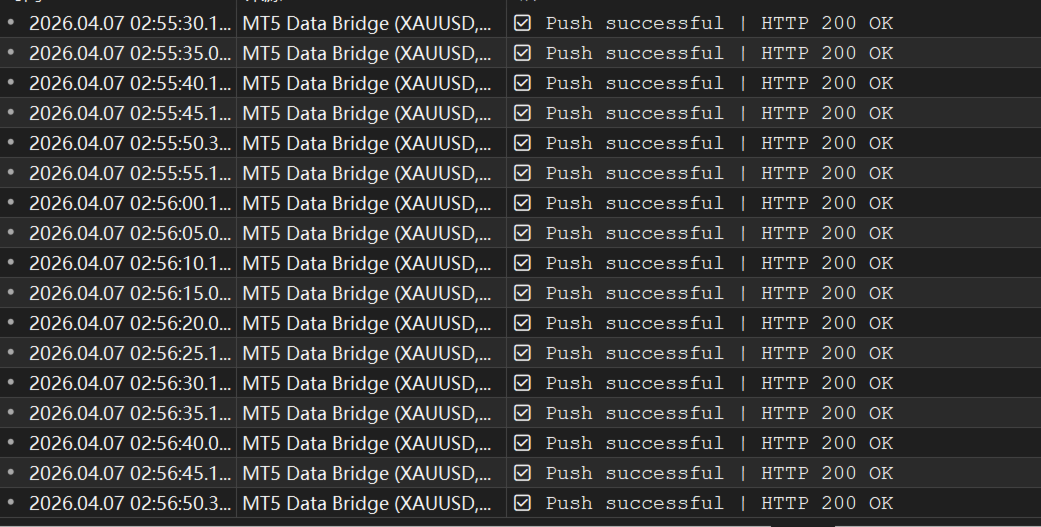
MT5 Data Bridge is a lightweight data bridge for MetaTrader 5, designed to stream real-time trading data to external systems via HTTP/Webhooks. It enables you to quickly build your own trading monitoring, alerting, and risk management infrastructure.
It runs as an Expert Advisor (EA) inside MT5, requiring no additional infrastructure, and exports account, market, and position data in a structured format to any backend service.
🚀 Core Features- Real-time data push (timer-based, low latency)
- Multi-symbol market data collection (customizable)
- Position and pending order export
- Account snapshot (balance, equity, etc.)
- Standard JSON output for easy integration
- API Key authentication support
The real value of MT5 Data Bridge is not just the data itself, but:
👉 The ability to build fully customized alerting systems based on your own logic
Examples:
- Trigger alerts when position loss exceeds a threshold
- Notify when margin level approaches liquidation risk
- Monitor risk across multiple accounts
- Detect abnormal price movements for specific symbols
Compared to native MT5 features, this enables:
- More flexible rule definitions
- Complex condition combinations
- Integration with external systems (Telegram / Web / App)
With the evolution of AI Agent architectures, this real-time trading data can be further transformed into:
👉 Standardized Skills that can be invoked by Agents
You can build:
- Risk Analysis Skills
- Position Evaluation Skills
- Anomaly Detection Skills
- Automated intervention suggestions (reduce / close positions)
This enables your system to have:
- Automated risk detection
- Multi-strategy coordination
- Intelligent decision support
The EA provides the following configurable parameters:
- PushURL
Target endpoint for data delivery (HTTP) - ApiKey
Authentication key sent via header ( X-API-KEY ) - PushIntervalSeconds
Data push interval (in seconds)
👉 Controls update frequency -
SymbolsCSV
Comma-separated list of symbols to subscribe
Example:XAUUSD,EURUSD,BTCUSD
Before using MT5 Data Bridge, you must enable HTTP request permissions in MT5. Otherwise, all requests will fail.
Steps:
- Open MT5
- Go to: Tools → Options → Expert Advisors
- Enable:
Allow WebRequest for listed URL
- Add your endpoint base URL, for example:
🚨 Common Pitfalls
- You must add domain or IP only (NOT full API path)
- For local testing, use:
- 127.0.0.1
- or your local network IP
- If not configured properly, you may encounter:
- Request failures
- Connection errors
- No data being sent
- Use API Key authentication
- Use HTTPS in production environments
- Only whitelist trusted endpoints
- Trading dashboards
- Risk management systems
- Copy trading platforms
- Quantitative trading infrastructure
- AI Agent-based trading systems