 MetaTrader 5
 Эксперты
 Индикаторы
 Библиотеки
 Утилиты
 Виджеты
 Правила
Смотри обучающее видео по маркету на YouTube
Как купить торгового робота или индикатор
Запусти робота на
виртуальном хостинге
виртуальном хостинге
Протестируй индикатор/робота перед покупкой
Хочешь зарабатывать в Маркете?
Как подать продукт, чтобы его покупали
Торговые утилиты для MetaTrader 5 - 46
 Ниже представлены торговые программы, упрощающие трейдинг в MetaTrader 5. Наведите курсор на товар, чтобы прочесть описание товара и его предназначение.
Once again, We Nailed It! Imagine a faster and smoother way to recalibrate ANY Indicator using just obvious and intuitive mouse clicks, realtime, real fast, real results on your chart just right after the Click... Instead of the boring "Open Settings dialog / Change one setting / Click OK / See what happens on Chart...", then repeat this process endlessly until you kill yourself!
Well... No More... Welcome to the Minions Labs Recalibrator tool!
Now you can Study, Trial, Experiment and Play with

MQLplus Charting
Inspired by good charting solutions available on the web, this utility finally brings some neat features to MT5 to make charting fun again. Current version supports following features: Free floating charts , similar to Tradingview A sophisticated Cross-Hair , with detailed data display Multi-Chart Cross-Hair sync function Measurement tool , showing account currency, points and period count as results Speed-Scrolling to move fast through markets history Snail-Scrolling to p
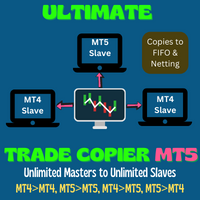
This trade copy utility allows you to instantly and seamlessly replicate and synchronize unlimited orders from multiple master accounts to multiple slave accounts on your local machine. You can create custom channels (or portfolios) with advanced filtering capabilities to copy from multiple master accounts to multiple slave accounts. Moreover, you can tailor these channels with a range of lot sizing and trade condition options to ensure that copied trades outperform the original source. You can

This EA is there to take your trade closing stress away. Quickly close as many trades as you have opened at the click of a button, INCLUDING PENDING ORDERS. This works on the MT5 platform whether it be currencies, Indices, stocks or Deriv synthetic indices. I have saved it under utilities as it is a utility, however, to install this, you have to save the file in you "EA" folder. That is; Go to "File", then "Open Data Folder", "MQL5" and then "Experts". Paste this file there. Restart MT5 and you'

Traders Toolbox Overwatch — это утилита мониторинга для всех запущенных экземпляров Traders Toolbox .
Это простая утилита переключения графиков и обзор рынка для всех бегущих графиков Traders Toolbox .
Функции:
1. Настраиваемые цвета кнопок, строки и столбцы.
2. Три типа сигналов (удерживать — желтый / продавать — красный / покупать — зеленый)
3. Динамически обновляет список кнопок в зависимости от новых или закрытых экземпляров Traders Toolbox .
4. Кнопки с одним нажатием выводят с
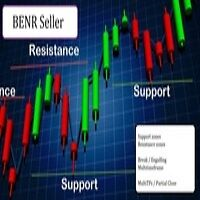
This EA allows you to manage support and resistance zones on MetaTrader 5…but not only: To your buying and selling zones (you can configure 2 sellings zones and 2 buyings zones),
you can add 3 options (2 with multiframes) to enter a position:
Option 1: this is the option that enters a position without a signal: as soon as the price reaches the zone, the robot sends a trade.
Option 2: here the robot will wait for a break in the selected timeframe. Example: you put your zones on an H4 graph (fo

Представляю полезного робота, которым пользуюсь сам уже несколько лет. Может использоваться как в полуавтоматическом, так и в полностью автоматическом режиме. >>> Chat <<< Программа содержит гибкие настройки торговли на новостях экономического календаря. В тестере стратегий проверить нельзя. Только реальная работа. В настройках терминала необходимо добавить новостной сайт в список разрешенных URL. Кликните Сервис > Настройки > Советники. Поставьте галочку в "Разрешить WebRequest для следующих U

show live chart spot All symbol binance If you want to get this product with a 99% discount, send a message to my Telegram admin and rent this product for 1 $ per month or 10 $ per year. Even if you do not like the way the chart is displayed, you can tell the admin in Telegram how to display it so that your own expert is ready. https://t.me/Bella_ciao1997 https://t.me/Binance_to_mql5
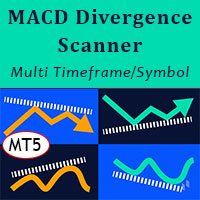
MACD Divergence Scanner is a multi-timeframe and multi-symbol dashboard and alert that checks all timeframes and symbols to find regular and hidden divergences between price chart and MACD indicator. This divergence scanner is integrated with support and resistance zones so you can check the MACD divergences in the most important areas of the chart to find trend reversals in the price chart. Download demo version (works on M4,M6,M12,M20,H3,H8 timeframes of 20 symbols of Market Watch window)
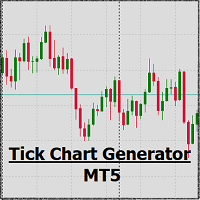
EA create custom Tick bar charts and provide real-time updates for MT5. This is an MT4 "offline" chart equivalent which is very simple to use. Generated Tick bar Chart compatible to MT5 indicator or template and perform your technical analysis with Multi timeframe analysis. The generator uses tick data to plot the historical tick chart for a particular setting and live ticks for plotting live charts. This method of calculation gives very accurate charts as no approximation is used. This EA creat

Торгуйте на криптобиржах в МТ5! GRat_Crypto — это инструмент для ручной и автоматической торговли, в т.ч ЛЮБЫМИ имеющимися советниками, ЛЮБОЙ криптовалютой на самых популярных криптобиржах в привычной среде MT5 в режиме 24/7. Возможности 1. Доступны ВСЕ инструменты 9 наиболее популярных криптобирж: Binance, BingX, Bybit, Coinbase, CoinEx, Kraken, KuCoin, MEXC и OKX . 2. Возможность выставлять ЛЮБЫЕ доступные в MT5 типы ордеров, как рыночные, так и отложенные, модифицировать ордера и позиции, у

Утилита TemplateSwitcher позволяет автоматически переключать набор используемых на графике индикаторов и объектов в зависимости от текущего таймфрейма графика и/или символа. Часто бывает так, что на графике старшего таймфрейма используется индикатор с одним периодом расчета, а для младшего таймфрейма этот же индикатор необходим с увеличенным периодом расчета. Можно, конечно же, открыть два графика разных таймфреймов с нужными периодами индикатора. Но что, если мы не можем позволить себе дублиров
Forex Calculator – необходимая программа для каждого трейдера. Данный скрипт позволяет рассчитать процент % риска депозита в зависимости от выставляемого Стоп Лосса в пипсах. Форекс калькулятором вы сможете легко рассчитать риск перед открытием сделки, информация будет выведена в виде всплывающего окна с обозначением нужного лота для открытия сделки. Это позволяет сэкономить время на расчёты и при открытии конечной сделки быть уверенным в исходе ее открытия. К скрипту можно прикрепить горячую
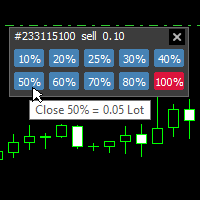
With this tool, you can easily and quickly close part of the trade. Click near the trade to display the closing panel. There are ten preset values for partial closing, but you can set your own values. You can also resize the panel according to Windows settings (125%, 150% ...) See the animation below for how it works. **********************************************************
Note: This tool does not work in the tester.

With this indicator you have displayed on the chart the optimal lot size for the forex pair. No need for manual calculations or losing time on websites where you have to input the values to get the optimal lot size. When adding the indicator to your chart change the values for maximum risk percentage (lossPrc) and for maximum loss in pips (lossInPips). If you like to try first the indicator you can download by clicking on this LINK . ATTENTION: This only works with forex pairs and it doesn't wor
Fibo + Elliott + CME Советник предназначен как помощник для ручной торговли. Готовая торговая система на основе волн Эллиотта и уровней Фибоначчи . Просто и доступно. Отображение разметки волн Эллиотта (основной или альтернативный вариант) на графике. Построение горизонтальных уровней, линий поддержек и сопротивления, канала. Наложение уровней Фибоначчи на волны 1, 3, 5, A Отображение данных с СМЕ ( СМЕ - Chicago Mercantile Exchange Чикагская товарная биржа) Система алертов (на экран, E-Mai
Кнопка для управления индикатором Moving Average, позволяет легко менять период индикатора прямо на графике с помощью колеса мыши. Не нужно много раз переключать экран с графика на настройки индикатора. Теперь вы можете мышкой управлять периодом индикатора. Просто нажмите на кнопку и прокрутите колесо мышки для увеличения или уменьшения периода Moving Average . Кнопку можно разместить в любом удобном месте, закрепить ее и использовать одним нажатием. На одном графике можно установить несколько
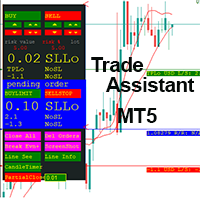
This EA is a trade management tool for Mt5 and Mt4. Mt4 version will find the Mt4 section here: https://www.mql5.com/en/market/product/80214?source=Site +Market+MT4+Utility+New+Rating006. It was to make a way for the trader to make the initial decision of when and which direction to enter. The trader decides in advance whether he wants the robot to take or stop an order. He also decides what new lot size, percent size or money size to use on each trade. On a live chart you can place

Fast, Efficient and Precise. With the Calculator from PhipsProduction you have your risk under control with just a few clicks. Thanks to the easy handling and the visual risk area, the calculator is not only perfect for experienced traders, its also a must for new market participants. The program is suitable for all Account Currencys and common MetaTrader markets. (except bonds of all kinds)
To the Deluxe Edition: https://www.mql5.com/en/market/product/81428?source=Site+Profile
Application:

This tool will assist all those who trade the forex market manually. It will help them in a sense that it will calculate the required margin in order to initiate a trade. This calculator is so simple to use that a that the user only inputs only 2 pieces of information. which are Price and Lot size the trader wishes to take. All other information needed to calculate the calculator will work it out by itself. It will run or calculate on the current opened chart. As the name suggest it's

AUTOMATIC TRADE COPIER for local * use . (copy trades between several metatrader terminals on the local computer/ *or GLOBALLY after setting your network /server !)
Can copy trades from one or several main MT5 accounts to several MT5 and MT4 accounts (no limit). For MT5 to MT4 copy you have to also get version for Metatrader 4 here : https://www.mql5.com/en/market/product/80842 - very fast execution (theoretically up to 5ms delay, depends on computer speed)
- user can set speed of copy
Welcome to TradeX Chart Trading Netting and Hedge accounts. Functionalities SHIFT to buy; CTRL to sell; Breakeven; Visual flag of pending orders on the chart; Blocking the BUY/EJECT/SELL buttons to prevent accidental sending of orders; Spread visualization when clicking on the asset being traded; Candlestick countdown; List of open positions; Percentage balance of all transactions for the current day. Warning It does not work in Strategy Tester. Updates and improvements coming soon!
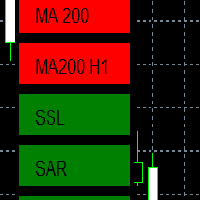
EMA - The exponential moving average (EMA) is one of the most commonly utilized forex trading tools. Traders use the EMA overlay on their trading charts to determine entry and exit points of a trade based on where the price action sits on the EMA. If it is high, the trader may consider a sale or short sale, and conversely if it is low, a buy.
SSL - Known as the SSL, the S emaphore S ignal L evel channel chart alert is an indicator that combines moving averages to provide you with a cle

Evening Scalper Pro is the state-of-the-art mean-reversion trading system that operates during all trading session. It's very different from most other scalping systems, since it uses a unique trading logic on cross pairs that have a strong mean-reverting tendency with high profit targets. EA not enters the market with market orders, it does not open trades. In terms of a trade duration, it's classical scalping: in and out of the trade within a few hours at the most. The EA uses a number of adv
Best for Technical Analysis
You can set from one key shortcut for graphical tool or chart control for technical analysis. Graphic design software / CAD-like smooth drawing experience. Best for price action traders.
Sync Drawing Objects
You don’t need to repeat drawing the same trend line on the other charts. Shortcuts do that for you automatically. Of course, any additional modifications of the object immediately apply to the other charts too.
Colors depend on Timeframe
Organize drawings with
Торговый скрипт для установки отложенных ордеров Buy Stop , buy limit , sell stop и sell limit . Кроме этого, за счёт обозначения уровня стоп приказа, скрипт рассчитывает размер открываемой позиции из расчёта 1% риска на трейд. Трейд состоит из двух сделок открытых в одной и той же точки. Это достигается путём дробления полученного значения на две сделки. А размер позиции (двух сделок) вычисляется за счёт трёх известных (уровень открытия сделки, стоп приказ и размер депозита) и расстояния между

Fast, Efficient, Precise, simply DELUXE. With the Calculator from PhipsProduction you have your risk under control with just a few clicks. Thanks to the easy handling and the visual risk area, the calculator is not only perfect for experienced traders, but also a must for new market participants. The program is suitable for all MetaTrader account currencies and common markets. (except bonds of all kinds)
Many new functions await you with the Deluxe Calculator. -Thanks to the new pre-calculatio

Live Forex Signals предназначен для торговли по сигналам сайта
https://live-forex-signals.com/en и https://foresignal.com/en . Live Forex Signal для MetaTrader 4 https://www.mql5.com/ru/market/product/81445 Параметры Username и Password если у вас имеется подписка на сайты live-forex-signals.com / foresignal.com , тогда вам следует заполнить эти параметры своими учетными данными; если подписки нет, тогда оставьте поля пустыми; Komment комментарий к открываемым сделкам Risk риск в п
Gold instrument scanner is the chart pattern scanner to detect the triangle pattern, falling wedge pattern, rising wedge pattern, channel pattern and so on. Gold instrument scanner uses highly sophisticated pattern detection algorithm. However, we have designed it in the easy to use and intuitive manner. Advanced Price Pattern Scanner will show all the patterns in your chart in the most efficient format for your trading. You do not have to do tedious manual pattern detection any more. Plus you

Gold Wire Trader MT5 trades using the RSI Indicator. It offers many customizable RSI trading scenarios and flexible position management settings, plus many useful features like customizable trading sessions, a martingale and inverse martingale mode.
The EA implements the following entry strategies, that can be enabled or disabled at will:
Trade when the RSI Indicator is oversold or overbought Trade when the RSI comes back from an oversold or overbought condition Four different trading behavio

Gold trend scanner MT5 a multi symbol multi timeframe dashboard that monitors and analyzes Average True Range indicator value in up to 28 symbols and 9 timeframes in 3 modes :
It shows the ATR indicator value in all pairs and timeframes and signals when the ATR value reaches a maximum or minimum in a given duration. Short term ATR/Long term ATR ratio: It shows ratio of 2 ATRs with different periods. It's useful in detecting short term volatility and explosive moves. ATR Value/Spread ratio: S

Attention: this is a multicurrency EA, which trades by several pairs from one chart! Therefore, in order to avoid duplicate trades, it is necessary to attach EA only to one chart, ---> all trading in all pairs is conducted only from one chart! we can trade simultaneously in three different pairs, as by default (EURUSD + GBPUSD + AUDUSD), which take into account the correlation when entering the market for all three; we can trade only EURUSD (or any currency pair) and at the same time take into

A triangular arbitrage strategy exploits inefficiencies between three related currency pairs, placing offsetting transactions which cancel each other for a net profit when the inefficiency is resolved. A deal involves three trades, exchanging the initial currency for a second, the second currency for a third, and the third currency for the initial. With the third trade, the arbitrageur locks in a zero-risk profit from the discrepancy that exists when the market cross exchange rate is not aligned

Gold index expert MT5 Wizard uses Multi-timeframe analysis. In simpler terms, the indicator monitors 2 timeframes. A higher timeframe and a lower timeframe. The indicator determines the trend by analyzing order flow and structure on the higher timeframe(4 hour for instance). Once the trend and order flow have been determined the indicator then uses previous market structure and price action to accurately determine high probability reversal zones.
Once the high probability reversal zone has bee

Golden Route home MT5 calculates the average prices of BUY (LONG) and SELL (SHORT) open positions, taking into account the size of open positions, commissions and swaps.
The indicator builds the average line of LONG open positions, after crossing which, from the bottom up, the total profit for all LONG positions for the current instrument becomes greater than 0.
The indicator builds the average line of SHORT open positions, after crossing which, from top to bottom, the total profit for all SH

Do you want an EA with small stoploss? Do you want an EA that is just in and out of market?
Gold looks at several MT5 It is ONLY buying when the market opens and with a window of 10 minutes or less.
It uses pre-market price so be sure your broker has that.
This strategies (yes, it is 2 different strategies that can be used with 3 different charts) have tight stoplosses and a takeprofit that often will be reached within seconds!
The strategies are well proven. I have used them manually for
Скальпирующий алгоритм полностью автоматической торговли на FORTS для фьючерсов Сбербанка и Газпрома Московской биржи. Рабочий таймфрейм 5 минут. Алгоритм анализирует:
1) Импульсное изменение цены в моменте и на истории сопряженных активов. 2) Глубину рынка на наличие повышенных объемов в стакане. 3) Роботизированные и айсберг заявки в стакане. 4) Потенциальные ценовые и фрактальные уровни. 5) Историю на хорошо отработавшие паттерны прайс экшен. В случае когда алгоритму удалось выбрать подходящ

Definition : Market View is a dashboard (scanner) to view price graphs of all symbols and all timeframes at a glance. The utility is designed user friendly and added a wide range of customization options.
Main features of Market View : Visual settings window on the chart Customizable list of symbols and timeframes Different shapes : Real Candles, Schematic Candles, Arrows Customizable number of candles Changeable size of dashboard (scanner)
Highlight timeframes with gaps on candles Open approp
This EA takes trades based on a configured RSI level. At each candle close, it will resume a position if the one closes above the previous one.... The SL and TP are positioned and it is the sum of all the trades initiated that will close the positions: Either in % of capital, or in pips. IMPORTANT :
it is the magic number that allows the EA to properly close positions. so be sure to put different magic numbers on each graph. Important : have a good money management with this type of EA (little
Important : have a good money management with this tpe of EA (little lot size....and avoid margin call)
The EA takes a trade when 2 conditions are met: The achievement of an RSI level, and the break of a moving average of your choice.
When the trade is initiated: the SL is positioned (in pips) the TP1 can be: the kijun, or another moving average, you can configure a value approaching the TP1 (which avoids the price shift of brokers) the partial close is done the SL after TP1 can be configured
Support and Resistance Dashboard for MT5 is a multi-timeframe and multi-symbol scanner and alert system that finds S/R zones and pivot points for all timeframes and symbols and alerts when price has interaction with them. If you are using support and resistance (or supply and demand) zones in your trading strategy, this dashboard and its alert and filtering system is a big time saver for you. Download demo version (works on M4,M5,M6,M12,H3,H8 timeframes) Full description of scanner parameters
Утилита управляет любым параметром любого индикатора, с помощью прокрутки колеса мышки. Если вы купили или взяли в аренду индикатор, вы можете изменить его интерфейс с помощью данной утилиты. Для этого подходит любой индикатор, в котором есть хотя бы один целочисленный параметр. Если вы сначала хотите попробовать как это работает, скачайте бесплатный индикатор Standart Scroller для управления индикаторами из стандартной поставки терминала . Принцип действия
Утилита управляет одним из параметро
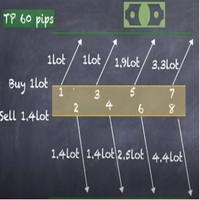
Strategy description can be seen in the attached video( https://www.youtube.com/watch?v=JzN1fEZmc40 ).
This hedging strategy strictly follows what is presented in the video.
The strategy works on any pair of forex, crypto, indices and other derivatives.
Through the settings, you can customize the size of lots, add pairs for operation, and profit and loss points.
The distance between sell and buy orders must be configured according to the number of decimal places of the pairs that will be tra
As you know, the logarithmic chart is essential for any Technical approach. This Expert Advisor create a customize symbol for any symbol you want and it plot logarithmic chart for that. You can easily switch between logarithmic and arithmetic charts. the Expert provide crosshair for last and actual price and you can add your personal LOGO to chart. also you can set individual zoom for each Time Frame. Important: The Expert Advisor doesn't work on Demo version. because Demo version work only on S

Советник ATRStopLoss определяет где лучше всего ставить стоп относительно текущей цены. Как это работает ATRStopLoss получает размер ATR за выбранный период ATRStopLoss рисует Stop-Loss уровни от текущей цены размером с ATR. При изменении цены, и таймфрейма, ATRStopLoss также корректирует Stop-Loss уровни. Настройки MA_Period - Период ATR MA_Timeframe - Таймфрейм ATR

Советник LevelsDetector определяет самые сильные уровни на графике. Как это работает LevelsDetector собирает данные о всех ценах японских свечей за выбранный период LevelsDetector считает топ уровни, которые чаше всего касалась цена. При изменении цены, и таймфрейма, LevelsDetector также корректирует уровни. Настройки candlesCount - Количество свечей для анализа maxLevelsCount - Количество уровней для отображения magic_number - Уникальный номер советника precision - Точность (зависит

SLTPSetter - StopLoss Take Profit Setter HOW DOES IT WORK? Risk and account management is a very critical aspect of trading. Before entering a position, you must be fully aware how much you will be willing to loss both in percentage and value. This is where SLTPSetter gets you covered.
All you need to do is attach the indicator on the chart and PRESS BUY OR SELL automatically, all parameters needed for placing the trades will be provided at the top left corner of the screen. Feel free to adjust

What is this indicator? This indicator plots a customized text object as a note at any point on the chart. To plot the text object, press the hotkey and then click at any point on the chart. You can also add your favorite words and sentences to the template and plot them.
How to stick a note 1. Press the hotkey to enter sticky mode. 2. Click any point to stick. 3. Edit the text of the text object plotted as a note.
About sticky mode
This mode is for plotting a text object as a note. If the ho

What is this indicator? This indicator stamps any customized number at any point on the chart. To stamp any number, press the hotkey (0–9) and then click at any point on the chart. You can also stamp a series of numbers to indicate a chart pattern. (Each number synchronizes modification)
How to stamp any number
1. Press the hotkey (0–9) to enter stamping mode. 2. Click any point to stamp.
How to stamp a double top/bottom pattern 1. Press the hotkey to enter stamping mode. 2. Click any points
This Pro version of the LotSizePanel let's you set the stoploss with a line. Instantly the ea will calculate the lotsize based on where you drag the line on the chart. Press the "Show Line" button again, and the line dissappears and the ea reverts back to calculating the lot size from an ATR based stoploss again.
I can't see how I would ever trade manually without this panel again.
Remember that autotrading needs to be turned on to place orders with the buttons.

You can see Binance Futures data instantly in Metatrader 5 and it allows you to use all the features that Metatrader has provided to you.
You can access the data of all symbols listed on Binance Futures. Don't forget to set the timezone. Binance it's 00:00 UTC. You need to fix it according to your own country You need to pre-install the free Binance Future Symbol List plugin. https://www.mql5.com/tr/market/product/82891 After loading, it automatically downloads the data of the cryptos in the m

What is this indicator? This indicator draws a customized vertical, horizontal, or trend line at any position on the chart. To draw each line, press the hotkey and then click at any point on the chart. Each drawn line is synchronized with other charts by timeframe. (Each chart requires this indicator to be installed)
How to draw a vertical or horizontal line 1. Press the hotkey to enter drawing mode. 2. Move the mouse to any point. 3. Click to draw the line.
How to draw a trendline 1. Press t

What is this indicator? This indicator draws a customized Fibonacci retracement or expansion at any position on the chart. To draw the object, press the hotkey and then click at any point on the chart. Each anchor point magnets to the high or low price of the nearest bar on the chart.
How to draw
1. Press the hotkey to enter drawing mode. 2. Click any point to draw. 3. Drag and drop each anchor point to adjust if needed.
About drawing mode
This mode is for drawing a Fibonacci retracement or

Руководство пользователя: Многоканальный копировщик сделок (MT4/MT5) Эта система позволяет автоматически реплицировать сделки между терминалами MetaTrader, выступая в качестве коммуникационного моста для синхронизации портфелей с минимальной задержкой.
1. Введение и назначение Многоканальный копировщик сделок — это инфраструктурный инструмент, предназначенный для управления зеркальными счетами. Его функция заключается в извлечении сигналов из основного счета и их исполнении на подчиненном счет

you don't have to monitor your trades all the time. save yourself screen time and leave management of your trades to Dynamic Trades Manager. Dynamic Trades Manager is a trading assistant tool. it has automated capabilities to break even, take partial profits, trails stops and to set your risk to reward ratio . it does not take trades on its own but only performs the aforementioned functions when the user has already conducted their analysis and opened a trade. this would save you the time of ha
Trading assistant that offers advanced management of your trades with optimization features. It automatically calculates the risk per trade, makes it easy to set up new orders, and offers advanced management tools such as automatic trade closing in 5 different ways. It also has other useful features that will improve your control and decision making. And best of all, you can use it in the strategy tester to perfect your tactics before trading live!
Our trading assistant is a trading tool that
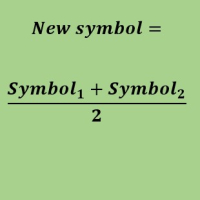
Create a new custom symbol based on average of Multiple arbitrary symbols (for MT5)
An Expert Advisor (EA) used to create custom symbol by averaging multiple input symbols (e.g. EURUSD and GBPUSD) and provide real-time updates. This is an MT4 "offline" chart equivalent which is very simple to use.
You can attach any MT5 compatible indicator or template to this new symbol and perform your technical analysis. You can back-test any EA on this new custom symbol in strategy tester. for example y

It mesures the lot size based on the points measured by clicking with the MIDDLE MOUSE BUTTON then CLICK and DRAG , previous that configure the indicator based on the risk you accept; The risk can be % based on fixed account, actual account size, and fix capital risk; If the INDICATOR DOESN'T WORK propperly try after configuring it CHANGE the TIMEFRAME and GET BACK to the PREVIOUS timeframe, SOMETIMES this FIX IT

Hello, trading with EAs or manual?
We are coming with unique solution of how to protect your hard EARNED profits. Despite the fact you are beginner or experienced user, we all have experienced that trading can turn badly, especially before week / month end. In order to PROTECT your earnings , we are offering Trading Manager that closely overlooks the gains (or protecting the account from extreme losses) and locks the balance if certain profits is reached. HOW TO USE:
1. Please understand that T

Рады представить Вашему вниманию информационный индикатор “Info Trader”. Так как мы сами трейдеры и создаем программные продукты, которые в первую очередь мы используем сами в своей торговле. Во время внутри дневной мультивалютной торговли мы нуждались в информации находящейся «под рукой». Очевидно, что и Вы замечали, часто нужно принимать решение по фиксированию прибыли на счете учитывая отдельно профит нескольких инструментов, а для этого нужно сразу видеть всю картину по каждой сделке подробн

It is a script that allows you to open all market watch symbols at one go having the current time frame of the opened chart. I have been looking for a script like this for a very long time when I first started trading. Finally figured out how to do it, so no more problem for those who are suffering like me. This is a blessing for me now hopefully for you too. Buy the script, if it does not work as shown full refund. DM me for any problems, this script is only for MT5 . instruction Are : 1 - Keep
This is a break even(BE)/break even-plus(BE+) EA. It moves your stop loss to BE or BE+ based on pre-set percentage of current TP. You can edit the percentage in the input section. This EA sets breakeven for both manually and auto-opened trades. Moving stop-loss to a breakeven or BE+ is popular among traders who wish to safeguard their trades and to let the trades run without incurring a risk of loss. With this EA , you can have your stop-loss orders moved to a breakeven point automati

You can see Binance Spot data instantly in Metatrader 5 and it allows you to use all the features that Metatrader has provided to you. You can access the data of all symbols listed on Binance Futures. Don't forget to set the timezone. Binance it's 00:00 UTC. You need to fix it according to your own country You need to install the free Binance Spot Symbol List plugin. https://www.mql5.com/tr/market/product/83507 After loading, it automatically downloads the data of the cryptos in the market obser
Link to download it from my website, it's cheaper($20) there. And you get both pips based breakeven and percentage based breakeven as a bundle for one price- ( www.ashantipearls.com/l/breakeven ) This is a break even/break even plus EA. It moves your stop loss to break even(BE) or BE+ based on pre-set number of pips in profit. You can edit this in the input section. This EA sets breakeven for both manually and auto-opened trades. Moving stop-loss to a breakeven is popular among traders who

Панель обновления истории фьючерсов Kraken Crypto Exchange
Функции :
1. Он создаст символ на основе настроек и полностью обновит историю, которая доступна для символа в Kraken API. Эта панель обновляет историю по фьючерсным символам Kraken с данными Open High Low Close, а также печатает сообщение, когда обновление истории завершено. Обратите внимание, что это не РЕАЛЬНЫЕ данные.
3. Вам необходимо добавить URL-адрес Kraken API, как указано на вкладке «Инструменты» > «Параметры» > «Разрешить

Советник Risk Controller, программа позволяющая контролировать общий риск ваших торговых советников на счету. С помощью данной программы вы можете контролировать максимальный риск, который будет допустим на счете для всех советников. К примеру, вы поставили риск 30% максимальной просадки, значит если ваши торговые роботы по equity превысят риск в 30%, Risk Controller закроет все позиции советников, а так же может закрыть все открытые графики, тем самым не позволив советникам далее работать. Сове
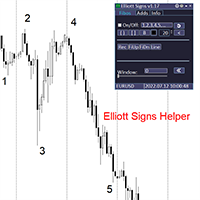
Elliott Signs Helper - A panel for marking Elliott signs and technical analysis. This is not an EA, This is an indicator that You can use to draw signals on the chart.
Wave Analysis:
Allows you to build a wave analysis in a few clicks with the definition of the type and order of waves. - Choice of color, style and font of waves is available. - Marking of impulses, triangles, zigzags, flats, simple and complex combinations is available.
For more information and how to use the indicator, ple
Definition :
Risk Monitor is an expert for Analyzing, monitoring, controlling account risks.
Strategy :
Analyze Each Currency Volume and Direction on Account and Sort Them Find and Suggest Best Three Symbols in Opposite Direction (Hedging Positions) for Controlling Risk. Analyze User-Defined Position and preview effect before placing /Closing
Features of EA :
Graphical Interface Show Risk Graph for each currency Smart Analyze and suggest best hedging positions

Special offer for the next 10 copies
Are you tired of manually navigating through menus and inputting data every time you want to execute a trade or open an order on Meta Trader? Our hotkey tool is here to make your life easier and boost your trading efficiency. Our tool is natively coded for lightning-fast performance and comes loaded with all the features you could possibly want. From pending orders and OCO orders to trailing and multiple buckets, it has everything a scalper could need. And

Bionic Forex - Humans and Robots for profit.
Patience is the key.
The strategies are based on:
- Tendency
- Momentum + High Volatility
- Dawn Scalper + Support Resistence.
Again, patience is the key.
No bot is flawless, sometimes it will work seamlessly, sometimes it simply won't. it's up to you manage its risk and make it a great friend to trade automatically with fantastic strategies.
Best regards,
Good luck.,
Pablo Maruk.
MetaTrader Маркет - лучшее место для продажи торговых роботов и технических индикаторов.
Вам необходимо только написать востребованную программу для платформы MetaTrader, красиво оформить и добавить хорошее описание. Мы поможем вам опубликовать продукт в сервисе Маркет, где его могут купить миллионы пользователей MetaTrader. Так что занимайтесь только непосредственно своим делом - пишите программы для автотрейдинга.

Вы упускаете торговые возможности:
- Бесплатные приложения для трейдинга
- 8 000+ сигналов для копирования
- Экономические новости для анализа финансовых рынков
Регистрация
Вход
Вы принимаете политику сайта и условия использования
Если у вас нет учетной записи, зарегистрируйтесь