PropBlaster Guard Prop Firm Rule and Risk Manager
- Utilitários
- Versão: 1.6
- Atualizado: 16 novembro 2026
- Ativações: 5

PropBlaster Guard is a risk-management utility for MetaTrader 5. It keeps one trading account inside the rules of your prop-firm challenge, or inside your own trading plan. Choose your prop program from the list, or set your own rules once in the inputs. From then on, the Guard watches every trade on the account: manual trades, trades from the mobile app and trades from other Expert Advisors.
It never opens a trade on its own. 100 % native MQL5 - no DLLs, no web requests, no external files.
Quick start
1. Attach the EA to one chart only (any symbol) and allow Algo Trading. It watches the whole account.
2. Pick your prop program from the preset list, or set your own limits in the inputs. Set the day start to your firm's daily reset (server hour).
3. Check the panel: OPEN, NO NEW TRADES or LOCKED, plus the room left today and until the max. loss. Keep MetaTrader 5 running (or use a VPS).
When a rule is broken, the Guard does not just warn you. It acts:
- New positions that break a rule are closed immediately.
- New pending orders placed while trading is blocked are deleted.
- Optionally, when the daily loss limit or the max. loss is reached, all positions are closed and all pending orders deleted.
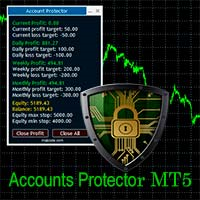
A compact panel shows at a glance whether you may trade: OPEN, NO NEW TRADES or LOCKED, with the exact reason - and how much room is left today and until the max. loss.
Prop firm presets (new in 1.03)
- FTMO 2-Step, FTMO 1-Step, FundedNext Stellar 2-Step, FundedNext Stellar 1-Step
- Daily loss and max. loss in % of the initial balance, static or end-of-day trailing, following the program's published rules
- Safety buffer (default 10 %): the Guard acts before the firm's limit is reached
- Challenge tracker: profit vs. target, trading days, best-day share of the total profit (consistency) with the profit still needed
- Optional: no new trades once the profit target is reached
- Firms change their rules - always check the current rules of your program. Set the day start to your firm's daily reset (server hour).
Rules you can enforce
- Daily loss limit in percent of the initial balance, of the day-start balance, in account currency, or in R
- Loss counted on equity (closed + open P/L) or on closed trades only
- Daily loss measured from the day-start balance, or from the higher of balance and equity at the day start (the rule of several prop firms)
- Worst case "All SL hit": the loss if every open stop loss is hit, and the daily and max. loss room that would be left
- Trading day reset at any server hour, to match your prop firm
- Max. loss: trailing from the highest balance, static from the initial balance, or end-of-day trailing
- Max. trades per day
- Max. open positions
- Max. losing trades in a row
- Cooldown pause after a losing trade
- Mandatory stop loss with an adjustable grace period
- Max. risk per trade in percent of the balance
- Up to two trading sessions (server time or local PC time, sessions past midnight supported)
- News blackout windows for specific dates and times
- Commitment mode: stricter settings apply at once, looser settings only from the next trading day - no "just this once" rule changes in the heat of the moment
Features
- Works on hedging and netting accounts
- Watches the whole account, or only trades with a specific magic number
- Reacts immediately to new trades, independent of the chart symbol
- Retries automatically if a close or delete is rejected by the server
- The daily-loss lock stays in place until the next trading day, even after a restart
- Status panel with loss today and room left (also in R), max. loss and room left, challenge progress, trades today, open positions, losing streak, session status and the last action
- Optional alert pop-ups and push notifications to your phone
Important
PropBlaster Guard is a risk-management tool. It does not generate trading signals and does not open trades on your account. It does not replace a stop loss: gaps, slippage and execution time can make the final loss exceed a limit, so keep a safety buffer below your prop firm's limits. The Guard works while MetaTrader 5 is running with the Guard attached to one chart; for round-the-clock protection, run it on a VPS. Past or simulated results do not guarantee future results. Trading involves risk.
Strategy Tester note
In the Strategy Tester, the Guard opens one small demonstration position at a time with stop loss and take profit, so you can see its behaviour. This happens only in the tester.
PropBlaster tools for MetaTrader 5
Free: Daily Loss Guard (daily loss limit) · Position Sizer (lot size from your risk) · Copier Duo (one master, one slave) · Stats (trading statistics) · Drawdown Meter (prop firm rule dashboard)
Paid: Guard (prop firm presets and full rule set) · Trade Panel (lot size and trade management) · Copier (any number of accounts) · Stats Pro (breakdown by EA, consistency check, CSV export)
You find them all under "More from author" on this page.
PropBlaster Cockpit is a separate Windows desktop app by the same author: trade journal, rule book and pre-trade check for several accounts. It is not sold in the Market, and this product works without it.