PropBlaster Guard Prop Firm Rule and Risk Manager

PropBlaster Guard is a risk-management utility for MetaTrader 5. It keeps one trading account inside the rules of your prop-firm challenge, or inside your own trading plan. Choose your prop program from the list, or set your own rules once in the inputs. From then on, the Guard watches every trade on the account: manual trades, trades from the mobile app and trades from other Expert Advisors.

It never opens a trade on its own. 100 % native MQL5 - no DLLs, no web requests, no external files.

Quick start

1. Attach the EA to one chart only (any symbol) and allow Algo Trading. It watches the whole account.
2. Pick your prop program from the preset list, or set your own limits in the inputs. Set the day start to your firm's daily reset (server hour).
3. Check the panel: OPEN, NO NEW TRADES or LOCKED, plus the room left today and until the max. loss. Keep MetaTrader 5 running (or use a VPS).

When a rule is broken, the Guard does not just warn you. It acts:

  • New positions that break a rule are closed immediately.
  • New pending orders placed while trading is blocked are deleted.
  • Optionally, when the daily loss limit or the max. loss is reached, all positions are closed and all pending orders deleted.

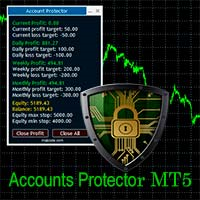
A compact panel shows at a glance whether you may trade: OPEN, NO NEW TRADES or LOCKED, with the exact reason - and how much room is left today and until the max. loss.

Prop firm presets (new in 1.03)

  • FTMO 2-Step, FTMO 1-Step, FundedNext Stellar 2-Step, FundedNext Stellar 1-Step
  • Daily loss and max. loss in % of the initial balance, static or end-of-day trailing, following the program's published rules
  • Safety buffer (default 10 %): the Guard acts before the firm's limit is reached
  • Challenge tracker: profit vs. target, trading days, best-day share of the total profit (consistency) with the profit still needed
  • Optional: no new trades once the profit target is reached
  • Firms change their rules - always check the current rules of your program. Set the day start to your firm's daily reset (server hour).

Rules you can enforce

  • Daily loss limit in percent of the initial balance, of the day-start balance, in account currency, or in R
  • Loss counted on equity (closed + open P/L) or on closed trades only
  • Daily loss measured from the day-start balance, or from the higher of balance and equity at the day start (the rule of several prop firms)
  • Worst case "All SL hit": the loss if every open stop loss is hit, and the daily and max. loss room that would be left
  • Trading day reset at any server hour, to match your prop firm
  • Max. loss: trailing from the highest balance, static from the initial balance, or end-of-day trailing
  • Max. trades per day
  • Max. open positions
  • Max. losing trades in a row
  • Cooldown pause after a losing trade
  • Mandatory stop loss with an adjustable grace period
  • Max. risk per trade in percent of the balance
  • Up to two trading sessions (server time or local PC time, sessions past midnight supported)
  • News blackout windows for specific dates and times
  • Commitment mode: stricter settings apply at once, looser settings only from the next trading day - no "just this once" rule changes in the heat of the moment

Features

  • Works on hedging and netting accounts
  • Watches the whole account, or only trades with a specific magic number
  • Reacts immediately to new trades, independent of the chart symbol
  • Retries automatically if a close or delete is rejected by the server
  • The daily-loss lock stays in place until the next trading day, even after a restart
  • Status panel with loss today and room left (also in R), max. loss and room left, challenge progress, trades today, open positions, losing streak, session status and the last action
  • Optional alert pop-ups and push notifications to your phone

Important

PropBlaster Guard is a risk-management tool. It does not generate trading signals and does not open trades on your account. It does not replace a stop loss: gaps, slippage and execution time can make the final loss exceed a limit, so keep a safety buffer below your prop firm's limits. The Guard works while MetaTrader 5 is running with the Guard attached to one chart; for round-the-clock protection, run it on a VPS. Past or simulated results do not guarantee future results. Trading involves risk.

Strategy Tester note

In the Strategy Tester, the Guard opens one small demonstration position at a time with stop loss and take profit, so you can see its behaviour. This happens only in the tester.

PropBlaster tools for MetaTrader 5

Free: Daily Loss Guard (daily loss limit) · Position Sizer (lot size from your risk) · Copier Duo (one master, one slave) · Stats (trading statistics) · Drawdown Meter (prop firm rule dashboard)
Paid: Guard (prop firm presets and full rule set) · Trade Panel (lot size and trade management) · Copier (any number of accounts) · Stats Pro (breakdown by EA, consistency check, CSV export)
You find them all under "More from author" on this page.

PropBlaster Cockpit is a separate Windows desktop app by the same author: trade journal, rule book and pre-trade check for several accounts. It is not sold in the Market, and this product works without it.

おすすめのプロダクト
This is a common, simple and easy to use but effective tool to manage trading risks for all traders. It also help trader places stop loss and take profit levels at the same time the order is filled. How to set the expert advisor's parameters to support your trading style? Lots size. Fixed lots size - For traders who prefered to trade with fixed lots size, they can input the lots size in 'User lots' menu in the expert advisor's properties. The input value should be from the 'Minimum Volume' to th
すべての注文をワンクリックで。 買い・売り・ロットをリアルタイム価格で 全決済、利益決済、損失決済、建値移動 注文ゼロでパネルに慣れる練習モード アニメーションパネルで、どの画面でも鮮明に表示されます。ボタンひとつで細いバーに折りたたみ、チャート上の好きな位置へドラッグできます。 パネルはキャンバス上に滑らかなトランジションで描画されます。チャート上の位置と、開いているか折りたたまれているかの状態は記憶されます。数値は口座の動きに合わせてなめらかに変化します。 すべての銘柄と時間足で動作します。MetaTrader 5向けEudora Expert Advisorを手がけるラボ、Eudora Labが開発しました。チャートに追加するだけで、すぐに使い始められます。入力項目はパネルの位置、サイズ、アクセントカラーなど、必要なものだけに絞っています。 無料。Eudora Instruments シリーズの一つです。
FREE
The Expert Advisor is designed to protect the account, fix profit (loss) and display current information about the account. Trading account protection is carried out by closing all open orders in the terminal and/or closing all charts. When running the Expert Advisor with default parameters, it will only display your account information and will be reduced in size. Next, you can set the conditions under which your trading account will be protected. Profit and loss limits can be set for daily pro
FREE
Trade Assistant JJC Academy
Jhonathan Alexis Jaramillo Cortez
JJC Academy Trade Assistant — リスク計算・ポジション管理パネル もう手計算でロット数を出すのはやめましょう。計算ミスでドローダウンを超えるのもこれで終わりです。 JJC Academy Trade Assistantは、私自身がファンデッドアカウント(funded accounts)のポートフォリオを管理するために開発し、実際に使用しているトレーディングパネルです。通貨ペアやインジケーター、ブローカー、利用しているプロップファーム(prop firm)が何であっても、常に設定したリスク通りにエントリーできるよう設計されています。 リアルタイムのリスク計算 **リスク% と リスクリワード比(R:R)**を設定するだけで、ボタンを押す前にロット数が瞬時に自動計算されます。 リスク計算の基準を選択可能: 残高(Balance) 、 有効証拠金(Equity) 、または 初期残高(Initial Balance) ——チャレンジ口座やファンデッドアカウントに最適です。残高は変動しますが、ドローダウンのルールは通常、最初の口座金額を基準に計算されるためです。
FREE
Trading tool combining a sophisticated equity stop-loss, dynamic take-profit management (Breakeven & Trailing), and symbol-group-based closing logic. It is a complete risk management and trade supervision tool. Features: All features of `Equity Master Stop v1` (floating profit/loss limits, exit protection, skip hours). Take-Profit Override: Can force a TP on any order to lock in a `MAX_FLOATING_PROFIT`. Step Breakeven: Locks in increasing amounts of profit as a trade moves favorably (e.g., aft
================================================================ MATRIX CONDITION MONITOR Live Trade Condition Panel for MetaTrader 5 Fully Automatic -- Works with ALL Matrix EAs ================================================================ NEVER MISS A TRADE SETUP AGAIN Matrix Condition Monitor is a free utility that attaches to any chart and automatically checks all 10 trade conditions in real time -- showing you exactly why a trade will or will not open, and alerting you the moment ever
FREE
Put your trading profits to work. Equity Sculptor EA is an MT5 trade-management tool that uses new closed profits to gradually reduce losing positions across your account. Account-wide management: All symbols and magic numbers, including manual trades. Two funding modes: Rescue Wallet or Legacy Balance. Flexible settings: Customize profit allocation, trim size and trade selection. Clear dashboard: View your funds, performance and configurations. Persistent tracking: Saved accounting continues af
Grid Trading EA is a semi-automated one-click trading EA for both Normal Trading and Grid/Martingale Trading . Normal Trading Simply click Buy or Sell directly from the chart. The EA will automatically manage trades by: Setting Stop Loss and Take Profit Managing Trailing Stop Grid / Martingale Trading (For Hedging Account Type Only) When Grid Trading mode is enabled, the EA will automatically open additional grid orders at specified distances while increasing the lot size based on your settings.
Protect your funded accounts and personal capital with military-grade precision. This utility continuously monitors your floating equity against your daily starting balance. The moment your custom drawdown threshold is breached, it instantly liquidates all open positions, deletes pending orders, and completely unloads from the chart. Stop revenge trading and never fail a prop firm evaluation due to a margin breach again.
FREE
ProTrade EA
Jim Ariel Camarce Ignao
Key Features   Automated Candle Pattern Recognition 10 Professional Patterns : Detects Bullish/Bearish Engulfing, Hammer/Shooting Star, Morning/Evening Star, Piercing/Dark Cloud, and 6 additional professional candlestick patterns Smart Filtering : Combine multiple patterns with configurable confirmation logic Volume Confirmation : Optional volume filter to validate pattern strength Multi-Timeframe Analysis : Separate execution and bias timeframes for better timing   Trading Dashboard Int
Balance Step Pro (BalanceStepEA) is an automated account equity protection, profit-locking, and step-target management utility for MetaTrader 5. Designed to work alongside manual trading or any combination of Expert Advisors, it monitors live account equity tick-by-tick, automatically liquidates open positions when predefined currency profit or loss thresholds are reached, and immediately re-anchors new targets for the next trading cycle. Core Architecture and Step-Target Workflow Managing float
FREE
This Expert Advisor provides an advanced on-chart trading panel designed for discretionary traders. It simplifies position sizing, risk management, and trade execution directly from the chart without manual calculations. Key Features  On-chart trading panel  Fixed lot and balance percentage risk mode  Risk-based lot calculation using stop loss  Market and pending order execution  Partial close management  Break-even automation  Trailing stop control  Equity protection system  Daily loss lock  S
FREE
no Trade operation, Robot Set auto SL to every manually Trade from a Phone Automatic Phone TradeManager Need just Set on 1 Symbol Auto BE Trigger is added that immediately sets a stop-loss for every () But does NOT calculate position size based on risk, allows the fixed  SL to   adjusted dynamically drag on Chart or Menu. It protects capital around the clock, reduces emotional mistakes, and ensures consistent risk management.
FREE
Black Friday: 40% off until November 30, 2026 (35.40 USD instead of 59 USD). Daily loss measured the way funded-account programs measure it, deposits excluded, and a lock that closes every new trade in under 2 seconds. Chakana Prop Firm Guard watches your account every second and enforces the rules you set. When a limit is reached it closes all positions, deletes pending orders and closes any new trade opened while the lock is active. The lock survives a terminal restart. How to use it in 3 step
Chart Pro Classic Dark v1.00 Chart Pro Classic Dark is a professional MT5 chart styling and customization tool designed to give your charts a clean, modern, and professional dark appearance. Key Features Dark Black Background — Applies a clean black background to the chart. ️ Candlestick Chart — Automatically configures the chart to use candlesticks. Bullish Candles — Green/Lime bullish candles. Bearish Candles — White bearish candles. Grid Removal — Hides the chart grid for a clean
FREE
Trade Mirror Bridge mirrors a FOREX ONLY trading signal feed onto your own MT5 account, sized to your own equity -- never a copied lot size. STATISTIC 67.4% fundamental edge  20% annualised avg profit avg in backtest OBJECTIVE  pass prop firm chalenge status: pending WHAT IT DOES When the source strategy opens a position, yours opens too, automatically resized to your own account equity and risk tier. When the source closes, yours closes. No extra software required -- this is a single EA, nat
「KS Auto Trade Close Manager Time Base」は、ユーザーが指定したローカルPC時刻に基づいて保有中の取引を自動決済するMetaTrader 5用エキスパートアドバイザー(EA)です。チャート上に表示されるシンプルなコントロールパネルを備えています。 主な機能 スケジュールによる自動決済(オプション):特定のローカル時刻(HH:MM、例:23:55)に取引を決済します。サーバー時刻ではなく、ターミナル/PCのローカル時刻(TimeLocal())を使用します。 3つの決済モード(入力設定またはパネルから選択可能) ALL(すべて) – 条件に一致するすべてのポジションを決済 PROFIT ONLY(利益のみ) – 現在利益が出ているポジションのみを決済 LOSS ONLY(損失のみ) – 現在損失が出ているポジションのみを決済 フィルター機能 全シンボル、または現在のチャートのシンボルのみを対象とする設定 マジックナンバーによるフィルター(0 = 無視/全対象) チャート上のダッシュボード 表示/非表示の切り替え リアルタイムの残
AbacuQuant Equity Guardian is an essential, 100% free institutional risk management utility designed for both Prop-Firm challenges (FTMO, FundedNext, The5ers) and Live personal accounts. Tired of losing your prop challenge or wiping weeks of profits in a single revenge-trading tilt? Equity Guardian stands watch 24/7 on your MetaTrader 5 chart and enforces strict, disciplined risk limits before emotions destroy your account. KEY FEATURES: Daily Loss Limit Guard: Tracks equity vs. broker day-
FREE
NHK Local Time Scale NHK Local Time Scale displays your PC/local time directly on the MT5 chart , alongside the broker's native chart time. The trader can easily compare both time zones for any candle. Benefits for Traders: Quickly convert Broker Time ↔ Local/PC Time . Helps accurately set News Stop/News Filter times. Makes London, New York, Asian and other trading sessions easier to identify in your local time. Helps verify that EA session and news time settings are correct. Reduces mistakes ca
FREE
Trade Manager は、リスクを自動的に計算しながら、取引を迅速に開始および終了するのに役立ちます。 過剰取引、復讐取引、感情的な取引を防止する機能が含まれています。 取引は自動的に管理され、アカウントのパフォーマンス指標はグラフで視覚化できます。 これらの機能により、このパネルはすべてのマニュアル トレーダーにとって理想的なものとなり、MetaTrader 5 プラットフォームの強化に役立ちます。多言語サポート。 MT4バージョン  |  ユーザーガイド + デモ Trade Manager はストラテジー テスターでは機能しません。 デモについてはユーザーガイドをご覧ください。 危機管理 % または $ に基づくリスクの自動調整 固定ロットサイズを使用するか、ボリュームとピップに基づいた自動ロットサイズ計算を使用するオプション RR、Pips、または価格を使用した損益分岐点ストップロス設定トレーリングストップロス設定 目標に達したときにすべての取引を自動的に終了するための 1 日あたりの最大損失 (%)。 過度のドローダウンからアカウントを保護し、オーバートレードを防ぎます
批量止損止盈同步管理器 這是一款專為 MT5 多持倉交易者 設計的持倉管理工具。 當同一個商品、同一個方向同時有多張持倉時,只需要手動修改其中一張持倉的 Stop Loss(SL)或 Take Profit(TP) ,工具就會自動把該持倉目前完整的 SL / TP,同步到其他相同商品、相同方向的持倉。 例如: XAUUSD BUY #1 XAUUSD BUY #2 XAUUSD BUY #3 如果將 #1 修改為: SL = 3300 TP = 3500 其他 XAUUSD BUY 持倉會自動同步成相同設定。 主要功能 批量同步 Stop Loss 批量同步 Take Profit 可同時同步 SL + TP 支援將 SL 或 TP 設為 0,批量移除 BUY 與 SELL 分開管理 不同商品分開管理 新開持倉不會立即觸發整批同步 啟動時只記錄現有持倉,不會自動修改 平倉後自動移除內部紀錄 一個圖表即可管理帳戶中的多個商品 分組方式 工具以: 商品 + 交易方向 作為同步群組。 例如: XAUUSD BUY XAUUSD SELL EURUSD BUY EURUSD SELL 全部視
FREE
AI Advisor – AI にあなたの本当の取引状況を見せるツール AI Advisor は、あなたのリアルな口座情報から高品質なプロンプトを自動生成し、そのまま任意の AI チャットに貼り付けて使えるツールです。 口座状況を手早く整理し、現在の相場構造を理解し、リスクポイントを把握し、利益チャンスを探るための会話を、AI と効率よく行えるようにします。 クイックリンク Download:      AI Advisor v1.02.ex4      AI Advisor   v1.02.ex5 Installation guide AI Advisor  Version Overview FAQ & troubleshooting 使い方 – 3 ステップ 分析したい銘柄のチャート上で AI Advisor を起動します。 右側の「AI Advisor Modes」リストから、目的に合ったモードを選びます (単一銘柄の分析・ポジションチェック・ポートフォリオリスク・ウォッチリスト・テーマ・マクロ など)。AI Advisor が口座情報・ポジション・銘柄・相場構造を自動でプロ
FREE
Professional risk management utility. Auto lot-size calculator + live risk panel. Works alongside any other EA — does not open trades independently. - **Auto lot size**: calculated from % risk per trade + SL distance in pips + balance - **Live dashboard**: Balance | Equity | Drawdown % | Suggested Lot | R:R ratio - **Daily drawdown alert**: notification when daily DD exceeds threshold - **Auto-close option**: closes all positions on daily DD breach (configurable) - Zero trade opening — purely a
Open Risk Budget Cap enforces a total open stop-loss risk budget across your account. It does not choose direction and does not open discretionary trades on a live chart. Attach it to one chart; the symbol and timeframe do not matter. What it measures Every open position and every pending order is priced to its stop-loss in account currency using OrderCalcProfit. Positions or orders without a stop-loss are counted and shown on the panel as "without stop-loss". They are excluded from the budget
Grid Averaging Pro  is a combination of Grid Trading and Cost Averaging with sophisticated algorithm and build-in Hedging to protect your account drawdown. Once your initial trade moves into negative territory, the recovery mechanism will kick in and place consecutive market orders in the same direction, all of which will be closed with a combined profit or approximately break even. Product Links Fully  Description in English  :  [USER GUIDE ENGLISH] - GRID AVERAGING PRO (MT4/MT5) Fully  Descri
Monkey Lite  offers the following array of features: One-click instant order entry (short or long). Track total current orders and total current profit. Instant Close Buy, Close Sell, Close All button. Utility types Risk management, Graphical objects, Panels. Main features Take Profit and Stop Loss by money (not pip). After the price reached the Take Profit threshold, trailing stop 20% of the current profit. After the price reached the Stop Loss threshold, the orders will be closed immediately.
FREE
The Risk Control Panel provides precise trade risk management directly from the chart. Set your risk in account currency, and the tool automatically calculates the appropriate lot size based on Stop Loss distance, ensuring consistent position size calculator functionality without manual calculations. The interactive panel allows placement and adjustment of Stop Loss, Take Profit levels (TP1 and TP2, optional), Break Even, and Trailing directly on the chart. Key Features Dynamic Risk Management –
Swing Points Pro v2 – Enhanced Highs and Lows Indicator with Push Notifications Overview : The Swing Points Pro v2 indicator is a powerful and reliable tool designed to help traders identify critical swing highs and lows on their charts. Whether you trade Forex, Stocks, or Crypto, this updated version provides advanced features to enhance your market analysis, with real-time push notifications for key market movements. Key Features : Accurate Swing Identification : Pinpoints major swing highs a
FREE
Overtrading Stopper MT5 1. 概要 Overtrading Stopper MT5 は、裁量トレードにおける取引ルールの実行を支援するMetaTrader 5用ユーティリティEAです。 「今日は何回まで取引するか」「何連敗したら止めるか」「負けた後、何分休むか」「短時間に連続でエントリーしない」といった、自分で決めたルールをあらかじめ設定できます。 設定した上限や条件に達すると、EAはチャート上に保護状態の理由を表示し、必要に応じて新規ポジションの決済や保留注文の削除を行います。 このツールは売買シグナルを出すEAではありません。トレード判断そのものは行わず、ユーザーが事前に決めたリスク管理・取引規律のルールを運用しやすくするためのツールです。 2. このようなトレーダーに向いています Overtrading Stopper MT5 は、次のような課題を持つ裁量トレーダー向けです。 取引回数の上限を決めても、相場を見ているうちに回数が増えてしまう 損失後にすぐ取り返そうとして、連続エントリーしてしまう 連敗した日は一度休止したいが、感情的な判断で取引を続けてしま
FREE
Truvana Trend Campaign Manager EA (TCM) Advanced Basket Management & Profit Locking Tool for Trend Traders Short Description Turn strong trends into managed campaigns. Truvana TCM is a professional trade management EA designed for traders who already know how to identify trends and execute entries. The EA automatically manages basket expansion, validates risk before adding positions, and locks profits using a broker-side Basket Stop Price (BSP). No martingale. No grid recovery. No signal genera
このプロダクトを購入した人は以下も購入しています
Trade Assistant MT5
Evgeniy Kravchenko
4.43 (216)
取引 ごとのリスクの 計算、新規注文 の 簡単 な 設置、部分的 な 決済機能 を 持 つ 注文管理、 7 種類 のトレーリングストップなど 、便利 な 機能 を 備 えています 。 追加の資料と説明書 インストール手順   -   アプリケーションの手順   ライン機能 チャート上にオープニングライン、ストップロス、テイクプロフィットを表示します。この機能により、新規注文を簡単に設定することができ、注文を出す前にその特徴を確認することができます。   リスク計算 リスク計算機能は、設定されたリスクとストップロス注文のサイズを考慮して、新規注文のボリュームを計算します。ストップロスの大きさを自由に設定できると同時に、設定したリスクを守ることができます。 Lot calc ボタン - リスク 計算 を 有効 / 無効 にします 。 Risk フィールドでは 、必要 なリスクの 値 を 0 から 100 までのパーセンテージまたは 預金通貨 で 設定 します 。 設定」 タブで 、 リスク 計算 の 種類 を 選択 します :「 $ 通貨」、「 % 残高」、「 % エクイティ 」、「
Trade Manager EAへようこそ。これは、取引をより直感的、正確、そして効率的にするために設計された究極の リスク管理ツール です。これは単なるオーダー実行ツールではなく、包括的な取引計画、ポジション管理、リスク管理のためのソリューションです。初心者から上級者、迅速な実行を必要とするスキャルパーまで、Trade Manager EAはあらゆるニーズに対応し、為替、指数、商品、暗号通貨などさまざまな市場で柔軟に対応します。 Trade Manager EAを使用すると、複雑な計算が過去のものになります。市場を分析し、エントリーポイント、ストップロス、テイクプロフィットのレベルをチャート上のラインでマークし、リスクを設定するだけで、Trade Managerが最適なポジションサイズを即座に計算し、SLとTPをピップ、ポイント、口座通貨でリアルタイムに表示します。すべての取引が簡単かつ効果的に管理されます。 主な機能: ポジションサイズ計算機 :定義されたリスクに基づいて取引サイズを瞬時に決定します。 簡単な取引計画 :エントリー、ストップロス、テイクプロフィットを設定するためのド
Farmed Hedge Yield Farming | All Markets (Manual - Hybrid - Semi/Automated EA) VERIFIED TRADING RESULTS - Farmed Hedge Yield Axi Copy:  https://www.mql5.com/en/signals/2356376 - Farmed Hedge Yield Exn Copy:   https://www.mql5.com/en/signals/2356404 - Farmed Hedge Yield V Copy:  https://www.mql5.com/en/signals/2357156 IMPORTANT NOTICE: FarmedHedge is a MANUAL-FOCUSED TRADING UTILITY ,not a fully automated EA. Results shown on this Signal include manual trades and overall strategic management.
Telegram to MT5 Multi-Channel Copier   は、 Telegram と Discord チャンネルのトレードシグナルを MetaTrader 5 へ自動コピーします。ボット不要、ブラウザ拡張不要、手動コピー不要。Telegram や Discord にシグナルが届くと、EA が数秒であなたのターミナルに注文を出します。 さらに、チャンネルをコピーする前に、内蔵バックテスターでそのチャンネルがあなたの口座でどう動いたかを確認できます。 製品は 2 つのコンポーネントで構成されます:Telegram チャンネルを監視する Windows アプリと、MT5 ターミナルでシグナルを執行する本 EA です。MT4 版もあります   こちら . 購入前にお試しください:   アプリは無料でダウンロードできます。ご自身のチャンネルを接続し、各シグナルがどのように読み取られるかをご確認ください。Backtest タブと実際の取引には、購入またはレンタルした EA が必要です。このページの無料デモはストラテジーテスターでのみ動作し、テスターでは Telegram と D
Local Trade Copier EA MT5
Juvenille Emperor Limited
4.94 (150)
Local Trade Copier EA MT5 は、同一の Windows PC または Windows VPS 上で稼働する複数の MetaTrader 5 口座間で、取引をコピーおよび管理するための高速で柔軟なトレードコピーツールです。 ローカルでの取引同期に加え、Receiver 側でロットサイズ、リスク管理、取引フィルター、シンボルマッピング、取引管理、口座保護を個別に設定できます。 Transmitter と Receiver のターミナルは約 1分 で設定でき、同一ブローカーまたは異なるブローカーの口座間で、手動取引や EA による取引をコピーできます。適切な条件下では、ローカルの MetaTrader ターミナル間で取引情報を 0.5秒未満 で同期できます。実際の約定速度は、ブローカーのレイテンシー、ネットワーク状況、PC/VPS の性能、ターミナルの負荷によって異なります。 ご購入前に無料デモをお試しください Local Trade Copier EA MT5 の完全機能版無料デモ を、MT5 デモ口座で 1回につき4時間 テストできます。 Local Trad
EA Overfitter
Stephen J Martret
5 (4)
That backtest looks great. But will it still be making money tomorrow, next week, next month? EA Overfitter re-runs your EA on 100 price histories it has never seen. One score tells you if the edge is real. A backtest tells you what an EA did on one price history — the one that happened to occur. What you cannot tell from it is how much of that result was the strategy and how much was the particular path. EA Overfitter answers that. It builds up to 100 synthetic price histories your EA has n
TradePanel MT5
Alfiya Fazylova
4.89 (174)
Trade Panelは多機能なトレーディングアシスタントです。アプリには手動取引用の50以上のトレーディング機能が搭載されており、ほとんどの取引作業を自動化することができます。 アプリの説明書: https://www.mql5.com/en/blogs/post/756482 デモ口座用アプリの試用版: https://www.mql5.com/en/blogs/post/750865 アプリのインストール方法: https://www.mql5.com/en/blogs/post/756239 アプリをビジュアルモードでテストする方法: https://www.mql5.com/en/blogs/post/770277 VPSのMetaTraderにアプリをインストールする方法: https://www.mql5.com/en/blogs/post/770190 取引。 ワンクリックで取引操作を行うことができます: リスクを自動計算して指値注文やポジションを開く。 複数の注文やポジションをワンクリックで開く。 注文のグリッドを開く。 保留中の注文やポジションをグループごとに閉じる
自分の取引ルールで Telegram のシグナルをコピー Telegram to MT5 Signal Trader は、Telegram の公開・非公開チャンネルやグループから、テキスト形式の取引シグナルを MetaTrader 5 へ自動でコピーします。1つのデスクトップアプリで複数の配信者と MT5 口座を管理し、 配信者ごとにリスクと取引設定を個別に指定 できます。 シグナルのコピーに Telegram ボットや API 設定は必要ありません。 電話番号または QR コードでご自身の Telegram アカウントにログインし、すでに参加しているチャンネルやグループを選ぶだけです。ボットの作成や、Telegram API トークン、API ID、API hash の入力は不要です。 ポジションサイズを選び、複数の利確水準に分けて決済し、建値へのストップ移動やトレーリングストップを自動化できます。配信者のシグナルを受け取りながら、実際の取引方法は自分で管理できます。 本製品は、この MT5 エキスパートアドバイザ(EA)と、必須の Windows 連携アプリで構成されます。 インス
Strategy Ledger Pro
Abdullah Uygar Tuna
5 (17)
日本語に対応しました。 Strategy Ledger Pro は、MetaTrader 5 用の読み取り専用の口座分析パネルです。口座の成績をエキスパートアドバイザー(EA)、戦略、銘柄、マジックナンバーごとに分け、それぞれが実際にどれだけ貢献しているかを明らかにします。 パネルは 11 言語に対応しています:English、Français、Deutsch、Español、Italiano、Português、Русский、Türkçe、中文、日本語、한국어。 デモをダウンロードする前に。 Market では、有料製品のデモはストラテジーテスター内でのみ実行されます。このパネルはご自身の口座の取引を分析しますが、ストラテジーテスターには読み取る口座履歴がないため、デモは空のパネルで起動し、その旨を表示します。これはデモの仕組みによるもので、製品の制限ではありません。 この説明内の動画では、実口座でのパネルの動作をご覧いただけます。 すべての機能を解説した詳しい マニュアル (英語)と、情報交換やお知らせのための AureusAI Trading Suite グループをご用意し
Exp COPYLOT CLIENT for MT5
Vladislav Andruschenko
3.97 (35)
MetaTrader 5 用のプロフェッショナル取引コピー機 MetaTrader 向けの高速・高性能・信頼性の高い 取引コピー機 です。 COPYLOT は、MT4 と MT5 のターミナル間で Forex 取引をコピーでき、 Hedge 口座と Netting 口座の両方に対応しています。 COPYLOT MT5 版の対応構成: - MT5 Hedge → MT5 Hedge - MT5 Hedge → MT5 Netting - MT5 Netting → MT5 Hedge - MT5 Netting → MT5 Netting - MT4 → MT5 Hedge - MT4 → MT5 Netting MT4 版 完全な説明 + DEMO + PDF 購入方法 インストール方法 ログファイルの取得方法 テストと最適化の方法 Expforex のすべての製品 MT4 ターミナルへのコピーも可能です(MT4 → MT4、MT5 → MT4): COPYLOT CLIENT for MT4 COPYLOT は、2台、3台、さらには10台のターミナル間で同時に動作できる、プロフェッ
News Trade EA MT5
Konstantin Kulikov
4.55 (11)
僕自身が数年間使っている便利なロボットをご紹介します。半自動モードでも完全自動モードでもお使いいただけます。 >>> Chat <<< 当プログラムは経済指標カレンダーで発表されるニュースをもとにした取引の柔軟な設定が可能です。戦略テスターでは確認不可です。実際の取引のみです。 最新の設定アーカイブをダウンロードしてください: https://www.mql5.com/en/blogs/post/747929 シグナルモニタリング: https://www.mql5.com/en/signals/author/test-standart 当該エキスパート・アドバイザーのためのカスタマイズ設定セットを作る場合は、ブログの全パラメータの説明を参照してください :   https://www.mql5.com/en/blogs/post/748545 。 基本的なデフォルト設定について 一つのチャートからGBPとの通貨ペア(GBPUSD、EURGBP、GBPJPY、GBPCAD、GBPAUD、GBPCHF)で取引をします。GBPは最もボラティリティの高い通貨のため、取引が成功するチ
Power Candles Strategy Scanner:自己最適化するマルチシンボル・セットアップファインダー わずかな動きのたびに鳴るスキャナーは、やがて無視されるようになります。慌ただしいローソク足の確定ひとつでアラートが次々と届き、本当にトレードしたい唯一のセットアップがノイズに埋もれてしまう。 Power Candles Strategy Scanner は、自己最適化する Power Candles エンジンを Market Watch のすべてのシンボルで動かし、あなた自身のフィルターを通過したものだけを知らせます。基準は、直近の確定足の強さ、セットアップのリスクリワード、リアルタイムのスプレッド、そしてあなたがトレードする資産クラスです。シンボルがリストに入った瞬間、スキャナーがあなたを呼びます。フィルターで外したものはすべて静かなまま。同じローソク足の確定で出たヒットは、すべて1通のメッセージにまとめて届きます。 購入前にパネルとすべてのフィルターをご覧ください。 スクリーンショット、全機能のツアー、Power Candles との連携ワークフロー: stein.
================================================================================ POC BREAKOUT - V20.72. Full Professional Grade Toolkit ================================================================================ POC Breakout is a full MetaTrader 5 trading dashboard for discretionary traders who want breakout signals, Point of Control (POC) context, volume profiles, order flow, market structure, news, alerts, and advanced trade planning in one professional workspace. Attached directly to you
The product will copy all telegram signal to MT5 ( which you are member) , also it can work as remote copier.  Easy to set up, copy order instant, can work with almost signal formats, image signal,  s upport to translate other language to English Work with all type of channel or group, even channel have "Restrict Saving Content", work with  multi channel, multi MT5 Work as remote copier: with signal have ticket number, it will copy exactly via ticket number. Support to backtest signal. How to s
Unlimited Trade Copier Pro MT5 is a tool to copy trade remotely to multiple MT4, MT5 and cTrader accounts at different computers/locations over internet. This is an ideal solution for you if you are a signal provider and want to copy your trades to other receivers globally on your own rules. One provider can copy trades to multiple receivers and one receiver can get trade from multiple providers as well. The provider can even set the subscription expiry for each receiver, so that receiver will n
MetaTrader 5 用の order block・BOS・ChoCH エキスパートアドバイザー、Telegram 通知付き SMC Trade Pilot MT5 はチャート上の市場構造を読み取り、シグナルを Telegram に送信します。構造のブレイク(BOS)と性格の変化(ChoCH)を表示し、 強度スコア付きの order block を描画し、fair value gap(FVG)と liquidity sweep を追跡し、point of control、value area high、value area low を含む volume profile を表示し、マルチタイムフレームパネル、コンフルエンススコア、kill zone セッションを備えたコンパクトなダッシュボードにまとめます。 確定と同時に表示し、その後に確認 ブレイクはローソク足の確定と同時に PENDING と表示されます。確認を待たずに表示され、新たな高値または安値が確認した時点で確定に変わります。設定した本数のローソク足で自動的に期限切れとなり、価格が無効化した場合は消えます。送信する通知は設定
VirtualTradePad PRO SE MT5 — MetaTrader 5向けプロフェッショナル取引コントロールセンター VirtualTradePad PRO SE は、 MetaTrader 5 向けのプレミアムなチャートベースの取引パネルであり、トレード管理ワークスペースです。より速い執行、明確なポジション管理、構造化されたトレード管理、視覚的なレベル計画、そしてチャート上で完結するプロフェッショナルなワークフローを求めるトレーダー向けに設計されています。 これは単なる BUY / SELL パネルではありません。PRO SE は、手動取引、予約注文、ポジション管理、部分決済、バスケット損益管理、平均化レベル、ATMルール、シグナル監視、リアルタイム市場情報、ストラテジーテスター (Strategy Tester) ワークフロー、VPS向け運用を、1つの連携されたインターフェースに統合します。 MT4版 | 完全な説明とスクリーンショット | 購入方法 | インストール方法 | ログファイルの取得方法 | テストと最適化の方法 | Expforex のすべての製品 PRO
Timeless Charts
Samuel Manoel De Souza
5 (9)
Timeless Charts is an all-in-one trading utility for professional traders. It combines custom chart types such as Seconds Charts and Renko with advanced order flow analysis using Footprints , Clusters , Volume Profiles , VWAP studies, and anchored analysis tools for deeper market insight. Trading and position management are handled directly from the chart through an integrated trade management panel , while Market Replay and Virtual Accounts provide environments for practicing trading skills and
Equity Protect Pro: 安心取引のための総合的な口座保護エキスパート 口座保護、資産保護、ポートフォリオ保護、マルチ戦略保護、利益保護、利益確定、取引セキュリティ、リスク管理プログラム、自動リスク管理、自動決済、条件付き決済、スケジュール決済、動的決済、トレーリングストップロス、ワンクリッククローズ、ワンクリック決済、ワンクリック復元などの機能をお探しなら、Equity Protect Pro が最適なプログラムです。 設定は簡単で、事前設定された条件に達すると、すべてのチャートを閉じることができ、シグナルサブスクリプションのキャンセルもサポートします(これは、すべての取引プログラムも停止することを意味します)。この時点で、新しい注文は生成されなくなり、最終的にすべての注文が閉じられ、予期せぬ損失を効果的に防止し、安心して取引できるようになります。 Equity Protect Pro (Technical Manual) Equity Protect Pro Demo Version for yo u to test   Equity Protect Pro MT4
Strategy Builder offers an incredible amount of functionality. It combines a trade panel with configurable automation (covert indicators into an EA), real-time statistics (profit & draw down) plus automatic optimization of SL, TP/exit, trading hours, indicator inputs. Multiple indicators can be combined into an single alert/trade signal and can include custom indicators, even if just have ex4 file or purchased from Market. The system is easily configured via a CONFIG button and associated pop-u
News Filter EA: Advanced Algo Trading Assistant News Filter EA is an advanced algo trading assistant designed to enhance your trading experience. By using the News Filter EA , you can integrate a Forex economic news filter into your existing expert advisor, even if you do not have access to its source code. In addition to the news filter, you can also specify trading days and hours for your expert. The News Filter EA also includes risk management  and equity protection features. MT4 Version Ma
Trade copier MT5
Alfiya Fazylova
4.61 (57)
Trade Copierは、取引口座間の取引をコピーして同期するように設計された専門的なユーティリティです。 コピーは、同じコンピューターまたはvps にインストールされている、サプライヤーのアカウント/端末から受信者のアカウント/端末に行われます。 購入する前に、デモ アカウントでデモ バージョンをテストできます。 デモ版 こちら 。 詳細な説明は こちら 。 主な機能と利点: MT5ネッティングアカウントを含む、MT5> MT5、MT4> MT5、MT5> MT4のコピーをサポートします。 高いコピー速度(0.5秒未満)。 ベンダーモードと受信者モードは同じ製品内に実装されています。 チャートから直接リアルタイムでコピーを制御できる、簡単で直感的なインターフェイス。 接続が切断されたり、端末が再起動されたりしても、設定と位置が失われることはありません。 コピーするシンボルを選択できます。また、受信者のシンボルを置き換えることもできます(例:EURUSD> USDJPY)。 各シンボルごとにコピーの個別設定を行うことができます。 バックコピーをサポートします。 特定の注文のみのコピー
MetaTrader 5 用トレーディングパネル — チャートとキーボードから行うプロフェッショナルなワンクリック取引 アクティブトレーダーのために設計された高機能 Trading Panel。標準の MetaTrader 操作よりも、はるかに速く、直感的に、そして効率的に取引を実行できます。 本パネルは、ポジション管理、未決注文管理、利益コントロール、執行スピードをひとつのプロフェッショナルなワークスペースに集約した実践的なソリューションです。 これは単なる補助ツールではありません。MetaTrader 5 のための本格的な trading cockpit です。チャートから直接操作し、キーボードで素早くコマンドを実行し、自動計算や視覚的なガイドを活用することで、手動トレードをより速く、より明確に、より快適にします。 このパネルを使えば、チャート上からワンクリックで注文を実行でき、標準の MetaTrader コントロールと比べて最大 30 倍速く取引操作を行うことができます。 新しいプレミアム版が利用可能です: VirtualTradePad PRO SE で取引ワークフローを強
Trade Dashboard simplifies how you open, manage, and control your trades, with built-in lot size calculation. It allows you to execute trades, manage risk, and control positions directly on the chart, with tools such as partial close, breakeven, and trailing stop. Designed to reduce manual work and help you stay focused on your trading decisions. A demo version is available for testing. Detailed explanations of features are provided within the MQL5 platform. Installation instructions are include
Telegram To MT5 — シグナルコピア Telegram チャンネルのトレードコールを、実際の MT5 注文に変換します — 自動で、好きなだけの口座に対応し、リスクとルールは完全にあなたの管理下に置けます。 Telegram To MT5 は、あなたが Telegram で既にフォローしている VIP / シグナルチャンネルを MetaTrader 5 端末に接続します。無料の付属デスクトップアプリがメッセージを読み取り(ボットを禁止しているチャンネルでも可能)、この EA があなたの口座でそれらを執行します — あなた自身のリスク設定、シンボルマッピング、テイクプロフィット処理、セッションおよびニュースフィルターを適用します。 これはシグナルコピアであり、ブラックボックス戦略ではありません。どのチャンネルを信頼するか、各トレードのロットと管理方法をあなたが決めます。 ステップバイステップの設定と付属アプリのインストールガイド 仕組み [あなたの Telegram チャンネル] -> [付属デスクトップアプリ] -> [MT5 + この EA] -> 注文 付属デスクトッ
Trade Manager DashPlus
Henry Lyubomir Wallace
4.85 (13)
DashPlus は、MetaTrader 5プラットフォーム上での取引効率と効果を向上させるために設計された高度なトレード管理ツールです。リスク計算、注文管理、高度なグリッドシステム、チャートベースのツール、パフォーマンス分析など、包括的な機能を提供します。 主な機能 1. リカバリーグリッド 逆境の市場環境下で取引を管理するための平均化および柔軟なグリッドシステムを実装します。 取引回復のための戦略的なエントリーおよびエグジットポイントを可能にします。 2. スタックグリッド 強い市場の動きの中でポジションを追加することで、有利な取引での潜在的なリターンを最大化するように設計されています。 トレンド市場で利益を得られるよう、勝ち取引を拡大します。 3. 損益(P&L)ライン チャート上に直接、潜在的な利益と損失のシナリオを視覚的に表示します。 設定を調整し、P&Lラインをドラッグして、実行前にさまざまな取引結果を評価します。 4. バスケットモード 同じシンボルでの複数ポジションの管理を簡素化し、それらを単一の集約ポジションにまとめます。 平均価格に基づいて、ストップロスやテイクプ
素晴らしい信号を見つけましたが、プロバイダーの敷地が小さすぎますか?より大きなポジションボリュームが必要ですが、ターミナルの設定が悪すぎますか? Signal Lot Manager は、必要な量の重複注文によってプロバイダーのポジション量を増やします。 ロットサイズと注文をコピーするシグナルの名前を設定するだけです。 Signal Lot Manager は、端末上で注文を複製するためのロット乗数ユーティリティです。ソースは、任意のアドバイザー、手動取引、個別の取引シグナルを選択できます。簡単なセットアップで幅広い機能を備え、高速性と信頼性も備えています。 Sign Lot Manager インストールおよび入力ガイド EA に関する通知を受け取りたい場合は、URL を MT4/MT5 ターミナルに追加してください (スクリーンショットを参照)。 MT4のバージョン     https://www.mql5.com/en/market/product/34864 MT5のバージョン     https://www.mql5.com/en/market/product/41610 一
TradingView-grade charts, native in MT5, with Pine Script v4 and up support A complete charting replacement built inside MetaTrader 5: a custom rendering engine, a Pine Script v4-v6 interpreter, 10+ built-in indicators, professional drawing tools, multi-chart layouts, a forex sessions overview, a bar replay simulator, and an integrated trade manager with risk-based position sizing. One license. Free updates for life. Why ChartZephyr MT5 gives you world-class execution. Its charting engine hasn't
チャート型トレードアシスタント&リスク管理パネル マルチモードSL&TP(ATR、リスクリワード比R:R、ポイント、口座通貨)、リアルタイム分析、経済指標カレンダーを搭載した多機能チャート上ツール Ergotick Trade Manager は、裁量トレーダー、プロップファーム挑戦中のトレーダー、およびスキャルパー向けに設計された、オールインワンのプロフェッショナルなトレード用パネルです。ロット数の自動・瞬時計算、マルチモードでのストップロス(SL)やテイクプロフィット(TP)の設定、高度な一括決済(Basket)管理、口座のリアルタイム統計、そしてチャート上に経済指標を表示するニュースカレンダー機能を、MetaTrader 5の洗練された1つのユーザーインターフェースに統合しました。 ポジションサイズの計算に手動で時間を取られるのはもう終わりにしましょう。ミリ秒単位でロットサイズを自動計算し、適切にリスク管理された注文を瞬時に執行するとともに、内蔵された「日次損失制限保護」機能で大切な資金を保護します。 主な特徴 1. インタラクティブなビジュアルツール&自動ロット数計算機能 チャ
Local Trade Copier EA は、MAMまたはPAMMアカウントを必要とせずに、外部ソースからのトレードシグナルを実行する必要がある、または同時に複数のアカウントを管理する必要がある個々のトレーダーまたはアカウントマネージャー向けのソリューションです。最大8つのマスターアカウントから無制限のスレーブアカウントにコピーします [ インストールガイド | アップデートガイド | トラブルシューティング | FAQ | すべての製品 ] 100%セルフホスト インストールと使用が簡単 インストーラー、構成ファイル、サーバー、メモリパイプ、DLLは使用されていません EAを永久に使用するための1000回のアクティベーション ローカル実行、ネットワーク遅延なし それはあなたがこれまでに必要とするすべての機能を実装します: 最大8つのマスターアカウントと無制限のスレーブアカウント すべてのブローカーおよびDD / NDD / ECN / STP実行で動作します 異なる口座通貨の口座で動作します ライブアカウントとデモアカウントの間で区別なく機能します マスターアカウントとスレーブア
作者のその他のプロダクト
PropBlaster Position Sizer calculates the right lot size for every trade. Plan the trade on the chart, drag the stop loss line, and the panel shows lot, risk and R:R before you send the order. It only sends the orders you click. 100 % native MQL5 - no DLLs, no web requests. Quick start 1. Drag the EA onto the chart of the symbol you trade and allow Algo Trading. 2. In the inputs, set your risk per trade (% of balance, % of equity, a fixed amount or % of the daily loss room left today) and your c
FREE
PropBlaster Drawdown Meter shows on one panel how close your account is to the rules of your prop firm challenge. Pick your program from the list, or enter your own rules once. The meter then watches the whole account: manual trades, trades from the mobile app and trades from other Expert Advisors. Monitor only: it never opens, changes or closes a trade on your account. Run it next to your own EAs or your trade copier without any side effects. Quick start Attach the meter to any one chart of the
FREE
PropBlaster Daily Loss Guard - Daily Loss Limit Guard Free risk-management utility that stops you from breaking your daily loss limit. It closes rule-breaking trades, can close everything at the limit, caps trades per day and makes a stop loss mandatory. It never opens a trade. 100 % native MQL5 - no DLLs, no web requests. Quick start 1. Attach the EA to one chart only (any symbol) and allow Algo Trading. It watches the whole account. 2. Set the daily loss limit in % and the server hour at whi
FREE
PropBlaster Copier Duo - Copy Trades to a Second Account Copy trades from one MT5 account to one other account on the same PC or VPS. Lots 1:1, stop loss, take profit, partial closes and closes are mirrored. One EA for master and slave. Runs locally - no server, no DLLs, no web requests. It copies trades but does not open trades of its own. Quick start 1. Give each account its own MetaTrader 5 installation on the same PC or VPS and run both at the same time. 2. Master terminal: drag PropBlaste
FREE
PropBlaster Stats shows the key statistics of your MT5 account directly on the chart. It reads your trade history and never opens, closes or changes a trade. Quick start 1. Attach the EA to any chart. 2. Optional: filter by magic number or symbols in the inputs. 3. Choose the period (today, this week, this month or all history) with one click in the panel. Key figures - Today, this week, this month or all history with one click - Net profit, trades, win rate, profit factor - Average win and lo
FREE
PropBlaster Copier - Local Trade Copier for Prop Accounts Try it first for free: PropBlaster Copier Duo copies one master to one slave account on the same PC or VPS. Test your setup with it, then switch to this full version for more accounts, lot scaling and symbol mapping. PropBlaster Copier works between MetaTrader 5 terminals only (no MetaTrader 4). Copy trades from one MT5 account to any number of other accounts on the same PC or VPS. One EA for master and slave, lot scaling, symbol mappin
PropBlaster Trade Panel lets you plan a trade directly on the chart. Drag the stop loss line, and the panel calculates the lot size from your risk. It then manages the open trade for you: break-even, trailing stop and partial close. The panel only sends the orders you click. It never trades on its own. 100 % native MQL5 - no DLLs, no web requests. Every screenshot on this page is from a live demo chart. Quick start 1. Drag the EA onto the chart of the symbol you trade and allow Algo Trading. 2.
PropBlaster Stats Pro shows the statistics of your MT5 account directly on the chart. It reads your trade history and answers the questions that matter: which EA, which symbol and which hours make or lose money, how deep was the drawdown, and are you within the consistency rule of your prop firm. Quick start 1. Attach the EA to any chart. 2. Optional: set magic number or symbol filters and, for prop accounts, the consistency limit (default 30 %) and your profit target in the inputs. 3. Choose th
フィルタ:
レビューなし
レビューに返信