Posentryx Panel Risk Based Trade Manager
- Utilitários
- Versão: 1.5
- Ativações: 10

Posentryx Panel – Risk Based Trade Manager
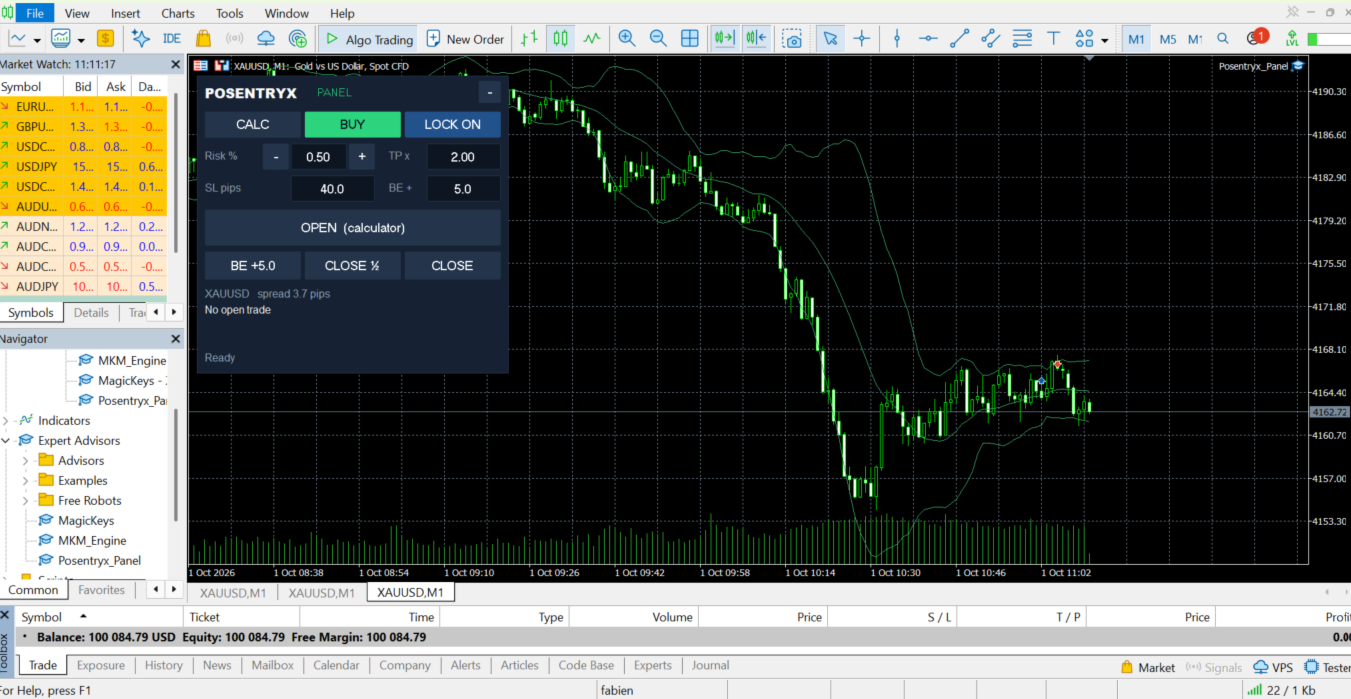
Trade with your risk, not with a guessed lot size. Choose how much of your account you want to risk, place your stop loss on the chart, and Posentryx Panel calculates the exact lot for you. Open, protect and close your trades in one click.
KEY FEATURES
- Risk per trade in % of balance or equity – adjust with the – / + buttons or type the value
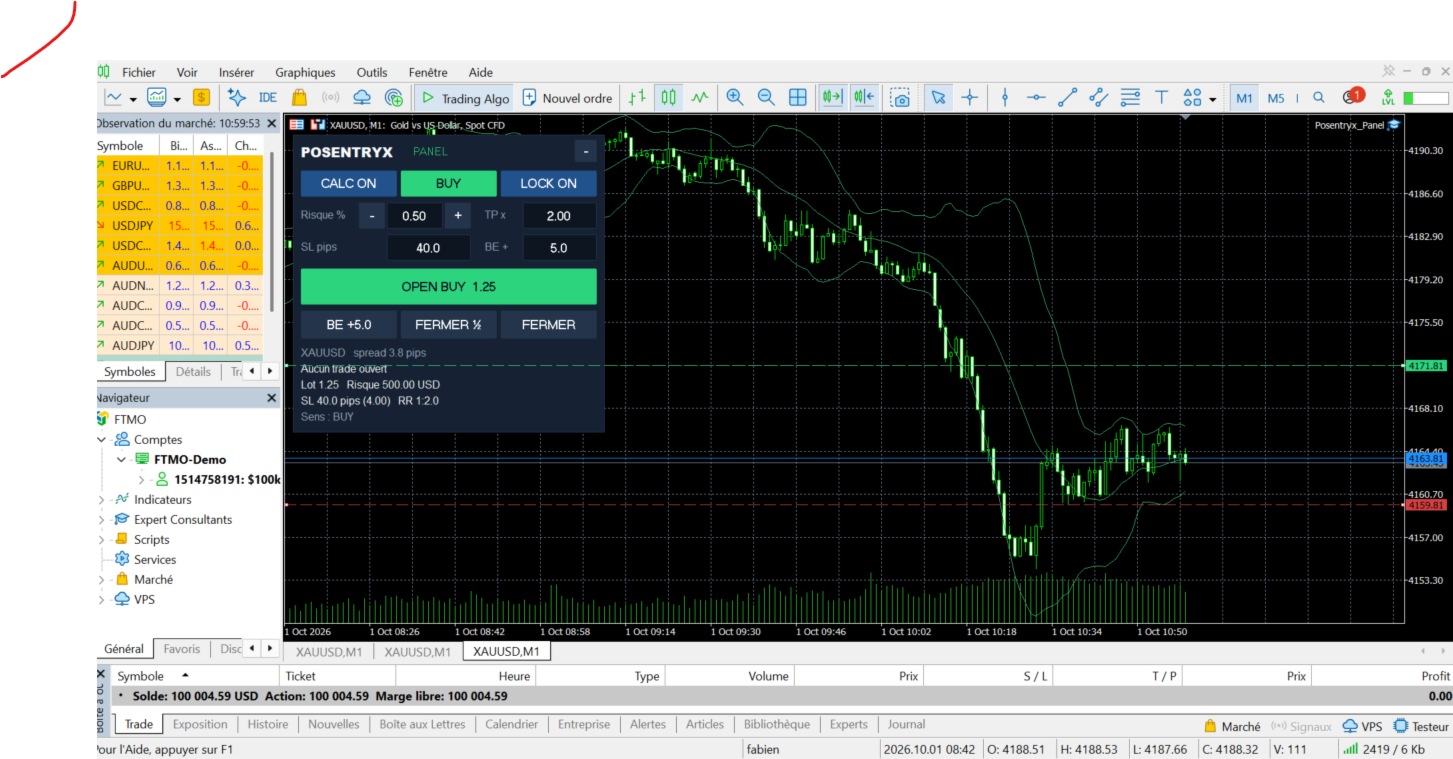
- Calculator lines: Entry, Stop Loss and Take Profit drawn on the chart and draggable with the mouse – the lot is recalculated live
- LOCK ON: SL and TP follow the price at a fixed distance. LOCK OFF: levels stay fixed and the lot adapts
- Take profit as a multiple of the stop loss (risk:reward), or no TP at all
- One-click Break-Even with a configurable offset to cover spread and commission
- Close Half (partial close) and Close All for the current symbol
- Optional confirmation on CLOSE (can be disabled for scalping)
- SL and offsets in pips, points or price distance
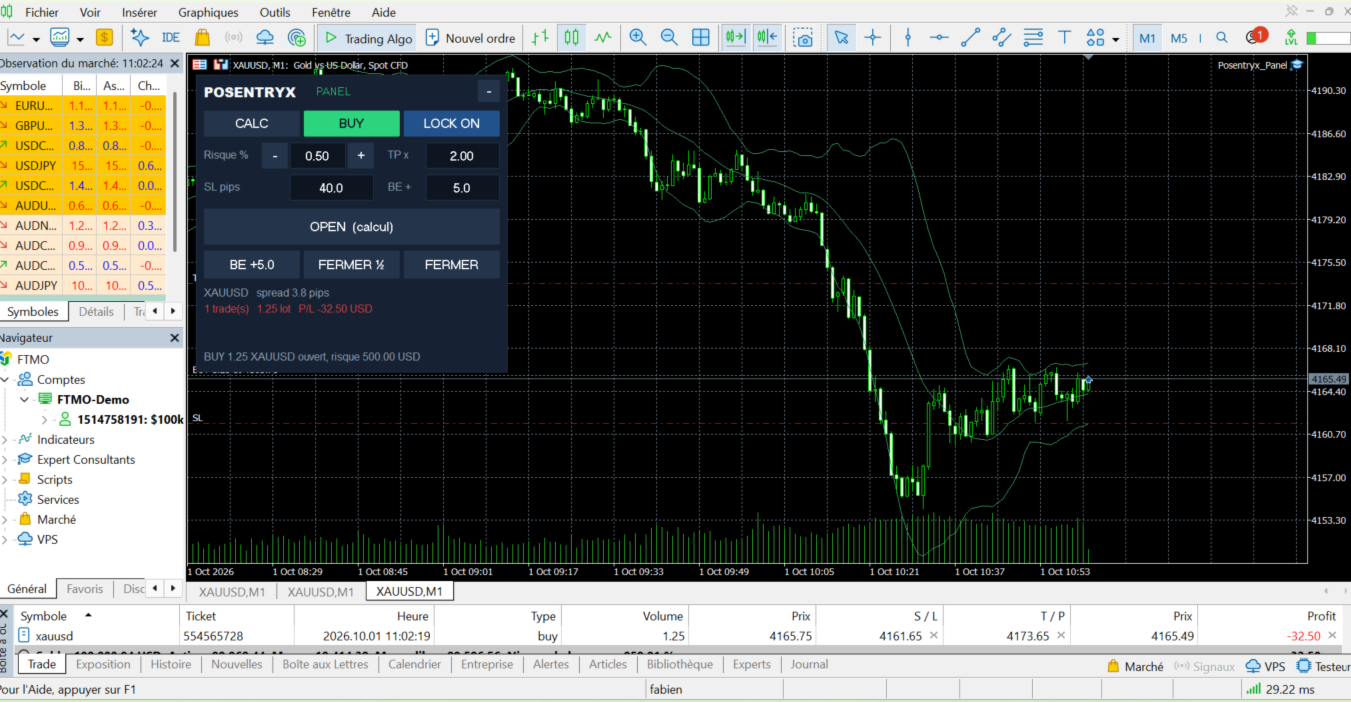
- Live display: lot, money at risk, SL distance, risk:reward, spread, open trades and P/L
- Chart scale adjusts automatically so the SL and TP lines are always visible
- Settings remembered per symbol
- Optional keyboard shortcuts (C calculator, S direction, L lock, T open, E break-even, H half, X close, + / – risk)
- English and French interface
SAFETY FIRST
- The lot is never rounded up above your risk: if the computed lot is below the broker minimum, no trade is opened (optional override, limited by a maximum risk setting)
- Every order is checked before it is sent: free margin, minimum / maximum / step volume, stops level and freeze level
- Works on hedging and netting accounts, with any broker and any symbol: forex, metals, indices, crypto
- Suitable for prop firm accounts
HOW TO USE
1. Attach Posentryx Panel to a chart and enable Algo Trading.
2. Set your risk % and your default SL.
3. Click CALC: the Entry, SL and TP lines appear. Drag them where you want.
4. Choose BUY or SELL, then click OPEN – the order is sent with the calculated lot, SL and TP.
5. Manage the trade with BE, CLOSE ½ and CLOSE.
MAIN INPUTS
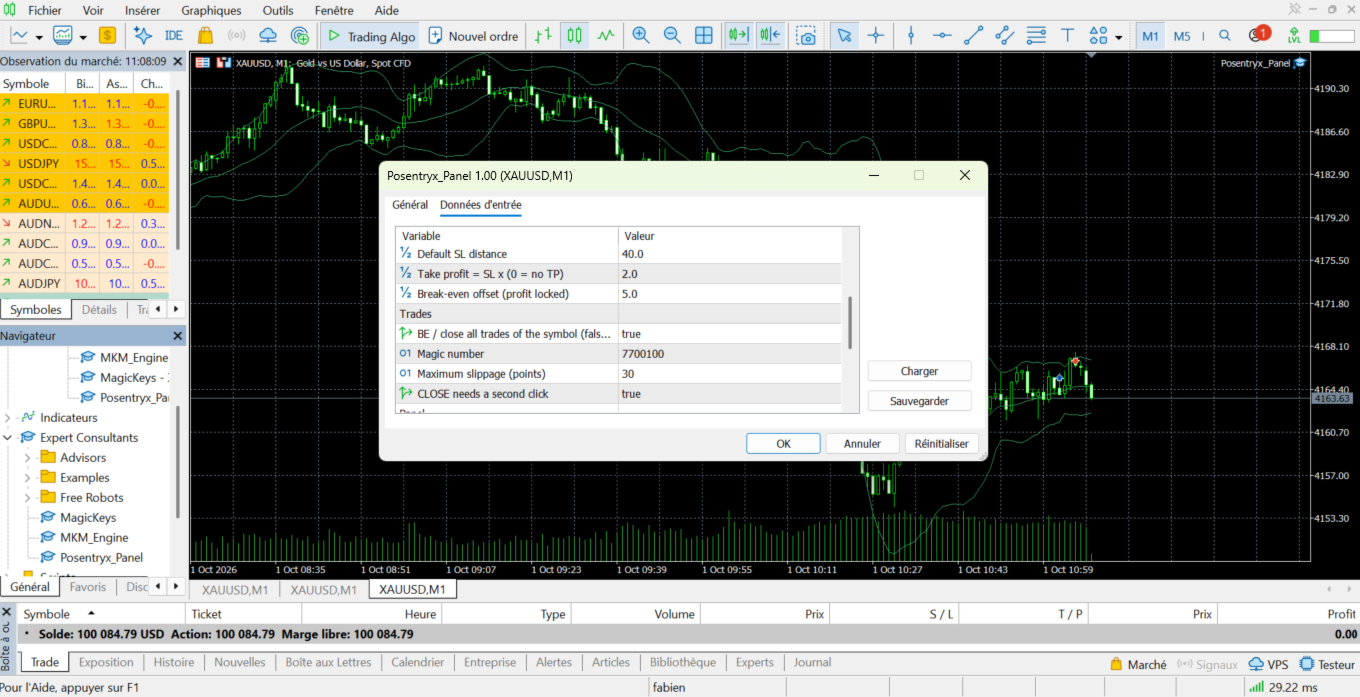
Risk per trade (%), risk step, maximum risk, risk based on balance or equity, allow minimum lot, unit (pips / points / price), default SL, TP multiple, break-even offset, manage all trades of the symbol or only the panel's trades, magic number, slippage, close confirmation, language, panel position, keyboard shortcuts.
STRATEGY TESTER
Posentryx Panel is a manual trading tool. In the Strategy Tester (non-visual mode) it runs a short automatic demonstration (open with risk-based lot, break-even, half close, close) so you can check every function. In visual mode, the buttons can be clicked.
Note: trading involves a high risk of loss. Posentryx Panel is an execution and risk management tool; it does not give trading signals and does not guarantee any result.
Trade with your risk, not with a guessed lot size. Choose how much of your account you want to risk, place your stop loss on the chart, and Posentryx Panel calculates the exact lot for you. Open, protect and close your trades in one click.
KEY FEATURES
- Risk per trade in % of balance or equity – adjust with the – / + buttons or type the value
- Calculator lines: Entry, Stop Loss and Take Profit drawn on the chart and draggable with the mouse – the lot is recalculated live
- LOCK ON: SL and TP follow the price at a fixed distance. LOCK OFF: levels stay fixed and the lot adapts
- Take profit as a multiple of the stop loss (risk:reward), or no TP at all
- One-click Break-Even with a configurable offset to cover spread and commission
- Close Half (partial close) and Close All for the current symbol
- Optional confirmation on CLOSE (can be disabled for scalping)
- SL and offsets in pips, points or price distance
- Live display: lot, money at risk, SL distance, risk:reward, spread, open trades and P/L
- Chart scale adjusts automatically so the SL and TP lines are always visible
- Settings remembered per symbol
- Optional keyboard shortcuts (C calculator, S direction, L lock, T open, E break-even, H half, X close, + / – risk)
- English and French interface
SAFETY FIRST
- The lot is never rounded up above your risk: if the computed lot is below the broker minimum, no trade is opened (optional override, limited by a maximum risk setting)
- Every order is checked before it is sent: free margin, minimum / maximum / step volume, stops level and freeze level
- Works on hedging and netting accounts, with any broker and any symbol: forex, metals, indices, crypto
- Suitable for prop firm accounts
HOW TO USE
1. Attach Posentryx Panel to a chart and enable Algo Trading.
2. Set your risk % and your default SL.
3. Click CALC: the Entry, SL and TP lines appear. Drag them where you want.
4. Choose BUY or SELL, then click OPEN – the order is sent with the calculated lot, SL and TP.
5. Manage the trade with BE, CLOSE ½ and CLOSE.
MAIN INPUTS
Risk per trade (%), risk step, maximum risk, risk based on balance or equity, allow minimum lot, unit (pips / points / price), default SL, TP multiple, break-even offset, manage all trades of the symbol or only the panel's trades, magic number, slippage, close confirmation, language, panel position, keyboard shortcuts.
STRATEGY TESTER
Posentryx Panel is a manual trading tool. In the Strategy Tester (non-visual mode) it runs a short automatic demonstration (open with risk-based lot, break-even, half close, close) so you can check every function. In visual mode, the buttons can be clicked.
Note: trading involves a high risk of loss. Posentryx Panel is an execution and risk management tool; it does not give trading signals and does not guarantee any result.