ProTrade Session Indicator
- Utilitários
- Versão: 2.1

ProTrade Session Indicator
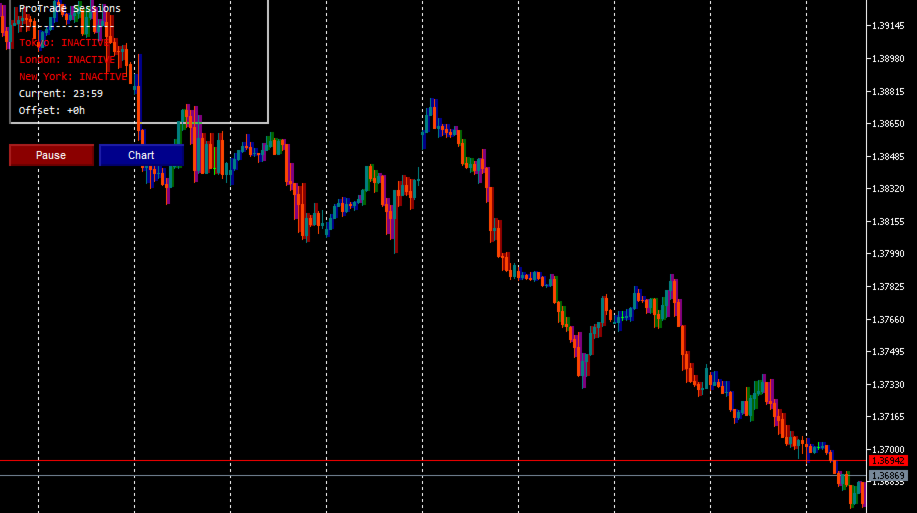
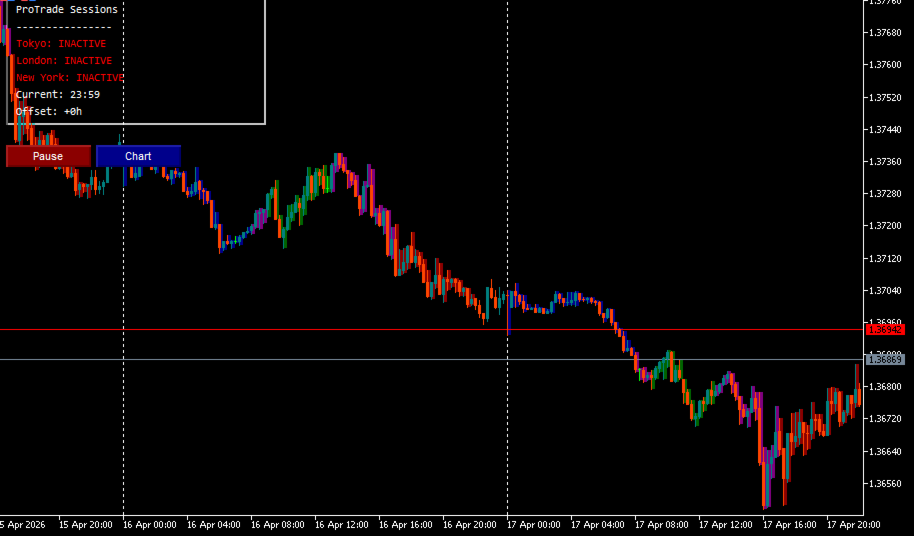
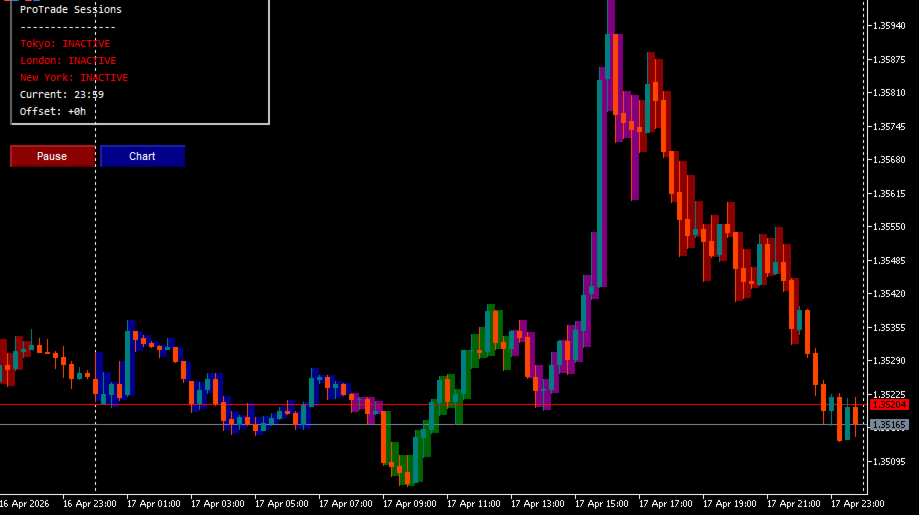
The ProTrade Session Indicator is a visual tool designed to help traders identify and track major forex trading sessions directly on their charts. It highlights Tokyo, London, and New York session periods with customizable colors, enabling better timing of entries and awareness of liquidity windows.
Features
Session Visualization
- Displays Tokyo, London, and New York trading sessions based on broker time
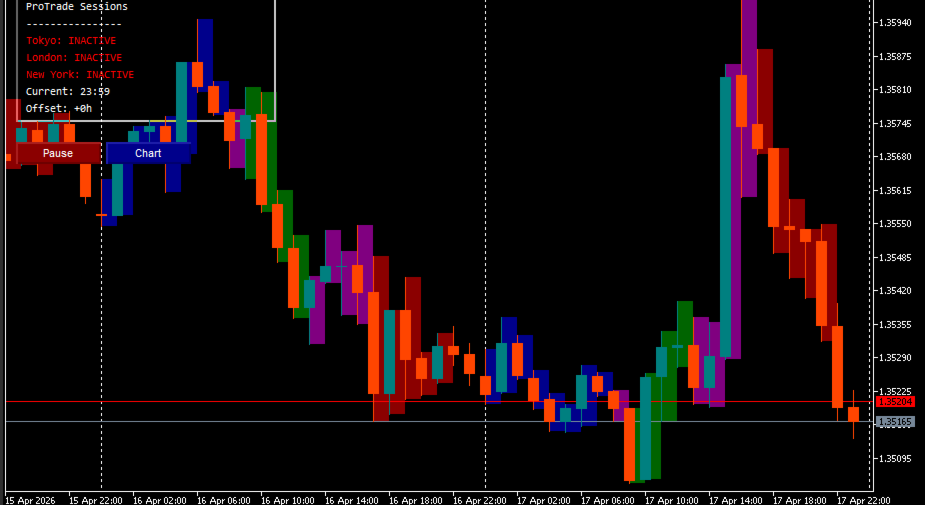
- Optional per-candle highlighting shows which session each candle belongs to
- Overlap periods (e.g., London/New York) are shown in a distinct color
- Optional background boxes provide full-session context
Customization
- Adjustable broker time offset for accurate session alignment
- Configurable session start/end hours for each market
- Custom colors for candles, boxes, labels, and dashboard elements
- Toggle weekend display and control historical bar coverage
Dashboard & Alerts
- Compact on-chart dashboard shows active session status in real time
- Optional alerts for session start/end events via platform notifications, push, or email
- Configurable alert cooldown to prevent notification spam
Chart Integration
- One-click chart styling applies your preferred color scheme
- Non-intrusive design keeps charts clean and readable
- Objects are automatically managed and cleaned up to maintain performance
Input Parameters
Session Time Settings
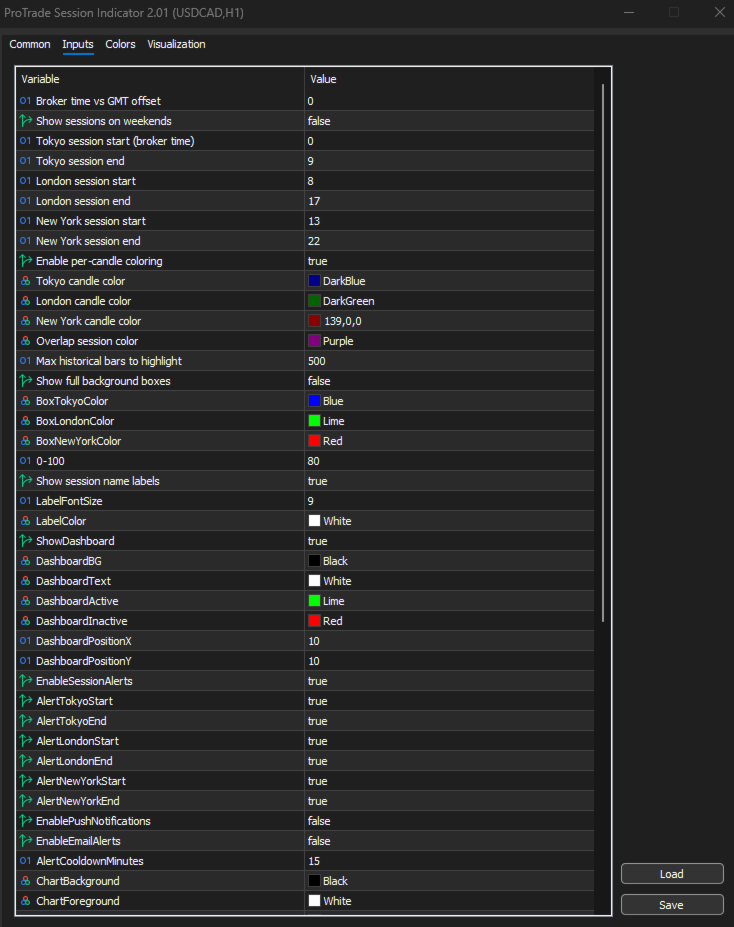
- BrokerTimeOffset: Adjust for broker server time vs GMT
- ShowWeekends: Display sessions on weekend days
- TokyoStartHour/TokyoEndHour: Tokyo session window (broker time)
- LondonStartHour/LondonEndHour: London session window
- NewYorkStartHour/NewYorkEndHour: New York session window
Candle Highlight Settings
- HighlightCandles: Enable per-candle session coloring
- TokyoCandleColor/LondonCandleColor/NewYorkCandleColor: Session-specific colors
- OverlapCandleColor: Color for overlapping session periods
- MaxBarsToKeep: Limit historical objects for performance
Background & Dashboard
- ShowSessionBoxes: Display full-session background rectangles
- BoxTokyoColor/BoxLondonColor/BoxNewYorkColor: Box colors
- BoxTransparency: Opacity level for background boxes
- ShowSessionLabels: Display session name labels
- ShowDashboard: Enable the on-chart status panel
Alert Settings
- EnableSessionAlerts: Master toggle for alerts
- Individual toggles for each session start/end event
- EnablePushNotifications/EnableEmailAlerts: Delivery options
- AlertCooldownMinutes: Minimum time between repeated alerts
Chart Appearance
- Full set of color and display options for chart background, candles, grid, volumes, and price lines
- AutoApplyChartSettings: Apply visual preferences on load
How It Works
- The indicator reads the current broker time and applies the configured offset to determine the actual hour.
- It checks whether the current time falls within any configured session window.
- If candle highlighting is enabled, each historical bar is colored based on its session context.
- The dashboard updates every 60 seconds to reflect active sessions.
- Alerts trigger only when a session state changes (start or end), respecting the cooldown setting.
Usage Notes
- This indicator is for visual reference and alerting only. It does not execute trades or generate signals.
- Session times are based on broker server time. Use BrokerTimeOffset to align with your preferred timezone.
- Weekend handling can be disabled to avoid displaying sessions during low-liquidity periods.
- Object cleanup is automatic, but MaxBarsToKeep can be reduced on lower-end systems for better performance.
Support
Questions or feedback? Please use the Comments section on this product page or the MQL5 messaging system. The author monitors this channel for support requests and updates.
Important Disclaimer
Trading in financial markets involves substantial risk of loss and is not suitable for every investor. Past performance of any trading system or methodology is not indicative of future results. This indicator is provided for educational and informational purposes only and does not constitute financial advice, a recommendation, or a guarantee of profitability. Users are solely responsible for their trading decisions and should test any tool thoroughly in a demo environment before live use.