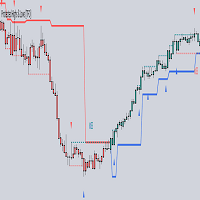
ICT concepts advanced

ICT Concepts Indicator — Trading Guide

Overview

This MetaTrader 5 indicator implements core Inner Circle Trader (ICT) concepts on a single chart. It identifies institutional price delivery patterns — the footprints that smart money leaves behind — and visualizes them as actionable zones and signals.

The indicator includes six modules that work together:

  1. Killzones — Session-based time windows where institutional activity peaks
  2. Premium / Discount Zones — Whether price is expensive or cheap relative to its range
  3. Optimal Trade Entry (OTE) — Fibonacci retracement levels for high-probability entries
  4. Market Structure Shift (MSS) — Trend reversal signals based on swing point breaks
  5. Breaker Blocks — Former order blocks that flip from resistance to support (or vice versa)
  6. Mitigation Blocks — Partially tested order blocks that still hold as reaction zones

1. Killzones

What They Are

Killzones are specific time windows (in UTC) when major financial centers are most active. Institutional order flow concentrates during these periods, creating the day's key highs, lows, and directional moves.

Sessions in This Indicator

Killzone UTC Time Character
Asian Session 20:00 – 00:00 Consolidation range. Sets the liquidity pool for London to raid.
London Killzone 02:00 – 05:00 Often creates the daily high or low. The "Judas Swing" frequently occurs here — a fake move in one direction before reversing.
New York Killzone 12:00 – 15:00 Continuation of the true daily direction or reversal of London's move. Highest volume overlap period.
London Close 15:00 – 17:00 Profit-taking window. Price often retraces toward equilibrium. Useful for closing positions, not opening them.

How to Use Killzones

  • Only take trades during Killzones. Moves outside these windows lack institutional backing and are more likely to be noise.
  • Asian range is your reference. Mark its high and low. London and New York will often sweep one side of the Asian range before reversing.
  • Combine with bias. If your higher-timeframe analysis is bullish, look for a sweep of the Asian low during London, then enter long.

2. Premium / Discount Zones

What They Are

Over any given lookback period (default: 20 bars), the indicator calculates the range high, range low, and their midpoint (equilibrium). Price above equilibrium is in the Premium Zone (expensive); price below is in the Discount Zone (cheap).

The Logic

Equilibrium = (Range High + Range Low) / 2 Premium Zone → Price > Equilibrium (colored crimson) Discount Zone → Price < Equilibrium (colored green)

How to Use Premium / Discount

  • Buy in discount, sell in premium. This is the single most important rule. Institutional traders accumulate positions at discount prices and distribute at premium prices.
  • Avoid buying in premium even if the trend is bullish — wait for a pullback into discount or at least to equilibrium.
  • Avoid selling in discount even if the trend is bearish — wait for a rally into premium.
  • Equilibrium (blue) acts as a magnet. Price tends to return to equilibrium before continuing its trend. It is also a decision point — if price breaks through equilibrium with conviction, the bias may be shifting.

3. Optimal Trade Entry (OTE)

What It Is

OTE is a specific Fibonacci retracement zone between the 62% and 79% levels of a swing. ICT considers this the highest-probability area for entering trades in the direction of the new trend. The indicator draws three levels after each Market Structure Shift:

Level Retracement Role
OTE 62% 0.620 Upper boundary of the OTE zone
OTE 70.5% 0.705 The "sweet spot" — the single best entry level (drawn thicker)
OTE 79% 0.790 Lower boundary / deep retracement; last line of defense

How OTE Is Calculated

After a bullish MSS, the indicator measures from the swing low to the swing high, then draws retracements downward:

OTE 62% = Swing High − (Range × 0.62) OTE 70.5% = Swing High − (Range × 0.705) OTE 79% = Swing High − (Range × 0.79)

After a bearish MSS, retracements are drawn upward from the swing low:

OTE 62% = Swing Low + (Range × 0.62) OTE 70.5% = Swing Low + (Range × 0.705) OTE 79% = Swing Low + (Range × 0.79)

How to Use OTE

  • Wait for MSS first. OTE levels are only valid after a confirmed structure shift. Never trade OTE in a random pullback.
  • Enter at or near the 70.5% level with a stop-loss below the 79% level (for longs) or above it (for shorts).
  • The entire 62%–79% zone is your entry zone. Use limit orders spread across this area, or wait for a confirmation candle (engulfing, pin bar) within the zone.
  • If price breaks cleanly through the 79% level, the OTE is invalidated. The structure shift may have been a false signal.

4. Market Structure Shift (MSS)

What It Is

An MSS occurs when price breaks a significant swing point in the opposite direction of the prevailing trend. It is the earliest signal that institutional order flow has changed direction. The indicator labels these as MSS▲ (bullish) and MSS▼ (bearish).

Detection Logic

The indicator identifies swing highs and swing lows using a configurable pivot length (default: 3 bars on each side). Then:

  • Bullish MSS: Price closes above a previous swing high while the prior close was at or below that level, and the current trend was not already bullish.
  • Bearish MSS: Price closes below a previous swing low while the prior close was at or above that level, and the current trend was not already bearish.

A horizontal line is drawn from the broken swing point to the break candle, with a directional label.

How to Use MSS

  • MSS establishes your directional bias. After a bullish MSS, you are only looking for long setups. After a bearish MSS, only shorts.
  • MSS on a higher timeframe carries more weight. An MSS on H4 overrides signals on M15.
  • Do not chase the MSS candle. The break candle itself is not your entry. Wait for the OTE retracement that follows.
  • Confluence is key. The best MSS signals occur during a Killzone, at a Premium/Discount extreme, and near a Breaker or Mitigation Block.

5. Breaker Blocks

What They Are

A Breaker Block is a former order block that has been violated and now acts as support/resistance from the opposite side. Think of it as an institutional "broken floor becomes ceiling" (or vice versa) concept.

Detection Logic

Bullish Breaker:

  1. A bearish candle forms (the original bearish order block)
  2. The next candle makes a lower low (liquidity grab below the OB)
  3. The following candle closes above the high of the bearish candle — the OB has been "broken" and now becomes support

Bearish Breaker:

  1. A bullish candle forms (the original bullish order block)
  2. The next candle makes a higher high (liquidity grab above the OB)
  3. The following candle closes below the low of the bullish candle — the OB is broken and now becomes resistance

The indicator draws a filled rectangle at the body of the original candle and labels it BB.

How to Use Breaker Blocks

  • Bullish Breakers are buy zones. When price pulls back to a bullish BB during a bullish trend, expect a bounce.
  • Bearish Breakers are sell zones. When price rallies into a bearish BB during a bearish trend, expect rejection.
  • A Breaker is invalidated when price closes through the opposite side of the block (the indicator automatically removes it).
  • Best when combined with OTE. If a Breaker Block sits inside the OTE zone, the confluence significantly increases the probability of a successful trade.
  • The indicator caps active Breakers at a configurable maximum (default: 5 per direction) and removes the oldest when new ones form.

6. Mitigation Blocks

What They Are

A Mitigation Block is an order block that price has returned to and partially filled, but the level still holds. Unlike a Breaker (which gets fully violated then flips), a Mitigation Block is tested but not broken — it represents unfinished institutional business.

Detection Logic

Bullish Mitigation Block:

  1. A bearish candle forms
  2. Price returns to touch the body of that candle (the low of the next candle enters the body range)
  3. Price bounces — the candle after the retest closes bullish and above the prior close

Bearish Mitigation Block:

  1. A bullish candle forms
  2. Price returns to touch the body of that candle (the high of the next candle enters the body range)
  3. Price rejects — the candle after the retest closes bearish and below the prior close

The indicator draws a filled rectangle and labels it MB.

How to Use Mitigation Blocks

  • MBs are reaction zones, not guaranteed reversals. Expect a bounce, but have a clear invalidation level.
  • Bullish MBs act as support. Set limit buy orders at the top of the block with stops below the bottom.
  • Bearish MBs act as resistance. Set limit sell orders at the bottom of the block with stops above the top.
  • If price closes through an MB, the indicator removes it — the institutional order has been fully mitigated.
  • Like Breakers, the indicator maintains a maximum number of active blocks (default: 5 per direction).

Putting It All Together — The ICT Trade Setup

The highest-probability trades occur when multiple indicator components align. Here is the ideal workflow:

Step 1: Establish Higher-Timeframe Bias

Look at H4 or Daily for the most recent MSS. This determines your directional bias (long or short).

Step 2: Identify the Premium/Discount Context

On your execution timeframe (M15, M5, or M1):

  • If bullish bias → wait for price to trade into the Discount Zone
  • If bearish bias → wait for price to trade into the Premium Zone

Step 3: Wait for a Killzone

Only enter during an active Killzone — preferably London or New York. The Asian session defines the range; London/NY break it.

Step 4: Find Entry Confluence

Look for the OTE zone (62%–79% retracement of the MSS swing) to overlap with a Breaker Block or Mitigation Block. The more layers of confluence, the better.

Step 5: Execute and Manage

  • Entry: At or near the OTE 70.5% level, inside a Breaker/Mitigation Block, during a Killzone
  • Stop-Loss: Below the 79% OTE level for longs (above for shorts), or beyond the Breaker/Mitigation Block boundary
  • Take-Profit: Previous swing high/low, or the opposite Premium/Discount extreme

ICT Trading Strategies

The following strategies combine the indicator's modules into complete, repeatable trade plans. Each strategy specifies the timeframe, conditions, entry, stop-loss, and take-profit so you can backtest and execute them mechanically.

Strategy 1 — The Silver Bullet (Killzone Sniper)

Concept: Enter during a specific 30-minute micro-window inside a Killzone when price displaces into a key level. ICT calls the 10:00–11:00 AM EST (15:00–16:00 UTC) window and the 02:00–03:00 AM EST (07:00–08:00 UTC) window the "Silver Bullet" times.

Timeframe: M1 or M5 for entry, H1/H4 for bias.

Setup Conditions:

  1. The indicator shows an active Killzone (London or NY).
  2. On H1/H4, the most recent MSS establishes your directional bias.
  3. Price is in the correct Premium/Discount Zone — Discount for longs, Premium for shorts.
  4. During the Killzone, price creates a Fair Value Gap (a three-candle pattern where the wicks of candle 1 and candle 3 do not overlap — you identify this visually) that displaces toward a Breaker Block or Mitigation Block shown by the indicator.

Execution:

  • Entry: Place a limit order at the midpoint of the Fair Value Gap, ideally where it overlaps with a BB or MB rectangle on the chart.
  • Stop-Loss: Beyond the far edge of the Breaker/Mitigation Block. Typically 10–20 pips on major forex pairs (M5).
  • Take-Profit: The opposite side of the Killzone range, or the next liquidity pool (previous swing high for longs, previous swing low for shorts).
  • Risk: 1% of account per trade.

Invalidation: If no displacement candle appears during the Killzone window, there is no trade. If price fills the FVG completely before your entry triggers, cancel the order.

Strategy 2 — Asian Range Liquidity Sweep

Concept: The Asian session builds a consolidation range. London smart money sweeps one side of that range to grab stop-loss liquidity, then reverses in the true daily direction.

Timeframe: M15 for entry, H4/Daily for bias.

Setup Conditions:

  1. The indicator draws the Asian Session box (20:00–00:00 UTC). Note the high and low of this box.
  2. H4/Daily MSS or trend direction is established (e.g., bullish).
  3. During the London Killzone (02:00–05:00 UTC), price sweeps below the Asian low (for a bullish setup) or above the Asian high (for a bearish setup).
  4. After the sweep, an MSS or MSS appears on M15, confirming the reversal.
  5. Price retraces into the OTE zone (62%–79%) drawn by the indicator after the M15 MSS.

Execution:

  • Entry: Limit order at the OTE 70.5% level. If a Breaker Block or Mitigation Block sits inside the OTE zone, enter at the block boundary instead (higher confluence).
  • Stop-Loss: 2–5 pips beyond the Asian range extreme that was swept (the liquidity grab wick). This is typically below the OTE 79% level.
  • Take-Profit 1: The opposite side of the Asian range.
  • Take-Profit 2: The Equilibrium line shown by the Premium/Discount module.
  • Take-Profit 3 (runner): The next H4 swing point or the opposite Premium/Discount extreme.

Invalidation: If the London Killzone ends without a sweep of the Asian range, skip the day. If the sweep occurs but no MSS forms on M15, the reversal is not confirmed — no trade.

Strategy 3 — MSS + OTE Reversal

Concept: The core ICT reversal model. Wait for a Market Structure Shift, then enter on the retracement to the Optimal Trade Entry zone. This is the most frequently taught ICT strategy.

Timeframe: M5 or M15 for entry, H1/H4 for bias.

Setup Conditions:

  1. On H1/H4, identify the current trend using the indicator's MSS labels and Premium/Discount context.
  2. On M5/M15, a new MSS forms in the direction of the higher-timeframe bias (e.g., bullish MSS on M15 while H4 is also bullish).
  3. The indicator draws OTE levels (62%, 70.5%, 79%) after the MSS.
  4. Price retraces toward the OTE zone.
  5. A confirmation candle forms inside the OTE zone — bullish engulfing, pin bar, or displacement candle for longs (bearish equivalent for shorts).

Execution:

  • Entry: On the close of the confirmation candle inside the OTE zone. Aggressive traders can use a limit order at the 70.5% level without waiting for confirmation.
  • Stop-Loss: 3–5 pips below the OTE 79% level (for longs). For shorts, above the 79% level. If this exceeds your risk tolerance, use the swing low/high beyond the OTE instead.
  • Take-Profit 1: The swing high that the MSS broke through (the structure point).
  • Take-Profit 2: Extension to the next liquidity pool — equal highs, a previous day's high, or the opposite PD extreme.
  • Risk-to-Reward Target: Minimum 3:1. The tight OTE stop combined with a swing-point target typically yields 3:1 to 5:1.

Invalidation: If price closes below the 79% OTE level (for longs) or above it (for shorts), the MSS has failed. Exit immediately — no averaging down.

Strategy 4 — Breaker Block Retest

Concept: After an order block is violated (creating a Breaker), institutional traders expect price to return and retest the zone from the opposite side. The Breaker flips from resistance to support (bullish) or support to resistance (bearish).

Timeframe: M15 or H1.

Setup Conditions:

  1. The indicator marks a Breaker Block (BB) on the chart — a filled rectangle with the "BB" label.
  2. The current MSS trend agrees with the Breaker direction (bullish MSS + bullish BB, or bearish MSS + bearish BB).
  3. Price is in the correct Premium/Discount Zone relative to the Breaker (Discount for bullish BB, Premium for bearish BB).
  4. Price pulls back to the Breaker Block rectangle.

Execution:

  • Entry: Limit order at the top of the Breaker Block (for bullish BB) or the bottom of it (for bearish BB). If the OTE zone overlaps the BB, enter at the 70.5% OTE level within the block.
  • Stop-Loss: Below the bottom of the Breaker Block (bullish) or above the top (bearish). Add a small buffer (2–3 pips).
  • Take-Profit 1: The most recent swing high (bullish) or swing low (bearish).
  • Take-Profit 2: The next Breaker Block or Mitigation Block in the opposite direction.
  • Risk-to-Reward Target: Minimum 2:1. Breaker retests often run to the next swing, yielding 2:1 to 4:1.

Invalidation: If the indicator removes the BB (price closes through it), the zone has failed. Exit and reassess the MSS.

Strategy 5 — Mitigation Block Bounce

Concept: Mitigation Blocks represent partially filled institutional orders. Price returns to "finish the business" — you ride the bounce when it does.

Timeframe: M5 or M15.

Setup Conditions:

  1. The indicator shows an active Mitigation Block (MB) — a filled rectangle labeled "MB."
  2. The prevailing MSS trend supports the direction of the MB (bullish MSS + bullish MB).
  3. Price has not yet retested the MB since it was drawn. A first touch has the highest probability.
  4. Ideally, the MB sits inside or near the OTE zone and within the correct Premium/Discount Zone.

Execution:

  • Entry: Limit order at the near edge of the Mitigation Block (top for bullish MB, bottom for bearish MB).
  • Stop-Loss: Beyond the far edge of the MB (bottom for bullish, top for bearish), plus a 2–3 pip buffer.
  • Take-Profit 1: The swing high/low that created the retracement toward the MB.
  • Take-Profit 2: The next liquidity target (equal highs/lows, previous day high/low).
  • Time Filter: Only enter if the MB retest occurs during a Killzone. MBs retested outside Killzones have lower follow-through.

Invalidation: If the indicator removes the MB (price closes through it), exit immediately. The institutional order has been fully mitigated and the level is dead.

Indicator Settings Reference

Parameter Default Description
Bar Limit 500 How many historical bars to analyze
Pivot Length 3 Bars on each side to confirm a swing point. Higher = fewer, stronger swings.
PD Lookback 20 Bars used to calculate the Premium/Discount range
Breaker Extend 15 How many bars forward to draw the Breaker Block rectangle
Mitigation Extend 15 How many bars forward to draw the Mitigation Block rectangle
Max Breaker 5 Maximum active Breaker Blocks per direction
Max Mitigation 5 Maximum active Mitigation Blocks per direction
KZ Transparency 90 Killzone box transparency (0 = solid, 100 = invisible)

Tips and Warnings

  • This indicator does not generate buy/sell signals. It visualizes institutional concepts. The trading decisions are yours.
  • Always use multiple timeframe analysis. Higher-timeframe MSS and OTE carry more weight than lower-timeframe signals.
  • Not every MSS leads to a trend change. Confirmation through price action (displacement candles, fair value gaps) improves accuracy.
  • Breakers and Mitigation Blocks expire. The indicator removes them when violated. Do not hold a position hoping an invalidated zone will hold.
  • Killzones are in UTC. Adjust for your broker's server time if it differs.
  • Backtest before trading live. Study how the indicator's zones interact with price on historical data across different market conditions and instruments.


Produtos recomendados
Ultimate World Clock
Mehdi Ghorbani Saeidian
Every Trader trades in a market zone. If you are not living in the time zone you are trading, you need a clock to show you what time it is in your favorite time zone, and it should be small at the same time to not interrupt your trading process.  In this small indicator, you have access to 3 major clocks around the world, and you can easily look at them. We have some other products that I am sure will help you with your trading career. Please have a look at the link: LINK our all-in-one trading
Niubility Trend  Niubility Trend  displays the trend direction for all time frames in real time. You'll see at a glance at which direction the trends are running, how long they last and how powerful they are. All this makes it an easy-to-use trend trading system for beginners, advanced and professional traders. Features Easy to trade Customizable colors and sizes It is non-repainting and non-backpainting It is fantastic as a trailing stop method It implements alerts of all kinds
Este é o indicador de Bandas Bollinger da Gekko. Ele amplia o uso das famosas bandas de bollinger e calcula sinais fortes de entrada e saída usando a ação do preço contra as bandas superior, inferior e do meio. Você pode configurá-lo de muitas maneiras diferentes, por exemplo: pullback, pullback contra a tendência, cruzamento da banda do meio, etc. Parâmetros de Entrada Number of Bars to Plot Indicator:  número de barras históricas para plotar o indicador, mantenha  baixo para melhor desempenho;
DTFX Algo Zones are auto-generated Fibonacci Retracements based on market structure shifts. These retracement levels are intended to be used as support and resistance levels to look for price to bounce off of to confirm direction.   USAGE Figure 1 Due to the retracement levels only being generated from identified market structure shifts, the retracements are confined to only draw from areas considered more important due to the technical Break of Structure (BOS) or Change of Character (CHo
A useful scanner/dashboard that shows the RSI values for multiple symbols and Time-frames. It can be easily hidden/displayed with a simple click on the scanner man top left of the dashboard. You can input upper and lower RSI values and the colours can be set to show when above/below these values. The default values are 70 and 30. There are also input colours for when the RSI is above or below 50 (but not exceeding the upper/lower levels Symbols and time-frames are input separated by commas. S
Mean Reversal Heikin Ashi Indicator calculates special trade reversal points based on Heikin Ashi candlesticks patterns. This indicator can be used on all symbols, even in Forex or B3 Brazillian Markets. You can configure just the position of each arrow. Then, after include the indicator on the graphic, pay attention on each arrow that indicates a long or short trade.
G-Ca$H IC Breaker Automatic source and breaker order block indicator for MetaTrader 4 and MetaTrader 5. (This version is mt5) For user guide please see the comments section. Overview Detects and draws two key zones from price structure across multiple timeframes: the Source order block where a directional move originates, and the Breaker order block where price confirms that structure has been invalidated. Works on any symbol — forex, metals, indices, crypto, or commodities. What you see on the
O indicador ajuda a entrar em uma negociação seguindo a tendência, ao mesmo tempo, após alguma correção. Ele encontra fortes movimentos de tendência de um par de moedas em um determinado número de barras e também encontra níveis de correção para essa tendência. Se a tendência for forte o suficiente e a correção se tornar igual à especificada nos parâmetros, o indicador sinalizará isso. Você pode definir diferentes valores de correção, 38, 50 e 62 (níveis de Fibonacci) são melhores. Além disso,
SuperTrendCCI
Volkan Mustafaoglu
The best quality application of the famous Super Trend indicator that requires no introduction. It is completely faithful to the original algorithm and powered by the CCI indicator. - easy to trade - It implements all kinds of warnings. - It implements a multi-timezone dashboard. - It cannot be repainted or backpainted. Input parameters - ATR Period – This is the average true range period. - ATR Multiplier - The ATR multiplier that defines the trend. - CCI - Makes trend following powerful. - M
This indicator let user clearly see Buy/Sell signals. When a bar is closed and conditions meet, arrow signal will come up at Close Price, up is Buy and down is Sell. It works on all Timeframes. And you can set sound alert when signals come up.
This indicator allows you to observe candle formation over a specific period, such as the Nasdaq, which starts at mid-hour. For example, for the first hour. The distance and size of the candle positioned on the right side can be adjusted. Color can also be assigned based on falling and rising candles. The needle can be made visible or invisible if desired. The body size can also be adjusted as desired.
FREE
This Indicator adding power to traditional zigzag indicator. With High-Low numbers in vision it will be easier to estimate change of trend by knowing the depth of each wave. Information including points, pips, percentage%, and #bars can be displayed based on configuration. All information is real-time update. This indicator is especially useful in sideway market to buy low sell high.
Hot Trend Zone
Tiofelo Da Olga Gilbert Teles
1. CONSTITUTION Hot Trend Zone is momentum indicator composed of one oscillator and its respective signal. The crossover between the oscillator and the signal generates the Bullish Trend Zone, Bearish Trend Zone, and Neutral Zone. 2. OPERATION As trend filter: bullish filter: if is bullish trending, search for bullish moves. bearish filter: if is bearish trending, search for bearish moves. As entry signal: When combined with a trend filter [preferably the Currency Strength Meter], it provides ve
Trend change detector is an indicator for Metatrader 5.It can help you determine the change in a local trend to open a correct position. It has 2 parameters. Period and mistake offset percent. You can change the period parameter to capture little changes in trend.  There are two lines: the red one and the green one. You can use them as a local support and resistance level. Arrows show the change in a trend. Up arrow the price will go down and Down arrow the price will go up. Also, by changing m
Este indicador é um indicador para análise automática de ondas que é perfeito para negociações práticas! Caso... Nota:   Não estou acostumado a usar nomes ocidentais para classificação de ondas. Devido à influência da convenção de nomenclatura de Tang Lun (Tang Zhong Shuo Zen), nomeei a onda básica como   uma caneta   e a banda de onda secundária como   um segmento   . ao mesmo tempo, o segmento tem a direção da tendência.   O segmento de tendência principal   é nomeado (esse método de nomencl
Yawabeh SD Pro –  Professional Supply and Demand Indicator Trade Smarter with Volume-Confirmed Supply/Demand Zones Our institutional-grade algorithm identifies high-probability reversal zones before price reacts, giving you the edge in Forex, Crypto, and Stocks. Key Features Multi-Timeframe Confirmation – View trend strength across multiple timeframes simultaneously – Align your trades with higher timeframe momentum Smart Alert System – Real-time notifications for: – Strong demand/supply zone
TSI Trend Analyzer
Joao Paulo Ferreira Fortes
4.67 (6)
In which direction should I trade today? For “TREND followers”, we need to determine the TREND . This indicator determines the Trend based on the price High, Low and Close of every bar, for a given period and timeframe. Calculating and plotting the Trend UP and Trend DOWN lines. If the:   “Trend UP” line (Green) is above the “Trend DOWN” line (Red), then it is a BULLISH Trend (see "Screenshots" tab). “Trend DOWN” line (Red) is above the “Trend UP” line (Green), then it is a BEARISH Trend (see "
FREE
Paranormal Insightment  Use with : Ritz MA Ribbon Dynamics (check on my product) Ritz Paranormal Insightment   is a precision-engineered analytical indicator that blends   momentum intelligence   and   trend confirmation   into a single visual system. It merges the   DeMarker oscillator   with a   dynamic Moving Average filter , detecting price exhaustion and directional shifts with remarkable clarity. The indicator translates subtle market imbalances into actionable visual and auditory signal
Apresentando o Trend Enthusiasm Indicator (TEI), a melhor ferramenta para maximizar os lucros no pregão. Este indicador inovador combina o poder da análise de tendências com a empolgação do sentimento do mercado, proporcionando aos traders uma vantagem única nos mercados financeiros em constante mudança. O TEI usa algoritmos avançados para analisar a tendência subjacente de um instrumento financeiro e o entusiasmo dos traders para identificar oportunidades de alto lucro. Isso permite que os t
Introduction This indicator detects volume spread patterns for buy and sell opportunity. The patterns include demand and supply patterns. You might use each pattern for trading. However, these patterns are best used to detect the demand zone (=accumulation area) and supply zone (=distribution area). Demand pattern indicates generally potential buying opportunity. Supply pattern indicates generally potential selling opportunity. These are the underlying patterns rather than direct price action. T
Candle Timer Countdown v2.5 is an advanced MQL5 indicator designed to enhance your trading precision. It provides a live countdown for each candle while simultaneously analyzing multiple timeframes to detect trend direction and potential early reversals. Key features include: Candle Countdown & Progress Bar: Monitor the exact time remaining for each candle with a clear progress visualization. Advanced Trend Detection: Analyze both fast and slow trends with configurable sensitivity and multi-time
TrendLinePro
PATRICK WENNING
The TrendLinePro indicator for MetaTrader 5 creates a trend line based on the last candle highs and lows. The number of candles to be used to determine the direction can be selected yourself. The trend line can also be used to set an SL. Changes in trend directions can optionally be displayed with an arrow. Input Parameters: Number of Candles for Distance: 3 Display Direction Changes Arrows: false
RubdFx Perfect Reversal , The reversal indicator is used to determine areas of support and resistance by Drawing an arrow with a level of supply and demand ( ReversalZones ). - You will catch more swings by reducing the period, and less swings if you increase period - Mobile, computer and email alerts available . it is not pushed by price which means the arrow will stay in one place,suitable for scalping and long term trading  Also Compatible with all forex paris , BUY RULES;  open a buy positio
Harmonic Pro
Kambiz Shahriarynasab
Only 5 copies of the EA at $30! Next price --> $45 Find charts and signals based on harmonic patterns, which work great in 1-hour timeframes and up. Buy and sell signs based on different harmonic patterns as follows: 0: ABC_D 1: ABCD_E 2: 3Drive 3: 5_0 4: Gartley 5: Bat 6: Crab 7: Butterfly 8: Cypher 9: NenStar 10: Shark 11: AntiBat 12: AntiGartley 13: AntiCrab 14: AntiButterfly 15: AntiCypher 16: AntiNenStar 17: AntiShark How to use: When there is an opportunity to buy or sell, you have 5:
Orderflow Super Candles - Simple Footprint Chart Indicator Platform: MetaTrader 5 (MT5)  (The last screenshot shows the use of the DOM tool in conjunction with the product.) 1. Product Introduction Orderflow Super Candles is a professional charting tool based on underlying Tick data analysis, designed to provide traders with a deep "X-ray" view of the market. By parsing the buy and sell volume distribution within each candlestick, this indicator visualizes the hidden market microstructure. It
The indicator determines a special pattern of Joe Dinapoli. It gives very high probability buy and sell signals. Indicator does not repaint. Indicator Usage Buy Signal ''B'' Entry : Market buy order at signal bar close Stop : Low of signal bar Take Profit : First swing high Sell Signal ''S'' Entry : Market sell order at signal bar close Stop : High of signal bar Take Profit : First swing low Indicator Parameters Fast EMA : External Parameter (should be kept as default) Slow EMA: External Param
Xtrade Trend Detector
Dago Elkana Samuel Dadie
Xtrade Trend Detector is an indicator capable of finding the best opportunities to take a position in any stock market. Indeed, it is a great tool for scalpers but also for Daytraders. You could therefore use it to identify areas to trade, it fits easily on a chart. I use it to detect trends on Big timeframes and take positions on Small timeframes. Don't hesitate to give me a feedback if you test it.
Este é um scanner multiativo e multitemporalidade desenvolvido para nosso indicador ACB Breakout Arrows . Com as configurações padrão, ele escaneia sinais de compra/venda em 28 pares de moedas e 9 períodos de tempo simultaneamente .  Recursos É capaz de escanear 252* combinações de ativos e períodos de tempo a partir de um único gráfico. Abra o gráfico do sinal com um clique, já carregado com o template predefinido.  Permite arrastar e soltar facilmente o painel em qualquer lugar do gráfico. Al
N/B: All our product purchase comes with our free ‘’DAILY   SCALPER EA’’ -   bit.ly/4qlFLNh Whatsapp Developer for yours after successful purchase PROFESSIONAL DOUBLE TOP/BOTTOM PATTERN SCANNER The Ultimate Reversal Trading System for Forex & Crypto Traders  TRANSFORM YOUR TRADING WITH INSTANT PATTERN RECOGNITION Are you tired of missing profitable reversal setups? Exhausted from staring at charts for hours, trying to spot double tops and bottoms? Frustrated with false breakouts and misse
Giant M5
Artem Konkov
Este indicador multi-timeframe continua a tradição do gigante na plataforma MT5. Ele é baseado em indicadores de autor que coletam sinais de diferentes gráficos. Muitas vezes, o preço começa a se mover na direção especificada após alguns minutos. A repetição frequente de sinais em uma direção indica uma tendência atual. Os sinais para o trader são setas no gráfico e alertas. Tudo pronto para o comércio. Você só precisa especificar o par de moedas desejado. Recomenda-se instalar o indicador no
Os compradores deste produto também adquirem
SuperScalp Pro
Van Minh Nguyen
4.57 (21)
SuperScalp Pro – Sistema avançado de scalping com múltiplos filtros SuperScalp Pro é um indicador avançado de scalping que combina o clássico Supertrend com múltiplos filtros inteligentes de confirmação para ajudar a identificar oportunidades de trading. Funciona de forma eficiente em vários timeframes de M1 até H4, com desempenho otimizado para XAUUSD, BTCUSD e principais pares Forex. O indicador fornece sinais claros de Buy e Sell, juntamente com níveis calculados automaticamente de entrada, S
Divergence Bomber
Ihor Otkydach
4.9 (86)
Cada comprador deste indicador recebe adicionalmente, e de forma gratuita: A ferramenta exclusiva "Bomber Utility", que acompanha automaticamente cada operação, define os níveis de Stop Loss e Take Profit e fecha operações de acordo com as regras da estratégia; Arquivos de configuração (set files) para ajustar o indicador em diferentes ativos; Set files para configurar o Bomber Utility nos modos: "Risco Mínimo", "Risco Balanceado" e "Estratégia de Espera"; Um vídeo tutorial passo a passo que aju
Entry In The Zone and SMC Multi Timeframe is a real-time 2-in-1 market analysis tool that combines market structure analysis and a No Repaint BUY / SELL signal system into a single indicator, built on Smart Money Concepts (SMC) — a widely adopted framework used by professional traders to understand market structure. This indicator helps you see the market more clearly, make decisions based on structure rather than guesswork, and focus on high-probability zones where price is more likely to react
Azimuth Pro
Ottaviano De Cicco
5 (6)
Azimuth Pro V2: Estrutura Fractal Sintética e Entradas Confirmadas para MT5 Visão geral Azimuth Pro é um indicador de estrutura swing multinível da Merkava Labs . Quatro camadas de swing aninhadas, VWAP ancorado em swings, detecção de padrões ABC, filtragem estrutural de três timeframes e entradas confirmadas em barra fechada — um gráfico, um fluxo de trabalho dos micro-swings aos macro-ciclos. Este não é um produto de sinais cegos. É um fluxo de trabalho baseado em estrutura para traders que v
Gann Made Easy   é um sistema de negociação Forex profissional e fácil de usar, baseado nos melhores princípios de negociação usando a teoria do sr. W. D. Gann. O indicador fornece sinais precisos de COMPRA e VENDA, incluindo níveis de Stop Loss e Take Profit. Você pode negociar mesmo em movimento usando notificações PUSH. Entre em contato comigo após a compra para receber instruções de negociação e ótimos indicadores extras gratuitamente! Provavelmente você já ouviu muitas vezes sobre os método
Quantum TrendPulse
Bogdan Ion Puscasu
5 (23)
Apresentando   Quantum TrendPulse   , a ferramenta de negociação definitiva que combina o poder do   SuperTrend   ,   RSI   e   Stochastic   em um indicador abrangente para maximizar seu potencial de negociação. Projetado para traders que buscam precisão e eficiência, este indicador ajuda você a identificar tendências de mercado, mudanças de momentum e pontos de entrada e saída ideais com confiança. Principais características: Integração SuperTrend:   siga facilmente a tendência predominante do
Se você comprar este indicador, receberá meu Gerenciador de Operações Profissional + EA  GRATUITAMENTE. Primeiramente, vale ressaltar que este Sistema de Trading é um Indicador Não Repintado, Não Redesenho e Não Atrasado, o que o torna ideal tanto para o trading manual quanto para o automatizado. Curso online, manual e download de predefinições. O "Sistema de Trading Inteligente MT5" é uma solução completa de trading projetada para traders novos e experientes. Ele combina mais de 10 indicadores
OmniSync Projection
Antonio-alin Teculescu
5 (1)
Chronos Fractal Engine is an innovative price projection indicator for MetaTrader 5, designed to transform your technical analysis by intelligently identifying and projecting historical price patterns. Built upon an advanced correlation algorithm and the fractal principles of the market, this powerful tool visualizes potential future price movements, giving you a unique edge in your trading decisions. What is Chronos Fractal Engine? At its core, the Chronos Fractal Engine employs a sophisticat
Power Candles MT5
Daniel Stein
4.75 (8)
Power Candles – Sinais de entrada baseados em força para qualquer mercado Power Candles leva a análise de força comprovada da Stein Investments diretamente para o seu gráfico de preços. Em vez de reagir apenas ao preço, cada candle é colorido com base na força real do mercado, permitindo identificar instantaneamente a construção de momentum, aceleração de força e transições limpas de tendência. Uma única lógica para todos os mercados Power Candles funciona automaticamente em todos os símbolos de
FX Trend MT5 NG
Daniel Stein
5 (4)
FX Trend NG: A Nova Geração de Inteligência de Tendência Multi-Mercado Visão Geral FX Trend NG é uma ferramenta profissional de análise de tendências e monitoramento de mercado em múltiplos períodos de tempo. Permite compreender a estrutura completa do mercado em segundos. Em vez de alternar entre vários gráficos, você visualiza instantaneamente quais ativos estão em tendência, onde o momentum está enfraquecendo e onde existe alinhamento forte entre diferentes timeframes. Oferta de Lançamento
Apresentando       Quantum Breakout PRO   , o inovador Indicador MQL5 que está transformando a maneira como você negocia Breakout Zones! Desenvolvido por uma equipe de traders experientes com experiência comercial de mais de 13 anos,       Quantum Breakout PRO       foi projetado para impulsionar sua jornada comercial a novos patamares com sua estratégia de zona de fuga inovadora e dinâmica. O Quantum Breakout Indicator lhe dará setas de sinal em zonas de breakout com 5 zonas-alvo de lucro e su
Grabber System MT5
Ihor Otkydach
4.83 (23)
Apresento a você um excelente indicador técnico: Grabber, que funciona como uma estratégia de trading “tudo incluído”, pronta para usar. Em um único código estão integradas ferramentas poderosas de análise técnica de mercado, sinais de entrada (setas), funções de alertas e notificações push. Cada comprador deste indicador também recebe gratuitamente: Utilitário Grabber: ferramenta para gerenciamento automático de ordens abertas Vídeo tutorial passo a passo: como instalar, configurar e operar com
Vamos ser honestos primeiro. Nenhum indicador sozinho vai te tornar lucrativo. Se alguém te disser o contrário, está te vendendo um sonho. Qualquer indicador que mostre setas perfeitas de compra/venda pode ser feito para parecer impecável — basta dar zoom na parte certa da história e tirar um print das operações vencedoras. Nós não fazemos isso.  SMC Intraday Formula é uma ferramenta. Ela lê a estrutura do mercado para você, identifica as zonas de maior probabilidade de preço e mostra exatament
CGE Trading Suite
Carl Gustav Johan Ekstrom
5 (2)
Institutional-Grade Analytics for MT5 C GE Trading Suite delivers the analytical edge typically reserved for professional trading desks. The platform integrates a full suite of analytical tools into one seamless workflow: dynamic grid mapping, liquidity behavior analysis, ECM, trend lines, MIDAS, trade cycles, and directional channel projections. Together, these provide a unified view of market structure and momentum. Directional clarity is further enhanced by the capital flow index, which meas
Veja qual estrategia realmente funciona no seu simbolo - antes de arriscar dinheiro real. Power Bar detecta barras de preco extremas em qualquer simbolo e qualquer timeframe, e entao faz backtest instantaneo de 3 estrategias de trading diferentes para que voce possa comparar taxas de acerto, fatores de lucro e P&L lado a lado. Tudo em um unico painel interativo. Sem suposicoes. Sem curve-fitting. Apenas dados. O que torna o Power Bar unico? A maioria dos indicadores fornece um sinal e deixa voc
Atomic Analyst MT5
Issam Kassas
3.94 (31)
Primeiramente, vale ressaltar que este Indicador de Negociação não repinta, não redesenha e não apresenta atrasos, tornando-o ideal tanto para negociação manual quanto automatizada. Manual do utilizador: configurações, entradas e estratégia. O Analista Atômico é um Indicador de Ação de Preço PA que utiliza a força e o momentum do preço para encontrar uma vantagem melhor no mercado. Equipado com filtros avançados que ajudam a remover ruídos e sinais falsos, e aumentam o potencial de negociação.
Trend Screener Pro MT5
STE S.S.COMPANY
4.85 (104)
Desbloqueie o poder da negociação de tendências com o indicador Trend Screener: sua solução definitiva de negociação de tendências, alimentada por lógica difusa e sistema de múltiplas moedas! Eleve sua negociação de tendências com o Trend Screener, o revolucionário indicador de tendências alimentado por lógica difusa. É um poderoso indicador de acompanhamento de tendências que combina mais de 13 ferramentas e recursos premium e 3 estratégias de negociação, tornando-o uma escolha versátil para to
Meridian Pro
Ottaviano De Cicco
5 (1)
Meridian Pro: Matriz Profissional de Tendência Multi-Timeframe para MT5 Visão geral Meridian Pro é uma matriz de tendência multi-timeframe da Merkava Labs que comprime estado direcional, força, condição de momentum e concordância da matriz em um painel compacto. Um motor adaptativo, aplicado consistentemente de M1 a W1. Sem ajuste por símbolo. Sem acúmulo de indicadores. Uma leitura estruturada em todos os ativos e todos os timeframes. Oferta de lançamento — Obtenha o Meridian Pro por USD 99 (in
Btmm state engine pro
Garry James Goodchild
5 (4)
BTMM State Engine Pro is a MetaTrader 5 indicator for traders who use the Beat The Market Maker approach: Asian session context, kill zone timing, level progression, peak formation detection, and a multi-pair scanner from a single chart. It combines cycle state logic with a built-in scanner dashboard so you do not need the same tool on many charts at once. What it does Draws the Asian session range; session times can follow broker server offset or be set in inputs. Tracks level progression (L
Crystal Heikin Ashi Signals
Muhammad Jawad Shabir
5 (2)
Crystal Heikin Ashi Signals - Professional Trend & Signal Detection Indicator Advanced Heikin Ashi Visualization with Intelligent Signal System for Manual & Automated Trading Final Price: $149 ---------> Price goes up $10 after every 10 sales . Limited slots available — act fast . Overview Crystal Heikin Ashi Signals is a professional-grade MetaTrader 5 indicator that combines pure Heikin Ashi candle visualization with an advanced momentum-shift detection system. Designed for both manual traders
Smart Stop Indicator – Precisão inteligente de stop-loss diretamente no seu gráfico Visão geral O Smart Stop Indicator é a solução ideal para traders que desejam definir seu stop-loss de forma clara e metódica, sem adivinhações ou decisões baseadas apenas na intuição. A ferramenta combina lógica clássica de price action (topos mais altos, fundos mais baixos) com um sistema moderno de detecção de rompimentos para identificar onde realmente deve estar o próximo nível lógico de stop. Seja em tend
Auto Optimized Parabolic RSI: Avançado Motor de Momentum 3D A maioria dos indicadores de varejo falha porque depende de parâmetros estáticos que quebram no momento em que a volatilidade do mercado muda. O Auto Optimized Parabolic RSI resolve o problema de "obsolescência do indicador" recalculando continuamente a sua própria vantagem matemática, trazendo uma adaptação quantitativa de nível institucional diretamente para o seu terminal MT5. A Vantagem Principal: Otimização 3D em Memória Personaliz
FX Power MT5 NG
Daniel Stein
5 (31)
FX Power: Analise a Força das Moedas para Decisões de Negociação Mais Inteligentes Visão Geral FX Power é a sua ferramenta essencial para compreender a força real das principais moedas e do ouro em quaisquer condições de mercado. Identificando moedas fortes para comprar e fracas para vender, FX Power simplifica as decisões de negociação e revela oportunidades de alta probabilidade. Quer você prefira seguir tendências ou antecipar reversões usando valores extremos de Delta, esta ferramenta adap
Market Structure Order Block Dashboard MT5 é um indicador MT5 desenvolvido para traders que querem ler a estrutura de mercado e as principais zonas de reação do preço diretamente no gráfico. Ele combina BOS, ChoCH, Order Blocks, Fair Value Gaps (FVG), Liquidity, Kill Zones, Volume Profile e um dashboard compacto para uma análise rápida. Este indicador foi pensado para traders que usam estrutura de mercado, conceitos ICT e Smart Money como base para tomada de decisão. Ele pode ajudar a identifica
ARICoins
Temirlan Kdyrkhan
ARICoin is a powerful trading companion designed to generate high-probability entry signals with dynamic TP/SL/DP levels based on volatility. Built-in performance tracking shows win/loss stats, PP1/PP2 hits, and success rates all updated live. Key Features: Buy/Sell signals with adaptive volatility bands Real-time TP/SL/DP levels based on ATR Built-in MA Filter with optional ATR/StdDev volatility Performance stats panel (Success, Profit/Loss, PP1/PP2) Alerts via popup, sound, push, or email Cust
ARIPoint
Temirlan Kdyrkhan
ARIPoint is a powerful trading companion designed to generate high-probability entry signals with dynamic TP/SL/DP levels based on volatility. Built-in performance tracking shows win/loss stats, PP1/PP2 hits, and success rates all updated live. Key Features: Buy/Sell signals with adaptive volatility bands Real-time TP/SL/DP levels based on ATR Built-in MA Filter with optional ATR/StdDev volatility Performance stats panel (Success, Profit/Loss, PP1/PP2) Alerts via popup, sound, push, or email Cu
SignalTech MT5 is a trading system for EURUSD, USDCHF, USDJPY, AUDUSD, NZDUSD, EURJPY, AUDJPY, NZDJPY, CADJPY H2 and H3 Timeframe.  It can generate signals with Buy/Sell Arrows and Pop-Up/Sound Alerts. Each signal has clear Entry and Stop Loss levels, which should be automatically flagged on the chart, as well as potential Targets 1, 2, and 3. The Entry and TP levels are fixed after the trade is taken. The exit level is dynamic. If there are signs of a potential short-term trend reversal, the
Meravith Scanner
Ivan Stefanov
5 (1)
O MERAVITH SCANNER é um indicador profissional de mercados financeiros para MetaTrader 5 que consolida várias ferramentas analíticas em um único sistema integrado. Ele realiza todos os cálculos automaticamente usando uma metodologia proprietária de preço médio ponderado por volume (VWAP), eliminando completamente a interpretação subjetiva. O indicador funciona em todas as classes de ativos (Forex, Ações, Índices, Commodities, Criptomoedas) e em todos os prazos, de M1 a Mensal. O princípio fundam
Blahtech Supply Demand MT5
Blahtech Limited
4.54 (13)
Was: $299  Now: $99  Supply Demand uses previous price action to identify potential imbalances between buyers and sellers. The key is to identify the better odds zones, not just the untouched ones. Blahtech Supply Demand indicator delivers functionality previously unavailable on any trading platform. This 4-in-1 indicator not only highlights the higher probability zones using a multi-criteria strength engine, but also combines it with multi-timeframe trend analysis, previously confirmed swings a
A Master Edition é uma ferramenta analítica de nível profissional projetada para visualizar a estrutura do mercado através da lente do volume e do fluxo de dinheiro. Ao contrário dos indicadores de volume padrão, esta ferramenta exibe um Perfil de Volume Diário diretamente no seu gráfico, permitindo ver exatamente onde a descoberta de preços ocorreu e onde o "dinheiro inteligente" está posicionado. Esta Master Edition é projetada para clareza e velocidade, apresentando um sistema único de Auto-T
Mais do autor
OneClick Trade Panel v1.0 — MT5 Expert Advisor Professional On-Chart Trading Panel with Built-in Risk Calculator What Is It? Group support:  https://www.mql5.com/en/channels/vuongphamtrading OneClick Trade Panel is an all-in-one trading panel that sits directly on your MT5 chart. It replaces the default MT5 one-click window with a full-featured interface combining: order execution, automatic lot calculation, visual SL/TP planning, position monitoring, and batch close operations. Built for speed.
Trailing Stop Manager v1.0 — MT5 Expert Advisor Advanced Multi-Mode Trailing Stop for MetaTrader 5 What Is It? Trailing Stop Manager automatically moves your Stop Loss to protect profits as price moves in your favor. Unlike MT5's built-in trailing stop (which only has one mode), this EA offers 4 professional trailing methods that adapt to different trading styles and market conditions. Works on ALL symbols. Attach to any chart and it manages all matching positions. *** Group support:  https://ww
FREE
Trading Guide — Heatmap Volume 1. How the Indicator Works Heatmap Volume measures how many standard deviations the current volume is away from its moving average (SMA) . Core formula: stdbar = (Current Volume - SMA of Volume) / Standard Deviation The higher the stdbar value, the more abnormal the volume — and the more attention it deserves. Threshold Levels Level Default Multiplier Meaning Extra High > 4.0 σ Extremely abnormal volume — very rare High > 2.5 σ Unusually high volume — notewor
FREE
Smart mcd
Minh Vuong Pham
MCD Hot Money visualizes three distinct market participant groups as color-coded histograms in a separate sub-window, all normalized to a 0–20 scale. The indicator uses a sensitivity-weighted, offset-adjusted RSI engine to reveal when large institutional capital is entering or exiting the market. *** Group support:  https://www.mql5.com/en/channels/vuongphamtrading BUFFERS Retailer (Green) — fixed at 20, ceiling reference line Hot Money (Yellow) — short-term institutional flow, based on
FREE
ADX Advanced Multi-Timeframe Indicator — User Guide Version 2.00 | MetaTrader 5 Overview The ADX Advanced MTF is a professional-grade indicator for MetaTrader 5 that combines the classic Average Directional Index (ADX) with multi-timeframe analysis and an elegant on-chart information panel. It provides traders with a comprehensive view of trend strength and direction across multiple timeframes simultaneously, enabling faster and more confident trading decisions. Key Highlights Real-time ADX, +DI
FREE
Daily P/L Limiter v1.0 — MT5 Expert Advisor Automated Daily Loss/Profit Limiter & Max Drawdown Protection Essential for Prop Firm Challenges (FTMO, MFF, TFT, etc.) What Is It? Daily P/L Limiter automatically monitors your account's daily Profit & Loss and takes action when your limits are hit. It tracks both realized (closed trades) and unrealized (open positions) P/L, and can close all positions, disable trading, or send alerts. This is a must-have safety net for prop firm traders, where a sing
FREE
CCI advanded
Minh Vuong Pham
5 (1)
CCI VISUAL ENHANCED - MT5 USER GUIDE INTRODUCTION *** Group support:  https://www.mql5.com/en/channels/vuongphamtrading CCI Visual Enhanced for MetaTrader 5 features: Intuitive visual interface Automatic buy/sell signals Smart alert system Dynamic histogram Strong signal & divergence detection INSTALLATION Method 1: MetaEditor (Recommended) Open MT5 → Press F4 (MetaEditor) File → New → Custom Indicator Program Name: CCI_Visual_Enhanced → Finish Delete sample code, paste .
FREE
Trading Guide — Heatmap Volume BarColor What Is This Indicator? Group support:  https://www.mql5.com/en/channels/vuongphamtrading Heatmap Volume BarColor is a companion indicator that paints your candlesticks directly on the main chart based on volume intensity. It uses the exact same logic as the Heatmap Volume indicator (separate window) but applies the color-coding to the candles themselves. Instead of looking down at the volume window, you can read volume strength at a glance right on the pr
FREE
# Super Trend Indicator - User Guide *** Group support:  https://www.mql5.com/en/channels/vuongphamtrading **Version:** 1.04 | **Platform:** MetaTrader 5 | **Release:** January 2025 ## OVERVIEW The **Grid Trend Indicator** combines Supertrend with Dual EMA filters to identify high-probability trading opportunities. Unlike standard indicators showing only bullish/bearish signals, this adds a crucial third state: **NO TREND**. ### Key Features **Triple-State System**: UPTREND (Green) / DO
FREE
Support Resistance Channels - Trading Guide *** Group support:  https://www.mql5.com/en/channels/vuongphamtrading Overview The Support Resistance Channels indicator automatically identifies and displays the strongest support and resistance zones based on pivot points. Unlike simple horizontal lines, this indicator creates channels (zones) which better represent real market behavior where support and resistance act as areas rather than precise levels. Key Features Automatic Detection : Identifie
FREE
1. Introduction Collective TP Manager v2 is a MetaTrader 5 Expert Advisor designed to automatically manage the collective Take Profit and Stop Loss of multiple open positions on a single symbol. Instead of setting individual TP/SL for each order, this EA monitors the combined profit/loss of all (or filtered) positions and takes action when your targets are reached. *** Group support:  https://www.mql5.com/en/channels/vuongphamtrading 1.1 Why You Need This EA In modern trading, especially scalp
FREE
EMA Offset Bands Indicator - Description & Trading Guide *** Group support:  https://www.mql5.com/en/channels/vuongphamtrading Description The EMA Offset Bands indicator is a custom technical analysis tool designed for MetaTrader 5 that displays a central Exponential Moving Average (EMA) line surrounded by percentage-based offset bands. This indicator creates dynamic support and resistance levels that automatically adjust based on the EMA value. Key Features: Central EMA line (default: 200-peri
FREE
Breakout Trend Trading Strategy Guide *** Group support:  https://www.mql5.com/en/channels/vuongphamtrading Core Concepts The Breakout Trend Indicator identifies two key market behaviors: Breakouts : Price breaks through support/resistance levels Rejections : Price fails to break through these levels Indicator Calculations Top = Highest high of X candles (excluding current) Top1 = Highest high of X candles (including current) Bottom = Lowest low of X candles (excluding current) Bottom1 = Lowest
FREE
MACD ADVANCED - BRIEF DESCRIPTION INTRODUCTION MACD Advanced is an enhanced version of the traditional MACD indicator featuring an intelligent 4-color system that helps traders easily identify market trends and momentum. *** Group support:  https://www.mql5.com/en/channels/vuongphamtrading KEY FEATURES 1. Smart 4-Color System Bright Green (Lime) - Strong Bullish: MACD > 0 and MACD > Signal Light Green (DarkSeaGreen) - Weak Bullish: MACD > 0 but MACD < Signal ️ Bright Red (Red)
FREE
RANGE TRADING METHOD GUIDE Using the MultiTF_TopBottom_Bands Indicator *** Group support:  https://www.mql5.com/en/channels/vuongphamtrading 1. INTRODUCTION 1.1. What is Range Trading? Range Trading is a trading method based on identifying the price oscillation zone (range) of the market and utilizing price movements within this zone to trade. 1.2. Basic Principles Top : Resistance zone - where price typically gets pushed down Bottom : Support zone - where price typically gets pushed up Range :
FREE
1. What It Does OrderByMagic is a display-only Indicator for MT5. It reads all open positions on your account and shows them grouped by Magic Number directly on the chart — updated every 2 seconds. It never opens, closes, or modifies any trade. *** Group support:  https://www.mql5.com/en/channels/vuongphamtrading 2. Why You Need It The Magic Number collision problem Every EA stamps a Magic Number on the orders it opens so it can identify and manage them later. When you run multiple EAs at the
FREE
SMC Complete Indicator v4 - Trading Guide Introduction Group support:  https://www.mql5.com/en/channels/vuongphamtrading The SMC Complete Indicator v4 is a Smart Money Concepts (SMC) trading tool for MetaTrader 5. It automatically identifies institutional trading patterns to help traders align with "smart money" - banks, hedge funds, and market makers. Core Principle: Large institutions need liquidity to fill massive orders. They create predictable patterns: accumulating at key levels, hunting s
Trendlines with Breaks (TWB) — Trading Guide What Is It? Trendlines with Breaks is an auto-drawn trendline indicator that detects swing pivots, draws dynamic upper/lower trendlines, and fires breakout signals when price closes beyond those lines. No more manually drawing and adjusting trendlines — the indicator does it systematically. *** Group support:  https://www.mql5.com/en/channels/vuongphamtrading Core Settings Parameter Default What It Does Swing Detection Lookback 14 Bars left & right t
Quantum Scalp Momentum— Trading Guide Group support:  https://www.mql5.com/en/channels/vuongphamtrading What This Indicator Does The Scalping Combo is a 4-in-1 confluence indicator for MetaTrader 5. It overlays EMA9 and VWAP on your chart, monitors volume spikes and Stochastic momentum internally, then prints BUY/SELL arrows only when all four components align. A dashboard in the chart corner shows real-time status of every component. Components at a Glance Component Default Role EMA 9 9-period
Trade Journal & Dashboard v1.0 — MT5 Expert Advisor Real-Time Performance Analytics & Trade Journal on Your Chart What Is It? Trade Journal & Dashboard is an on-chart analytics panel that automatically tracks every closed trade and calculates professional performance metrics in real time. No spreadsheets, no external apps — everything you need to evaluate your trading performance lives directly on your MT5 chart. It reads your trade history, computes win rate, profit factor, expectancy, drawdown
Scalp Signal with SL TP Indicator — Trading Guide What It Does Scalp Signal with SL TP detects high-probability reversal entries by combining RSI extremes with candlestick patterns. It prints buy/sell arrows on chart with auto-calculated SL and 3 TP levels based on ATR. Built for scalping and intraday trading on MT5. Signal Types The indicator generates 3 types of signals. Each requires RSI to be at an extreme level before triggering. 1. Engulfing (Default: ON) The primary and strongest signal.
Trade Analyzer Panel — MT5 Expert Advisor Version:   1.20 Platform:   MetaTrader 5 Type:   Panel EA (analysis + quick close) Group support:   https://www.mql5.com/en/channels/vuongphamtrading Overview Trade Analyzer Panel is a real-time dashboard EA for MetaTrader 5. It consolidates position monitoring, risk analysis, P/L simulation, target profit planning, break-even visualization, and quick close controls into a single scrollable on-chart panel. Key Features Feature Description Position Scan
Wyckoff Method Indicator — Trading Guide A complete guide to trading with the Wyckoff Method MT5 Indicator. This document explains how to interpret signals, execute trades, manage risk, and avoid common pitfalls. 1. Understanding the Wyckoff Method The Wyckoff Method, developed by Richard D. Wyckoff in the 1920s-1930s, is built on the premise that price moves through four distinct phases driven by institutional money ("Composite Man"): Phase Description What to do Accumulation Smart money quietl
Filtro:
Sem comentários
Responder ao comentário