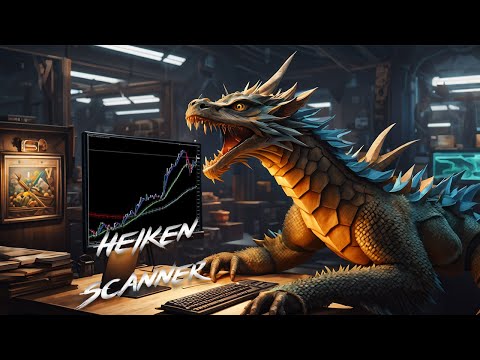
Abiroid Heiken Scanner
- Indicadores
-
Abir Pathak
 I create MT4 and MT5 indicators. They are mainly arrows and scanner indicators and also some essential utilities.
I'm hoping they will make your trading easier and make you profitable.
You can join my Telegram channel to keep track of all products I post. - Versão: 1.0
- Ativações: 20
Product detailed post:
https://www.mql5.com/en/blogs/post/756962
Get free demo from the link in above post.
Features:
- Multi Heiken Parameters
- Alerts & Highlights for Heiken Switch
- Heiken Alignment Alerts
- Multi-timeframe Alignment Alerts
- Multi Currency
Heiken Explained:
Heiken Settings:
All comma separated lists will be used for different heiken ashi's.
Example: 5,40,188 will mean that MAPeriod1 in 1st heiken will be 5;
In 2nd heiken will be 40 and in 3rd heiken ashi will be 188.
1,1,1 for Heiken Period2 will mean it will use 1 for all heiken's MAPeriod2. And so on...
These settings will give heiken signals like:
On individual chart set a template to have different colors and settings:
MA Method can be any of these values:
| ID | Value | Description |
|---|---|---|
| MODE_SMA | 0 | Simple averaging |
| MODE_EMA | 1 | Exponential averaging |
| MODE_SMMA | 2 | Smoothed averaging |
| MODE_LWMA | 3 | Linear-weighted averaging |
Settings:
Alerts & Highlights:
For heiken switch on individual Heiken and Individual timeframe, it will give an alert showing both periods for heiken MA Period1 & MA Period2:
Alert: USDCAD_M30 Heiken Switched Down - Periods: 5,1
But to keep alerts compact, when showing alerts for multiple Heiken alignment, it will show only the MAPeriod1 list in brackets:
Alert: USDJPY_H1 Heiken (5,40,188): Aligned Up
This above is for Individual timeframes.
And for all timeframes and all heiken aligned you will get following:
Alert: AUDCAD_M30 Heiken (5,40,188): Aligned All TFs Down
You can set the options for which types of Alerts and Highlights you need:
Highlights are for background color which shows when heiken signal happened.
"Alignment at least one heiken within N bars": Check that for at least 1 heiken, the trend switch has happened within N bars. In screenshot example it is 5 bars.
Means it will only alert/highlight if at least 1 heiken had switched trends within past 5 bars. Keep 0 to disable this check.
For all TFs alignment check, it will not look for past N bars.
Keeping detailed debug in logs on will show you when alignment didn't happen and was skipped.