Zikiman Trading View to MT5 Pro

주문을 낼 때에도 TradingView에서 세운 거래 계획을 차트에서 바로 확인하세요.

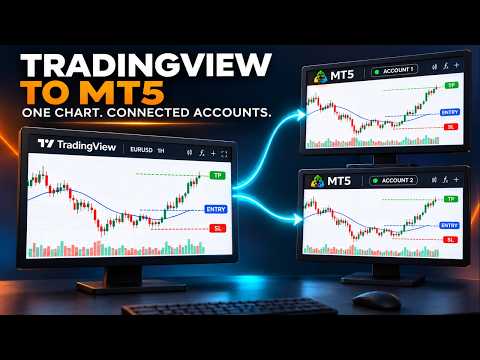
Zikiman TradingView to MT5 Pro는 Chrome의 Zikiman Trading Panel을 데스크톱 MetaTrader 5 터미널에 연결합니다. 차트에서 진입가, 손절가, 익절가를 설정하고 예상 리스크와 포지션 규모를 검토한 다음, 선택한 계좌로 주문을 보냅니다.

TradingView에서 분석하고 MT5에서 주문을 실행하는 트레이더를 위한 도구입니다. 같은 거래 계획이라도 계좌마다 다른 랏 수가 필요할 때 특히 유용합니다.

🧩 Chrome용 Zikiman Trading Panel(필수): [CHROME WEB STORE LINK]


🎯 차트에서 거래 계획 수립

📍 분석 차트와 별도의 주문창을 오갈 필요 없이 진입선, 손절선(SL), 익절선(TP)을 드래그하세요.
🏷️ 차트 라벨에 표시할 가격, 예상 리스크 또는 수익, 거래량, 거리 및 해당되는 경우 손익비를 선택하세요. 라벨을 펼치면 선택한 각 계좌의 값을 확인할 수 있습니다.
📐 포지션 규모 계산기는 현재 계좌 순자산의 비율, 계좌 통화 기준 금액 또는 고정 랏을 지원합니다. 각 EA는 자신의 계좌와 브로커의 계약 사양을 기준으로 거래량을 계산하며, 허용된 거래량 단위를 반영합니다.


⚡ 시장가·지정가·스톱 주문 전송

🟢 매수 또는 매도를 선택하여 시장가 주문을 보내거나 SL과 TP를 포함한 지정가 또는 스톱 주문을 준비하세요.
⏰ 컴퓨터의 현지 시간을 기준으로 대기 주문의 만료 시각을 설정하거나 수정하세요.
🔗 심볼 매핑은 TradingView 심볼을 브로커가 거래를 지원하는 종목에 연결하며, 접미사가 붙은 종목도 처리합니다. 전송 전 매핑된 종목을 확인하세요.


🖥️ 여러 MT5 터미널 관리

👥 계좌를 개별 선택하거나 그룹으로 묶으세요. 특정 TradingView 브라우저 탭에 그룹 선택을 유지하고, 계좌별 작업에는 별도의 차트 탭을 사용하세요.
⚖️ 공통 포지션 규모 계산 방식을 사용하되 필요한 경우 계좌별로 설정을 조정하세요. 같은 계획에서도 계좌 순자산, 계약 사양, 설정 한도에 따라 랏 수가 달라질 수 있습니다. 터미널별 결과를 확인하세요.


🛡️ TradingView에서 포지션 관리

❌ 포지션 전량을 청산하거나 남은 거래량의 일부를 비율로 청산하거나, 조건을 충족하는 포지션을 일괄 청산하세요.
🔒 B/E Now를 사용하거나 본전 손절(브레이크이븐)의 발동 조건과 진입가를 넘어 확보할 이익을 설정하세요.
📈 Trail Now를 사용하거나 지원되는 포인트, 리스크 배수 R 또는 금액 기준으로 트레일링 스톱을 설정하세요.
🎯 최대 세 단계의 분할 익절 목표를 설정하세요.
✏️ 차트에서 보유 포지션의 SL과 TP를 조정하세요.
🗓️ 현지 날짜와 시간 또는 브로커의 거래 세션 종료 전에 전량 청산을 예약하세요.
⏳ 대기 주문을 조회하거나 취소하고 만료 시각을 수정하세요.
📋 지원이 필요하면 활동 내역에서 명령의 세부 정보를 복사하세요.


🪟 차트 공간 확보

➖ 패널을 최소화해도 선택 사항인 보유 포지션 요약과 빠른 매수·매도 버튼을 사용할 수 있습니다.
🎨 계획 중인 SL/TP 선을 각각 숨기거나 다시 표시하세요. 밝은 테마와 어두운 테마, 차트 라벨 내용, 선 색상을 선택할 수 있습니다.


🛠️ 로컬 연결과 단계별 설정

1️⃣ Google Chrome에 Zikiman Trading Panel을 설치하세요: https://chromewebstore.google.com/detail/zikiman-trading-panel/acljenjafjpkaglkcipfjcfdhoecgkkc
2️⃣ Terminals → Setup을 엽니다. Windows 또는 macOS 안내에 따라 MT5 공유 폴더를 준비하고 Chrome에 접근 권한을 부여하세요.
3️⃣ EA를 MT5 차트에 적용하고 알고리즘 트레이딩을 활성화하세요.
4️⃣ Chrome, MT5 및 EA를 실행 상태로 유지하세요.

⭐ Pro는 여러 터미널을 위한 에디션입니다. 터미널이 하나라면 Standard에서도 포지션 관리를 쓸 수 있으며, 계좌 선택과 최소화 상태에서의 주문 진입에는 별도의 제한이 있습니다.

✅ 각 진입 주문의 전송 시점은 사용자가 결정합니다. 차트 값은 추정치입니다. 최종 결과는 브로커 가격, 스프레드, 증거금 및 체결 규칙에 따라 달라집니다. 예약 청산, 트레일링 스톱 등의 관리 기능을 쓰려면 터미널과 EA가 계속 실행 중이어야 합니다.


📡 브로커 시세 데이터 안내

차트 차이를 줄이려면 TradingView에서 같은 종목을 선택하고, 가능하면 연결된 MetaTrader 5 계좌와 동일한 브로커의 시세 데이터를 사용하세요. 브로커나 데이터 제공업체가 다르면 같은 종목이라도 가격과 캔들이 조금씩 다를 수 있습니다.

ℹ️ Zikiman은 독립 개발사입니다. TradingView와 제휴 관계가 없으며 TradingView의 승인이나 후원을 받지 않습니다.
추천 제품
This tool will perform Trailing stop loss and Break even management for orders. Helps you limit or reduce the time spend watching orders on the screen, especially when you need to go to sleep. Just add this EA to 1 chart, you can manage all pairs. You can filter orders by comment, magic number, symbol and order ticket number. When Breakeven it can add shift/offset pips (to cover the commission...). You can try in strategy tester before purchase. The EA will add Buy and Sell alternately, so you
Ultimate Pro Trading Panel — All-In-One Manual & Grid Trading Dashboard Pro Trading Panel   is an all-in-one on-chart control panel that gives discretionary and semi-automated traders a complete toolkit for entries, exits, risk management, and grid trading — without leaving the chart. Every function is visual, draggable, and updates in real time. If you want to test this utility feel free to download the basic preview version of this tool here:  https://www.mql5.com/en/market/product/181435 Who
Trading Utility for Forex Currency Pairs Only not for Gold  Functions Auto Lot Calculation based on Risk Auto stoploss  Auto TakeProfit Breakeven Auto Close Half % Close in percentage with respect to the PIPs Pending Orders BuyLimit Sell Limit with distances BuyStop Sell Stop    with distances Trading Informations Risk in percentage For Multiple trades Combine Takeprofit and Combine Stoplosses
Bastion is a monitor-and-close-only risk manager for prop-firm traders. It watches your account against your firm's daily-loss and maximum-drawdown limits in real time and force-closes your open positions BEFORE you cross a line. It never opens a trade of its own, so it stays fully within the tools allowed by FTMO, FundedNext, The5ers, FTUK and FXIFY. Why traders fail challenges A large share of failed evaluations end on a single daily-loss breach: a moment of inattention, a news spike, one tra
Smart Trade Pad Pro — Visual Risk Manager, Draggable Scale-In Cockpit & 1- Click Lot Sizer   ** Stop guessing lot sizes. Eliminate human math errors. Never breach a Prop-Firm drawdown rule again.**   Have you ever lost a funded Prop-Firm evaluation because of a hasty lot size calculation error? Have you ever missed a high-probability breakout on Gold (XAUUSD) or Bitcoin (BTCUSD) because you were busy typing numbers into an external web calculator? Have you ever wanted to scale into an order bl
Expert TP SL v04 - Professional Trading Assistant with AI Motivation System Advanced manual trading tool with automatic risk management, overtrading protection, and intelligent psychological support for disciplined trading. PRODUCT OVERVIEW Expert TP SL v04 is a comprehensive trading assistant designed for manual traders who want to maintain emotional discipline while automating risk calculations. This isn't just another order placement tool - it's a complete trading psychology system that pr
Advanced 1-Click Risk Panel is a precise and lightning-fast risk management utility for MetaTrader 5. It automatically calculates your exact position size based on chart drag-and-drop Stop Loss line and account risk percentage. Key Features Dynamic SL Line & Dynamic Lot: Simply drag the horizontal SL line on your chart—the panel dynamically calculates your exact lot size instantly. 1-Click Execution: Place instant BUY/SELL orders with automated Stop Loss and Take Profit based on your predefin
GOM Trade Manager
Wannapach Chinnaprapa
GOM Trade Manager helps you execute trades the way you want it. Works on all instruments Forex, Commodities, & Crypto. It helps you with lot calculations, spread addition and balance calculations so you can just focus on actual trading. For full automatic planned management, stackable triggers and spread widening protection >> check out GOM Trade Manager Pro . ------------------------------------------NOTABLE FEATURES------------------------------------------ You set everything based on bid
FREE
DDKiller Pro
Njaratahiry Michael Randrianiaina
Stop Blowing Your Account. Once and For All. DDKiller Pro is the MT5 risk guardian that runs silently on your chart and shuts down trading the moment you hit a limit — whether you're grinding a prop firm challenge or managing your own CFD account. The problem every trader knows: You set your rules. You break them anyway. One revenge trade. One overleveraged position. One session that erases a month of gains. DDKiller Pro removes that decision from your hands entirely. What it does: The second yo
Risk Ruler
AL MOOSAWI ABDULLAH JAFFER BAQER
Risk Ruler Plan every trade with precision before you enter the market. Risk Ruler is a professional on-chart position sizing and risk management tool for MetaTrader that helps traders calculate the optimal trade size based on their predefined risk. By simply dragging the Entry, Stop Loss, and Take Profit lines directly on the chart, all essential trading calculations update instantly, allowing you to make informed decisions before placing a trade. Designed for both manual and professional trade
Trade Assistant 38 in 1
Makarii Gubaydullin
4.91 (23)
다기능 도구: 로트 계산기, 그리드 주문, R/R 비율, 트레이드 관리자, 수급 구역, 가격 행동 등 데모 버전   |   사용자 설명서 트레이드 어시스턴트   는 전략 테스터에서 작동하지 않습니다 :   여기에서 데모 버전을 다운로드  하여 유틸리티 를 테스트하세요. 질문/개선 아이디어/버그 발견 시 연락주세요 MT4 버전이 필요하시면 여기 에서 이용 가능합니다 거래   프로세스 를 간소화, 가속화, 자동화하세요. 이   대시보드 로 표준 터미널 기능을 확장합니다. 트레이딩 패널은  모든 거래 상품에서 작동: 외환, 주식, 지수, 암호화폐 등. 1. 새 거래 개시 : 로트 / 위험 / RR 계산 : 수동 거래를 위한 위험 관리 로트 계산기 (위험 크기 기반 거래량 계산) 위험 계산기 (로트 크기 기반 위험 금액) 위험 대비 보상   비율 그리드 주문:  + 동적 간격 옵션, 로트 분할 옵션 주문 활성화 트리거, + 매수 스톱리밋 / 매도 스톱리밋 가상 SL, 가상 TP (숨김
CoPilot dashboard MT5
Frederic Jacques Collomb
CoPilot — 일일 트레이딩 대시보드 숫자를 파악하세요. 명확하게 트레이딩하세요. MT4 버전 CoPilot이란? CoPilot은 전문가 수준의 트레이딩 어시스턴트로, 모든 일일 성과 통계를 실시간으로 차트에 직접 표시합니다 — 라이브 에퀴티 커브 는 거래마다 업데이트됩니다. 차트를 벗어나지 않고 세션을 즉시 파악해야 하는 활발한 트레이더를 위해 설계되었으며, CoPilot은 모든 심볼의 당일 모든 청산된 거래 를 집계하여 깔끔하고 색상 코딩된 인터랙티브 패널로 표시합니다. 터미널 히스토리 탭으로 전환할 필요가 없습니다. 수동 계산도 필요 없습니다. CoPilot은 당신의 부조종사 로서 — 항상 주시하고, 항상 계산하며, 항상 눈앞에 있습니다. 실시간 통계 패널 CoPilot은 세 섹션으로 구성된 완전한 일일 성과 지표를 표시합니다: 활동 — 오늘의 총 거래 수, 청산된 거래, 오픈 포지션, 수익/손실 횟수, 승률 (%) 및 손익분기 거래. 승률 색상은 동적으로 변경: 50% 초
The Stop Loss Manger - SL Mange With the Stop Loss Manager you can finally sleep peacefully while it effectively manages your risk in stock market trading. Simply set your individual stop loss limits and let the manager trade for you. Never worry about losses again - the Stop Loss Manager takes care of it for you! Get the ultimate support for your trading now and maximize your profits with ease. Join the community of successful traders who swear by Stop Loss Manager today. Function overview: 1.
Click Trading
Jawad Tauheed
5 (3)
One Click Trading – Auto TP SL Developer TraderLinkz Version 1.00 Category Utility What it does Adds missing TP and SL to your manual trades and pending orders Sets them once per ticket Lets you move TP and SL afterward Works on hedging and netting accounts Scans on every tick and reacts on trade events Why you want it You place faster entries You get consistent risk and exit targets You reduce fat finger errors You keep full manual control Quick start Attach the EA to any chart Keep TP and SL e
FREE
CYGNIX RISK GLADIATOR — Professional Trade Manager & Risk Guardian for MT5 Guard every position. Manage every trade. Sleep at night. Cygnix Risk Gladiator is a professional-grade position management Expert Advisor that watches every open trade on your account and automatically applies institutional-level risk controls in real time. It does not generate signals — it protects, manages, and exits trades opened by you, your strategies, or any other EA. Built for IC Markets and fully compatible w
Overview Mirror Signals Service EA (Text only)   is a powerful monitoring Expert Advisor that automatically sends   real-time Telegram notifications   for all important trade events on your MetaTrader 5 account. It is engineered specifically for   signal providers ,   trade-copier operators ,   auditors ,   educators , and   professional trading services   that require immediate, detailed, and reliable reporting. Everything from   entries, exits, SL/TP changes, comment changes, trailing sto
SLTPSetter
Raphael Djangmah Osro Agbo
SLTPSetter - StopLoss Take Profit Setter HOW DOES IT WORK? Risk and account management is a very critical aspect of trading. Before entering a position, you must be fully aware how much you will be willing to loss both in percentage and value. This is where SLTPSetter gets you covered.  All you need to do is attach the indicator on the chart and PRESS BUY OR SELL automatically, all parameters needed for placing the trades will be provided at the top left corner of the screen. Feel free to adjust
GTM Prop Firm Risk Manager
Gayan Indika Honnanthara Acharige
GTM Prop Guard 는 프랍펌 계좌를 지켜 실수로 규칙을 어기는 일이 없도록 합니다. 오늘 아직 잃어도 되는 금액을 보여 주고, 거래 전에 가장 큰 안전 랏을 계산하며, 계좌가 실패하는 가격을 차트에 그리고, 한도에 가까워지면 개입합니다: 경고하고, 다음에 새 거래를 청산하고, 마지막으로 모두 청산하고 잠급니다. 하나의 차트에서 계좌 전체 를 감시합니다 - 모든 심볼, 모든 EA, 휴대폰으로 낸 거래까지.          모든 거래의 전, 중, 후 보호 대부분의 가드는 한도를 넘은 뒤에야 반응합니다. GTM Prop Guard는 거래 전 부터 작동합니다: ROOM LEFT TODAY는 열린 각 손절이 아직 발생시킬 수 있는 손실을 계산하고, SAFE LOT NOW는 손절에 걸려도 계좌가 한도 안에 머무는 가장 큰 랏입니다.          오늘 남은 여유와 안전 랏 ROOM LEFT TODAY : 열린 거래의 최악의 경우를 반영한 뒤 오늘 아직 잃어도 되는 금액 - 모든 열
CV Guardian Service – Professional MT5 Monitoring & Maintenance System CV Guardian Service is a professional background service for MetaTrader 5 designed for continuous monitoring, diagnostics, and technical maintenance of your MT5 environment. The service runs without a chart in the background and monitors key operational conditions including terminal health, broker connectivity, system resources, execution quality, charts, Strategy Tester resources, and potential technical risks. Features Con
Here   our more valuable tools SMC Trend Trading   ,  Easy SMC Trading  ,  Institutional SMC Architect Volume Analysis Tools  ,  Volume flow Profile  ,  Market volume profile  , FVG with Volume  , Liquidity Heatmap Profile  ,  Volume Spread Analysis Key Features 1.  Total Immersion UI (The "Blackout") Chart Masking:   Upon loading, the tool turns the background, grid, and candles pitch black. This hides the noise of the market ticks, allowing you to focus purely on your performance data withou
ADVANCE TRADE MANAGER A complete, tabbed trade-management dashboard for MetaTrader 5 that puts every routine trade operation on one compact panel. No more hunting through menus — open, protect, scale and manage positions from a single interface. The panel is a pure GUI overlay . It never touches your existing chart objects, indicators, arrows or manual lines. All chart objects it creates use the dedicated EGF_Z_ (zones) prefix, and trigger lines use the panel's own object names — so nothing else
Trade Manager DaneTrades
Levi Dane Benjamin
4.13 (31)
거래 관리자는 위험을 자동으로 계산하는 동시에 거래를 빠르게 시작하고 종료하는 데 도움을 줍니다. 과잉 거래, 복수 거래 및 감정 거래를 방지하는 데 도움이 되는 기능이 포함되어 있습니다. 거래를 자동으로 관리할 수 있으며 계정 성과 지표를 그래프로 시각화할 수 있습니다. 이러한 기능은 이 패널을 모든 수동 거래자에게 이상적으로 만들고 MetaTrader 5 플랫폼을 향상시키는 데 도움이 됩니다. 다중 언어 지원. MT4 버전  |  사용자 가이드 + 데모 트레이드 매니저는 전략 테스터에서 작동하지 않습니다. 데모를 보려면 사용자 가이드로 이동하세요. 위기 관리 % 또는 $를 기준으로 위험 자동 조정 고정 로트 크기 또는 거래량과 핍을 기반으로 한 자동 로트 크기 계산을 사용하는 옵션 RR, Pips 또는 Price를 사용한 손익분기점 손실 설정 추적 중지 손실 설정 목표 달성 시 모든 거래를 자동으로 마감하는 최대 일일 손실률(%)입니다. 과도한 손실로부터 계정을 보호하고 과도한

ScalperTraderPanel
Andres Daniel Leonel Lusin
Overview:   ScalperTradePanel is the ultimate assistant for manual traders and scalpers who need speed, precision, and automated trade management. Unlike standard one-click panels, this tool combines manual entry with an   automated Grid system , allowing you to average your entry price intelligently. It features a unique   Dual-Mode Interface : switch instantly between   Market Execution   for speed, or   Visual Pending Mode   to plan your trades directly on the chart with drag-and-drop lines t
================================================================ MATRIX CONDITION MONITOR Live Trade Condition Panel for MetaTrader 5 Fully Automatic -- Works with ALL Matrix EAs ================================================================ NEVER MISS A TRADE SETUP AGAIN Matrix Condition Monitor is a free utility that attaches to any chart and automatically checks all 10 trade conditions in real time -- showing you exactly why a trade will or will not open, and alerting you the moment ever
FREE
RADAH Dashboard is an advanced performance analytics utility for MetaTrader 5, designed to transform your account history into a clear, organized and interactive trading performance overview. It does not open, modify or close trades. Its purpose is exclusively analytical, allowing you to review the performance of the entire account, a specific symbol, or a strategy identified by its Magic Number. Chart View Visualize your trading performance through an integrated balance/equity performance c
FREE
Gold Flow Seconds Chart transforms MetaTrader 5 into a fast and convenient workspace for manual trading. The utility builds 5-second and 10-second candles from the tick data provided by your broker. M1, M5, M7, M15, M30, H1 and H4 views are also available in the same interface. MOUSE-DRIVEN CHART NAVIGATION • Drag the chart horizontally and vertically with the left mouse button. • Use the mouse wheel to change candle width. • Use Ctrl + mouse wheel to adjust the vertical scale. • Return to t
MANAGING YOUR FOREX TRADING LIKE A PROFESSIONAL WITH   POSITION SIZE   CALCULATOR Position Size Calculator – an MT5 indicator, is a user-friendly tool that allows you to determine your required forex trading size for each trade based on how much you want to risk and available capital in your forex trading account. Load the calculator onto your chart and simply draglines to show your stop loss and take profit level. The calculator will automatically calculate the trade size instantly. This indica
Trade Manger
Israr Hussain Shah
Here   our more valuable tools SMC Trend Trading   ,  Easy SMC Trading  ,  Institutional SMC Architect Volume Analysis Tools  ,  Volume flow Profile  ,  Market volume profile  , FVG with Volume  , Liquidity Heatmap Profile  ,  Volume Spread Analysis You Give an Instruction: When you run the script, a window pops up with a dropdown menu. You choose exactly what you want it to do from the list (e.g., "Close Profit Only" or "Delete Pending Orders"). It Scans Your Positions: The script then reads
SMART PANEL FULL 取引管理、リスク管理、トレーディング活動の分析、自動トレーディングジャーナル、そして市場機会を探すためのプロフェッショナルなスキャン機能を、一つのソリューションに統合した最も充実したバージョンのトレーディングパネルです。 パネルから、すべての注文タイプとポジションを総合的に管理できます。取引の開始、変更、決済を直接パネル上で行うことができ、必要なトレーディング機能を一つの作業環境に集約できます。 Telegramとの完全な統合により、このパネルは自動化されたトレーディングジャーナルとして機能します。取引の開始時と決済時には自動的にスクリーンショットが作成され、取引パラメータ、結果、実行した操作が記録されてTelegramへ送信されます。レポートと取引履歴も自動的に整理されます。 内蔵されたRisk Managerは、Stop Lossまでの距離と口座残高に対して設定したリスク割合に基づき、最適なロットサイズを自動的に計算します。これにより、ポジションを開く前にリスクを設定でき、ポジションサイズを手動で計算する必要がありません。 日次リスク管理システムで
TradeArchitect Grid Manager  is a chart-based manual trading utility for MetaTrader 5. It combines visual trade planning, risk-based position sizing, market and pending order execution, position management, and optional martingale or anti-martingale progression. The utility does not generate trading signals and does not decide when to buy or sell. The trader chooses the direction, Entry, Stop Loss and Take Profit. GridPlan Trade Manager performs the calculations, checks the plan and manages th
이 제품의 구매자들이 또한 구매함
Trade Assistant MT5
Evgeniy Kravchenko
4.43 (216)
거래당 위험 계산, 라인을 사용한 손쉬운 신규 주문, 부분 청산 기능을 통한 주문 관리, 7가지 유형의 트레일링 스탑 및 기타 유용한 기능을 제공합니다. 추가 자료 및 지침 설치 지침   -   애플리케이션 지침   라인 기능       - 차트에 개시선, 손절매, 차익실현을 표시합니다. 이 기능을 사용하면 새로운 주문을 쉽게 하고 개봉 전에 추가 특성을 볼 수 있습니다. 위기 관리       -       위험 계산 기능은 설정된 위험과 손절매 주문의 크기를 고려하여 새 주문의 볼륨을 계산합니다. 이를 통해 손절매 크기를 설정하고 동시에 설정된 위험을 존중할 수 있습니다. 로트 계산 버튼 - 위험 계산을 활성화/비활성화합니다. 필요한 위험 값은 위험 필드에 0에서 100 사이의 백분율 또는 예금 통화로 설정됩니다. 설정 탭에서 위험 계산 옵션을 선택합니다. $ 통화, % 잔액, % 지분, % 자유 마진, % 사용자 정의, % AB 이전 일, % AB 이전 주, % AB 이전
Trade Manager EA에 오신 것을 환영합니다. 이 도구는 거래를 보다 직관적이고 정확하며 효율적으로 만들기 위해 설계된 궁극적인 리스크 관리 도구 입니다. 단순한 주문 실행 도구가 아닌, 원활한 거래 계획, 포지션 관리 및 리스크 제어를 위한 종합 솔루션입니다. 초보자부터 고급 트레이더, 빠른 실행이 필요한 스캘퍼에 이르기까지 Trade Manager EA는 외환, 지수, 상품, 암호화폐 등 다양한 시장에서 유연성을 제공합니다. Trade Manager EA를 사용하면 복잡한 계산은 이제 과거의 일이 됩니다. 시장을 분석하고 진입, 손절 및 익절 수준을 차트의 수평선으로 표시한 후 리스크를 설정하면, Trade Manager가 이상적인 포지션 크기를 즉시 계산하고 SL 및 TP 값을 실시간으로 표시합니다. 모든 거래가 간편하게 관리됩니다. 주요 기능: 포지션 크기 계산기 : 정의된 리스크에 따라 거래 크기를 즉시 결정합니다. 간단한 거래 계획 : 진입, 손절, 익절을 위한
Farmed Hedge Yield Farming | All Markets (Manual - Hybrid - Semi/Automated EA) VERIFIED TRADING RESULTS - Farmed Hedge Yield Axi Copy:  https://www.mql5.com/en/signals/2356376 - Farmed Hedge Yield Exn Copy:   https://www.mql5.com/en/signals/2356404 - Farmed Hedge Yield V Copy:  https://www.mql5.com/en/signals/2357156 IMPORTANT NOTICE: FarmedHedge is a MANUAL-FOCUSED TRADING UTILITY ,not a fully automated EA. Results shown on this Signal include manual trades and overall strategic management.
TradePanel MT5
Alfiya Fazylova
4.89 (176)
Trade Panel은 다기능 거래 도우미입니다. 이 애플리케이션에는 50개 이상의 수동 거래 기능이 포함되어 있으며 대부분의 거래 작업을 자동화할 수 있습니다. 앱 사용 설명서: https://www.mql5.com/en/blogs/post/756482 데모 계정용 앱 체험판: https://www.mql5.com/en/blogs/post/750865 앱 설치 방법: https://www.mql5.com/en/blogs/post/756239 시각 모드에서 앱 테스트 방법: https://www.mql5.com/en/blogs/post/770277 VPS MetaTrader에 앱 설치 방법: https://www.mql5.com/en/blogs/post/770190 거래. 한 번의 클릭으로 거래를 수행할 수 있습니다: 리스크 자동 계산과 함께 예약 주문 및 포지션 열기. 한 번의 클릭으로 여러 주문 및 포지션 열기. 주문 그리드 열기. 예약 주문 및 포지션을 그룹별로 닫기. 포지션
EA Overfitter
Stephen J Martret
5 (5)
That backtest looks great. But will it still be making money tomorrow, next week, next month? EA Overfitter re-runs your EA on 100 price histories it has never seen. One score tells you if the edge is real. A backtest tells you what an EA did on one price history — the one that happened to occur. What you cannot tell from it is how much of that result was the strategy and how much was the particular path. EA Overfitter answers that. It builds up to 100 synthetic price histories your EA has n
내 거래 규칙에 맞춰 Telegram 신호 복사 Telegram to MT5 Signal Trader 는 공개 및 비공개 Telegram 채널과 그룹의 텍스트 기반 거래 신호를 MetaTrader 5로 자동 복사합니다. 하나의 데스크톱 앱에서 여러 신호 제공자와 MT5 계좌를 관리하고, 제공자마다 위험 관리 및 거래 설정을 개별적으로 지정 할 수 있습니다. 신호 복사에는 Telegram 봇이나 API 설정이 필요하지 않습니다. 전화번호 또는 QR 코드로 본인의 Telegram 계정에 로그인한 후, 이미 가입한 채널이나 그룹을 선택하면 됩니다. 봇을 만들거나 Telegram API 토큰, API ID 또는 API 해시를 입력할 필요가 없습니다. 포지션 크기를 선택하고, 여러 익절 목표에 청산 물량을 배분하며, 손익분기점 이동과 트레일링 스톱을 자동화하세요. 제공자의 신호를 따르면서도 실제 거래 방식은 직접 설정할 수 있습니다. 이 제품은 MT5 Expert Advisor와 필수 Win
AI Agent Supervisor is NOT an Expert Advisor. AI Agent Supervisor   is a   multi-agent AI risk & portfolio supervisor   that watches every EA on your account and intervenes in real time.  WANT AN AI PORTFOLIO MANAGER WATCHING YOUR FLEET 24/7?   Run your fleet on the same brokers I do:   IC MARKETS , IC TRADING   .  Unlike the centralized stock market, Forex has no single, unified price feed.  Every broker sources liquidity from different providers, creating unique data streams. The Supervisor r
================================================================================ POC BREAKOUT - V20.72. Full Professional Grade Toolkit ================================================================================ POC Breakout is a full MetaTrader 5 trading dashboard for discretionary traders who want breakout signals, Point of Control (POC) context, volume profiles, order flow, market structure, news, alerts, and advanced trade planning in one professional workspace. Attached directly to you
News Trade EA MT5
Konstantin Kulikov
4.55 (11)
제가 몇 년 동안 사용하고 있는 유용한 로봇을 소개드립니다. 반자동뿐만 아니라 자동 모드로도 사용할 수 있습니다. >>> Chat <<< 본 프로그램에는 경제 캘린더의 뉴스별로 유연한 거래 설정이 포함되어 있습니다. 전략 테스터에서 확인할 수 없습니다. 진짜 작업뿐입니다. 최신 설정 아카이브 다운로드: https://www.mql5.com/en/blogs/post/747929 신호 모니터링: https://www.mql5.com/en/signals/author/test-standart 이 전문가를 위해 고유 설정 세트를 만들 때 블로그의 모든 매개변수에 대한 설명을 참조하십시오: https://www.mql5.com/en/blogs/post/748545 . 기본 설정 설명 작업은 한 차트에서 GBP(GBPUSD, EURGBP, GBPJPY, GBPCAD, GBPAUD, GBPCHF)와 쌍으로 이루어집니다. GBP는 가장 변동성이 큰 통화로서 거래 수행 시 거래를 성공적으로
The product will copy all telegram signal to MT5 ( which you are member) , also it can work as remote copier.  Easy to set up, copy order instant, can work with almost signal formats, image signal,  s upport to translate other language to English Work with all type of channel or group, even channel have "Restrict Saving Content", work with  multi channel, multi MT5 Work as remote copier: with signal have ticket number, it will copy exactly via ticket number. Support to backtest signal. How to s
EA Auditor
Stephen J Martret
5 (7)
EA Auditor is an independent analysis tool for traders evaluating Expert Advisors and trading signals on MetaTrader 5. It audits backtest reports, reviews posted developer signals, and cross-verifies the two against each other to help traders assess strategies before committing capital. The MQL5 market offers a wide range of Expert Advisors from many developers, with varying approaches, quality, and transparency. EA Auditor provides a consistent, data-driven framework for reviewing them, answer
Power Candles Strategy Scanner: 스스로 최적화하는 멀티 심볼 셋업 파인더 작은 움직임마다 울리는 스캐너는 결국 무시하게 됩니다. 분주한 캔들 마감 한 번에 알림이 연달아 쏟아지고, 정작 실제로 거래하는 단 하나의 셋업은 소음에 묻혀 버립니다. Power Candles Strategy Scanner 는 스스로 최적화하는 Power Candles 엔진을 Market Watch의 모든 심볼에서 실행하고, 당신이 직접 정한 필터를 통과한 것만 알려줍니다. 기준은 마지막 확정 캔들의 강도, 셋업의 손익비, 실시간 스프레드, 그리고 당신이 거래하는 자산군입니다. 심볼이 리스트에 들어오면 스캐너가 당신을 부릅니다. 필터로 걸러낸 것은 모두 조용히 남아 있고, 같은 캔들 마감에서 나온 모든 신호는 하나의 메시지로 도착합니다. 구매 전에 패널과 모든 필터를 확인하세요. 스크린샷, 전체 기능 투어, Power Candles와 함께 쓰는 워크플로: stein.investment
클릭하기 전에 리스크를 파악하고, 이후에는 거래를 관리하세요. 선을 드래그하고 BUY 또는 SELL을 클릭하면 랏 크기가 자동으로 계산됩니다. 그런 다음 손익분기, 부분 청산, 다중 목표 등으로 거래를 관리하세요. Mercurial Position Sizing PRO는 수동 트레이더를 위한 MT5 도구입니다. 잔고, 리스크 비율, 손절 거리를 기준으로 적절한 랏 크기를 계산하고, SL과 TP가 이미 설정된 상태로 주문을 실행합니다. 무료 버전의 모든 기능에 더해, 더 많은 통제를 원하는 트레이더를 위한 추가 도구가 포함되어 있습니다. 트레이더들이 가장 좋아하는 점 차트에는 선 두 개뿐. 클릭 한 번으로 거래. 복잡한 패널도, 핍 가치 수동 계산도 필요 없습니다. 사용 방법 1. EA를 차트에 적용하고 Algo Trading이 켜져 있는지 확인하세요. 2. 리스크 %를 설정하세요(예: 1%). 3. New Position을 클릭해 EA를 활성화하세요. 필요 없을 때는 대기 상태로
Prop Guardian Risk Manager MT5 – Drawdown, Risk & Hedge Protection for Prop Firm and Managed Accounts Prop Guardian Risk Manager is a professional risk-control utility for MetaTrader 5, designed for prop firm traders, money managers and anyone who wants strict account-level risk protection. It does not generate trading signals, strategy entries or trading decisions. Instead, it runs in the background, monitors your account risk and can automatically block new exposure, close managed positions or
다음 업데이트 — 버전 2.52 곧 출시! [신규] 시장 분석 및 트레이딩 워크플로를 향상시키기 위해 설계된 4가지 주요 신규 기능을 기대해 주세요. 트레이딩 요구 사항을 충족하도록 설계된 4가지 새로운 기능으로 시장 분석을 한 단계 더 발전시킵니다. 다음 기능을 소개합니다: 1. TRADE OVERVIEW DASHBOARD 2. CONFLUENCE AT ZONE 3. STRONG & WEAK HIGH/LOW 4. OTE 1. TRADE OVERVIEW DASHBOARD 시장 전체 상황을 더 쉽게 파악할 수 있도록 도와주는 대시보드입니다. 트레이딩 의사결정을 지원하는 가이드를 제공하며, 하나의 화면에서 시장을 분석하고 체계적으로 트레이딩을 계획할 수 있도록 도와줍니다. 멀티 타임프레임 시장 개요 (Multi-Timeframe Market Overview) 시장 방향과 가격 구조를 더욱 명확하게 파악 시장 상황을 빠르게 확인 체계적인 시장 분석 및 진입 계획을 위한 가이드 2. CO
REVDEN AI Desk: REVDEN의 시장 컨텍스트 위에서, 당신만의 AI와 나누는 하나의 대화로 트레이딩을 운영하세요 하나의 대화로 트레이딩을 운영한다고 상상해 보세요. REVDEN AI Desk 는 이를 MetaTrader 5로 가져옵니다. 당신만의 AI에게 시장을 어떻게 읽는지 물으면, AI는 당신이 거래하는 종목에 대한 REVDEN의 전체 컨텍스트, 즉 각 종목의 상태와 리스크 현황, 예정된 발표를 바탕으로 답합니다. AI의 제안에는 진입, 스톱, 타겟, 리스크가 담겨 있으며, 맞는 제안을 당신이 승인합니다. 규칙도 같은 방식으로 바뀝니다. 무엇을 바꿀지 적으면 AI가 새 룰북의 초안을 작성하고, 받아들일지 버릴지는 당신이 정합니다. 대화를 둘러싸고 시장 전체가 하나의 화면에 펼쳐집니다. 데스크와 설정 가이드를 확인하세요. 모든 화면, 모든 설정, 그리고 당신만의 AI와 함께하는 첫 단계: stein.investments/products/revden-ai-desk 당신의
Zentriq Trade Manager
Mark Frederick Siebert
Experience trading without friction. Zentriq Trade Manager is a modern, high-performance trade management utility engineered with a high-DPI canvas interface, anticipatory workflow design, and an integrated Macroeconomic News Filter. Designed for discretionary traders, scalpers, and prop firm traders who demand speed, precision, zero-clutter ergonomics, and automated news event protection. User Manual Get the most out of Zentriq Trade Manager with the complete user manual: Complete User Manual:
Unlimited Trade Copier Pro MT5 is a tool to copy trade remotely to multiple MT4, MT5 and cTrader accounts at different computers/locations over internet. This is an ideal solution for you if you are a signal provider and want to copy your trades to other receivers globally on your own rules. One provider can copy trades to multiple receivers and one receiver can get trade from multiple providers as well. The provider can even set the subscription expiry for each receiver, so that receiver will n
GRat Crypto
Ivan Titov
4.5 (2)
Trade on crypto exchanges in MT5 with no limits! GRat_Crypto is a tool for manual and automated trading , including ANY available EA, ANY  cryptocurrency  on most popular crypto exchanges in the familiar MT5 environment 24/7. Features 1. ALL instruments of the 9 most popular crypto exchanges are available: Binance, BingX, Bybit, Coinbase, CoinEx, Kraken,   KuCoin, MEXC and OKX . 2. The ability to place ANY type of order available in MT5, both market and pending, to modify orders and positions,
Grid Manual MT5
Alfiya Fazylova
4.74 (23)
"Grid Manual"은 주문 그리드 작업을 위한 거래 패널입니다. 이 유틸리티는 보편적이며 유연한 설정과 직관적인 인터페이스를 제공합니다. 그것은 손실을 평균화하는 방향뿐만 아니라 이익을 증가시키는 방향으로 주문 그리드와 함께 작동합니다. 거래자는 주문 그리드를 만들고 유지할 필요가 없으며 유틸리티에서 수행합니다. 거래자가 주문을 시작하는 것으로 충분하며 "Grid Manual"는 자동으로 그를 위한 주문 그리드를 생성하고 거래가 마감될 때까지 그와 동행할 것입니다. 전체 설명 및 데모 버전 여기 . 유틸리티의 주요 기능: 모바일 터미널을 포함하여 어떤 방식으로든 열린 주문과 함께 작동합니다. "제한" 및 "중지"의 두 가지 유형의 그리드와 함께 작동합니다. 고정 및 동적(ATR 표시기 기반)의 두 가지 유형의 그리드 간격 계산과 함께 작동합니다. 오픈 오더 그리드의 설정을 변경할 수 있습니다. 차트에서 각 주문 그리드의 손익분기점 수준을 표시합니다. 각 주문 그리드에 대한 이익
Anchor Trade Manager
Kalinskie Gilliam
5 (9)
Your EAs cannot see each other, but Anchor can. Anchor gives you one place to coordinate your EAs, manage risk, and decide when trading is allowed. It works alongside the trading bots you already use without any changes to them. The Problem One EA opens a trade. Then another starts trading. The next thing you know, you wake up to multiple grids built across your account. Each EA may be doing exactly what it was designed to do, but together they can place far more risk on your account than you in
RETAILBERG FOOTPRINT CHART PRO — Order-Flow Workspace for MetaTrader 5 Version 7.00  |  Professional System  |  31 tools  |  One chart A full 150-page illustrated User Manual is included. Please read the full manual to understand this feature packed footprint chart elements and ui. https://www.mql5.com/en/blogs/post/777982 DEMO / STRATEGY TESTER — PLEASE READ FIRST
차트 기반 거래 어시스턴트 및 리스크 관리 패널 다양한 모드의 SL 및 TP(ATR, 손익비 R:R, 포인트, 계좌 통화), 실시간 분석 및 경제 캘린더를 탑재한 차트 기반 거래 종합 도구 Ergotick Trade Manager 는 주관 거래자, 프랍 챌린지 트레이더 및 스캘퍼를 위해 설계된 올인원 전문 거래 패널입니다. 이 도구는 즉각적인 자동 랏 크기 계산, 다중 모드 손절매(SL) 및 익절매(TP) 설정, 고급 바스켓(Basket) 주문 관리, 실시간 계좌 통계, 그리고 내장된 경제 뉴스 캘린더를 MetaTrader 5의 단일하고 깔끔한 인터페이스 하나로 결합했습니다. 수동으로 포지션 크기를 계산하던 번거로움에서 벗어나세요! 밀리초 단위로 랏 크기를 자동 계산하고, 리스크가 관리된 주문을 즉시 실행하며, 내장된 일일 손실 한도 보호 기능으로 소중한 자본을 지킬 수 있습니다. 주요 특징 1. 대화형 시각적 도구 및 자동 랏 크기 계산기 차트 상 드래그 앤 드롭(Drag & Dr
EA Pro Risk Manager
Sayed Ali Ordibehesht
EA Pro Risk Manager — MetaTrader 5용 거래 관리, 분할 청산, 드로다운 관리 패널 거래 계획, 보유 포지션 관리, 그리고 일간·주간·월간·전체 드로다운 한도 설정까지 하나로 모은 MetaTrader 5 거래 패널입니다. 프랍 트레이딩 회사 계좌와 개인 계좌 모두에 쓸 수 있습니다. 무료 체험: 전략 테스터에서 데모를 열고 시각화 모드를 켠 뒤 '시작'을 누르세요. 차트에 패널이 나타나며 테스트 거래를 할 수 있습니다. 휴대폰 알림과 텔레그램 알림은 테스터에서 작동하지 않습니다. - 주문 전에, 설정한 위험 금액으로 랏 수를 자동 계산 - 3단계 분할 익절, 본전 이동과 손절 끌어올리기 지원 - 3가지 추적 손절 방식: 익절 레벨 방식, 캔들 방식, 클래식 방식 - 일간·주간·월간·전체 손실 한도와 도달 시 자동 조치 - 드로다운 알림을 휴대폰으로: MetaTrader 5 푸시 알림 또는 텔레그램 - 결정은 직접 하세요. 패널은 실행과 관리를 도와
Trade Indicator Assistant   is a powerful MT5 utility designed to turn indicators into automated trading systems. Its main feature is the ability to automatically detect an indicator’s   BUY and SELL signal buffers , without requiring you to know the buffer numbers, search through indicator settings, or modify the indicator source code. Bonus Indicator:   After purchasing Trade Indicator Assistant, contact me to receive   Trade Signal Pro   completely free as a bonus indicator. [Download Demo V
Strategy Builder offers an incredible amount of functionality. It combines a trade panel with configurable automation (covert indicators into an EA), real-time statistics (profit & draw down) plus automatic optimization of SL, TP/exit, trading hours, indicator inputs. Multiple indicators can be combined into an single alert/trade signal and can include custom indicators, even if just have ex4 file or purchased from Market. The system is easily configured via a CONFIG button and associated pop-u
Trade Manager DashPlus
Henry Lyubomir Wallace
4.85 (13)
DashPlus 는 MetaTrader 5 플랫폼에서 거래 효율성과 효과를 향상시키기 위해 설계된 고급 거래 관리 도구입니다. 리스크 계산, 주문 관리, 고급 그리드 시스템, 차트 기반 도구 및 성과 분석 등 포괄적인 기능을 제공합니다. 주요 기능 1. 리커버리 그리드 불리한 시장 상황에서 거래를 관리하기 위한 평균화 및 유연한 그리드 시스템을 구현합니다. 거래 회복을 최적화할 수 있도록 전략적인 진입 및 종료 포인트를 제공합니다. 2. 스택 그리드 강한 시장 움직임 동안 포지션을 추가하여 유리한 거래에서 잠재적 수익을 극대화하도록 설계되었습니다. 유리한 시장 트렌드에서 승률을 높이며 거래를 확장할 수 있도록 합니다. 3. 손익(P&L) 라인 차트에서 잠재적인 수익 및 손실 시나리오를 시각적으로 표현합니다. 설정을 조정하고 P&L 라인을 드래그하여 실행 전에 다양한 거래 결과를 평가할 수 있습니다. 4. 바스켓 모드 동일한 심볼에 여러 포지션을 단일 집계 포지션으로 결합하여 관리합니
MT5 to Telegram Signal Provider 는 사용하기 쉽고 완전히 커스터마이즈 가능한 유틸리티로, 특정 신호를 Telegram의 채팅, 채널 또는 그룹으로 전송하고, 귀하의 계정을 신호 제공자 로 만듭니다. 경쟁 제품과 달리 DLL 임포트를 사용하지 않습니다. [ 데모 ] [ 매뉴얼 ] [ MT4 버전 ] [ 디스코드 버전 ] [ 텔레그램 채널 ]  New: [ Telegram To MT5 ] 설정 단계별 사용자 가이드 가 제공됩니다. 텔레그램 API에 대한 지식은 필요하지 않습니다; 개발자가 제공하는 모든 것이 필요합니다. 주요 특징 구독자에게 보낸 주문 상세 정보를 커스터마이즈할 수 있습니다. 예를 들어, 브론즈, 실버, 골드와 같은 계층 구독 모델을 만들 수 있습니다. 골드 구독에서는 모든 신호를 받습니다. id, 심볼, 또는 코멘트로 주문을 필터링할 수 있습니다. 주문이 실행된 차트의 스크린샷이 포함됩니다 보낸 스크린샷에 닫힌 주문을 그려 추가 검증을 합니다
Premium Trade Manager - 코치가 내장된 트레이딩 패널 Premium Trade Manager 는 차트 안에 트레이딩 코치를 심어놓은 도구입니다. 주문을 확정하기 전에, AI 트레이딩 코치 Max가 설정된 거래를 직접 읽고 명확한 판단을 내려줍니다. 스톱이 규율 있는 접근 방식에 맞는지, 리스크 크기가 합리적인지, 고영향 뉴스 이벤트가 몇 분 후에 있는지, 프롭 펌 한도에 근접했는지. 그 아래에는 완전한 실행 엔진이 있습니다. 원클릭 리스크 기반 진입, 차트에서 드래그로 세우고 거래가 진행되는 동안에도 계속 움직일 수 있는 플랜, 최대 4단계 분할 익절, 7가지 트레일링 방식, 실시간 프롭 펌 컴플라이언스, 뉴스 가드, 그리고 자체 비용을 평가하는 스프레드까지. 결정은 당신이 내립니다. Max가 두 번째 시선으로 확인합니다. 패널이 그 이후의 모든 것을 처리합니다. 구매 전에 직접 체험해 보세요. 브라우저에서 라이브 패널을 직접 클릭해볼 수 있습니다. 구매 전에 실제
Bots Builder Pro MT5
Andrey Barinov
4.17 (6)
This is exactly what the name says. Visual strategy builder . One of a kind. Turn your trading strategies and ideas into Expert Advisors without writing single line of code. Generate mql source code files with a few clicks and get your fully functional Expert Advisors, which are ready for live execution, strategy tester and cloud optimization. There are very few options for those who have no programming skills and can not create their trading solutions in the MQL language. Now, with Bots Builde
제작자의 제품 더 보기
# Zikiman Risk Panel Standard **Zikiman Risk Panel Standard는 수동 매매 트레이더를 위한 MT5 트레이딩 패널이자 포지션 사이즈·로트 계산기입니다.** 고정 금액 리스크, 계좌 잔고 대비 리스크 비율 또는 고정 로트를 선택하고, 차트에서 Stop Loss와 Take Profit을 배치한 뒤 Market, Limit, Stop 주문을 준비할 수 있습니다. 진입 방향과 시점은 사용자가 직접 결정합니다. 이 도구는 매매 신호를 만들거나 자동으로 진입하지 않습니다. ## 리스크 기반 포지션 사이징 세 가지 방식을 지원합니다. - **고정 금액 리스크** — 한 거래에서 감수할 계좌 통화 금액을 입력합니다. - **리스크 비율** — 현재 계좌 잔고의 일정 비율로 리스크를 설정합니다. - **고정 로트** — 원하는 거래량을 직접 입력합니다. 금액 또는 비율 모드에서는 예정 진입가와 Stop Loss 사이의 거리를 기준으로 적정 로트
FREE
# Zikiman Risk Panel Standard MT4 **Zikiman Risk Panel Standard MT4는 수동 매매 트레이더를 위한 MT4 트레이딩 패널이자 포지션 사이즈·로트 계산기입니다.** 고정 금액 리스크, 계좌 잔고 대비 리스크 비율 또는 고정 로트를 선택하고, 차트에서 Stop Loss와 Take Profit을 배치한 뒤 Market, Limit, Stop 주문을 준비할 수 있습니다. 진입 방향과 시점은 사용자가 직접 결정합니다. 이 도구는 매매 신호를 만들거나 자동으로 진입하지 않습니다. ## 리스크 기반 포지션 사이징 세 가지 방식을 지원합니다. - **고정 금액 리스크** — 한 거래에서 감수할 계좌 통화 금액을 입력합니다. - **리스크 비율** — 현재 계좌 잔고의 일정 비율로 리스크를 설정합니다. - **고정 로트** — 원하는 거래량을 직접 입력합니다. 금액 또는 비율 모드에서는 예정 진입가와 Stop Loss 사이의 거리를 기준
FREE
Zikiman Risk Panel Pro
Abderrazzaq Hijane
5 (1)
# Zikiman Risk Panel Pro — MT5 위험 관리 EA, 로트 계산기 및 트레이드 매니저 Zikiman Risk Panel Pro는 수동 트레이더를 위한 MT5 위험 관리 EA입니다. MT5 리스크 관리자, 로트 사이즈 계산기, 포지션 크기 계산기, 위험 계산기, 트레이딩 패널, 트레이드 매니저 및 포지션 관리 기능을 하나의 차트 기반 작업 흐름에 통합합니다. 방향, 위험, 가격 레벨은 사용자가 직접 선택합니다. 패널은 로트 크기를 계산하고 계획한 위험과 잠재 보상을 표시하며, 시장가 또는 예약 주문을 전송하고 오픈 포지션 관리 도구를 제공합니다. 신호를 생성하거나 스스로 새 포지션을 열지 않습니다. ## 차트 위의 위험 계산기와 포지션 사이징 트레이딩 계획에 맞는 위험 입력 방식을 선택할 수 있습니다. - 계좌 통화 기준 고정 위험 금액 - 계좌 잔액의 일정 비율 - 고정 로트 크기와 이에 대한 금전 위험 역산 MT5 차트에서 Entry, Stop Lo
나의 TradingView 차트에 MT5 터미널 하나를 연결하세요. Zikiman TradingView to MT5 Standard는 Chrome의 Zikiman Trading Panel을 통해 MetaTrader 5 터미널 한 대에서 차트 기반 거래 계획과 포지션 관리를 지원합니다. TradingView에서 거래 계획을 표시하고 예상 리스크와 랏 수를 확인한 뒤, 차트에서 주문하거나 거래를 관리하세요. Chrome용 Zikiman Trading Panel(필수):  [CHROME WEB STORE LINK] 주문 계획 및 전송 차트에서 진입가, 손절가 및 익절가를 드래그해 설정하세요. 계좌 순자산 비율, 계좌 통화로 표시한 금액 또는 고정 랏으로 포지션 규모를 계산하세요. ️ 간결한 차트 라벨에서 리스크, 거래량 및 예상 수익을 확인하세요. SL/TP를 포함한 매수·매도 시장가, 지정가 및 스톱 주문을 전송하세요. 심볼 매핑으로 브로
FREE
# Zikiman CopyTrader — MT5 로컬 거래 복사 EA **Zikiman CopyTrader**는 **동일한 Windows PC 또는 VPS**에서 실행되는 여러 MetaTrader 5 터미널을 위한 빠르고 실용적인 MT5 간 거래 복사 도구입니다. 하나의 터미널을 **Sender(마스터)**로 사용하고 하나 이상의 터미널을 **Receiver(수신 계정)**로 연결합니다. 지원되는 거래 동작은 로컬로 동기화되며, 각 Receiver는 자신만의 랏 계산 방식, 필터 및 안전 한도를 유지합니다. 통신은 MetaTrader 공유 파일 환경에서 이루어집니다. DLL, WebRequest, 외부 프로그램, 웹 서버 또는 원격 복사 구독이 필요하지 않습니다. ## 하나의 EA로 Sender와 Receiver 사용 모든 터미널에 동일한 EA를 설치하고 처음 실행할 때 역할을 선택합니다. - **Sender** — 소스 계정에서 허용된 거래 동작을 전송합니다. - **
FREE
# Zikiman Risk Panel Pro — MT4 위험 관리 EA, 로트 계산기 및 트레이드 매니저 Zikiman Risk Panel Pro는 수동 트레이더를 위한 MT4 위험 관리 EA입니다. MT4 리스크 관리자, 로트 사이즈 계산기, 포지션 크기 계산기, 위험 계산기, 트레이딩 패널, 트레이드 매니저 및 포지션 관리 기능을 하나의 차트 기반 작업 흐름에 통합합니다. 방향, 위험, 가격 레벨은 사용자가 직접 선택합니다. 패널은 로트 크기를 계산하고 계획한 위험과 잠재 보상을 표시하며, 시장가 또는 예약 주문을 전송하고 오픈 포지션 관리 도구를 제공합니다. 신호를 생성하거나 스스로 새 포지션을 열지 않습니다. ## 차트 위의 위험 계산기와 포지션 사이징 트레이딩 계획에 맞는 위험 입력 방식을 선택할 수 있습니다. - 계좌 통화 기준 고정 위험 금액 - 계좌 잔액의 일정 비율 - 고정 로트 크기와 이에 대한 금전 위험 역산 MT4 차트에서 Entry, Stop Lo
필터:
리뷰 없음
리뷰 답변