AlgoForex SL Tower Defense

AlgoForex StopLoss Tower Defense — Strategy & Risk Defense Game for MetaTrader 5

Take a tactical break between setups or sharpen your risk-management instincts right inside your MetaTrader 5 terminal! AlgoForex StopLoss Tower Defense transforms trading concepts—Stop-Losses, BreakEven shields, Trailing Stops, Hedging, and News Filters—into a fast, addictive, 100% free 2D Tower Defense game rendered directly on your chart.

Important Notice: This application is a pure interactive game and educational simulation utility. It executes ZERO real or demo trading orders and never touches your account balance.

Key Features

  • 3 Progressive Tactical Maps (Increasing Complexity):
    • Stage 1 — Retail Desk (10×6 Grid, 60 Tiles): Clean S-curve price lane ideal for learning tower placement.
    • Stage 2 — Institutional Arena (12×7 Grid, 84 Tiles): Multi-bend corridor with higher enemy speed and tactical pockets.
    • Stage 3 — Quant Fortress (14×8 Grid, 112 Tiles): Intricate loop-back labyrinth where central towers intercept threats multiple times, plus Endless Mode!
  • 5 Upgradable Trading Defense Towers (Levels 1–3):
    • SL Turret ($50): Rapid single-target laser defense against incoming drawdown waves.
    • BE+ Cannon ($85): Heavy splash-damage AoE mortar that crushes clustered enemies.
    • TS Sniper ($120): Long-range precision railgun targeting the strongest threats first.
    • Hedge Cryo ($75): Frost field emitter slowing enemies by 45% inside its perimeter.
    • Prop Shield ($110): Generates passive capital during waves and boosts nearby towers’ damage by +20% per level.
  • 5 Market Threat Enemies & Boss Waves: Defend your Equity Vault against Bearish Creeps, fast Spread Bugs, Stop-Hunters, armored News Spikes, and massive Black Swan Bosses every 5th wave.
  • 2 Active Tactical Skills: Trigger News Freeze to halt all market threats for 4 seconds, or deploy Partial Strike for an instant map-wide AoE hit.
  • Two Game Modes (Arcade & Live Chart Sync): Play classic Arcade waves at 1x or 2x speed with optional Auto-Wave, or toggle Chart Mode to sync enemy speed and bonus rewards with live candle volatility on your chart.
  • Modern Vector UI: Dark Obsidian & Light Pro themes, 100%–175% DPI/Zoom scaling, draggable/pinnable window, minimize toggle, 3 languages (EN / RU / UZ), and automatic high-score saving.

How to Play

  1. Attach the utility to any MetaTrader 5 chart (no real trades are placed).
  2. Select a defense tower from the bottom panel and hover over any dark tactical tile to preview its range circle, then click to deploy.
  3. Press START WAVE (or enable AUTO) to launch incoming candlestick enemies.
  4. Click existing towers to Upgrade (up to Level 3) or Sell for a 70% capital refund, and conquer all 3 maps!
추천 제품
Risk Calculator EA – Utility for Precise Trade Sizing If you find this tool useful consider to  Buy me a coffee!   The Ultimate Risk Calculator is a lightweight in-chart Expert Advisor (EA) designed to help you easily and quickly calculate position size and set stop-loss / take-profit levels with full control over risk management directly on the chart. What it does? It turns manual risk decisions into fast, visual, and accurate calculations. You draw or adjust the Entry, Stop-Loss and Take-P
FREE
QuantumFX Trade Manager Advanced Order & Risk Control Utility for MT5 QuantumFX Trade Manager   is a powerful, professional-grade   trade management utility   designed for traders who want   absolute control over execution, risk, and position handling   — directly from an intuitive on-chart panel. Built for   manual, semi-automated, and discretionary traders , QuantumFX transforms MetaTrader 5 into a   precision trading workstation , allowing you to manage trades faster, safer, and smarter. What
FREE
======================================================== GANN CLUSTERS - INSTITUTIONAL SIGNAL PANEL - MQL5/MT4 MARKET DESCRIPTION (formatting: **bold** = Bold button; lines with • = bullet list; UPPERCASE = heading) ======================================================== OVERVIEW ------------------------------------------------------- **Gann Clusters** finds where three independent Gann systems agree and draws those **confluence clusters** across multiple timeframes, with a signal panel that
FREE
Mapa płynności KREDZIA organizuje aktywną płynność opartą na brokerach powyżej i poniżej ceny, pomagając inwestorom planować potencjalne cele płynności i monitorować obszary, w których może rozwinąć się zmiatanie, reakcja lub odwrócenie. PEŁNY OPIS Ważne maksima i minima mogą stanowić potencjalne cele w zakresie wykorzystania płynności, ale ręczne śledzenie bieżących poziomów wraz ze starszymi, niesprawdzonymi odniesieniami szybko staje się trudne. Mapa płynności KREDZIA tworzy ustrukturyzowa
FREE
AlgoChamp v3 PLUS AlgoChamp v3 PLUS is an simple indicator designed to provide traders with clear market view at a very low cost . More AlgoChamp products and updates are currently in development. An automated trading solution is also planned for a future release. Features trend clouds Candle coloring EMA 21, 50, 100 and 200 overlays Take Profit markers max momentum tracking Customizable chart components Compatible with all supported trading instruments and timeframes How to Use Attach AlgoChamp
FREE
PRODUCT TITLE: Mindgame  SHORT DESCRIPTION (Max 150 chars): All-in-One professional indicator: 5 SMAs, Non-Repainting MACD Crossover Arrows, NY Session Shading, and Live HUD Dashboard for MT5. CATEGORY: Market > MetaTrader 5 > Indicators > Trend / Oscillators PRICE RECOMMENDATION: $39 - $59 (or Free with premium upgrade / rental options) ================================================================================ FULL PRODUCT DESCRIPTION (Copy-paste directly into MQL5 Market description
FREE
Easy GOLD MT5
Franck Martin
3.87 (45)
Easy Gold is the latest addition to the BotGPT family. It is surprising and very powerful. It is ideal for beginners due to its simplicity.  There is absolutely nothing to do, it's 100% automated, simply indicate the percentage of risk you want to take per trade and the EA is ready. Whatever your capital, the EA takes care of everything. Optimized on (XAUUSD).  Unleash all the power with the professional version (AGI Gold) and its connection to the neural network, available in my store. My othe
FREE
CLICK HERE TO JOIN OUR WHATSAPP GROUP. This trading indicator Automatically identifies and plots contract blocks, which are essential zones marked by significant levels of support and resistance. This powerful tool provides traders with a clear and intuitive visualization of critical market points where prices are likely to bounce or reverse. The contract blocks, represented by distinct colored rectangles, highlight support zones (at the bottom) and resistance zones (at the top), enabling trad
FREE
Description The Institutional Cycle Filter (ICF) is a sophisticated trend-following tool that replaces standard moving averages with a "Signal Dot" system. It is designed to minimize lag while maintaining smoothness, making it highly effective for identifying trend reversals in volatile markets like Gold. How It Works (The Logic) Cosine Weighting: Unlike a Simple Moving Average (SMA) or Exponential Moving Average (EMA), this algorithm uses a Cosine function to calculate weights. This allows the
FREE
Session Volatility Map
Strifor (Mauritius) Ltd
5 (7)
Session Volatility Map — 주요 거래 세션(아시아, 유럽, 미국)을 차트에 표시하는 지표입니다. 세션 경계와 교차 구간 자동 표시 — 높은 변동성이 발생하는 구간 각 세션 High–Low 범위 표시 — 지지/저항 확인 현재 활성 거래 세션 강조 서머타임/윈터타임 자동 반영 (유럽/미국) 유용한 대상 스캘퍼 — 변동성 높은 시점 확인 데이트레이더 — 조용한 시간대와 활발한 시간대 필터링 뉴스 트레이더 — 이벤트가 세션 어느 단계와 일치하는지 파악 Session Volatility Map으로 시장이 범위 내인지, 돌발 움직임 준비 중인지 항상 확인 가능 설정 Time model (Platform/MT4/MT5) — 시간 모델 Auto DST adjustment (market aware) — 서머타임 자동 조정 How many days to back (0 = today) — 표시할 일수 Color A — low volatility —
FREE
Ichimoku MTF MT5
Evgenii Sutulov
논쟁을 매듭지은 일목균형표입니다. 호소다의 세 조건을 마이너스 삼에서 플러스 삼까지의 부호 있는 점수 하나로 모았으므로, 체계가 스스로와 일치하는지 한눈에 보입니다. Ichimoku MTF는 구름, 전환선, 기준선을 그리고 점수를 버퍼로 공개하며, 어디에서도 앞을 보지 않습니다. 어떤 봉에서 보이는 구름은 그려진 자리가 아니라 계산된 자리의 색인에서 읽습니다. 무료입니다. 체험 기간 없음, 잠긴 기능 없음, 상위판 안내 없음. 전환선과 기준선은 최근 아홉 봉과 스물여섯 봉의 범위 중간점입니다. 선행스팬 A는 그 둘의 반합이고 선행스팬 B는 쉰두 봉 범위의 중간점이며, 둘 다 스물여섯 봉 앞으로 옮겨져 구름을 이룹니다. 후행스팬은 종가를 스물여섯 봉 뒤로 옮긴 것입니다. 신호는 전환선과 기준선의 교차입니다. 일치 점수는 호소다의 세 조건에 부호를 붙인 것입니다. 기준선에 대한 전환선, 구름에 대한 가격, 가격에 대한 후행스팬입니다. 결과는 마이너스 삼에서 플러스 삼까지이며 스캐너 셀의
FREE
Easy Timezone draws trading time windows — ICT killzones, sessions, or any custom range — on your chart with automatic timezone conversion. Pick one of the three built-in presets ( Forex , Indices , ICT Killzone ) or define up to 8 windows of your own. Visual only — no signals and no trading. What it does MetaTrader charts always run on your broker's server clock, so "New York 9:30" is a different bar on every broker. Easy Timezone converts your times into server time for you: enter the hours on
FREE
Value Chart Candlesticks
Flavio Javier Jarabeck
4.57 (14)
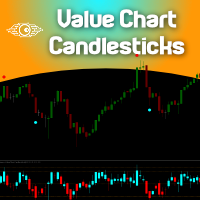
The idea of a Value Chart indicator was presented in the very good book I read back in 2020 , " Dynamic Trading Indicators: Winning with Value Charts and Price Action Profile ", from the authors Mark Helweg and David Stendahl. The idea is simple and the result is pure genius: Present candlestick Price analysis in a detrended way! HOW TO READ THIS INDICATOR Look for Overbought and Oversold levels. Of course, you will need to test the settings a lot to find the "correct" one for your approach. It
FREE
You may find this indicator helpfull if you are following a session based strategy. The bars are colored according to the sessions. Everything is customisable.  Settings: + Asia Session: zime, color, high, low + London Session: zime, color, high, low + US Session: zime, color, high, low Please feel free to comment if you wish a feature and/or give a review. Thanks.
FREE
Trading statistics panel
Jose Rodrgues Chaves
Trading Stats Panel Your Trading Performance. At a Glance. Trading Stats Panel is a professional MetaTrader 5 indicator designed to give traders a clear and convenient overview of their recent trading activity directly on the chart. Instead of constantly opening the MT5 History tab and manually calculating your results, the panel presents key trading statistics in one easy-to-read dashboard. What Does Trading Stats Panel Show? The dashboard provides important performance information including
FREE
Perfect Day Scalper Pro Indicator
Emma-ekong Ben Eshiet
3.5 (2)
Perfect Day Scalper Pro Your Daily 5-Point Routine for a 5-Figure Income. Price: $150 USD (Stop Chasing, Start Cashing) ---   One Trade. One Target. One Victory Lap. Your Day is Done. (Forget the 1000+ pip dreams that turn into 100+ pip losses. Real wealth is built on consistency, not complexity. What if your entire trading day was over in 15 minutes, with a single, high-probability trade that hands you a clean, professional profit? Welcome to the Perfect Day Scalper.) ---   What is The
FREE
The WaveTrend (LazyBear) indicator is a momentum-based oscillator designed to identify reversal points , trend strength , and overbought/oversold conditions in the market. It is widely used in both Forex and Cryptocurrency trading due to its ability to detect turning points earlier than traditional oscillators like RSI or Stochastic. (I have Converted from the original TradingView Pine Script version)
FREE
MA Color Candles
Vladimir Kuzmin
MA Color Candles Indicator MA Color Candles is an indicator for visually displaying market trends by coloring chart candles. It does not add objects or distort price data, instead coloring real candles based on the state of two moving averages. This enables quick trend assessment and use as a filter in trading strategies. How It Works Bullish trend: Fast MA above slow MA, slow MA rising (green candles). Bearish trend: Fast MA below slow MA, slow MA falling (red candles). Neutral state: Candles
FREE
Risk Manager Lot Calculator tells you the exact lot size to trade so that a losing trade costs only the amount you decide, no more. You set your risk as a percentage of the account or as a fixed money amount, and you set your stop loss by pips, by price, or by dragging a line on the chart. The panel then shows the correct position size, the money at risk, the pip value and, when you add a take profit, the reward to risk ratio and the potential profit. Position sizing is the part of trading that
FREE
시장 스윙을 지나는 자동 추세선 — 항상 최신 상태를 유지하며, 수동으로 다시 그릴 필요가 없습니다. • 최근 두 개의 스윙 하이와 최근 두 개의 스윙 로우를 지나는 레이, 그리고 옵션으로 그 사이의 중간선. • 스윙 길이 조절, 연결선 켜기/끄기, 구조 라벨. • 업데이트 모드: HTF 캔들 마감, 차트 캔들 마감, 또는 매 틱. • 멀티 타임프레임: 여러 타임프레임의 추세선을 한 차트에 — M5 차트에서 H4 추세를 확인하세요. • 라인 터치 알림: 가격이 추세 레이로 되돌아올 때 알림(기본값은 꺼짐). 차트 위 컨트롤 패널: 타임프레임 선택과 설정 창이 있는 드래그 가능한 패널 — 11개 인터페이스 언어, 다크/라이트 테마, 18색 팔레트, 30–300% 패널 크기 조절. 모든 설정은 자동 저장됩니다. 사용 중 문제나 버그를 발견하시면 언제든지 연락해 주세요. 신속하게 수정해 드리겠습니다. 그리고 리뷰도 남겨 주시면 큰 힘이 됩니다. 여러분의 피드백 덕분에 더 좋은 도구를 계속
FREE
AZ ATR indicator (with volume correlation bonus) Standard ATR indicator, you can enable ignoring abnormally large candles. It is possible to change the location of the displayed text in 4 corners of the chart. You can change the calculation period (days ago). Bonus - the indicator has a correlation with volumes. Can be enabled to display a possible priority at the current moment in the market. What do the values ​​mean: Positive correlation (0.3 - 1.0): 0.3-0.7 - moderate connection
FREE
Amiguinhos Bar Counter
Eduardo Correia Da Silva
3.67 (3)
Amiguinho's Bar Counter is a price action indicator to display the bar count (candles) with some interesting options. About the "Period of analysis" parameter: if the current timeframe is in minutes, then the analysis period will be considered in days; if the current timeframe is in days, then the analysis period will be considered in months; or  if the period of analysis will be considered in years.
FREE
TradeDeck Lot Calculator
Joaquin Nicolas Metayer
LotCalc is a minimalist MT5 indicator designed for fast, precise position sizing. Set your risk amount in dollars, click the button, then click your entry and stop-loss levels directly on the chart — the lot size and point distance are calculated and displayed instantly. No clutter, no extra panels, just the one tool you actually need before placing a trade.
FREE
NINJA SYMBOL PASSPORT MT5 개요 NINJA Symbol Passport MT5는 브로커가 제공하는 종목 사양과 현재 거래 조건을 확인하는 무료 읽기 전용 유틸리티입니다. Market Watch의 종목 또는 서버에서 사용할 수 있는 종목을 유효 최대 200개까지 스캔할 수 있습니다. 패널과 입력 이름은 영어입니다. 확인 데이터 패널에는 거래 세션, 만기, 거래 모드, 예상 스프레드 비용, 참조 거래량 기준 예상 증거금, 스프레드 대비 ATR 비율이 표시됩니다. 각 종목에는 PENDING, PASS, WARN 또는 BLOCK 결과와 해당 이유가 표시됩니다. PASS는 구현된 검사에서 현재 경고나 차단 조건을 찾지 못했다는 의미만 가집니다. 추가 기능 결과를 CSV로 내보낼 수 있습니다. 저장된 기준값을 사용해 모니터링 중인 고정 종목 사양의 변경을 감지할 수 있습니다. 패널은 드래그로 이동하거나 접을 수 있으며 백그라운드 스캔은 계속됩니다. 중요 안내 이 유틸리티는
FREE
Smart SR Levels
Mohammed Rafi Abdul Lathif
WANT TO AUTOMATE THESE ZONES? Stop waiting for setups! The Smart SR Levels Sniper EA is now live. It reads these exact indicator zones, filters for high-probability "thin" zones , auto-calculates your risk , and targets the next SR levels for Take Profit . It can even scan all your open charts at once! Stop guessing where the market will turn. Let the volatility tell you. Smart SR Levels Sniper EA https://www.mql5.com/en/market/product/165191 LogicLadder SR Zones ------------------------

FREE
Horizontal lines by Aydmaxx
Shokhabbos Makhmudov
1 (1)
Description of the Horizontal Levels Indicator with Manual Interval Adjustment The indicator is designed for automatic plotting of horizontal levels on the chart of a financial instrument. It allows users to manually set the interval between levels, making it adaptable to various trading strategies and timeframes. Key Features: Flexible Configuration : Users can define the interval between levels in points, percentages, or any other unit suitable for the selected asset. Automatic Plotting : The
FREE
각 기간에서 거래량이 가장 큰 캔들을 찾아 실전 레벨로 바꿔 줍니다. 거래량이 있던 곳 — 바로 그곳에 레벨이 있습니다. • 모든 기간(일, 주 또는 선택한 타임프레임)마다 거래량이 가장 높은 캔들을 찾아 그 High, Low, Mid를 레벨로 그립니다. • 레벨은 기간 경계에서 끝내거나 레이(ray)로 오른쪽으로 연장할 수 있습니다. • 캔들 타임프레임은 패널에서 클릭 한 번으로 전환. • 거래량 라벨에는 레벨을 결정한 캔들의 실제 거래량이 표시됩니다. • 멀티 타임프레임: 여러 기간의 최대 거래량 레벨을 동시에 추적. • 레벨 터치 알림(기본값은 꺼짐). 차트 위 컨트롤 패널: 타임프레임 선택과 설정 창이 있는 드래그 가능한 패널 — 11개 인터페이스 언어, 다크/라이트 테마, 18색 팔레트, 30–300% 패널 크기 조절. 모든 설정은 자동 저장됩니다. 사용 중 문제나 버그를 발견하시면 언제든지 연락해 주세요. 신속하게 수정해 드리겠습니다. 그리고 리뷰도 남겨 주시면 큰 힘이
FREE
Linear Regression Channel v4.0 — MetaTrader 5용 인디케이터 Linear Regression Channel v4.0은 R² 계수를 사용하여 선형 회귀 채널의 최적 길이를 자동으로 계산하고, 이전 채널의 이력을 그려 가격 구조의 변화를 시각화하는 인디케이터입니다. v4.0 새로운 기능 최대 R²에 의한 자동 길이 계산. 인디케이터는 설정된 최소값과 최대값 사이의 모든 길이를 평가하고, 각 길이의 R²를 계산하여 현재 가격에 가장 잘 맞는 길이를 선택합니다. 차트의 패널에는 찾은 최적 길이, 현재 채널의 R² 백분율, 추세 방향이 실시간으로 표시됩니다. 설정 가능한 채널 이력. 현재 채널에서 N개의 설정 가능한 바만큼 이전 채널을 그립니다. 각 이력 채널은 독립적이며, 해당 기간에 대한 적응형 표준편차, 채널별 개별 설정 가능한 색상(최대 5개 이력 채널), 각 이력 채널의 R²를 표시하는 라벨, 현재 채널과 구분하기 위한 점선을 갖습니다. 채널은 서로
FREE
Account Sentinel MT5
Antonio Carlos Wisnesky
Account Sentinel MT5 FREE – Simple Account Monitor Monitor your MT5 account basics in real-time right on your chart! See Balance, Equity, Free Margin, and Margin Level at a glance. Perfect for beginners checking risk without hassle. Key FREE Features: Clean dashboard updates every second Color alerts: Green for safe (Margin Level >80%), Yellow warning, Red danger Basic stats: Balance & Equity difference shown clearly Upgrade for More Power: FULL Version ($49): Add Used Margin, Drawdown %, Multi
FREE
Trade when the spread is low. Spread Monitor shows the spread now in plain words (normal, a bit high, HIGH), the usual spread of your broker, and the best and worst hours of the day, measured on your own broker over the last 20 days. The spread is a cost on every trade: on EURUSD one extra pip costs 10 USD per lot. Around the daily rollover and in quiet hours it can jump many times, and stops get hit by the spread alone. Now you can see when your broker is cheap. WHAT YOU SEE Spread now with a w
FREE
이 제품의 구매자들이 또한 구매함
Trade Assistant MT5
Evgeniy Kravchenko
4.43 (216)
거래당 위험 계산, 라인을 사용한 손쉬운 신규 주문, 부분 청산 기능을 통한 주문 관리, 7가지 유형의 트레일링 스탑 및 기타 유용한 기능을 제공합니다. 추가 자료 및 지침 설치 지침   -   애플리케이션 지침   라인 기능       - 차트에 개시선, 손절매, 차익실현을 표시합니다. 이 기능을 사용하면 새로운 주문을 쉽게 하고 개봉 전에 추가 특성을 볼 수 있습니다. 위기 관리       -       위험 계산 기능은 설정된 위험과 손절매 주문의 크기를 고려하여 새 주문의 볼륨을 계산합니다. 이를 통해 손절매 크기를 설정하고 동시에 설정된 위험을 존중할 수 있습니다. 로트 계산 버튼 - 위험 계산을 활성화/비활성화합니다. 필요한 위험 값은 위험 필드에 0에서 100 사이의 백분율 또는 예금 통화로 설정됩니다. 설정 탭에서 위험 계산 옵션을 선택합니다. $ 통화, % 잔액, % 지분, % 자유 마진, % 사용자 정의, % AB 이전 일, % AB 이전 주, % AB 이전
Farmed Hedge Yield Farming | All Markets (Manual - Hybrid - Semi/Automated EA) VERIFIED TRADING RESULTS - Farmed Hedge Yield Axi Copy:  https://www.mql5.com/en/signals/2356376 - Farmed Hedge Yield Exn Copy:   https://www.mql5.com/en/signals/2356404 - Farmed Hedge Yield V Copy:  https://www.mql5.com/en/signals/2357156 IMPORTANT NOTICE: FarmedHedge is a MANUAL-FOCUSED TRADING UTILITY ,not a fully automated EA. Results shown on this Signal include manual trades and overall strategic management.
Trade Manager EA에 오신 것을 환영합니다. 이 도구는 거래를 보다 직관적이고 정확하며 효율적으로 만들기 위해 설계된 궁극적인 리스크 관리 도구 입니다. 단순한 주문 실행 도구가 아닌, 원활한 거래 계획, 포지션 관리 및 리스크 제어를 위한 종합 솔루션입니다. 초보자부터 고급 트레이더, 빠른 실행이 필요한 스캘퍼에 이르기까지 Trade Manager EA는 외환, 지수, 상품, 암호화폐 등 다양한 시장에서 유연성을 제공합니다. Trade Manager EA를 사용하면 복잡한 계산은 이제 과거의 일이 됩니다. 시장을 분석하고 진입, 손절 및 익절 수준을 차트의 수평선으로 표시한 후 리스크를 설정하면, Trade Manager가 이상적인 포지션 크기를 즉시 계산하고 SL 및 TP 값을 실시간으로 표시합니다. 모든 거래가 간편하게 관리됩니다. 주요 기능: 포지션 크기 계산기 : 정의된 리스크에 따라 거래 크기를 즉시 결정합니다. 간단한 거래 계획 : 진입, 손절, 익절을 위한
Telegram to MT5 Multi-Channel Copier   는 Telegram 및 Discord 채널의 트레이딩 시그널을 MetaTrader 5로 자동 복사합니다. 봇도, 브라우저 확장도, 수동 복사도 필요 없습니다. Telegram이나 Discord에 시그널이 도착하면 EA가 몇 초 안에 터미널에서 주문을 실행합니다. 그리고 채널을 복사하기 전에, 내장 백테스터가 그 채널이 내 계좌에서 어떤 결과를 냈을지 보여줍니다. 제품은 두 가지 구성 요소로 이루어집니다: Telegram 채널을 수신하는 Windows 애플리케이션과, MT5 터미널에서 시그널을 실행하는 본 EA입니다. MT4 버전도 제공됩니다   여기 . 구매 전에 사용해 보세요:   애플리케이션은 무료로 다운로드할 수 있습니다. 본인의 채널을 연결하고 각 시그널이 어떻게 읽히는지 확인하세요. Backtest 탭과 실제 거래에는 구매하거나 임대한 EA가 필요합니다. 이 페이지의 무료 데모는 전략 테스터에서만 실행되며
Local Trade Copier EA MT5
Juvenille Emperor Limited
4.94 (150)
Local Trade Copier EA MT5는 동일한 Windows 컴퓨터 또는 Windows VPS에서 여러 MetaTrader 5 계정 간에 거래를 복사하고 관리할 수 있는 빠르고 유연한 거래 복사기입니다. 로컬 거래 동기화 기능과 함께 Receiver 측에서 로트 크기, 리스크 관리, 거래 필터링, 심볼 매핑, 거래 관리 및 계정 보호를 독립적으로 설정할 수 있습니다. Transmitter와 Receiver 터미널을 약 1분 안에 설정하고, 동일한 브로커 또는 서로 다른 브로커의 계정 간에 수동 거래 또는 EA 거래를 복사할 수 있습니다. 적절한 조건에서는 로컬 MetaTrader 터미널 간의 거래 정보가 0.5초 이내 에 동기화될 수 있습니다. 실제 체결 속도는 브로커 지연 시간, 네트워크 상태, 컴퓨터/VPS 성능 및 터미널 부하에 따라 달라집니다. 구매 전에 무료 데모를 사용해 보세요 MT5 데모 계정에서 Local Trade Copier EA MT5의 모든 기능을
EA Overfitter
Stephen J Martret
5 (4)
That backtest looks great. But will it still be making money tomorrow, next week, next month? EA Overfitter re-runs your EA on 100 price histories it has never seen. One score tells you if the edge is real. A backtest tells you what an EA did on one price history — the one that happened to occur. What you cannot tell from it is how much of that result was the strategy and how much was the particular path. EA Overfitter answers that. It builds up to 100 synthetic price histories your EA has n
TradePanel MT5
Alfiya Fazylova
4.89 (174)
Trade Panel은 다기능 거래 도우미입니다. 이 애플리케이션에는 50개 이상의 수동 거래 기능이 포함되어 있으며 대부분의 거래 작업을 자동화할 수 있습니다. 앱 사용 설명서: https://www.mql5.com/en/blogs/post/756482 데모 계정용 앱 체험판: https://www.mql5.com/en/blogs/post/750865 앱 설치 방법: https://www.mql5.com/en/blogs/post/756239 시각 모드에서 앱 테스트 방법: https://www.mql5.com/en/blogs/post/770277 VPS MetaTrader에 앱 설치 방법: https://www.mql5.com/en/blogs/post/770190 거래. 한 번의 클릭으로 거래를 수행할 수 있습니다: 리스크 자동 계산과 함께 예약 주문 및 포지션 열기. 한 번의 클릭으로 여러 주문 및 포지션 열기. 주문 그리드 열기. 예약 주문 및 포지션을 그룹별로 닫기. 포지션
News Trade EA MT5
Konstantin Kulikov
4.55 (11)
제가 몇 년 동안 사용하고 있는 유용한 로봇을 소개드립니다. 반자동뿐만 아니라 자동 모드로도 사용할 수 있습니다. >>> Chat <<< 본 프로그램에는 경제 캘린더의 뉴스별로 유연한 거래 설정이 포함되어 있습니다. 전략 테스터에서 확인할 수 없습니다. 진짜 작업뿐입니다. 최신 설정 아카이브 다운로드: https://www.mql5.com/en/blogs/post/747929 신호 모니터링: https://www.mql5.com/en/signals/author/test-standart 이 전문가를 위해 고유 설정 세트를 만들 때 블로그의 모든 매개변수에 대한 설명을 참조하십시오: https://www.mql5.com/en/blogs/post/748545 . 기본 설정 설명 작업은 한 차트에서 GBP(GBPUSD, EURGBP, GBPJPY, GBPCAD, GBPAUD, GBPCHF)와 쌍으로 이루어집니다. GBP는 가장 변동성이 큰 통화로서 거래 수행 시 거래를 성공적으로
Exp COPYLOT CLIENT for MT5
Vladislav Andruschenko
3.97 (35)
MetaTrader 5용 전문 트레이드 복사기 MetaTrader 용 빠르고 전문적이며 신뢰할 수 있는 트레이드 복사기 입니다. COPYLOT 은 MT4와 MT5 터미널 간의 Forex 거래 복사를 지원하며, Hedge 및 Netting 계좌를 모두 지원합니다. COPYLOT MT5 버전 지원 구성: - MT5 Hedge → MT5 Hedge - MT5 Hedge → MT5 Netting - MT5 Netting → MT5 Hedge - MT5 Netting → MT5 Netting - MT4 → MT5 Hedge - MT4 → MT5 Netting MT4 버전 전체 설명 + DEMO + PDF 구매 방법 설치 방법 로그 파일 확인 방법 테스트 및 최적화 방법 Expforex의 모든 제품 MT4 터미널로도 거래를 복사할 수 있습니다(MT4 → MT4, MT5 → MT4): COPYLOT CLIENT for MT4 COPYLOT은 2개, 3개, 심지어 10개의 터미널과 동시에 작동할
Strategy Ledger Pro
Abdullah Uygar Tuna
5 (17)
이제 한국어로 이용할 수 있습니다. Strategy Ledger Pro 는 MetaTrader 5용 읽기 전용 계좌 분석 패널입니다. 계좌 성과를 전문가 어드바이저(EA), 전략, 심볼, 매직 넘버별로 나누어 각각이 실제로 얼마나 기여하는지 보여줍니다. 패널은 11개 언어를 지원합니다: English, Français, Deutsch, Español, Italiano, Português, Русский, Türkçe, 中文, 日本語, 한국어. 데모를 다운로드하기 전에. Market은 모든 유료 제품의 데모를 전략 테스터에서만 실행합니다. 이 패널은 사용자 자신의 계좌 거래를 분석하는데, 전략 테스터에는 읽을 계좌 기록이 없으므로 데모는 빈 패널로 열리고 그 사실을 표시합니다. 이는 데모 방식에 따른 것이며 제품의 제약이 아닙니다. 이 설명의 동영상에서 실계좌에서 작동하는 패널을 확인할 수 있습니다. 모든 기능을 설명한 자세한 매뉴얼 (영문)과 토론 및 공지를 위한 AureusAI
내 거래 규칙에 맞춰 Telegram 신호 복사 Telegram to MT5 Signal Trader 는 공개 및 비공개 Telegram 채널과 그룹의 텍스트 기반 거래 신호를 MetaTrader 5로 자동 복사합니다. 하나의 데스크톱 앱에서 여러 신호 제공자와 MT5 계좌를 관리하고, 제공자마다 위험 관리 및 거래 설정을 개별적으로 지정 할 수 있습니다. 신호 복사에는 Telegram 봇이나 API 설정이 필요하지 않습니다. 전화번호 또는 QR 코드로 본인의 Telegram 계정에 로그인한 후, 이미 가입한 채널이나 그룹을 선택하면 됩니다. 봇을 만들거나 Telegram API 토큰, API ID 또는 API 해시를 입력할 필요가 없습니다. 포지션 크기를 선택하고, 여러 익절 목표에 청산 물량을 배분하며, 손익분기점 이동과 트레일링 스톱을 자동화하세요. 제공자의 신호를 따르면서도 실제 거래 방식은 직접 설정할 수 있습니다. 이 제품은 MT5 Expert Advisor와 필수 Win
================================================================================ POC BREAKOUT - V20.72. Full Professional Grade Toolkit ================================================================================ POC Breakout is a full MetaTrader 5 trading dashboard for discretionary traders who want breakout signals, Point of Control (POC) context, volume profiles, order flow, market structure, news, alerts, and advanced trade planning in one professional workspace. Attached directly to you
The product will copy all telegram signal to MT5 ( which you are member) , also it can work as remote copier.  Easy to set up, copy order instant, can work with almost signal formats, image signal,  s upport to translate other language to English Work with all type of channel or group, even channel have "Restrict Saving Content", work with  multi channel, multi MT5 Work as remote copier: with signal have ticket number, it will copy exactly via ticket number. Support to backtest signal. How to s
Power Candles Strategy Scanner: 스스로 최적화하는 멀티 심볼 셋업 파인더 작은 움직임마다 울리는 스캐너는 결국 무시하게 됩니다. 분주한 캔들 마감 한 번에 알림이 연달아 쏟아지고, 정작 실제로 거래하는 단 하나의 셋업은 소음에 묻혀 버립니다. Power Candles Strategy Scanner 는 스스로 최적화하는 Power Candles 엔진을 Market Watch의 모든 심볼에서 실행하고, 당신이 직접 정한 필터를 통과한 것만 알려줍니다. 기준은 마지막 확정 캔들의 강도, 셋업의 손익비, 실시간 스프레드, 그리고 당신이 거래하는 자산군입니다. 심볼이 리스트에 들어오면 스캐너가 당신을 부릅니다. 필터로 걸러낸 것은 모두 조용히 남아 있고, 같은 캔들 마감에서 나온 모든 신호는 하나의 메시지로 도착합니다. 구매 전에 패널과 모든 필터를 확인하세요. 스크린샷, 전체 기능 투어, Power Candles와 함께 쓰는 워크플로: stein.investment
HINN MagicEntry Extra
ALGOFLOW OÜ
4.74 (19)
HINN MAGIC ENTRY – the ultimate tool for entry and position management! SIMPLE. FASTEST. INTUITIVE. MAX AUTOMATED. Place orders by selecting a level directly on the chart! full description   ::  demo-version  :: 60-sec-video-description Key features: - Market, limit, and pending orders - Automatic lot size calculation - Automatic spread and commission accounting - Unlimited partitial take-profits  - Breakeven and trailing stop-loss and take-profit  functions - Invalidation leves - Intuitive, a
Telegram To MT5 Ultra
Mirel Daniel Gheonu
5 (5)
Telegram To MT5 — 시그널 카피어 텔레그램 채널의 트레이딩 콜을 실제 MT5 주문으로 바꿔 드립니다 — 자동으로, 원하는 만큼의 계좌에서, 리스크와 규칙을 완전히 당신의 통제 아래 둡니다. Telegram To MT5는 이미 텔레그램에서 팔로우하고 있는 VIP / 시그널 채널을 당신의 MetaTrader 5 터미널에 연결합니다. 무료 동반 데스크톱 앱이 메시지를 읽고(봇을 차단하는 채널에서도 가능), 이 EA가 당신의 계좌에서 이를 실행합니다 — 당신만의 리스크 설정, 심볼 매핑, 익절(TP) 처리, 세션 및 뉴스 필터를 적용합니다. 이것은 블랙박스 전략이 아니라 시그널 카피어입니다. 어떤 채널을 신뢰할지, 각 거래의 수량과 관리 방식을 당신이 결정합니다. 단계별 설정 및 동반 앱 설치 가이드 작동 방식 [당신의 텔레그램 채널] -> [동반 데스크톱 앱] -> [MT5 + 이 EA] -> 주문 동반 데스크톱 앱(무료, 포함)은 당신의 텔레그램 계정으로 로그인하여 선택한
다음 업데이트 — 버전 2.52 곧 출시! [신규] 시장 분석 및 트레이딩 워크플로를 향상시키기 위해 설계된 4가지 주요 신규 기능을 기대해 주세요. 트레이딩 요구 사항을 충족하도록 설계된 4가지 새로운 기능으로 시장 분석을 한 단계 더 발전시킵니다. 다음 기능을 소개합니다: 1. TRADE OVERVIEW DASHBOARD 2. CONFLUENCE AT ZONE 3. STRONG & WEAK HIGH/LOW 4. OTE 1. TRADE OVERVIEW DASHBOARD 시장 전체 상황을 더 쉽게 파악할 수 있도록 도와주는 대시보드입니다. 트레이딩 의사결정을 지원하는 가이드를 제공하며, 하나의 화면에서 시장을 분석하고 체계적으로 트레이딩을 계획할 수 있도록 도와줍니다. 멀티 타임프레임 시장 개요 (Multi-Timeframe Market Overview) 시장 방향과 가격 구조를 더욱 명확하게 파악 시장 상황을 빠르게 확인 체계적인 시장 분석 및 진입 계획을 위한 가이드 2. CO
EA Auditor
Stephen J Martret
5 (7)
EA Auditor is an independent analysis tool for traders evaluating Expert Advisors and trading signals on MetaTrader 5. It audits backtest reports, reviews posted developer signals, and cross-verifies the two against each other to help traders assess strategies before committing capital. The MQL5 market offers a wide range of Expert Advisors from many developers, with varying approaches, quality, and transparency. EA Auditor provides a consistent, data-driven framework for reviewing them, answer
Trade copier MT5
Alfiya Fazylova
4.61 (57)
Trade Copier는 거래 계정 간의 거래를 복사하고 동기화하도록 설계된 전문 유틸리티입니다. 복사는 공급자의 계정/단말기에서 동일한 컴퓨터 또는 vps에 설치된 수신자의 계정/단말기로 발생합니다. 구매하기 전에 데모 계정에서 데모 버전을 테스트할 수 있습니다. 데모 버전 여기 . 전체 지침 여기 . 주요 기능 및 이점: 복사기는 "МТ5> МТ5", "МТ4> МТ5", "МТ5> МТ4" 복사를 지원합니다. 복사기는 데모 계정 > 실 계정, 실 계정 > 데모 계정, 데모 계정 > 데모 계정 및 실제 계정 > 실 계정 복사를 지원합니다. 복사기는 읽기 전용 암호가 적용된 투자자 계정에서 복사를 지원합니다. 하나의 공급자 터미널은 여러 수신 터미널로 트랜잭션을 보낼 수 있고 하나의 수신 터미널은 여러 공급자 터미널에서 트랜잭션을 수신할 수 있습니다. 복사기는 귀하 또는 귀하의 고문이 거래하는 동일한 터미널에서 작동할 수 있습니다. 높은 복사 속도(0.5초 미만). 복사기에는 간편
Trade Dashboard MT5
Fatemeh Ameri
4.94 (135)
Trade Dashboard simplifies how you open, manage, and control your trades, with built-in lot size calculation. It allows you to execute trades, manage risk, and control positions directly on the chart, with tools such as partial close, breakeven, and trailing stop. Designed to reduce manual work and help you stay focused on your trading decisions. A demo version is available for testing. Detailed explanations of features are provided within the MQL5 platform. Installation instructions are include
EA Portfolio Control & Cloud Monitoring for MetaTrader 5 Your EAs manage trades. KONTROL_01 manages your EAs. A control system for traders running multiple Expert Advisors on the same account. Coordinate EA activity, manage trading risks and monitor your setup remotely. A detailed User Manual is available via DM after purchase. IN PRACTICE Multiple EAs. No coordination. Your EAs trade independently, unaware of each other's activity. KONTROL_01 coordinates them, limits simultaneous activity a
Timeless Charts
Samuel Manoel De Souza
5 (9)
Timeless Charts is an all-in-one trading utility for professional traders. It combines custom chart types such as Seconds Charts and Renko with advanced order flow analysis using Footprints , Clusters , Volume Profiles , VWAP studies, and anchored analysis tools for deeper market insight. Trading and position management are handled directly from the chart through an integrated trade management panel , while Market Replay and Virtual Accounts provide environments for practicing trading skills and
News Filter EA
Rashed Samir
5 (2)
News Filter EA: Advanced Algo Trading Assistant News Filter EA is an advanced algo trading assistant designed to enhance your trading experience. By using the News Filter EA , you can integrate a Forex economic news filter into your existing expert advisor, even if you do not have access to its source code. In addition to the news filter, you can also specify trading days and hours for your expert. The News Filter EA also includes risk management  and equity protection features. MT4 Version Ma
Equity Protect Pro: 안심 거래를 위한 종합 계좌 보호 전문가 계좌 보호, 자산 보호, 포트폴리오 보호, 다중 전략 보호, 수익 보호, 수익 확보, 거래 보안, 위험 관리 프로그램, 자동 위험 관리, 자동 청산, 조건부 청산, 예약 청산, 동적 청산, 추적 손절매, 원클릭 종료, 원클릭 청산, 원클릭 복원 등의 기능을 찾고 있다면 Equity Protect Pro가 바로 필요한 프로그램입니다. 설정이 간편하고 사전 설정된 조건이 충족되면 모든 차트를 닫을 수 있으며 신호 구독 취소도 지원합니다(이는 모든 거래 프로그램도 중지됨을 의미합니다). 이 시점에서 새로운 주문이 생성되지 않으며 최종적으로 모든 주문이 종료되어 예상치 못한 손실을 효과적으로 방지하고 안심하고 거래할 수 있습니다. Equity Protect Pro (Technical Manual) Equity Protect Pro Demo Version for yo u to test   Equity Protect
MT5 to Telegram Signal Provider 는 사용하기 쉽고 완전히 커스터마이즈 가능한 유틸리티로, 특정 신호를 Telegram의 채팅, 채널 또는 그룹으로 전송하고, 귀하의 계정을 신호 제공자 로 만듭니다. 경쟁 제품과 달리 DLL 임포트를 사용하지 않습니다. [ 데모 ] [ 매뉴얼 ] [ MT4 버전 ] [ 디스코드 버전 ] [ 텔레그램 채널 ]  New: [ Telegram To MT5 ] 설정 단계별 사용자 가이드 가 제공됩니다. 텔레그램 API에 대한 지식은 필요하지 않습니다; 개발자가 제공하는 모든 것이 필요합니다. 주요 특징 구독자에게 보낸 주문 상세 정보를 커스터마이즈할 수 있습니다. 예를 들어, 브론즈, 실버, 골드와 같은 계층 구독 모델을 만들 수 있습니다. 골드 구독에서는 모든 신호를 받습니다. id, 심볼, 또는 코멘트로 주문을 필터링할 수 있습니다. 주문이 실행된 차트의 스크린샷이 포함됩니다 보낸 스크린샷에 닫힌 주문을 그려 추가 검증을 합니다
VirtualTradePad PRO SE MT5 — MetaTrader 5용 전문 트레이딩 컨트롤 센터 VirtualTradePad PRO SE 는 MetaTrader 5 용 프리미엄 차트 기반 트레이딩 패널이자 거래 관리 워크스페이스입니다. 더 빠른 주문 실행, 더 명확한 포지션 관리, 구조화된 거래 관리, 시각적인 레벨 계획, 그리고 차트에서 직접 작업하는 전문적인 워크플로를 원하는 트레이더를 위해 설계되었습니다. 이 제품은 단순한 BUY / SELL 패널이 아닙니다. PRO SE는 수동 트레이딩, 예약 주문, 포지션 관리, 부분 청산, 바스켓 손익 관리, 평균가 레벨, ATM 규칙, 신호 모니터링, 실시간 시장 정보, 전략 테스터 (Strategy Tester) 워크플로, VPS 중심 운용을 하나의 연결된 인터페이스로 통합합니다. MT4 버전 | 전체 설명 및 스크린샷 | 구입 방법 | 설치 방법 | 로그 파일을 얻는 방법 | 테스트 및 최적화 방법 | Expforex의 모든
AW Trade Manager
AW Trading Software Limited
AW Trade Manager는 차트에 손익비(리스크/리워드) 도구를 갖춘 MetaTrader 5용 거래 패널입니다. 거래는 마우스로 끌어 놓는 Entry, Stop Loss, Take Profit 선으로 계획합니다: 라벨에는 가격, 거리, 금액이 표시되고, 구역은 수익과 손실을 보여 주며, 거래량은 리스크를 기준으로 계산됩니다. 주문을 보내기 전에 확인 창에서 리스크, 증거금, 포지션 규칙을 포함한 거래 전체를 보여 줍니다. 매뉴얼과 사용 설명 -> 여기 / 무료 LIVE 데모 -> 여기 진입 후 포지션 관리를 위해 패널에는 손익분기 이동, 트레일링, 부분 청산, 시간 기준 청산, 숨김 레벨 기능이 있습니다. 이 기능들은 Rules 탭에서 모든 신규 거래에 켜거나, 포지션 창에서 개별 포지션에만 켤 수 있습니다. 개별 거래보다 상위 수준에서는 계좌 리스크 한도, 바스켓, 예약 작업, 알림, MT5 경제 캘린더가 작동합니다. 장점: 차트 위의 거래 계획: 라벨, 구역, R:R이 표시
Local Trade Copier EA 는 외부 소스에서 거래 신호를 실행해야 하거나 MAM 또는 PAMM 계정 없이 동시에 여러 계정을 관리해야 하는 개인 거래자 또는 계정 관리자를 위한 솔루션입니다. 최대 8개의 마스터 계정에서 무제한 슬레이브 계정으로 복사합니다. [ 설치 가이드 | 업데이트 가이드 | 문제 해결 | 자주하는 질문 | 모든 제품 ] 100% 자체 호스팅 설치 및 사용이 간편함 설치 프로그램, 구성 파일, 서버, 메모리 파이프 또는 DLL이 사용되지 않음 EA를 영원히 사용하기 위한 1000번의 활성화 로컬 실행, 네트워크 대기 시간 없음 필요한 모든 기능을 구현합니다. 최대 8개의 마스터 계정 및 무제한 슬레이브 계정 모든 브로커 및 DD/NDD/ECN/STP 실행과 함께 작동 다른 계정 통화를 사용하는 계정에서 작동 라이브 계정과 데모 계정 간에 구분 없이 작동 마스터 및 슬레이브 계정에서 기호 이름의 접미사 지원 매직 넘버 및 주문 댓글로 필터링 다른 거래
Seconds Chart MT5
Boris Sedov
4.61 (18)
Seconds Chart - MetaTrader 5에서 초 단위 차트를 생성하는 독특한 도구입니다. Seconds Chart 를 사용하면 초 단위로 설정된 타임프레임으로 차트를 작성할 수 있어, 표준 분 또는 시간 단위 차트에서는 불가능한 유연성과 정밀한 분석이 가능합니다. 예를 들어, S15 타임프레임은 15초 동안의 캔들로 구성된 차트를 의미합니다. 사용자 정의 심볼을 지원하는 모든 인디케이터와 전문가 어드바이저를 사용할 수 있습니다. 이를 사용하는 것은 표준 차트에서 거래하는 것만큼 편리합니다. 표준 도구와 달리, Seconds Chart 는 초고속 타임프레임에서도 높은 정확도와 지연 없이 작업할 수 있도록 지원합니다. 무료 데모: Seconds Chart v2.29 Demo.ex5 무료 데모를 다운로드하고 직접 확인하십시오: 완전한 기능 - 모든 기능 사용 가능 24시간 테스트 - 정확성과 편리성을 평가하기에 충분한 시간 데모 계정만 - 대부분의 브로커에서 쉽게 개설 가능
Telegram to MT5 Coppy
Sergey Batudayev
5 (10)
Telegram에서 MT5로:   최고의 신호 복사 솔루션 DLL 없이도 Telegram 채널과 채팅에서 MetaTrader 5 플랫폼으로 거래 신호를 직접 복사하는 최신 도구인 Telegram to MT5를 사용하여 거래를 간소화하세요. 이 강력한 솔루션은 정밀한 신호 실행, 광범위한 사용자 정의 옵션을 제공하고 시간을 절약하며 효율성을 높여줍니다. [ Instructions and DEMO ] 주요 특징 직접 Telegram API 통합 전화번호와 보안 코드를 통해 인증하세요. 사용자 친화적인 EXE 브리지를 통해 채팅 ID를 쉽게 관리하세요. 여러 채널/채팅을 추가, 삭제, 새로 고침하여 동시에 신호를 복사합니다. 고급 필터를 사용한 신호 파싱 예외 단어(예: "보고서", "결과")가 포함된 원치 않는 신호를 건너뜁니다. 유연한 SL 및 TP 형식을 지원합니다: 가격, 핍 또는 포인트. 가격 대신 포인트를 지정하는 신호에 대한 진입 포인트를 자동으로 계산합니다. 주문 맞춤화 및
제작자의 제품 더 보기
Smart Recovery EA
Muxammadaziz Mamasobitov
5 (1)
Smart Recovery EA (AlgoForex 개발)는 MetaTrader 5용 멀티존 헤지 복구(Multi-Zone Hedge Recovery) 자동매매 프로그램입니다. 헤징(Hedging) 계좌 에 최적화되어 있으며 네팅(Netting) 계좌에서는 단일 존(Single-Zone) 모드로 자동 실행됩니다. 버전 2.10에서는 기존 그리드(Grid) 로직을 완전히 제거하고 균형 잡힌 매수/매도 존 복구, 부분 손실 축소(Zone Trim), 그리고 엄격한 자산 보호 기능에 집중했습니다. 무분별한 마틴게일 그리드 포지션을 누적하는 대신 EMA 신호 필터(Mean Reversion 또는 Trend Following), 적응형 존 간격(Fixed Pips 또는 Dynamic ATR), 수수료 포함 자동 손익분기점(Breakeven) 계산을 결합하여 XAUUSD 및 주요 외환 통화쌍 등 유동성이 높은 종목에서 복구 사이클을 관리합니다. 핵심 아키텍처 특징 100% 순수 멀티존 헤지 (
Alpha Trend Indicator from AlgoForex
Muxammadaziz Mamasobitov
4 (1)
AlphaTrend - Professional Trend Tracking Indicator for MT5 AlphaTrend - Advanced Trend Following System AlphaTrend is a sophisticated trend-following indicator designed for MetaTrader 5, based on the world-renowned algorithm developed by Kıvanç Özbilgiç. This version has been significantly enhanced with a professional Signal History & PnL Dashboard , making it a complete trading workstation for trend traders. Overview AlphaTrend goes beyond simple moving averages. It combines Volatility (ATR) an
FREE
Smart Turtle Indicator
Muxammadaziz Mamasobitov
The Smart Turtle Indicator is an advanced, fully non-repainting trend-following system designed specifically for MetaTrader 5. It is heavily inspired by the legendary "Turtle Traders" strategy developed by Richard Dennis and William Eckhardt, but refined with modern visual enhancements to make trading decisions clearer and more intuitive. Unlike standard Donchian Channel indicators, the Smart Turtle Indicator uses a dynamic internal logic to track trend shifts (K1 Line) and trailing stops (K2 Li
FREE
AlgoForex Smart Trade Panel Title:   AlgoForex Smart Trade Panel - Visual Risk Management & Trading   Category:   Experts / Trading Utilities   Price:   Free Overview Take full control of your trading with the   AlgoForex Smart Trade Panel   — a lightweight, professional, and visually interactive trading assistant designed for both beginners and advanced traders. Tired of manually calculating lot sizes or struggling to place precise Stop Loss and Take Profit levels? This utility empowers you to
FREE
Goal Tracker & Risk Guard Goal Tracker & Risk Guard is a professional on-chart dashboard and psychological assistant designed for every trader. It helps you maintain strict trading discipline, hit your profit targets, and protect your account from severe drawdowns and overtrading. Stop relying on emotions and let this indicator keep your risk in check! Key Features: Profit Targets: Set your custom Daily, Weekly, and Monthly profit targets (in %). The panel tracks your closed trades and fills a g
FREE
Spiders Zone Recovery
Muxammadaziz Mamasobitov
Product Name : Spider's Zone Recovery Description : Spider's Zone Recovery is an automated trading robot (EA) for MetaTrader 5, built on the proven Zone Recovery strategy. Designed for traders seeking consistent profits, this EA is perfect for both beginners and experienced users. With its simplicity and efficiency, Spider's Zone Recovery offers a reliable solution for automated trading in the forex market. How It Works : Spider's Zone Recovery operates using the Zone Recovery strategy, which d
ChartLens AI
Muxammadaziz Mamasobitov
ChartLens AI - Professional AI-Powered Trading Terminal ChartLens AI   is a state-of-the-art Expert Advisor (EA) designed for MQL5, bringing the power of OpenAI's Vision and Language models directly to your MetaTrader 5 terminal. By analyzing real-time chart screenshots and technical indicator data, ChartLens AI provides intelligent trading signals, technical reasoning, and automated trade execution.  Key Features Dual Analysis Modes: Vision Mode (Strategy):   The EA takes a screenshot of your c
Smart Scalp Hedge
Muxammadaziz Mamasobitov
Smart Scalping EA (Expert Advisor) Smart Scalping 은 브레이크아웃 가격 행동 스캘핑과 확장형 회복 영역 알고리즘을 결합한 완전 자동 거래 시스템입니다. 유동성이 높은 통화 쌍에서 빠른 브레이크아웃 움직임을 포착하도록 설계되었으며, 시장이 초기 진입 방향과 반대로 움직일 경우 멀티존 헤징 전략을 사용하여 포지션을 회복합니다. 전략 작동 원리 브레이크아웃 진입 신호: EA는 활성화된 차트 시간프레임에서 최근 10개의 완성된 캔들의 최고가와 최저가인 최고 하이와 최저 로우를 모니터링합니다. 가격이 이 범위를 브레이크아웃하면 EA는 첫 번째 시장 포지션(매수 또는 매도)을 트리거합니다. 확장형 회복 영역(헤지 계좌): 초기 거래 후 가격이 역행하면 EA는 확장형 회복 시스템을 전개합니다. 브로커 서버 측에 대기 중인 역지정 주문(Buy Stop / Sell Stop)을 자동으로 배치합니다. 이 주문이 트리거되면 랏 크기는 랏 승수인 랏 배율에 따라 증
AlgoForex Trade Manager MT5 is an institutional-grade visual execution panel, risk calculator, and automated position management suite built for MetaTrader 5. Designed for intraday traders, scalpers, swing traders, and prop-firm challenge accounts, it unifies pre-trade planning, one-click execution, multi-stage protection, and portfolio risk controls in a high-DPI vector interface. Key Advantages Clean Chart by Default: Starts with a clutter-free chart. Activate interactive visual trade planning
필터:
리뷰 없음
리뷰 답변