AlgoForge Risk Panel
- 유틸리티
-
Daniel Oladipupo Anjorin
 I develop custom MetaTrader 5 Expert Advisors, indicators, scripts and trading automation tools in MQL5, and I test them properly before you risk money.
DEVELOPMENT
• Custom MT5 Expert Advisors built from your rules
• Indicator-based and session/breakout systems - 버전: 1.2
- 활성화: 10
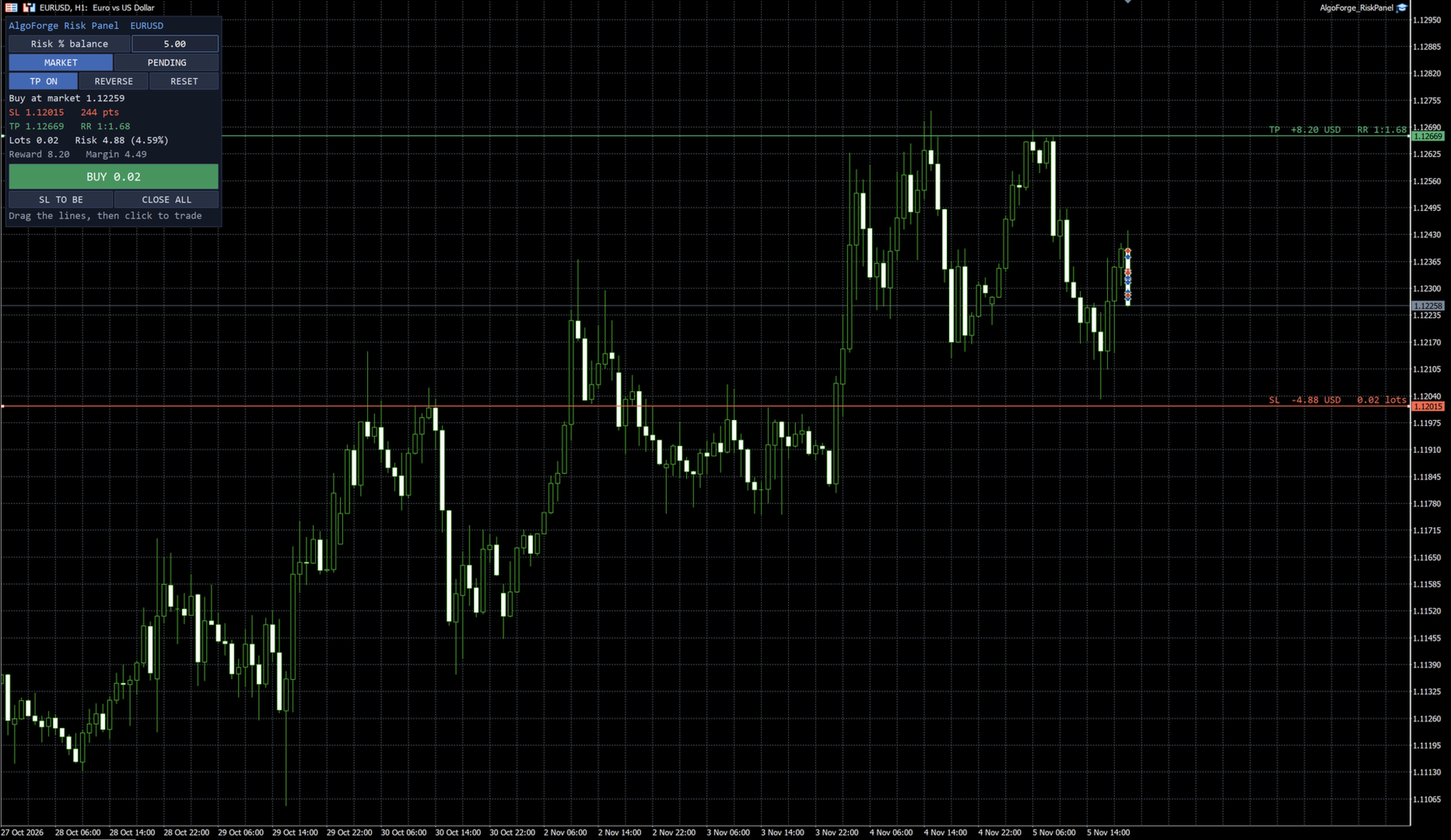
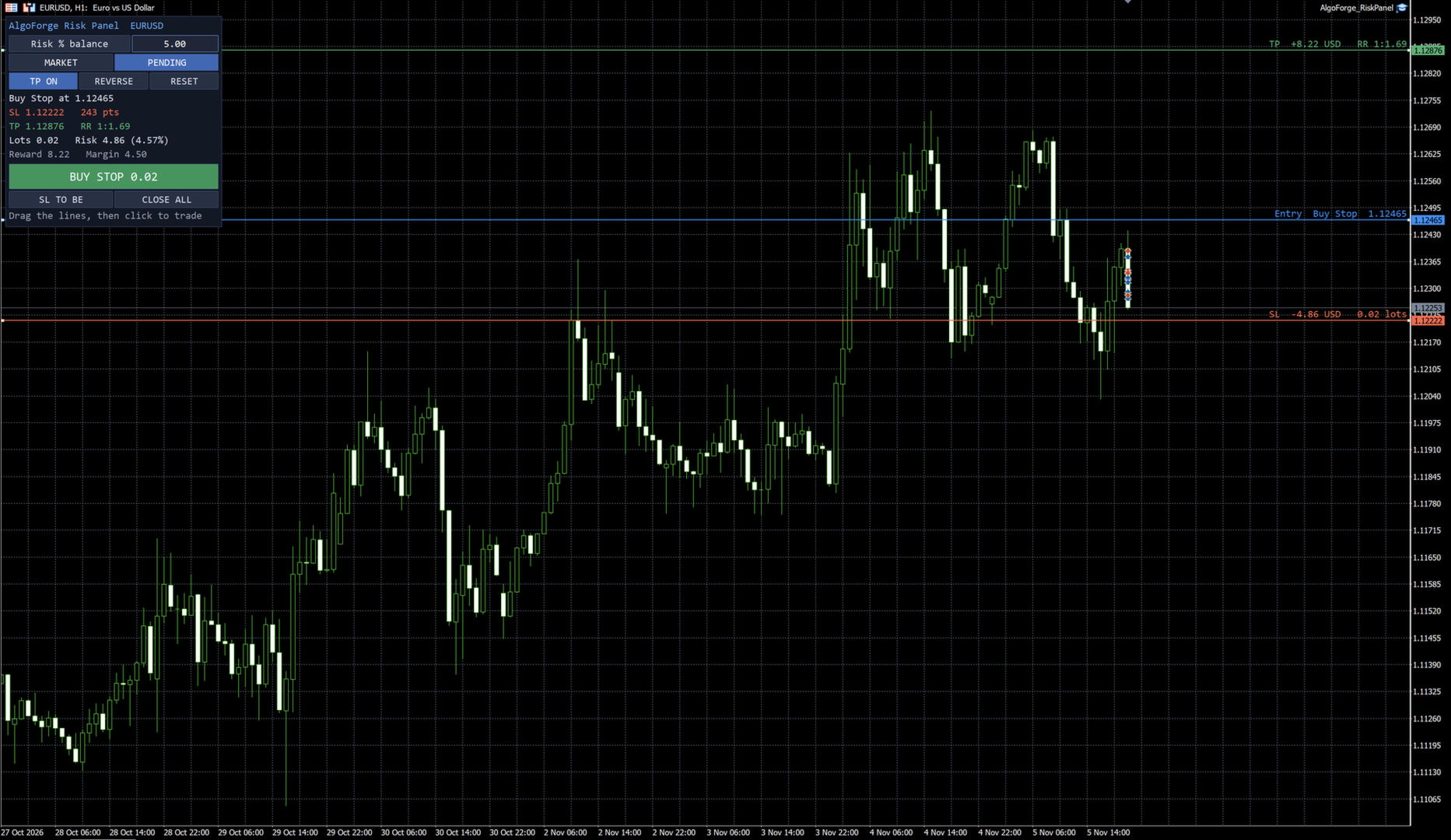
Risk Panel calculates the exact lot size for the risk you choose and places the trade in one click. Drag the stop-loss and take-profit lines on the chart: the lot, the money at risk, the reward and the reward:risk ratio update live, before you trade.
It is a trading tool, not a strategy. It only opens trades when you click.
HOW IT WORKS
1. Choose your risk on the panel: % of balance, % of equity or a fixed amount of money.
2. Drag the red stop-loss line to where your trade is wrong. The panel works out the lot so that a stop-out loses exactly that risk (rounded down to the broker's lot step).
3. Drag the green take-profit line, or switch the take-profit off.
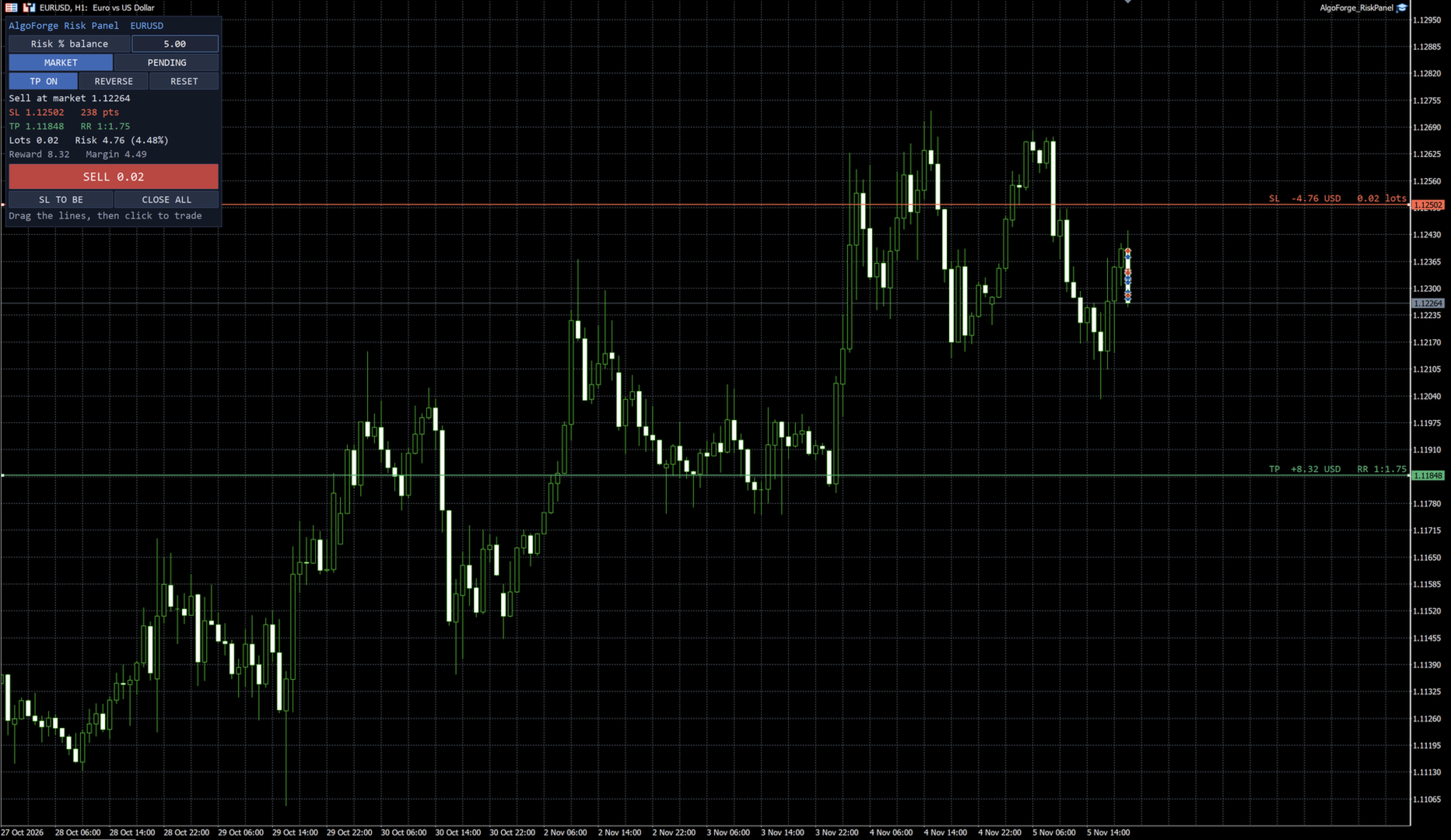
4. Click BUY or SELL. The direction follows the stop-loss: below the price is a buy, above the price is a sell.
MAIN FEATURES
- Risk in % of balance, % of equity or account currency, changed directly on the panel
- Exact lot from the real tick value of each symbol (forex, gold, indices, crypto), commission per lot included
- Draggable stop-loss and take-profit lines with live money and RR labels next to the price scale
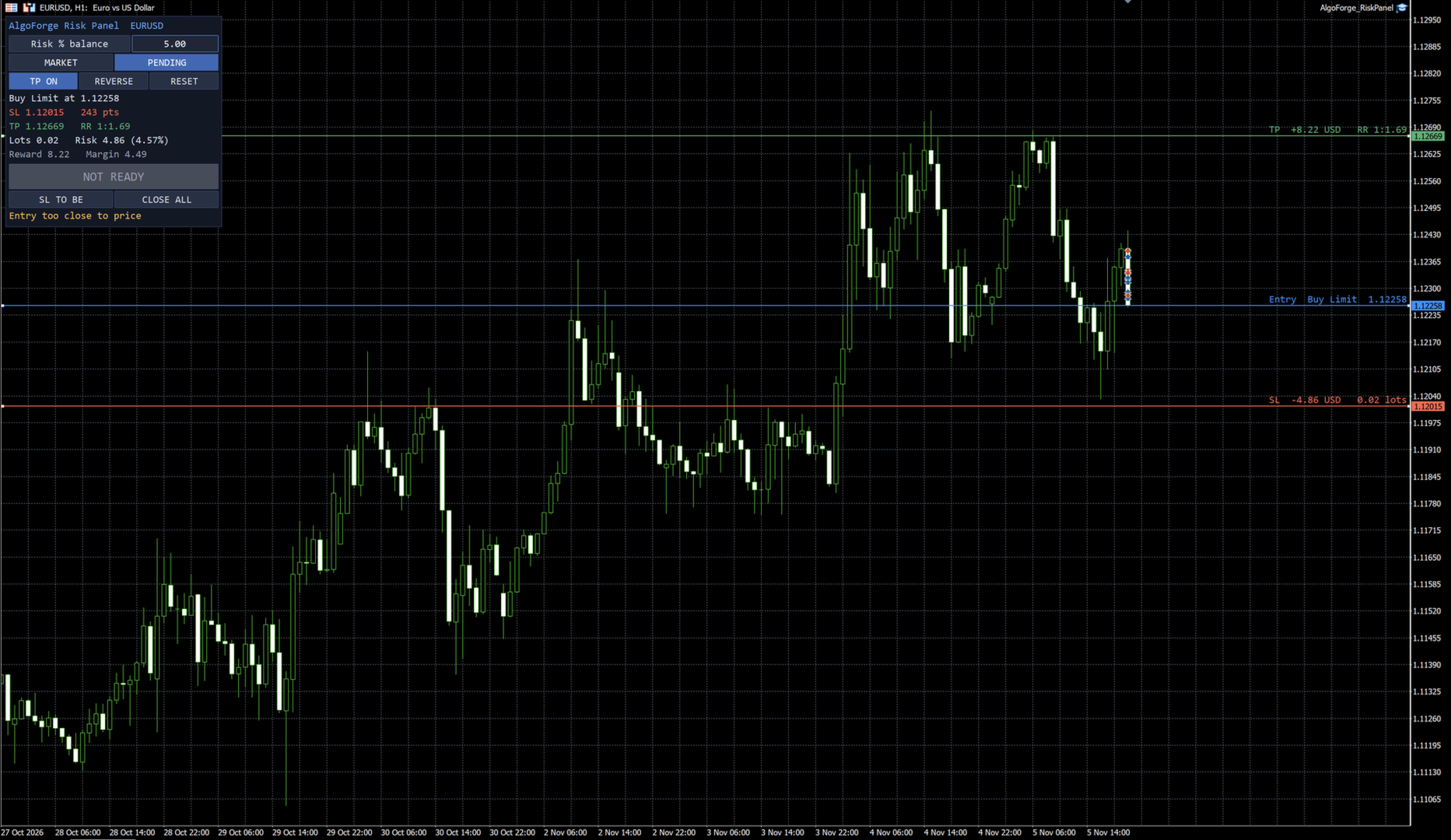
- Market orders and pending orders: Buy/Sell Limit or Stop is chosen automatically from the entry line
- Moving the entry line carries the stop-loss and take-profit with it
- REVERSE flips a buy setup into a sell setup and back
- Confirmation window before every order (can be switched off)
- Move stop-loss to break-even and close-all buttons
- Clear warnings instead of rejected orders: stop too close to price, minimum lot larger than your risk, not enough free margin
- Only manages trades it opened itself (own magic number), so it can run next to other Expert Advisors
- Settings and lines are kept when you change the timeframe
INPUTS
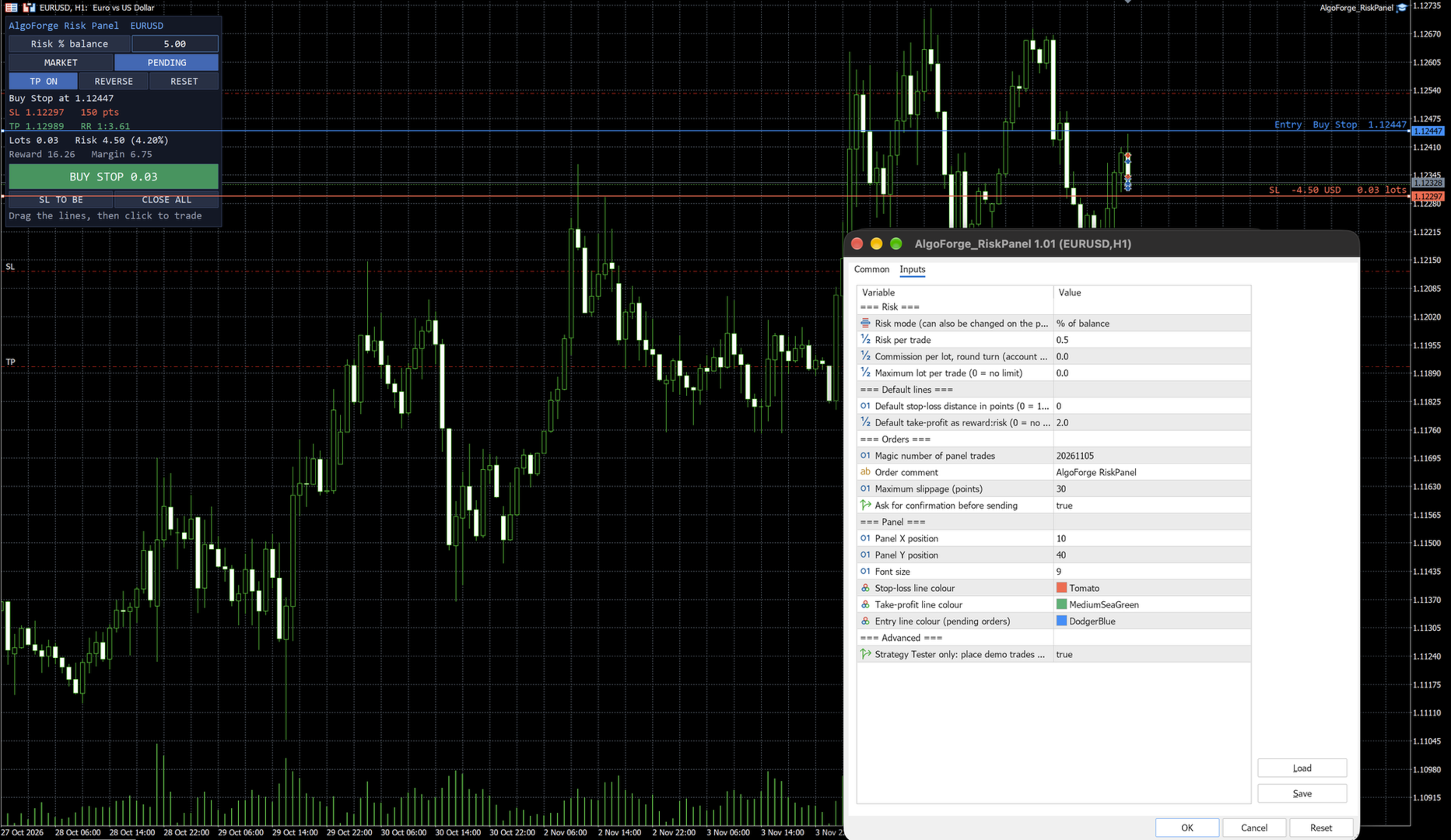
Risk mode and value, commission per lot, maximum lot, default stop distance (points or 1.5 x ATR), default reward:risk, magic number, order comment, slippage, confirmation, panel position and font size, line colours.
IMPORTANT
- The lot is rounded down, so the real risk is the same or slightly lower than the risk you enter. The panel shows the real figure.
- Slippage and gaps can make a loss larger than planned. Check the result in the panel before you click.
- Strategy Tester: MetaTrader does not send button clicks or line drags to Expert Advisors in the tester. There the panel shows its calculation and places small demo trades with the calculated lot so you can see the sizing. Every button works on a live or demo chart.