Vector Edge Pro
- Experts
-
Sahib Ul Ahsan
 ⚡ Premium MT4 & MT5 EA Developer | MQL4/MQL5 Algo Programmer | Trading Bot & Indicator Architect
Are you serious about taking your trading to the next level with automation? - 버전: 1.0
- 활성화: 10
Vector Edge PRO is an Expert Advisor for MetaTrader 5 designed to follow market trend direction and manage trades using configurable risk and position-management settings.
The EA is suitable for traders who want a structured automated approach with optional higher-timeframe confirmation, trend filtering, ATR-based protection and flexible trade management.
Main Features
Trend-Based Trading
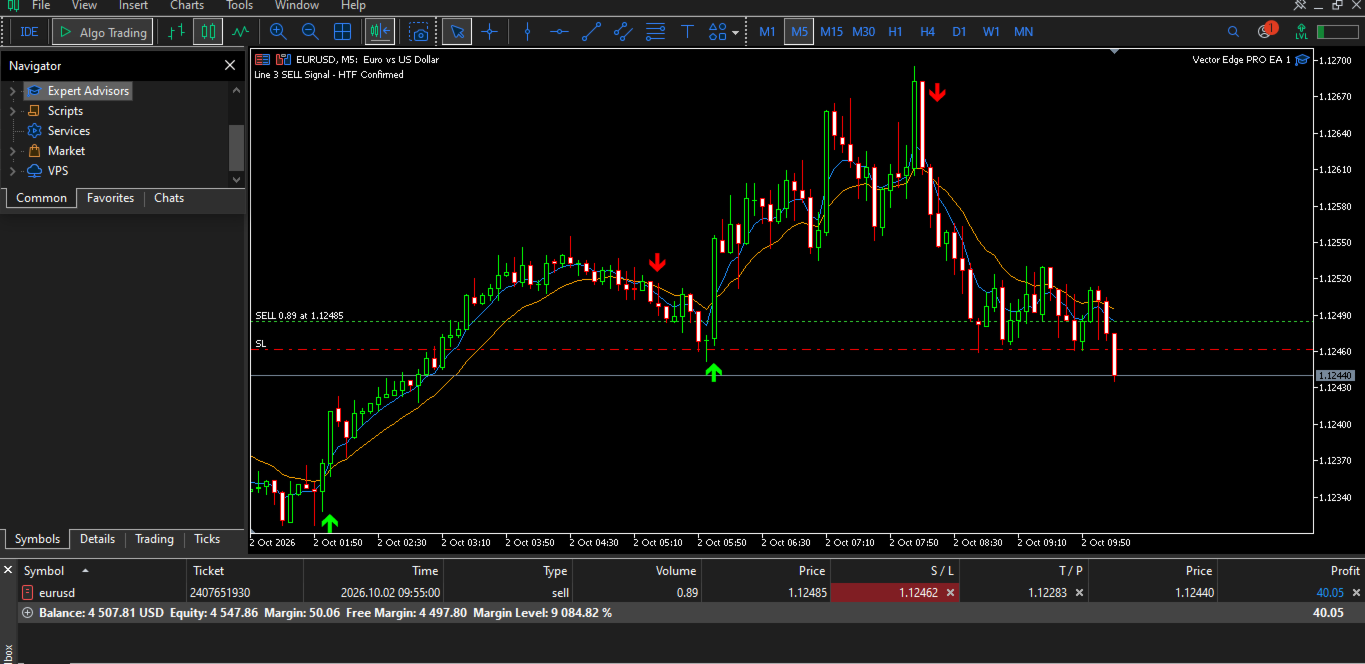
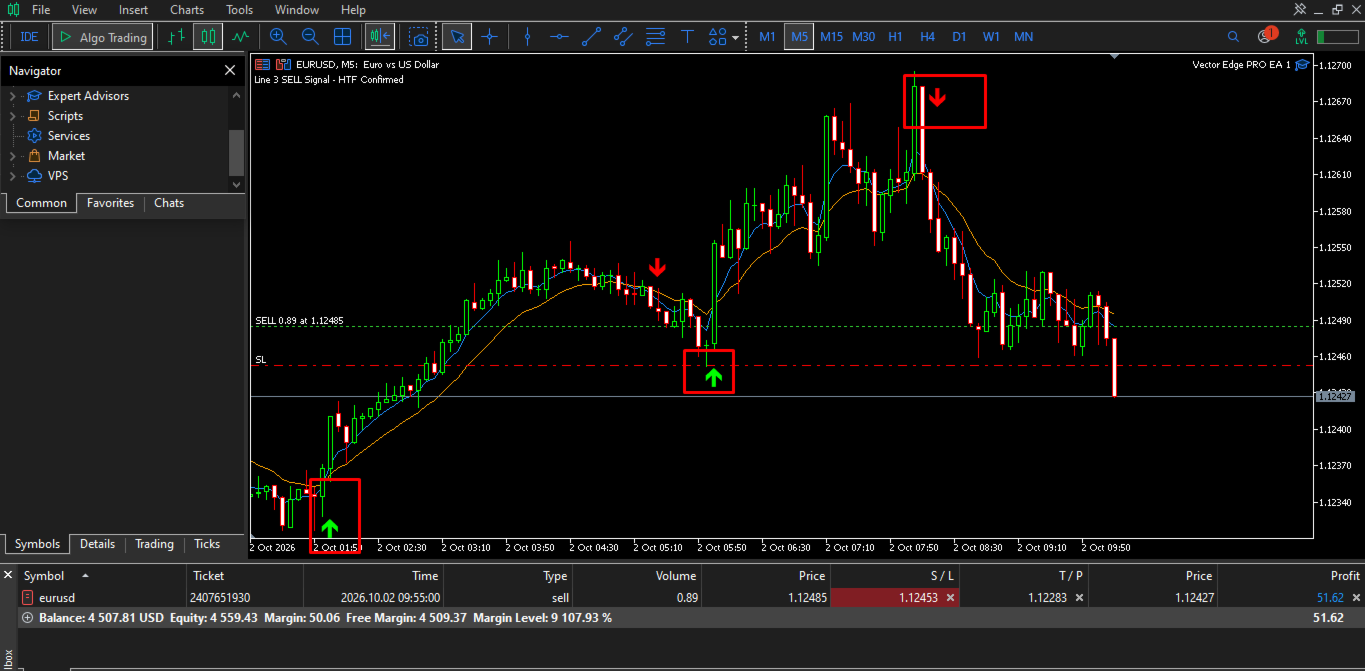
Vector Edge PRO monitors the current chart timeframe and identifies changes in market direction.
The EA can:
-
Follow bullish and bearish trend signals
-
Open trades according to the detected direction
-
Close positions when the active trend direction changes
-
Process trading signals on new candles
-
Optionally limit entries to one trade per signal
The internal signal calculation is kept within the EA and does not require a separate custom indicator.
Higher Timeframe Confirmation
An optional higher-timeframe confirmation can be enabled.
When enabled, the EA checks the selected higher timeframe before accepting a trade direction.
Available setting:
-
Higher Timeframe Confirmation
-
Selectable confirmation timeframe
This allows the trading timeframe and confirmation timeframe to be configured separately.
Optional Moving Average Filter
Vector Edge PRO includes an optional moving-average trend filter.
Users can configure:
-
Fast MA period
-
Slow MA period
-
MA calculation method
-
Applied price
-
MA timeframe
-
MA line colors and width
The filter is used for trend alignment rather than as a standalone crossover entry system.
Risk and Lot Management
The EA supports both fixed-lot and risk-based position sizing.
Available options include:
-
Fixed lot size
-
Risk percentage per trade
-
Broker volume-step handling
-
Broker minimum and maximum volume checks
-
Margin availability checks
-
Symbol-specific position sizing
Risk-based sizing calculates the position volume according to the selected risk percentage and the actual stop-loss distance.
Stop Loss and Take Profit
Stop-loss protection can be configured using either a fixed distance or ATR-based calculation.
Available settings include:
-
Fixed Stop Loss
-
ATR-based Stop Loss
-
ATR period
-
ATR multiplier
-
Optional Take Profit
-
Configurable Take Profit to Stop Loss ratio
The EA also checks broker trading restrictions before submitting orders.
ATR Trailing Stop
Vector Edge PRO includes an ATR-based trailing stop system.
The trailing mechanism can be configured with:
-
ATR starting multiplier
-
ATR trailing multiplier
-
Automatic stop adjustment as the position moves into profit
The trailing stop only begins operating after the configured profit-distance condition is reached. It does not move the stop backwards.
Equity Protection
An optional equity-based protection feature is available.
When enabled, the EA monitors account equity against the configured percentage level and can close managed positions when the specified threshold is reached.
Trade Direction Management
The EA can manage both Buy and Sell positions.
When a valid opposite trend direction is detected, the EA can manage the existing position before opening a new position in the opposite direction.
The One Trade Per Signal option can also be used when traders want to wait for a new opposite signal before another entry is allowed.
Chart Visualization
Optional chart drawings are available for easier visual monitoring.
The EA can display:
-
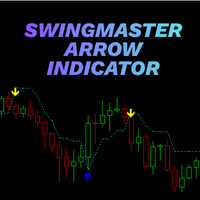
Trend-change arrows
-
Buy and Sell direction markers
-
Optional moving-average lines
-
Configurable arrow colors
-
Configurable MA colors
-
Adjustable drawing lookback
Chart drawings can be disabled when a clean trading chart is preferred.
Alerts and Debug Information
Optional alerts can be enabled for trade signals.
A separate debug option is available for users who need additional information while testing or configuring the EA.
Important Settings
The main settings are organized into several groups:
-
General EA settings
-
Lot and risk management
-
Stop Loss and Take Profit
-
ATR settings
-
Equity protection
-
ATR trailing
-
Higher timeframe confirmation
-
Current timeframe trend settings
-
Moving Average trend filter
-
Chart drawing settings
-
Alerts and debugging
This allows the EA to be configured according to different trading styles and market conditions.
Risk Notice
Trading financial markets involves risk. Automated trading can result in losses, and past testing or historical results do not guarantee future results.
Users should evaluate the EA on their own trading environment, including the selected symbol, timeframe, broker conditions and account parameters, before using it with real funds.
Vector Edge PRO is a trading automation tool and does not provide financial advice or guarantee trading results.
Operation
Vector Edge PRO is attached directly to a MetaTrader 5 chart.
After initialization, the EA monitors the selected symbol and timeframe. Trend calculations and signal processing are performed when a new candle appears, while position trailing can operate continuously.
The EA does not require a separate indicator to generate its trading signals.