Gold Trend Master MT5
- Experts
-
Sahib Ul Ahsan
 ⚡ Premium MT4 & MT5 EA Developer | MQL4/MQL5 Algo Programmer | Trading Bot & Indicator Architect
Are you serious about taking your trading to the next level with automation? - 버전: 4.10
- 업데이트됨: 20 5월 2026
- 활성화: 10
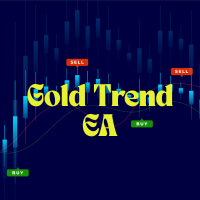
Gold Trend Master EA – Trend and Pullback Trading System
Quantum Pullback EA is an automated trading system designed for structured trend trading with configurable pullback confirmation and multiple risk management options.
The system is suitable for traders who prefer flexible configuration and detailed trade management tools.
Trading Logic
The EA analyzes market conditions using multiple technical components, including:
- RSI and moving average analysis
- Trend confirmation filters
- Volatility condition checks
- Optional EMA-based pullback confirmation
- Optional Fibonacci retracement pullback filtering
- Session-based market filtering
Trade entries are generated only when the configured conditions align with the selected strategy settings.
Pullback System
The EA includes an optional pullback module with multiple modes:
- EMA pullback confirmation
- Fibonacci retracement pullback confirmation
This allows the EA to wait for controlled retracement conditions before opening trades.
Risk and Money Management
Quantum Pullback EA includes several position sizing and protection methods:
- Fixed lot mode
- ATR-based lot calculation
- Equity-based lot calculation
Stop loss management options include:
- ATR-based stop loss
- Fixed ATR stop loss
- Equity protection stop loss
Additional protection features:
- Configurable take profit ratio
- Basket trailing management
- Equity stop protection
- Daily profit target control
- Daily trade limit settings
The EA does not use martingale or grid recovery systems.
Volatility and Session Filters
ATR based volatiltiy control and Customizable session filter.
This allows trading activity to be restricted to selected market hours.
News Filter
The EA includes an optional economic news filter designed to avoid trading during scheduled high-impact market events.
Features include:
- Blocking trades before and after news events
- Impact-level filtering
- Country-based event selection
- Optional chart visualization for news events
Visualization
Optional chart tools include:
- Trend ribbon display
- Dashboard panel
- EMA visualization
- Fibonacci visualization
- News event display
All visual elements can be enabled or disabled individually.
Recommended Usage
- Compatible with MetaTrader 5
- Recomended using Timeframe M15 and avobe for Gold.
- Suitable for forex, gold, and other supported symbols
- VPS usage is recommended for stable operation
- Low spread accounts may improve execution quality
Customization
Everything are Customizable.
Trading involves a high level of risk and may not be suitable for all investors.
Historical performance, strategy tester results, and real trading account statistics do not guarantee future performance.
Support
Support is available through the MQL5 messaging system and product comments section.