UTrade Risk Guard
- 유틸리티
- 버전: 2.218
- 활성화: 10

Risk rules are easiest to define before a trading session and hardest to follow when pressure rises.
UTrade Risk Guard was created by a trader with more than five years of live trading experience.
Over time, I learned that discipline and psychology influence almost every trading decision. At the same time, constantly checking daily limits, entry counts, position exposure, Stop Losses and the moment when trading should stop consumes attention, energy and focus.
I used to believe that trading discipline had to be controlled entirely through willpower. Later, I realized that the rules could be decided before the session and then enforced automatically.
This allows the trader to focus on market analysis and trade execution while routine risk limits remain active in the background. In my own trading, automating this part of discipline made the process calmer, clearer and less mentally demanding.
That is why I created UTrade Risk Guard.
How UTrade Risk Guard works
UTrade Risk Guard is an account-level risk management utility for MetaTrader 5.
It monitors trading activity and applies the limits selected by the user. It can monitor manual trades, all trading robots, or only trades opened by a selected robot or strategy.
The utility does not analyze the market, provide signals, choose trade direction or open trades. The trader remains responsible for the strategy and every entry decision.
Its purpose is simple: the trader defines the boundaries before the pressure begins, and UTrade Risk Guard monitors them during the trading session.
Who it is for
UTrade Risk Guard can be useful for:
* Traders who open trades manually and want to reduce impulsive decisions.
* Traders following strict daily risk limits.
* Traders working with evaluation or funded-account conditions.
* Users running trading robots without account-level protection.
* Traders who want one control panel for the entire MetaTrader 5 account.
Daily discipline controls
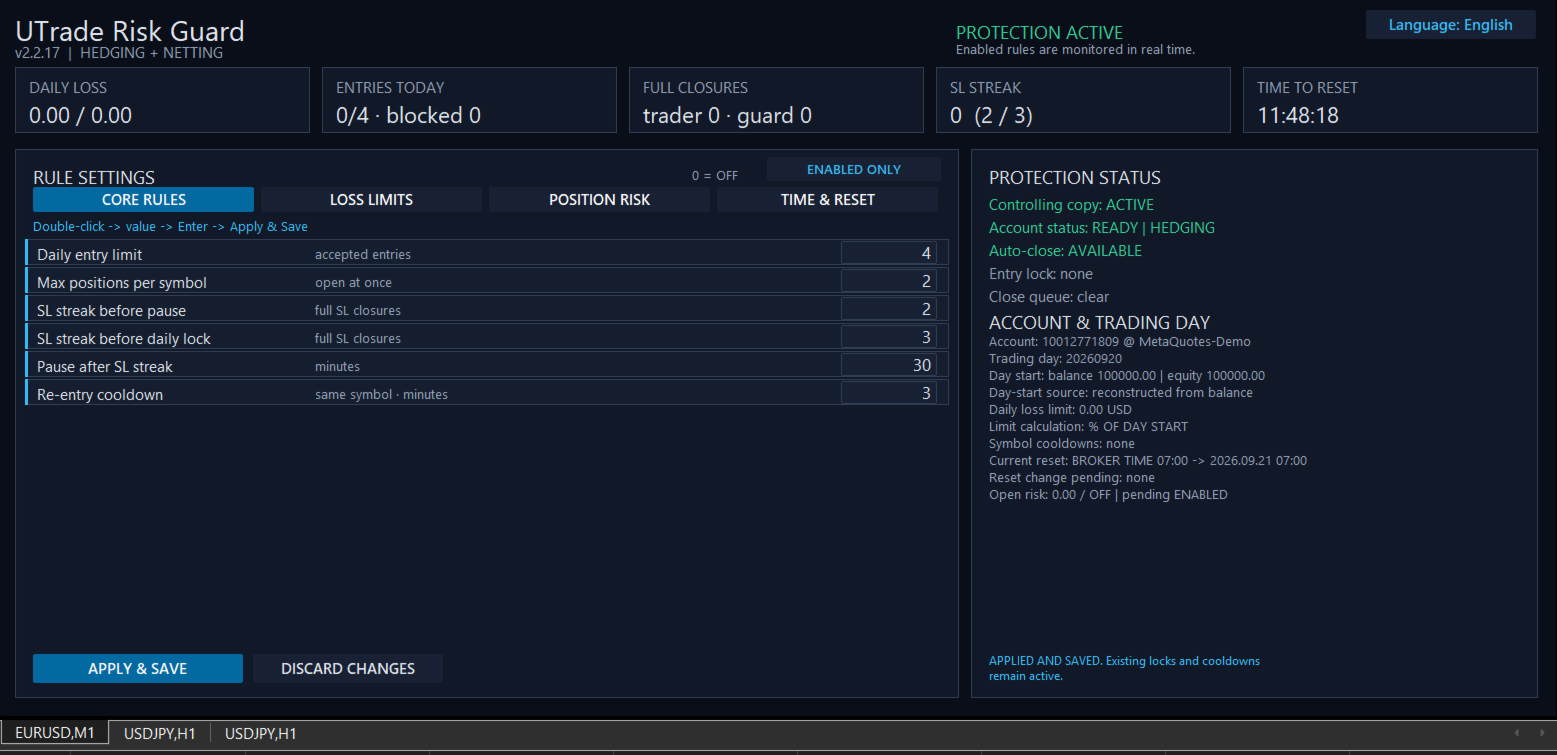
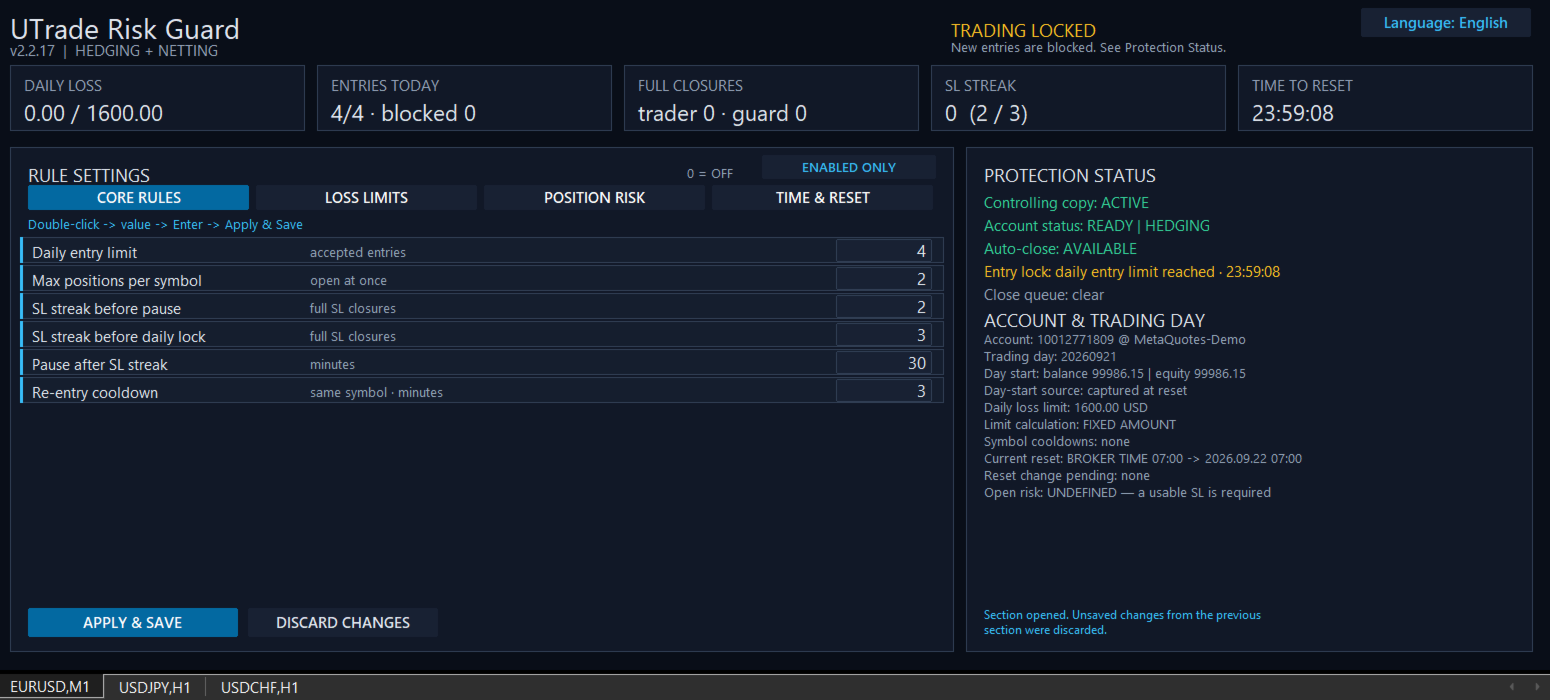
The utility can limit accepted entries per trading day, restrict the number of simultaneous positions per symbol and apply a re-entry cooldown after a full position closure.
It can also respond to consecutive Stop Loss closures. A shorter streak can activate a temporary pause, while a longer streak can block new entries until the next trading-day reset.
The daily entry limit counts accepted entry actions, not the number of positions currently open. An entry blocked by UTrade Risk Guard is recorded separately and does not consume another accepted-entry slot.
Loss protection
UTrade Risk Guard provides several ways to define the daily loss boundary:
* Maximum daily equity loss measured from either the day-start balance or the day-start equity.
* Percentage of a fixed account size.
* Exact fixed monetary amount.
* Net realized loss, where profitable closures offset losses.
* Gross losing closures, where profits do not restore the consumed loss budget.
Equity is the current account value and includes the unrealized result of open positions.
When an active daily loss limit is reached, new entries are locked until the next reset. UTrade Risk Guard sends closing requests for all positions covered by the active rules. Pending orders within the same monitoring scope can also be removed when this option is enabled.
Position risk controls
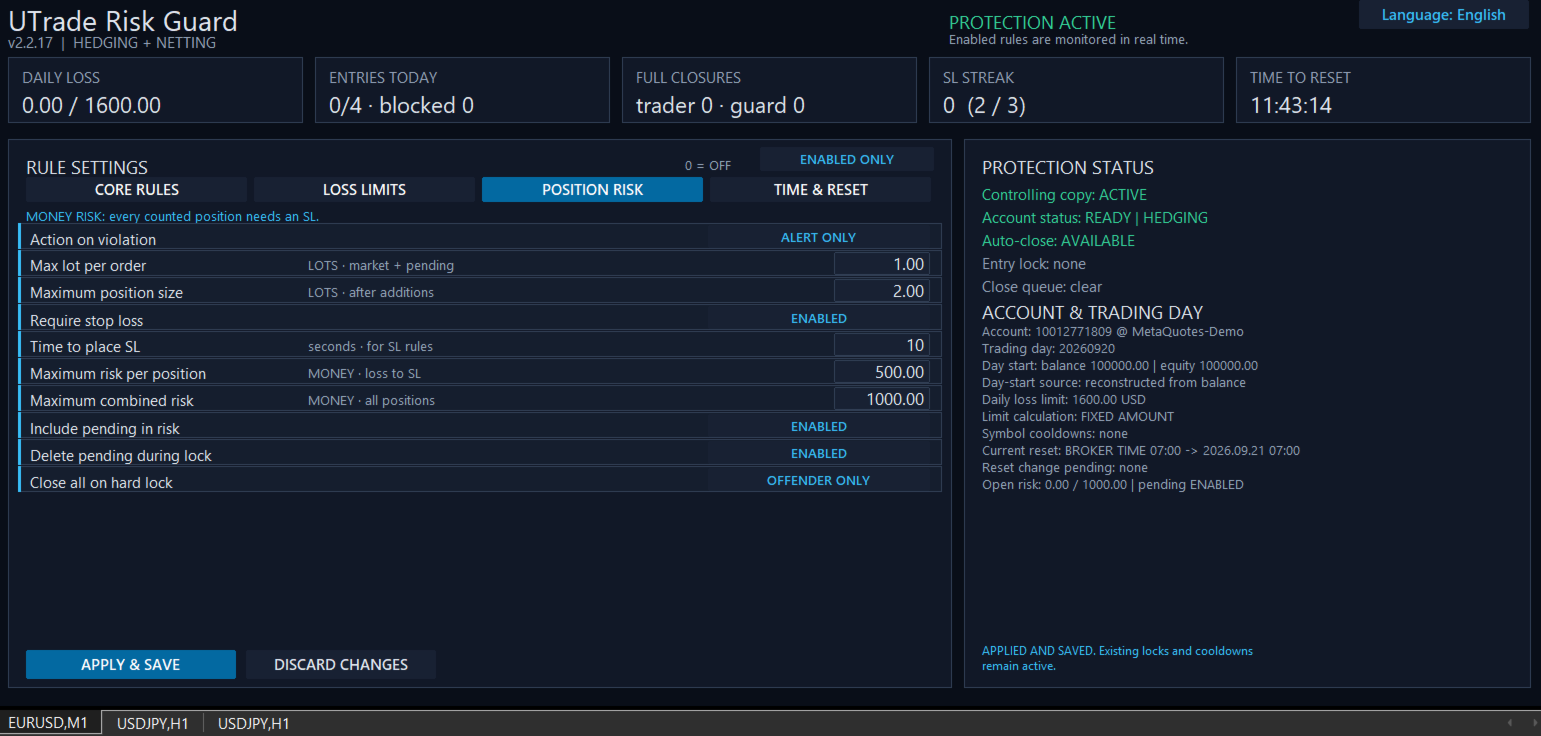
Position risk can be controlled through:
* Maximum volume of one market or pending order.
* Maximum total position volume after additional entries.
* Required Stop Loss.
* Configurable time allowed to place the Stop Loss.
* Maximum monetary risk per position.
* Maximum combined risk across all monitored positions.
* Optional inclusion of pending orders in the combined-risk calculation.
Monetary risk is calculated from the entry price to the Stop Loss using symbol information supplied by the broker. All monetary limits are expressed in the account currency.
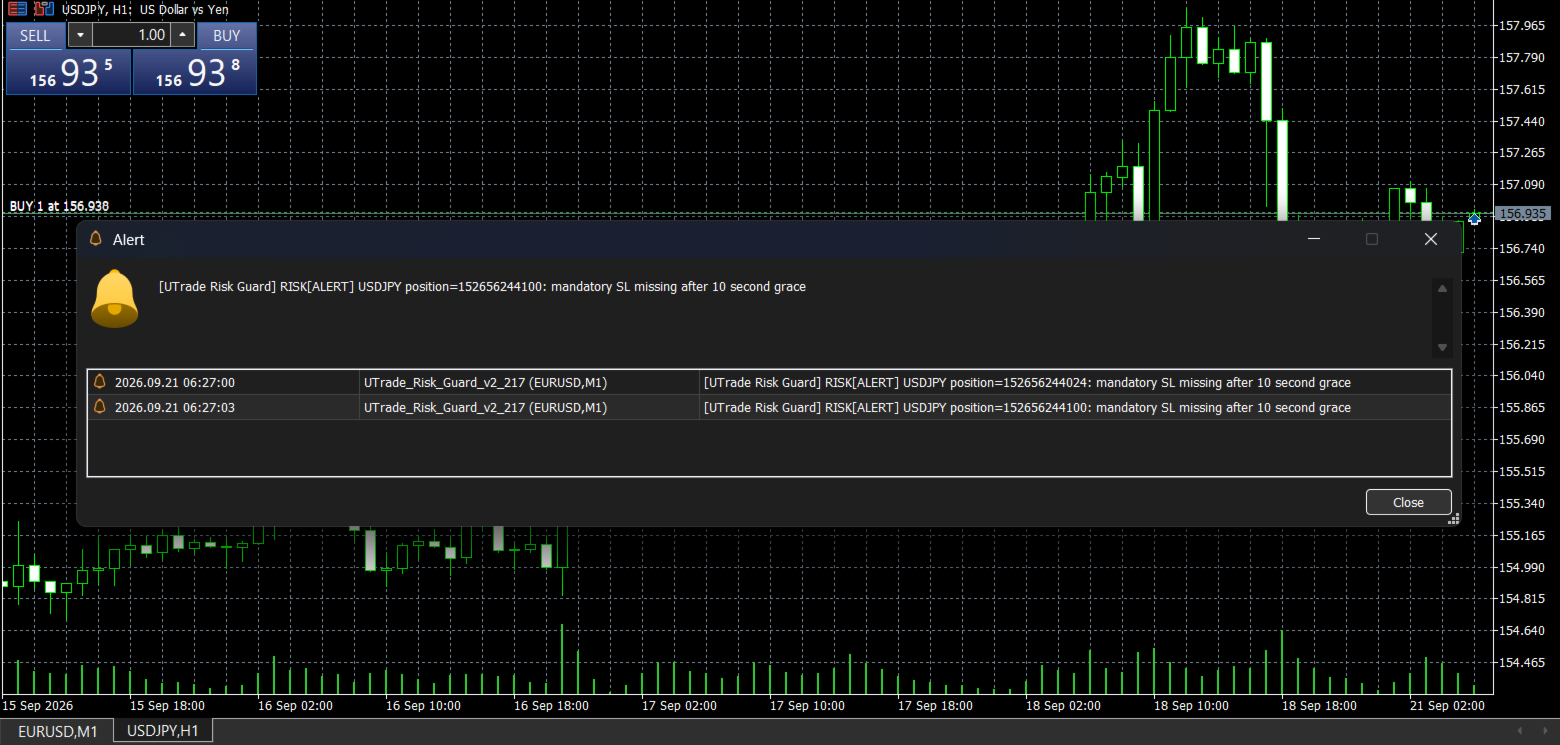
If a position has no usable Stop Loss, its exact monetary risk cannot be calculated. After the configured time expires, UTrade Risk Guard applies the selected response.
Response to a violation
Three position-risk responses are available:
* Alert only: reports the violation without sending a closing request.
* Close the rule violator: sends a closing or deletion request only for the position or pending order that violated the rule.
* Close and lock until reset: sends a closing request for the violating position and blocks new entries until the next trading-day reset.
For a hard position-risk lock, the trader can additionally choose whether to close only the rule violator or all positions covered by the active rules.
Control Center
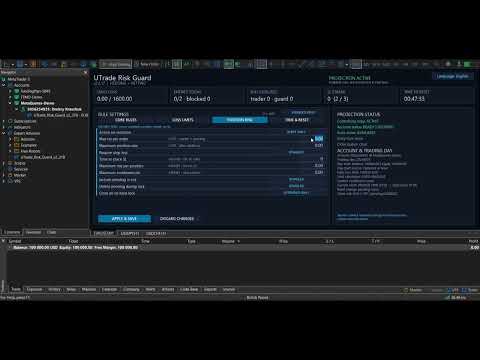
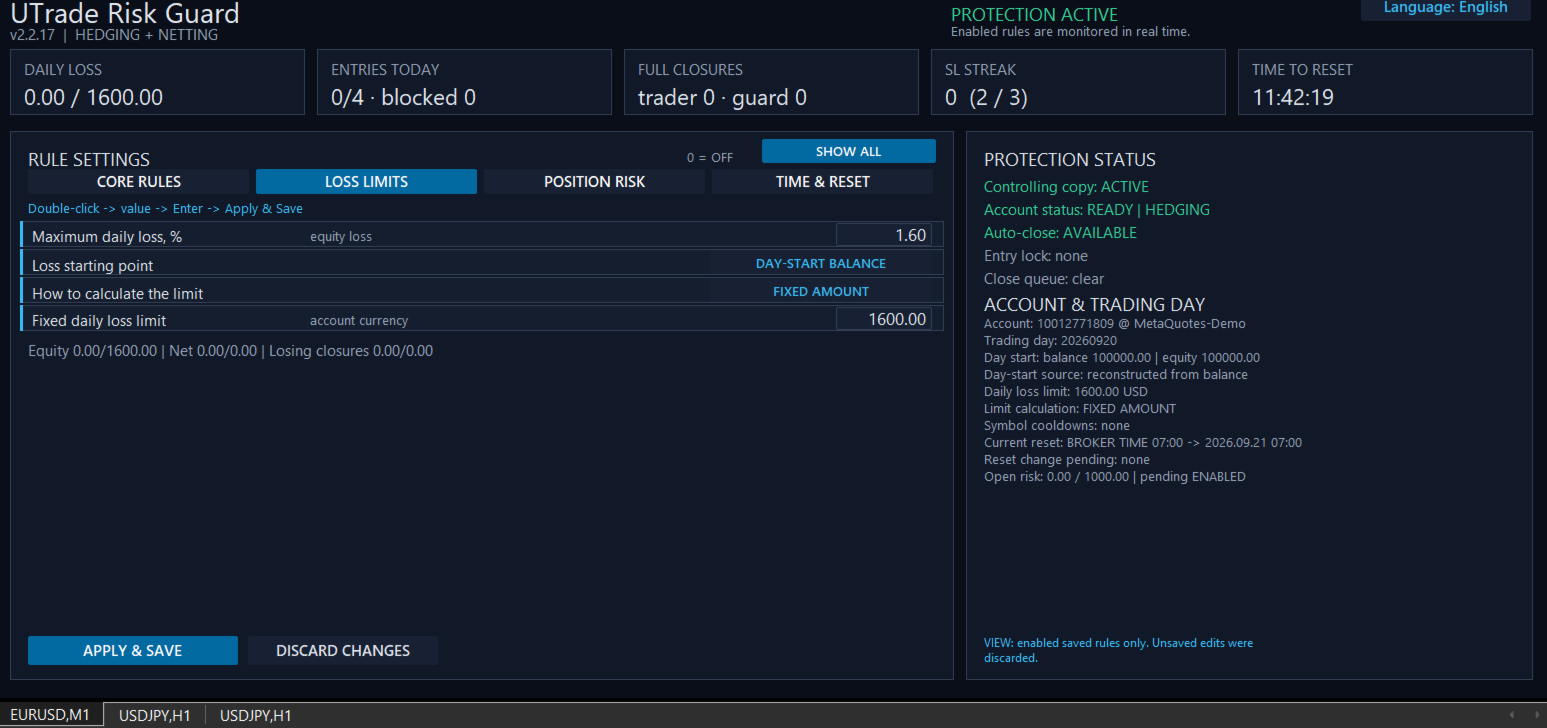
The on-chart dashboard shows:
* Current protection status.
* Daily loss.
* Accepted and blocked entries.
* Trader and guard closures.
* Consecutive Stop Loss count.
* Current open risk.
* Active symbol cooldowns.
* Current entry lock and close queue.
* Time remaining until the next reset.
* Account and trading-day information.
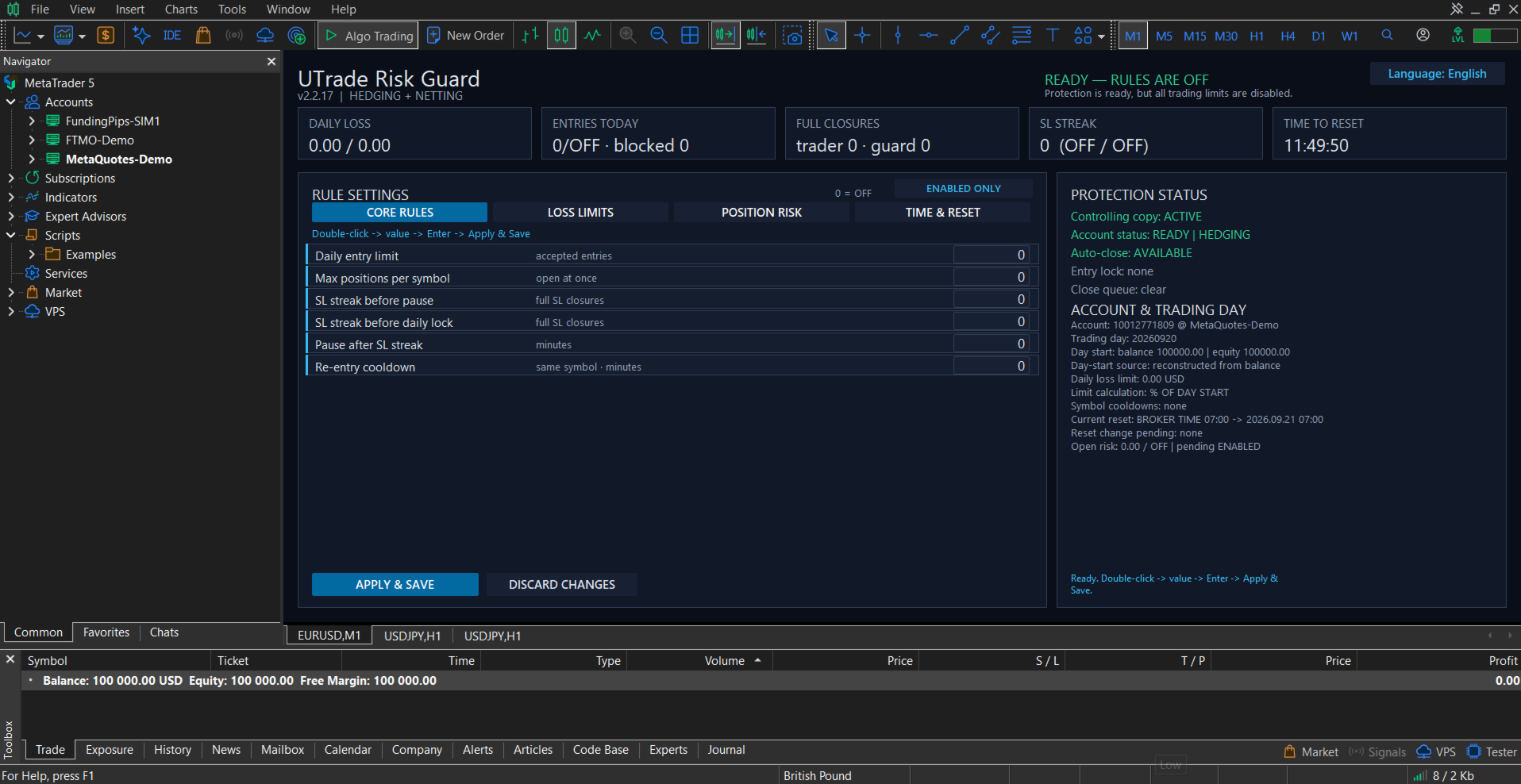
Rules are divided into four sections:
* Core Rules.
* Loss Limits.
* Position Risk.
* Time and Reset.
Disabled rules can be hidden so the panel displays only the protection currently in use.
The interface is available in English, Ukrainian and Russian.
Trading day and reset
The trading-day reset can follow:
* Broker server time.
* UTC.
* A custom UTC offset, optionally using European or United States daylight-saving rules.
Changing the schedule does not move the current trading-day boundary. The new schedule begins after the current reset, preventing an accidental restart or shortening of the active trading day.
Account and execution safety
On a clean first launch, all protection rules are disabled. The trader decides which limits to activate.
Before protection starts, UTrade Risk Guard waits for account data to synchronize. This reduces the risk of using the balance, current account value, positions or history of a previously connected account.
Settings and trading-day state are stored separately for each account identity and can be restored after a terminal restart.
Only one controlling UTrade Risk Guard instance operates in the same MetaTrader terminal. Additional copies do not take control of the account.
Closing requests are checked after submission. Temporary execution errors can be retried, and unfinished closing operations are preserved through terminal restarts.
Retail hedging and retail netting accounts are supported. Netting accounts require account-wide monitoring with Monitor Magic set to 0. Exchange and unknown account modes are blocked for safety.
Getting started
1. Attach UTrade Risk Guard to a chart of a symbol available on the currently connected trading account.
2. Wait until synchronization is complete. On a clean first launch, the dashboard shows “READY — RULES ARE OFF”.
3. Configure only the rules you need.
4. Select Apply and Save.
5. Keep MetaTrader 5 connected and running.
Full setup and feature guide: UTrade Risk Guard for MetaTrader 5
Full setup and feature guide: UTrade Risk Guard for MetaTrader 5
After switching accounts or brokers, verify that the chart symbol remains available and that the dashboard returns to a ready status.
Important notes
Algo Trading must be enabled for automatic position closing and pending-order deletion. MetaTrader 5 must remain open and connected on the trader’s computer or VPS.
The utility reacts after an order has been processed by the trading server. It cannot prevent price gaps, slippage, broker rejections, connection interruptions, execution delays, terminal shutdowns or VPS outages.
UTrade Risk Guard sends and verifies closing requests, but an exact closing price or successful execution under every market condition cannot be guaranteed. Final execution is controlled by the broker and current market conditions.
UTrade Risk Guard is a risk-control utility, not a trading strategy. It does not guarantee profit, compliance with third-party trading rules or protection from every possible trading loss.
Test the selected configuration on a demo account before using it with live funds.