Quantum Risk Manager Pro
- 유틸리티
-
Dario Cadeddu
 Quantitative Trading Systems Developer focused on risk management, market regime analysis and structured trading workflows for MetaTrader 5.
 - 버전: 1.1
- 업데이트됨: 18 9월 2026
- 활성화: 10
QRM PRO - PRE-TRADE RISK GOVERNANCE FOR METATRADER 5
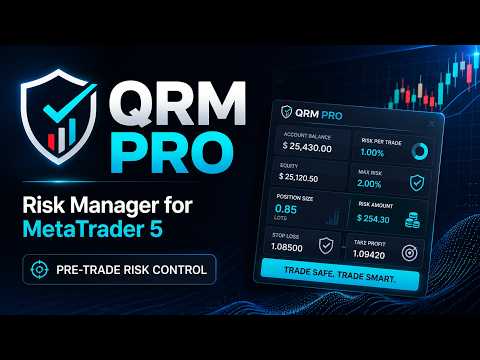
QRM PRO is a risk-management utility for MetaTrader 5. It does not generate entry signals and does not predict market direction.
Before an order is sent, it checks whether a proposed BUY or SELL is compatible with the configured risk policy, the selected Stop Loss distance, broker symbol constraints, available margin, account limits and the open portfolio.
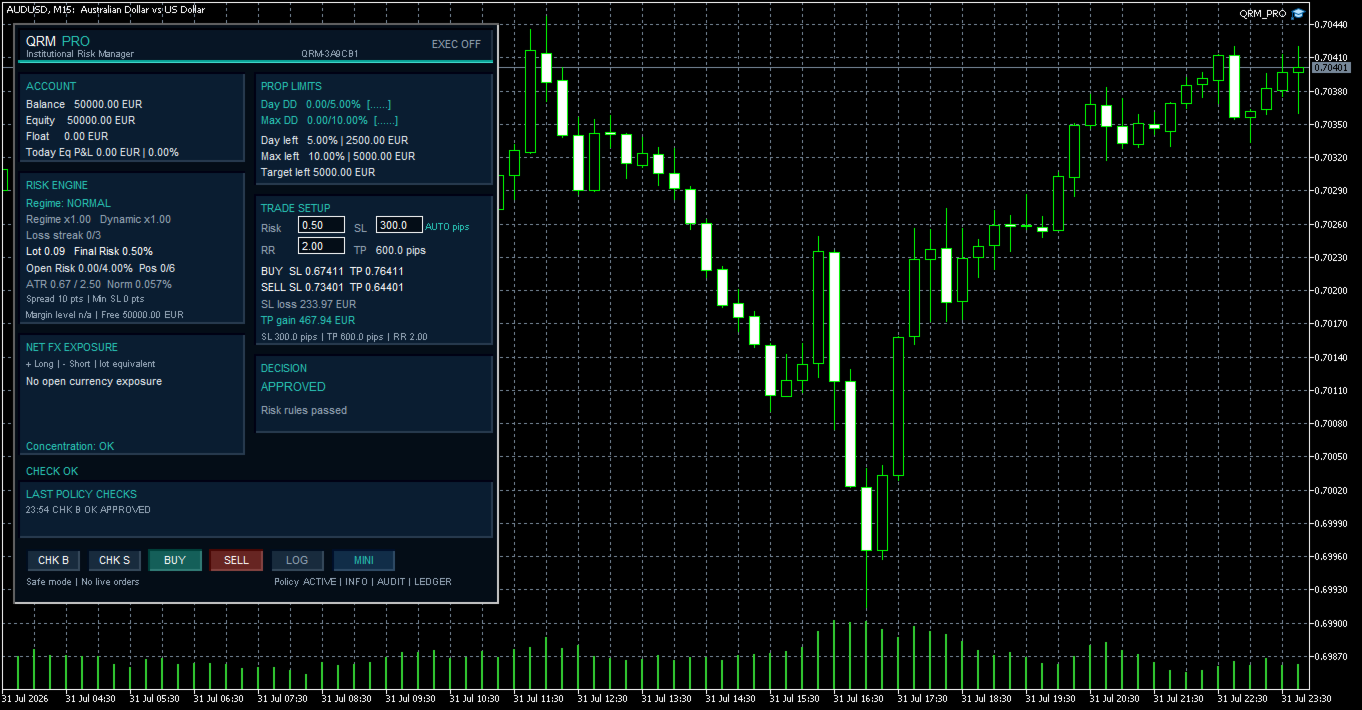
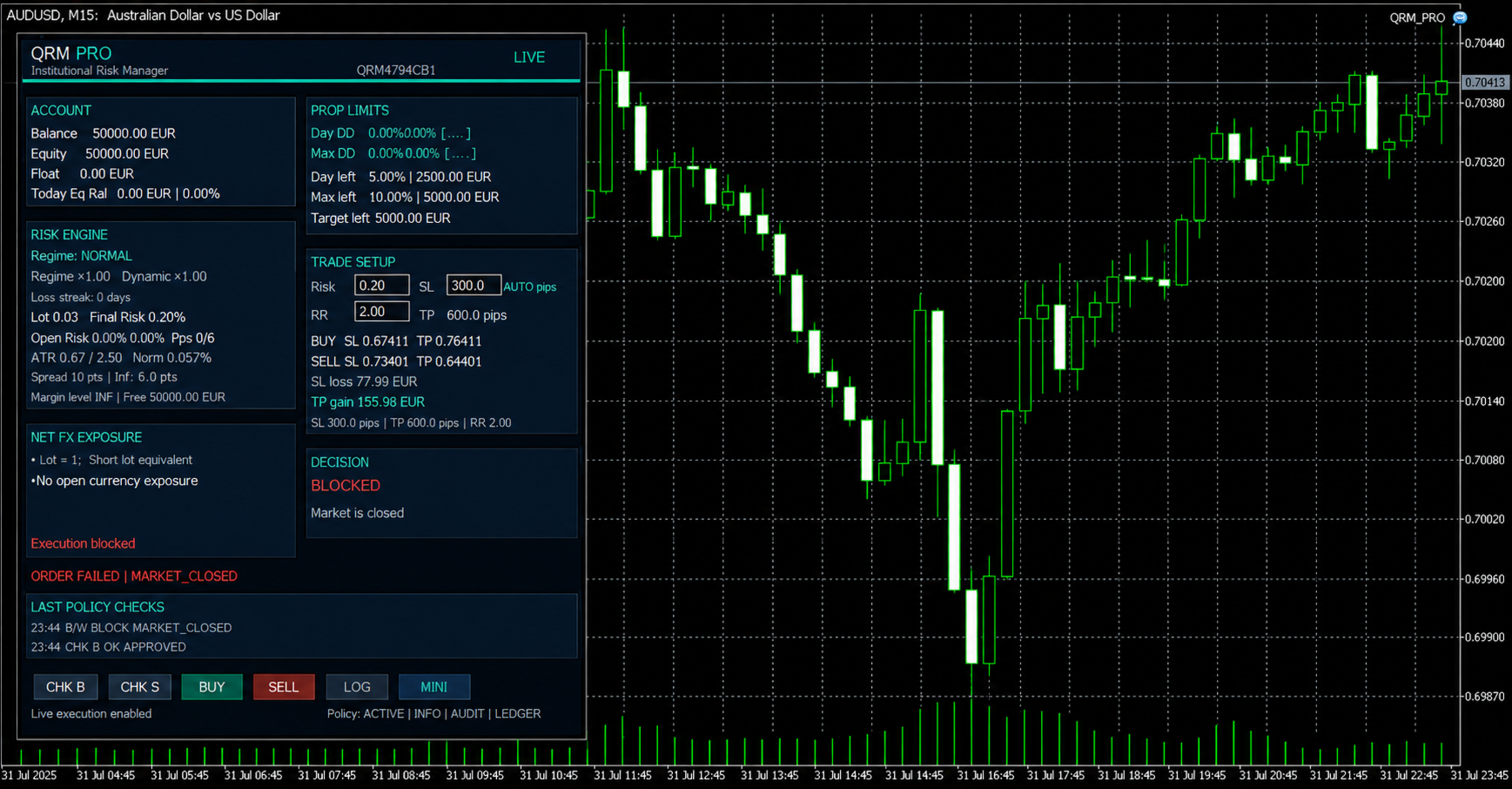
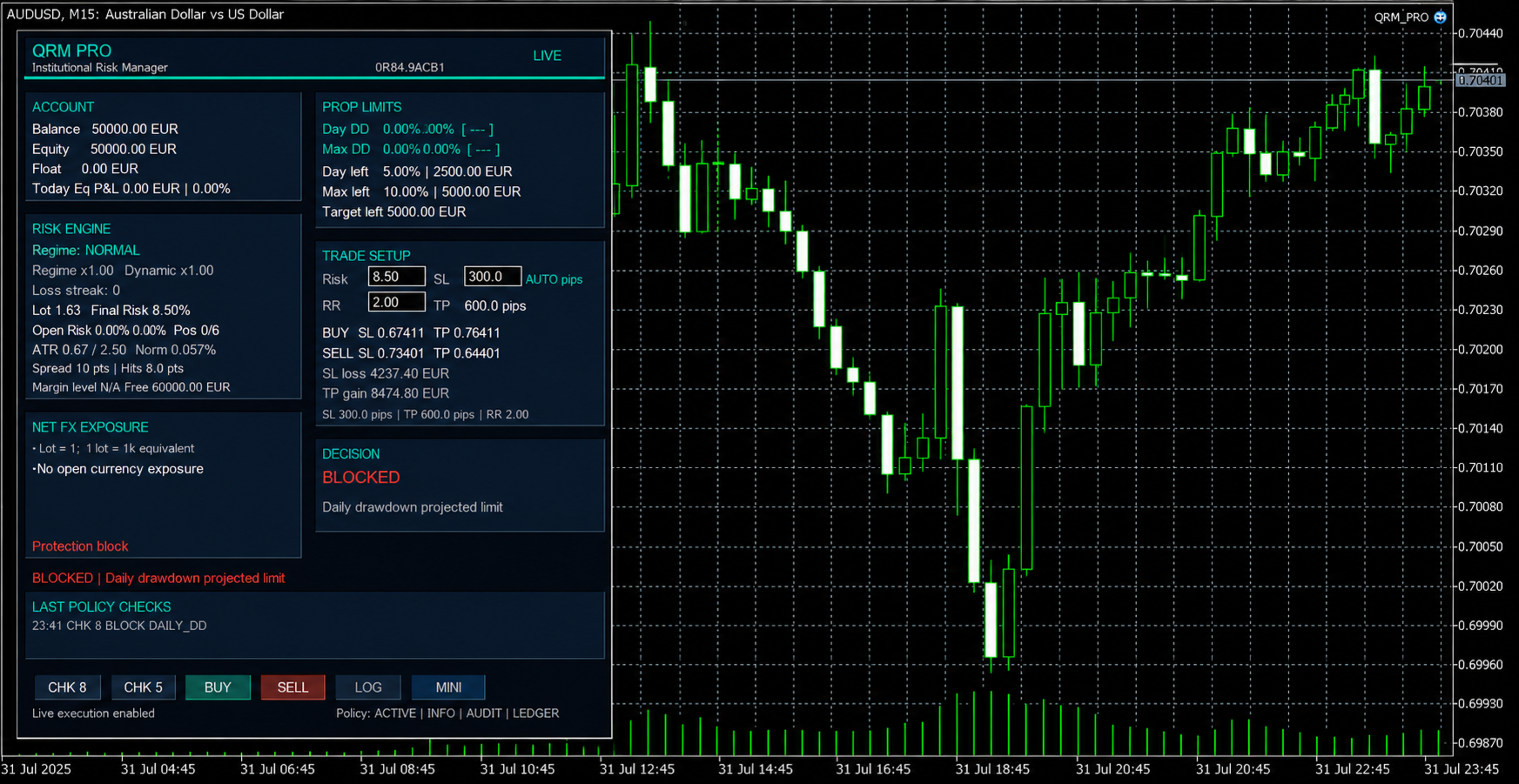
The workflow is straightforward: define Risk, Stop Loss distance and Risk/Reward; run CHK B or CHK S; read the decision and its reason; proceed with execution only when the proposal is approved and all LIVE-trading permissions have been enabled intentionally.
MAIN FEATURES
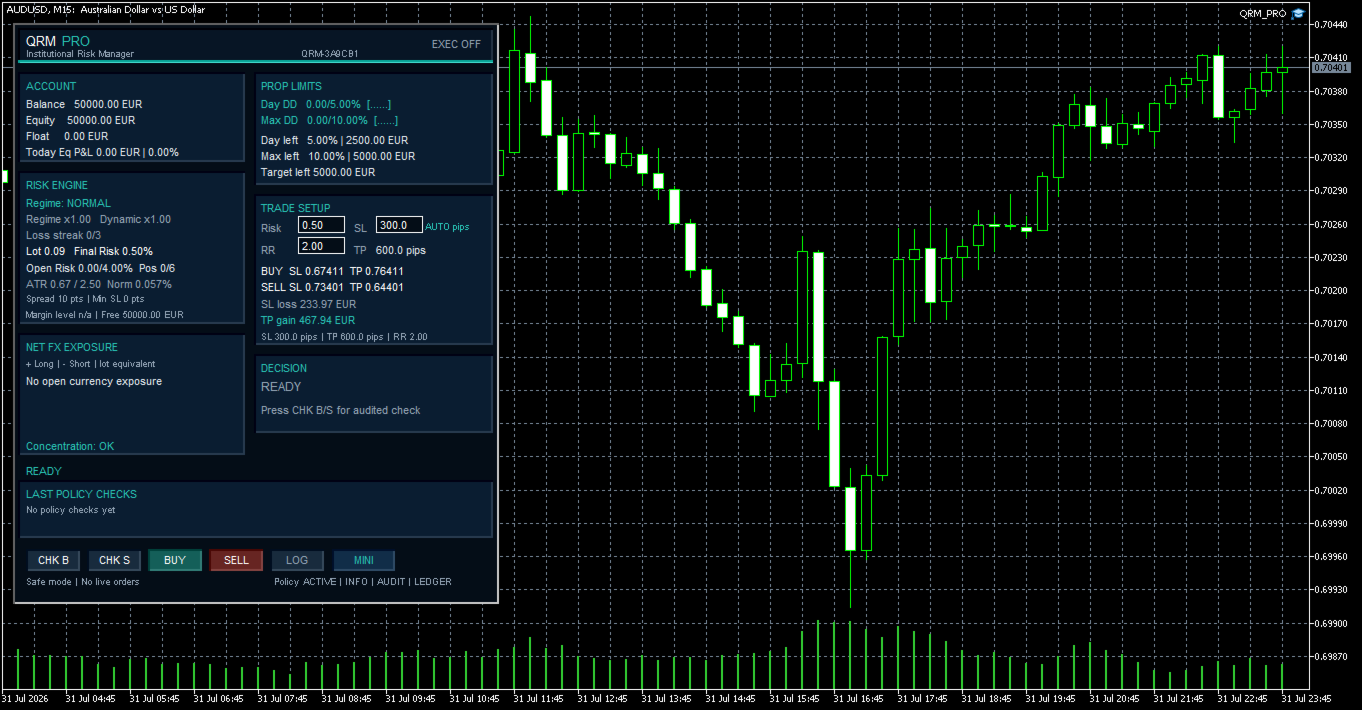
- Monetary BUY and SELL position sizing in the account currency.
- Automatic display of Stop Loss and Take Profit distances in pips or points.
- Estimated monetary loss at Stop Loss and potential profit at Take Profit before execution.
- Monitoring of Daily Drawdown, Maximum Drawdown and Profit Target.
- Portfolio Risk Cap and maximum open-position control.
- Checks on projected margin level and the margin impact of the new trade.
- Conservative handling of positions without a Stop Loss or with undetermined risk.
- Prudent risk adaptation through Risk Regime and Dynamic Risk Multiplier.
- Optional closed-bar market-context integration with QIF PRO, with information-only and reduction-only adaptive modes.
- ATR Context Guard and dedicated volatility protections.
- Account-wide Net FX Exposure across the open portfolio.
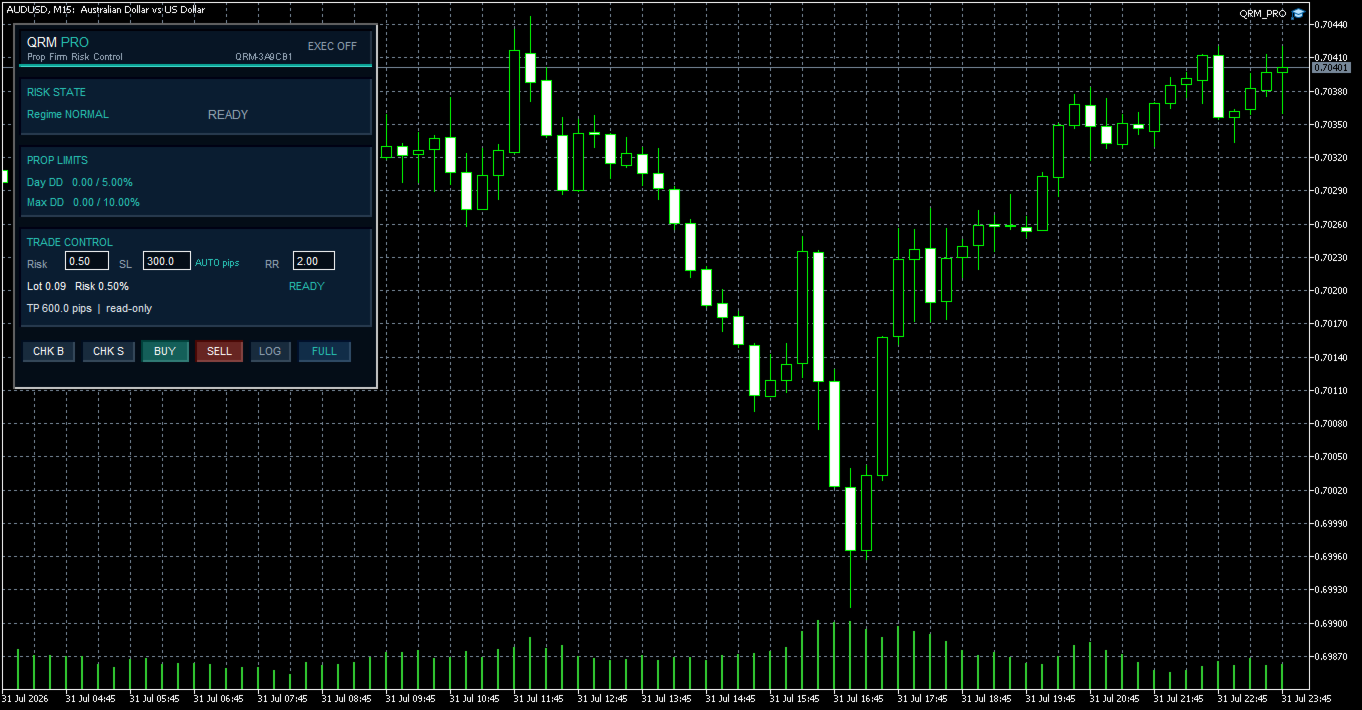
- FULL and MINI panel modes with chart-scoped state retention.
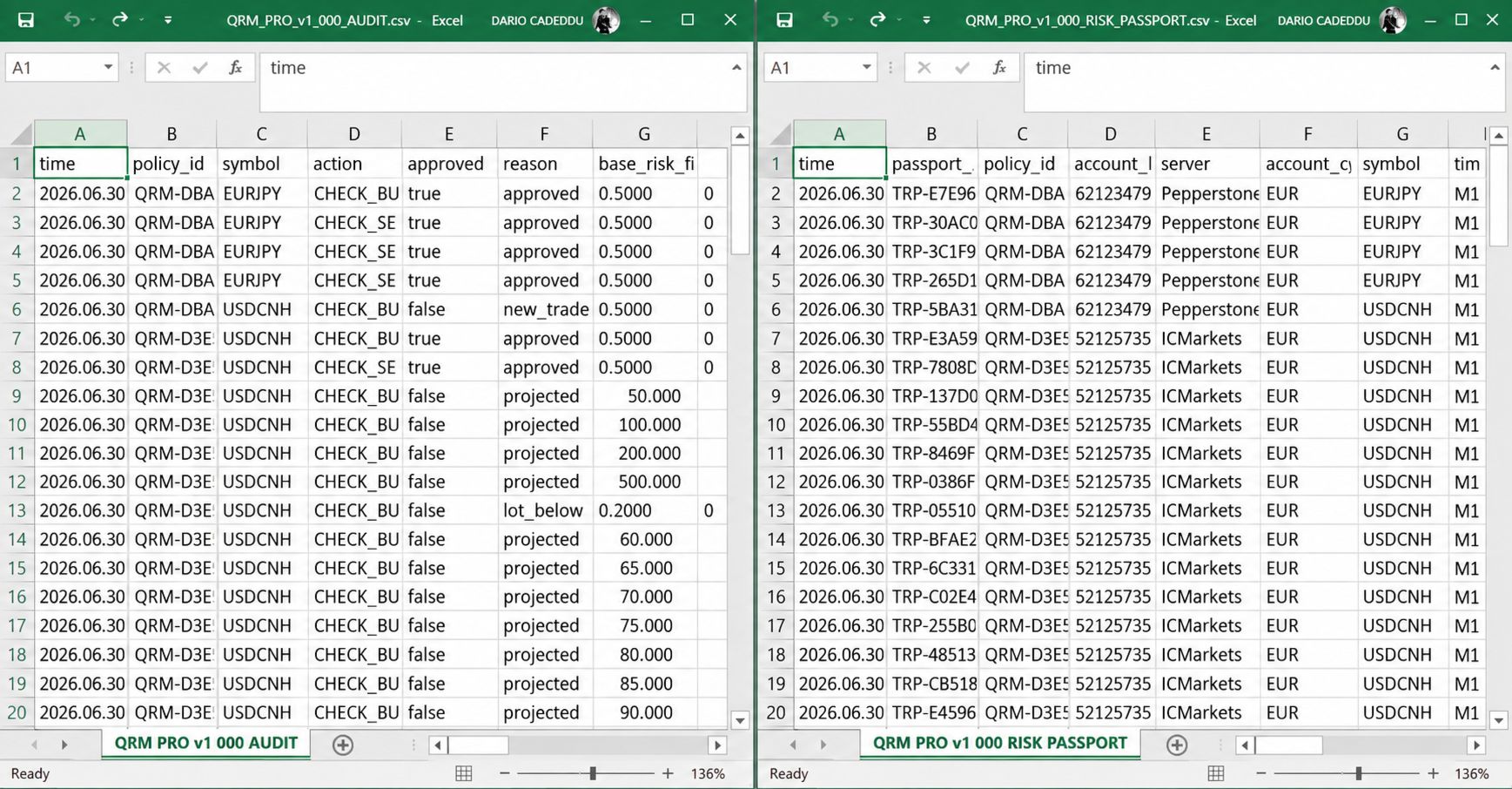
- Structured Audit Trail, Trade Risk Passport and Symbol Diagnostics CSV files.
DISTANCE UNITS AND CAUTIOUS DEFAULTS
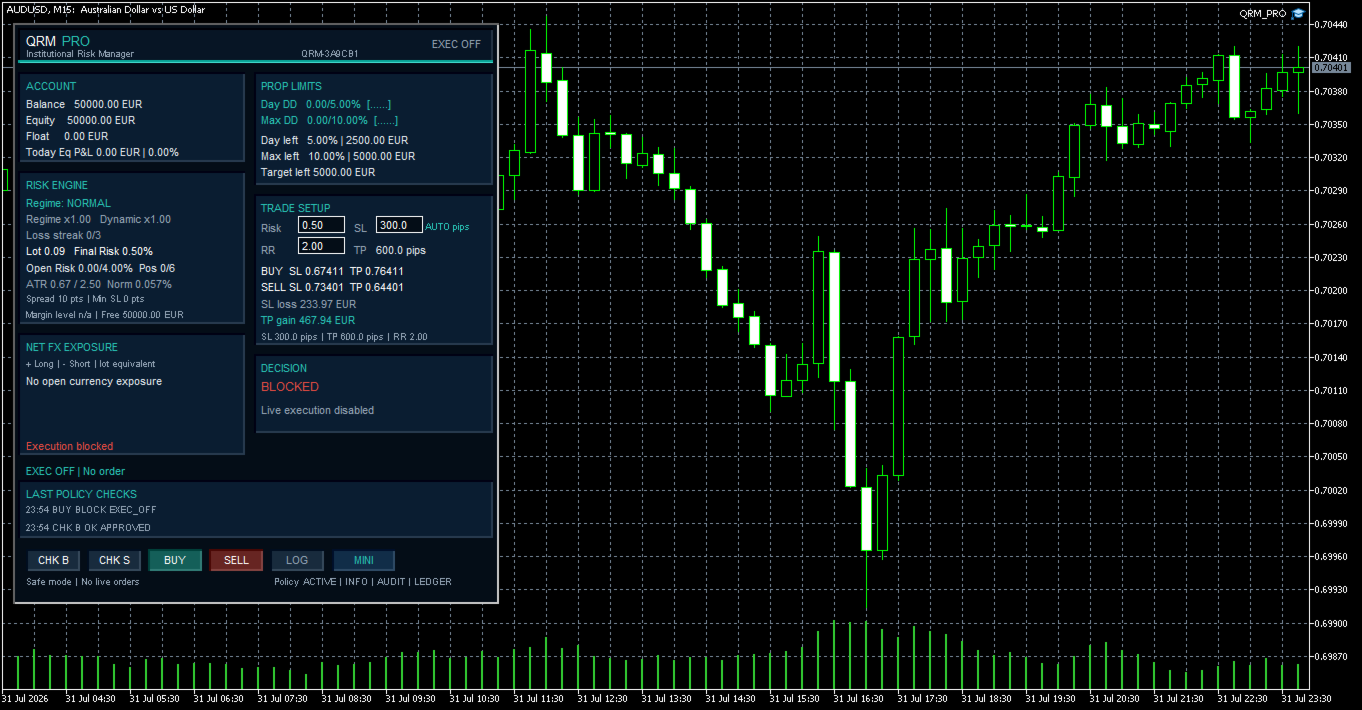
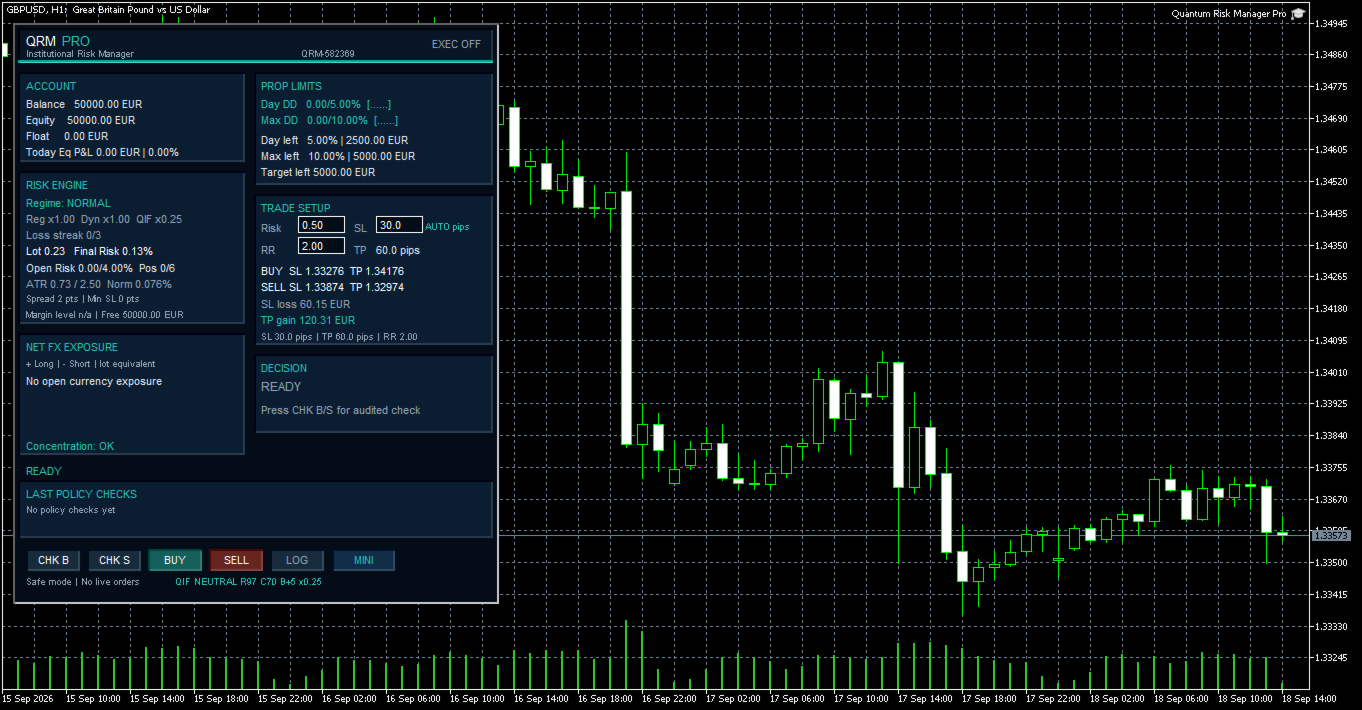
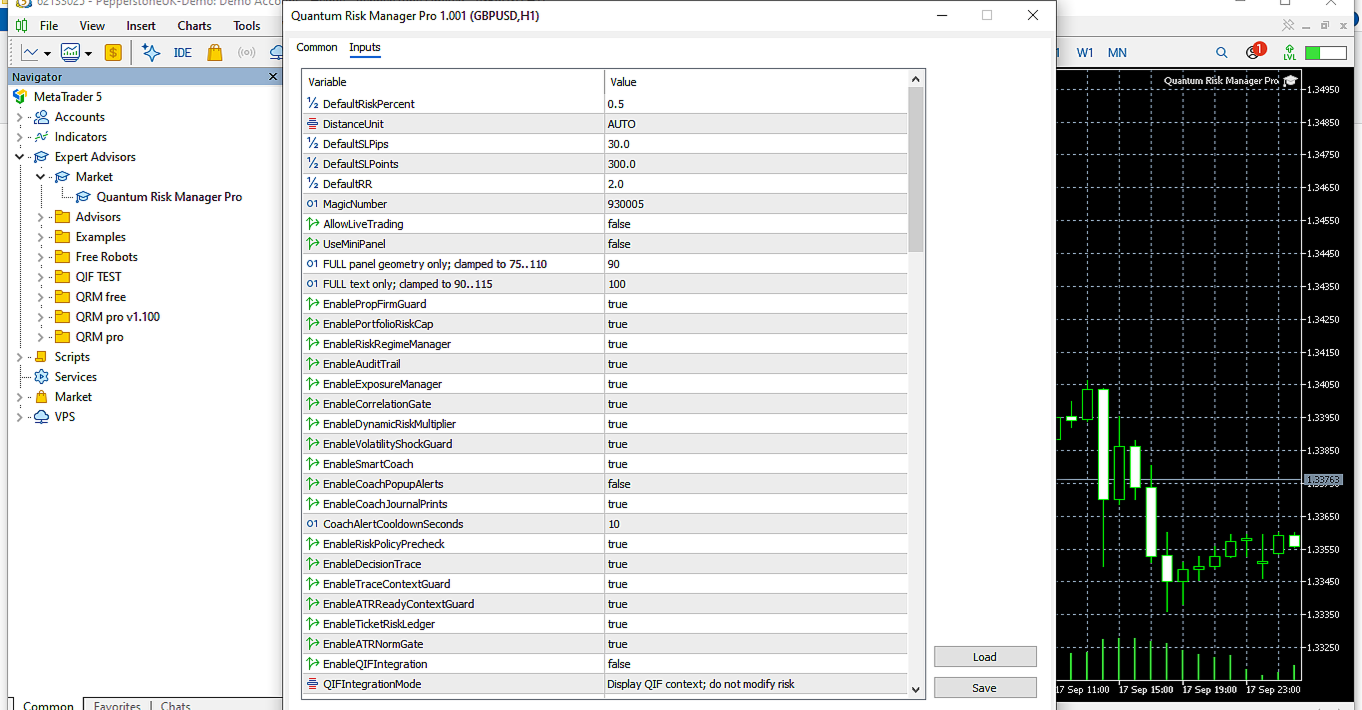
QRM PRO starts in a cautious state: FULL panel, 0.50% Risk, 2.00 Risk/Reward, DistanceUnit=AUTO and order execution disabled.
With AUTO, the default Stop Loss is 30.0 pips on Forex symbols and 300 points on other instruments. The panel identifies the active unit as AUTO pips or AUTO pts and displays Take Profit in the same unit.
Broker-facing checks and structured CSV output use canonical MetaTrader 5 points. When the symbol or any relevant setup value changes, the previous CHK is invalidated and must be repeated.
With EXEC OFF, CHK B and CHK S remain available. The utility can calculate volume, assess the proposal, display the decision reason and write audit records without sending orders.
PRE-TRADE WORKFLOW
CHK B evaluates a BUY proposal. CHK S evaluates a SELL proposal. A check does not open a position.
The BUY or SELL command can submit an order only after a direction-consistent check has been approved, provided that the current context still matches the validated proposal.
- Set Risk, the displayed SL distance and RR.
- Press CHK B or CHK S.
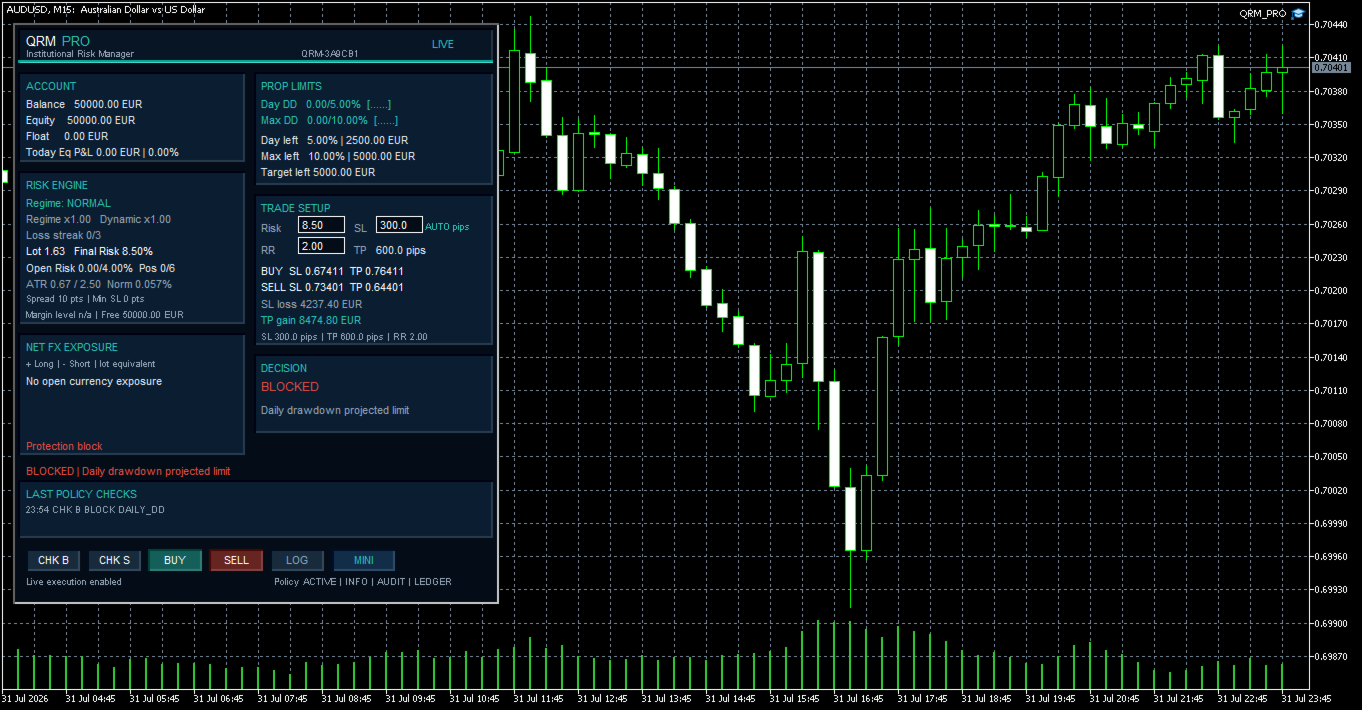
- Read APPROVED or BLOCKED and the displayed reason.
- Check Final Risk, volume, monetary loss, projected margin, Open Risk, positions and exposure.
- After a relevant symbol, timeframe or setup change, run a new CHK.
- Enable LIVE execution only when the order is intentional.
LIVE EXECUTION REQUIRES ALL THREE LEVELS
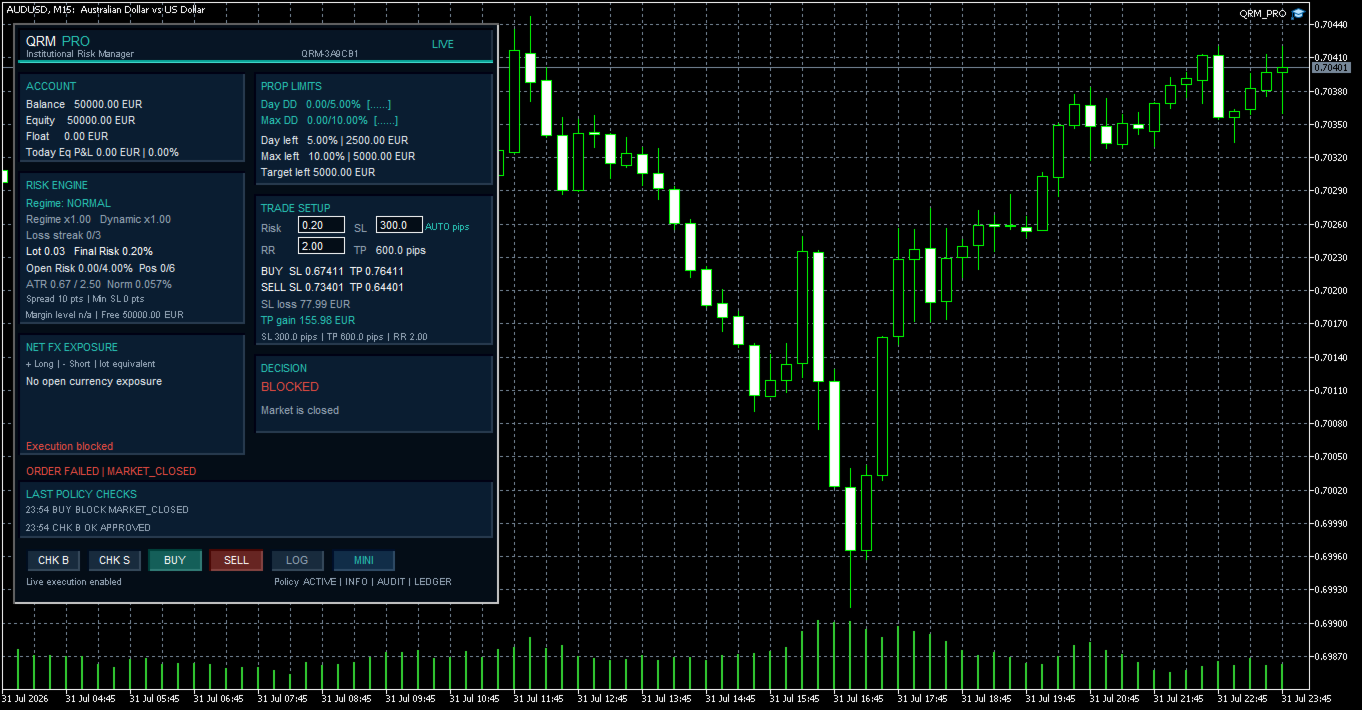
The LIVE badge alone is not sufficient. An order can be sent only when all three permissions below are active and the broker accepts the request.
- QRM PRO input: AllowLiveTrading=true.
- EA instance: Allow Algo Trading enabled on the Common tab.
- MetaTrader 5 terminal: global Algo Trading enabled.
If any permission is missing, QRM PRO blocks execution and displays a readable reason such as EXEC_OFF, EA_OFF or TERMINAL_OFF.
PORTFOLIO METRICS
Open Risk, position count and Net FX Exposure are calculated across the entire open portfolio of the account. This includes manually opened positions and positions opened by other Expert Advisors.
The Magic Number identifies orders sent by QRM PRO. It does not exclude other open positions from account-wide checks of portfolio risk, position count and currency exposure.
PROP CHALLENGE MODEL
QRM PRO provides a configurable prudential model for monitoring Daily Drawdown, Maximum Drawdown, remaining headroom and Profit Target using account data returned by MetaTrader 5.
Prop-firm rules are not imported automatically. The user must configure the limits and verify that the selected model matches the firm's official rules, including the daily reset convention and the basis used to calculate losses.
Important limitation
The current release does not implement a trailing-drawdown or high-watermark model. It must not be treated as a replacement for the prop firm's official dashboard or rulebook.
MARGIN AND BROKER SAFETY
A trade may be blocked even when the monetary Stop Loss risk is within budget. QRM PRO also checks projected margin level, the impact of the new margin, the broker's minimum volume, volume step, minimum Stop Loss and Take Profit distances, and whether the resulting Stop Loss and Take Profit prices are valid for the symbol.
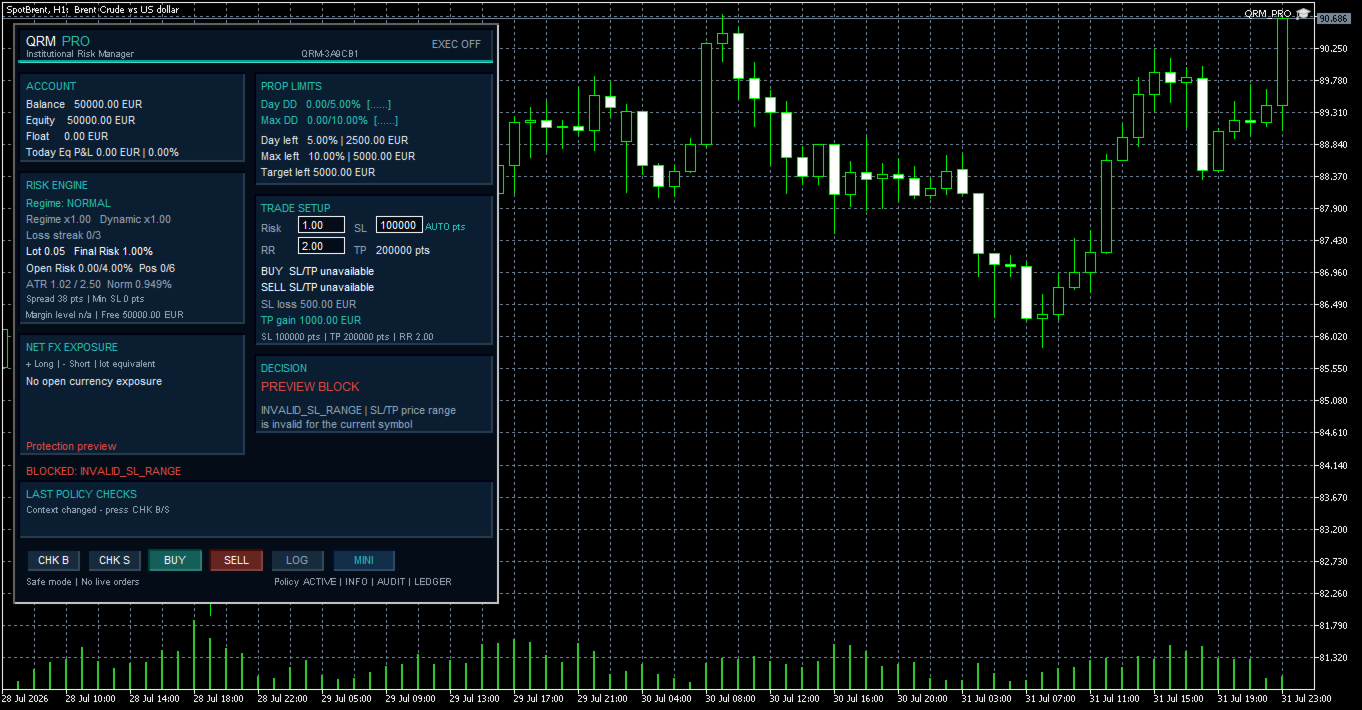
Volume is not rounded upward when doing so would exceed the allowed risk. If the broker's minimum lot is already too large for the selected risk, the proposal is blocked with MIN_LOT_RISK. If the proposed Stop Loss or Take Profit cannot be represented validly for the current symbol, the panel reports INVALID_SL_RANGE.
CONTEXT PROTECTION
A pre-trade decision is valid only for the proposal and context in which it was calculated.
After a relevant change of symbol, timeframe, account or trade setup, QRM PRO invalidates the previous decision and requires a new CHK.
In AUTO mode, the displayed distance unit can also change with the symbol; verify the unit, monetary loss and proposed prices before checking again. Volatility protections require sufficient current data for the selected context.
OPTIONAL QIF PRO INTEGRATION
QRM PRO can optionally read the latest confirmed closed-bar market context produced by QIF PRO Market Regime Engine.
The integration reads the QIF State, Risk, Confidence and Directional Bias from the latest completed candle. It is disabled by default and supports two operating modes:
- Information mode displays the QIF context without changing the configured risk.
- Adaptive mode may reduce the configured risk but can never increase it.
With the default adaptive settings, a high QIF Risk value or low Confidence has priority and applies a reduction-only multiplier of x0.25.
When that priority condition is not active, QRM PRO applies the following state multipliers:
- x0.50 in NEUTRAL.
- x0.75 in CHARGE.
- x1.00 in RELEASE.
The default indicator path used by QRM PRO is:
Market\Qif Pro Market Regime Engine
If QIF PRO is unavailable, still loading or its data are stale, QRM PRO safely falls back to x1.00 and continues operating independently.
QIF PRO does not place trades, approve entries or replace QRM PRO's own risk, margin, exposure and policy controls. The integration supplies market context only.
CSV OUTPUT
QRM PRO can write three structured CSV files to the shared MetaTrader 5 Common\Files folder:
- QRM_PRO_v1_000_AUDIT.csv - check outcomes, reasons and key operating metrics.
- QRM_PRO_v1_000_RISK_PASSPORT.csv - a unique record for check or execution traceability.
- QRM_PRO_v1_000_SYMBOL_DIAGNOSTICS.csv - symbol specifications and data used to verify broker compatibility.
The LOG button prepares the files, writes Symbol Diagnostics and displays the logical Common Files folder path. It does not send orders.
The sl_points field always stores the canonical distance in MetaTrader 5 points, even when the panel displays pips.
VALIDATED SCOPE
QRM PRO has been validated primarily on EUR- and USD-denominated MetaTrader 5 demo accounts across multiple broker environments, with a primary focus on Forex symbols and additional validation of distance-unit handling on non-Forex symbols.
Behaviour depends on symbol specifications, market data, prices, margin rates, stop levels and execution conditions returned by the broker. Before using a new broker, account currency or instrument, run Symbol Diagnostics and perform a controlled demo-account test.
REQUIREMENTS
- MetaTrader 5 with an active broker connection.
- Sufficient price history for the selected symbol and timeframe.
- Valid symbol specifications and broker support for risk and margin calculations.
- Write access to the shared Common\Files folder for CSV output.
- A demo verification before LIVE use on a new broker, symbol or account configuration.
- QIF PRO installed in its standard Market indicator path only when the optional QIF integration is enabled.
FUNCTIONAL LIMITS
- It does not generate BUY or SELL signals.
- It does not select a strategy or decide when to enter the market.
- It does not forecast profits or guarantee that a prop challenge will be passed.
- It does not import prop-firm rules automatically.
- The current release does not implement trailing drawdown or a high-watermark model.
- It does not guarantee that the broker will accept an order.
- It does not guarantee universal compatibility with every broker, instrument or account currency.
- It does not close, move or automatically manage existing positions.
- It does not remove trading risk or replace the trader's independent judgement.