TradexCodez Autofibonacci with Alerts
- 지표
- 버전: 1.70
- 업데이트됨: 18 11월 2026

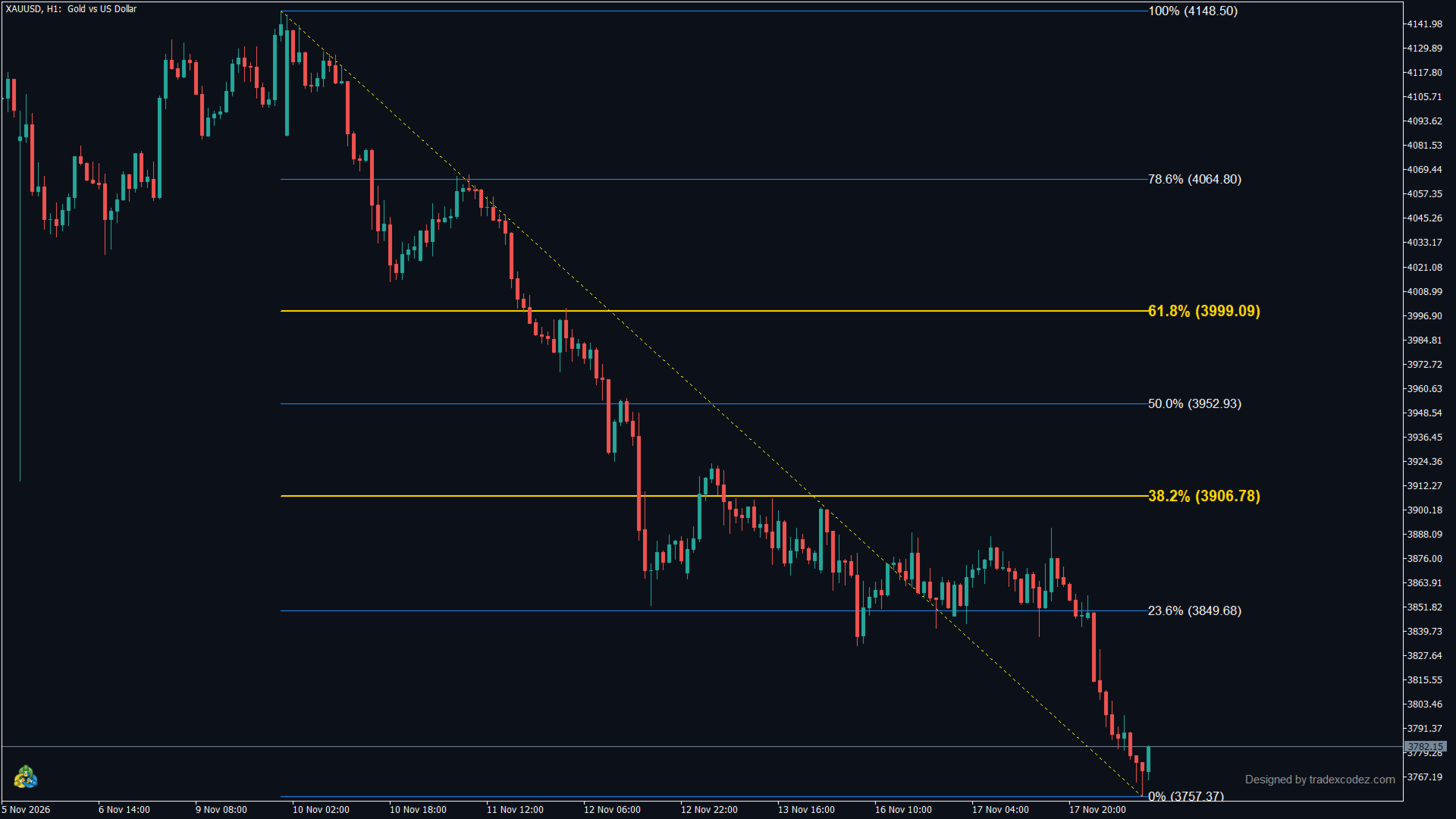
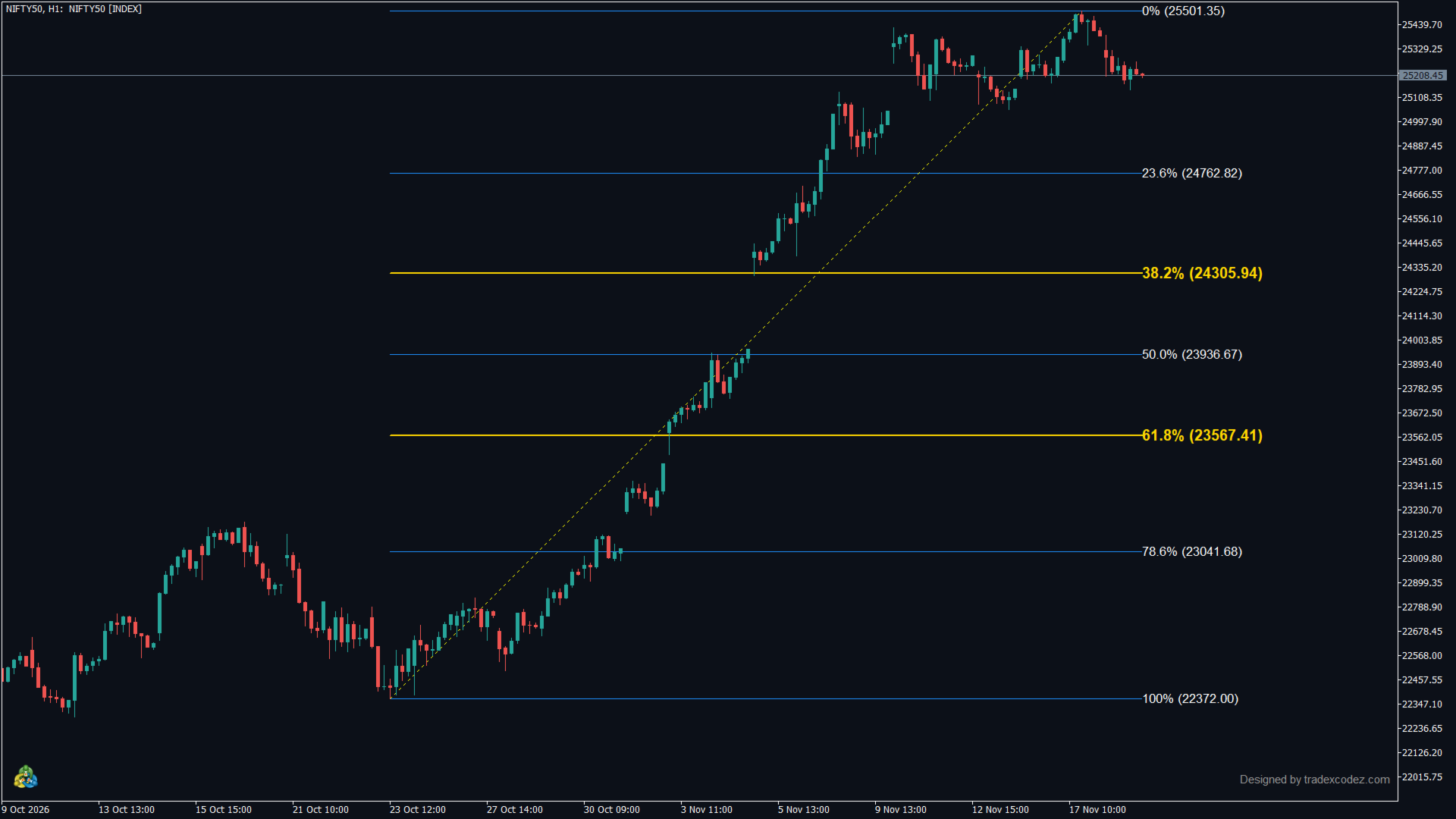
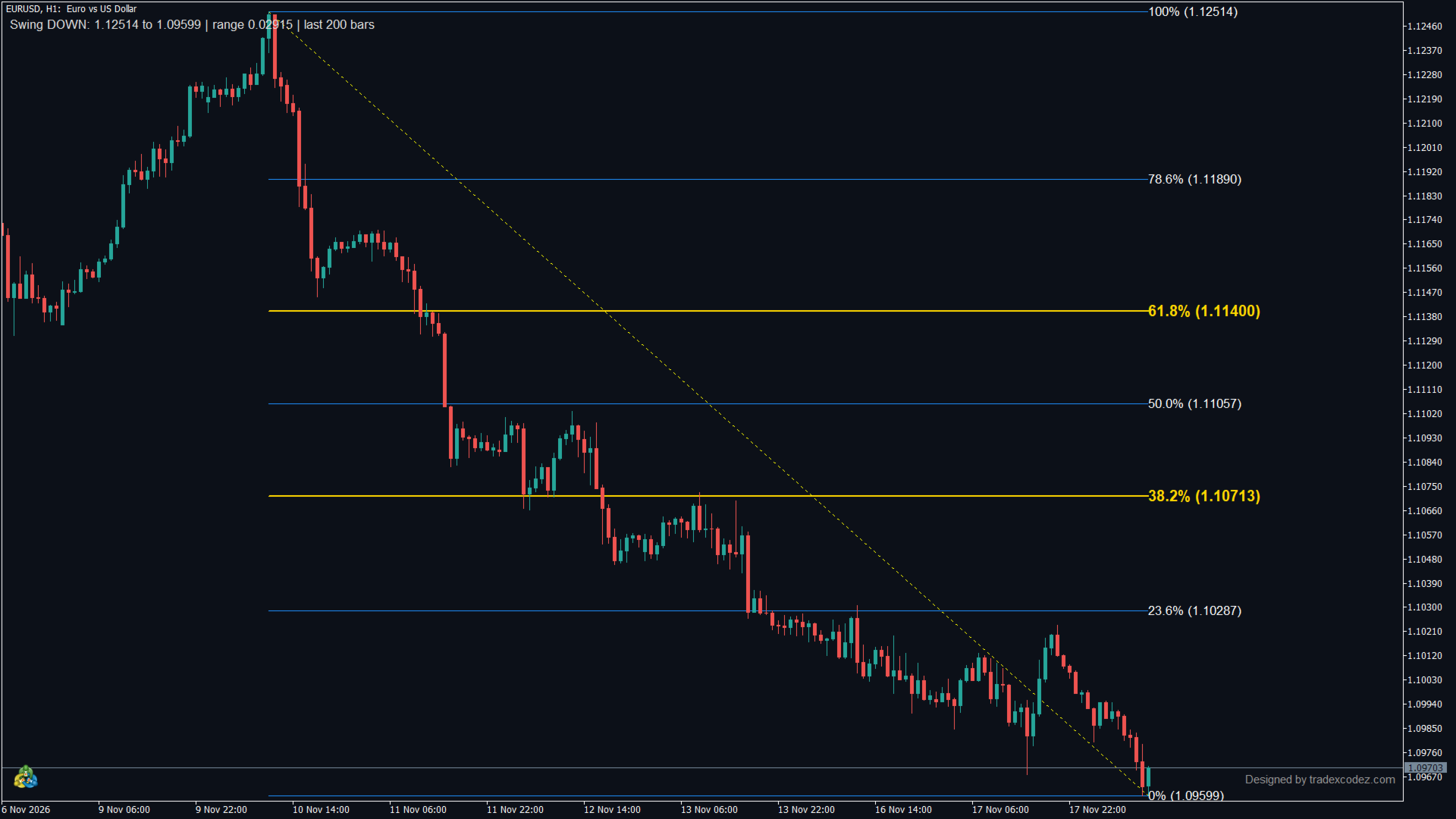
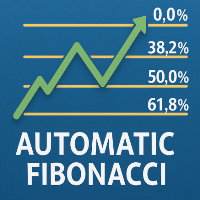
Auto Fibonacci draws Fibonacci retracement and extension levels on your chart automatically, and can alert you every time price touches a Fibonacci level. Each alert has its own on/off switch. Free to use. Download it directly from the MQL5 Market.
Drawing Fibonacci by hand has one practical problem: you pick the swing. Two traders on the same chart pick different points and get different levels. This indicator finds the swing high and swing low itself, so the levels appear without any drawing, and they update as new highs and lows form.
Works on any symbol and any timeframe: forex, gold, indices, stocks, crypto.
What's new in version 1.70
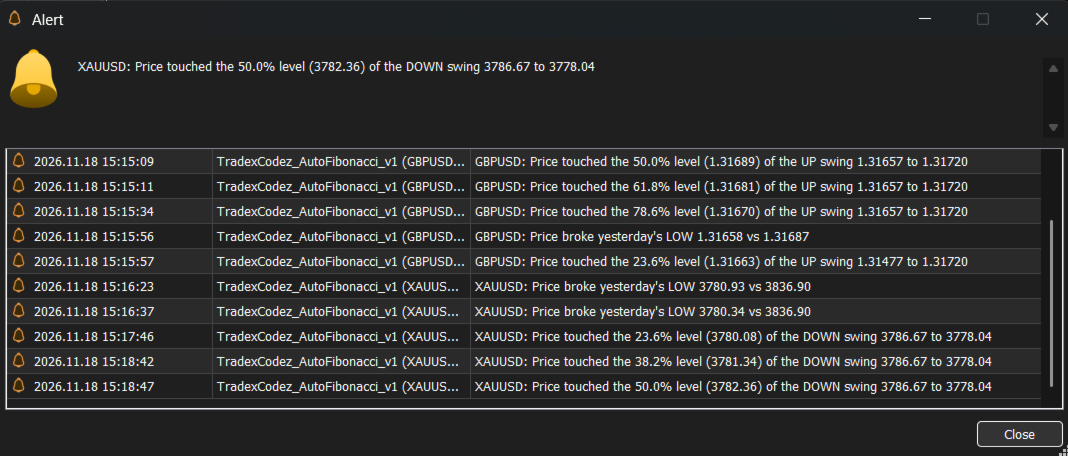
- Alert on every Fibonacci level touch (23.6, 38.2, 50, 61.8, 78.6%), with an on/off switch for each level. Each level alerts once per swing; no repeats and no alert burst when you attach the indicator.
- Range from the last N candles (default 200), so the levels stay fixed when you scroll or zoom.
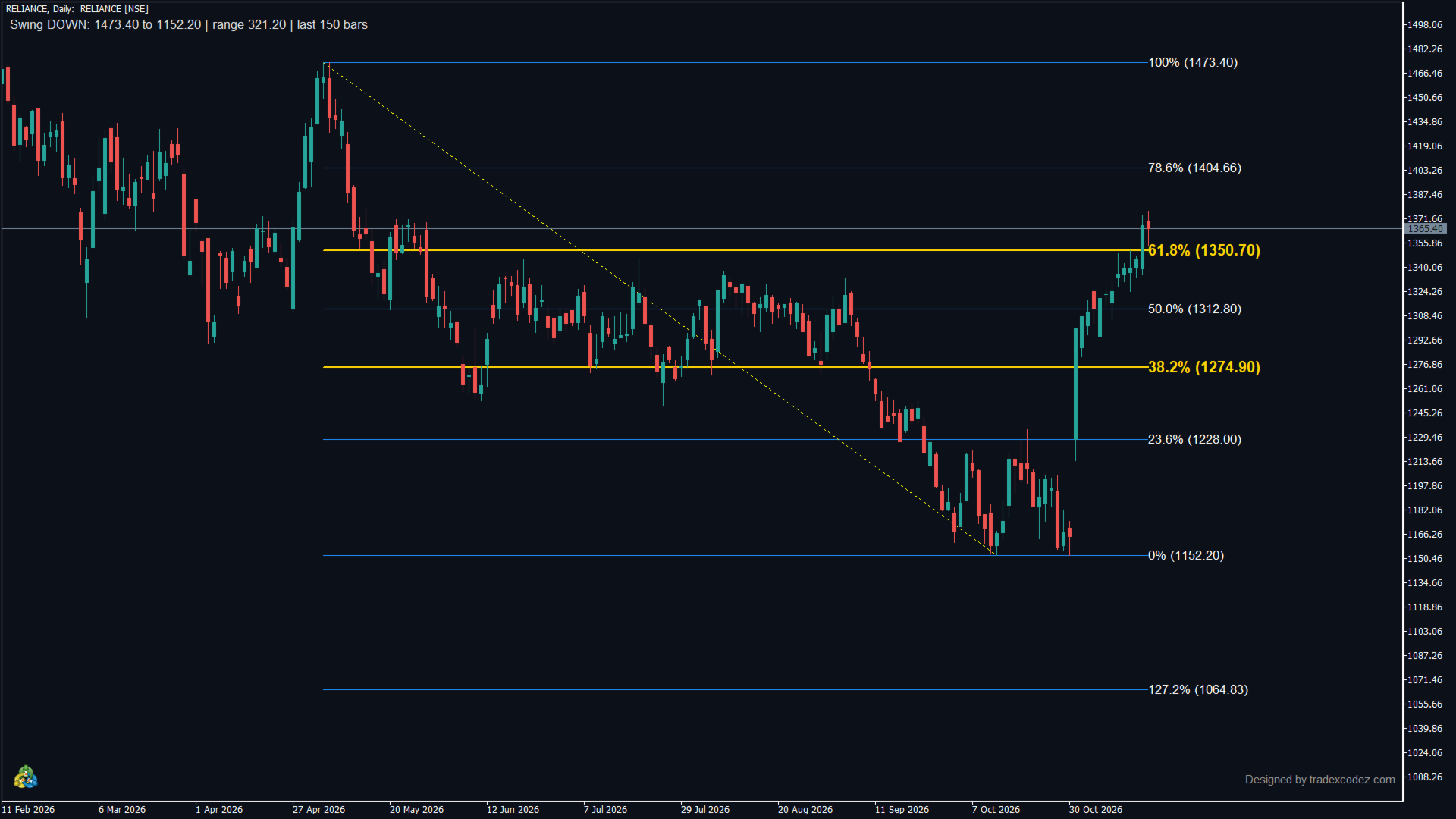
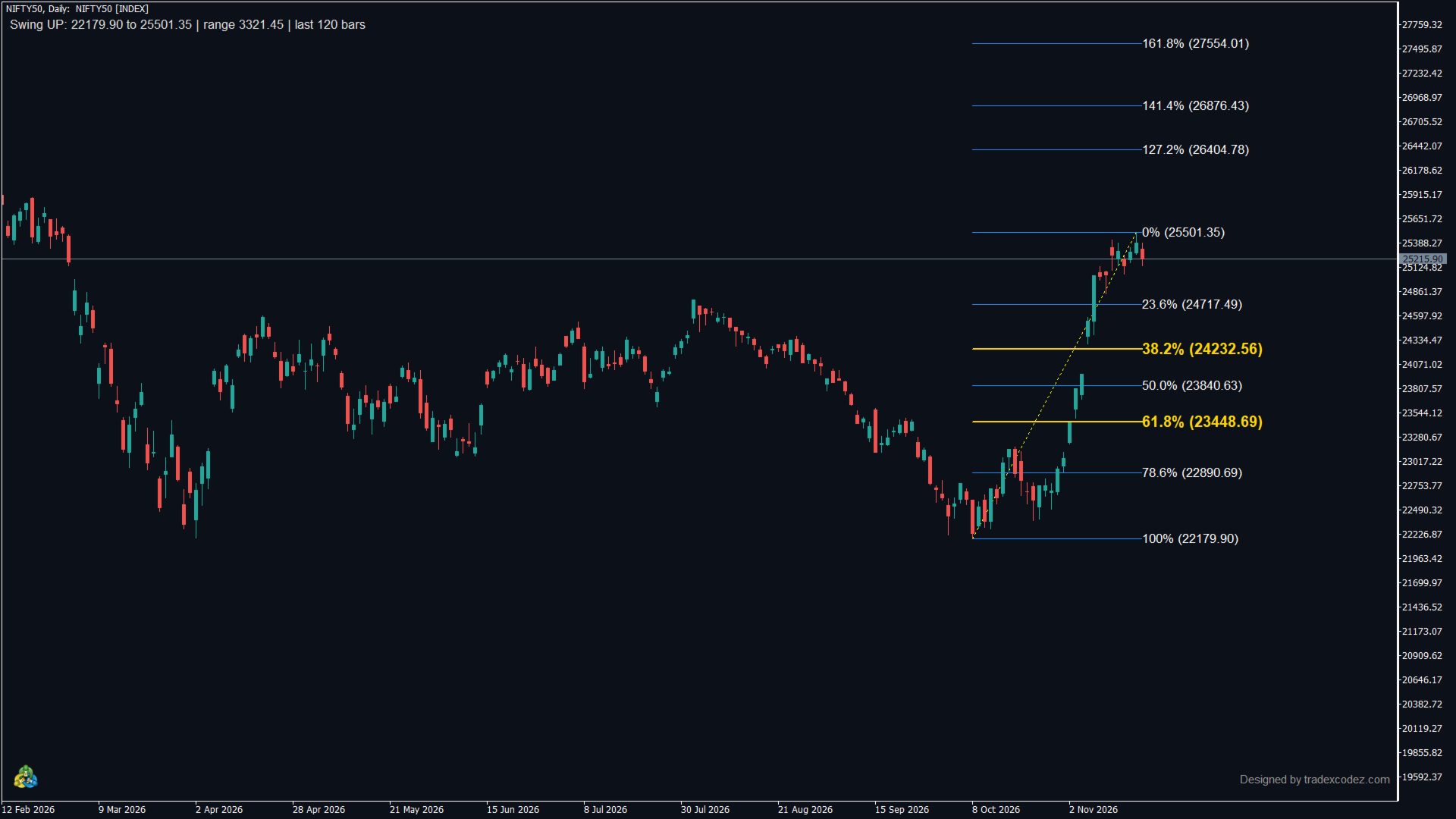
- Optional swing tag: direction, start and end price, and range of the measured swing.
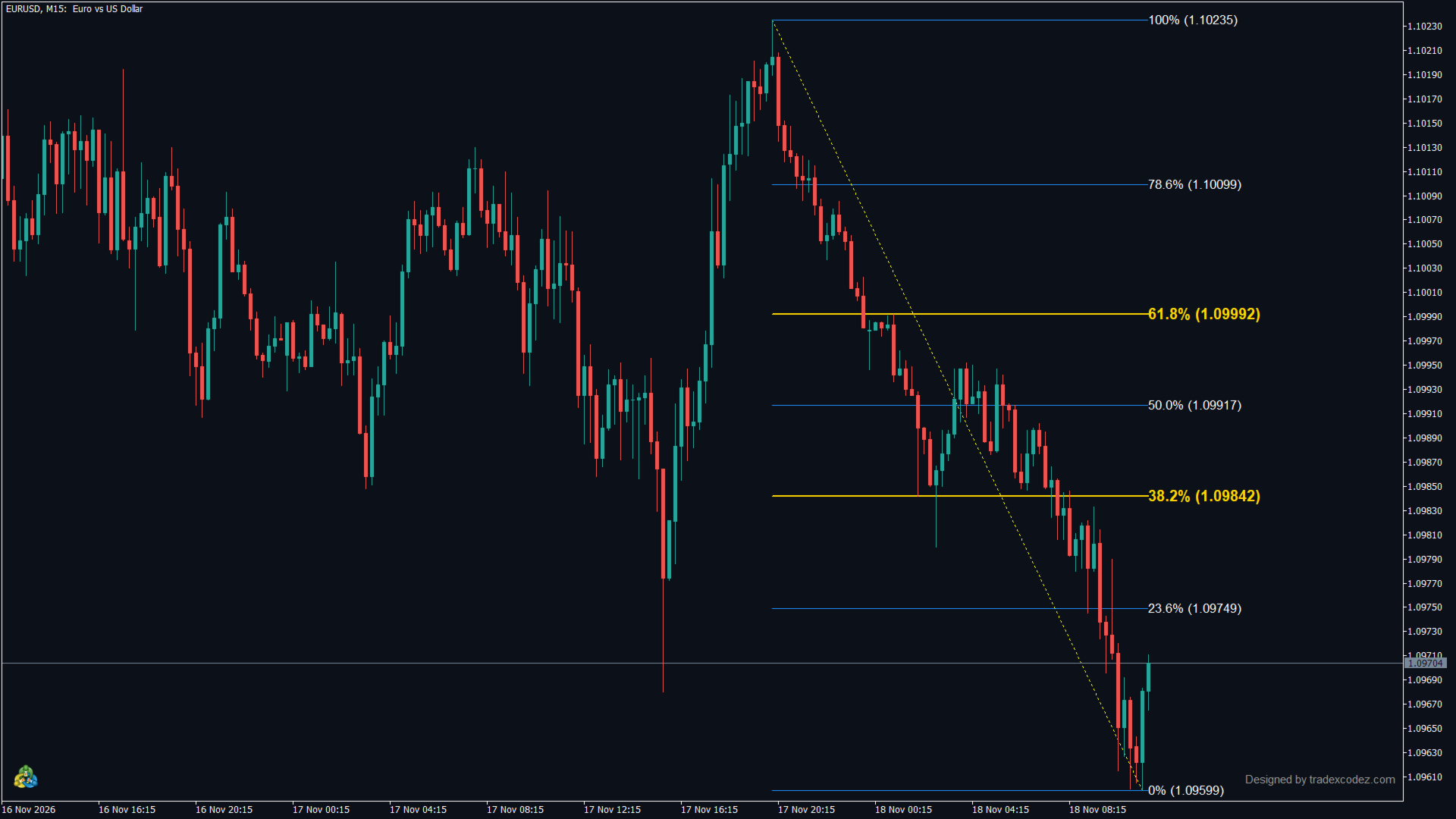
- Standard Fibonacci labels: 0% at the end of the swing, 100% at its start, the same as MetaTrader's own Fibonacci tool and other platforms. A pullback to 61.8% reads 61.8%.
- All new options are off by default, so existing settings keep working.
How the range is chosen (auto-detect or candles - both work)
- Auto-detect (default): the highest high and lowest low of the visible chart. Scroll or zoom and the levels follow what you see.
- Last N candles: the highest high and lowest low of the last N bars. Levels stay put while you scroll.
- Daily: the range from daily bars over a number of days you set. Levels stay the same on every timeframe, useful when you analyse on a higher timeframe and enter on a lower one.
- Manual: a bar range you set, with a direction setting.
Levels
- Retracement levels: 0, 23.6, 38.2, 50, 61.8, 78.6 and 100%.
- Extension levels: 127.2% (on by default), 141.4, 161.8, 200 and 261.8% (switch on as needed).
- Every level can be switched off, and the ratio of every level can be edited.
- The golden ratio levels, 38.2 and 61.8%, are drawn in gold and thicker by default, so they stand apart.
- Each level shows its percentage and exact price. A dotted line marks the swing that was measured.
Alerts
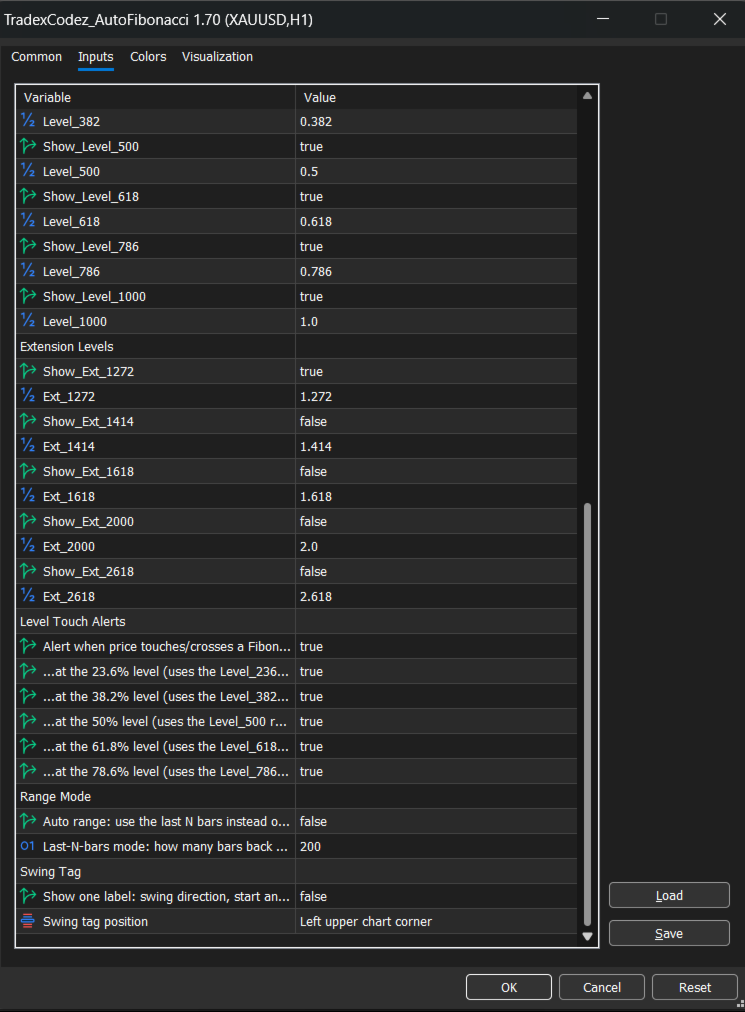
- Level touch alerts: master on/off switch EnableLevelAlert, then pick the levels: 38.2, 50 and 61.8% are on by default; 23.6 and 78.6% can be switched on.
- Previous day high / low break alert: once per day each, resets at the start of the next day.
- Channels for both: popup, sound, email and push notification to the MetaTrader mobile app. Use any combination. Email and push must first be set up in Tools - Options - Notifications.
Input parameters
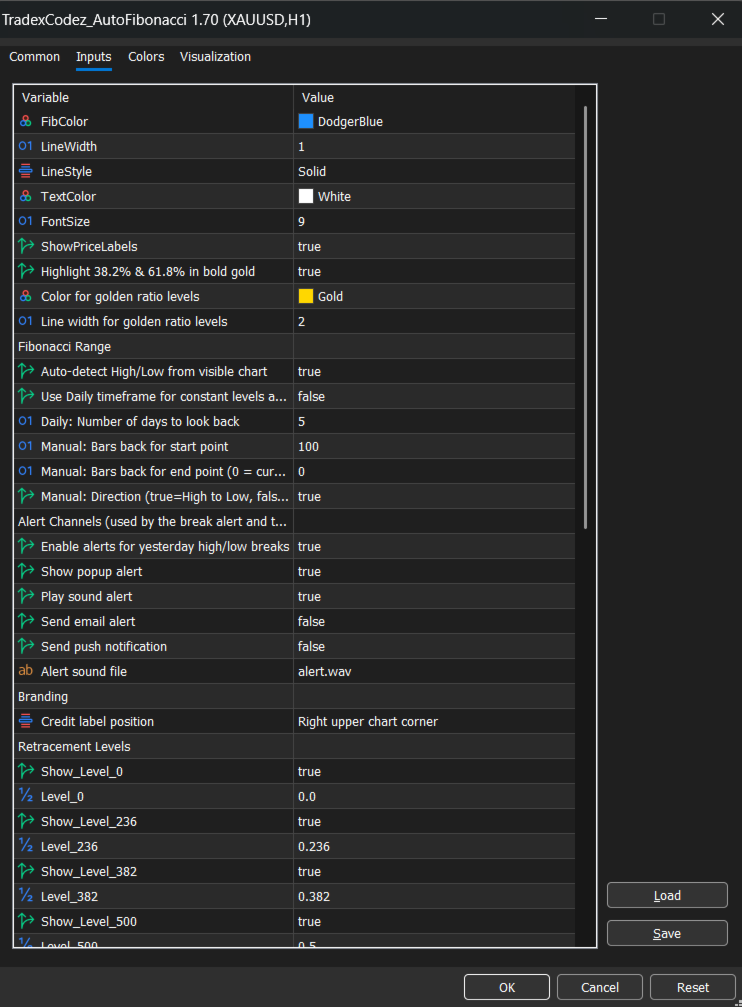
- Appearance: FibColor, LineWidth, LineStyle, TextColor, FontSize, ShowPriceLabels, HighlightGoldenRatio, GoldenRatioColor, GoldenRatioWidth.
- Fibonacci range: AutoDetect (visible chart), UseDaily, DailyBarsBack, ManualStartBar, ManualEndBar, UseHighToLow.
- Alert channels: EnableBreakAlert, AlertPopup, AlertSound, AlertEmail, AlertPush, AlertSoundFile.
- Branding: WatermarkCorner.
- Retracement levels: Show_Level_0 to Show_Level_1000 (on/off), Level_0 to Level_1000 (ratio).
- Extension levels: Show_Ext_1272 to Show_Ext_2618 (on/off), Ext_1272 to Ext_2618 (ratio).
- Level touch alerts: EnableLevelAlert (master on/off), AlertAt_236, AlertAt_382, AlertAt_500, AlertAt_618, AlertAt_786.
- Range mode: UseLastNBars (on/off), LastNBars (number of candles, default 200).
- Swing tag: ShowSwingTag (on/off), SwingTagCorner.
Notes
- The indicator draws chart objects only and plots no buffers. Everything it draws is removed when you take it off the chart.
- Fibonacci levels are reference points for analysis. They are not trading signals, and this indicator does not place orders.
Please rate and comment
This indicator is free. If it helps your trading, please leave a rating in the Reviews tab - it takes ten seconds and helps other traders find it.
Looking for an additional feature? Tell us in the Comments tab. We read every comment and add the most requested features in the next version.