Trade Execution And Management Ea
- 유틸리티
- 버전: 4.5
- 업데이트됨: 18 8월 2026

Management
The complete trade execution and position management toolkit for MetaTrader 5.
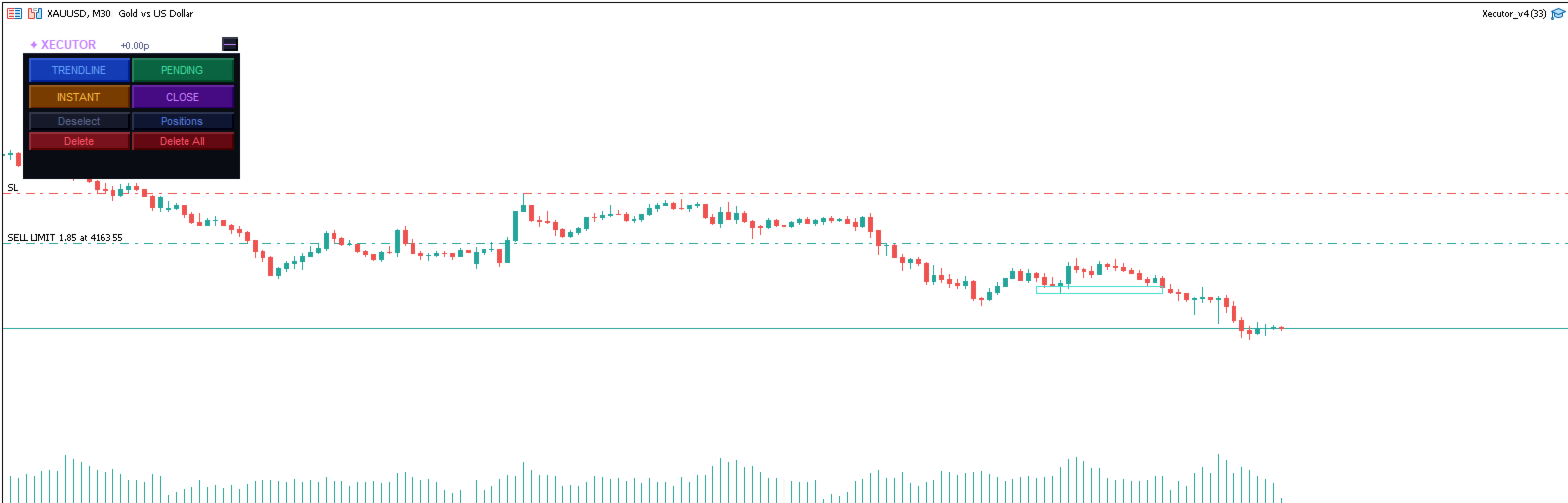
TEAM EA replaces your entire manual trading workflow with a single floating panel — from precision entry timing to live position management, all from one unified interface directly on your chart.
---
Overview
TEAM EA is a professional-grade Expert Advisor built for active traders who need speed, precision, and control. It provides four distinct execution modes, a live positions dashboard with automated management tools, and a minimizable interface that stays out of your way when you don't need it.
---
Execution Modes
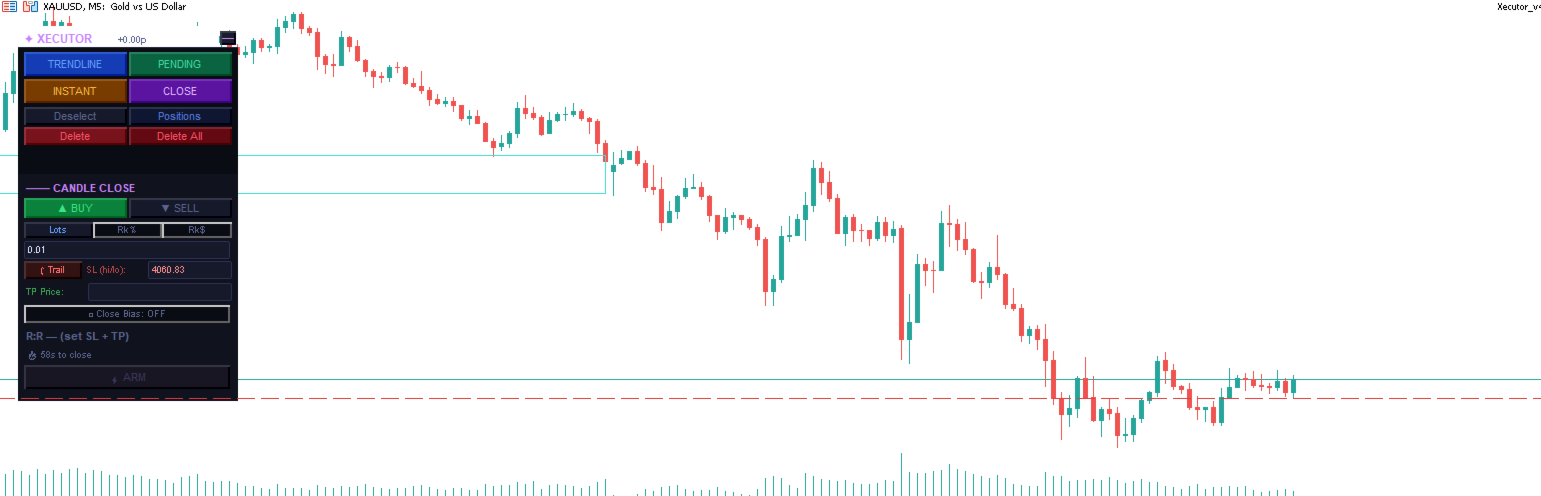
⚡ Candle Close (CC)
Fire orders at the exact moment a candle closes — the most important execution point for price action traders.
Set direction, SL and TP once, then ARM any combination of timeframes simultaneously
Each armed timeframe fires independently at its own candle close
Trailing SL tracks the candle's high/low in real time while unarmed
Close Bias filter — skips the trade if the candle closes against your direction
Per-timeframe pills show all armed slots at a glance — click any pill to disarm
R:R validation with minimum ratio enforcement before arming
▶ Instant
Execute market orders immediately with a single click.
Click BUY or SELL to auto-place the SL at the current candle's high or low
SL can be set by price level or by points distance
TP is optional — fire without a take profit for pure SL-protected entries
No minimum R:R restriction — full trader discretion
Draggable SL and TP lines directly on the chart
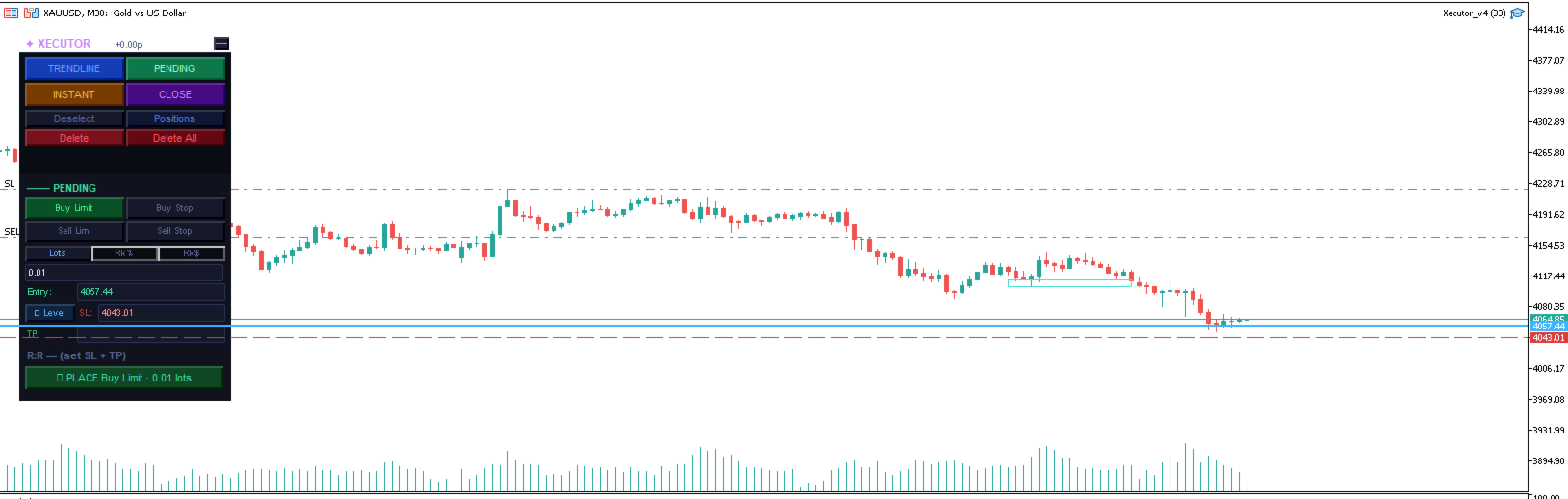
⏳ Pending
Place limit and stop orders at precise levels with full broker compatibility.
Buy Limit, Buy Stop, Sell Limit, Sell Stop
Auto-snaps entry to a sensible distance from current price based on ATR
SL configurable by price level or points
Place multiple pending orders simultaneously — each tracked as a live pill
Click any live pill to cancel that specific order
All three lines (entry, SL, TP) are draggable directly on the chart
GTC order type with broker fill mode auto-detection
📈 Trendline
Arm drawn trendlines as dynamic entry triggers — fire when price touches the line.
Draw any OBJ_TREND line on the chart, click it to select it, then ARM
Fires a market order when bid/ask comes within 1.5× spread of the line's projected price
SL by level or points — stored at arm time, resolved at fire time for accuracy
Multiple trendlines can be armed simultaneously with pill tracking
Armed lines glow gold; selected line glows cyan for clear visual feedback
Line is automatically removed from chart after firing
---
Position Management Panel
A dedicated floating panel showing all open positions and pending orders for the current symbol.
Position Rows (collapsible)
Each position shows direction, lot size, live P&L in dollars and pips — click to expand:
BE — Move SL to breakeven (only activates when position is in profit)
½ Close — Close exactly 50% of the position volume
✕ Close — Close the full position
Partial Take Profit (PTP)
Set a price target and close percentage on any open position:
Enter a price and a percentage (e.g. 4200.00 / 50%)
TEAM EA monitors every tick and fires `PositionClosePartial` when price hits the target
Fires once — shows ✓ after triggering, click to reset for another level
Pre-fill PTP — set a PTP on pending orders before they fill, so it's ready the moment the order executes
Trailing Stop
Activate a dynamic trailing stop on any position:
Enter distance in points (e.g. 150 pts)
Watermark tracks the price high/low in real time
SL only moves to improve — never widens, never moves into loss territory
Respects broker minimum stop levels
Footer
BE All — Move all open position SLs to breakeven in one click
Close All — Close every open position on this symbol
Total P&L display across all positions
---
Interface
Floating Panel
Transparent title bar showing `✦ TEAM EA` and live P&L
Drag anywhere on the chart by the title bar
All four execution modes accessible with one click
Dark theme with colour-coded modes for instant visual orientation
Minimized State
Collapses to a single customisable crossed-swords icon
Live P&L displayed above the icon when positions are open
Hides completely when no positions are active
Click the icon to instantly restore the full panel
Sword colour configurable in EA settings
Positions Panel
Opens alongside the main panel without overlapping
Collapses and expands per-position for clean display with many open trades
Shows both open positions and pending orders in one view
---
Settings
Parameter Default Description
MagicNumber 20250001 Unique identifier for EA-placed orders
MaxSlippage 3 Maximum slippage in points for market orders
MinRRRatio 1.0 Minimum R:R ratio required to ARM in CC and TL modes
CCEarlyMs 2000 Milliseconds before candle close to trigger CC execution
SwordColor Gold Colour of the minimized sword icon
---
Compatibility
Platform: MetaTrader 5
Broker: Compatible with any MT5 broker — auto-detects FOK, IOC, and RETURN fill modes
Account type: Works on Netting and Hedging accounts
Symbols: Any symbol available in Market Watch
Timeframes: All standard MT5 timeframes
---
How It Works
Attach TEAM EA to any chart
Select your execution mode — CC, Instant, Pending, or Trendline
Set your direction, SL, TP and position size
Execute, arm, or place — TEAM EA handles the rest
Monitor and manage all open trades from the Positions panel
---
TEAM EA does not use any automated strategies or signals. All trade decisions are made by the trader. This EA is a precision execution and management tool only.
The complete trade execution and position management toolkit for MetaTrader 5.
TEAM EA replaces your entire manual trading workflow with a single floating panel — from precision entry timing to live position management, all from one unified interface directly on your chart.
---
Overview
TEAM EA is a professional-grade Expert Advisor built for active traders who need speed, precision, and control. It provides four distinct execution modes, a live positions dashboard with automated management tools, and a minimizable interface that stays out of your way when you don't need it.
---
Execution Modes
⚡ Candle Close (CC)
Fire orders at the exact moment a candle closes — the most important execution point for price action traders.
Set direction, SL and TP once, then ARM any combination of timeframes simultaneously
Each armed timeframe fires independently at its own candle close
Trailing SL tracks the candle's high/low in real time while unarmed
Close Bias filter — skips the trade if the candle closes against your direction
Per-timeframe pills show all armed slots at a glance — click any pill to disarm
R:R validation with minimum ratio enforcement before arming
▶ Instant
Execute market orders immediately with a single click.
Click BUY or SELL to auto-place the SL at the current candle's high or low
SL can be set by price level or by points distance
TP is optional — fire without a take profit for pure SL-protected entries
No minimum R:R restriction — full trader discretion
Draggable SL and TP lines directly on the chart
⏳ Pending
Place limit and stop orders at precise levels with full broker compatibility.
Buy Limit, Buy Stop, Sell Limit, Sell Stop
Auto-snaps entry to a sensible distance from current price based on ATR
SL configurable by price level or points
Place multiple pending orders simultaneously — each tracked as a live pill
Click any live pill to cancel that specific order
All three lines (entry, SL, TP) are draggable directly on the chart
GTC order type with broker fill mode auto-detection
📈 Trendline
Arm drawn trendlines as dynamic entry triggers — fire when price touches the line.
Draw any OBJ_TREND line on the chart, click it to select it, then ARM
Fires a market order when bid/ask comes within 1.5× spread of the line's projected price
SL by level or points — stored at arm time, resolved at fire time for accuracy
Multiple trendlines can be armed simultaneously with pill tracking
Armed lines glow gold; selected line glows cyan for clear visual feedback
Line is automatically removed from chart after firing
---
Position Management Panel
A dedicated floating panel showing all open positions and pending orders for the current symbol.
Position Rows (collapsible)
Each position shows direction, lot size, live P&L in dollars and pips — click to expand:
BE — Move SL to breakeven (only activates when position is in profit)
½ Close — Close exactly 50% of the position volume
✕ Close — Close the full position
Partial Take Profit (PTP)
Set a price target and close percentage on any open position:
Enter a price and a percentage (e.g. 4200.00 / 50%)
TEAM EA monitors every tick and fires `PositionClosePartial` when price hits the target
Fires once — shows ✓ after triggering, click to reset for another level
Pre-fill PTP — set a PTP on pending orders before they fill, so it's ready the moment the order executes
Trailing Stop
Activate a dynamic trailing stop on any position:
Enter distance in points (e.g. 150 pts)
Watermark tracks the price high/low in real time
SL only moves to improve — never widens, never moves into loss territory
Respects broker minimum stop levels
Footer
BE All — Move all open position SLs to breakeven in one click
Close All — Close every open position on this symbol
Total P&L display across all positions
---
Interface
Floating Panel
Transparent title bar showing `✦ TEAM EA` and live P&L
Drag anywhere on the chart by the title bar
All four execution modes accessible with one click
Dark theme with colour-coded modes for instant visual orientation
Minimized State
Collapses to a single customisable crossed-swords icon
Live P&L displayed above the icon when positions are open
Hides completely when no positions are active
Click the icon to instantly restore the full panel
Sword colour configurable in EA settings
Positions Panel
Opens alongside the main panel without overlapping
Collapses and expands per-position for clean display with many open trades
Shows both open positions and pending orders in one view
---
Settings
Parameter Default Description
MagicNumber 20250001 Unique identifier for EA-placed orders
MaxSlippage 3 Maximum slippage in points for market orders
MinRRRatio 1.0 Minimum R:R ratio required to ARM in CC and TL modes
CCEarlyMs 2000 Milliseconds before candle close to trigger CC execution
SwordColor Gold Colour of the minimized sword icon
---
Compatibility
Platform: MetaTrader 5
Broker: Compatible with any MT5 broker — auto-detects FOK, IOC, and RETURN fill modes
Account type: Works on Netting and Hedging accounts
Symbols: Any symbol available in Market Watch
Timeframes: All standard MT5 timeframes
---
How It Works
Attach TEAM EA to any chart
Select your execution mode — CC, Instant, Pending, or Trendline
Set your direction, SL, TP and position size
Execute, arm, or place — TEAM EA handles the rest
Monitor and manage all open trades from the Positions panel
---
TEAM EA does not use any automated strategies or signals. All trade decisions are made by the trader. This EA is a precision execution and management tool only.