Eldorium
- Experts
- 버전: 1.0
- 활성화: 10
An intelligent mean-reversion expert advisor for gold (XAU/USD) with a three-level capital protection system. It does not use martingale or reckless grid trading. Built-in volatility filters, equity guard, and loss streak cooldown make it one of the most reliable and protected EAs on the market.
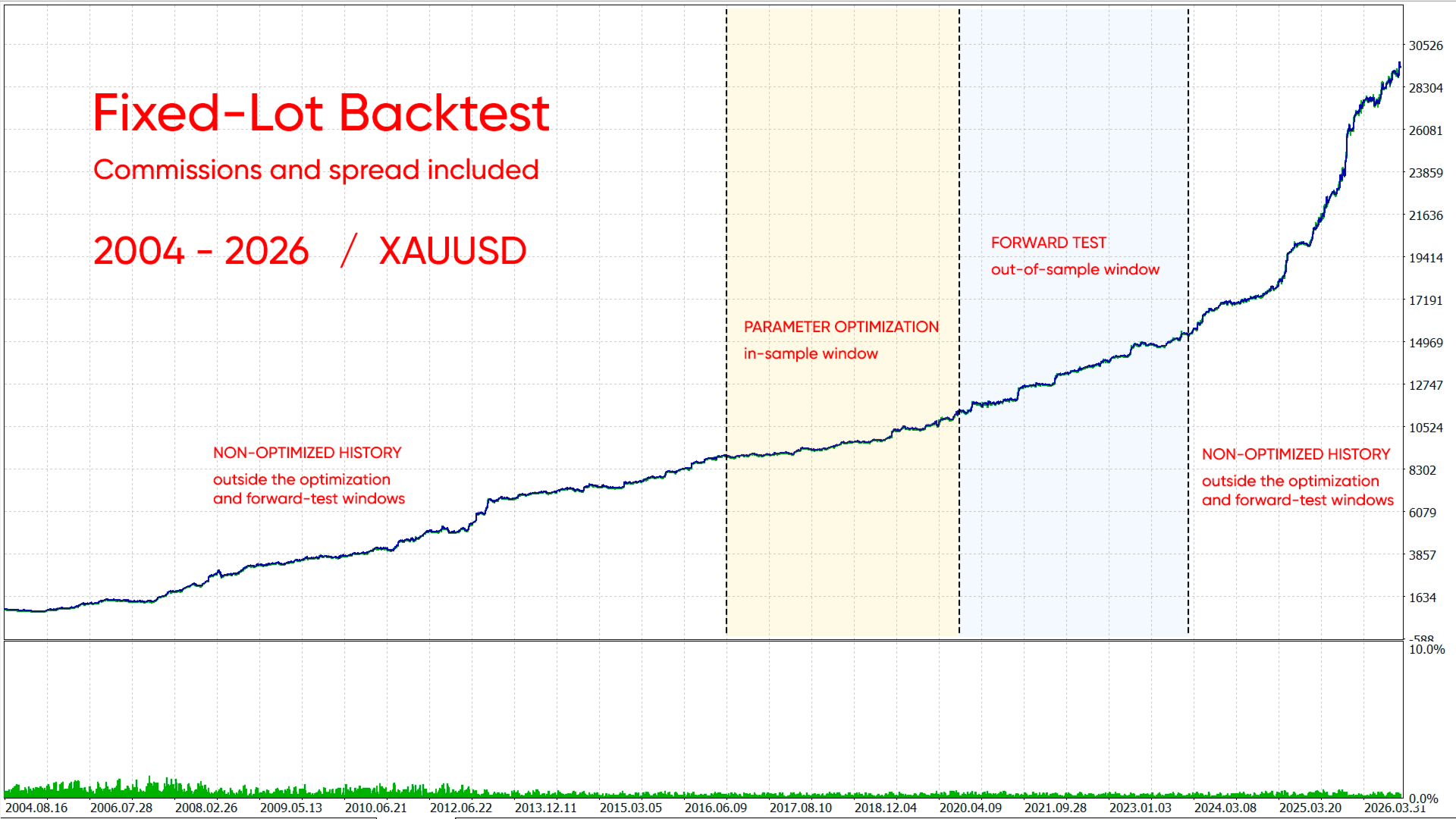
The algorithm is not based on blind curve-fitting to historical data, but on adaptation to the current market state through dynamic ATR-based calculations, allowing the strategy to remain relevant across all market phases. The EA identifies extreme oversold and overbought zones using a combination of Bollinger Bands and RSI, strictly filtering out false signals through ADX, global moving averages, tick volume filter, and spike filter. It does not trade during known bad hours or during major news events.
Key Advantages:
-
Multi-level risk management system:
- Auto-lot — automatic position sizing based on account balance and the specified risk percentage.
- Equity Guard — drawdown monitoring. When a critical limit is reached, trading is forcibly paused for a specified number of hours.
- Loss Streak Cooldown — a "cooling off" system. After a series of losses, the EA takes a break to wait out an unfavorable market phase.
- ATR Spike Filter — complete entry blockade during abnormal volatility spikes. -
Dynamic targets.
A unique take-profit time decay system. If price fails to reach the target for too long (position hold time in bars exceeded), the EA gradually reduces the Take Profit level to close a "stuck" basket at breakeven or minimal profit, freeing up margin. -
Built-in powerful market filters:
- MTF Guard — intelligent trade filtering based on the global trend from a higher timeframe. Prevents trading against a strong macro trend or limits the number of grid additions.
- Tick Volume Filter — blocks entries during abnormally thin or overheated market conditions.
- News Filter — fully automatic news filter. Avoids major macroeconomic events by blocking trading before and after their release. -
Time management and optimization.
Deep algorithm optimization for M1 bar close execution allows fast and accurate testing in "OHLC on M1" mode. Built-in trading time restrictions and forced Friday position closure protect against weekend gap risk.
EA Parameters:
General Settings
- Risk per Trade (%) — risk percentage per trade series.
- Working Timeframe — working timeframe (M15 recommended).
- Max Spread (in pips) — maximum allowed spread for opening positions.
- Max Slippage (in pips) — maximum slippage in pips.
- Sync to M1 bar — synchronize calculations to M1 bar close (significantly speeds up and improves accuracy of testing in OHLC M1 mode).
- Magic Number — unique identifier for the EA's trades.
- Trade Comment — comment attached to orders.
- Info Panel — enable/disable the information panel on the chart.
Prop Firm Mode
- Enable Prop Mode — activate prop firm mode. All related limits become active.
- Reset saved prop statistics on init — reset all saved prop mode statistics (daily anchor, peak balance/equity) on EA restart.
- Risk per Trade in prop mode (%) — overrides the standard Risk per Trade when prop mode is active.
- Daily loss limit (%) — maximum allowed loss within a single trading day.
- Use equity for daily loss — when enabled, daily loss is calculated from equity (includes floating P/L).
- Daily reset hour (server time) — server time hour when the daily loss counter resets.
- Close all positions when daily loss is hit — immediately close all open positions when the daily loss limit is reached.
- Maximum overall loss (%) — maximum total account drawdown.
- Overall drawdown mode — drawdown calculation mode.
- Use equity for overall DD — when enabled, overall drawdown is calculated from equity; when disabled — from balance.
- Close all positions when overall loss is hit — immediately close all positions when the maximum overall drawdown limit is reached.
- Maximum additional positions in prop mode — limits the number of grid additions in prop mode.
- Trend Alignment Timeframe — timeframe for determining the global trend.
- Trend MA Period — SMA period used to classify the market as bullish or bearish.
- Enable Bullish trend — allow opening new baskets in bullish mode.
- Enable Bearish trend — allow opening new baskets in bearish mode.
Strategy Parameters (for Bullish / Bearish trend)
- Bollinger Bands Period / Deviation — period and deviation for the Bollinger Bands indicator (channel boundary detection).
- Bollinger Bands Min / Max Width (in ATR) — Bollinger Bands width filter in ATR units (prevents trading in too narrow a flat or too wide a chaos).
- ATR / ADX Period — ATR and ADX indicator periods.
- ADX Maximum Value — maximum ADX value (filters out excessively strong non-pullback trends).
- RSI Period / Pattern Levels — fine-tuning of RSI periods and overbought/oversold levels for entry pattern detection (buy/sell signals).
- Trend SMA Period — period of the trend moving average for determining the local tendency.
Position Management (for Bullish / Bearish trend)
- Maximum Additional Positions — maximum number of additional averaging legs (0 = no averaging).
- Add Step (in ATR) — base step between basket orders, dynamically calculated based on ATR.
- Add Step Multiplier — step expansion multiplier for each subsequent grid leg (helps spread the grid during strong non-pullback moves).
- Smart Add Leg — smart addition. When enabled, the EA waits for a reversal candle to form before opening a new leg.
- Take Profit (Single / Grid) in ATR — take profit size for a single trade and for an order basket (in ATR units).
- Individual Take Profit for all orders — individual take profit mode for each grid order (0 = disabled, common TP is used).
- Stop Loss (in ATR) — hard stop loss for the entire trade basket.
- Max Bars to Hold Position — maximum position hold time (in working TF bars) before forced closure.
- Enable Take Profit Decay — enable dynamic Take Profit reduction (moving closer to current price) if the position stays open too long.
- TP Decay Start Bars / Duration — from which bar to start TP reduction and over how many bars to decrease it to the minimum.
- Minimum TP Decay Factor — minimum remaining TP size (e.g., 0.35 = 35% of the original TP size remains).
Trading Session
- Broker GMT Offset (Winter / Summer) — your broker's winter and summer time offset relative to GMT. Required for correct backtesting of the news filter!
- Start / End Hour — trading start and end hours.
- Close Positions on Friday — force close all positions on Friday (gap protection).
- Friday Close Hour — hour for closing positions on Friday.
News Filter
- Enable News Filter — enable automatic news filtering (uses the built-in MT5 calendar in live trading and an embedded database in the tester).
- Block Before / After News (hours) — trading ban duration before and after a news release (in hours).
- Use High Importance Only — consider only high-importance news events (red) only.
Global Trend Filter / MTF Guard
- Enable Higher Timeframe Trend Filter — enable trade filtering based on the higher timeframe trend.
- Trend Timeframe / SMA Period — timeframe and SMA period for the higher trend (e.g., H4 with period 300).
- Strict Mode — strict mode. If true, entries against the higher timeframe trend are completely blocked.
- Maximum additional positions — if strict mode is off, limits the maximum number of additions against the higher trend (allows soft handling of local pullbacks).
Tick Volume Filter
- Enable Tick Volume Filter — enable tick volume analysis.
- Volume MA Period — period for calculating average volume.
- Max / Min Volume Multiplier — blocking multipliers. The EA will not enter the market if the current volume is abnormally high (spike) or abnormally low (dead flat).
ATR Spike Filter
- Enable ATR Spike Filter — enable protection against abnormal volatility (e.g., sudden crisis moves).
- Long-term ATR Period / Multiplier — compares the current ATR with a long-term period. If the current exceeds the average by X times — trading is blocked.
Equity Guard
- Enable Equity Guard — enable capital protection.
- Maximum Equity Drawdown (%) — when this drawdown from the local peak is reached, trading is paused.
- Pause After Equity Guard (hours) — pause duration after the guard triggers (in hours).
- Min Balance to activate — minimum account balance at which the guard is active.
Loss Streak Cooldown
- Enable Loss Streak Cooldown — enable algorithm cooldown after drawdowns.
- Maximum Consecutive Losses — how many baskets in a row must close at a loss to activate the protection.
- Cooldown Duration (hours) — for how many hours to completely freeze trading to wait out a market phase unfavorable for the EA.
Recommendations:
- !!! When backtesting, make sure to correctly specify your broker's winter and summer GMT offset. This is required for the trading hours filter and news filter to work correctly.
- Any chart timeframe — the EA detects it automatically.
- Symbol — gold (XAUUSD).
- Recommended broker/account — Hedging account with low spread.
- Recommended deposit — from $1,000.
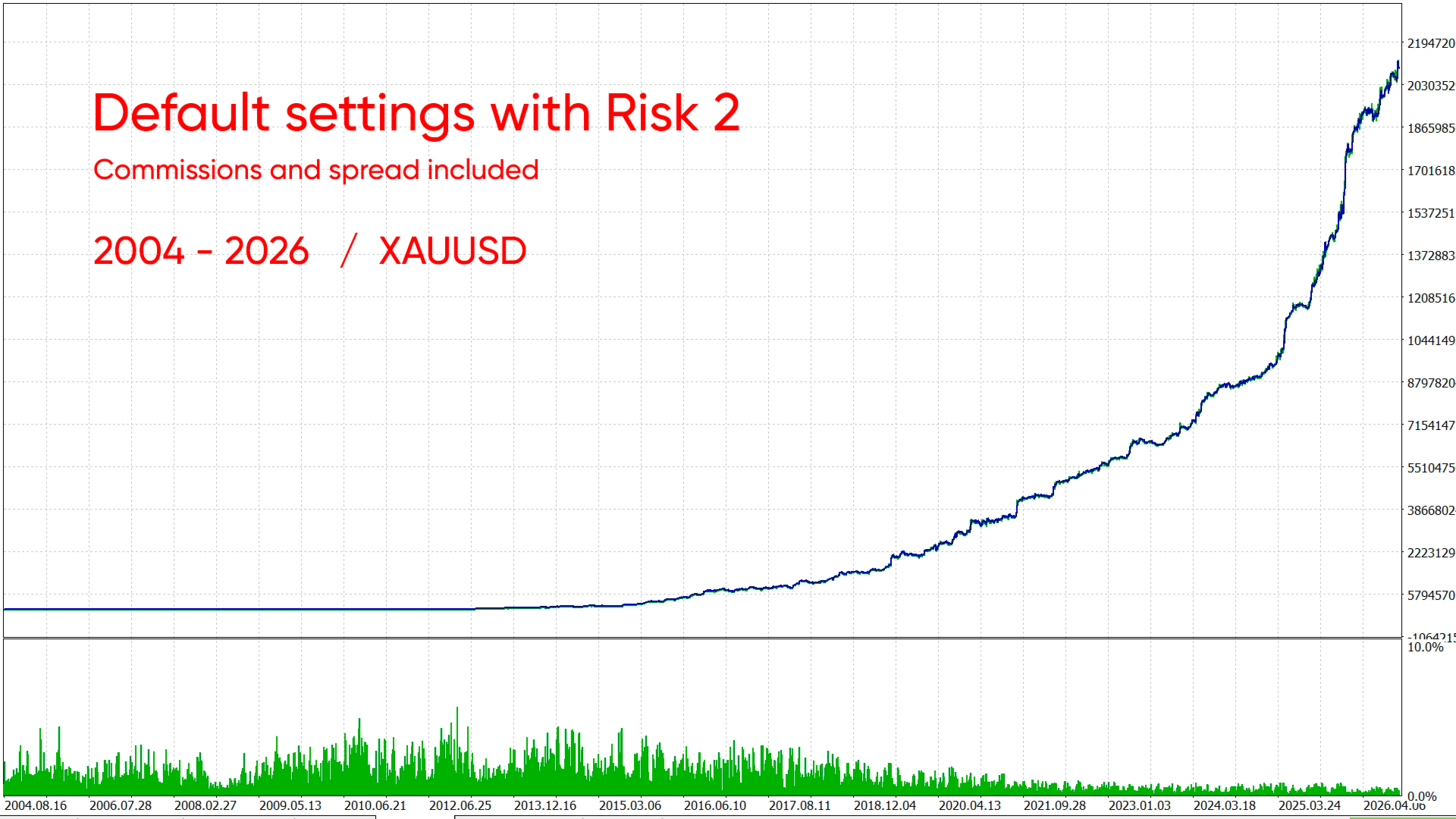
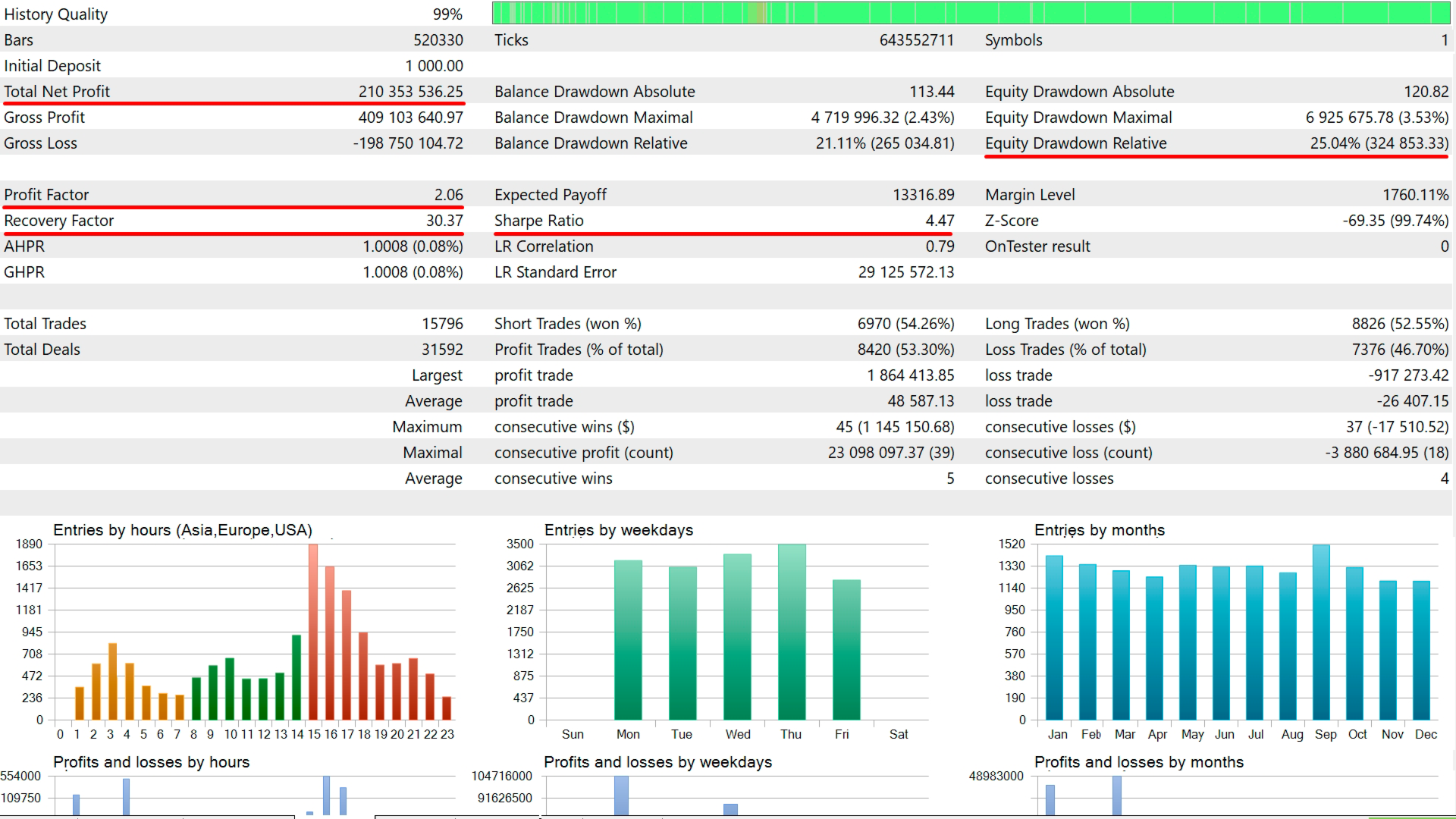
- Default settings (with 2% risk) are reliable. For more aggressive trading, increase the risk.
- Testing and optimization can be done in OHLC mode, since all position opens/closes are based on M1 bar close (can be disabled in settings).
- Before using on a live account, be sure to test the EA in the Strategy Tester on the same account you plan to trade with.