
Quick Drawing
- 지표
-
Robby Suhendrawan
 MT4 & MT5 전문 개발자 | 12년 이상의 트레이딩 경력
2014년부터 복잡한 트레이딩 아이디어를 고성능 알고리즘 시스템으로 구현해 왔습니다. 저는 금융 시장에서 10년 넘게 활동해 온 전업 트레이더이자 개발자입니다. 2014년 여정을 시작한 이래, 고전적인 기술적 분석부터 최신 ICT 및 SMC(Smart Money Concepts) 방법론에 이르기까지 다양한 트레이딩 기법을 깊이 있게 연구해 왔습니다. - 버전: 1.1
- 업데이트됨: 8 7월 2026
Quick Drawing MT5 – 최고의 원클릭 차트 작성 도구 (100% 무료)
단순한 직사각형이나 추세선을 그리기 위해 기본 MetaTrader 5 메뉴를 계속 탐색하는 데 지치셨습니까? 정밀함과 속도에 의존하는 트레이더(특히 프라이스 액션, 스마트 마돈 세력 개념(SMC), 인너 서클 트레이더(ICT), 공급 및 수요(SND), 지지 및 저항(SNR) 트레이더)에게는 매 순간이 중요합니다. 차트 표시는 번거로운 일이 아니라 매끄러워야 합니다.
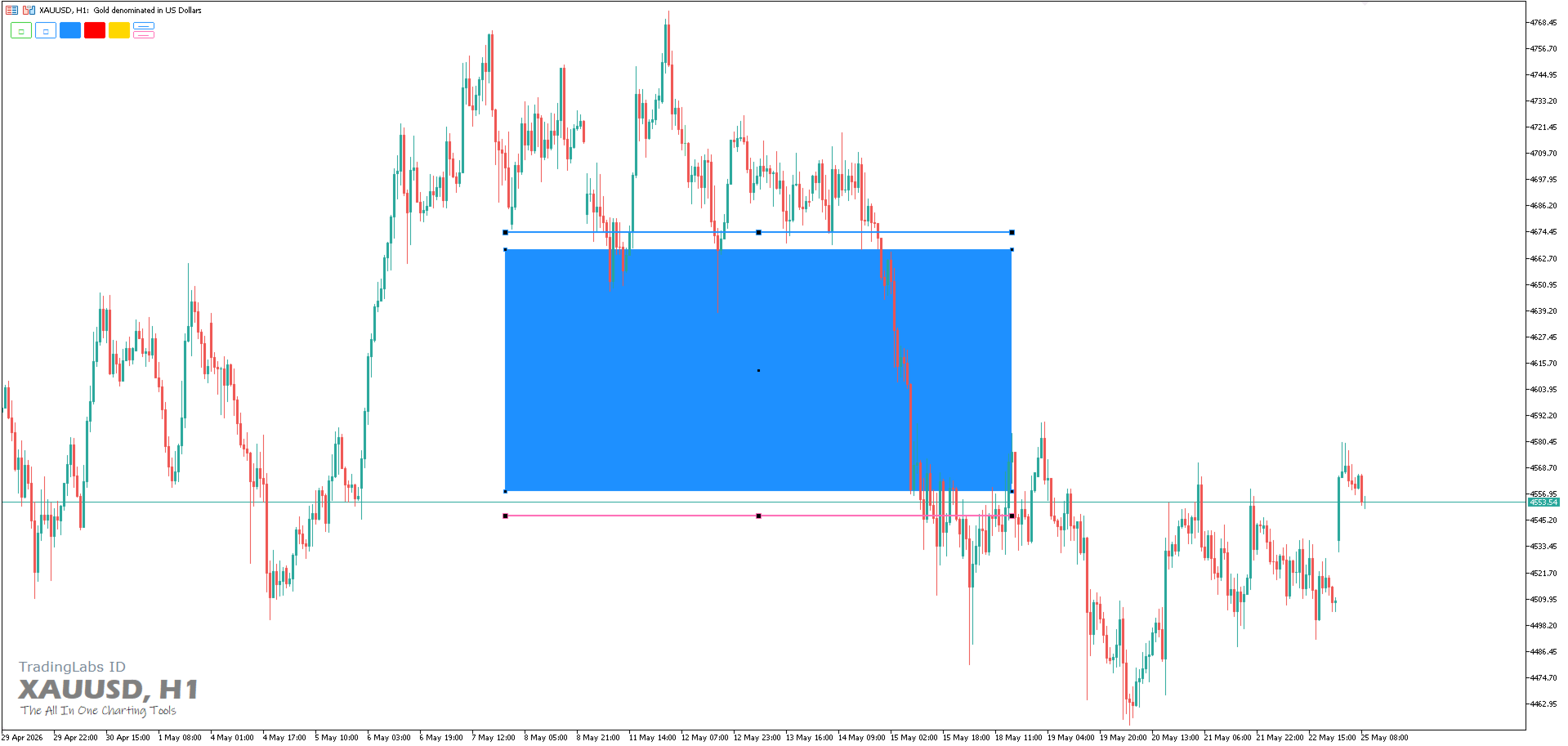
Quick Drawing은 기술 분석을 강화하도록 설계된 가볍고 고도로 사용자 정의 가능하며 엄격하게 효율적인 온차트 툴바입니다. 단 한 번의 클릭으로 화면 정중앙에 완벽하게 서식 지정된 직사각형과 추세선을 즉시 생성하여 관심 영역(POI)으로 드래그할 준비를 할 수 있습니다.
오더 블록(OB), 공정 가치 갭(FVG), 구조 이탈(BOS), 성격 변화(CHoCH), 유동성 공백(Liquidity Voids) 및 주요 SND/SNR 영역을 표시하는 데 완벽합니다.
주요 특징
- 원클릭 실행: 드롭ダウン 메뉴를 열지 않고 차트에서 직접 미리 설정된 도형을 즉시 생성합니다.
- 자동 중앙 정렬 생성: 더 이상 사라진 도형을 찾을 필요가 없습니다! 기록을 얼마나 뒤로 스크롤하든 상관없이 개체가 보이는 차트 영역의 정확한 중간에 동적으로 생성됩니다.
- 자동 선택 및 드래그 준비 완료: 생성된 개체는 생성 시 자동으로 선택(하이라이트)됩니다. 버튼을 클릭하고 도형을 대상 영역으로 직접 드래그하기만 하면 됩니다.
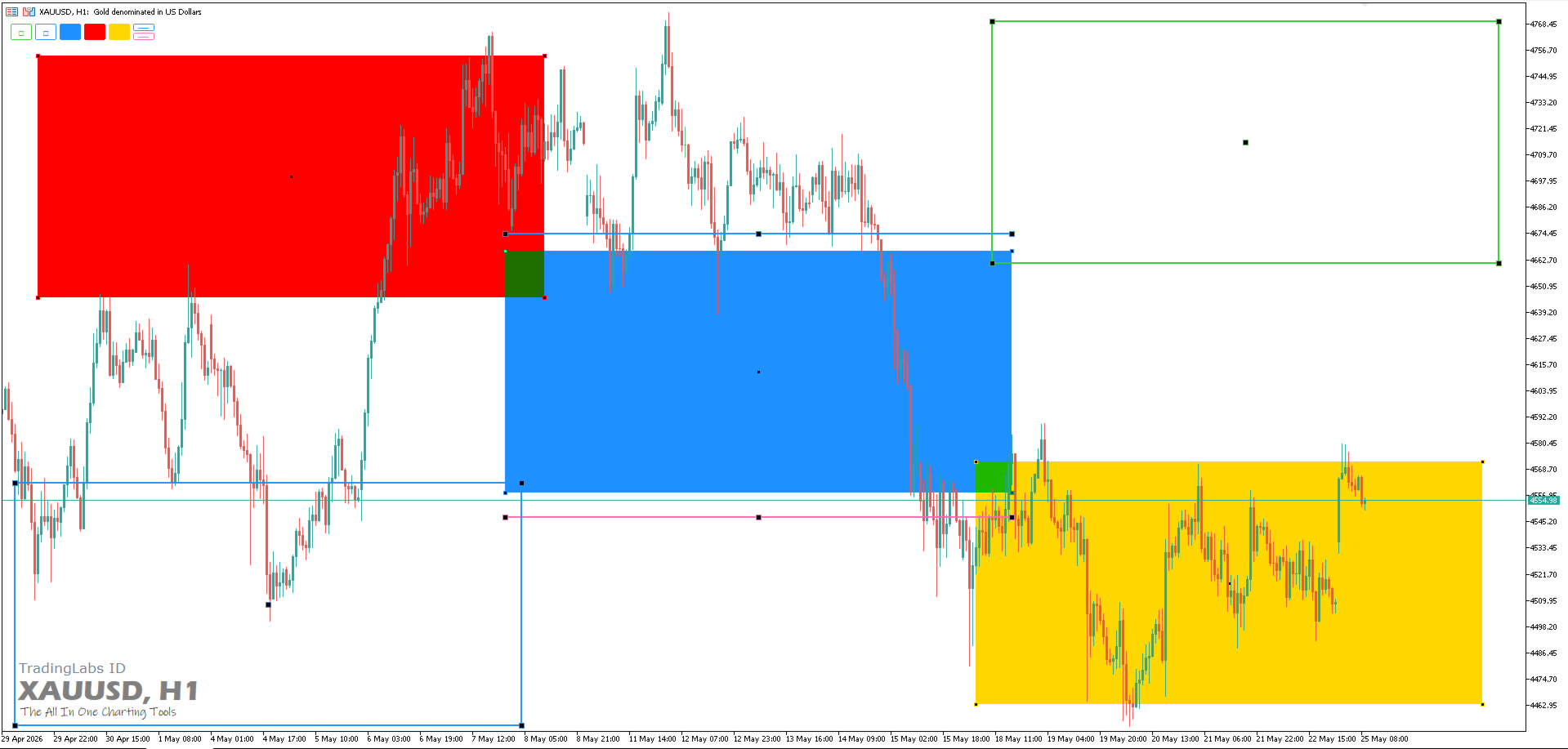
- 완전한 사용자 정의 설정: 도구를 정확한 전략에 맞게 조정하세요. 최대 5개의 서로 다른 직사각형과 2개의 추세선에 대해 테두리 색상, 채우기 색상, 선 스타일 및 두께를 사용자 정의할 수 있습니다.
- 동적 모서리 적응: 차트의 어느 모서리(왼쪽 상단, 오른쪽 하단 등)에나 툴바를 배치할 수 있습니다. 레이아웃이 자동으로 조정되어 완벽하게 정렬된 모습을 보여줍니다.
- 깔끔하고 미니멀한 UI: 작업 공간을 어지럽히거나 프라이스 액션 분석을 방해하지 않는 세련되고 눈에 띄지 않는 툴바입니다.
사용 방법
- MetaTrader 5 차트에 지표를 첨부합니다.
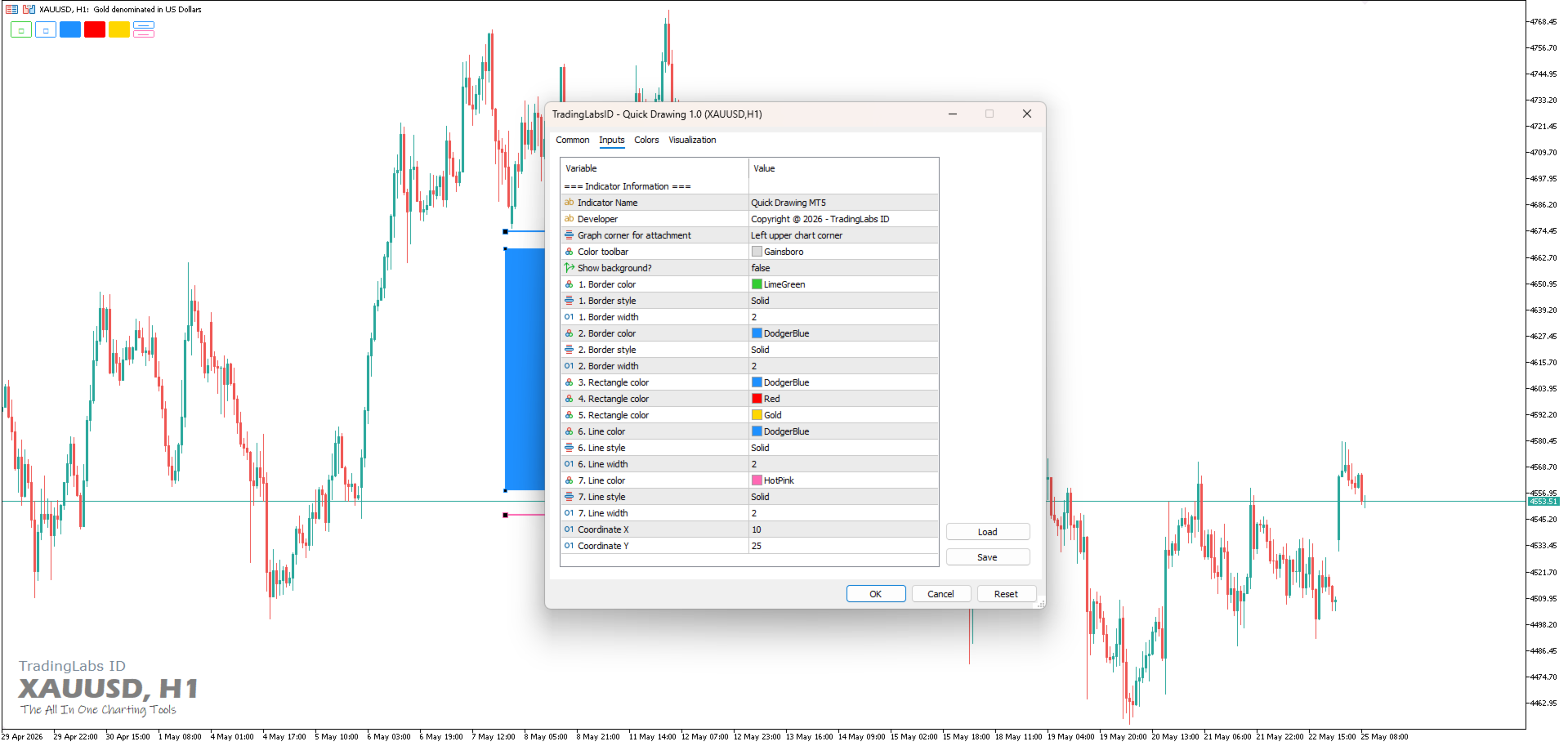
- Inputs 탭에서 선호하는 색상과 스타일을 구성합니다. 오더 블록, 불균형 또는 추세선에 특정 색상을 할당합니다.
- 첨부 입력을 위해 그래프 모서리(Graph corner)를 사용하여 툴바의 위치를 설정하고 필요한 경우 X/Y 좌표를 조정합니다.
- 온차트 툴바에서 도형 버튼(□ 또는 —) 중 하나를 클릭합니다.
- 도형이 화면 중앙에 즉시 나타납니다. 원하는 영역으로 드래그하여 놓기만 하면 됩니다.
왜 무료인가요?
이 도구는 트레이더를 위해 트레이더가 만들었습니다. 우리는 기본적인 워크플로우 개선 사항이 모든 사람에게 액세스 가능해야 한다고 믿습니다. Quick Drawing이 차트 작성 루틴을 가속화하고 더 나은 거래를 포착하는 데 도움이 된다면 5성급 리뷰를 남기고 트레이딩 커뮤니티와 공유해 주시면 감사하겠습니다!
지금 다운로드하여 메뉴를 클릭하는 시간을 줄이고 시장을 분석하는 데 더 많은 시간을 투자하세요!
--- MT4 Version is Here ---
https://www.mql5.com/en/market/product/178479
지원 및 리뷰
귀하의 성공이 저의 최우선 과제입니다. 이 제품이 마음에 드신다면 5스타 리뷰를 남겨주시면 감사하겠습니다! 설정에 도움이 필요하거나 기능 요청이 있는 경우 피드백을 남기기 전에 저에게 직접 메시지를 보내주십시오. 항상 도와드리겠습니다.
- TradingLabs ID 채널 구독: https://www.mql5.com/en/channels/tradinglabsid
- 내 모든 프리미엄 거래 도구 확인: https://www.mql5.com/en/users/suhendrawan/seller
- 빠른 지원을 위해 저에게 연락하십시오: https://www.mql5.com/en/users/suhendrawan
# Quick Drawing, Draw Rectangle, Trendline, Zone, Price Action, MT5.




































사용자가 평가에 대한 코멘트를 남기지 않았습니다