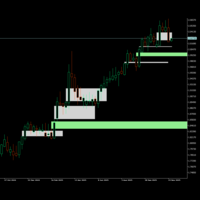
Aklamavo Volume Footprint Chart
- 지표
- 버전: 1.0
- 활성화: 5

This Volume Footprint indicator is essentially a professional-grade market profile tool that provides deep insight into market microstructure, showing exactly where trading activity is occurring and who's in control (buyers or sellers) at each price level.
Key Features
1. Footprint Display
-
Divides each bar into multiple price levels (configurable via PriceLevelsPerBar )
-
Shows BID volume (selling pressure) on the left side of each level
-
Shows ASK volume (buying pressure) on the right side of each level
-
Displays volume numbers directly on the chart
2. Data Sources (3 options)
-
DATA_SIMULATED : Generates synthetic volume data for testing
-
DATA_REALTIME : Uses real market depth data (if available)
-
DATA_TICK_VOLUME : Distributes tick volume across price levels using algorithms
3. Visual Elements
Color Coding
-
Green shades: Positive delta (more buying pressure)
-
Red shades: Negative delta (more selling pressure)
-
Gray: Neutral (balanced)
-
Enhanced Heatmap: Gradient colors based on volume intensity
Volume Labels
-
Numbers displayed at each price level
-
Black text (original setting) for normal volumes
-
Dark gray for zero volumes
-
Colored highlights for diagonal imbalances
Summary Statistics (below each bar)
-
B:A - Total Bid vs Ask volume
-
∑ - Total volume (sum)
-
Δ - Delta (Ask - Bid) with +/- sign
4. Imbalance Detection
Detects significant imbalances between adjacent price levels:
-
Type 1 (300%): Strong diagonal imbalance (Yellow highlight)
-
Type 2 (200%): Moderate diagonal imbalance (Light Cyan highlight)
5. Enhanced Heatmap (Optional)
-
Color gradients based on volume/delta intensity
-
7 configurable color levels
-
Three modes: Delta-only, Volume-only, or Combined
-
Optional transparency effects
6. Timeframe Consistency
-
Automatically adjusts footprint width based on timeframe
-
Ensures visual consistency across different timeframes
-
Configurable base timeframe and target widths
7. Price Range Management
-
Maintains minimum visual price range ( MinVisualPriceRange )
-
Prevents bars from becoming too compressed on higher timeframes
How to Interpret
Reading the Footprint
-
Left numbers (BID): Selling volume at that price level
-
Right numbers (ASK): Buying volume at that price level
-
Delta = ASK - BID (positive = buying pressure, negative = selling pressure)
What to Look For
-
High volume nodes: Areas of significant trading interest
-
Delta divergence: Price moving but delta not confirming
-
Imbalance patterns: Consecutive levels with strong directional bias
-
Volume absorption: Large volume at key price levels
Trading Signals
-
Support/Resistance: High volume levels often act as support/resistance
-
Exhaustion: Decreasing volume at extremes
-
Accumulation: Increasing buying volume at lower prices
-
Distribution: Increasing selling volume at higher prices
Configuration Highlights
Essential Settings
-
MaxDisplayBars: Number of bars to show (default 20)
-
PriceLevelsPerBar: How many price levels per bar (default 10)
-
DataSource: Choose between simulated, real-time, or tick volume
-
EnhancedHeatmap: Enable gradient coloring
Visual Settings
-
ShowVolumeValues: Display/hide volume numbers
-
MinVolumeToDisplay: Filter out small volumes (0 shows all)
-
FontSize/FontFace: Text appearance
-
DividerLine: Vertical line separating bid/ask sides
Imbalance Settings
-
ImbalanceThreshold_1: Strong imbalance ratio (default 3.0 = 300%)
-
ImbalanceThreshold_2: Moderate imbalance ratio (default 2.0 = 200%)
-
DiagonalImbalanceColor_1/2: Colors for highlighting
Technical Notes
Important: Bid/Ask Swapping
The code has a critical comment noting that BID and ASK volumes are SWAPPED internally:
-
The bid field actually stores ASK volume
-
The ask field actually stores BID volume
This is done for display purposes but maintained consistently throughout.
Market Depth Integration
-
Can subscribe to real market depth data
-
Falls back to simulated data if unavailable
-
Updates in real-time for current bar
Performance Considerations
-
Limits display to MaxDisplayBars (default 20)
-
Cleans up old objects to prevent memory issues
-
Handles timeframe changes gracefully.