ES Pro EA
- Experts
- Ahmad Zehour
- 버전: 8.3
- 업데이트됨: 7 3월 2026
ES Pro EA is an automated trading robot for MetaTrader 5. It combines two entry engines with a configurable set of filters (“gates”), including Conservative filtering, Linear Regression (LinReg) context, volatility ranking, and optional time blocking. After entry, the EA manages trades using ATR-based SL/TP logic, multi-TP partial closes, and structured stop management (pre-TP tightening and BE+ style protection).
The EA can operate on many MT5 instruments such as Forex pairs, Gold (XAUUSD), indices, and crypto CFDs, depending on broker availability and trading conditions (spread, volatility, sessions). It can run on any timeframe; settings should be adjusted per symbol/timeframe.
1) Modes and scope
Manage-only mode
-
Optional mode to manage existing positions on the chart symbol and disable new entries.
Scope / management
-
Magic number support for EA-owned positions.
-
Optional management of manual trades (Magic = 0).
-
Manage current symbol only, or manage multiple symbols via CSV list (optional).
2) Entry system (signals + entries)
Two entry engines
-
UT Bot engine (ATR-based signal behavior with adjustable sensitivity).
-
Range Filter engine (sampling period + range multiplier, adjustable source).
Conservative filter (optional)
-
Conservative mode adds stricter validation using a LinReg framework and zone rules.
-
Configurable LinReg length, Pearson threshold, source routing, and buffer percent.
Heikin Ashi option (optional)
-
Heikin Ashi can be enabled for signal source routing.
-
Optional setting to let HA also affect ATR calculations.
Directional permissions
-
Allow Long / Allow Short toggles.
-
Optional “close opposite first” behavior before opening a new signal.
3) Gates / filters (optional confirmations)
Enable only what you want. More gates generally means fewer trades.
RSI gate
-
RSI length + source routing
-
Midline mode and directional blocking thresholds:
-
Midline value (default 50)
-
LongMax / ShortMin thresholds
-
EMA gate
-
EMA fast/slow lengths to confirm direction.
MACD gate
-
Fast/slow/signal lengths
-
Source routing and MA types
-
Buffer length + buffer multiplier options
Choppiness gate
-
CHOP length + levels (upper/mid/lower)
-
Mode selection for trend/range behavior.
ATR Hot Block (optional)
-
ATR Z-score style hot condition block
-
Z-length, threshold, and CHOP minimum for block control
Volatility gate (enabled by default in your EA inputs)
-
Volatility rank lookback
-
Category permission toggles:
-
LOW / MID / HIGH / EXTREME
-
-
Rank cutoffs for LOW/MID/EXTREME categories
Time control (optional, UTC)
-
Optional time blocking system
-
Two independent block windows (HH:MM–HH:MM, UTC)
Spread filter (optional)
-
Entry spread block by points (0 = ignore)
4) Risk and lot sizing
Two sizing modes
-
Fixed lot option
-
Risk-based sizing: risk % of balance (default 2%)
ATR-based assumed risk distance
-
ATR period for sizing
-
Risk ATR multiplier used for sizing model (assumed SL distance)
Execution safety
To handle different broker symbol rules, the EA includes protection logic for:
-
volume min/max/step and volume limit compliance
-
spread limits (when enabled)
-
safe SL/TP modification rules (avoid invalid/too-close requests)
5) ATR base, SL/TP system, and trade management
ATR base
-
Dedicated ATR period settings used across sizing and management.
Initial SL and Emergency SL
-
Initial SL multiplier (ATR)
-
Emergency SL placement option at entry
-
Emergency SL ATR multiplier + extra buffer over broker stops (points)
Multi-TP system
-
TP1 / TP2 / TP3 multipliers (ATR)
-
TP share logic for 2-TP mode (TP1 share)
-
3-TP shares available (UI-level shares for structured scaling)
Broker backup TP
-
Option to set broker TP to the final target as a backup
-
Optional adoption of manual TP override (if user edits final TP, EA adopts and recalculates internal targets)
6) Trailing and protection logic
Trailing before TP1 (optional)
-
Trigger 1: at +X ATR profit, move SL to Entry ± offset (ATR)
-
Trigger 2: at +X ATR profit, move SL to break-even (Entry)
After TP1 protection
-
On TP1 hit: BE+ style SL = Entry ± (ATR buffer)
-
On TP2 hit (if TP3 exists): optional move SL to TP1 price
Manual BE+ controls
-
BE+ base buffer (ATR)
-
BE+ step size per click (ATR)
7) Mini panel (UI)
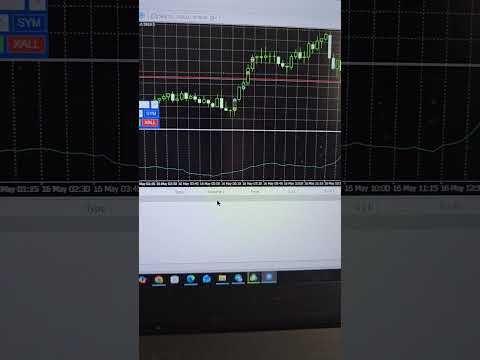
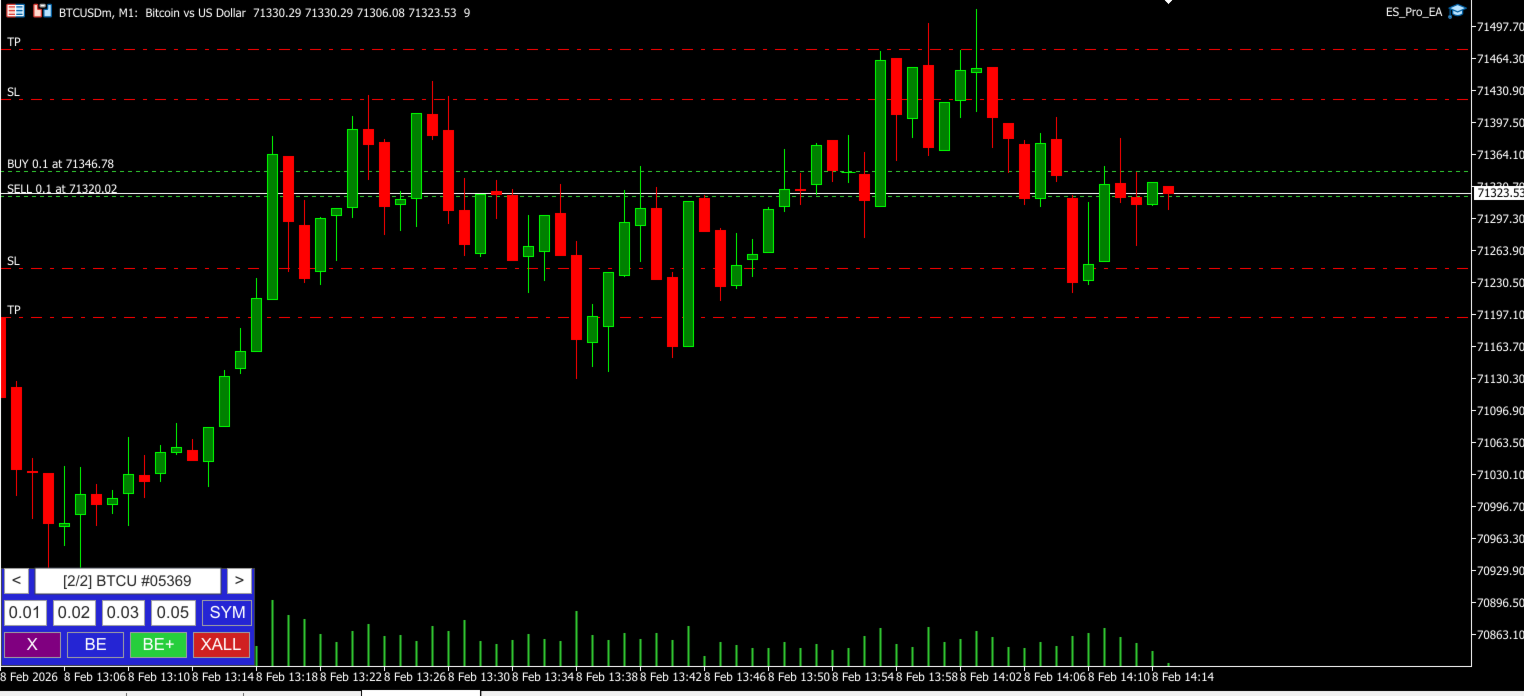
Includes an on-chart mini panel with controls and display elements (enable/disable, position/size, and UI behavior settings) plus color inputs for panel styling.
Notes
-
Broker conditions (spread, session rules, symbol specifications) can affect execution behavior.
-
This EA is a technical tool and does not guarantee results.
-
Trading involves risk. Use responsible risk management.