 MetaTrader 5
 Experts
 지표
지표
 라이브러리
라이브러리
 유틸리티
유틸리티
 위젯
위젯
 규칙
규칙
MetaTrader 5용 트레이딩 유틸리티 - 35
 다음은 MetaTrader 5의 거래를 단순화하는 거래 프로그램입니다. 유틸리티의 설명과 목적을 읽으려면 유틸리티 위에 마우스를 놓으십시오.
Script "Bar Close Timer Pro" is designed to display a real-time countdown to the closure of the current bar. This professional tool is tailored for traders working on any timeframe, enhancing chart analysis efficiency through precise time control. The script automatically adapts to the chart’s current timeframe (M1, H1, D1, etc.), calculating the remaining time until the candle closes. (Note: When switching timeframes, the script must be reattached to the chart.) Flexible display settings: Cus
FREE

SL Locker — Stop-Loss Discipline for MetaTrader 5 Your stop-loss is supposed to protect the trade. SL Locker is designed to stop that protection from being weakened after it has been established. SL Locker is a MetaTrader 5 risk-discipline Expert Advisor built around one focused principle: a protective stop may move in a safer direction — but it should not be casually moved back into a less protective one. Once SL Locker has recorded a valid Stop Loss for a position, it monitors that position a
FREE

TRAILINATOR is a unique Solution to use different Trailing-Stop Variants and change your settings via Remotecontrol. You configure your Trailing-Stop for a specified Symbol only once. This setting will be used for all your Positions of the same Symbol. Currently we support these different Trailing-Stops: Standard : works like you use in Metatrader Terminal, starts trailing if your profit is greater than trailing stop Start after points : trailing stop will start after your defined points in p
FREE

The spread in trading is the difference between the purchase price and the sale price of a financial instrument on the market. The spread is a commission fee that traders pay brokers for the opportunity to trade.
It's no secret that each broker offers its own terms for trading. The size of the spread is important. There are a lot of advisors (especially scalpers) who show different results at different brokers. We have repeatedly encountered this. Therefore, using this utility, find out what s
FREE

Comprehensive OHLC Data Downloader for MetaTrader 5 This powerful and efficient script allows traders, quantitative analysts, and developers to download the complete OHLC history of any financial instrument available in MetaTrader 5. Whether you need historical data for a specific asset or want to download data for all assets in the Market Watch , this tool simplifies the process with just a few clicks. Key Features: Flexible Data Extraction – Download OHLC data for a single asset or all asse
FREE
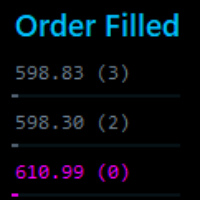
This tool identifies opportunitie levels by tracking where significant orders are being filled in the market and monitors key price levels where institutional orders cluster, providing you with valuable insights into market structure and potential reversal points.
Key Features: Smart Level Detection • Automatically identifies significant price levels where orders are being filled • Tracks both touch and rejection points to validate level strength • Merg Fully Customizable • Adjustable a
FREE

This script deletes all objects attached to all open charts. It's a bulk operation that can save a lot of time, avoiding the need to open the Objects List (Ctrl+B), pressing "List all", then manually selecting the objects and hitting "Delete" (for each single chart)... If you've tried "Delete all objects from chart", this script does the same thing, but to all open charts . So beware! You'll have to add all those Fibonacci retracements, trendlines, etc. back to your charts if you run this script
FREE

PositionRelay Slave Subscriber는 PositionRelay 마스터 계좌의 열린 포지션을 읽어 로컬 MetaTrader 5 터미널에 미러링합니다. 고정, 스케일 및 잔고 적응 랏 크기, 심볼별 제어, 대시보드 가시성을 위한 주기적 자체 보고를 지원합니다.
연관 제품: PositionRelay Master Publisher(무료). 슬레이브가 포지션을 미러링하려면 마스터 계좌에서 동일한 User ID로 PositionRelay Master Publisher가 실행 중이어야 합니다.
요구 사항: - 플랜에 사용 가능한 슬레이브 슬롯이 있는 활성 PositionRelay 클라우드 구독(positionrelay.com 가입) - positionrelay.com 대시보드의 PositionRelay User ID - 마스터 계좌에서 실행 중인 PositionRelay Master Publisher - 슬레이브 터미널마다 고유한 InpAccountLabel
설정: 1.
FREE

“One-Click Flatten — Fast, Clean, Reliable” Close all orders and positions in your account with a single click — no hassle, no fumbling through tabs.
Time-saving tool for traders needing instant exit from the market—especially during volatile moves or news events.
Emotion-free execution reduces human errors and hesitation—just click and it's done.
Easy to use: load the EA in MT5 and let it handle the rest. Perfect for both beginners and seasoned traders.
Fu
FREE

Aurum Position Manager는 MetaTrader 5용 포지션 관리 유틸리티입니다. 차트 심볼의 기존 포지션을 모니터링하며, 스탑로스 손절가를 손익분기(Break-even) 잠금 수준으로 이동한 후 ATR 기반 트레일링 수준으로 조정할 수 있습니다. 이 도구는 트레이딩 전략이 아닙니다. 거래를 오픈하지 않으며, 진입점을 선택하지 않고, 포지션 사이즈를 계산하지 않습니다. 기능 약 1초마다 일치하는 오픈 포지션을 확인합니다. 현재 차트 심볼만 사용합니다. 각 포지션 티켓에 대해 진입 가격에서 최초 관측된 스탑로스까지의 가격 거리를 기록합니다. 설정된 손익분기 배수 이후, 스탑로스를 진입 가격에 설정된 잠금 금액을 더하거나 뺀 값으로 이동시킵니다. 설정된 트레일 시작 배수 이후, 최신 완료된 ATR 바를 사용하여 ATR 기반 트레일링 거리를 적용할 수 있습니다. 스탑로스 수정을 제출할 때 테이크프로핏 값을 변경하지 않고 유지합니다. 포지션 방향과 브로커의 스탑 거리 규칙에
FREE

SymbolScope MT5는 거래 상품 사양에 대한 개인 비서입니다. 터미널에서 계약 사양을 찾아보거나 인터넷에서 데이터를 검색할 필요가 없습니다. 필요한 모든 정보는 차트의 우아하고 미니멀한 패널에서 항상 확인할 수 있습니다. 이것은 무엇을 위한 것인가?
트레이더에게 거래를 시작하기 전에 상품의 정확한 매개변수(포인트 가치, 계약 크기, 최소 로트, 스왑)를 아는 것은 매우 중요합니다. SymbolScope MT5는 현재 심볼에 대한 이 데이터를 즉시 제공하고 다른 상품으로 빠르게 전환하여 그 사양을 연구할 수 있도록 합니다. 주요 기능: 원클릭 전체 사양: INFO 버튼을 누르면 패널이 확장되어 선택된 심볼의 포괄적인 매개변수 목록을 보여줍니다. 모든 중요 매개변수를 한눈에: 현재 ASK 및 BID 가격. 포인트 값 (최소 가격 변동폭). 틱 값 및 틱 크기. 계약 크기. 최소 로트, 최대 로트 및 로트 변경 단위. 매수 포지션 및 매도 포지션에 대한 스왑 값. 빠른 심볼 전
FREE
MSP_Bridge 는 AI Grok 4를 RiskKILLER AI Navigator 에 연결하는 무료 유틸리티입니다. 이는 AI 기반의 다중 시간대 시장 방향 및 전략 어시스턴트 입니다.
이 번들을 통해 귀하의 트레이딩 스타일에 맞춰진 AI 기반 트렌드, 심리 및 거시 분석을 통한 기관 수준의 인사이트를 얻을 수 있습니다.
RiskKILLER AI Navigator [ MT5 - MT4 ]
트레이딩 성과는 프로처럼 시장을 이해하는 데 있습니다. 그것이 바로 RiskKILLER_AI Navigator 가 제공하는 것입니다: MQL5에서는 제공되지 않는 AI 기반 트렌드, 시장 심리, 그리고 거시경제 분석을 통해 여러분의 트레이딩 스타일에 맞는 기관급 인사이트를 얻으세요.
핵심 이점 다양한 시간대와 자산에 걸친 실시간 시장 방향 AI 기반의 거시 지표, 뉴스, 심리 분석 여러분의 트레이딩 스타일(수동 또는 자동)에 기반한 맞춤형 조언 Ris
FREE

️ Multi-Symbol ATR Drawdown Mitigation EA (Smart Risk Manager) Advanced Drawdown Control Using ATR-Based Dynamic Profit Balancing “Professional Risk Management Engine”
This Expert Advisor is designed to help traders actively reduce drawdown by intelligently closing losing trades using profits from winning positions — based on market volatility (ATR) . Core Concept Instead of letting losing trades grow uncontrollably, this EA: ️ Identifies the worst losing position
️ Selects profi
FREE

Demo copier of deals from MetaTrader 5 to MetaTrader 5 ( MetaTrader 4<->MetaTrader 4 version is available ; with both versions, you can copy MetaTrader 5<->MetaTrader 4, MetaTrader 4<->MetaTrader 5, MetaTrader 5<->MetaTrader 5, MetaTrader 4<->MetaTrader 4). Works only in the mode of hedging. Spread filter. Select the best price (start copying positions with a profit or loss). Configure the lot size, fixed or ratio-based (provider signals can be copied with an increased lot). Configure order copy
FREE

PositionPilot — Менеджер позиций в один клик PositionPilot размещает исполнение сделок и управление позициями прямо на вашем графике. Один клик — и ваша сделка под защитой. В отличие от большинства советников, которые обрабатывают только собственные ордера, PositionPilot работает со ВСЕМИ позициями — открытыми вручную, другими советниками или через его панель. Исполнение в один клик Кнопки BUY/SELL с автоматическим лотом по проценту риска Горячие клавиши F1–F6 для торговли с клавиату
FREE

Trading Panel Pro Trading Panel Pro is a professional MetaTrader 5 trading panel designed to help traders open and manage positions faster with precision and ease . Execute Buy/Sell orders , place pending orders , and manage trades directly from the chart using a clean, modern, and minimal interface — reducing unnecessary clicks and improving execution speed during fast-moving markets. Built for traders who value speed, simplicity, and efficient trade execution . Features:
Fast trade executio
FREE
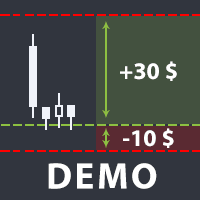
The utility helps open a deal with a stop loss that does not exceed the specified amount, or to refrain from it altogether. That is, it determines the number of lots to open the deal so that the stop loss is as close as possible to the specified amount in USD without exceeding it. For example, it will be indispensable when trading according to the Gerchik strategy. That is, when trading based on risks, with a fixed risk and a fixed take profit relative to stop loss. For example, if you always op
FREE

Script for quickly selecting a tool with high correlation. The script is placed on the tool to which you need to select the second correlating one. Then you can change the number of bars to calculate and the timeframe. The script iterates through all available symbols in the market overview and returns the 20 most correlated ones. You can use the selected pairs to trade with THE new SH expert Advisor
FREE

Draws trend lines from the high and / or low values of the week. The color and thickness of the levels are customizable. All trend lines can be edited. Suitable levels of the past can be renamed and other properties changed. Levels are re-read only on the H1 timeframe once an hour.
...
FREE

Account Info Utility is a free script for quick analysis of trading conditions for the current account and symbol.
It displays: - account information, balance, equity, margin, free margin and floating profit; - symbol trade restrictions, current price and trade mode; - minimum/maximum lot, lot step, real margin per 1 lot and maximum available lot; - point value for 0.01, 0.10 and 1.00 lots; - long/short swaps; - daily ATR(14) in pips and the value of that range for different lots; - trading se
FREE

OneClickClose-Pro EA allow users to easily close all positions at once with multiple options with simple UI.
Options Includes::
1. Close All Positions
2. Close All Buy Positions
3. Close All Sell Positions
4. Close All Position GreaterThan or Equal to Profit
5. Close All Position LessThan or Equal to Profit
6. Close All Position By Symbol
7. Option to Set Deviation
8. Option to Set Maximum Retry (If position close fails)
MT4 Versio
FREE

DataForge exports MetaTrader 5 bars to a CSV file, and writes into that file what the data actually contains.
It does not trade. It places no orders, reads no positions, and requires no account permissions. It reads history and writes a text file.
WHAT THE EXPORT WRITES
1. An instrument passport, placed in the CSV header
Digits, point, contract size, tick value, tick size, and the minimum, step and maximum lot are written as comment lines at the top of the file. Export the same symbol fro
FREE

HorizonProbe measures how the size of a price move compares with the cost of trading it, across several holding times, on your broker's own history and your broker's own spread.
It is a single script. It places no orders, reads no positions, and has no external dependency. Copy the one file into a terminal and run it on a chart.
THE QUESTION IT ANSWERS
The cost of a trade is paid once, whatever happens next. The move you are paid for is not fixed: over a longer holding time, the average move
FREE

простой копировщик сделок между двух терминалов MT5, настраивается только коэффициент копирования на слейв части. мастер часть вешаете на любой новый график на терминал откуда нужно копировать сделки, а слейв часть вешаете на любой график в терминале в который нужно копировать «Программное обеспечение предоставляется по принципу "как есть" (As Is). Разработчик не дает никаких гарантий, явных или подразумеваемых, в отношении работоспособности программы, ее соответствия ожиданиям пользователя или
FREE

простой копировщик сделок между двух терминалов MT5, настраивается только коэффициент копирования на слейв части. мастер часть вешаете на любой новый график на терминал откуда нужно копировать сделки, а слейв часть вешаете на любой график в терминале в который нужно копировать «Программное обеспечение предоставляется по принципу "как есть" (As Is). Разработчик не дает никаких гарантий, явных или подразумеваемых, в отношении работоспособности программы, ее соответствия ожиданиям пользователя или
FREE

Right here, is the utility tool to help traders with opening, managing, and closing multiple trading positions at the same time. This Utility tool does not work on strategy tester. To test this utility, follow the blog link below to download the demo version. https://www.mql5.com/en/blogs/post/751097
Specifications. 1) User-friendly - No complications and any trader can find it easy to use. - A simple click on a button is all it takes to perform the desired task. 2) Doe
FREE
SmartSetup Bot Is an advanced trading tool that combines the flexibility of manual configurations with the power of semi-automated features. It automatically generates graphical objects, displaying critical zones such as support and resistance levels, stop loss and take profit areas, and other essential indicators. SmartSetup Bot provides clear and precise visualization of your trading parameters, facilitating informed decision-making. This bot is designed for traders who value manual control bu
FREE

Trade Performance Journal — Your Visual Trading Summary Tool Trade smarter by understanding your performance.
This Expert Advisor (EA) provides an instant visual summary of your trading results directly on the chart. Whether you’re a scalper, swing trader, or long-term investor, this tool helps you stay on top of your performance metrics with ease. Key Features Flexible Time Analysis
View your performance by Quarter, Month, or Half-Year. Easily switch between display modes to analyze your res
FREE

ApexTPGrid is a powerful Trade Management Utility designed to professionalize your grid and averaging strategies. Whether you trade manually or use other EAs, this utility takes control of your open "basket" of orders to manage them to a safe exit. The standout feature is the Swap-Aware Logic . We all know the pain of holding a grid for weeks, only to close at "breakeven" and realize negative swaps ate your capital. ApexTPGrid solves this by automatically calculating all accumulated costs (Swap
FREE

Características Principales El bot actúa como una herramienta de supervisión y control automatizado de posiciones abiertas, enfocándose en la gestión dinámica basada en la detección de velas de expansión rápida ( Spikes ). 1. Detección Inteligente de Spikes Identificación Automática: Analiza si el símbolo activo corresponde a un índice Boom o Crash . Filtro de Cuerpo de Vela: Compara el tamaño de las velas recientes con un promedio dinámico (calculado sobre un periodo de referencia) para iden
FREE

Traderscope is a powerful and completely free advanced monitoring dashboard for MetaTrader 5, designed to monitor your Expert Advisors' live performance directly on your trading account. It delivers clear, real-time insights into your live trading performance — directly on your chart, with no complexity and zero impact on execution. Key Features Multi Magic Number Aggregation (up to 3)
Combine and analyze up to three different magic numbers (e.g., MagicA + MagicB + MagicC) in a single unified v
FREE

TDO is a free utility for optimizing the Trading Direction indicator. In addition to signals for trading, the indicator also has an information vector that fully provides all the statistical information on the operation of the indicator; this effect can be used to ensure that the indicator is automatically optimized. You just need to select the instrument and timeframe and specify the hourly interval in the utility settings and drop it on the chart chart. That's all, now we are waiting for the
FREE

현재 심볼에서 모든 스톱 및 테이크 제거 선택한 심볼의 모든 포지션에 설정된 스톱로스(SL) 및 테이크프로핏(TP) 레벨을 빠르고 효율적으로 제거하는 도구입니다. 수작업은 이제 그만—이 스크립트가 몇 초 만에 모든 작업을 완료합니다! 장점: 심볼별 관리: 현재 심볼의 SL/TP만 제거하며, 다른 자산에는 영향을 미치지 않습니다. 여러 포지션을 보유한 트레이더에게 특히 유용합니다. 빠르고 편리함: 한 번의 클릭으로 선택한 심볼의 모든 스톱로스 및 테이크프로핏 레벨을 제거합니다. 유연한 활용: 단일 심볼로 거래하는 트레이더뿐만 아니라 여러 자산을 동시에 관리하는 사용자에게도 이상적입니다. 작동 원리: 스크립트를 실행하면, 현재 심볼의 모든 포지션을 자동으로 확인합니다. SL이나 TP 레벨이 설정되어 있는 경우 즉시 제거됩니다. 다른 심볼의 포지션은 그대로 유지됩니다. 이 도구가 적합한 대상: 단일 심볼로 거래하며 빠른 조정이 필요한 트레이더. 여러 자산을 관리하면서 특정 심볼의 포지션
FREE

A very simple indicator, but one that cannot be missed when carrying out your operations.
Fast and accurate information on the Swap value of currency pairs before entering a trade.
See if when buying or selling the value of the Swap in your operations
Come and see our mql5 signals too https://www.mql5.com/pt/signals/899841?source=Site +Signals+From+Author
FREE

Project Overview Totz Visual Risk Calculator EA is an interactive, on-chart Risk Management panel for MetaTrader 5 (MT5). It replaces manual position size calculations by automatically computing appropriate lot sizes based on visual, draggable Entry, Stop Loss (SL), and Take Profit (TP) lines. Key Features Automated Risk Calculation: Lot sizing automatically adjusts to target a specific percentage of account balance or equity. Interactive Visual Lines: Drag-and-drop horizontal lines directly
FREE

NHS Prop Firm Guardian NHS Prop Firm Guardian is a dedicated, single-panel risk monitor and drawdown protection overlay for MetaTrader 5, built around one core idea: watch the account relentlessly, and enforce the limit the moment it's crossed — even if the trader isn't looking . It is a pure risk-monitor companion tool, not an order-entry or trade-management system: it does not place trades, manage stops, or run automation strategies. Its job is tracking Daily drawdown on the current chart symb
FREE

SC-Copier Master is the core component of the SC-Copier system. It is installed on MetaTrader 5 of the Master account and communicates with SC-Copier Slave , installed on a second MT5 client running on the same computer or VPS. This allows Master account trades to be replicated on the Slave account through a setup that is simple to configure and easy to monitor. The Master monitors positions opened on the source account and sends the Receiver every opening, closing, partial closing, and Stop Los
FREE

** LIMITED version** This EA utility helps Price Action traders calculate the risk as Big Money profesional traders do: in points or percentages. Allows to also set a desired Profit:Risk ratio and optionally enter a second and third orders simultaneously with different ratios and risk percentages. Great for BTMM, ICT, and other methodologies.
Very simple to use, just "point and shoot"!!!
Full version available here .
FREE

EA REMOTE COPIER Copy Your Trades Across Different VPS — Fast, Secure & Reliable EA Remote Copier is a professional Expert Advisor designed to automatically copy trading activity between different VPS, trading accounts, and locations through the Internet . It is suitable for traders, money managers, signal providers, and anyone who needs to synchronize trades across multiple accounts efficiently.
Please download Slave EA here = https://www.mql5.com/en/market/product/190756
User Manual : do
FREE
ImpulseShield EA is here to say NO to trading decisions made on Impulse
Have you ever placed a trade based on an impulsive decision and regretted your action? What if you could have been able to avoid taking the trade? ImpulseShield is here to help you to only when it is right. The Free Version Only Supports EURUSD, GBPUSD and USDJPY, Here is the Full Version, Just $30 https://www.mql5.com/en/market/product/131519 Key Settings and Their Role
The EA uses the inputs defined earlier to determine
FREE
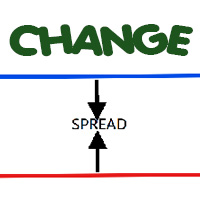
Most current tick data does not accurately reflect the actual spread levels. To achieve more precise backtest results, we need to adjust it to a higher value to account for slippage that may occur when Expert Advisors (EAs) execute orders in real trading.
This tool is used to change the Spread value in custom symbols created from tick data for backtesting purposes. Simply select the desired Spread value and wait for the tool to adjust it accordingly.
FREE
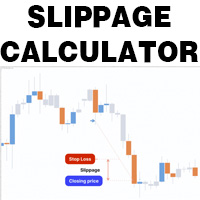
This is a tool that helps you calculate potential slippage you may encounter in real trading. This is quite important to understand how slippage can affect your strategy. It helps you gain a better understanding of your trading system and compare slippage levels among different brokers. Simply add it to the chart of the symbol you wish to estimate slippage for.
FREE

## What It Does
2RICH.CAPITAL APP SYNC is a lightweight MetaTrader 5 Expert Advisor that acts as a push client, automatically syncing live positions and closed trade history from a trader's MT5 terminal to their personal journal on the 2RICH Capital website. Rather than requiring manual CSV exports or imports, the EA connects once with a secure API key and connection token, then reports account and trade data to the platform on a recurring interval.
## Core Features
- Multi-user architecture
FREE

A simple utility that tells you to leave the computer and go for a walk and have a coffee every 60 minutes, or however long you configure.
The function is to remind us to get off the computer and go for a walk so as not to make the mistake of opening up an emotional order, taking every day to the end and a simple walk would solve the problem.
--- NEW VERSION FULL https://www.mql5.com/en/market/product/192677
Check out my FOMO blocker as well https://www.mql5.com/en/market/product/188473
Ch
FREE

PS4 Trading Controller lets you trade MetaTrader 5 using a DualShock 4 controller (USB or Bluetooth).
Designed for traders who want speed and convenience, this tool maps controller buttons to essential trading actions so you can execute and manage positions without touching the keyboard or mouse.
Key Features:
• Market Buy / Sell with R2 and L2
• Close one position at a time (R1 / L1)
• Close all profitable trades (Triangle)
• Close all losing trades (Circle)
• Adjust lot size with D-Pad
• Mov
FREE

DS Risk Calculator works out your lot size from the stop you actually intend to use, and shows how much room is left before your daily loss limit, your overall drawdown limit and your consistency rule are reached. It is built for funded account rules, and it works just as well on an ordinary account with rules you set yourself.
It does not place, modify or close orders. There are no trading functions in it. It reads your account and shows you arithmetic.
WHAT IT SHOWS
- Lot size for the sto
FREE

Position Story MT5 answers a practical history question: what happened inside this position?
Select a position from the account history and the panel rebuilds its story from the recorded deals. You can see the opening deal, partial exits, reversals or close-by events, their order, and the values MT5 recorded for each one.
What it shows
• Position summary with symbol, position ID, deal count, recorded entry/exit volume when that split is knowable, and coverage state. • Ordered deal sequence wi
FREE

MetaTrader 5 차트에서 직접 깔끔하고 빠른 실시간 승률(Win Rate) 추적을 경험하세요. 복잡한 화면과 무겁고 끊기는 대시보드와는 이제 작별입니다. InnovaDash의 Simple Win Rate Tracker는 필요한 데이터를 필요한 곳에 정확하게 제공하는 초경량 위젯입니다. 승률을 추적해야 하는 이유 승리한 거래와 패배한 거래가 각각 몇 번인지 정확히 아는 것은 드로다운 기간 동안 기대치를 관리하는 데 도움이 되며, 대규모 표본에서 귀하의 거래 시스템이 진정한 통계적 우위를 가지고 있는지 검증해 줍니다. InnovaDash 에코시스템 이 위젯은 InnovaDash 분석 엔진의 무료 샘플입니다. MT5 차트를 어지럽히지 않고 모든 지표를 한 번에 보고 싶으신가요? innovadash.com을 방문하여 계정을 연결하고 전체 대시보드를 잠금 해제하세요. 50개 이상의 고급 지표를 동시에 추적하고, 사용자 지정 날짜 범위로 데이터를 필터링하고, 특정 심볼을 분석하고,
FREE

HiperCube Protector is here! Discount code for 20% off at Darwinex Zero: DWZ2328770MGM_20
HiperCube Protector is the simpliest and easy drawdown Limiter to get the control of your account!, this tools aim to protect your account in real time, use a Max drawdown or StopLoss setting.
Features: Control DrawDown by Percent or Money, based on Balace of your account Friendly and elegent interface to see data in real time Send Notifications to Telegram, Push up Notificiations on your MT5 app , and
FREE

다시 오신 것을 환영합니다! 다윈엑스 제로 20% 할인 코드: DWZ2328770MGM_20 오늘은 HiperCube SuperVisor라는 새로운 유용한 도구를 소개하고자 합니다. 이 도구는 동시에 여러 EA를 실행하고, 어려운 감독을 할 때 발생하는 문제를 해결했습니다. 덕분에 1개의 차트에서 최대 5개의 EA를 동시에 볼 수 있고, 각각이 개설된 포지션, 매수 수익, 매도 수익, 총 수익을 볼 수 있습니다.
기능 각 EA에 대한 사용자 정의 이름 원하는 대로 색상을 설정하고, 완벽하게 사용자 정의 가능! 1개의 차트에서 최대 5개의 EA 모니터링 정보 색상은 현재 수익에 따라 변경됩니다. Chat gpt와 AI를 사용하여 개발되었습니다.
지침 감독을 원하는 EA의 동일한 ID/MAGICNUMBER만 설정하면 됩니다. 이 번호는 "HiperCube SuperVisor"가 각 EA에 대한 정확한 정보를 개별적으로 얻는 데 도움이 되기 때문입니다.
FREE
Background
This product is a practical tool to check the market based on the cycle theory . When you need to use multi cycle charts to analyze a symbol , manually adding charts with different cycles and applying templates is a very large cost. This product can help you quickly add multi cycle charts of one or more symbols, and uniformly apply the same template . After adding, you can drag the charts to the sub screen, which is suitable for multi screen analysis. Usage Method Apply this script to
FREE
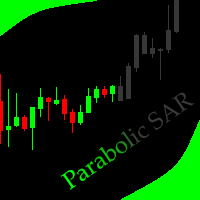
This indicator allows to hide Parabolic SAR (on all MT5 timeframes) from a date define by the user, with a vertical line (Alone) or a panel (with "Hidden Candles"). Indicator Inputs: Step Maximum Color Width Information on "Parabolic SAR" indicator is available here: https://www.metatrader4.com/en/trading-platform/help/analytics/tech_indicators/parabolic ************************************************************* Hey traders!! Give me your feeds! We are a community here and we have the sa
FREE

A ticker that shows the average bitcoin price of the selected currency and keeps updating it at regular intervals. PRO version updates more often and displays details about the price change! Make sure you have added the API address http://metakod.com/mk/api in the list of allowed URLs on tab Tools → Options → Expert Advisors. All of the supported currencies and the API address are listed in the screenshots below.
Inputs Logging level - Controls the amount of details written to the log (default:
FREE

Smart Lot-Size Calculator And Trade Assistant for Mobile Trading Overview: This is the tool every trader in the market must have no matter if you are scalper, swing traders, day trader, or long term trader. This On-The-Go trading tool will help you stay disciplined and also stay free from daily trade management chores, Most traders face common problems like 1. Calculation of proper lot-size of a position to take controlled risk 2. Managing every trade and trailing stop-loss if trades goes in
FREE

SQXHK presents MetaTrader 5 Expert Advisor: Hourly Equity & Drawdown Data Logger Developer: SQX.hk
Visit SQX.hk for data science trading skills course using "StrategyQuant X" and AI Data Science platform "Tradotcom.com"!
This MQL5 script functions as an automated data-logging Expert Advisor (EA) designed to capture intraday equity metrics directly from MetaTrader 5 and export them into structured CSV files . It records hourly snapshots of account performance, high-water marks, and equity drawd
FREE
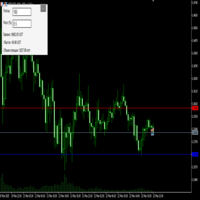
Преимущества и принцип работы индикатора "Risk end Lot Size Calculator" Преимущества : Простота использования :
Индикатор автоматически рассчитывает все необходимые параметры, вам нужно только ввести количество пипсов и риск.
Управление рисками :
Помогает определить, сколько вы можете потерять в сделке, и какой объем позиции (лот) выбрать, чтобы не превысить допустимый риск.
Визуализация :
На графике отображаются линии стоп-лосса для Buy и Sell, что позволяет быстро оценить уровни.
Удобство :
О
FREE

This is the demo version of AK Strategy Creator ( STC ) which enables traders to create, edit and save their own strategies using MT5 standard and custom indicators. Attach your strategy's indicators with your preferred settings, then attach STC EA, which will read the attached indicators so that you can use them in defining Buy and Sell Entry and Exit conditions.
Two default indicators are always included in the indicator list to allow access to Candle (Bar) prices and indicator values:
FREE

Product Description: GODFX EXECUTIONER v1.00 Take Control of Your Trading with Institutional-Grade Precision. The GODFX Executioner is not just a trade manager; it is a professional-grade command center for MetaTrader 5. Designed for scalpers and day traders who demand speed, it combines advanced risk management with intuitive visual tools to ensure you never have to calculate a lot size or fumble with orders again. Key Features: Dynamic Visual Planning: Drag-and-drop SL and TP lines on y
FREE

Manual Trade Helper - Telegram Controlled Trading Assistant Trade From Anywhere Using Telegram Manual Trade Helper is a powerful trading assistant that lets you control your trades directly from your Telegram app. No need to be at your computer - open, close, and manage trades from your phone, tablet, or any device with Telegram. Open, close, and manage positions from your phone. Features partial close, auto trailing, flip mode, and daily summaries. Simple commands: B=Buy, S=Sell, C=Close.
FREE

Turn Economic Chaos into Consistent Opportunities
The financial markets move at the speed of news—miss a headline, and you miss a profit. Introducing the News Action AI Bot , a cutting-edge trading solution designed to capitalize on high-impact economic events with surgical precision. Built by traders, for traders, this bot combines real-time news analysis, AI-driven decision-making, and customizable risk management to transform volatility into your greatest advantage. Why This Bot Stands
FREE

Prop Firm Daily Loss Guardian Prop Firm Daily Loss Guardian is a lightweight risk-management utility for MetaTrader 5. It displays a clear on-chart “traffic light” status panel for your daily loss usage and can optionally enforce a hard stop by closing newly opened positions once a critical drawdown level is reached. The tool is designed for traders who want an immediate, visual understanding of when to reduce risk and when to stop trading for the day. Key Features On-chart status panel with tra
FREE

Get you a Free Utility EA that will show closed positions results on your chart
fun little feature that make every trader really happy
EA will not open or manage position only show historical results on the chart
chose color and size
Please leave 5 start review if you liked this free tool
make sure to check out my trading EA the EA Bull scalper https://www.mql5.com/en/market/product/116071?source=Site+Profile+Seller or the EA Bear Scalper https://www.mql5.com/en/market/product/123680?s
FREE
Core Positioning Advanced analytical tool designed specifically for MT5, providing in-depth analysis of trading history, uncovering data insights, optimizing strategies, and enhancing profitability. Core Usage Strategy Performance Evaluation: Analyzes profitability, stability, and risk to provide an objective rating from A+ to D.
Trading Pattern Discovery: Identifies high-quality assets, time periods, and profit-making habits suited to different market conditions.
Risk Management Optimization: C
FREE


Free version. Only works on EURUSD. Would you like to have statistics about your trades displayed while you operate? Have you a solid understanding of the symbol you are trading? Do you really know everything you need to about your trading account? Do you need to keep an eye on the local times around the world? Advanced Info Displayer answers to all that. It helps you to know many hidden or hard to find data. Also, it is very convenient if you value statistics and maths. Just to exemplify, in mo
FREE

Features: The Expert Advisor pronounces current prices at a set interval. It speaks Russian and English. The file voice_dict.csv contains the rules of pronunciation (language, other rules). See an example below The Google cloud server is used for pronunciation, so the expert should be allowed to go to "https://texttospeech.googleapis.com" (see Tools\Options\Expert Advisors Allow WebRequest for...) Restrictions: Only 2 symbols
Example of a pronunciation rule (voice_dict.csv file in the Files
FREE

Adds the symbols listed in Binance Future to Metatrader5
With this free file, you can list the entire list right away. You can easily install it on your demo account It is the first file to be uploaded for Binance Future Tick and is offered for free.
Tools menu / Options / Expert Advisors / You need to select Use WebRequest for listed
You can watch videos to add metatrader
FREE

a script created with ChatGPT. It changes the symbol in every other chart window to the symbol of the window where you run the script. The story behind it. I use MT5 across 2 monitors. Same price/symbol, different candles. because changing the symbol in every window was tedious. So I had ChatGPT write this script. Important: this script only changes the symbol, everything else like indicators or objects is not transferred to other chart windows
FREE

A script for opening a grid of orders If you need to quickly open several pending orders on a certain distance from the current price, this script will save you from routine! Allow AutoTrading before running the script. Instructions: Run the script on the chart. This script is a limited version of the market product https://www.mql5.com/en/market/product/635 and allows opening only Buy Stop orders. Input parameters are not required in the script. Parameters such as number of orders, order type,
FREE

This is a tool created for scalping. it can generate pending orders with 4 input: 1. Volume : Lot for the Pending Orders 2. Distance : Distance within the Orders in Points 3. Total Order : Total Generated Orders 4. Take Profit : TP for the generated Orders in Points 5. Stop Loss : SL for the generated Orders in Points It also have another tools which can monitor the floating and close at defined profit using Closed at Profit Input What's new: - Stop Loss in Pip
FREE
트레이딩 전략과 기술 지표를 판매하기에 가장 좋은 장소가 왜 MetaTrader 마켓인지 알고 계십니까? 광고나 소프트웨어 보호가 필요 없고, 지불 문제도 없습니다. 모든 것이 MetaTrader 마켓에서 제공됩니다.
