 MetaTrader 5
 Experts
 지표
지표
 라이브러리
라이브러리
 유틸리티
유틸리티
 위젯
위젯
 규칙
규칙
MetaTrader 5용 트레이딩 유틸리티 - 36
 다음은 MetaTrader 5의 거래를 단순화하는 거래 프로그램입니다. 유틸리티의 설명과 목적을 읽으려면 유틸리티 위에 마우스를 놓으십시오.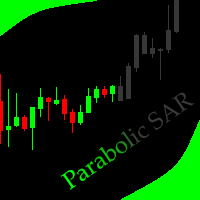
This indicator allows to hide Parabolic SAR (on all MT5 timeframes) from a date define by the user, with a vertical line (Alone) or a panel (with "Hidden Candles"). Indicator Inputs: Step Maximum Color Width Information on "Parabolic SAR" indicator is available here: https://www.metatrader4.com/en/trading-platform/help/analytics/tech_indicators/parabolic ************************************************************* Hey traders!! Give me your feeds! We are a community here and we have the sa
FREE

Smart Lot-Size Calculator And Trade Assistant for Mobile Trading Overview: This is the tool every trader in the market must have no matter if you are scalper, swing traders, day trader, or long term trader. This On-The-Go trading tool will help you stay disciplined and also stay free from daily trade management chores, Most traders face common problems like 1. Calculation of proper lot-size of a position to take controlled risk 2. Managing every trade and trailing stop-loss if trades goes in
FREE

SQXHK presents MetaTrader 5 Expert Advisor: Hourly Equity & Drawdown Data Logger Developer: SQX.hk
Visit SQX.hk for data science trading skills course using "StrategyQuant X" and AI Data Science platform "Tradotcom.com"!
This MQL5 script functions as an automated data-logging Expert Advisor (EA) designed to capture intraday equity metrics directly from MetaTrader 5 and export them into structured CSV files . It records hourly snapshots of account performance, high-water marks, and equity drawd
FREE
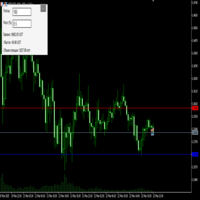
Преимущества и принцип работы индикатора "Risk end Lot Size Calculator" Преимущества : Простота использования :
Индикатор автоматически рассчитывает все необходимые параметры, вам нужно только ввести количество пипсов и риск.
Управление рисками :
Помогает определить, сколько вы можете потерять в сделке, и какой объем позиции (лот) выбрать, чтобы не превысить допустимый риск.
Визуализация :
На графике отображаются линии стоп-лосса для Buy и Sell, что позволяет быстро оценить уровни.
Удобство :
О
FREE

This is the demo version of AK Strategy Creator ( STC ) which enables traders to create, edit and save their own strategies using MT5 standard and custom indicators. Attach your strategy's indicators with your preferred settings, then attach STC EA, which will read the attached indicators so that you can use them in defining Buy and Sell Entry and Exit conditions.
Two default indicators are always included in the indicator list to allow access to Candle (Bar) prices and indicator values:
FREE

Product Description: GODFX EXECUTIONER v1.00 Take Control of Your Trading with Institutional-Grade Precision. The GODFX Executioner is not just a trade manager; it is a professional-grade command center for MetaTrader 5. Designed for scalpers and day traders who demand speed, it combines advanced risk management with intuitive visual tools to ensure you never have to calculate a lot size or fumble with orders again. Key Features: Dynamic Visual Planning: Drag-and-drop SL and TP lines on y
FREE

Turn Economic Chaos into Consistent Opportunities
The financial markets move at the speed of news—miss a headline, and you miss a profit. Introducing the News Action AI Bot , a cutting-edge trading solution designed to capitalize on high-impact economic events with surgical precision. Built by traders, for traders, this bot combines real-time news analysis, AI-driven decision-making, and customizable risk management to transform volatility into your greatest advantage. Why This Bot Stands
FREE

Prop Firm Daily Loss Guardian Prop Firm Daily Loss Guardian is a lightweight risk-management utility for MetaTrader 5. It displays a clear on-chart “traffic light” status panel for your daily loss usage and can optionally enforce a hard stop by closing newly opened positions once a critical drawdown level is reached. The tool is designed for traders who want an immediate, visual understanding of when to reduce risk and when to stop trading for the day. Key Features On-chart status panel with tra
FREE

Easy Trade Copier (Master / Sender) The lightning-fast, lightweight engine that broadcasts your trades safely. Description:
Welcome to the Easy Trade Copier (Master) . This is the "sender" EA. You attach this to your main trading account, and it instantly broadcasts every trade you take to your client accounts. Standard copiers often cause errors or freeze your trading platform when trying to send data to multiple accounts at once. The Easy Master uses smart, glitch-free saving technology so
FREE


Manual Trade Helper - Telegram Controlled Trading Assistant Trade From Anywhere Using Telegram Manual Trade Helper is a powerful trading assistant that lets you control your trades directly from your Telegram app. No need to be at your computer - open, close, and manage trades from your phone, tablet, or any device with Telegram. Open, close, and manage positions from your phone. Features partial close, auto trailing, flip mode, and daily summaries. Simple commands: B=Buy, S=Sell, C=Close.
FREE

Features: The Expert Advisor pronounces current prices at a set interval. It speaks Russian and English. The file voice_dict.csv contains the rules of pronunciation (language, other rules). See an example below The Google cloud server is used for pronunciation, so the expert should be allowed to go to "https://texttospeech.googleapis.com" (see Tools\Options\Expert Advisors Allow WebRequest for...) Restrictions: Only 2 symbols
Example of a pronunciation rule (voice_dict.csv file in the Files
FREE

Adds the symbols listed in Binance Future to Metatrader5
With this free file, you can list the entire list right away. You can easily install it on your demo account It is the first file to be uploaded for Binance Future Tick and is offered for free.
Tools menu / Options / Expert Advisors / You need to select Use WebRequest for listed
You can watch videos to add metatrader
FREE

The TradeHistoryParsing is a utility for working with the trade history obtained from the MetaTrader 5 terminal. The product is based on the " RegularExpressions in MQL5 " library. It allows to quickly get the required data on your trading history. The filtering results are displayed as a table, a summary of mathematical statistics is provided below the table.
Working with the tool Export the trade report as an html file and place it into the "sandbox". After that, when launching the EA, specif
FREE

A script for opening a grid of orders If you need to quickly open several pending orders on a certain distance from the current price, this script will save you from routine! Allow AutoTrading before running the script. Instructions: Run the script on the chart. This script is a limited version of the market product https://www.mql5.com/en/market/product/635 and allows opening only Buy Stop orders. Input parameters are not required in the script. Parameters such as number of orders, order type,
FREE

This is a tool created for scalping. it can generate pending orders with 4 input: 1. Volume : Lot for the Pending Orders 2. Distance : Distance within the Orders in Points 3. Total Order : Total Generated Orders 4. Take Profit : TP for the generated Orders in Points 5. Stop Loss : SL for the generated Orders in Points It also have another tools which can monitor the floating and close at defined profit using Closed at Profit Input What's new: - Stop Loss in Pip
FREE

Delving deep into the sphere of finance and trading strategies, I decided to conduct a series of experiments, exploring approaches based on reinforcement learning as well as those operating without it. Applying these methods, I managed to formulate a nuanced conclusion, pivotal for understanding the significance of unique strategies in contemporary trading.
FREE

This MT5 Utility is designed to simplify the process of managing multiple trades. If you have several open positions, it can be time-consuming to close each one manually. With this tool, you can easily close all profit trades, losing trades, or just the trades that are linked to the chart you're currently viewing. It saves you time and effort by allowing you to manage your trades with just a few clicks, making your trading experience smoother and more efficient. Whether you're focusing on profit
FREE

An Essential Tool for Traders regardless of experience
Problem : You want to place trades for a few trading pairs, you now have to scroll through individual charts to place your trades. Your playing it wisely and would like to secure small gains for trades that go in your favour and here you are again checking your trades back and forth and closing some off manually Solution : Use the panel. Drag and Drop the panel into any single chart and type in the pairs you need in the inputs. Save time an
FREE

Less is more. Find the strongest trends! This expert scans ALL currency pairs for a strong trend combined with a breakout.
Requirements for a trend report: 1. Up-trend or down-trend must be found in all of the following timeframes (D, H4, H1, M30) 2. Breakout in the daily timeframe (the upper or lower band of the Bollinger band must be broken)
The correctness of the trend is confirmed to 90%
FREE

Простая утилита, которая показывает на какую сумму средств куплено активов в портфеле. Необходима для отслеживания загрузки депозита. Выводит информацию в удобную надпись, которую можно разместить в любом месте графика. Учитывает валюту депозита: USD или RUB Учитывает, в какой валюте торгуется актив (USD или RUB) и автоматически конвертирует по текущему курсу. Можно настроить размер и цвет надписи
FREE

Script for Metatrader 5. One click to Delete the background grid and object, all objects on the chart such as Trend lines you have drawn or created by another program arrows text Fibonacci lines removes the background grid making a clearer clean chart horizontal and vertical lines
Easy for clearing a chart or when opening new charts. Please leave a review on how its working.
FREE

Title: Stoch Mantis Description: Stoch Mantis is a professional multi-timeframe utility designed to monitor the Stochastic Oscillator across your current chart while providing a broader trend context using the 200 EMA. This tool does not execute trades automatically; instead, it serves as a highly efficient alert system and market analyzer for manual traders who utilize pullback strategies. Trading extreme zones on lower timeframes can be risky without considering the major trend. Stoch Mantis
FREE

AlphaLogic PropProtector: The Ultimate Equity Shield Protect your Prop Firm account with institutional-grade precision. Are you tired of losing Prop Firm challenges due to emotional over-trading or a few dollars' calculation error? Most traders fail because they lose track of their Daily Drawdown or Absolute Equity Floor . AlphaLogic PropProtector is a professional-grade utility designed for traders who take risk management seriously. Whether you are trading a $50,000 challenge or managing a fun
FREE
This Expert Advisor captures and sends information about all open positions to a REST API server in real-time using HTTP POST requests. It is ideal for building synchronization tools, external monitoring systems, or custom trade copier solutions. What does this EA do? Iterates through all active orders in the account. Compares current positions with the previously sent ones. If any change is detected (SL, TP, price, symbol, volume, type, etc.), it sends updated information to the defined endpoi
FREE

Ladies and gentlemen, let me explain a simple tool that can help adjust stop-loss positions based on historical data and customized distance. Tool Name: Trailing Stop Pro Description: A trailing stop is a risk management tool commonly used in trading. It allows traders to set a dynamic stop-loss level that automatically adjusts as the price moves in their favor. Here’s how it works: Initial Stop-Loss: When you enter a trade, you set an initial stop-loss level. This is the price at which you’re
FREE

GT No Trading Zone – Smart Trade Restriction for Enhanced Risk Management Overview The GT No Trading Zone indicator is a powerful tool designed for traders who want to implement structured trade restrictions during specific time intervals. This is ideal for avoiding high-risk periods, such as news releases, market opens/closes, or any other predefined time frames where trading may be unfavorable. With GT No Trading Zone , you can:
Define up to 5 custom no-trade periods during the day.
Automa
FREE

How to Use All Symbols Opener Preparation : Open any symbol chart in your MetaTrader 5 platform. Select your preferred time frame for the open chart (e.g., M5, H1, D1). Launch All Symbols Opener : Attach the All Symbols Opener utility to the currently open chart: Drag and drop it from the Navigator window under Experts onto the chart. Alternatively, double-click All Symbols Opener from the Navigator to activate it. Automatic Operation : The tool will detect the active chart’s time frame and appl
FREE
Core Positioning Advanced analytical tool designed specifically for MT5, providing in-depth analysis of trading history, uncovering data insights, optimizing strategies, and enhancing profitability. Core Usage Strategy Performance Evaluation: Analyzes profitability, stability, and risk to provide an objective rating from A+ to D.
Trading Pattern Discovery: Identifies high-quality assets, time periods, and profit-making habits suited to different market conditions.
Risk Management Optimization: C
FREE
Spread Scanner & Normalizer: A Precise Analysis Tool for Symbol Data
The Spread Scanner & Normalizer is a powerful and user-friendly Expert Advisor (EA) designed for traders who want to gain precise insights into the spreads of various symbols. This tool effectively normalizes spreads across a group of symbols and expresses them as percentages, providing clarity and enhanced comparison capabilities.
Key Features: Symbol Overview : Displays symbol names and paths for easy identification. Spread
FREE

이 스크립트는 다양한 창 기능에서 가중치를 평가하도록 설계되었습니다. 이러한 창 기능을 기반으로 하는 지표는 https://www.mql5.com/ru/market/product/72159 에서 다운로드할 수 있습니다. 입력 매개변수: iPeriod – 표시 기간. iPeriod >= 2 iCenter는 창 기능의 중심이 위치할 참조의 인덱스입니다. 기본적으로 이 매개변수는 0입니다. 창의 중심은 표시기의 중심과 일치합니다. 1 <= iCenter <= iPeriod를 사용하면 창 기능의 중심이 이동되어 표시기의 일부 특성이 변경됩니다. 그림 1에서 센터의 선택이 윈도우 기능과 인디케이터의 디스플레이에 어떤 영향을 미치는지 볼 수 있습니다. 이 매개변수는 0.5 단위로 변경할 수 있습니다. Histogramwidth - 히스토그램의 너비. Histogramcolor - 히스토그램의 색상입니다. 표시 시간 - 표시 시간. 스크린샷 - 이 옵션이 활성화되면 사진이 파일 폴더에 저장
FREE

이 제품은 PositionRelay Slave Subscriber로 리브랜딩되었습니다.
MQL5 Market에서 PositionRelay Slave Subscriber를 설치하세요. 이 TradeEcho 리스팅은 대체되며 숨겨집니다. Market 제목은 변경할 수 없습니다.
동일한 User ID와 클라우드 API입니다. TradeEcho Slave Subscriber를 제거한 다음 각 팔로워 계좌에 PositionRelay Slave Subscriber를 첨부하세요.
연관 제품: PositionRelay Master Publisher.
키워드: 카피 트레이딩, 트레이드 카피어, PositionRelay, 리브랜드, 슬레이브
PositionRelay Slave Subscriber는 PositionRelay 마스터 계좌의 열린 포지션을 읽어 로컬 MetaTrader 5 터미널에 미러링합니다. 고정, 스케일 및 잔고 적응 랏 크기, 심볼별 제어, 대시보드 가시성을 위한 주기적 자
FREE

This indicator creates a channel relative to other chart indicator: indicator + ATR and indicator - ATR . Useful to know if price has gone up too far of your baseline. The ATR levels can be adjusted with a multiplier. It can also be applied to prices (close, open, high, low, median...) or other subwindow indicators. Actually you can get the same information about distances to baseline when applying it to close prices
You can also get this indicator for MT4 (a bit more complex to use, but it can
FREE

Dashboard – Trading Panel for MetaTrader 5 Dashboard is an essential tool for traders who need a centralized view , efficient order control , and quick access to key market information , all displayed directly on the MetaTrader 5 chart. Features: Clear display of open positions Quick order management (open/close) Profit/loss tracking per trade Built-in trend indicators (moving averages, candles, etc.) Customizable panel for different trading styles Optimized interface for day trading, swing
FREE

ARMOR Risk Calculator Trade with a plan. Calculate your risk before you enter the market. ARMOR Risk Calculator is a professional and easy-to-use risk management tool for MetaTrader 5, designed to help traders calculate their position size and potential trade risk before placing a trade. Instead of manually calculating lot sizes and risk values, ARMOR Risk Calculator provides a clean and intuitive dashboard where you can enter your trade parameters and instantly review the calculated results. Ke
FREE

GUARDIAN 트레이딩 패널 GUARDIAN 트레이딩 패널 시장을 통제하라. 따라가지 마라. GUARDIAN은 단순한 트레이딩 패널이 아니다.
혼란, 주저, 감정적 실행을 거부하는 트레이더를 위한 명령 시스템이다. 한 가지 진리를 이해하는 전문가를 위해 구축되었다:
실행 속도와 통제력이 결과를 결정한다. ️ GUARDIAN은 결정과 실행 사이의 간극을 제거한다.
무작위성을 구조로 대체한다. ️
당신의 차트를 지휘 센터로 변환한다. GUARDIAN이 강제하는 것: ️ 차트에서 직접 원클릭 실행 ️ 통제된 규칙 기반 행동을 통한 강제적 규율 실시간 트레이딩 환경 인식 안전하지 않은 조건의 자동 거부 잡음 없음. 장식 없음. 순수 기능만. 모든 클릭에는 의도가 있다 모든 거래는 신중하다 GUARDIAN은 단순히 당신을 지원하지 않는다.
당신의 워크플로우를 지휘한다. ️ GOLDEN EDGE 생태계 당신은 도
FREE

오랫동안 같은 트렌드가 지속될 때, 눈앞의 움직임에 휘둘리고 있지는 않습니까?
"이제 반전하겠지"라는 생각으로 근거 없는 역추세 매매. "수익을 잃고 싶지 않다"는 불안감 때문에 너무 빠른 익절. 이 모든 것들은 캔들이 확정될 때까지 기다릴 수만 있다면 막을 수 있었던 후회들입니다.
모니터 앞에서 계속 기다려야 하는 스트레스를 없애고, 규칙적인 매매를 지원하기 위해 이 도구를 만들었습니다.
이 도구는 상승(양봉) 또는 하락(음봉) 캔들이 확정되는 순간 알람을 울리는 간단한 모니터링 EA입니다. 조작: "매수(양봉)" 또는 "매도(음봉)"를 선택하고 SET 버튼을 누르기만 하면 됩니다. 알림: 지정한 캔들이 확정되는 순간 알람 통지. 다국어 대응: 11개국 언어 지원 (Language 버튼으로 전환 가능). We also offer other useful products. Check them out!
FREE

Hello everyone, this is another utility that I wrote specifically for users using my profile with a large number of experts and sets ( https://www.mql5.com/en/blogs/post/750723 ) . This utility is useful for working with a profile using grid strategies (averaging and martingale). As we know, such strategies periodically fall into a large drawdown and you need to be careful when opening averaging positions (do not open too many). In my profile, I use a limit of 3 positions for each EA, if this w
FREE

NORA NEWS SHIELD - Professional News Protection System Product Description Overview NORA NEWS SHIELD is a professional risk management tool that automatically protects your trading during high-impact economic news releases. It monitors major global currencies and temporarily suspends trading activity during critical market-moving events, helping you avoid sudden volatility spikes and potential losses. How It Works The system continuously scans the economic calendar for upcoming high-impact news
FREE

Discover our all-in-one monitoring and notifications EA for MetaTrader. Designed to ensure traders’ security and peace of mind, this unique EA offers a full range of advanced features that will allow you to stay informed and control your account activity, anytime and anywhere. Key Features : Continuous server monitoring: real-time notification on server availability and performance (Cpu, Ram, disk), connectivity, latency and more Advanced account management: live tracking of margin calls, dro
FREE

It can only be used in EURCHF . The Expert Advisor is a great tool that allows you to control your trade with ease and precision. The tool can be moved in the graphs and offers the following characteristics:
Instant order entry with a single click. Entry of pending orders using price tags and trend lines. Instant order closure with a single click. Instant order closure using trend lines as output levels that the broker can not see. We can modify the way to enter and exit the market, allowing us
FREE

Get you a Free Utility EA that will show closed positions results on your chart
fun little feature that make every trader really happy
EA will not open or manage position only show historical results on the chart
chose color and size
Please leave 5 start review if you liked this free tool
make sure to check out my trading EA the EA Bull scalper https://www.mql5.com/en/market/product/116071?source=Site+Profile+Seller or the EA Bear Scalper https://www.mql5.com/en/market/product/123680?s
FREE
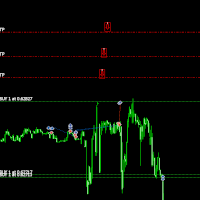
Move TakeProfit - 사용 방법 사용 방법 드래그 앤 드롭 스크립트를 클릭한 후 차트로 드래그하여 새로운 TakeProfit 레벨을 설정합니다. 원하는 가격 수준에서 스크립트를 놓습니다. 확인 팝업 스크립트를 놓으면 확인 창이 나타납니다. 변경되는 포지션 수와 정확한 TakeProfit 가격이 표시됩니다. "예"를 클릭하면 진행되고, "아니요"를 클릭하면 취소됩니다. 자동 TakeProfit 업데이트 확인하면, 현재 차트의 모든 열린 포지션에 대해 TakeProfit이 업데이트됩니다. TakeProfit이 없는 포지션에는 선택한 레벨에서 자동으로 추가됩니다. 배치 검증 매수(BUY) 거래의 TakeProfit은 진입 가격보다 높아야 합니다. 매도(SELL) 거래의 TakeProfit은 진입 가격보다 낮아야 합니다. TakeProfit이 잘못 설정된 경우, 오류 메시지가 표시되며 작업이 취소됩니다. 브로커 제한 처리 일부 브로커는 TakeProfi
FREE

Stop guessing your performance. Track your wins and losses instantly, directly on your charts! As traders, keeping an accurate, real-time pulse on our psychological and execution performance is key to staying disciplined. DaBhoza Win Rate Tracker is a lightweight, intuitive, and highly visible on-chart utility designed to help you log and monitor your trade outcomes manually with a single click. Whether you are testing a new manual strategy, practicing on a demo account, or keeping track of your
FREE

North Connection - MetaTrader 5와 North Trader Station을 연결하는 공식 브리지 North True Funding은 기술 기반의 prop firm 으로, 트레이더가 더 명확한 구조, 방향성, 운영 규율을 가지고 성장할 수 있도록 만들어졌습니다. North의 프로그램은 명확한 규칙, 전문적인 환경, 그리고 거래 성과와 준비, 기회를 책임 있는 기준으로 연결하는 도구를 제공하도록 설계되었습니다. North의 목적은 과장된 약속을 판매하는 것이 아닙니다. 우리의 목적은 트레이더가 현재 위치, 다음 단계, 그리고 자신의 여정이 어떻게 진행되고 있는지 이해할 수 있도록 구조, 운영 데이터, 명확한 방향성 을 제공하는 것입니다. North True Funding 프로그램 알아보기 더 명확한 트레이딩 여정, 기술 기반 구조, 객관적인 기준, North Trader Station을 통한 추적을 원한다면 North의 공식 프로그램을 확인해 보세요. 공식 웹사이
FREE

EquityShield is a lightweight and dependable Expert Advisor (EA) for MetaTrader 5, crafted to protect your trading account from excessive losses with minimal resource usage. It monitors your account's equity drawdown and automatically closes all open positions and pending orders if the drawdown exceeds your specified threshold, either in percentage (%) or a fixed amount ($). Designed as a robust safety barrier, EquityShield ensures your capital remains secure during unexpected market volatility
FREE
The script removes all of the indicators on the chart with one movement of the hand. There are situations when there are too many indicators on the chart. And it is required to delete all of them without closing the tab. Unfortunately, the settings window doesn't allow us to select all indicators at once and we have to delete one by one. This script will solve this problem. Simply drag the script from Navigator window onto the chart.
FREE
Assistant_for_Reopen - an Expert Advisor that helps to re-set pending orders. Many brokers force the order to expire at the end of the trading session or at the end of the trading day. Therefore, a trader has to restore all pending orders manually every time at the beginning of a new trading session. Assistant_for_Reopen frees the trader from this routine work. It controls expiration by the order expiration time and resets it if the trader ticked the checkbox. The maximum number of orders the EA
FREE
This indicator is to be used in bot connectors for automation of Pct Multi indicator entries.
How to use: Configure the bot connector with the following information: Indicator name: pctmultibot Call buffer: 0 Put buffer: 1
Do not add this indicator to the chart, just configure it in the bot connector!
Pct Multi indicator:
https://www.mql5.com/en/market/product/111091
FREE

a script created with ChatGPT. It changes the symbol in every other chart window to the symbol of the window where you run the script. The story behind it. I use MT5 across 2 monitors. Same price/symbol, different candles. because changing the symbol in every window was tedious. So I had ChatGPT write this script. Important: this script only changes the symbol, everything else like indicators or objects is not transferred to other chart windows
FREE

This utility is a graphical shell for other Expert Advisors that do not have their own graphical shell or whose graphical shell you do not like. Just run the utility on a free chart of any currency pair, specify in the input parameters the "Magic Number" of the advisor to which you want to connect the utility, and a graphical shell will appear on the graph, containing information about the traded currency pairs, current positions and trading results of your advisor. If you like this utility, tak
FREE
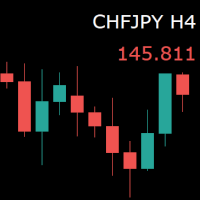
For those who monitor charts from afar, this utility is essential. It displays the chart symbol, time frame, and bid price as text. Users can adjust the text position, color, and font size. It’s also a useful tool for forex video publishers. There will be no more complaints about which symbol and time frame are displayed on the screen, even if the content is viewed on a phone. Symbol prefixes such as “_ecn” or “_stp” can be removed from the displayed symbol.
FREE

MetaTrader 5 플랫폼에서 사용되는 사용자 정의 인디케이터로, 다양한 타임프레임에서의 시장 트렌드를 시각적으로 표시하는 데 사용됩니다. 이 인디케이터는 사용자가 지정한 X 및 Y 좌표에 위치하는 패널을 생성하여, M1부터 MN1까지 총 21개의 타임프레임에 대한 트렌드를 각각 라벨 형태로 보여줍니다. 각 타임프레임의 트렌드는 20기간 단순 이동평균(SMA)과 50기간 단순 이동평균을 비교하여 결정되며, 상승 트렌드는 초록색, 하락 트렌드는 빨간색, 보합은 회색으로 표시됩니다. 또한, 모든 타임프레임에서의 트렌드를 종합하여 상승 비율을 계산하고, 이 비율에 따라 전체 시장 트렌드가 표시됩니다. 전체 트렌드는 일정 간격으로 깜빡이며 사용자에게 시각적 주의를 끌도록 설계되었습니다. 이 인디케이터는 시장 상황을 빠르게 파악하고자 하는 트레이더들에게 유용하며, 업데이트 간격과 깜빡임 간격은 사용자의 필요에 맞게 조정할 수 있습니다. 또한, 패널의 위치와 색상도 사용자 정의가 가능하
FREE

OrderCalc opens a window in the chart with the data of your orders:
Position size, stop loss, take profit, profit/loss
Only the positions for this symbol are displayed. If several positions exist, these are totalled and displayed in the last line. If you work with pyramids, you can see at a glance how big the total profit or loss is.
M can be used to display information about the symbol: Margin, spread, minimum order size, increment etc. R opens the risk calculator. A click in the chart calc
FREE
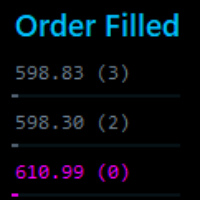
This tool identifies opportunitie levels by tracking where significant orders are being filled in the market and monitors key price levels where institutional orders cluster, providing you with valuable insights into market structure and potential reversal points.
Key Features: Smart Level Detection • Automatically identifies significant price levels where orders are being filled • Tracks both touch and rejection points to validate level strength • Merg Fully Customizable • Adjustable a
FREE
Selam arkadaşlar özellikle gold scalp yaparken zamana ve reflekse ne kadar ihtiyacımız olduğunu biliyorsunuz.
Bu sebeple ben kendime scalp yaparken bana yardımcı olacak buttonlar hazırladım.
ben gold scalp yaparken : 3 .çeşit Sell
3 .çeşit buy close sell close buy
açık emirleri kapat hepsini kapat
şeklinde kendime butonlar hazırladım. ve çok faydasını gördüm.
bütün butonların renklerini lot değerlerini isimlerini değiştirebililrsinz.
kesinnikle çok seveceğinize eminim
bol kazançlar.
FREE

Vyl Focus Trainer — это инструмент для дыхательной разминки, разработанный для MetaTrader 5, который помогает трейдерам войти в спокойное, сосредоточенное состояние перед началом торговой сессии.
В отличие от стандартных торговых инструментов, эта утилита не анализирует рынок и не открывает сделки. Ее цель — подготовить вас, трейдера, к дисциплинированной, эмоционально уравновешенной торговле. Благодаря двухминутной управляемой дыхательной сессии с визуальными подсказками, инструмент помогает
FREE

Pips Keeper is a sophisticated Forex trade manager expert advisor designed to enhance trading efficiency and optimize profit-taking strategies. With its intuitive functionality, this EA empowers traders to automate the process of closing profitable positions at predefined profit thresholds, thereby maximizing returns and minimizing risks.
Key Features:
1. Threshold-based Profit Closure: Pips Keeper enables traders to set customizable profit thresholds, allowing for the automatic closure o
FREE

Would appreciate a review of the product if possible.
This program, is designed to automatically log and monitor trading account performance metrics in MetaTrader 5. It tracks daily balance and equity, calculates performance metrics, and records them in a CSV file for later analysis. Key Features: 1. Initialization: • Inputs for account name ( Account_Name ), starting day balance ( Start_Day_Balance ), and equity ( Start_Day_Equity ) are accepted. • If the starting balance or equity is not prov
FREE

An Essential Tool for the Professional Trader
Problem: As a professional trader, you have worked out entry points across several charts and now your anticipating price action. At this stage, you are having to constantly check your mobile phone or PC across several charts hoping for those prices to be achieved
Solution: Enter all the prices for all charts into a single display and get instant notifications to your mobile phone or PC. Save yourself time and frustration
Note: This product wil
FREE

The script analyzes all trading instruments listed in the Market Watch of the MT5 platform to assess their suitability for trading on the timeframes specified in the settings. Based on the analysis, the script displays a table, where trading instruments deemed suitable and recommended for trading are marked in green, based on their compliance with the risk-to-reward ratio coefficient, including the spread (default 1:3). Instruments not recommended for trading are marked in red.
FREE
多数の通貨を取引している場合、画面をカチャカチャ切り替えの際にどの通貨を見ているか 迷ったことはありませんか。 表示している通貨が大きく表示されるMT4用のインジケーターは あるのですがMT5用がなかったので作成しました。
機能: どの通貨でも表示可能になります。 表示位置 (左上 、 右上 、 左下 、 右下) の 指定 が可能 になります。 表示位置(X軸、Y軸)が変更可能 になります。 フォントの色を 変更可能 になります。 使用するフォント を指定することが可能になります。 フォントサイズ の 変更が可能 になります。 インストール方法: ファイル->データフォルダーを開く->MQL5フォルダー->Indicatorsフォルダー 配下にex5ファイルを置いてMT5を再起動してください。
FREE
I find the lot calculation tedious so I just use this script and tell it the dollar amount to use. It then does the rest. This works for any currency.
How-To: Open a sell position using the desired dollar amount instead of lots. To use, just drop it onto a chart and set inputs as needed. The script will then do the necessary lot calculation and open the trade.
Inputs: FIXED_DEAL_AMOUNT: Fixed amount to use per trade e.g 100 to open a R100 deal USE_SL_ON_BUY: If true then a suitable stoploss wi
FREE

Introducing our cutting-edge Trade Copier Expert Advisor for MetaTrader 5 (MT5) – the ultimate solution for seamless trade replication across multiple accounts on the same server or computer. Elevate your trading experience and take control of your investment strategy like never before with our professional-grade Trade Copier. Key Features: Effortless Trade Replication: Our Trade Copier effortlessly duplicates trades from a master account to multiple slave accounts, ensuring that you never miss
FREE
This indicator allows to hide CCI oscillator (on all MT5 timeframes) from a date define by the user, with a vertical line (Alone) or a panel (with "Hidden Candles"). Indicator Inputs: Period Apply To Information on "Commodity Channel Index" indicator is available here: https://www.metatrader4.com/en/trading-platform/help/analytics/tech_indicators/commodity_channel_index ************************************************************* Hey traders!! Give me your feeds! We are a community here and
FREE

EA to help traders stay within tight risk management.
Asks only for account's initial balance and Stop Out DD. This is meant for prop firm traders, but will help any trader who is looking for a simple risk manager.
Trasks and reports daily PnL and will advise you to stop at 1% daily loss. Will advise you to wait if you have too many open trades.
Based on the open chart (symbol and timeframe) will recommend size and SL distance in order to risk the desired cash risk. See screenshot for example
FREE

This panel shows the price position and the selected MAs for the selected timeframes and symbols.
You can control up to 3 symbols; up to 6 timeframes; up to 10 different Moving Averages. Version for MetaTrader 4: https://www.mql5.com/ru/market/product/28281 Version for MetaTrader 5: https://www.mql5.com/ru/market/product/28096
Parameters NUM_BAR - bar number for analysis; timeframe_1....timeframe_6 - names of used timeframes (if set to "current", the timeframe will not be used); symbol_1 ....
FREE

!!!The first 10 users are free!!! Prop Protector — Trading Panel and Risk Management Utility Prop Protector is a utility designed for position sizing and risk management in the MetaTrader 5 terminal. The tool assists in calculating lot sizes based on defined risk parameters and monitoring daily drawdown limits. Key Features: Trading Panel: Provides an interface for executing market Buy and Sell orders directly from the chart. Lot Size Calculation: Automatically calculates the required lot s
FREE

Bundle Risk Manager Pro EA
"Risk Manager Pro EA is an all-in-one trading utility that combines advanced risk management tools, ensuring full control over your trading account while protecting your capital and complying with trading regulations. By bundling Limit Positions , Concurrent Risk Capital , and the newly added Limit Profit , this EA is the ultimate solution for disciplined trading and achieving evaluation goals. Key Features: 1. Limit Positions : Enforces a maximum number of open posi
FREE

Trading Companion is an EA bridge to the Telegram chat. It does not place trades, it provides to your Telegram's terminal information about your accounts - it can be used with any other EA, indicator or trading solution. It notifies you about the server lag (ping between your terminal and your broker) and includes a feature to withdraw wisely from your account.
Settings Ping limit: default 300ms - will warn you if ping is superior Basis Fund: 0, deactivated - each time you will withdraw, it is
FREE
MetaTrader 마켓은 과거 데이터를 이용한 테스트 및 최적화를 위해 무료 데모 거래 로봇을 다운로드할 수 있는 유일한 스토어입니다.
어플리케이션의 개요와 다른 고객의 리뷰를 읽어보시고 터미널에 바로 다운로드하신 다음 구매 전 트레이딩 로봇을 테스트해보시기 바랍니다. 오직 MetaTrader 마켓에서만 무료로 애플리케이션을 테스트할 수 있습니다.
