 MetaTrader 5
 Experts
 지표
지표
 라이브러리
라이브러리
 유틸리티
유틸리티
 위젯
위젯
 규칙
규칙
MetaTrader 5용 트레이딩 유틸리티 - 37
 다음은 MetaTrader 5의 거래를 단순화하는 거래 프로그램입니다. 유틸리티의 설명과 목적을 읽으려면 유틸리티 위에 마우스를 놓으십시오.
Este script permite abrir operaciones de forma rápida con un loteo automático basado en el "equity".
También permite habilitar/deshabilitar la colocación de SL y TP al hacer clic en un botón. Si se habilita el SL o el TP, también se tiene la posibilidad de establecer el riesgo que se desea tomar en pips.
* Se recomienda ocultar los botones de compra y venta originales.
FREE

Maximize or restore the main chart or indicator windows by double-clicking them.
Double-clicking a main chart window will hidden all the indicator windows and expand the main chart to the maximum. Double-clicking again to restore.
Double-clicking an indicator window will hide all the other indicator windows and expand the double-clicked indicator window to the free space. Double-clicking again to restore.
FREE

This Program will not execute any trades!
Works on any chart and any time frame!
This is the MT5 version.
MT4 version: https://www.mql5.com/en/market/product/125496?source=Site+Market+My+Products+Page#description
This Program will produce a comment box at the top left of the chart and show you your equity % difference throughout the day. Updating constantly in real time.
The daily resets back to zero on open of a new market open day. Using new current equity at start of day as reference for
FREE
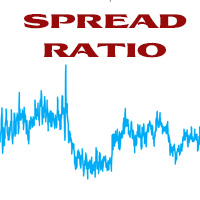
This tool helps you calculate the ratio of slippage and current spread compared to the average price movement over the timeframe of a specific symbol. It can indicate whether you should trade on that timeframe or not. If the ratio is too high, it will be very challenging to make a profit. Typically, this ratio should be less than 15%.. Simply add it to the chart of the timeframe for the symbol you wish to estimate.
FREE

For MT5 Backtest. With this EA, you can read indicators via backtesting. Buffers and objects are read. You can then use them to program strategies and use them for your EA.
It's very easy to use. You simply enter the full indicator name in the menu and you're ready to go. You can then see all the information you need in the backtest log (journal). The default path is the indicator's root directory. If you want to specify a different directory from there, you can do so in the menu.
FREE

A MetaTrader 5 script that automatically closes all charts except for a specified number to keep open. Simply enter numbers like 1,2,5,10 to keep those corresponding charts open, or a single number (e.g., 3 ) to keep the first 3 charts open. All other charts are closed in one action, helping you manage multiple open positions with ease. Perfect for decluttering your workspace and focusing on the charts that matter most.
Source Code here: https://github.com/pwn-forex/ChartChaos Youtube T
FREE

Haribol Risk Monitor A simple risk management dashboard for active traders. Displays your real-time account balance, equity, P/L, spread, and daily loss against a fixed USD limit — with color-coded warnings as you approach your ceiling. Fires an alert when your daily loss limit is breached. Includes one-click BUY, SELL, Close Buy, Close Sell, and Close All buttons for fast trade execution directly from the chart. Auto-detects broker filling mode. Compatible with Windows and macOS. Resets daily a
FREE

Trade Dispensary Connect는 JSON 형식의 거래를 Webhook을 통해 Trade Dispensary 거래 복사기로 전송하도록 설계된 MT5 EA 유틸리티입니다. Trade Dispensary가 로컬 컴퓨터에서 실행 중이라면 웹훅 URL로 http://127.0.0.1 :5000/webhook/mt5/[ACCOUNT_ID]를 입력하세요. Trade Dispensary가 다른 컴퓨터에서 실행 중이라면 해당 컴퓨터의 주소/도메인을 가져오세요. 이 경우에는 Pinggy 또는 Ngrok과 같은 터널링 서비스를 사용하는 것이 좋습니다.
이 MT5 EA는 Trade Dispensary 거래 복사기와 함께 작동하도록 특별히 설계되었지만, JSON Webhook을 통해 거래를 허용하는 다른 애플리케이션에서도 작동할 수 있습니다. 수동 거래 및 다른 전문가의 거래를 다른 MT5 브로커 계좌 또는 Prop Firm 계좌로 복사하는 데 매우 유용합니다. 또한 MT5 모바일 앱을
FREE

이 제품은 PositionRelay Master Publisher로 리브랜드되었습니다.
MQL5 Market에서 PositionRelay Master Publisher를 설치하세요. 이 TradeEcho 리스팅은 대체되며 숨겨집니다. Market 제목은 변경할 수 없습니다.
동일한 User ID와 클라우드 API. TradeEcho Master Publisher를 제거한 뒤 마스터 계좌에 PositionRelay Master Publisher를 부착하세요.
연관 제품: PositionRelay Slave Subscriber.
키워드: 카피 트레이딩, 트레이드 카피어, 마스터 슬레이브, PositionRelay, 리브랜드
PositionRelay Master Publisher는 MetaTrader 5의 열린 포지션 스냅샷을 PositionRelay 클라우드 릴레이로 전송합니다. 마스터 계좌를 운영하며 다른 터미널이나 브로커의 슬레이브 계좌에서 진입, 청산, 스톱로스 및 테이크
FREE

블라인드 브로커 시스템 의 유일한 목적은 거래 계획을 숨기고 브로커에게 보이지 않게 만드는 것입니다. 당신이 정말로 그를 "맹인"으로 만들고 그가 당신의 손절매 수준, 거래량, 사전 이익 수준에 대해 아무것도 모르고 있는지 확인하고 싶다면 이 거래 로봇을 사용하십시오.
Blind Broker System 은 주문을 관리하는 대체 시스템입니다. 어떤 의미에서는 Meta Trader Terminal 내부의 시스템과 동일합니다.
차이점은 Blind Broker System 을 통해 제출된 모든 주문은 브로커의 서버에 기록되지 않고 프로그램의 메모리에 기록된다는 것입니다.
브로커는 시장 주문이 발생하는 순간에만 요청을 받습니다. 그 이상은 없습니다.
메모! 올바른 작동을 위해서는 무정전 전원 공급이 필요하며 VPS(Virtual Private Server)를 권장합니다.
이 시스템은 화면 앞에 앉아 거래하는 자신의 복제품이라고 생각할 수 있습니다. 그러면 아무도 당신의 마음을 읽을
FREE

MP Close By Loss Or Profit for MT5 The Reason I made this Expert is because I want traders who already found out how to be profitable in the market use an easier tool throughout their trading days. This Expert will consider your exposure of trades and close them based on profit targets and losses you set for your own Risk Management. I want to thank my friend who helped me on this Expert, and his brilliant work is now shared here with you. A bit of advice after running the expert on your platfo
FREE

Very often there are situations when you need to quickly close all open positions or close only under a certain condition...
The Positions Close script closes open positions according to the selected settings.
You can choose to close All positions , only Buy, only Sell
You can also choose by which symbols to close positions: by all symbols or only by the current one, on the chart of which the script was thrown
There is a filter for closing profitable or unprofitable positions, as well as bo
FREE

What is Risk of Ruin? Risk of ruin is the probability of an individual losing substantial amounts of money through investing, trading or gambling, to the point where it is no longer possible to recover the losses or continue. Risk of ruin is typically calculated as a loss probability, also known as the "probability of ruin."
Input Parameters StartPeriod: Set the first date from where you like the program to calculate. Your current account performance will be measured. EndPeriod: Set the last da
FREE

The Maximun Minimun Strata (100 bars and any period) is used to identify key levels on a price chart, which can be useful in technical analysis and decision making in trading:
Identify Key Levels: They help identify support and resistance levels on a price chart. The support level represents a minimum floor at which the price tends to bounce upwards, while the resistance level represents a maximum ceiling at which the price tends to bounce downwards.
Decision Making: Traders use these key lev
FREE

The Linear Surfer (Works on 50 bars and any interval) is a valuable tool in technical analysis and trading, as it offers a series of qualities and advantages:
Trend Identification: The main quality of a trend line is its ability to identify and visualize trends on a graph. You can clearly see if the market is in an uptrend, downtrend or sideways trend.
Easy to use.
Predicting Supports and Resistances: Trend lines can also be used to identify support levels (in uptrends) and resistance (in do
FREE

Revolutionize Your Trading Experience with Our Advanced Management Panel Maximize efficiency and control with our cutting-edge Management Trades Panel, exclusively designed for discerning traders. Our innovative panel is a game-changer in the realm of financial trading, offering unparalleled functionality and user-friendly features. Key Features: Automated Daily Profit/Loss Closure : Set your desired profit or loss thresholds, and let our panel automatically close all current trades when these
FREE

it's a combination of my rectangle and a line at half the distance of the between the upper part of a rectangle and the lower of the next rectangle /zone
It’s a pure charting indicator that builds a fixed-price zone grid: Anchor: Uses StartUpperPrice as the top of index 0 (fixed, not auto-shifting). Zones: Draws rectangles every StepPips , each RectHeightPips tall, with 100 above and 100 below the anchor. Style: Alternating FirstColor / SecondColor , optional fill and “dra
FREE

This indicator shows spread value and Minimum and Maximum plus current symbol Leverage . It also displays ticks per minute . This shows how many ticks come in one minute averagelly. To compare brokers ,you can compare the minimum and maximum of spread specially news time and end of the day. In the news time run this indicator and see how spread wide.
The broker with the least fluctuation in spread is better.
FREE

Overview:
The WWImportExportGV is a versatile and efficient utility designed for MetaTrader 5 (MT5) users to manage global variables effortlessly. With this tool, traders can easily export all global variables from their terminal to a CSV file or import them into another terminal, ensuring seamless synchronization between trading environments. Features: Export Mode: Automatically extracts all global variables from the current MT5 terminal and saves them to a CSV file. This file can be shared o
FREE

Netting Strategy: Implements a netting strategy for managing multiple positions, optimizing trade efficiency. Flexible Order Distances: Allows users to customize order distances in pips, providing adaptability to various market conditions. Dynamic Take Profit Method: Utilizes a dynamic take profit mechanism, adjusting profit targets based on evolving market dynamics. Adaptive Take Profit Ratio: Users can customize take profit ratios in accordance with the lot size, allowing for precise profit o
FREE

This script allows performing a walk-forward analysis of trading experts based on the data collected by the WalkForwardLight MT5 library. The script builds a cluster walk forward report and rolling walk forward reports that refine it, in the form of a single HTML page. This script is optional, as the library automatically generates the report immediate after the optimization in the tester is complete. However, the script is convenient because it allows using the same collected data to rebuild th
FREE

Welcome to my product page, glad you stopped by and I hope you find interest in this product which is completely free to use. There are certainly many other similar products but this is my version of one. AS Check MT5 - Account and symbol informer utility compatible with Meta Trader 5 With this software you quickly and easily extract information about your account and symbol. As this is a script and not an indicator or expert, the program runs once and detach itself from the chart and the i
FREE

S imple arrow with alert on chart. This is NOT an entry indicator but a direction indicator. It uses MACD signal line to show you possible future direction of a trend. Please use it with other filters or confirmations to trade properly. Recommended for scalping and short term trades. Made for EURUSD M5 but it should work on every major pair on M5 timeframe. For MT4 version please go here! *If you need fully automated trading system. Please check this EA here! FEATURES: Very simple directional i
FREE

Line Break (Линейный Прорыв) — это оригинальный графический метод из японского трейдинга, позволяющий видеть рынок без рыночного «шума». Индикатор строит офлайн-график , где каждая «линия» (блок) формируется только при пробое цены выше/ниже предыдущих экстремумов. В отличие от обычных свечей и баров, здесь не учитывается время — новые блоки появляются только при значимом движении цены. Это позволяет трейдеру легко находить: чистые тренды без лишних колебаний, разворотные точки , сильные уровни п
FREE

Choosing the levels of StopLoss and TakeProfit can have a very strong impact on the overall performance of trading. In addition to the obvious parameters of a trade transaction - the size of a possible win or probable loss - the levels of StopLoss and TakeProfit also affect the expected duration of the transaction, and the profitability of trading in general. If you have already determined the optimal transaction duration using the “ AIS-ODT ” script, then you can begin to determine the paramete
FREE

Laissez votre robot gérer vos sorties pendant que vous vous concentrez sur vos entrées. Ce robot ne prend aucune position par lui-même. Il est conçu pour vous assister dans votre trading manuel en fermant automatiquement vos positions lorsque le Take Profit (TP) ou le Stop Loss (SL) virtuels définis en argent sont atteints. Simple, léger, et sécurisé : vous tradez en toute sérénité.
Description :
Ce robot MQL5 est un outil d’accompagnement au trading manuel, conçu pour les traders qui souhait
FREE

The script is based on the simulation of trade transactions using a random number generator. This allows you to get completely different results, even with the same input parameters. When you run the script, a dialog box opens in which you can set the desired values for external variables. In the Trading options block, the basic parameters that are necessary for trading modeling are defined. Start Balance - sets the initial size of the trade balance. Number Trade - sets the number of trad
FREE

EA Utility Tool: Risk Consistency Manager The Risk Consistency Manager EA is a simple yet powerful tool that automates risk management across multiple open positions. It dynamically adjusts stop-loss levels to distribute a predefined total risk value (e.g., $10,000) evenly among all active trades. Key Features: Dynamic Risk Distribution: Automatically allocates an equal share of risk to each position (e.g. with total risk capital of $10,000, its will be distribute each trade with $3,333.33 risk
FREE

️ Prop Circuit Breaker MT5 Prop Circuit Breaker MT5 is an advanced, high-performance risk management utility designed exclusively for the MetaTrader 5 platform. This EA does not execute trades . Instead, it acts as an automated security shield, protecting your funded or challenge accounts from catastrophic losses and ensuring complete rule compliance. Whether you are manually trading or running a commercial EA that lacks built-in drawdown protection, Prop Circuit Breaker MT5 continuously moni
FREE

OnlyPlusCloser — 수익 포지션만 자동 청산. 빠르고 스마트하게. 무엇을 하는가? OnlyPlusCloser 는 MetaTrader 5용 스마트 스크립트로, 현재 심볼에서 수익이 발생한 포지션만 자동으로 청산 합니다.
수동 필터링 필요 없음. 위험 없음. 오직 수익 중인 거래만 — 클릭 한 번으로 처리됩니다. 트레이더에게 주는 이점: 완벽한 통제 — 손실 포지션은 건드리지 않습니다
초고속 실행 — 수익 포지션 즉시 청산
거래 자동화 — 스캘핑 및 단기 거래자에게 이상적
️ 신뢰할 수 있는 동작 — 심볼 기준으로 정확히 실행
단순한 거래 프로세스 — 클릭 한 번으로 수익 확보 ️ 주요 기능: 현재 심볼에서 수익 중인 포지션만 청산 지연 없이 즉시 실행 가벼운 리소스 사용 — 자동매매 환경에 최적 스크립트 패널에서 원클릭으로 실행 수익을 제때 확보하고 싶으신가요? OnlyPlusCloser 는 클릭 한 번으로 수익을 확보해주는 스마트
FREE

Product Overview DW Connection Monitor MT5 is a lightweight utility EA for MetaTrader 5 that keeps a constant eye on your terminal's connection to the broker and its network latency. The moment your connection drops — or comes back — it sends a push notification straight to your phone, so you always know the real state of your trading terminal, even when you're away from the screen. It's built for traders running EAs on a VPS or a home PC who need to be sure their automated strategies are actu
FREE

AlphaManager is a lightweight tool designed to help traders manage risk and position sizing in real time. It calculates optimal lot size using ADR-based volatility and provides a clear overview of portfolio exposure, including maximum loss, potential profit, risk/reward ratio, and trade progress. Key features: ADR-based position sizing Real-time portfolio exposure tracking Maximum loss and potential profit calculation Risk/Reward (RR) and progress monitoring Multi-symbol support (all open positi
FREE
RegularExpressionsExamples — is an expert, which contains the graphical interface for running examples from the " RegularExpressions in MQL5 " library. The codes of these examples can be found in the library itself. These examples are for demonstration purposes only. They serve only to evaluate the library operation and its capabilities. They can also be found on the official Microsoft website, in the descriptions of classes in the System.Text.RegularExpressions namespace.
Each example can be
FREE

Are you tired of creating each course notification individually ?
Simply let yourself be permanently notified of the current location of the course. Just set a value once, and the system will subsequently notify you via your smartphone. The system will provide you with the current course, the distance from the set course, and the set course itself. This way, you'll always stay informed without needing to constantly check the market or create manual notifications. Furthermore, the system provide
FREE

We apologize, but we are unable to provide service due to network issues. If you encounter any problems during installation or use, please contact 9048914@qq.com. Thank you.
Binance is a world-renowned cryptocurrency exchange! To facilitate tracking of depth information and Tick changes, the program provides the following functions:
1. Automatically import all trading varieties in the Binance USD-M futures trading zone, with customizable product prefixes (to avoid conflicts with existing produ
FREE

The Order Selective Delete is a multi-symbol multi-timeframe script used to delete simultaneously various pending orders. General Description
The Order Selective Delete possesses three operation modes (Intersection, Union and All) that control the way as three pending order features (symbol, magic number and type) are used. The modes, available through the Selection Mode input parameter, relate to the features, available through the “Select by Feature” and “Feature” input pa
FREE

The Position Selective Close is a multi-symbol multi-timeframe script used to close simultaneously various positions. General Description
The Position Selective Close possesses three operation modes (Intersection, Union and All) that control the way as four position features (symbol, magic number, type and profit) are used. The modes, available through the Selection Mode input parameter, relate to the features, available through the “Select by Feature” and “Feature” input pa
FREE

Tiger Lite recreate the history of entry and exit orders. The goal is that you can grasp their strategy how to play. CSV format support for WEB, MT4 and MT5 platforms.
The sequence of steps is described in the photo. Note:
Please choose the existing date and symbol on the CSV file. For MT4/5, export historical data and copy the records to excel, save it with the extension CSV. For MT4/MT5/WEB, save the name with format mt4.csv/mt5.csv/web.csv If you get the history from another source and your
FREE

TrendFollowing is an multi-currency scanner that just indicates where to buy/sell: Abilities: Opens up the chart automatically with and arrow indicating where to take action. Send the signal to a telegram channel, see @fx_signal_com channel to get the idea. Configuration: No need to configure "Market Watch". Open a chart and attach the scanner to it. Trading Rules: Use only buystop/sellstop orders above/below arrow on the chart. Delete the pending order if price retraces below/above the moving
FREE

Free MetaTrader 5 indicator that displays "CALL IT A DAY" when London & New York sessions close. Customizable alerts, session tracking, and a guilt-free reminder to log off. Perfect for workaholic traders!
Tired of staring at charts when the market’s already clocked out? Session Guardian is your sassy trading assistant that slaps a giant "CALL IT A DAY" on your screen when both London and New York sessions are closed—because even traders deserve happy hour. Key Features:
Big, Bo
FREE

IndiSig by Buffer
Detect Signals from a Custom Indicator by Buffer & Send notifications to Telegram Channel or Open orders
* Buy/Sell Buffer: You may get this info on MT4/5 Data Window (CTRL + D)
* MT5 version: Add the indicator first, then the EA
* MT4 version: Only works properly with default settings of the indicator Join https://t.me/fxassistant_vn for more useful EAs!
FREE

Ecco la traduzione in inglese, ottimizzata con gli stessi termini tecnici e lo stesso tono "tattico" per il Market internazionale di MQL5: Stealth Recon Radar: D1 Strategic Reconnaissance The market is not chased; it is awaited. Designed for traders who prioritize patience, discipline, and absolute precision, Stealth Recon Radar is an advanced diagnostic system that scans Daily (D1) charts in search of high-probability directional setups. This utility does not execute trades (no risk of unwanted
FREE

TradeNavigator AccountPilot v1.1 – MT5 계정 관리 도구 어떤 계정으로 거래 중인지 즉시 확인 – 복잡한 계정 번호 대신 사용자 지정 이름 사용!
차트에서 활성 계정을 명확하게 확인하고 비싼 실수를 방지!
여러 개의 브로커 및 계정을 사용하는 트레이더에게 이상적 – 더 이상 혼동할 필요 없음! 주요 장점: 잘못된 계정으로 거래하는 실수를 방지! 여러 개의 브로커에서 계정을 가지고 있고, 각 계정이 길고 복잡한 번호 를 가지고 있습니까? 거래를 시작한 후 "이런! 잘못된 계정으로 거래했어!" 라고 깨닫는 경우가 있나요? 해결책: TradeNavigator AccountPilot! 이 EA를 사용하면 각 계정에 맞춤형 이름을 지정할 수 있습니다 . 이제 "1345934" 또는 "5406732" 대신 직접 설정한 이름을 차트에서 볼 수 있습니다 . 예를 들면: "메인 계정 – 스캘핑"
"스윙 트레이딩 – 브로커 A"
FREE

Greed Siphon - The Emotional Risk Manager "Secure the Bag. Automate Discipline. Eliminate Greed." Greed Siphon is not just a utility; it is an Emotional Firewall for your trading. It solves the #1 reason traders fail: Greed . How many times have you watched a winning trade turn into a loser because you held it too long, hoping for "just a little more"? Greed Siphon automatically detects when your trades hit a sophisticated, multi-metric profit target and instantly siphons the liquid (pro
FREE

* This product was converted using "BRiCK Convert4To5 MT 5 " based on the MQL4 source file of "BRiCK TradeByArrow MT4 Free" . BRiCK is a simple and versatile utility.
By combining Experts, Indicators and utilities like the Lego block, various trading styles can be realized. "TradeByArrow" is Utility that executes order processing when an arrow object is created on the chart.
Combined with Indicator which outputs arrow object, it can be used like Expert.
Parameter
[ArrowName] EntryBuy: A
FREE

Core Features: Profit Target Control:
Automatically closes all open positions once a defined total profit value is reached. Drawdown Protection:
Monitors total floating losses and closes all trades if the loss exceeds a set percentage of the account balance. Trading Halt on Target:
Automatically stops further trading once a desired percentage profit of account balance is achieved. Dynamic SL/ TP Adjustment:
Optionally adjusts Take Profit and Stop Loss for all open trades to pr
FREE

IAMFX offers the ultimate solution to make trading easier and more flexible on IAMFX Web using IAMFX Agent .
With our exclusive IAMFX-Agent and IAMFX-Center, you can effortlessly manage your trading anytime, anywhere through web and mobile interfaces. Fully compatible with both web and mobile environments, IAMFX allows real-time multi-account management and monitoring with a simple installation. IAMFX Benefits Manage multiple MT5 accounts Easy orders with market, stop and limited Manage orde
FREE

Overnight Protector is a professional MetaTrader 5 utility designed to temporarily remove Stop Loss levels during a configurable time window and automatically restore them afterward. ️ It is designed for traders who want to manage open positions around specific overnight conditions, rollover periods, temporary spread widening, low liquidity or other scheduled market events, while keeping the original Stop Loss information safely stored. Main Features Automatic Stop Loss removal at a config
FREE

Trend Alignment Scanner Lite The Essential Volatility Direction Tool for MetaTrader 5 Looking for a reliable way to gauge market direction without cluttering your charts? Trend Alignment Scanner Lite delivers our core, powerful mathematical engine to your terminal for free. This version is designed for retail day-traders who want to experience the accuracy of our Volatility Direction Score (VDS) on major pairs before scaling up to institutional-grade multi-asset scanning. Pro vs. Lite Compari
FREE

This EA will read news from MQL website and create global variable to indicate if there is a news reported within the specified time frame. You can then read these global variable in your EA to filter out trades. Global variable format - News_CHF, News_EUR, News_GBP, News_JPY and News_USD If value is 0 means no news. If value is 1 means there is news reported within the specified time frame.
Please comment to give suggestion to improve it.
FREE

Introducing Mini Orders Executor , your powerful and efficient trading companion designed to seamlessly execute orders directly from a user-specified text file . This innovative trading tool streamlines your trading process, providing a convenient and automated solution for executing trades with precision and speed.
Key Features :
**Text File Integration:** Mini Orders Executor is designed to effortlessly read and interpret orders from a plain text file, eliminating the need
FREE

The script simulates a random price walk and saves it to a CSV file.
This file can be used to create charts of random price walk.
How to create custom symbols you can read here .
Script Settings:
SymName - The name of the CSV file that will be saved in MQL5/Files.
HistoryDepth - The number of minutes to simulate a random price walk.
StartFrom - At which price the simulation will start.
VolaCycle - Mode simulates intraday volatility.
The pictures show the recommended settings for a cu
FREE

Volumeku is a Volume-based analysis tool. Its use and purpose is very simple, it is clear that with large volumes of trading some event happens in the market, sometimes a reversal happens, sometimes the beginning of a strong movement. You who are greater, where X is a variable. Let's take the value of 6500 on the H1 chart as an example, put this measurement on your chart and see with your own eyes what happens to the price every time it hits such a level. Download now, it's free and very cool! D
FREE

Send signals to your Discord channel in a simple way. Enjoy.
All instructions on YouTube video, this don't need a large description.
I add unnecessary text that Metatrader asks me for:
Once upon a time, in a quaint little village, there lived a curious and adventurous young girl named Lily. Lily had big, bright eyes that sparkled with excitement, and she loved exploring the enchanted forest that bordered her home.
One sunny morning, Lily decided to embark on a special adventure deep i
FREE

WS Trade Result HUD is a lightweight and fast utility that displays essential information about your open trade directly on the chart: current profit/loss, lot/contract size, and TP/SL values automatically converted into points.
It is perfect for traders who want clarity and speed without cluttering the chart with heavy dashboards. The HUD works on any MetaTrader 5 instrument — including Forex, Crypto, Indices, Stocks and Futures — and updates in real time with every tick.
You can customize corn
FREE

NS Financas Automatic Clear All Chart Indicators Script
Automatically remove all indicators from your chart offered for free by NS Financas! Don't waste any more time deleting the indicators one by one. With this script it is possible in one click to remove all indicators from the screen to adjust your new strategy while still using the settings of your graph, in addition to the possibility of configuring keyboard shortcuts for quick access to the script.
Take the opportunity to visit our cha
FREE

Hi you, I need your help! Be my Patron, let's make it possible!
https://www.patreon.com/joaopeuko https://github.com/Joaopeuko/Mql5-Python-Integration
It works.
*****REVISADO*****DIA 31/12/2019 (dd/mm/yyyy) - EA continua funcionando perfeitamente, apesar do comentário feedback negativo.
Simples Expert Advisory para trades feitos de forma manual.
O EA coloca o Stop Loss (SL) e o Take Profit(TP) de e automática quando o Trade acontece.
O EA trabalha com números inteiros e fracionados, tan
FREE

Script to calculate equity and balance at a specific date and time.
This script makes up for a lack of MetaTrader account history, that does not show how the balance and equity changes in time.
Balance calculation includes closed orders only.
Equity calculation includes orders closed before and orders that are still open at the specified time.
Example: date and time set to 2020/07/06 00:00. If I had a Buy 1 lot EURUSD position opened at price 1.12470 on the 2020/07/02, the program would ca
FREE
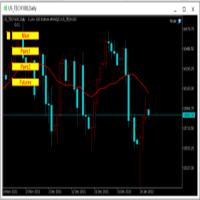
为纵览全局行情,特发布此工具。 一、使用方法 1、首先打开任意品种的图表,并在此图表上加载此工具。 2、点击“Main”、“Pairs1”、“Pairs2”和“Futures”,会在不同品种间切换。 3、点击工具栏上的“平铺桌面”按钮,就会出现主图的九宫格排列。 4、使用前,需将本EA,以及自己喜欢的模板在程序的模板目录中保存成default1.tpl,以便程序加载。 二、工具说明 1、每张图表均为日k线图,适合长趋势交易者。 2、图表上只设置1条均线,为15日均线,判断多空一目了然。 3、品种排序参考成交量排名,从上到下,从左到右。 4、可联系作者索要例图中的模板文件。 5、本EA已在AVA Trade公司提供交易品种中测试通过,公司网址: https://www.avatrade.com/ 。若需注册该公司账户,请填写本人代理号:166394。 三、解决痛点 1、将重点关注品种放在固定的位置上,便于观察与记忆各个品种是否处于趋势之中。 2、每日记录自己对不同品种的趋势判断,可以不断提高自己的预判能力。 3、此工具尤其适合同时交易股票的交易者。
FREE
Use this software to browse through all objects within the chart and look at them comfortably. Also, you can look at the list of global variables and search and delete them . The same you can do with charts and indicators. You can search in objects names and object descriptions to find the object you are interested in. This is definitely an improvement to what is available in Mt5. You type what you are interested in , then press Search button. You can move to next and previous search results. N
FREE

EA utility to help you with your Discipline for New Traders. When Balance Drop below set Daily Max Percentage Draw Down Balance. Any new trades open after the DD Threshold reached, Bot will close any new trades instantly and will keep canceling any pending orders placed as well until the Next Daily Candle is formed or EA is removed. Note: 1. Please Attached EA Utility before start trading for the day. 2. Set Timeframe before attaching EA utility to the chart. If timeframe changed after taking a
FREE

Broker Desynchronization script MT5 is a script in the form of an EA. It will check the desynchronization of a BROKER's server compared to your time at your PC.
Usually BROKER sets time forward to have some space to execute trades.
If you wish to check how big the difference is, please load the EA to any chart.
After loading, it will wait for the first tick to check the desynchronization.
Information will be available for 10 seconds.
NOTE!
If market is closed, you get information to try again la
FREE

Meditation Seed:
Meditation is a practice in which an individual uses a technique – such as mindfulness, or focusing the mind on a particular object, thought, or activity – to train attention and awareness, and achieve a mentally clear and emotionally calm and stable state.[1][2][3][4][web 1][web 2] Meditation is practiced in numerous religious traditions. The earliest records of meditation (dhyana) are found in the Upanishads, and meditation plays a salient role in the contemplative repertoire
FREE

Introducing "PropFirm Consistency Analyst" — your dynamic companion for achieving consistency in proprietary trading. This innovative Expert Advisor operates seamlessly, continuously calculating consistency metrics between two specified dates, providing real-time insights throughout the trading month.
Tailored specifically for prop traders, this tool serves as a dedicated ally in meeting the stringent consistency requirements set by some proprietary firms. By evaluating trading performance on
FREE

Advantages: - you do not need to drag each instrument with the mouse, just press the N-forward or B-backward key, which will significantly save your time when viewing trading instruments. Installed like a regular advisor. > Save it to the MQL folder in the Experts folder > then go to the terminal: view > Navigator > Expert Advisors > Scroll > drag it onto the screen and you can use it.
FREE

Advanced position management EA that automatically closes ALL positions when your profit target is reached. Features cycle tracking, position limits by type (BUY/SELL), emergency close button, and detailed reporting. Perfect for managing multiple EAs or manual trading with automated profit taking.
FB CycleCloser Pro - Advanced Profit Target Manager
OVERVIEW: FB CycleCloser Pro is a sophisticated position management Expert Advisor designed to automatically close ALL open positions when a specif
FREE

V-Connect Tick Data Validator is a utility for MetaTrader 5. It checks each tick and rejects invalid data.
Features - Checks bid and ask prices - Checks spread and time - Uses only MQL5 functions - Logs results in the Experts tab - Real-time filtering:
- Negative or zero spreads - Stale timestamps (>60 seconds) - Reversed bid/ask - **<1ms overhead** — runs on low-spec VPS - **Journal audit trail** — "TICK PASSED" / "TICK REJECTED" How to Use Attach to a chart. In your EA: if (validate_tick(tick
FREE

Утилита-информер. Показывает количество открытых ордеров по Buy и Sell для текущего торгового инструмента.
Поможет при большом количестве открытых ордеров, что сэкономит силы и время. Теперь нет необходимости считать их вручную. Может стать незаменимым дополнением как для новичков, так и для опытных трейдеров.
Простой скрипт не перегружает систему , можно разместить на всех открытых графиках. +Бонус в комментариях!
FREE
Helper utility that does the following important actions: Shows or hides various groups of symbols - Forex, CFD, Futurex, Bonds and all others. Shows or hides symbols that have or do not have trade restrictions. Shows or hides symbols that currently have a trading/quoting session active. Shows or hides symbols that contain the specified words in their names. Closes or deleted all market or pending orders. Closes orders by type - Buy/Sell. Clears stop loss and take profit values. Downloads histor
FREE

Simple script for Order by Market Execution (only Buy or Sell) on all financial instruments.
Inputs Buy - default: false Sell - default: false Volume - default: 0.10 Deviation - default: 10 points Stoploss - default: 50 points Takeprofit - default: 50 points Comment - default: Order by Market Confirm - default: false
Inputs Details Type Order Buy Order set: just double click on Buy line Sell Order set: just double click on Sell line If you leave false or true both an error will be reported. De
FREE
트레이딩 전략과 기술 지표를 판매하기에 가장 좋은 장소가 왜 MetaTrader 마켓인지 알고 계십니까? 광고나 소프트웨어 보호가 필요 없고, 지불 문제도 없습니다. 모든 것이 MetaTrader 마켓에서 제공됩니다.
