 MetaTrader 5
 Experts
 지표
지표 라이브러리
라이브러리 유틸리티
유틸리티 위젯
위젯 규칙
규칙MetaTrader 5용 새 Expert Advisor 및 지표 - 349
 트레이딩 로봇과 지표를 사용하여 외환 거래를 더 수익성 있게 만들 수 있습니다. 트레이딩용 로봇을 사용하면 개점 및 폐점 거래를 자동화할 수 있으며, 지표는 시장 행동을 보다 정확하게 예측할 수 있습니다.
이 페이지에는 MetaTrader 5 응용 프로그램의 카탈로그가 나와 있습니다.
트레이딩 로봇과 지표를 사용하여 외환 거래를 더 수익성 있게 만들 수 있습니다. 트레이딩용 로봇을 사용하면 개점 및 폐점 거래를 자동화할 수 있으며, 지표는 시장 행동을 보다 정확하게 예측할 수 있습니다.
이 페이지에는 MetaTrader 5 응용 프로그램의 카탈로그가 나와 있습니다. 
This trading bot is designed for MetaTrader 5 (MT5) to manage open positions effectively by automating partial closures based on a predefined risk-reward ratio. It includes Telegram integration to send notifications directly to your group or channel about trading activities, including entry, stop-loss, and take-profit levels. Key Features : Partial Close Management : Automatically closes a percentage of the trade volume when the target level is reached. Risk-Reward Calculation : Sets profit leve
FREE

Solution Zone – Multi-Timeframe Zone Trading EA Discover precise trade zones using multiple timeframes—automatically detect high-probability entries while managing risk. Compatible with any broker or account size. ** Key Features:** Multi-Timeframe Zone Trading : Spot and trade key zones across multiple timeframes for higher trade accuracy. Universal Compatibility : Operates seamlessly with any broker and funding parameters. Session Filter : Set active trading periods with start-hour and end-ho

JESUS CROSS Indicator by Damion Description: The MA Crossover indicator is designed to alert traders when two moving averages cross on a 30-minute chart. It uses a Fast Moving Average (10-period) and a Slow Moving Average (21-period) to detect crossovers, which are commonly used as signals for potential trend changes. Key Features: Fast and Slow MA : The indicator employs a 10-period Fast Moving Average (FastMA) and a 21-period Slow Moving Average (SlowMA). Customizable Settings : Users can req

Spiky EA works with the principle of spike detection. A spike in this case is a higher than the the previous BarsNumber bars, higher than previous bar by Percentage Difference and that closed in the lower ThirdOrHalf part of its length. For bullish signal, everything is inverted. The position is kept open until Hold bars pass or an opposite signal is received.

The Advanced Price Level Alert is a powerful price monitoring tool designed for traders who need reliable and customizable price level alerts. This professional-grade indicator combines visual price level tracking with sophisticated alert mechanisms to keep you informed of significant price movements.
Key Features:
Customizable Alert Frequencies - Choose from 6 different alert frequencies (1-20 alerts per minute). Multi-Channel Notifications - Receive alerts through desktop, mobile push notifi
FREE

This Expert Advisor (EA) combines multiple technical indicators to determine trade entries and manage risk effectively. The main components of the strategy are: Moving Averages (MACD): Determines trend direction and momentum using exponential moving averages (EMAs). Relative Strength Index (RSI): Identifies overbought and oversold conditions to avoid trades in extreme zones. Average True Range (ATR): Measures market volatility to set dynamic stop loss (SL) and take profit (TP) levels. Features:
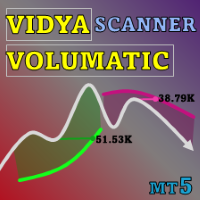
특별 제안 : 모든 도구 , 그냥 $35 각각 제한된 시간 동안! 새로운 도구 될 것이다 $30 에 대한 첫 주 또는 처음 3개 구매 ! MQL5의 트레이딩 도구 채널: 내 MQL5 채널에 가입하여 최신 업데이트를 받으세요 다중 시간대 & 다중 기호 가이드: 다중 시간대 & 스캐너 사용 설명서 - 12개 언어로 제공 다음에서 MT5 버전을 확인하세요. Volumatic VIDyA MT5 Multi-Timeframe Scanner 다음에서 MT4 버전을 확인하세요. Volumatic VIDyA MT4 Multi-Timeframe Scanner 더 많은 제품 보기: 모든 제품 또는 거래 지표, 특별 제안 & 신규 출시 Volumatic VIDyA Multi-Timeframe Scanner 적응형 추세 탐지, ATR 기반 변동성 대역, 피벗 유동성 수준, 방향성 거래량 분석, 다중 시간대 시각화 및 다중 기호 스캐너를 하나의 포괄적인 지표로 결합합니다. 핵

MT4 버전: https://www.mql5.com/en/market/product/121820 MT5 버전: https://www.mql5.com/en/market/product/121821
Garuda EA – 동적 위험 관리를 통한 돌파력 Garuda EA는 특정 시간 기반 가격 구역(박스)에서 돌파 기회를 포착하도록 설계된 강력한 전문가 자문입니다. 시간 필터링 전략과 스마트한 위험 관리를 통해 Garuda EA는 위험을 통제하는 동시에 일관된 수익을 제공하는 것을 목표로 합니다.
주요 기능: 스마트 돌파 진입: 가격이 사용자 지정 시간 기반 박스에서 돌파되면 거래가 트리거됩니다.
동적 TP 및 SL: 이익 실현 및 손절매는 박스 범위에 따라 자동으로 계산되어 시장 변동성에 적응합니다.
자동 박스 감지: EA는 정의된 시간에 따라 돌파 구역을 자동으로 그려서 측정합니다.
고급 위험 제어: 계정 규모와 위험 감수성에 따라 고정 로트 또는 자동 로트 중에서 선택합니다.

Go Long EA는 다중 기술적 확인을 통한 체계적인 일일 거래 원칙을 기반으로 한 고급 장중 거래 전략을 구현합니다. 많은 트레이더들이 복잡한 알고리즘을 찾는 반면, 이 EA는 단순하지만 효과적인 개념과 정교한 위험 관리 및 다중 기술적 필터를 결합합니다.
EA는 매일 특정 시간에 포지션을 열지만, 시장 조건이 여러 기술적 지표와 일치할 때만 실행됩니다. 이러한 체계적인 접근 방식은 수익을 잠식할 수 있는 야간 보유 비용을 피하면서 장중 움직임을 포착하는 데 도움이 됩니다. EA는 사전 설정된 시간에 자동으로 포지션을 종료하므로, 야간 노출을 피하고자 하는 트레이더에게 완벽합니다.
이 EA를 특별하게 만드는 것은 적응형 위험 관리 시스템입니다. 포지션 크기는 여러 요인을 기반으로 자동 조정됩니다: - 기본 자금 및 위험 비율 설정 - 기술적 지표 조건 (이동평균선, RSI, MACD 등) - 조건이 특히 유리할 때 포지션 크기를 증가시키는 특별 승수
EA는 활성화/비활성화
FREE
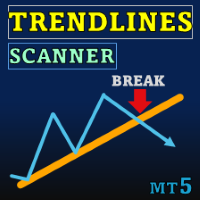
Special offer : ALL TOOLS , just $35 each! New tools will be $30 for the first week or the first 3 purchases ! Trading Tools Channel on MQL5 : Join my MQL5 channel to update the latest news from me Trendlines with Breaks Scanner 는 트레이더가 중요한 트렌드를 식별하고 실시간으로 돌파를 감지하도록 설계된 첨단 거래 도구입니다. 피벗 포인트를 기반으로 자동 생성된 추세선을 사용하여 이 지표는 트레이더가 정밀하고 자신 있게 거래 기회를 포착할 수 있도록 돕습니다. MT4 버전 보기: Trendlines with Breaks Scanner MT4 다른 제품 보기: All Products 주요 기능 1. 실시간 돌파 감지 돌파 알림: 가격이 추세선을 돌파하면 즉시 알림을 받습니다. 통

Introducing Indicator for PainX and GainX Indices Traders on Weltrade Get ready to experience the power of trading with our indicator, specifically designed for Weltrade broker's PainX and GainX Indices. Advanced Strategies for Unbeatable Insights Our indicator employs sophisticated strategies to analyze market trends, pinpointing optimal entry and exit points. Optimized for Maximum Performance To ensure optimal results, our indicator is carefully calibrated for 5-minute timeframe charts on

이 도구는 두 가지 주요 이점을 제공합니다. MT5 경제 지표의 사용 편의성을 향상시키고 MT4와 데이터를 원활하게 공유할 수 있도록 합니다. 예를 들어, 10년 이상 전의 경제 지표 데이터를 효과적으로 활용하여 훈련 및 백테스팅을 수행할 수 있습니다. 또한, MT4의 PracticeSimulator 와 호환되어 역사적 데이터를 활용한 트레이딩 연습부터 MT4 실시간 트레이딩까지 모두 활용할 수 있는 소중한 도구입니다. MT4와 경제 지표를 원활하게 공유하려면 . >> MT4 버전 MT5 경제 지표 개선 사항 역사 데이터 액세스 : 10년 이상 전의 이벤트를 포함한 경제 지표 데이터를 분석하여 상세한 백테스팅 및 역사 검토가 가능합니다. 사용자 정의 가능한 표시 : 경제 지표는 차트에서 눈에 띄지 않게 표시되며 배경에 맞게 조정할 수 있습니다. 자동 시간 조정 : 시간대 및 서머타임을 자동으로 조정하여 과거 이벤트를 정확하게 표시합니다. MT4의 호환성과 이점 원활한 데이터 공유 :
FREE

수익을 극대화하고 리스크를 최소화하고 싶으신가요? SENTINEL Heikin-Ashi는 Heikin-Ashi 신호와 SENTINEL 모듈의 강력한 리스크 관리 기능을 결합하여 사용하기 쉬우면서도 고급 기능을 제공합니다. 시작 지점 (2024년 백테스트): EURUSD M15, XAUUSD M12, USDJPY M5 · 다양한 자산 및 시간 프레임에 적응 가능 정확한 기회를 포착하세요 : Heikin-Ashi 신호, RSI 및 새로운 이동 평균 교차 필터를 결합하여 수익성 있는 거래를 포착하십시오. 최적화된 리스크 관리 : 변동성 기반의 동적 손절매, 클래식 또는 혁신적인 트레일링 스톱, 고정된 포인트 수를 기준으로 손절매를 설정할 수 있는 고급 옵션을 활용하세요. 컨트롤과 사용의 용이성 : 새로운 사전 구성된 메뉴로 백테스팅을 단순화하여 불필요한 조합을 줄이고 더 빠르고 효율적으로 최적화할 수 있습니다. 스타일에 맞게 조정 : 보수적이든 공격적이든 상관없이 SENTINEL은 포지

이것은 무료 트레이딩 봇입니다! Tick-Bot은 사용자로부터 입력을 받아 수익을 극대화합니다.
해야 할 일은 다음 사이의 완벽한 조합을 찾는 것입니다(백테스트에서 시행착오를 거침).
1. 스프레드 - 현재 시장 가격과 매수/매도 제한 주문 간의 거리.
2. 이익 실현 - 오픈 포지션에 대한 TP.(TP가 필요하지 않으면 0을 입력)
3. 손절매 - 오픈 포지션의 SL.(SL이 필요하지 않으면 0을 입력)
4. 대기 기간 - 알고리즘이 취소하고 새로운 제한 주문을 하기 전에 기다려야 하는 시간(틱으로 측정).
Tick-Bot은 "시장 조성" 아이디어에서 영감을 받았으며, 이 버전은 곧 업로드될 많은 버전 중에서 가장 간단한 버전입니다!
"시장 조성" 개념에 익숙한 모든 사람은 댓글로 요구 사항을 자유롭게 공유할 수 있습니다.
FREE

Golden Portal EA - XAUUSD 전문가 조언자
낮은 리스크와 높은 보상을 통한 금의 잠재력 발휘
이 최첨단 전문가 조언자(EA)는 XAUUSD 거래를 빛나게 하기 위해 설계되었습니다. 빠른 이익을 추구하는 스캘핑이든, 장기적인 스윙을 위한 포지셔닝이든 관계없이, **Golden Portal EA**는 일관된 성장과 낮은 리스크 전략에 중점을 둔 트레이더에게 완벽합니다. 금의 변동성을 활용하면서도 자본을 불필요한 위험에 노출시키지 않으려는 트레이더에게 이상적입니다.
정교한 AI 로직과 검증된 성공적인 전략을 결합한 **Golden Portal EA**는 실시간으로 여러 변수를 평가합니다. 가격 모멘텀, 변동성, 트렌드 패턴 등을 분석하여 가장 높은 확률의 거래를 식별합니다. 복잡한 규칙과 계산을 처리하여 스마트하고 신뢰할 수 있는 결정을 내리며, 모든 거래가 포괄적이고 균형 잡힌 시장 통찰을 바탕으로 이루어짐을 보장합니다.
**Golden Portal EA**의

TradeTech Titan 전문가 조언자(EA)는 다양한 표준 지표 세트를 활용하여 거래를 시작합니다. 거래 조건이 충족되면 최적의 진입점을 보장하기 위해 추가적인 조정 가능한 필터 또는 임계값 레이어가 적용됩니다. 이러한 임계값은 1에서 100까지 조정 가능하여 맞춤형 거래 필터링을 제공합니다. 모든 거래는 가상 StopLoss 및 가상 TakeProfit 값으로 보호됩니다. EA는 마팅게일 시스템 또는 로트 크기 증가와 같은 위험한 전략을 피하고, 한 번에 하나의 주문만 열어 통제된 측정 거래를 보장합니다. 사용된 지표에는 Accelerator Oscillator, Adaptive Moving Average, Awesome Oscillator, Bears Power, Bulls Power, Commodity Channel Index, DeMarker, Double EMA, Envelopes, Fractal Adaptive MA, MACD, Moving Average, Parab
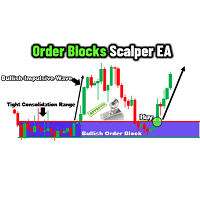
The Order Blocks Scalper EA is a next-generation, fully automated trading tool that identifies and trades key order block zones with precision and speed. Designed for traders seeking consistent entries and exits, this EA harnesses advanced market structure analysis to detect consolidation ranges, breakouts, and impulsive price movements, enabling optimal trade execution. Key Features Smart Order Block Detection : Identifies bullish and bearish order blocks based on institutional order flow. Each
FREE

소개
트레이딩의 잠재력을 모두 열어볼 시간입니다, HiperCube Pro Gale BTC 는 바로 당신이 필요로 하는 것입니다 , AI와 Chat GPT 를 결합하여, 우리 개발팀의 풍부한 경험을 바탕으로 안정적이고 신뢰할 수 있는 자원을 만들어냈으며, 이제 그것이 당신에게 제공됩니다! 실시간 신호 Darwinex Zero에서 20% 할인 코드: DWZ2328770MGM_20 제품 특징: Stop Loss를 통한 리스크 관리 모든 거래에는 리스크가 효과적으로 관리될 수 있도록 내장된 Stop Loss가 포함되어 있습니다. 엄격한 테스트
이 로봇은 수년간 다양한 시장 조건에서 테스트되어 그 효과와 신뢰성이 입증되었습니다. BTC / 비트코인 거래
비트코인 및 BTC를 안전하게 거래할 수 있는 검증된 시스템을 통해 암호화폐 시장에 자신감을 가지고 접근하세요. 다양한 외환 거래
이 로봇은 EUR/USD, GBP/USD, USD/JPY와 같은 통화쌍을 포함한 외환 시장에서도 적합합
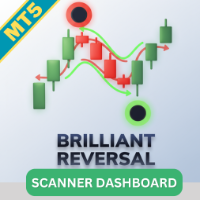
Brilliant Reversals MultiCurrency Scanner MT5는 여러 통화 쌍에서 잠재적인 반전 포인트를 식별하려는 트레이더를 위해 설계된 최첨단 거래 지표입니다. 고급 알고리즘을 활용하여 이 도구는 즉각적인 통찰력을 제공하며, 거래 전략을 최적화하려는 초보자와 경험자 모두에게 귀중한 도구입니다. 이 지표는 시장 상황에 따라 실시간 매수 및 매도 신호를 제공하여 트레이더의 결정을 지원하고 거래 성과를 향상시킵니다. 포괄적인 대시보드와 알림 기능을 통해 주요 통화 쌍을 쉽게 모니터링하고 시장 기회에 신속하게 대응할 수 있습니다. MQL 제품 설치 가이드 | 구매한 MQL 제품 업데이트 MT4/MT5 | 일반 문제 해결 가이드 | 지표 설정 / 가이드 주요 기능 버퍼 통합: 신호 기반 거래를 효과적으로 활용할 수 있도록 지표 값을 접근 가능한 버퍼로 노출합니다. 시각적 화살표 신호: 차트에 직접 매수/매도 화살표를 명확하게 표시하여 거래 기회를 쉽게 포착할 수 있습니

이 지표는 EA의 일부입니다: HIPERCUBE PRO GALE BTC Darwinex Zero 20% 할인 코드: DWZ2328770MGM_20
Donchian 지표의 새로운 버전 소개
새로운 버전의 Donchian 지표 를 소개하게 되어 기쁩니다. 최첨단 개선과 더 높은 정밀도로 설계되었습니다. 이제 완전히 HiperCube Pro Gale 에 적합하도록 업데이트되어 보다 효과적인 거래를 위한 원활한 경험을 제공합니다.
이 버전이 혁신적인 이유:
HiperCube Pro Gale에 적합 : 이번 최신 업데이트는 HiperCube Pro Gale 과의 통합을 위해 특별히 설계되어 거래 전략의 최대 호환성과 효율성을 보장합니다. 뛰어난 성능 : Donchian 지표는 시장 동향을 추적하기 위한 인기 있는 도구였으며, 새로운 버전에서는 최적의 성능을 위해 기능이 개선되었습니다. 검증된 효과 : 시장 움직임을 예측하는 능력을 통해 Donchian 지표는 더 높은 정확성과
FREE

CandleStick Patterns Multicurrency Scanner MT5는 다양한 통화 쌍과 시간대에서 캔들스틱 패턴을 식별하려는 트레이더를 위해 설계된 혁신적인 지표입니다. 이 도구는 시각적 신호와 알림을 활용하여 적시에 의사 결정을 내리고자 하는 초보자와 경험이 풍부한 트레이더 모두에게 이상적입니다. CandleStick Patterns Multicurrency Scanner MT5를 활용함으로써 트레이더는 여러 통화 쌍을 동시에 모니터링할 수 있는 이점을 얻으며, 이는 보다 정보에 기반한 거래 결정을 가능하게 합니다. 이는 실시간으로 잠재적인 반전 또는 지속 패턴을 인식함으로써 개선된 거래 결과로 이어질 수 있습니다. MQL 제품 설치 가이드 | 구매한 MQL 제품 업데이트 MT4/MT5 | 일반 문제 해결 가이드 | 지표 설정 / 가이드 주요 기능 신호 감지: 도지, 망치, 강세 포위 등 15가지 인기 있는 캔들스틱 패턴을 식별하고 표시합니다. 시각적 화살표 신호:
Moving Average Multicurrency Scanner MT5을 소개합니다. 이 최첨단 지표는 다양한 시간대에서 여러 통화 쌍을 모니터링하여 거래 경험을 향상시키도록 설계되었습니다. 이 도구는 이동 평균을 사용하여 추세를 식별하고 정보에 기반한 거래 결정을 내리는 트레이더에게 이상적입니다. Moving Average Multicurrency Scanner MT5을 사용하면 시장 움직임을 손쉽게 분석하고 적시에 신호를 받아 실시간으로 거래 기회를 활용할 수 있습니다. 여러 시간대와 통화 쌍을 원활하게 조정하여 거래 전략을 사용자 정의할 수 있는 능력을 상상해 보세요. MQL 제품 설치 가이드 | MT4/MT5에서 구매한 MQL 제품 업데이트 | 일반 문제 해결 가이드 | 지표 설정 / 가이드 주요 기능 버퍼 통합: 신호 기반 거래 전략을 활용할 수 있도록 지표 값을 접근 가능한 버퍼로 노출합니다. 시각적 화살표 신호: 신호 캔들에서 차트에 직접 Plots 명확한 매수/매도

Parabolic Sar Multicurrency Scanner MT5는 MetaTrader 5 사용자를 위해 특별히 설계된 고급 거래 지표입니다. 이 도구는 트레이더가 여러 통화 쌍과 시간대를 손쉽게 모니터링할 수 있도록 하여 효과적인 거래 전략을 위한 중요한 통찰력을 제공합니다. 이 도구는 Parabolic SAR 지표를 기반으로 실시간 신호를 제공하여, 다양한 통화 쌍에서 시장 추세와 반전을 활용하려는 트레이더에게 완벽한 거래 효율성을 향상시킵니다. MQL 제품 설치 가이드 | 구매한 MQL 제품 업데이트 (MT4/MT5) | 일반 문제 해결 가이드 | 지표 설정 / 가이드 주요 기능 버퍼 통합: 자동 거래를 위해 Expert Advisor가 활용할 수 있는 접근 가능한 버퍼로 지표 값을 노출합니다. 시각적 화살표 신호: 신호 캔들에서 쉽게 시각적으로 읽을 수 있도록 차트에 Plots 명확한 매수/매도 화살표를 표시합니다. 빠르고 백테스트 가능: MetaTrader의 기본 On
상대 강도 지수(RSI) 다중 통화 스캐너 MT5는 여러 통화 쌍을 동시에 효과적으로 모니터링하고자 하는 트레이더를 위해 설계된 혁신적인 거래 도구입니다. 강력한 RSI 지표를 활용하여 이 스캐너는 시장 상황에 대한 포괄적인 개요를 제공하며, 트레이더가 다양한 시간대에서 잠재적인 거래 기회를 식별하는 데 도움을 줍니다. 이 지표는 사용자 친화적인 형식으로 중요한 신호를 제공하여 상당한 이점을 제공합니다. 트레이더는 자신의 전략에 따라 설정을 사용자 정의할 수 있어, 시장 분석 및 의사 결정 프로세스를 향상시키고자 하는 초보자와 경험 많은 트레이더 모두에게 이상적인 솔루션입니다. MQL 제품 설치 가이드 | 구매한 MQL 제품 업데이트 MT4/MT5 | 일반 문제 해결 가이드 | 지표 설정 / 가이드 주요 기능 버퍼 통합: 지표 값을 접근 가능한 버퍼로 노출하여 Expert Advisor가 자동 거래 신호를 읽을 수 있도록 합니다. 시각적 화살표 신호: 신호 캔들에서 차트에 직접 Pl
Stochastic Multicurrency Scanner MT5는 Stochastic 오실레이터를 사용하여 여러 통화 쌍을 모니터링하려는 트레이더를 위해 설계된 정교한 지표입니다. 이 도구는 다양한 시간대에서 적시에 신호를 받아 거래 전략을 향상시키고자 하는 초보자와 경험이 풍부한 트레이더 모두에게 이상적입니다. 이 지표는 트레이더가 즉시 과매도 및 과매도 상태를 식별할 수 있도록 하여 상당한 이점을 제공합니다. 예를 들어, 트레이더는 시장에서 잠재적인 반전 포인트를 빠르게 찾아 더 많은 정보에 기반한 거래 결정을 내리고 수익성을 향상시킬 수 있습니다. MQL 제품 설치 가이드 | MT4/MT5에서 구매한 MQL 제품 업데이트 | 일반 문제 해결 가이드 | 지표 설정 / 가이드 주요 기능 버퍼 통합: 지표 값을 접근 가능한 버퍼로 노출하여 Expert Advisor가 자동 거래를 위해 신호를 활용할 수 있도록 합니다. 시각적 화살표 신호: Plots는 신호 캔들에서 차트에 직접 B
SuperTrend Multicurrency Scanner MT5는 Supertrend 전략을 사용하여 여러 통화 쌍과 시간대를 효율적으로 모니터링하도록 설계된 고급 거래 지표입니다. 추세 기반 전략을 활용하고자 하는 트레이더에게 이상적인 이 도구는 거래 결정을 향상시키기 위한 종합적인 추세 분석과 신호를 제공합니다. 이 지표는 실시간 추세 모니터링 및 알림 시스템과 같은 비할 데 없는 장점을 제공하여 트레이더가 수익성 있는 진입 및 퇴출 지점을 쉽게 식별할 수 있도록 합니다. 경험이 풍부한 트레이더든 이제 막 시작하는 트레이더든 상관없이 SuperTrend Multicurrency Scanner MT5는 forex 시장을 효과적으로 탐색하는 데 필요한 통찰력을 제공합니다. MQL 제품 설치 가이드 | 구매한 MQL 제품 업데이트 MT4/MT5 | 일반 문제 해결 가이드 | 지표 설정 / 가이드 주요 기능 버퍼 통합: Expert Advisor에 대한 접근 가능한 버퍼로 지표 값을

Beyond One 모든 외환 금 거래 애호가 여러분 안녕하세요, 최고의 금 거래자 반열에 합류하는 로봇에 오신 것을 환영합니다. 외환 시장에서 20년 이상의 정확한 경험을 바탕으로 최신 생성의 거래 로봇을 자랑스럽게 소개합니다.
Instructions: https://www.mql5.com/en/blogs/post/760128 MQL5 Channel: https://www.mql5.com/en/channels/alphaaiforex Live Signal: https://www.mql5.com/en/signals/2274985
특징: 특별 입력으로 프로프 회사 를 위한 TP 및 SL을 각 고객에 대해 약간 무작위로 설정하여 프로프 회사 챌린지에 이상적이도록 합니다. 선택적 고급 마틴게일 옵션은 관심이 있는 고객을 위해 제공됩니다.
최소 100을 예치하여 마틴게일을 사용하지 않거나 최소 1,000을 예치해야 마틴게일을 사용할 수 있습니다. 100% 완전 자동화됨 우리

Explosive Breakout Hunter 는 강력한 브레이크아웃을 포착하여 수익을 극대화하는 것을 목표로 한 EA입니다. 승률은 약 50%이며, 월 몇 번의 진입만 이루어지지만, 양보다 질을 중시합니다.
기회를 차분히 기다리며 꾸준히 큰 수익을 쌓아갑니다. 이 EA로 기대할 수 있는 수익을 백테스트 결과 스크린샷을 통해 확인해 보세요.
또한 무료 데모를 꼭 체험해 보시기 바랍니다. 설치는 매우 간단하며, 설정 변경이 전혀 필요하지 않습니다.
기본 설정만으로도 GMT+2(서머타임 포함) 서버 시간을 사용하는 대부분의 브로커에서 문제없이 작동합니다.
만약 브로커의 서버 시간이 다를 경우, 속성에서 쉽게 조정할 수 있습니다. 필수 조건: 통화쌍: USDJPY 시간 프레임: 1시간 차트 진입 시간: 동유럽 시간(EET) 기준 오전 7시~정오 권장 조건: 최소 초기 자본: $1,000 레버리지: 최소 1:25(권장 1:100) VPS 사용: 안정적인 24시간 365일 운영을
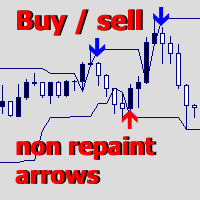
Upper and Lower Reversal - 반전 순간의 조기 예측을 위한 시스템입니다. 상한 및 하한 가격 이동 채널의 경계에서 가격 전환점을 찾을 수 있습니다.
표시기는 신호 화살표의 색상을 다시 지정하거나 위치를 변경하지 않습니다. 빨간색 화살표는 매수 신호, 파란색 화살표는 매도 신호입니다.
모든 기간 및 거래 수단에 맞게 조정됩니다. 표시기는 다시 그려지지 않으며 양초가 닫힐 때만 작동합니다. 신호에 대한 경고에는 여러 유형이 있습니다. 이 표시기는 사용하기 쉽고 2개의 외부 구성 매개변수만 있습니다.
Channel Length - 신호가 구축될 가격 채널의 길이를 조정합니다. Signal Normalization - 신호 화살표의 품질 수준을 변경합니다. 매개변수가 높을수록 잘못된 신호가 줄어듭니다(BTC, 금 및 변동성이 높은 상품의 경우 몇 배로 변경됨). Alerts play sound / Alerts display message / Alerts send n

이 자동 거래 로봇 은 모든 금융 시장에서 정확하고 안전하며 효율적으로 거래하려는 트레이더를 위해 설계된 강력하고 유연한 도구입니다. 다양한 맞춤형 기능을 통해 진입, 청산 및 리스크 관리에 대한 완전한 제어로 복잡한 전략을 실행할 수 있습니다. 주요 기능: 리스크 관리 및 긴급 기능: 노출 수동 잠금: 손실을 확정하지 않고 포지션을 균형 있게 관리하여 리스크를 수동으로 제어합니다. "패닉" 버튼: 활성화 후 취소 불가. 자본 보호를 위한 긴급 기능입니다. 포지션 관리 및 종료: 모든 포지션 닫기: 모든 열린 거래를 빠르게 종료합니다. 수익 또는 손실 포지션만 닫기: 유연한 거래 관리가 가능합니다. 레버리지 및 그리드 전략: 자동 레버리지: 설정된 기준에 따라 포지션을 추가합니다. 추세에 따른 그리드: 일정 간격으로 주문을 실행하며 로트를 조정합니다. 자동 스톱 이동 및 보호: 기본 트레일링 스톱 및 평균 가격 기반: 시

Important Product Status This is an older Expert Advisor that was developed for market conditions that have since changed significantly. The product remains available for existing users and for traders who may still wish to evaluate the original strategy, but it is no longer part of my actively recommended product range . I do not currently recommend purchasing this EA for live trading without conducting your own extensive testing under present market conditions. My newer products reflect my

Get you a Free Utility EA that will show closed positions results on your chart
fun little feature that make every trader really happy
EA will not open or manage position only show historical results on the chart
chose color and size
Please leave 5 start review if you liked this free tool
make sure to check out my trading EA the EA Bull scalper https://www.mql5.com/en/market/product/116071?source=Site+Profile+Seller or the EA Bear Scalper https://www.mql5.com/en/market/product/123680?s
FREE

Important Product Status This is an older Expert Advisor that was developed for market conditions that have since changed significantly. The product remains available for existing users and for traders who may still wish to evaluate the original strategy, but it is no longer part of my actively recommended product range . I do not currently recommend purchasing this EA for live trading without conducting your own extensive testing under present market conditions. My newer products reflect my

Indicators Tracking for Trader Sale on MT5 The Indicators Tracking feature in MetaTrader 5 (MT5) is an essential tool for traders looking to optimize their sales and decision-making processes. This functionality allows traders to monitor key market metrics and analyze trends effectively, enhancing the accuracy of trade executions and strategy adjustments. Key Features: Real-Time Market Monitoring :
Track live data across various markets, including forex, stocks, and commodities, with indicators
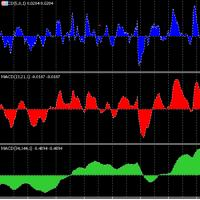
The expert uses 3 MACD indicators to open trades.
Advantages of the expert : You have full control over all three indicators. Use advanced stop loss and advanced trade closing. Risk Management. You can use the Grid . You can handle the news. You can control the number of trades and the conditions for opening a trade such as (Margin Limit , Spread Limit , Slippage , Timer Interval , Magic Number) It is preferable to use a small time frame.
FREE

Optimal F Service Application Type: Service Application Functions: Calculation of the optimal fraction and trade volume to achieve maximum growth of the equity curve, based on the results of previous trades. About this app Capital management is the most crucial and often underestimated component of any trading system. Proper capital management can enhance—and sometimes significantly improve—the performance of your trading algorithm.
This application automatically calculates the optimal fractio

This is a HFT bot based on a real market-making algorithm. The strategy continuously offers BID-ASK quotes and aims to capture the spread by executing several trades in a day. As with all HFT algorithms, it is essential to run this strategy with a low slippage broker for optimal performance. The tightness of the bid-ask quotes can be set and optimised for your broker's specification, tighter spreads will have higher frequencies. The bot can be attached to any time-frame chart M1, H1, D1 etc. Sui

With this indicator, you can predict future price behavior for a certain number of bars ahead, giving you the ability to anticipate market dynamics. The indicator draws a forecast line , which models potential future price values based on sophisticated algorithms analyzing past data. This information can be leveraged not only for market entry and exit decisions but also for setting or adjusting stop-loss levels to better manage your positions. Application of the Forecast The data provided

Hello good people this is The Rangers Fx We have released indicator for Sniper entries it gives most signals on the lows and on the highs then other signals it's for continuation This indicator it's not complicated you only follow signals that are shown on the screen which is blue arrow for buy and red arrow for sell Timeframe is M15 (15 minutes) This indicator works on currencies,indices,cryptocurrencies,stocks,volatility index,step index etc as long as it's meta trader 5 this indicator will wo
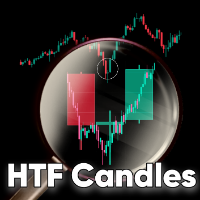
HTF Candles is an indicator which plots the outline of the higher time-frame candles on the lower candle. The indicator gives you the option to choose whether or not to view live current HTF candle, with no lag or repainting. Features No objects drawn on chart: The indicator does not plot any lines or rectangle objects on the chart, it simply draws the htf candles. This keeps your chart simple and clean. MTF Selection: The indicator allows you to choose all the different higher time-frames for e

* Super Assistant is an useful management tool that helps traders perform management tasks on MT4/MT5 account remotely via Telegram such as: - Get info (account, details of positions, pending orders, floating PL, price, economic news, etc) - Open trade (open instantly with preset parameters) - Manage trade (set SLTP automatically, break-even mode, max risk, close time every day, etc) - Close trade (close all, buy, sell, win positions by one click, set awaiting close by PL, time) - Set up notifi

Bullish AI Trader EA (MT5) – AI-Assisted Auto Trading for XAUUSD Bullish AI Trader is an automated Expert Advisor for MetaTrader 5 designed to trade XAUUSD (Gold) with a rules-based, AI-assisted signal engine and built-in risk control. Important: Although the name is “Bullish”, the EA is NOT buy-only . It can open BUY or SELL trades — both directions follow the same logic, depending on market conditions and the detected signal. Key Features AI-Assisted Signal Engine: Uses a multi-factor model (p
- The Symbol Changer Utility for MetaTrader is a tool that enables traders to switch between various symbols on the MetaTrader trading platform easily and quickly. - It is designed to change the symbol of the current and all open chart windows and the timeframe of the current chart window (by clicking the button). - The tool retrieves symbols from the Market Watch, displaying only the necessary symbols in the market watch.
FREE

This tool is designed to visualize the position and trades history and its information, such as the entry and exit points, sizes of the trades, Reward to risk ratio, Risk percent, Profit, Target and stop-loss on the chart. it makes showing trades on the chart more informative and easier to use. it's a strategic tool that enhances your trading experience on MT5 platforms. By providing a clear visual representation of your trades and customizable settings, it empowers traders to make informed deci
FREE
If you love this indicator, please leave a positive rating and comment, it will be a source of motivation to help me create more products <3 How to use Gann High-Low Activator? The Gann HiLo Activator helps the trader identify the current trend of the market. When the indicator is below the closing price, it can indicate that an uptrend is taking place. Conversely, when the indicator is above the closing price, it can indicate a downtrend. The Gann HiLo Activator also generates buy and sell sig
FREE

Introducing the Range Predictor : Your Ultimate Guide to Future Trading Ranges! Imagine having the power to see into the future of market moves— Range Predictor brings this dream to life. Designed to deliver real-time, predictive support and resistance levels , this tool goes beyond standard indicators, offering trend direction insights and precise range forecasts . Whether you're a day trader or a swing trader, the Range Predictor is your all-in-one toolkit for mastering the ma

Functionalities - Open buy and sell - Customizable break-even AND TP SL - Implements Martingale Features
Recommendations - Currency pairs: Major currency pairs - Currency pairs recommend : EURUSD - Not recommended : XAUUSD - Timeframe : 1H - Minimum deposit: $2000 per currency pair *Recommend $10000 - Leverage: Minimum 1:100, recommended 1:500 - Account type: ECN, Raw, or Razor with very low spreads. - Use a VPS for the EA to operate 24/7 (strongly recommended)
Warning - Withdraw profits ev

Hi Traders, Have you ever traded using the DCA (Dollar-Cost Averaging) method with limit orders and wanted to set up Take Profit automatically? This DCA Limit Auto TP Panel is the perfect tool to support your strategy. Key Features: Lot Size: Configure the lot size for your pending orders. Martingale: Automatically increase the lot size for subsequent pending orders. Take Profit: Set your profit target in points and activate automatic Take Profit. Stop Loss: Define your risk managem

Local Trade Copiier is a professional utility designed to copy and synchronize trades between trading accounts. With its easy 1-minute setup, this trade copier allows you to copy trades between multiple MetaTrader terminals on the same Windows computer with lightning-fast copying speeds of under 0.5 seconds. Whether you're a beginner or a professional trader, the Local Trade Copiier MT5 offers a wide range of options to customize it to your specific needs. It's the ultimate solution for anyone l

Indicator Overview Latest Updates: Update 02-23-2025: This version includes further optimizations for improved signal accuracy. Update 01-13-2025: Now compatible with the upcoming Web Request App, which will replace the AutoSignal_Connection bot. Purpose
This MT5 indicator is designed for analyzing 3-minute Heiken Ashi candles, generating buy and sell signals based on moving average (MA) crossovers. It provides visual signals and alerts, making it a valuable tool for traders. Heiken Ashi Candl

Multi-functional Pattern Indicator: Your Assistant for Successful Trading Looking for a tool to help you identify the most critical market patterns and improve your trading decisions? Our indicator is a versatile assistant for traders of any level. Automatic Detection and Plotting:
The indicator automatically analyzes the chart and highlights patterns, saving you from the hassle of searching for them manually.

If you love this indicator, please leave a positive rating and comment, it will be a source of motivation to help me create more products <3 How to use QQE? Determine trend when RSI MA above 50 indicate a bullish market, while RSI MA below 50 indicate a bearish market and can server as a trend filter. Identify short-term up/down momentum, when the RSI MA crosses up Smoothed signals bullish momentum, and when the RSI MA crosses down Smoothed signals bearish momentum. It is also possible to
FREE

Hello everyone, Jade Emperor EA is a breakthrough MQL5 expert advisor. It is a price trend EA. It does not require any AI, neural networks. It will change the way you trade the famous XAUUSD (gold)! It is very easy to understand, install and run.
Current price: $699. For every 10 purchases, the price will increase by $100. Final price $4999
Jade Emperor EA is a price trend EA . It does not require any AI, neural network.
Jade Emperor EA adopts a unique strategy and will open orders based on

Only 6 copies out of 10 left at $30! This is a limited introductory offer: Buy EA at a special Discount price of only $30 The offer will end when the first 10 copies are sold... After that, the price will be raised to $60 !. HFT Evaluation System is a state-of-the-art algorithmic trading strategy that has been running on live accounts for several years. Unlike conventional systems that are optimized to fit historical data, HFT Evaluation Trading is designed to exploit current market ineffic

The Ultimate Drag-and-Drop Trading Tool for Precision and Simplicity Say goodbye to overcomplicated trading setups and calculations. With this Expert Advisor, you can calibrate your risk just once, then effortlessly manage your trades directly on the chart. How It Works: Set It Up Once: Define your desired risk percentage. Choose to include additional options Decide if you want to use the current market price or a custom price line. Trade Effortlessly: Simply drag the Entry, Stop Loss, and Take
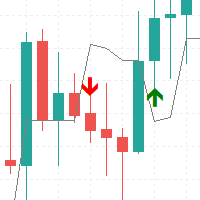
UT Bot Alert Indicator: Detailed Functionality Core Mechanism The UT Bot Alert indicator is a sophisticated trading tool designed to identify market trends and potential entry/exit points using a dynamic trailing stop method. Key Technical Components Volatility Calculation Uses Average True Range (ATR) to measure market volatility ATR period is customizable by the trader Provides adaptive tracking of price movements Trailing Stop Mechanism Creates a dynamic stop line that follows price action Ad
If you love this indicator, please leave a positive rating and comment, it will be a source of motivation to help me create more products <3 Key Takeaways The Laguerre RSI is an enhanced version of the traditional Relative Strength Index (RSI) that incorporates Laguerre filters to smooth the price data. This helps reduce the noise and volatility that are often seen in the standard RSI, providing a cleaner and more reliable indicator for spotting trends, reversals, and overbought or oversold con
FREE

If you love this indicator, please leave a positive rating and comment, it will be a source of motivation to help me create more products <3 Key Takeaways Fisher is a repaint indicator. It recalculates previous bars when new bars become available. Modified to avoid repainting to accommodate some merchants. Fisher indicator is quite a simple histogram indicator that detects the trend's direction and strength and signals about trend changes. Traders look for extreme readings to signal potential p
FREE

The Market Heart indicator scans market entries after high volatility is noticed. Most big moves occur a short time after market volatility. Most big moves occur a short time after market volatility. The idea is to look for entries after the rectangles form and not necessarily as trade entry signals. . For example, you could use the Retracement Feeder indicator that generates arrow signals.
Market Heart MT4 Version
How to use: 1. Primary use The White Box is the first to be formed an

10-Year Optimized EA for EURUSD H1 This Expert Advisor is specifically designed and optimized for the EURUSD pair on the H1 timeframe. This strategy has been optimized to adapt to both trending and ranging market conditions, ensuring consistent performance over time. Risk is set at about 3% of balance, the number of lots placed on the order will change when the balance changes I don't want to waste your time explaining too much, see the backtest results for each cycle below, since 2014.
Thank

Symbols: USDJPY- recomended other JPY pairs - please try in backtest Timeframe: M5 Recomended: M5 Money management: Fix TP and SL Backtest 2020- 2024 till now ,lot size:0.2 Recomended Lot size settings: Deposit. Lotsize 1000€. 0.02 2000€. 0.04 5000€. 0.1 10000€. 0.2 You can Multiply lot size by 1,5x (more risky) Recomended other settings: deafult Note: Please use good money management If you need help or other recomendations please ask me More
FREE

This Expert Advisor (EA) is a comprehensive project linked to an Udemy course designed to guide you through the step-by-step process of uploading your product to the MQL5 Marketplace. The course not only teaches you the technical aspects of EA development but also includes practical insights into creating a market-ready product, adhering to MQL5's strict publishing standards, and optimizing your chances of success in the marketplace.
FREE

A professional-grade Bollinger Bands percentage analyzer.
Transform your trading strategies with the BBPCT Indicator, an advanced Bollinger Band Percentage indicator developed by iDevelop.expert. This tool is tailored to provide traders with a clear and actionable visualization of price movements relative to Bollinger Bands, along with insightful overbought and oversold signals.
Key Features: Dynamic Histogram Visualization: A dual-colored histogram for quick identification: Green bars indicat
FREE

Positions Risk Analyzer Utility
The Trade Analyzer is a powerful tool designed for real-time monitoring of your trading performance directly on the chart. It provides insights into: Total Open Positions : Number of active trades. Potential Profit (TP) : Estimated profit if all Take Profits are hit. Potential Loss (SL) : Maximum potential loss if all Stop Losses are triggered. Floating Profit/Loss : Real-time net profit or loss of all open trades. This utility dynamically updates its calculation
FREE

The Cipher Swan EA is an automated trading system designed to execute trades based on specific market conditions, integrating robust risk management and customizable trading parameters. It leverages moving averages and time-based filters to determine optimal trade entries and exits.
Key Features Automated Trading:
Executes buy and sell trades automatically based on predefined conditions.
Incorporates reversal trading to recover from losses.
Indicator Integration:
Utilizes Moving Averages (M

Description:
This indicator adds customizable buttons for symbols (currency pairs) and timeframes directly onto the chart. It allows traders to quickly switch between different symbols and timeframes by simply clicking on the respective buttons. The indicator also includes a toggle button to show or hide all the symbol and timeframe buttons, providing flexibility in chart customization. Key Features: Symbol Buttons: Automatically generates buttons for symbols from the Market Watch or allows man

O IKARUSS Autotrader é o robô especialista em trade em minidólar WDO na bolsa brasileira B3. Com uma estratégia única, o robô opera a cada hora nas melhores direções do mercado.
O robô já é configurado para o minidólar em timeframe M5. O robô tem alvos maiores fixos, mas abre e fecha operações a cada hora.
Ainda é possível configurar um trailling stop por horário e tamanho de alvo, bem como configurar horários de trades.
OBS: alterar o parâmetro BR1 para BR.

O Alexxander Autotrader é seu robô especialista em trade em minidólar WDO na bolsa brasileira B3.
Com estratégia única, o robô já está configurado para operar minidólar na abertura do pregão, operando em fechamentos de gaps principalmente.
O robô também pode ser otimizado para operar além do horário de abertura. Alem disso, o robô pode ser configurado com trailling stop, horários de trades e tipo de stop, se fixo ou dinâmico.
OBS: alterar o parâmetro BR1 para BR.

Note = After the purchase please send me a private message to receive the set file. FCK Emperor EA is best for session's high-low break trading strategy. Option shows for trading. Note = After the purchase please send me a private message to receive the set file. Common set file available in comments. Connect with other traders by joining our MQL5 community of over 390 members. Stay up to date with the latest product updates, tips, and exclusive content. FCK Emperor EA stands o

The Band Theory EA is a cutting-edge automated trading solution, meticulously crafted for traders who seek to capitalize on market movements using Bollinger Bands and Moving Averages . Combining advanced risk management, session filters, and smart money management, this EA is designed to deliver consistent results while safeguarding your capital. Key Features Core Strategy Bollinger Bands Integration : Detect volatility and trend reversals with precision. The EA leverages the upper, middle, and
MetaTrader 마켓 - 트레이더를 위한 로봇 및 기술 지표는 거래 터미널에서 바로 사용할 수 있습니다.
The MQL5.community 결제 시스템은 MQL5.com 사이트의 모든 등록된 사용자가 MetaTrader 서비스에서 트랜잭션을 수행할 수 있습니다. 여러분께서는 WebMoney, 페이팔, 또는 은행 카드를 통해 자금을 예치하거나 인출하실 수 있습니다.
