|
11+ 年
経験
|
35
製品
|
999
デモバージョン
|
|
0
ジョブ
|
17
シグナル
|
21
購読者
|
💎 HELPFUL INFORMATION 💎
🔹 Autostart of terminals when rebooting VPS: https://www.mql5.com/en/blogs/post/736914
🔹 Disable Windows updates to avoid losing mql products activations: https://www.mql5.com/en/blogs/post/742676
🔹 Saving VPS resources: https://www.mql5.com/en/blogs/post/746138
🔹 Profile loading instructions: https://www.mql5.com/en/blogs/post/740359
🔹 Checking automatic GMT in EAs: https://www.mql5.com/en/blogs/post/748027
🔹 Manual setting of GMT_OFFSET parameter in experts: https://www.mql5.com/en/blogs/post/682539
🔹 EAs access to sites: https://www.mql5.com/en/blogs/post/750708
🔹 Trading lot size and money management: https://www.mql5.com/en/blogs/post/748029
🔹 The danger of using StopLoss in scalping systems: https://www.mql5.com/en/blogs/post/700262
================================================================================================
⭐️ EAs are only sold here, the rest is fake ⭐️
⭐️⭐️⭐️ The Best Offer: https://www.mql5.com/en/blogs/post/768696
================================================================================================
🏆 Top experts for automated trading: https://www.mql5.com/en/users/test-standart/seller
🔥 Comprehensive setup of all experts at once: https://www.mql5.com/en/blogs/post/750723
🔧 All latest presets: https://www.mql5.com/en/blogs/post/747929
================================================================================================
💬 My trading chat in MQL5, join: https://www.mql5.com/en/messages/011e4f235b10dc01
📣 Telegram channel with announcements from real traders: https://t.me/EAFXPRO
🛑 To get into the telegram private group, write me a personal message on this site after buying any EA
▬▬▬▬▬▬▬▬▬▬▬▬▬▬▬▬▬▬▬▬▬▬▬▬▬▬▬▬▬▬▬▬▬▬▬▬▬▬▬▬▬▬▬▬▬▬▬▬▬▬▬▬▬▬▬▬▬▬▬▬▬
🤝 Receive cashback on a portion of the commission and spread from every trade with any broker directly to your USDT wallet: https://fxcash.net/en/?id=-FOREX-
🔹 Autostart of terminals when rebooting VPS: https://www.mql5.com/en/blogs/post/736914
🔹 Disable Windows updates to avoid losing mql products activations: https://www.mql5.com/en/blogs/post/742676
🔹 Saving VPS resources: https://www.mql5.com/en/blogs/post/746138
🔹 Profile loading instructions: https://www.mql5.com/en/blogs/post/740359
🔹 Checking automatic GMT in EAs: https://www.mql5.com/en/blogs/post/748027
🔹 Manual setting of GMT_OFFSET parameter in experts: https://www.mql5.com/en/blogs/post/682539
🔹 EAs access to sites: https://www.mql5.com/en/blogs/post/750708
🔹 Trading lot size and money management: https://www.mql5.com/en/blogs/post/748029
🔹 The danger of using StopLoss in scalping systems: https://www.mql5.com/en/blogs/post/700262
================================================================================================
⭐️ EAs are only sold here, the rest is fake ⭐️
⭐️⭐️⭐️ The Best Offer: https://www.mql5.com/en/blogs/post/768696
================================================================================================
🏆 Top experts for automated trading: https://www.mql5.com/en/users/test-standart/seller
🔥 Comprehensive setup of all experts at once: https://www.mql5.com/en/blogs/post/750723
🔧 All latest presets: https://www.mql5.com/en/blogs/post/747929
================================================================================================
💬 My trading chat in MQL5, join: https://www.mql5.com/en/messages/011e4f235b10dc01
📣 Telegram channel with announcements from real traders: https://t.me/EAFXPRO
🛑 To get into the telegram private group, write me a personal message on this site after buying any EA
▬▬▬▬▬▬▬▬▬▬▬▬▬▬▬▬▬▬▬▬▬▬▬▬▬▬▬▬▬▬▬▬▬▬▬▬▬▬▬▬▬▬▬▬▬▬▬▬▬▬▬▬▬▬▬▬▬▬▬▬▬
🤝 Receive cashback on a portion of the commission and spread from every trade with any broker directly to your USDT wallet: https://fxcash.net/en/?id=-FOREX-









Konstantin Kulikov

·
1
JAVOKHIR SHOMURATOV
2024.06.11
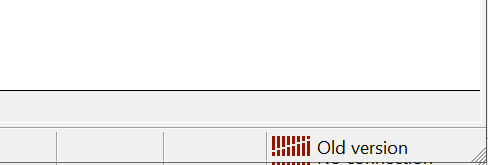
SDometimes rebooting doesn't help. In this case need to replace terminal.exe file with other updated terminal.exe