MR Dynamic POC 5
- インディケータ
- バージョン: 3.1
- アップデート済み: 20 3月 2026

The most crucial price level in any "Volume Profile" is the "Point of Control". It is the price level with the highest traded volume. And mainly, it is the level where the big guys start their positions, so it's an accumulation/distribution level for smart money.
The idea for the indicator arose after the "MR Volume Profile 5" indicator was created. When creating the "MR Volume Profile 5" indicator, we spent a lot of time comparing the volumes with those from the volume profile in the NinjaTrader 8 terminal with the CQG datafeed. The settings of EURUSD-6E, GBPUSD-6B, AUDUSD-6A and other currency pairs were compared. After making sure that everything was working according to our requirements, we made the "MR Dynamic POC 5" indicator following the model used in NinjaTrader 8.
The important advantages of the indicator are the following:
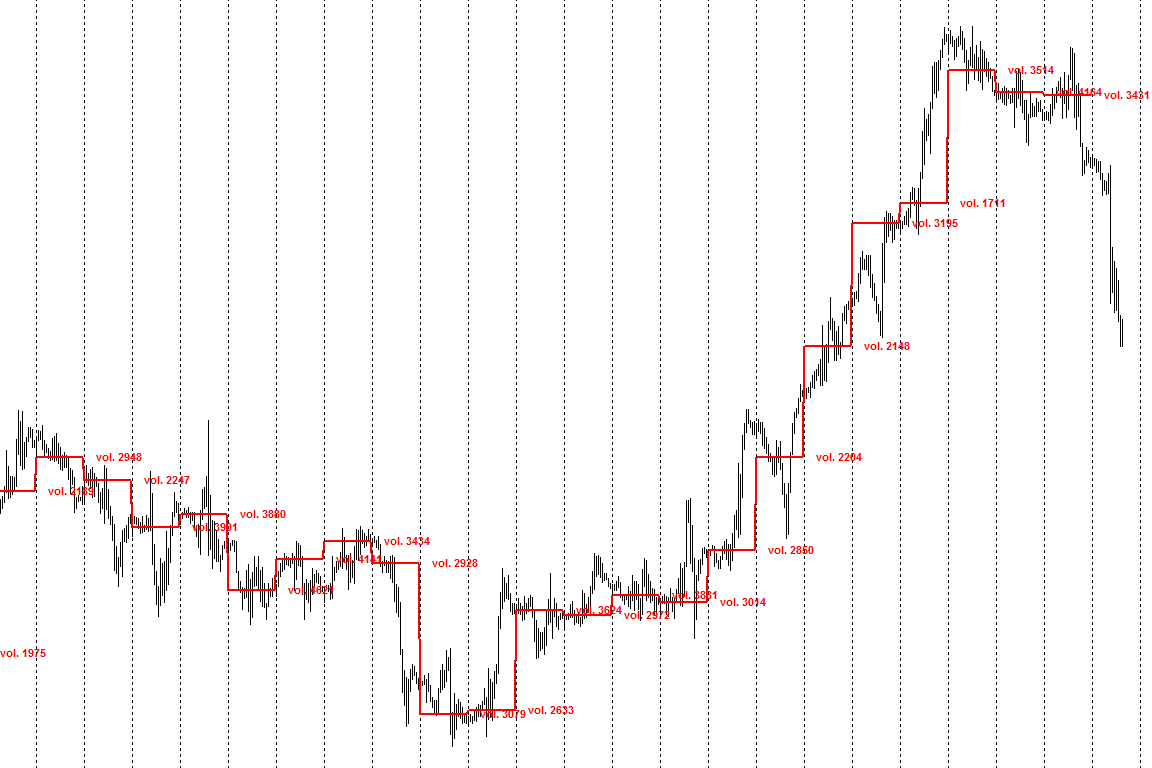
- The indicator can show the price changes of the maximum volume accumulation (POC).
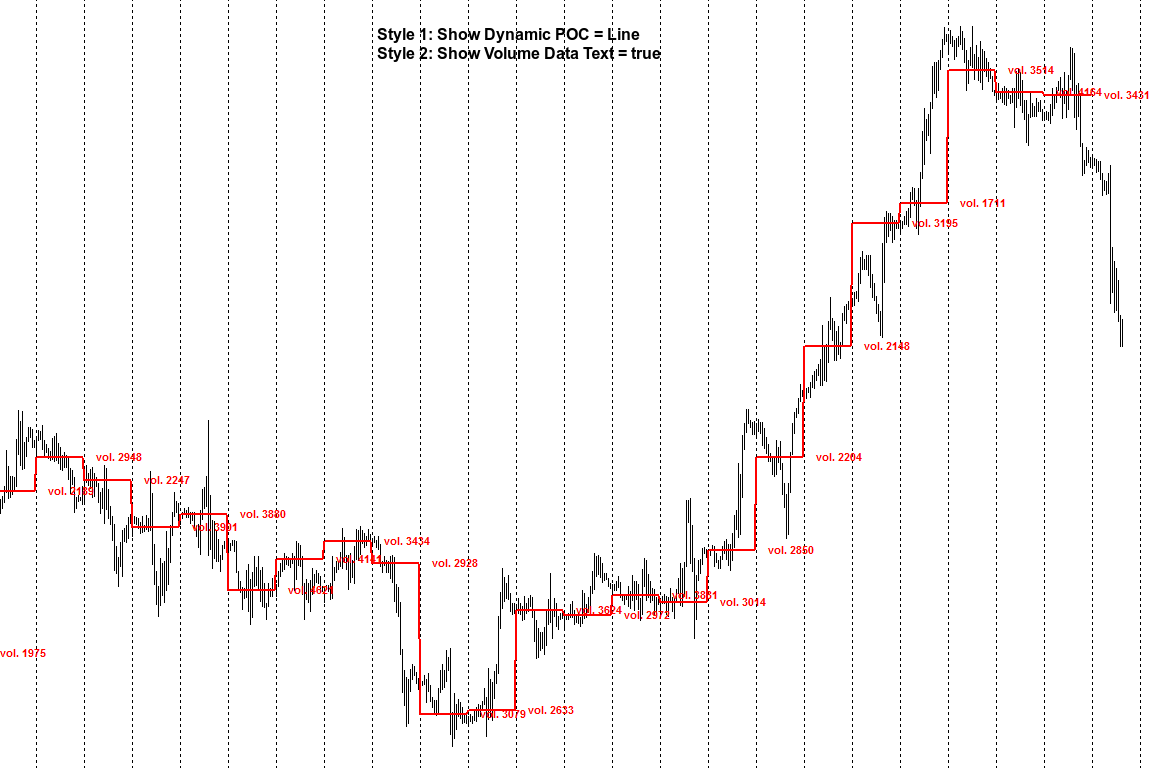
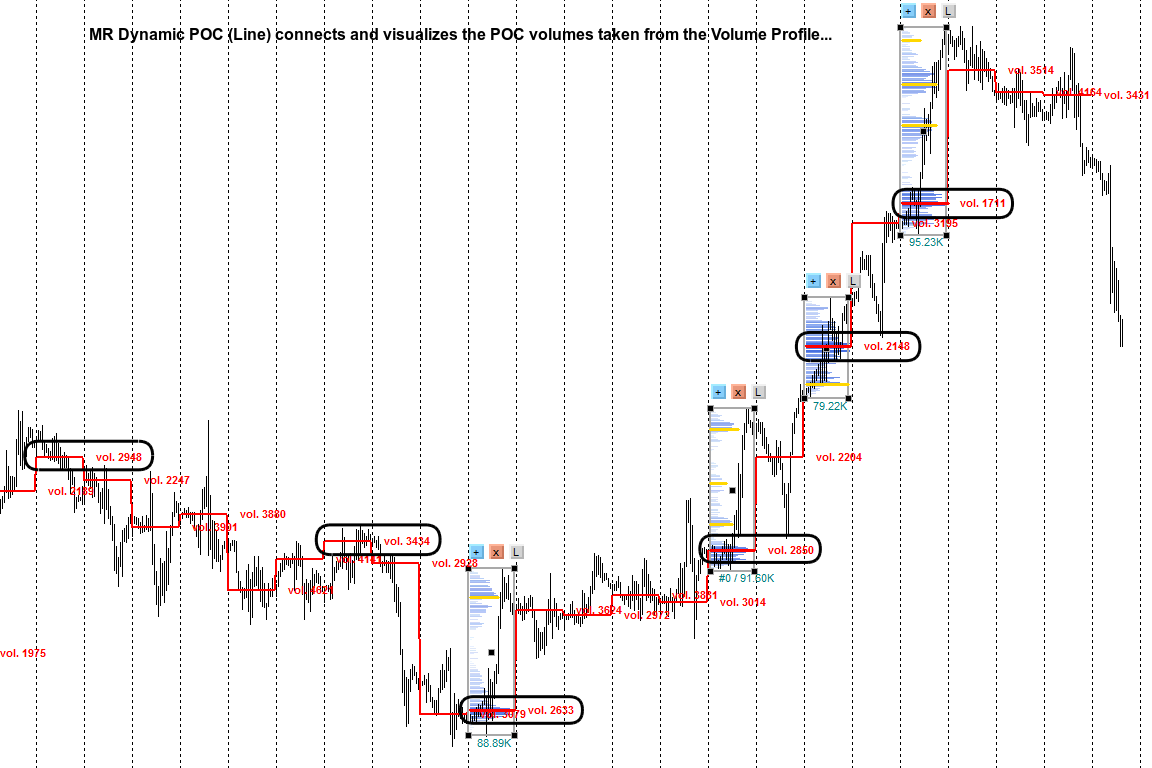
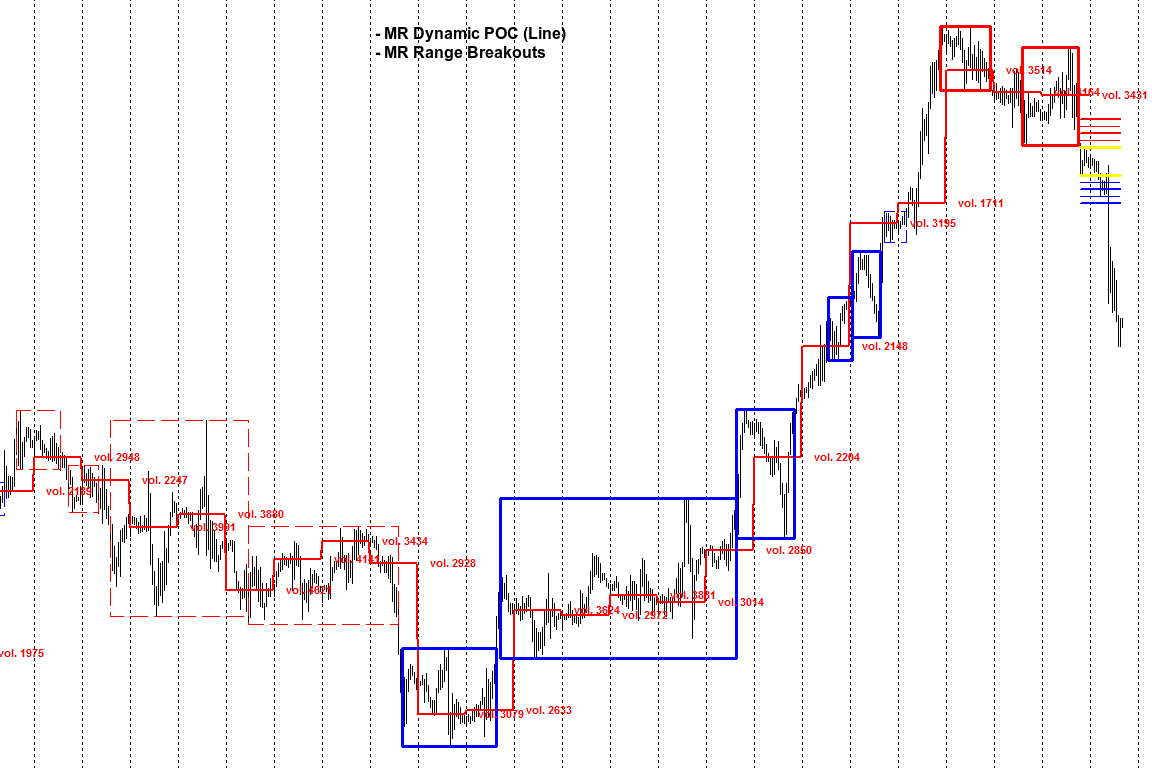
- Dynamic POC "Line" — connects and visualizes the POC volumes taken from a "Volume Profile".
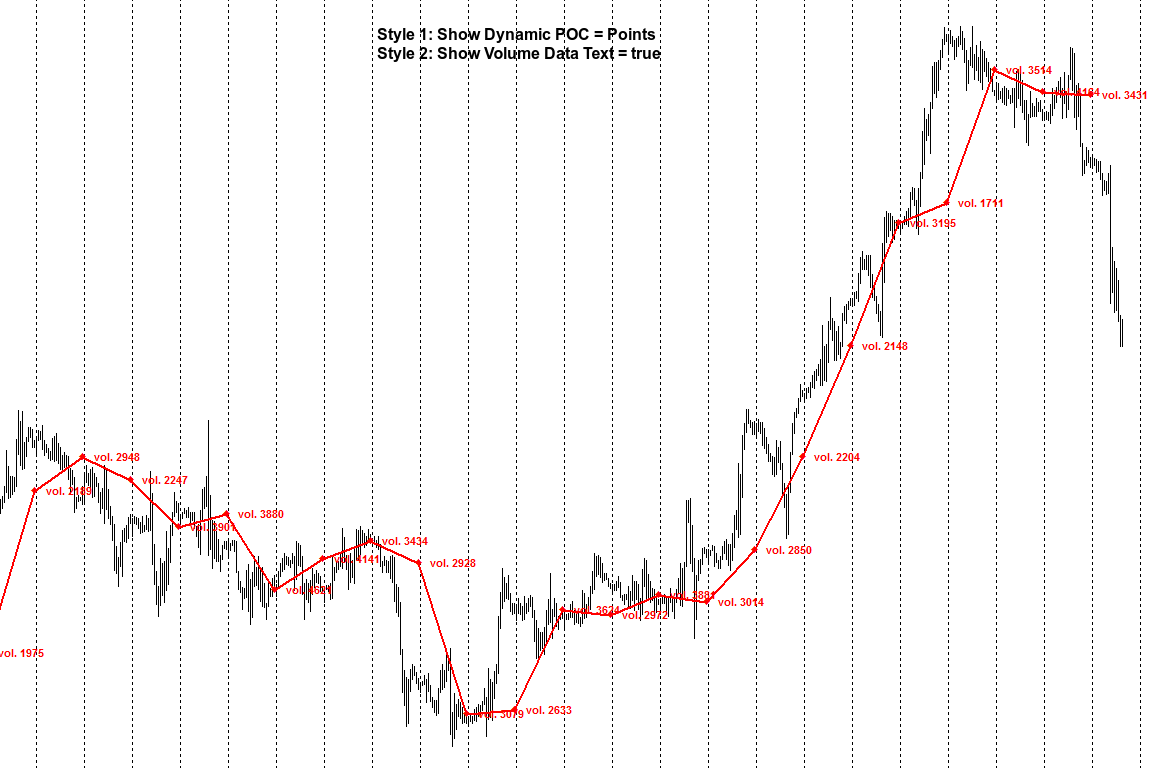
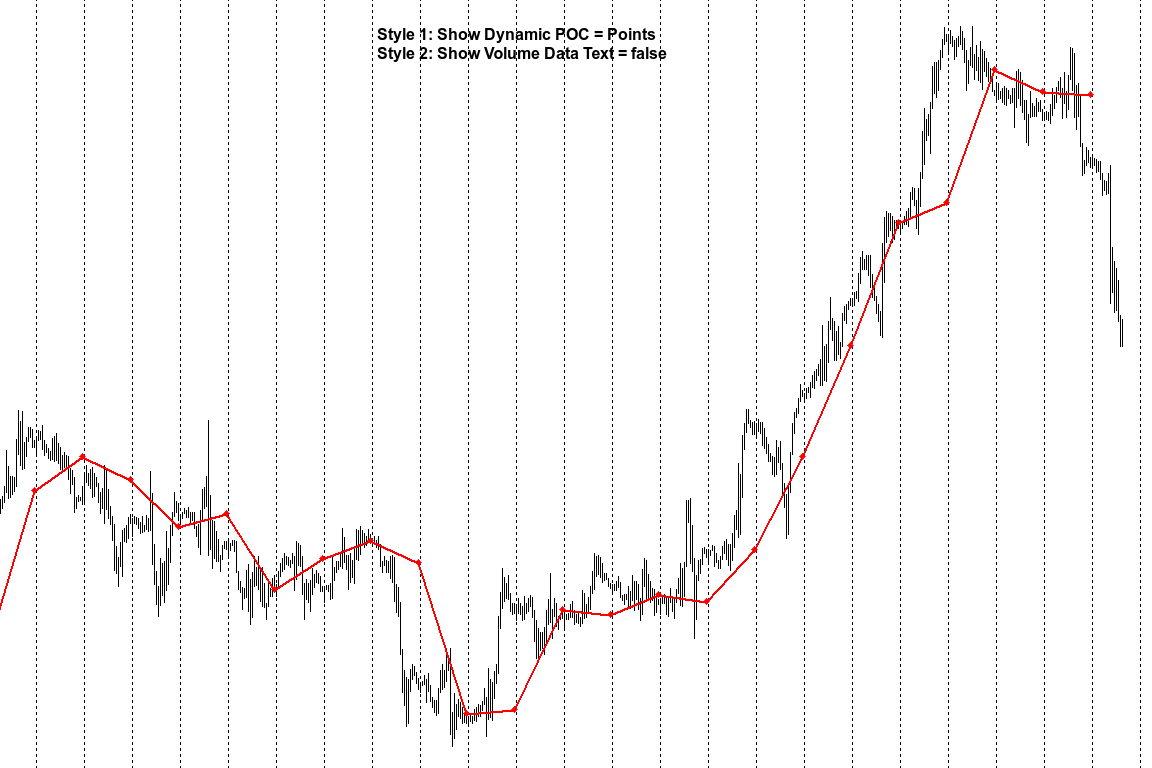
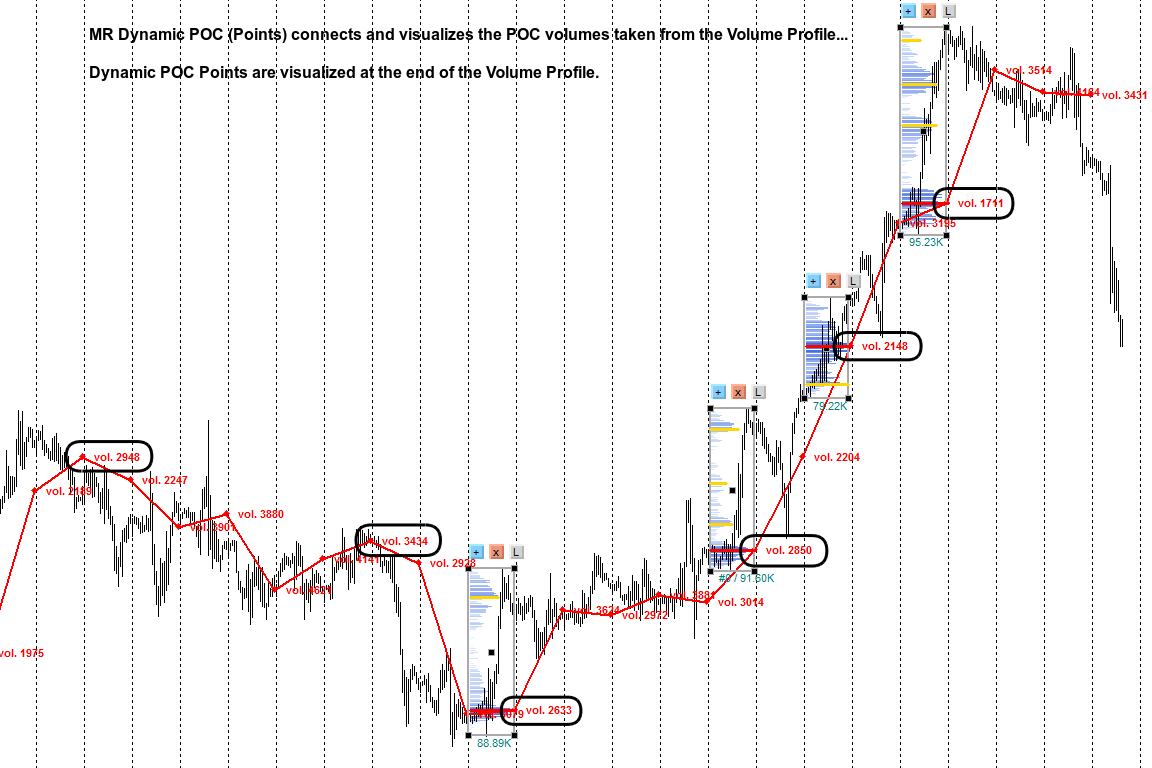
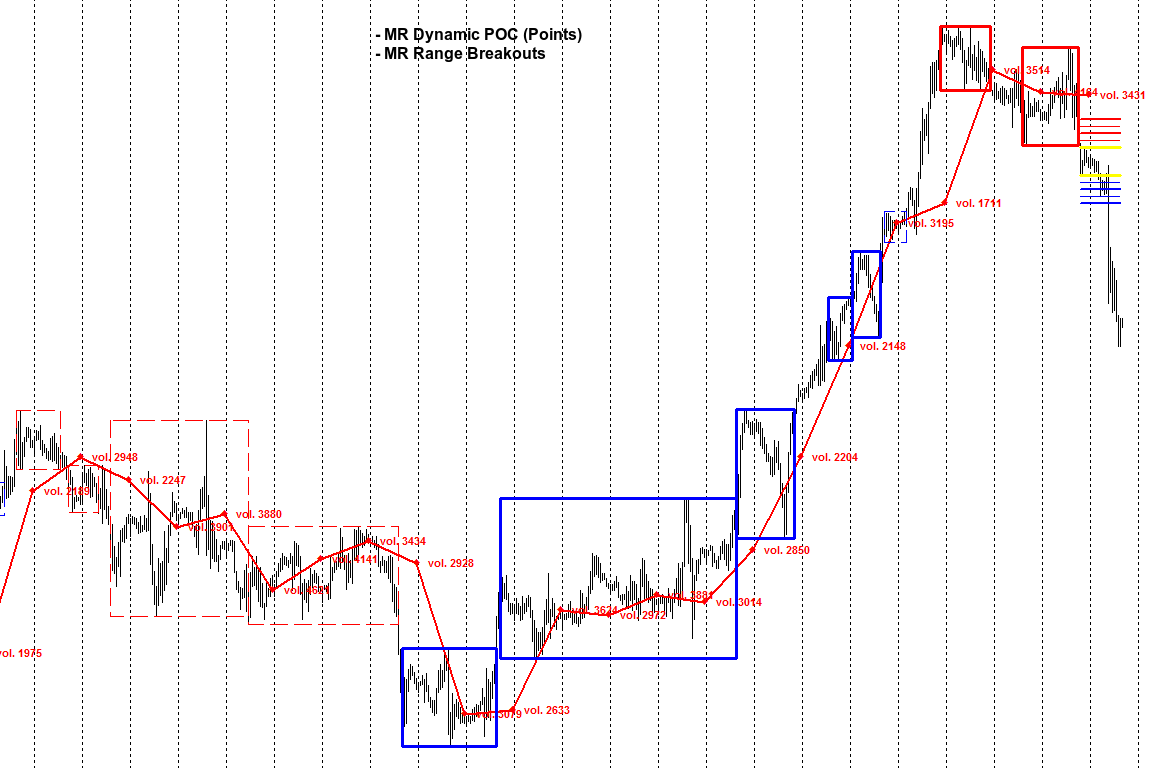
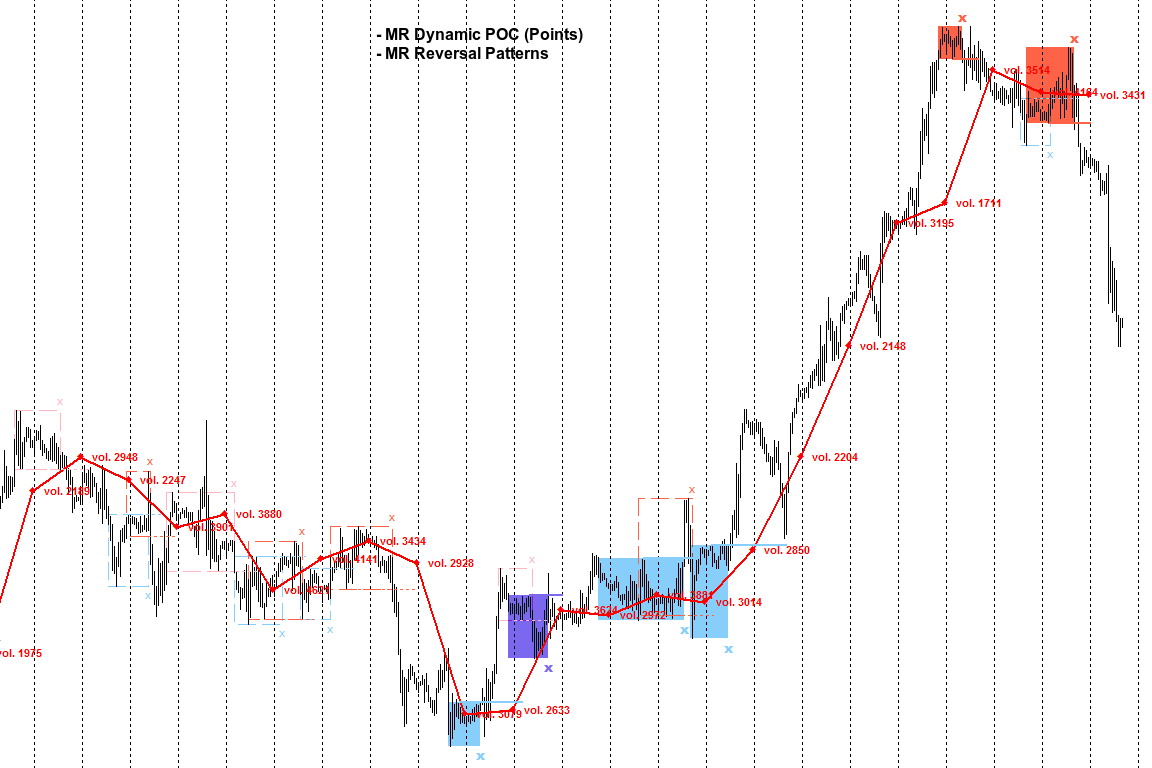
- Dynamic POC "Points" — connects and visualizes POC volumes taken from a "Volume Profile". Dynamic POC "Points" are displayed at the end of the "Volume Profile". This is a new concept for visualizing virgin or processed volumes.
- "MR Dynamic POC 5" based on indicator "VP: Volume Profile v6.0. © FXcoder".
For MetaTrader 4 https://www.mql5.com/en/market/product/90825
Indicator settings:
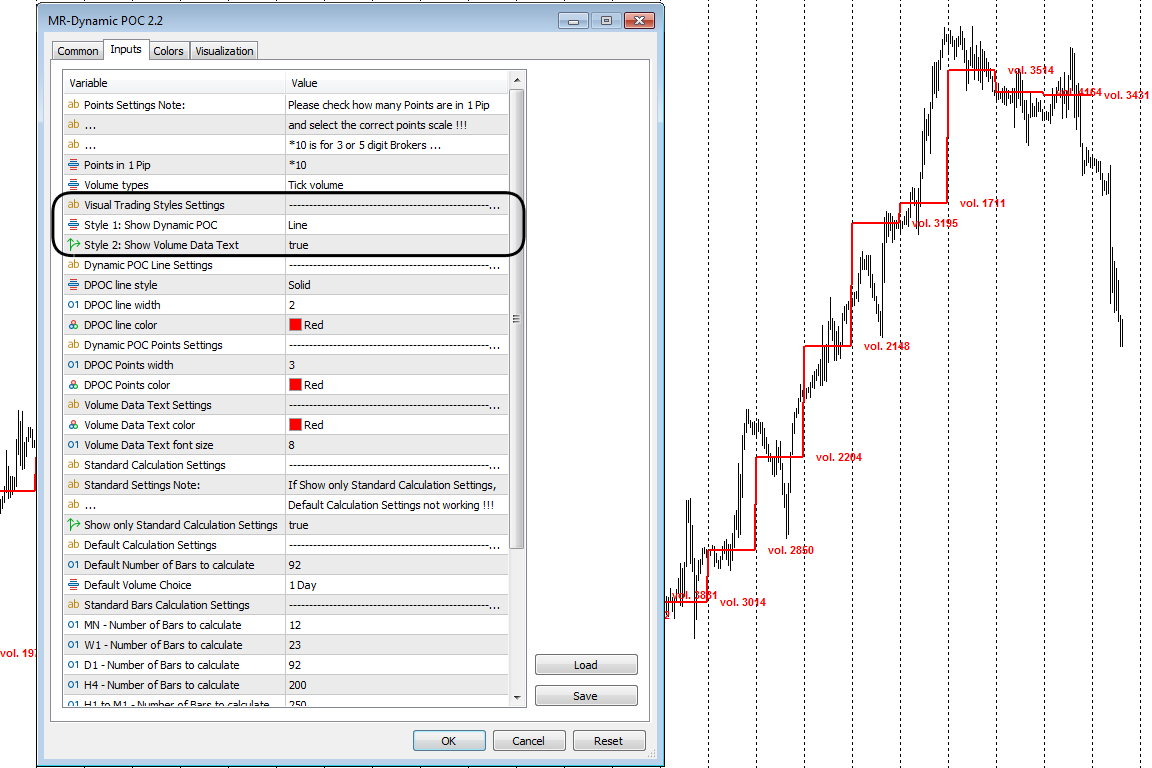
Points in 1 Pip - Offers you a choice of the number of Points in 1 Pip.
Volume types - Offers you a choice to use tic volumes or real volumes. Note: To use real volumes, your Broker must provide them in the MetaTrader terminal.
Section "Visual Trading Styles Settings"
Style 1: Show Dynamic POC -
1. "Line" - connects and visualizes the POC volumes taken from a Volume Profile.
2. "Points" - connects and visualizes POC volumes taken from a Volume Profile.
Style 2: Show Volume Data Text - Shows or hides the display text with information about the number of volumes for the POC.
Section "Dynamic POC Line Settings"
DPOC line style - Specifies the line style of the Dynamic POC.
DPOC line width - Specifies the line width of the Dynamic POC.
DPOC line color - Specifies the line color of the Dynamic POC.
Section "Dynamic POC Points Settings"
DPOC Points width - Specifies the size of Dynamic POC Points.
DPOC Points color - Specifies the color of Dynamic POC Points.
Section "Volume Data Text Settings"
Volume Data Text color - Data text color.
Volume Data Text font size - You can choose the data text size.
Section Manual Calculation Settings
Show Manual Calculation settings - Enables or disables the Manual settings. If showing only Manual calculation settings, the Default settings do not work.
Default "Volume" choice - You can choose "Volumes" from which time frame to display.
Default Number of Bars to calculate - The default number of Bars to calculate for the indicator.
Section "Standard Bars Calculation Settings"
MN - Number of Bars to calculate - The number of monthly Bars to calculate the indicator.
W1 - Number of Bars to calculate - The number of weekly Bars to calculate the indicator.
D1 - Number of Bars to calculate - The number of daytime Bars to calculate the indicator.
H4 - Number of Bars to calculate - The number of 4-hour Bars to calculate the indicator.
H1 to M1 - Number of Bars to calculate - The number of Bars to calculate the indicator from a time frame lower than 4 hours.
Section "Standard Volume Choice"
In this section, you choose on which time frame to display the volumes of the time frame you have chosen for it...
On D1 show Volumes from - W1
On H4 show Volumes from - D1
On H1 show Volumes from - D1
On M30 show Volumes from - H4
On M15 show Volumes from - H4
On M5 show Volumes from - H4
On M1 show Volumes from - H1