
Market Maker Dashboard by G labs
- インディケータ
- Garry James Goodchild
- バージョン: 1.1
- アップデート済み: 26 11月 2023
- アクティベーション: 5
G-Labs Market Maker Dashboard — Beat The Market Maker multi-pair scanner for MetaTrader 4. Peak Formation context (PFH/PFL), ADR cycle expansion, Asian session range, stop-hunt proximity, daily range versus ADR, and M15 RSI from one panel.
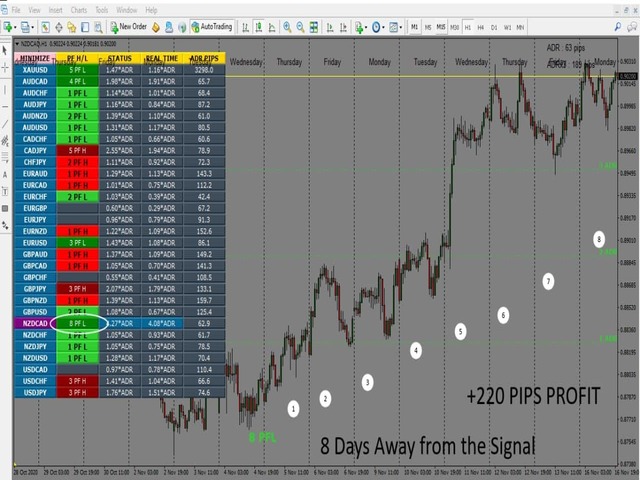
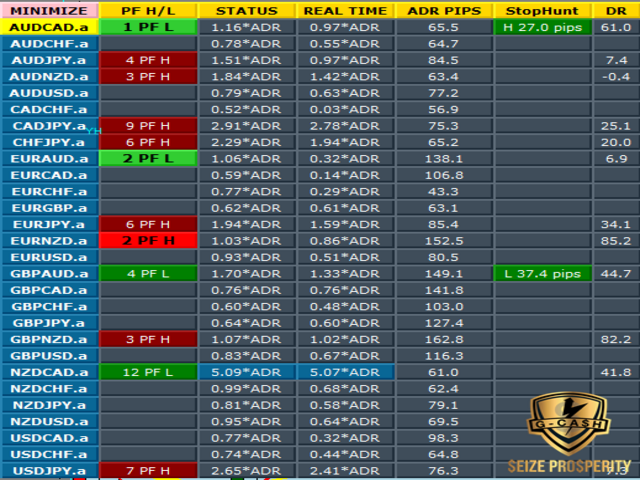
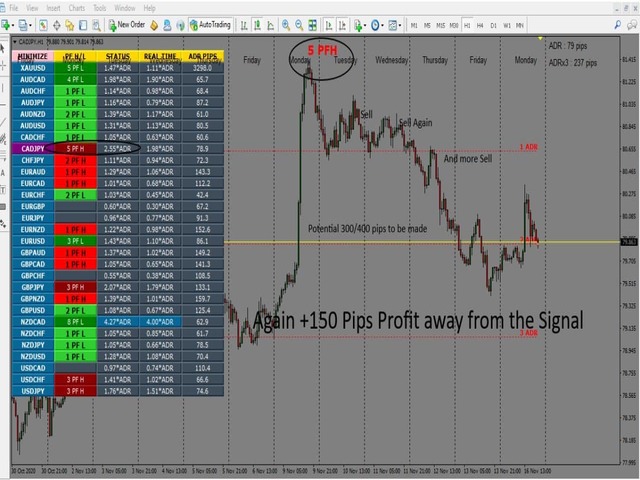
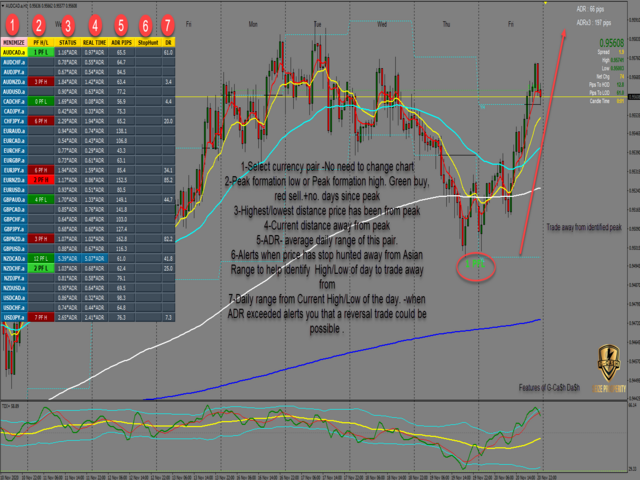
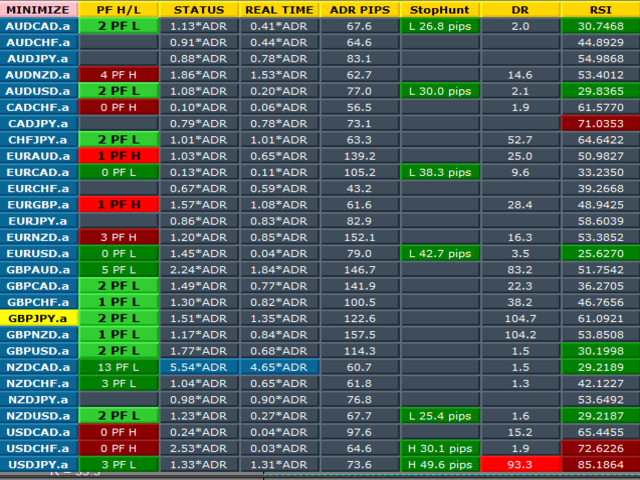
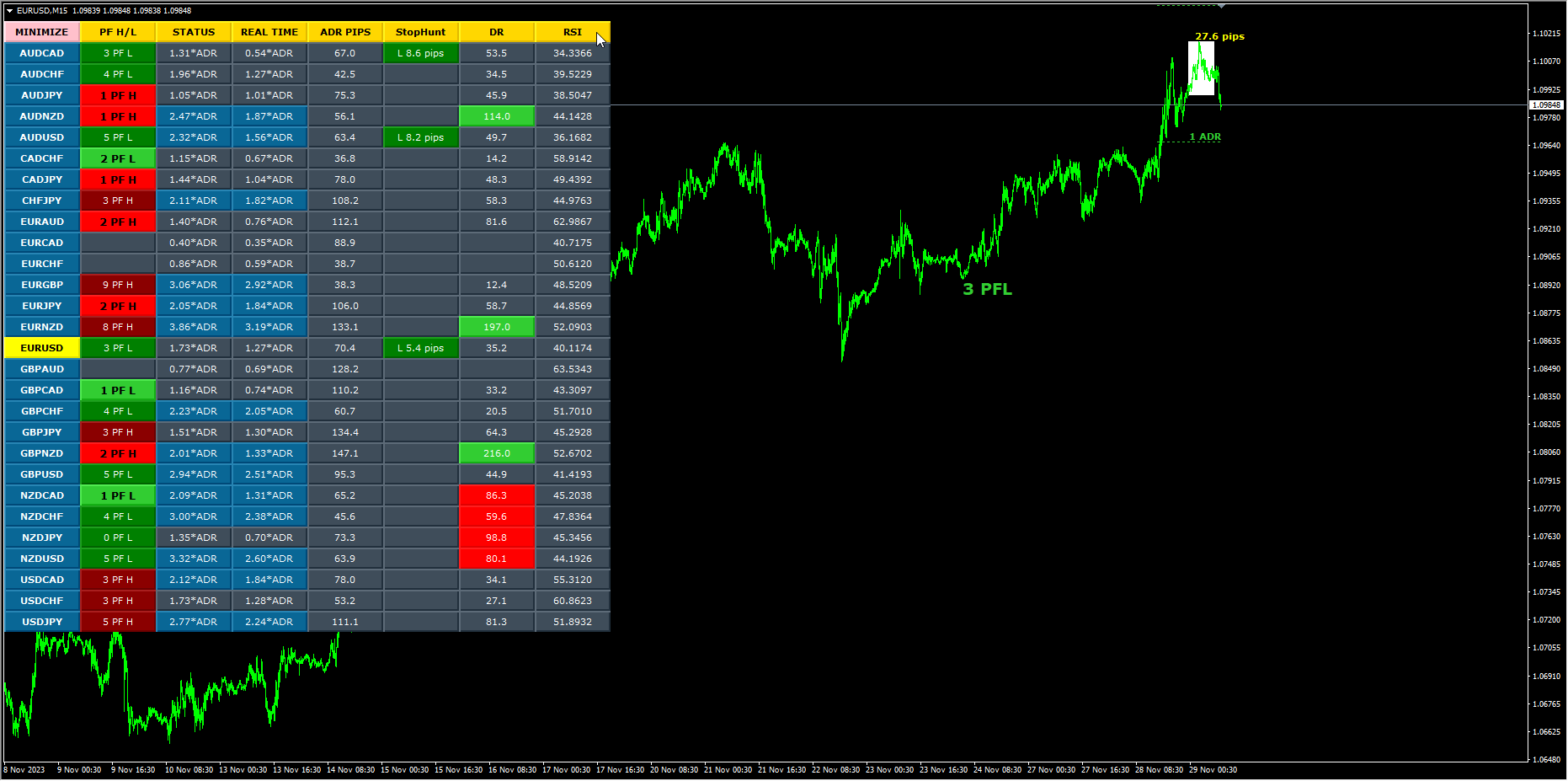
Monitor your full watchlist without opening a chart for every pair. The dashboard scans symbols in real time and shows where each one sits in a BTMM-style daily workflow: peak formation side, movement in average daily range multiples, Asian range behaviour, stop-hunt proximity to session extremes, today’s range compared with ADR, and RSI on M15 for timing. Click a row to load that symbol on the active chart according to your inputs.
What it does
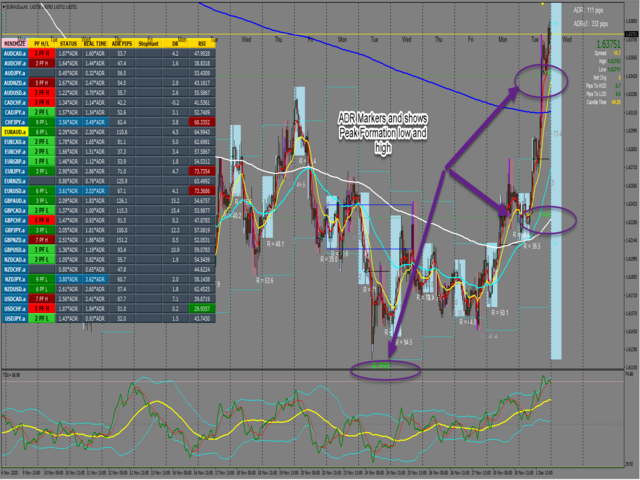
Scans a configurable list of symbols (default covers 28+ major forex pairs; broker suffixes supported). Displays peak formation labels (PFH/PFL) for cycle context. Shows ADR cycle status and real-time expansion in ADR multiples. Builds Asian session range from the early session on H4; optional on-chart rectangle for the chart symbol. Highlights stop-hunt proximity to session range extremes after the session window. Shows daily range in pips versus ADR. Displays M15 RSI with colour-coded cells for quick overbought and oversold awareness.
Dashboard features
Colour-coded table cells for fast scanning. Minimise toggle to reduce on-chart footprint. Optional screen alerts and mobile push notifications for ADR and stop-hunt events. Optional projected 1, 2, and 3 ADR guide lines on the active chart symbol when enabled.
Who it is for
Traders who use Beat The Market Maker or market-maker cycle logic and want a structured overview across many pairs without attaching separate templates to every chart.
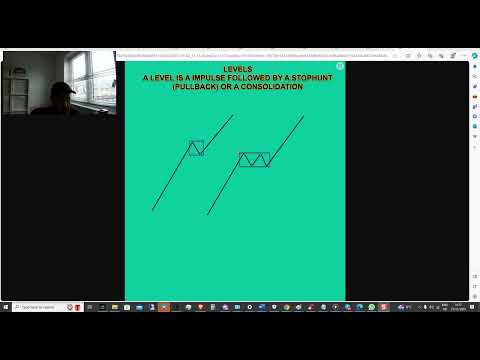
Please note: MQL5 adds a demo version to all Market products by default. The demo runs on a single symbol and single timeframe on one chart. This product’s scanner reads multiple currency pairs and multiple timeframes at the same time, so the scanner and scanner-driven features are not compatible with the demo build and will not display or run. In the demo you will typically see basic chart objects only, such as EMAs and session overlays — that is expected behaviour, not a fault with the product. The full multi-pair scanner, dashboard, and all scanner logic are included in the purchased licence and are shown in the product video on the Screenshots tab. Analytical indicator only; it does not place trades for you. Past signal behaviour does not guarantee future results.
Quick start
Attach to any chart. Add symbols to Market Watch and match names to your broker (including suffixes). Adjust the symbol list, ADR period, moving-average and RSI inputs, and alert options. Use the toolbar to minimise the panel or switch symbols from the table.
Requirements
MetaTrader 4. Works with forex, metals, and indices where your broker provides data. Analysis and scanning tool only — does not open or manage trades automatically.
Related products
For breaker blocks, intraday alignment, momentum, divergence, and multi-timeframe references, see G-Labs Advanced Market Maker Dashboard on the same seller profile.
Keywords
BTMM, Beat The Market Maker, market maker dashboard, peak formation, PFH, PFL, ADR cycle, Asian session, Asian range, stop hunt, multi-pair scanner, RSI, MetaTrader 4 indicator, G-Labs












































I wanted the most complete version that you described in the video, but I can't find it to buy, can you help me?