Touch Of God
- エキスパート
- バージョン: 3.0
- アップデート済み: 21 7月 2026
- アクティベーション: 8

Touch Of God is a Grid and Hedge Expert Advisor for MetaTrader 5. It manages a basket of positions on both sides of the market, adding new orders as price moves against the current basket and closing each side once it reaches a defined profit target.
How It Works
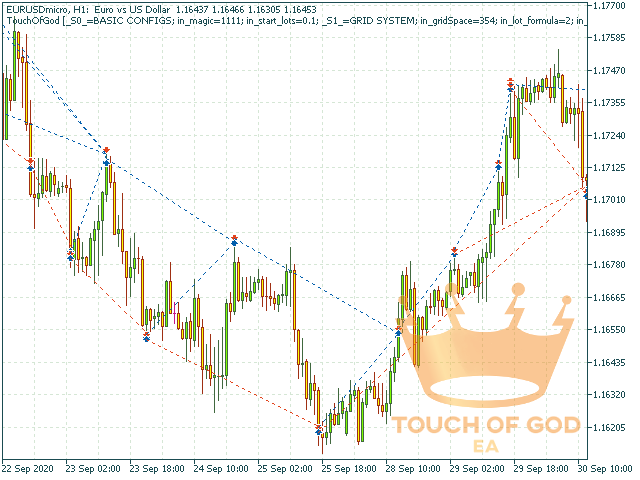
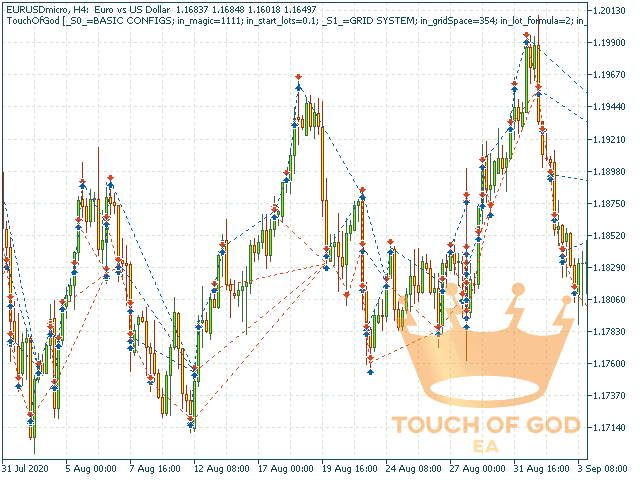
On start, the EA opens a Buy and a Sell position at the same time. If price moves against one side by the configured Grid Space, a new position is added on that side with a larger volume, following the chosen lot formula (constant, linear or exponential). Each side closes independently as a full basket once the average price of that basket reaches the profit target distance. A hard cap on the number of grid levels and an emergency Stop Loss on every order protect the account from unlimited exposure.
Works On Any Symbol — Optimize It For Your Market
The EA is not locked to a single symbol. Grid Space, lot formula, profit target and the other parameters below can be optimized for any asset, any timeframe and any account size using the built-in MetaTrader 5 Strategy Tester. The values shipped as defaults were found this way for EURUSD and are a starting point, not a universal setting.
How To Optimize For Your Own Asset
- Open Strategy Tester (Ctrl+R) and select Touch Of God as the Expert Advisor.
- Choose your symbol and set the model to "Every tick based on real ticks" for accurate results.
- Enable Optimization and choose the "Fast (genetic based algorithm)" mode.
- Set the optimization criterion to "Recovery factor maximum" rather than plain profit — this favors configurations with a reasonable drawdown instead of the riskiest one that happened to survive the test period.
- In the Inputs tab, mark Grid Space, Grid Lot Formula Factor, the profit target distance and Max Grid Levels for optimization, with ranges that make sense for your symbol's volatility.
- Run the optimization and review the results table. Prefer a configuration that repeats across several passes with a moderate drawdown over a single outlier with the highest raw profit — the highest-profit result is usually also the highest-risk one.
- Always confirm the account used for testing is a hedging account before trusting the results.
Recommended Starting Point (EURUSD)
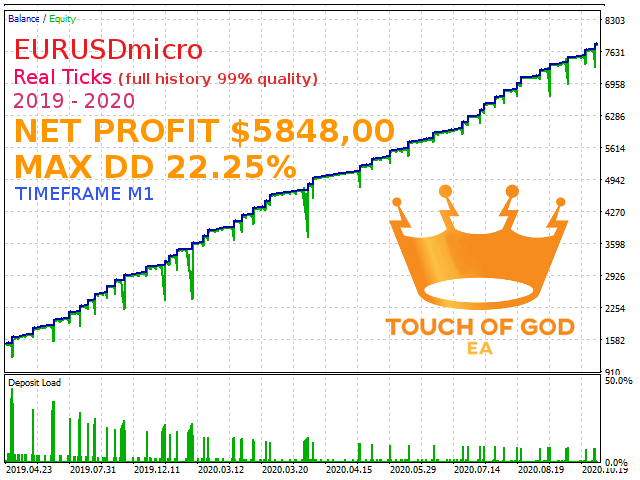
The default parameters were validated by genetic optimization on EURUSD using real tick data over a 6-month period, on a hedging account. Because this EA uses a fixed lot size rather than a percentage of balance, the account size must match the lot and grid settings in use — the defaults were tested on a larger account and should not be assumed safe on a small balance without first lowering Initial Lot and re-testing. Use the Strategy Tester on your own account size before going live, and start on a demo account.
Parameters
- Magic Number: identifier for this EA's orders, used to separate them from other EAs or manual trades on the same account.
- Initial Lot (Volume): the starting lot size for the first order on each side.
- Grid Space (in pips): distance the price must move against the basket before a new grid position is opened.
- Grid Lot Formula Type: how the lot size grows with each new grid level — constant, linear or exponential.
- Grid Lot Formula Factor: the factor applied by the chosen formula.
- Max Grid Levels: maximum number of positions allowed per side before the EA stops adding new ones (0 = unlimited).
- Dist From Middle Price To Close Positions (in pips): profit distance from the basket's average price at which that side is closed.
- Enable Hedge System: opens a position on the opposite side, sized as a percentage of the losing side, whenever a new grid level is added.
- Hedge Percentage: size of the hedge position relative to the triggering side's volume, in percent.
- When Exit, Close All Positions: if enabled, closing one side's basket also closes the opposite side.
- Stop Loss (From Middle Price) [0 = off]: distance from the basket's average price at which that side is force-closed at a loss.
- Stop Loss (From Balance) [0 = off]: closes all positions if floating loss reaches this percentage of account balance.
- Enable Emergency Stop Loss: places a wide Stop Loss on every order at the broker level, well beyond normal grid operation, so positions are not left completely unprotected if the terminal or VPS goes offline.
- Emergency SL Distance (x Grid Space): how far the emergency Stop Loss sits, expressed as a multiple of Grid Space.
- Expected Symbol: the symbol the current parameters were tuned for. If the EA is attached to a different symbol, it prints a warning so you remember to re-optimize before trading live.