
Currency Strength Matrix
- インディケータ
- バージョン: 6.10
- アップデート済み: 7 10月 2026
- アクティベーション: 15

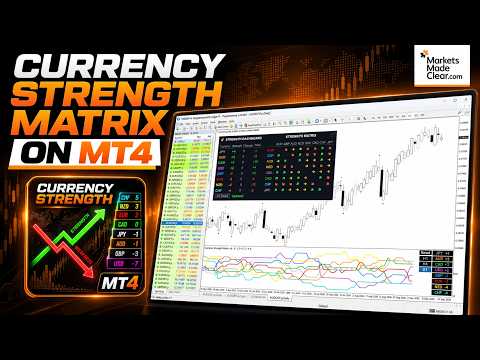
THE ONLY CURRENCY STRENGTH INDICATOR BUILT ON PRICE ACTION
Most currency strength meters average an oscillator, or measure how far price has travelled. But these are not accurate measures of trend, Currency Strength Matrix measures trend strength, not just if a currency price has gone up or down.
Currency Strength Matrix reads market structure. For each of the 28 major pairs it finds the confirmed cycle highs and lows, and decides whether that pair is in an uptrend, a downtrend, or neither. A currency's score is simply the number of pairs it is beating minus the number it is losing to.
+7 is the maximum + score and means that currency is in an uptrend against all seven other majors. -7 means the opposite.
Because it reads structure rather than just price changes, a score only changes when the market CHANGES TREND.
THE TOTAL COLUMN
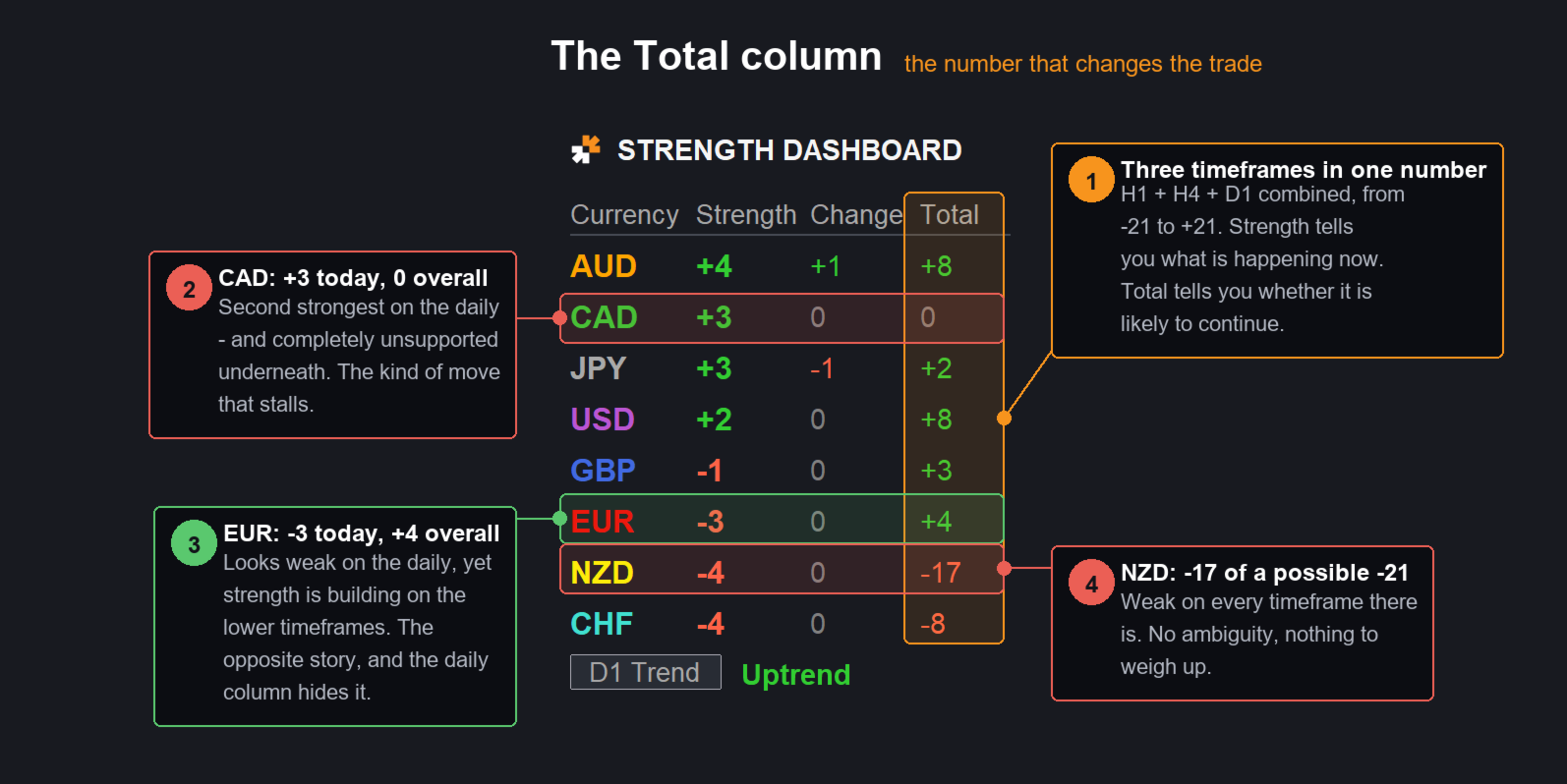
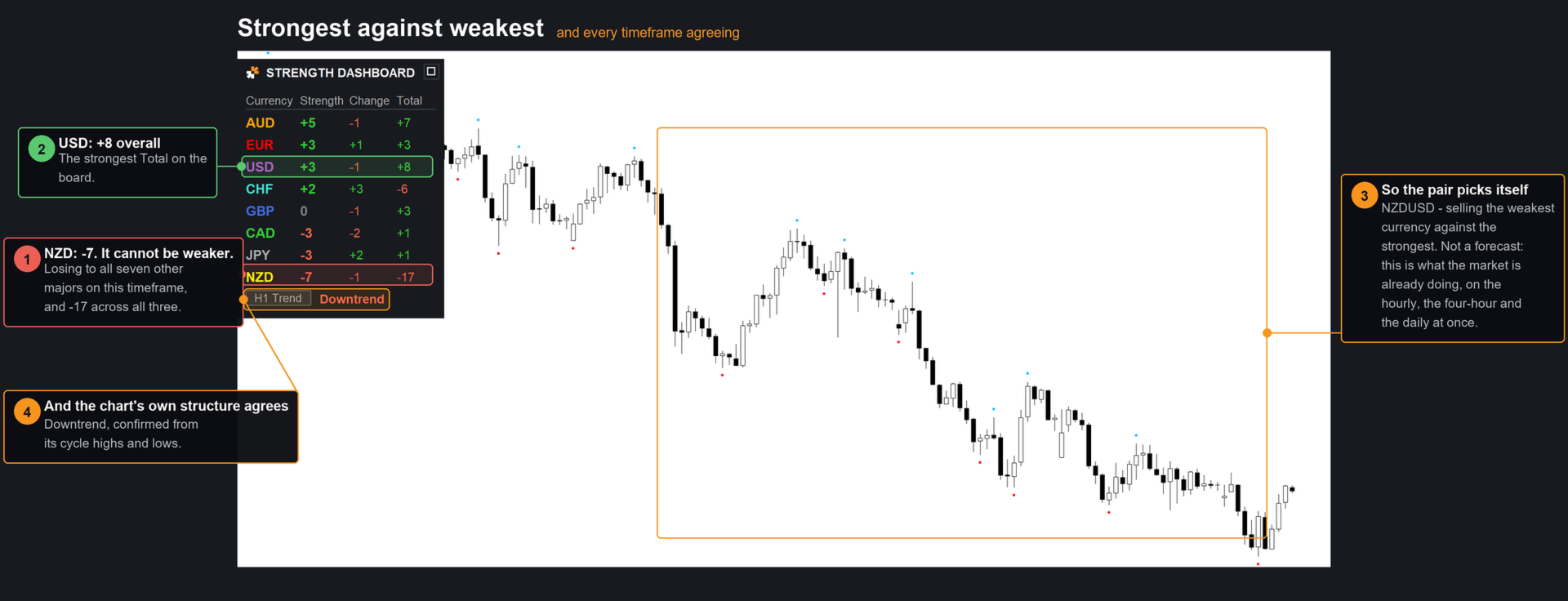
Strength is the score on your chart's timeframe. Total is the sum of the scores across the three timeframes you choose — H1, H4 and D1 by default. One number, from -21 to +21, that tells you whether a currency is strong everywhere or strong in only one place.
It sounds trivial but it stops one of the biggest causes of bad trades, taking a trend trade which is actually against the trend of another time frame. This helps to separate trades that work from trades that fight the market. Look at a real reading:
| Currency | Strength (D1) | Total |
|---|---|---|
| AUD | +4 | +6 |
| CAD | +3 | +3 |
| JPY | +3 | -1 |
| USD | +2 | +10 |
| NZD | -4 | -17 |
On the daily alone, JPY (+3) looks stronger than USD (+2). The Total says the opposite. USD is +10 — it is being bought on the hourly, the four-hour and the daily at once. JPY is -1 — its daily strength is running against the shorter timeframes, which is exactly the kind of move that stalls.
And NZD at -17 out of a possible -21 is weak on every timeframe there is. So the trade the board is pointing at is not the one the daily column suggests. Pair the strongest Total against the weakest Total and you are trading with every timeframe you look at, not just the one on your screen.
Strength tells you what is happening now. Total tells you whether it is likely to continue.
WHAT YOU GET
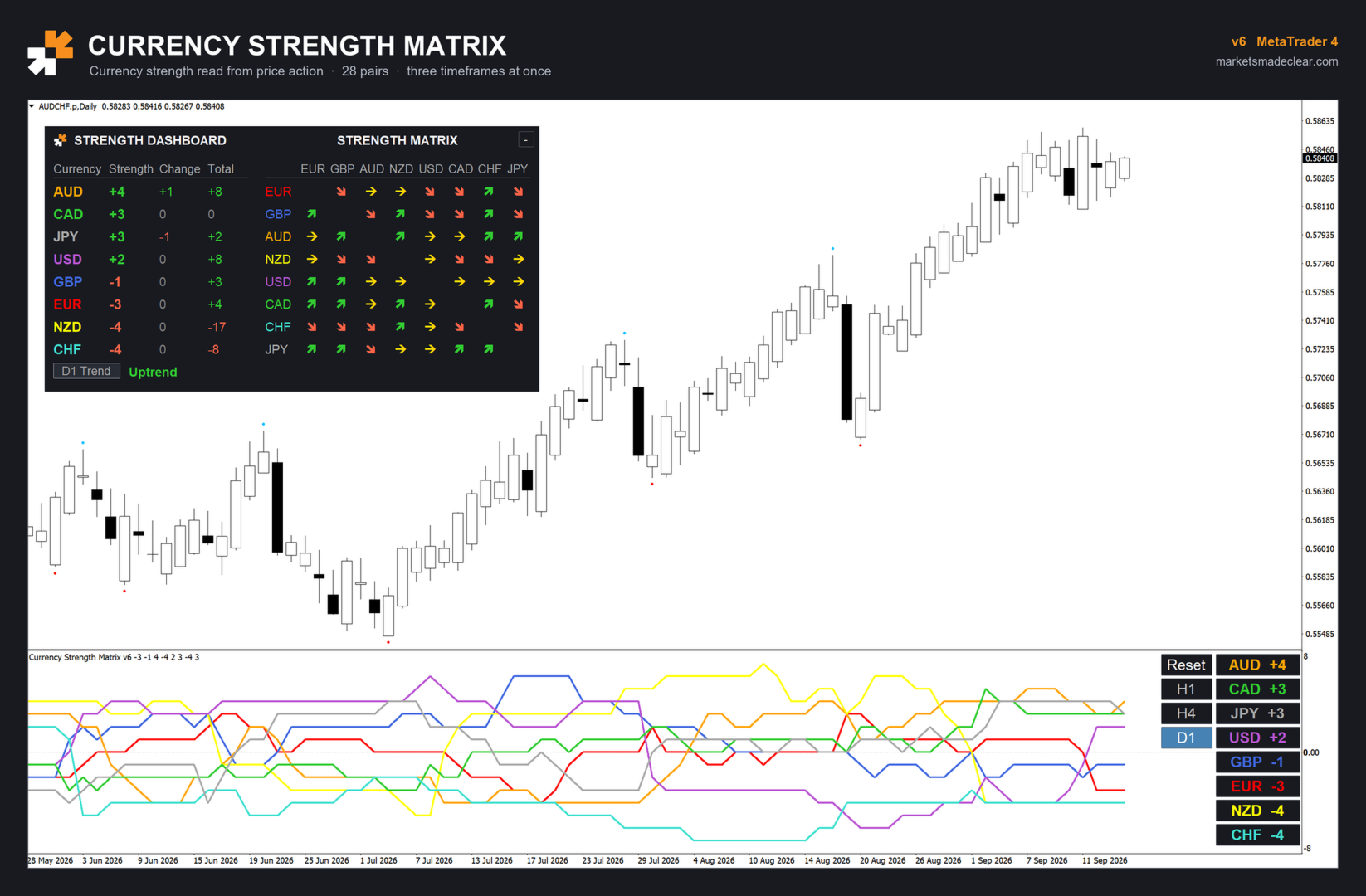
The dashboard — all eight currencies, sorted strongest to weakest automatically. Strength on your chart's timeframe, Change since the trading day opened, and the Total across your three timeframes.
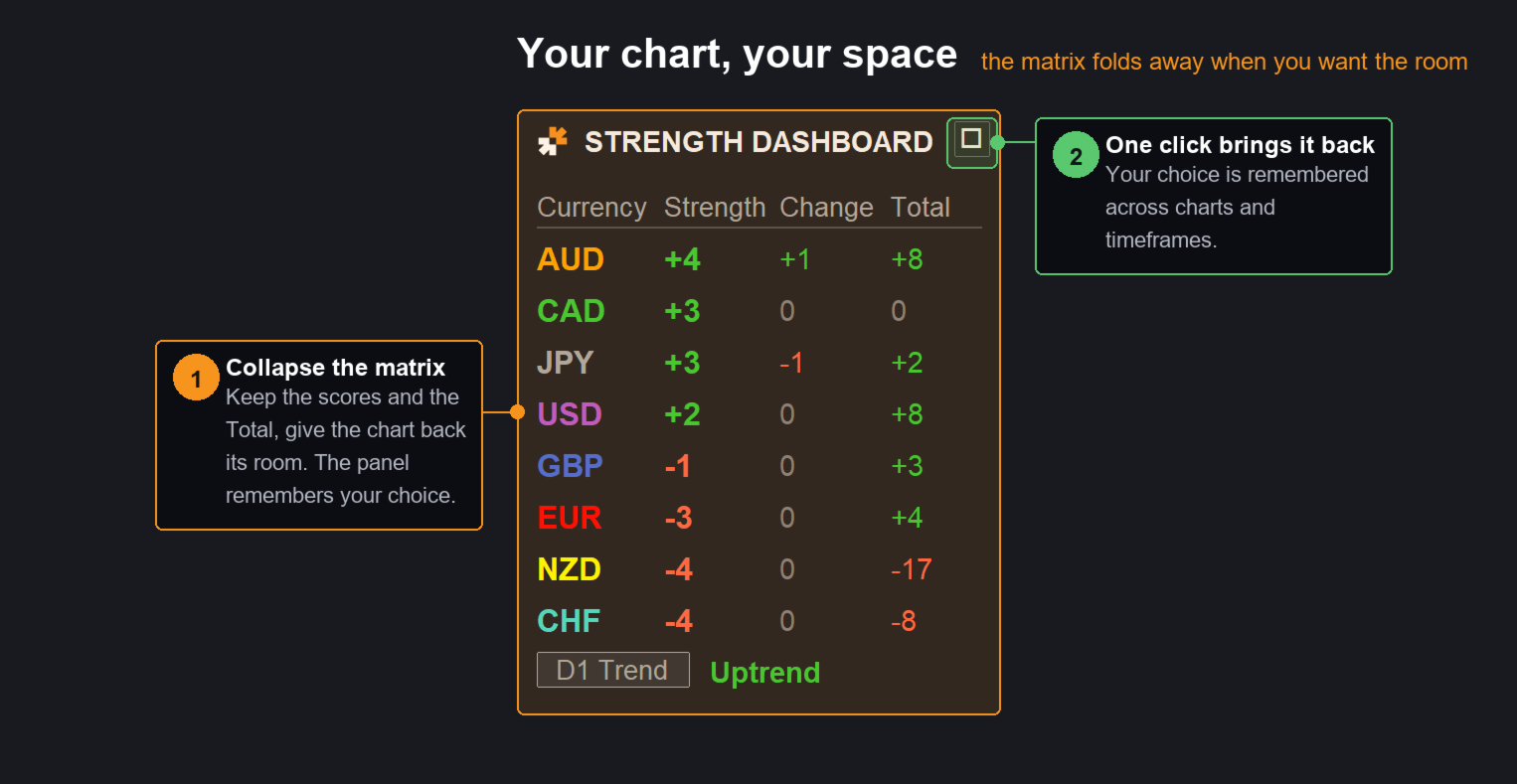
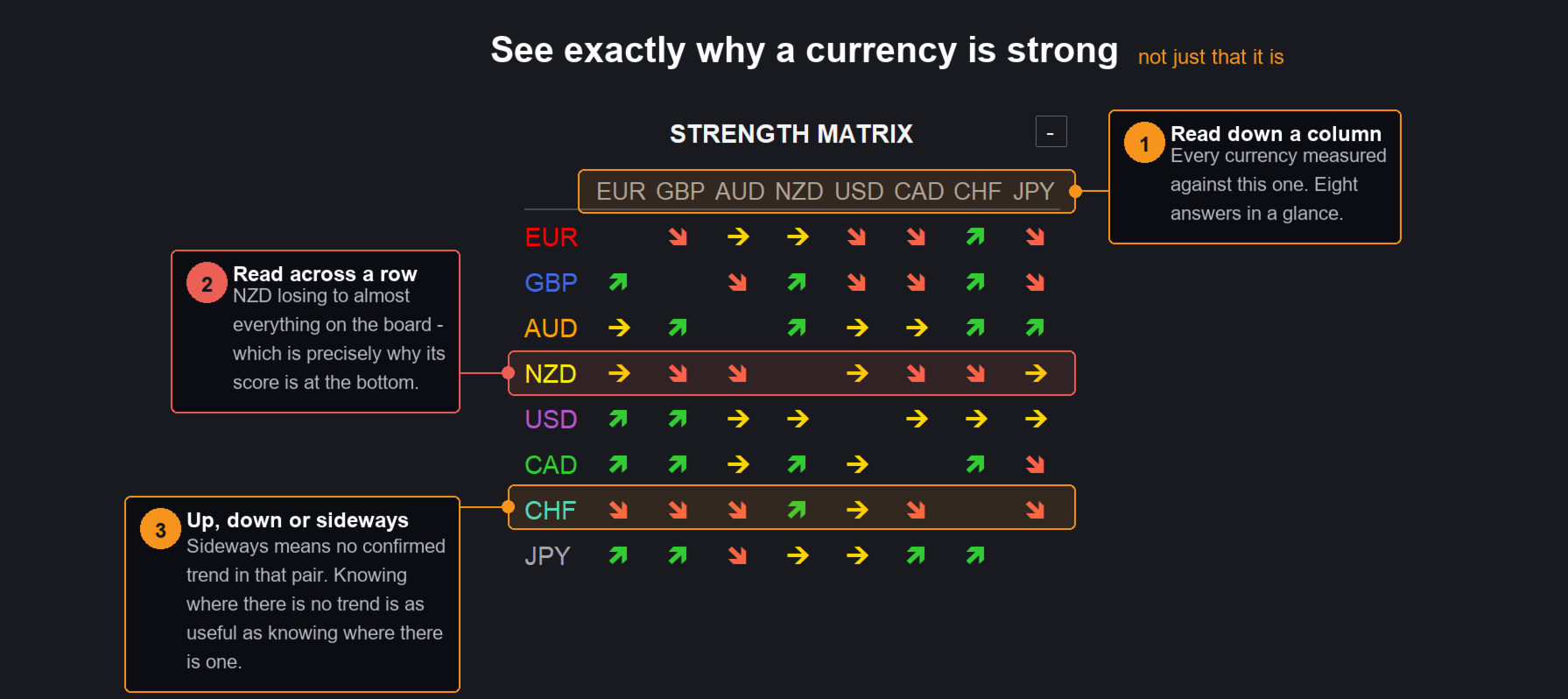
The strength matrix — every one of the 28 pairings in a single grid. An arrow shows which side is winning: up if the row currency is beating the column currency, down if it is losing, sideways if there is no trend. Reading down a column shows you at a glance exactly which pairs are driving a currency's score. Collapse it with one click when you want the chart space back.
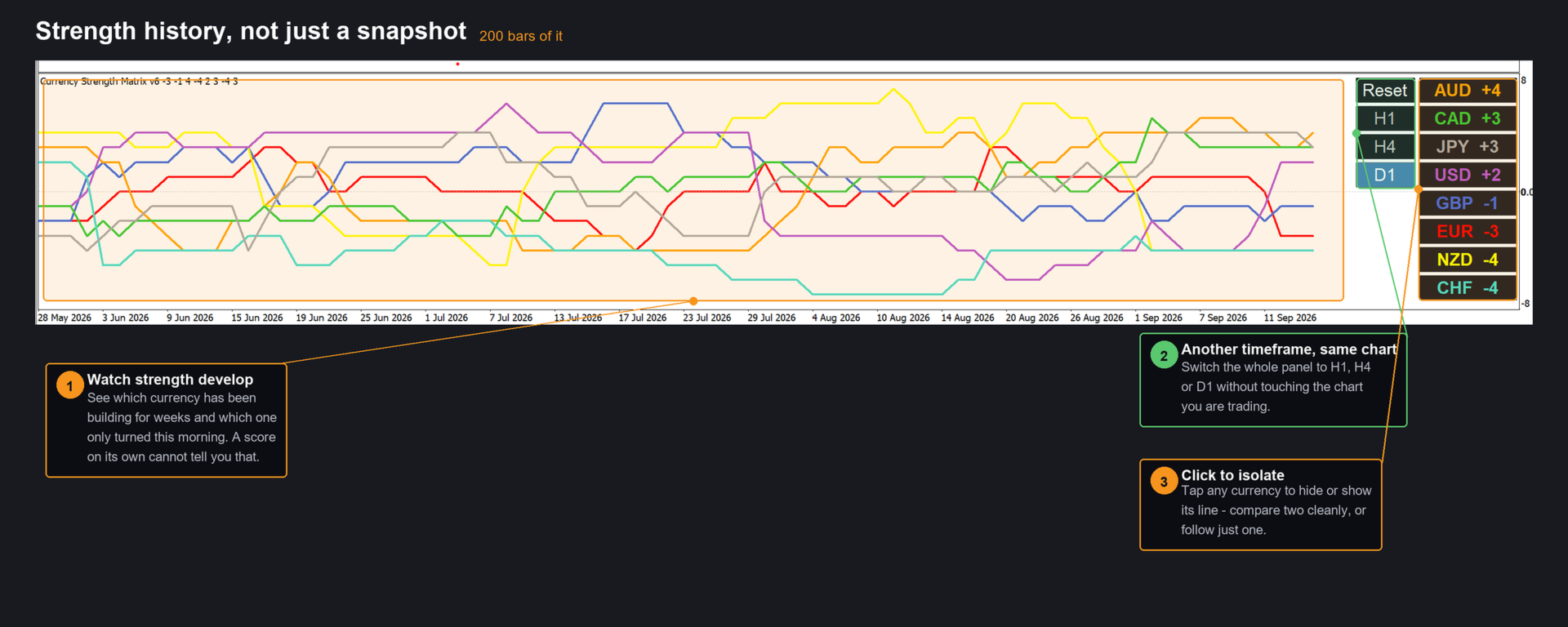
Strength history — the scores plotted for the last 200 bars, not just this moment. You can see which currency has been building strength for a week and which one turned this morning. Click any currency to isolate its line, or hide the ones you don't care about.
Timeframe buttons — inspect the H1, H4 or D1 picture without changing your chart. The chart stays where it is; only the panel and the lines switch.
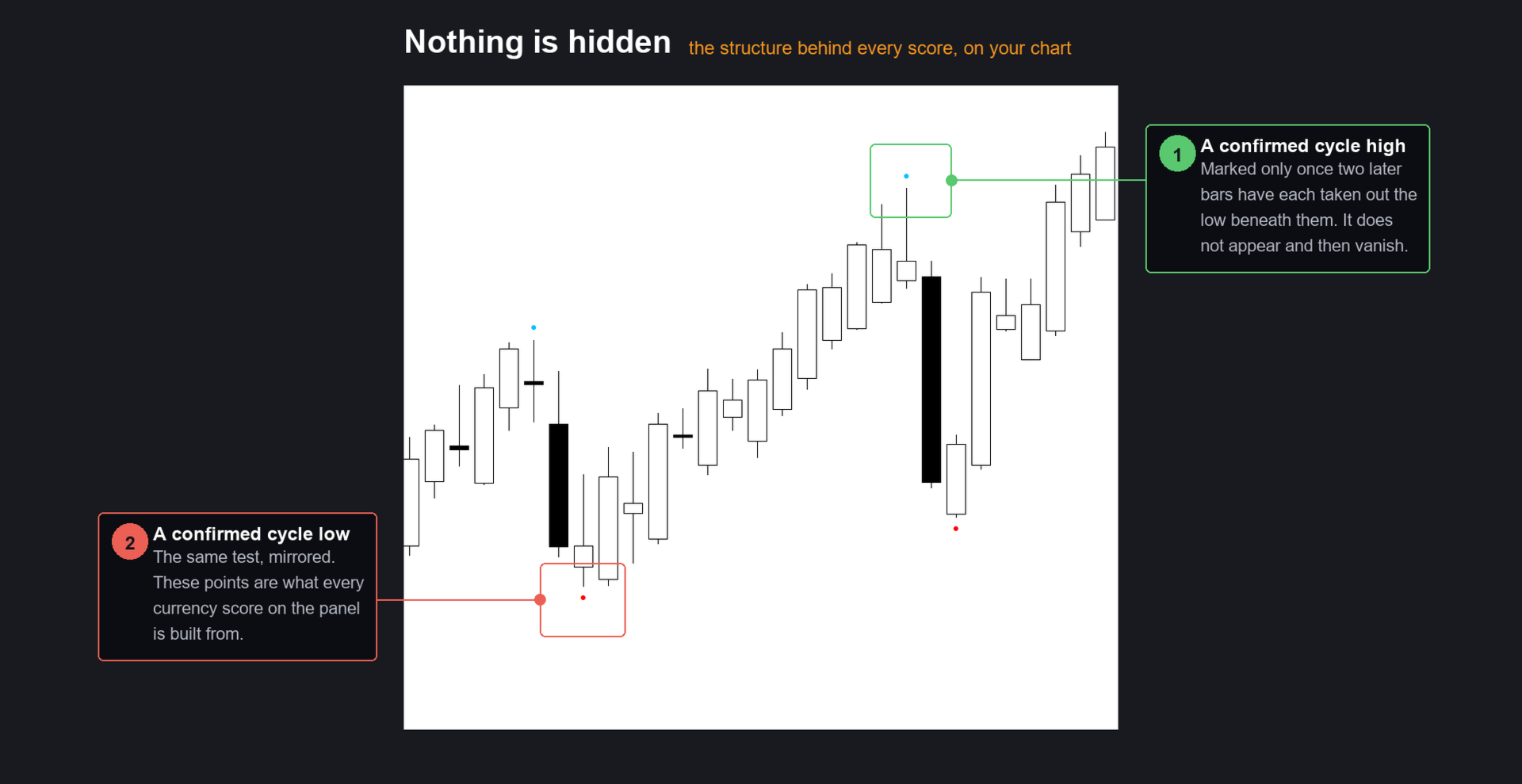
Cycle markers on your chart — the confirmed highs and lows the scores are actually built from, drawn on the symbol you are looking at, plus its own trend reading. Nothing is hidden: you can see the structure behind every number.
Change since the day opened — who has gained and who has given ground today, measured from the broker's daily open.
FAST
The whole board — 28 pairs across four timeframes — is rebuilt from scratch in a few milliseconds. Switch symbol or timeframe and it is simply there.
SETTINGS
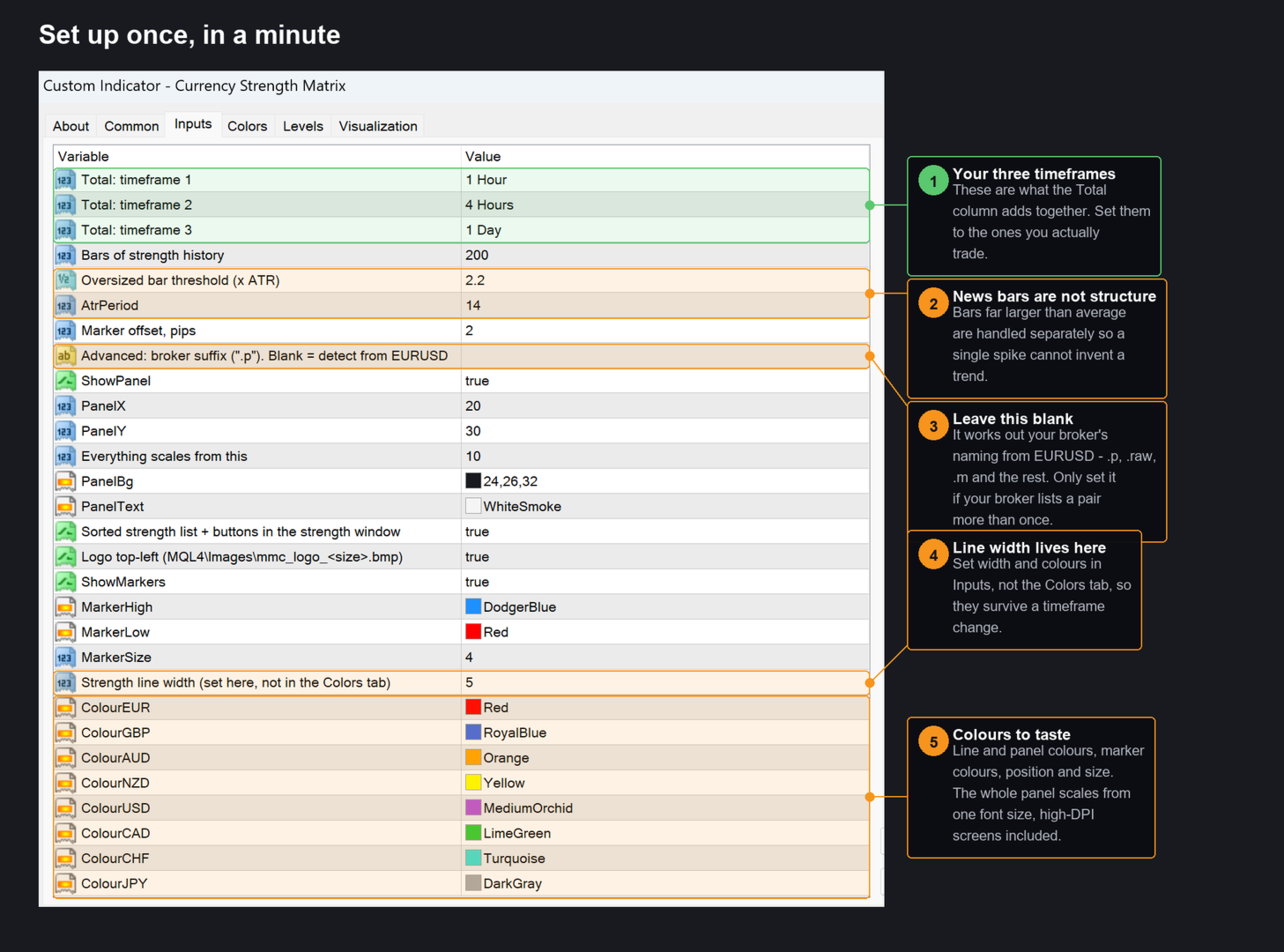
Total: timeframe 1 / 2 / 3 — the three timeframes that make up the Total column. H1, H4 and D1 by default. Set them to whatever you trade.
Bars of strength history — how much history to draw and to read structure from. Default 200.
Oversized bar threshold (x ATR) — bars far larger than average are news, not structure, and are handled separately so a single spike cannot invent a trend. Default 2.2. Raise it to treat fewer bars as oversized, lower it to treat more.
ATR period — default 14.
Marker offset, pips — how far the cycle markers sit from the high or low. Default 2. Cosmetic only; it does not affect any score.
Broker suffix — advanced. Leave blank and the indicator works out your broker's naming from EURUSD (".p", ".raw", ".m" and so on). Only set it if your broker uses more than one variant of the same pair.
Panel — show or hide it, position, font size (everything scales from it), background and text colour, and whether the sorted list and buttons appear in the strength window.
Markers — show or hide, high and low colours, size.
Strength line width and the eight currency colours — set these here in the Inputs tab, not the Colors tab, so they survive a timeframe change.
HOW TO TRADE IT
- Trade the extremes. Pair a currency with a high positive Total against one with a high negative Total. Both timeframes and structure agree; you are going with the market, not predicting it.
- Trade the crossings. When two currencies cross the zero line in opposite directions, the pair between them is changing hands. The strength history makes these easy to spot as they form.
- Trade the early turn. A strong currency losing strength against a weak one gaining it is the earliest, most aggressive entry the board offers — and the Total column tells you whether the bigger picture supports it or not.
- Use Total as a filter. Before taking any of the above, check the Total. Strength without Total is a short-term move inside a bigger trend going the other way.
REQUIREMENTS
MetaTrader 4. Works on any chart — forex, indices, metals — since the strength is always computed from the 28 major pairs regardless of what you are looking at. Your broker must offer the 28 major pairs for a complete board; the panel tells you if any are missing.
WHAT'S NEW IN v6
- Total column across three timeframes of your choosing.
- Strength matrix — all 28 pairings as a grid of arrows, collapsible.
- Strength history for the last 200 bars, with click-to-isolate on any currency.
- Timeframe buttons — see another timeframe without leaving your chart.
- Cycle markers drawn on the chart, showing the structure behind the scores.
- Change since the daily open.
- Rebuilt calculation engine. The full board now takes milliseconds instead of minutes. Symbol and timeframe switching is instant and there is no background load.
- Scales correctly on high-DPI displays.
















































Absolutely amazing. This Indicator and the other 3 that I also got which are trend viewer pro, cycle finder and easy draw are all so useful and beneficial. It by far has helped me with my decision making and supported me in understanding market structure for sure. All these indicators have made my trading more than ever easier. I am indeed grateful to Ray for such indicators. I also got the seasonality course on Udemy by Ray last year which was awesome and informative and has for sure changed my approach to the financial markets. My request is that Ray does a course on COT, as combination of seasonality with COT is extra confirmation. Highly recommend as I am hard to please.