KT MSnR Indicator MT5
- インディケータ
- バージョン: 1.0
- アクティベーション: 10

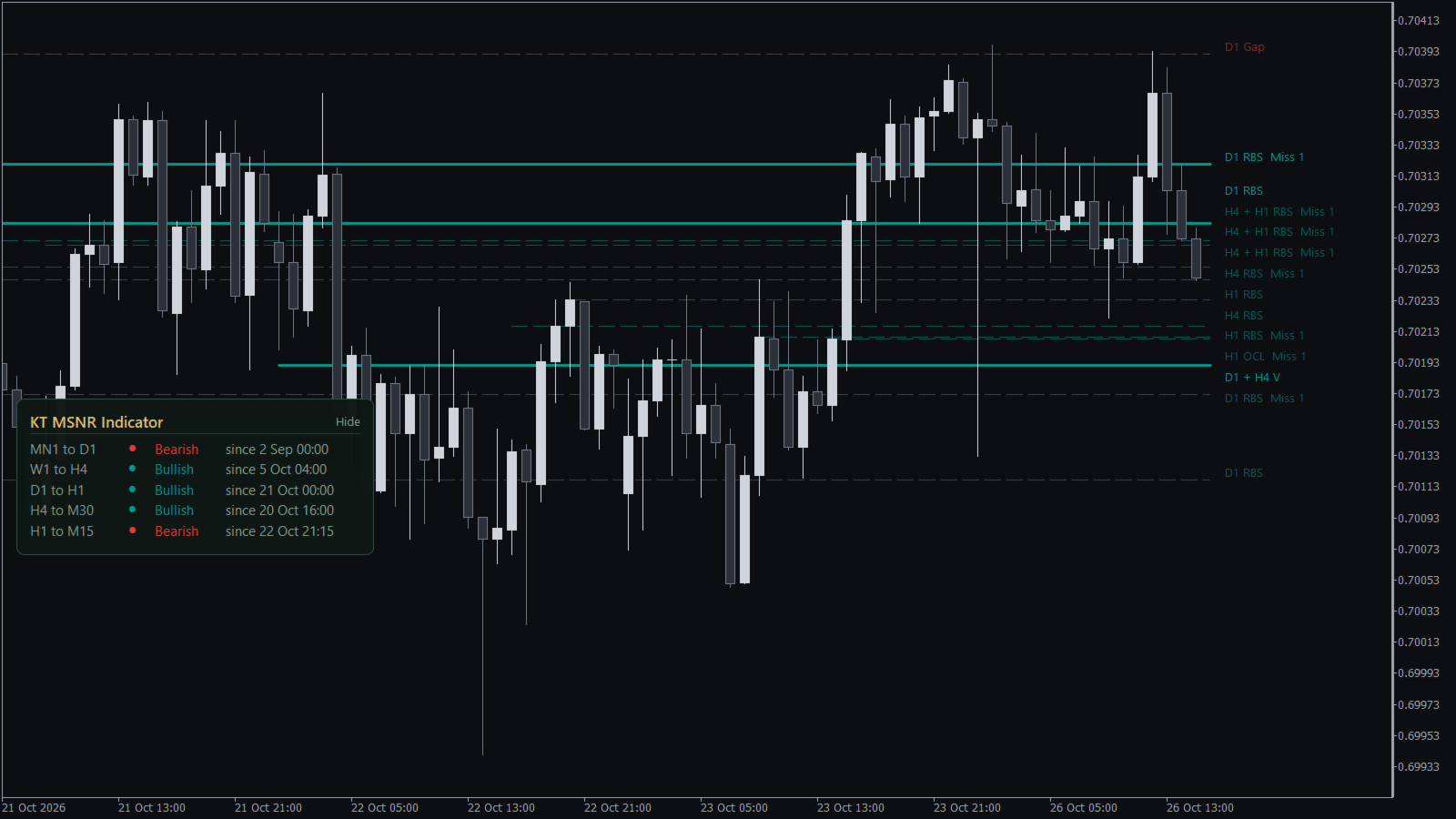
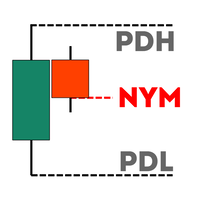
A Malaysian SnR (MSNR) indicator that draws A, V, gap and OCL levels from three timeframes, keeps track of which levels are still fresh, and reads the MSNR storyline for you. The MSNR radar watches your Market Watch and shows which symbol sits at a fresh D1 or H4 level right now.
Every level and every storyline turn is confirmed on a closed candle, so the levels you see on past candles are the same levels the chart showed live.
What you get
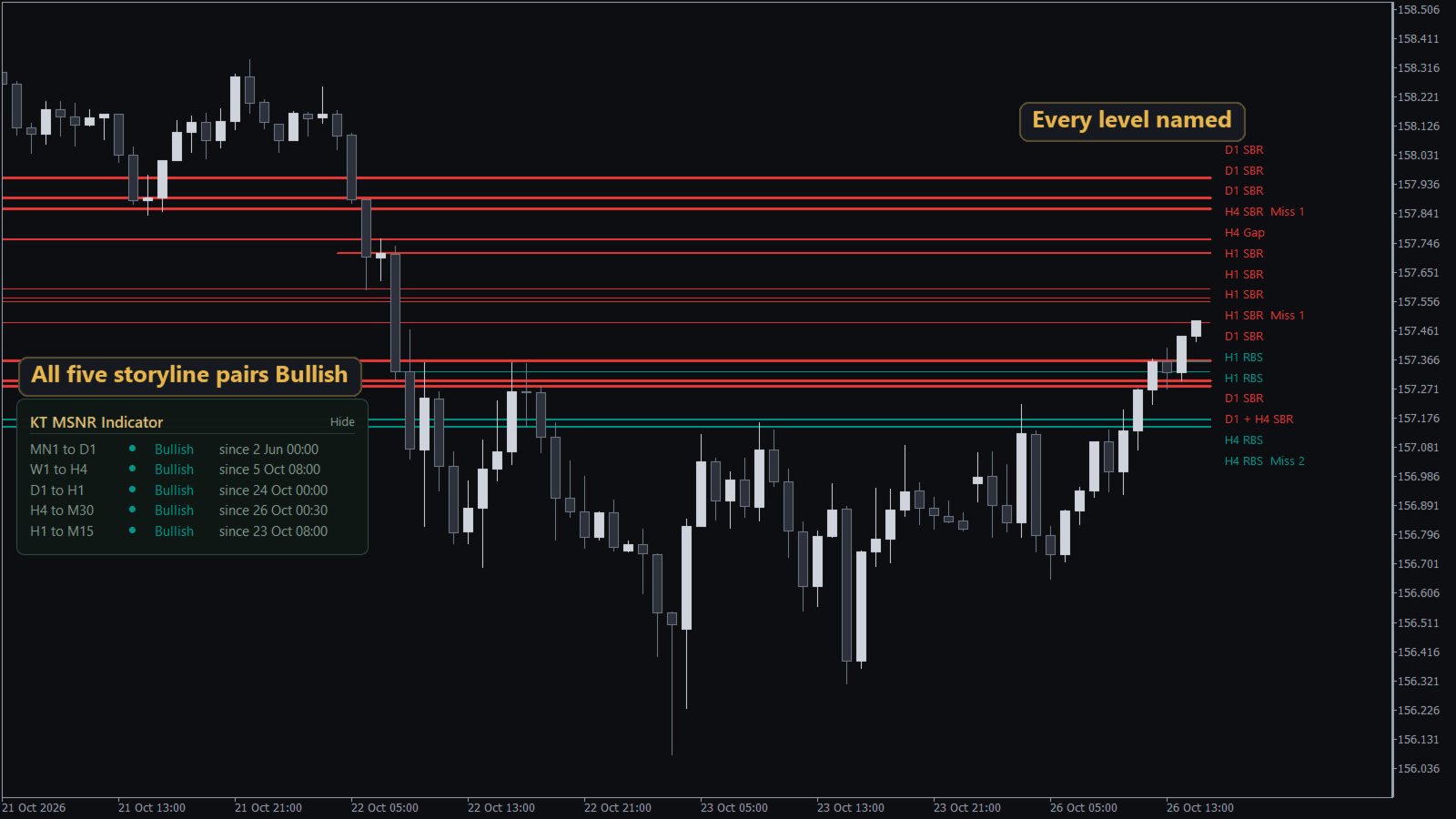
- All MSNR level types: A levels (resistance), V levels (support), gap levels and open close levels (OCL), taken from candle bodies on D1, H4 and H1 by default.
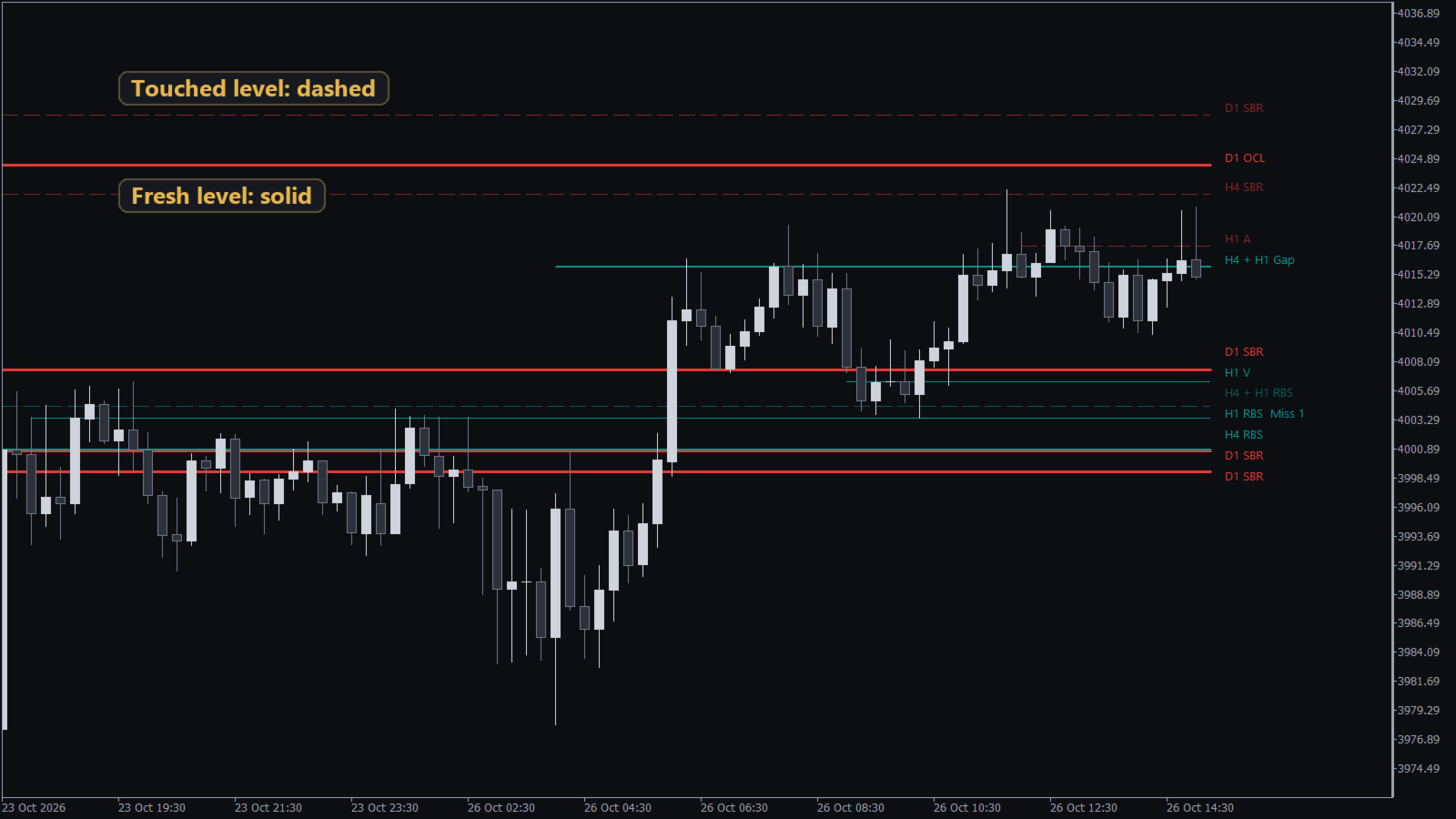
- Fresh and unfresh at a glance: a fresh level is a solid line, and once a wick touches it, the line turns dashed and faded.
- RBS and SBR flips: when a candle closes through a level, resistance becomes support (RBS) or support becomes resistance (SBR), and the level is fresh again.
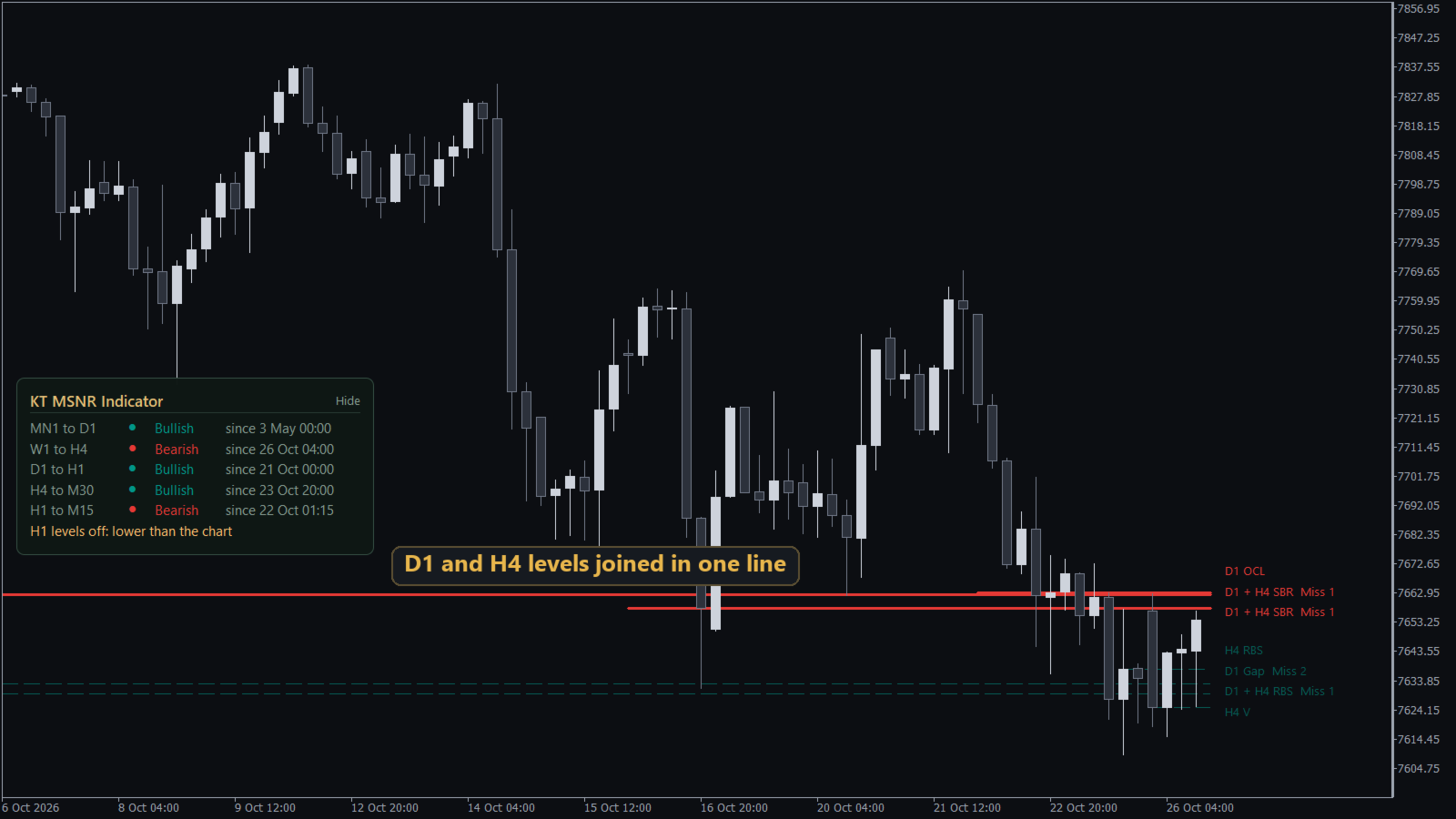
- One line where timeframes meet: a D1 level and an H4 level at the same price become one line labelled "D1 + H4 V", and the labels at the right edge of the chart never overlap.
- Misses on the label: "Miss 2" tells you that price turned away just before that fresh level two times.
- Storyline panel: five timeframe pairs, MN1 to D1, W1 to H4, D1 to H1, H4 to M30 and H1 to M15, each shown as Bullish, Bearish or No trend, with the time the row last turned.
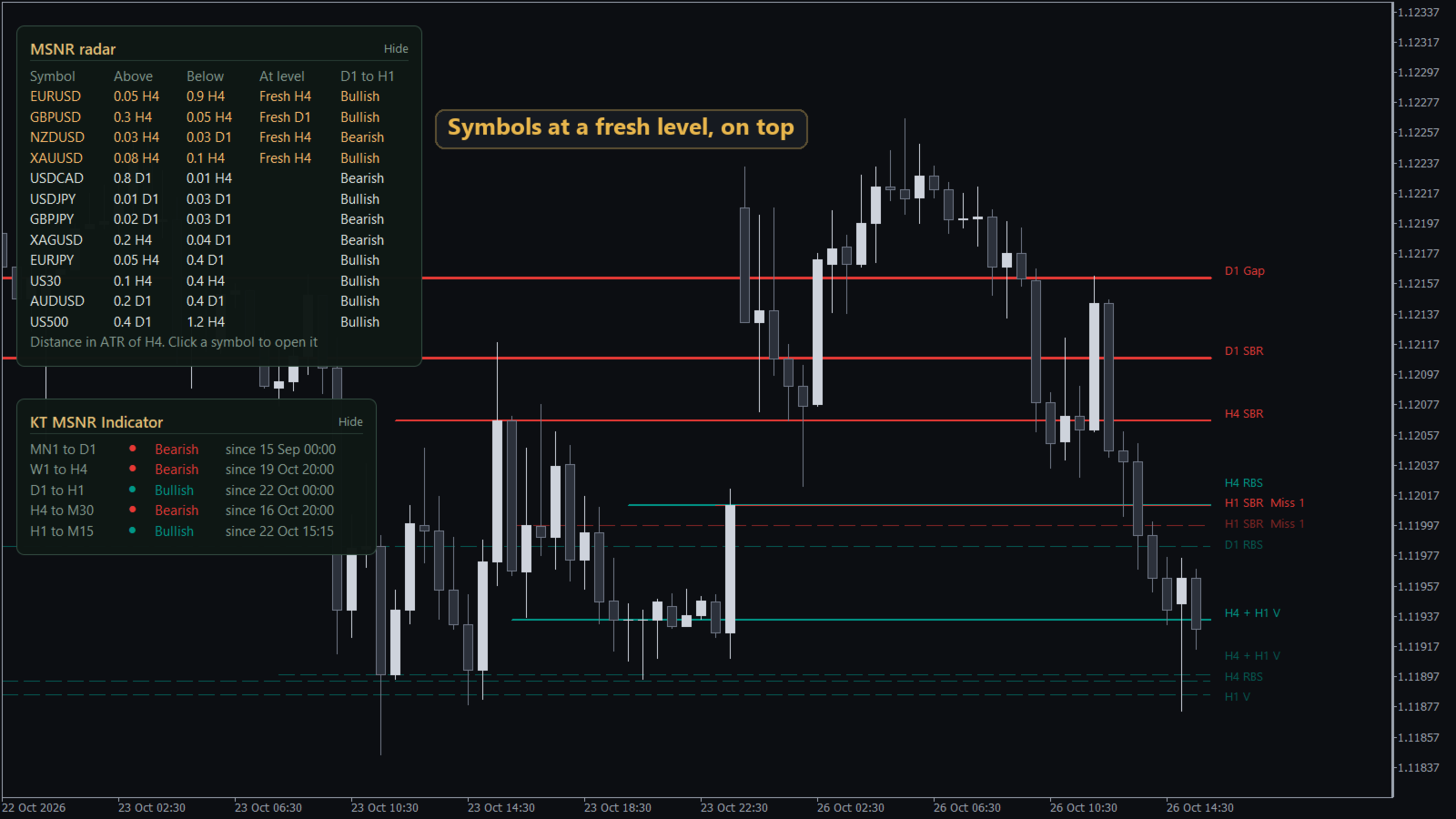
- MSNR radar: 15 symbols by default (up to 40) with their distance to the nearest fresh D1 and H4 levels above and below price. Symbols at a fresh level move to the top, and one click switches your chart to that symbol.
- Alerts by popup, push notification or email: when price reaches a fresh level while the candle is still open, when a shown level breaks, and when a storyline row turns. Each event alerts one time.
How to use it
Attach the indicator to your chart. The levels of the three timeframes appear with their labels: the nearest three above price and the nearest three below price for each timeframe. Read the storyline panel first. When the higher timeframe pairs point the same way, the fresh levels in that direction are the ones to watch.
Turn on the radar on one chart. When a symbol shows a fresh D1 + H4 level in the At level column, click it, and your chart opens that symbol with its levels and storyline already drawn.
Recommendations
Use KT MSNR Indicator on forex pairs, gold and stock indices. With the default D1, H4 and H1 levels, day traders use M15, M30 or H1 charts. Swing traders use the H4 chart, where the H1 levels switch off on their own, because a level timeframe lower than the chart timeframe is skipped.
Input parameters
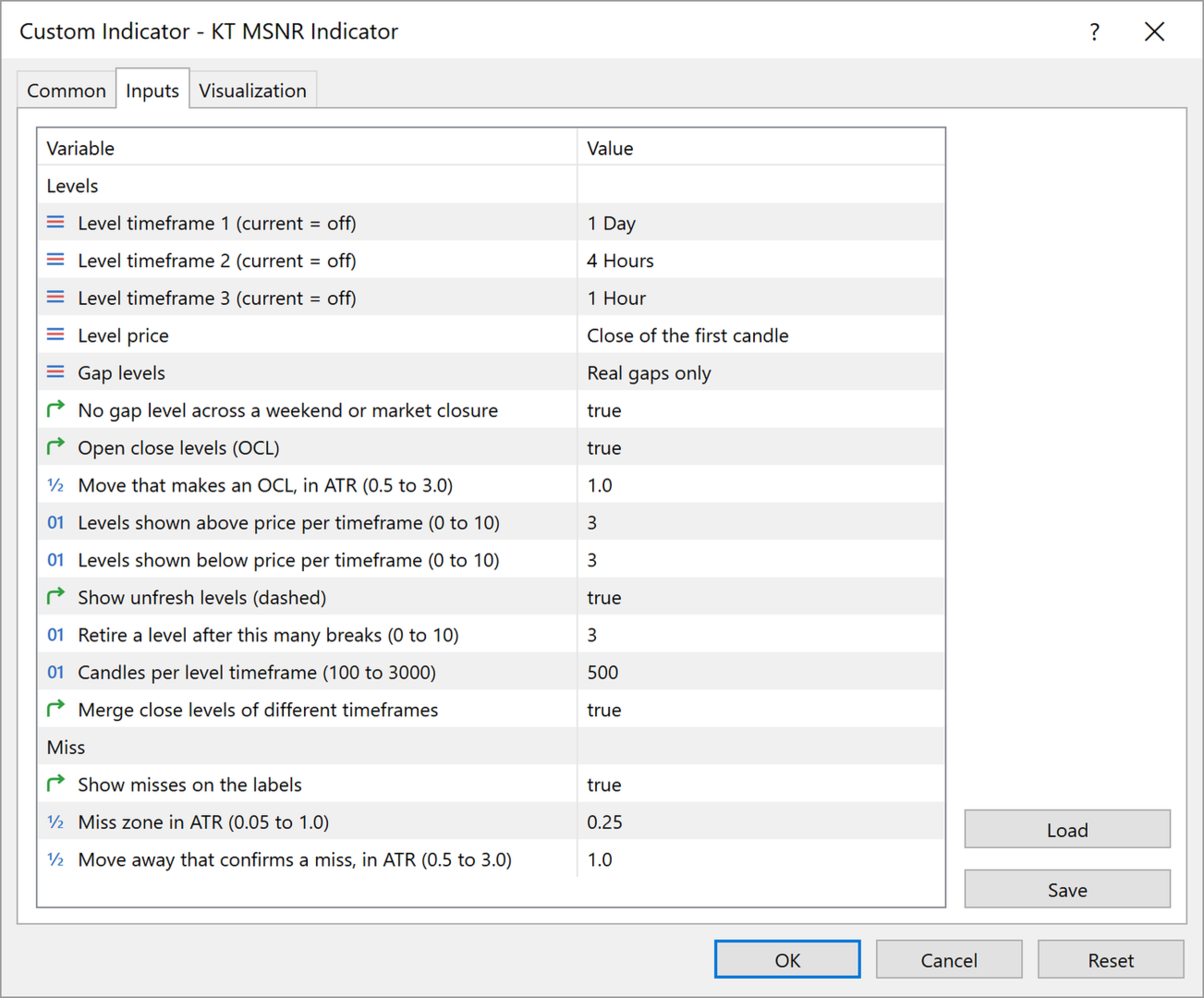
- Levels: the three level timeframes, the candle price used for the levels, gap levels, open close levels (OCL), how many levels are shown above and below price, unfresh levels on or off, when a broken level is removed, and merging close levels of different timeframes.
- Miss: misses on the labels on or off, and how a miss is measured.
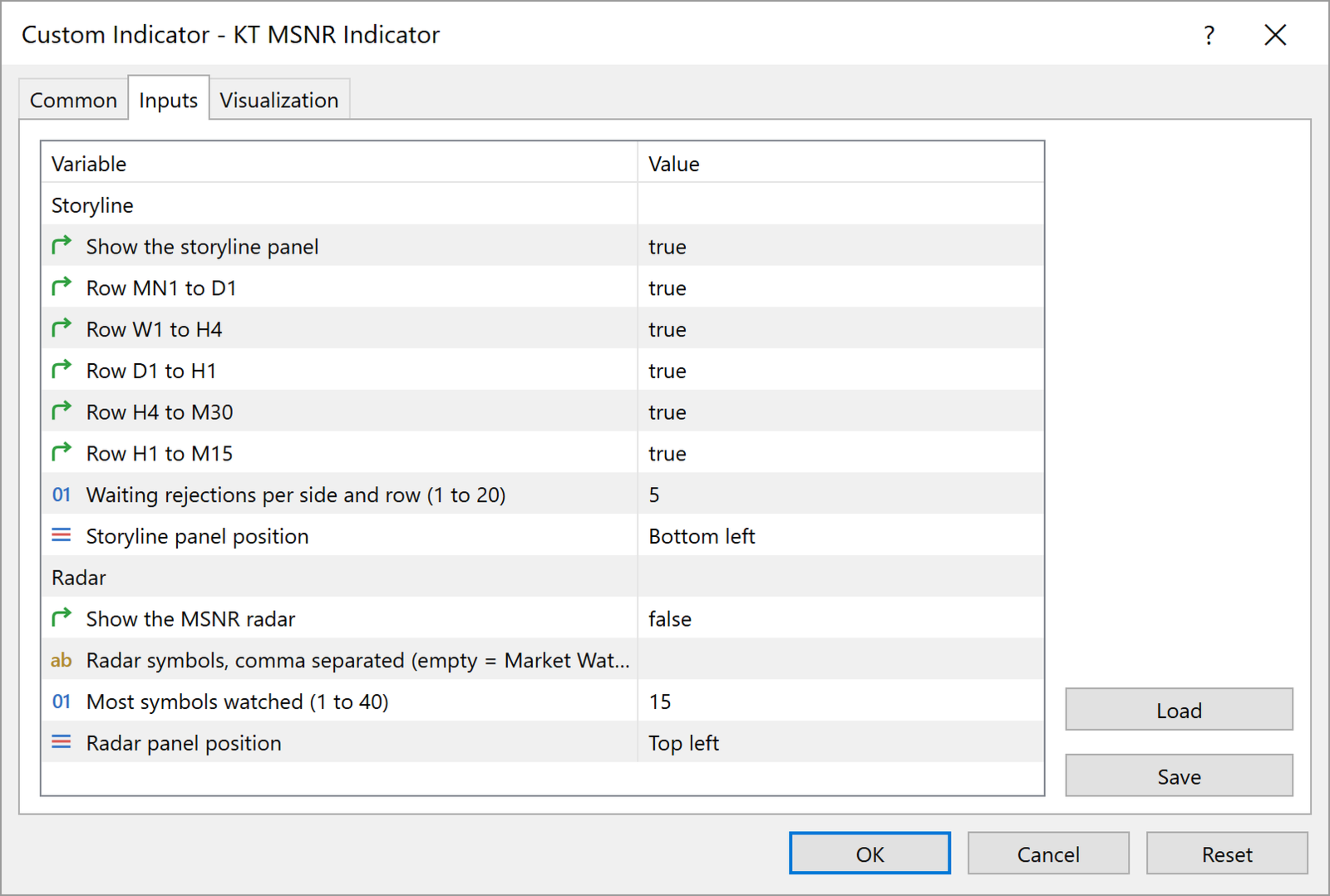
- Storyline: the panel on or off, each of the five rows on or off, and the corner of the chart where the panel sits.
- Radar: the radar on or off, your own symbol list or the Market Watch, the number of symbols watched, and the panel corner.
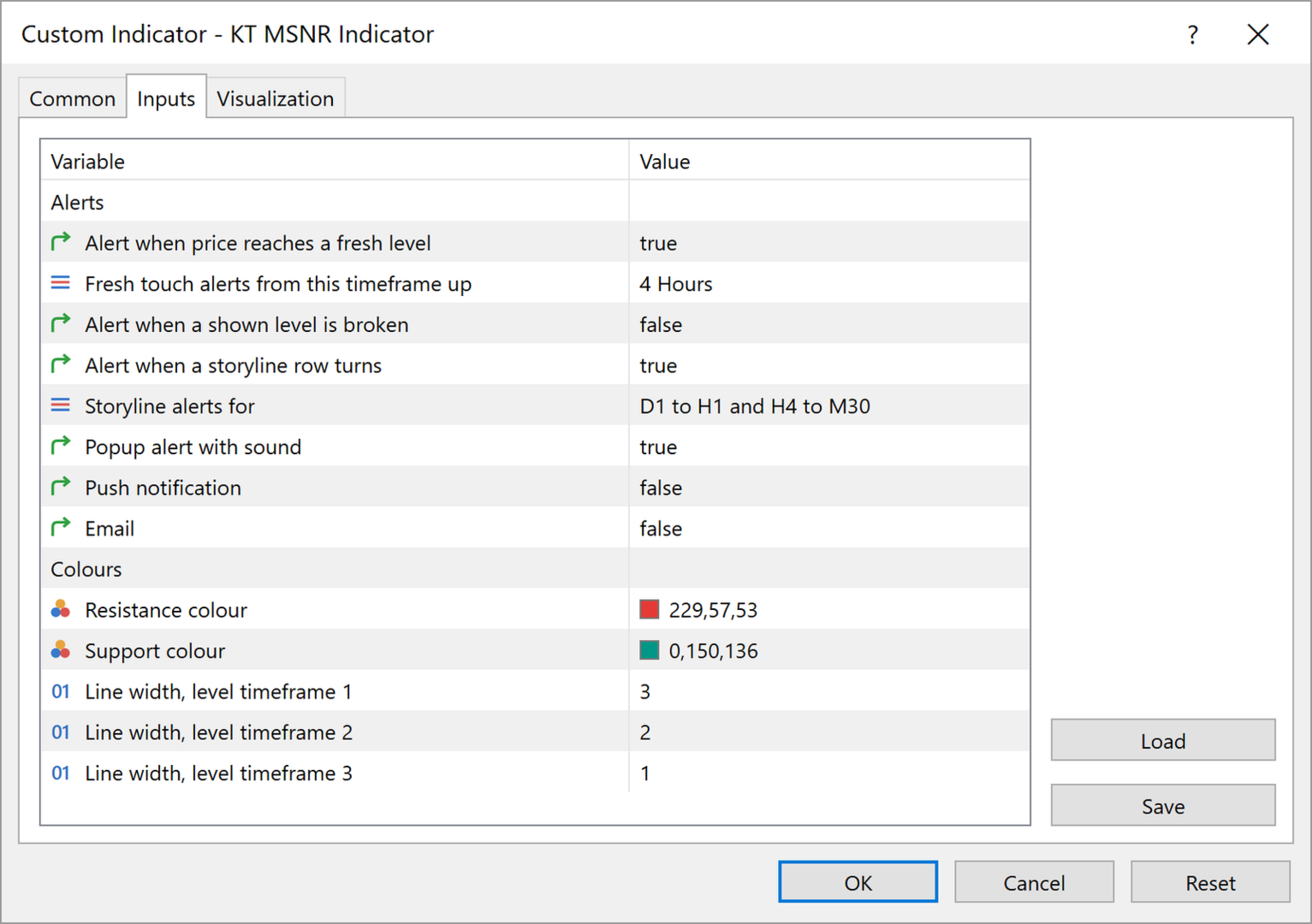
- Alerts: fresh level touch with the lowest timeframe that alerts, level break, storyline turn with the rows that alert, and delivery by popup with sound, push notification and email.
- Colours: the resistance and support colours and the line width of each level timeframe.
Spend your time on the trade
Every A, V, gap and OCL level on three timeframes, fresh or touched, the storyline of five timeframe pairs and a radar across your symbols, all kept current on your chart. Add KT MSNR Indicator to your chart and start each session with the MSNR marking already done.