SniperStack SuperTrend UT Signals
- インディケータ
-
M Trihana Muslim
 I have been developing Expert Advisors and trading tools for more than 10 years. I build practical tools for disciplined trading: risk-based lot sizing, clean SL / TP management and clear market structure analysis. Simple to use, light on the terminal and regularly updated. Questions? Send me a
 - バージョン: 1.1
- アップデート済み: 30 10月 2026
- アクティベーション: 5
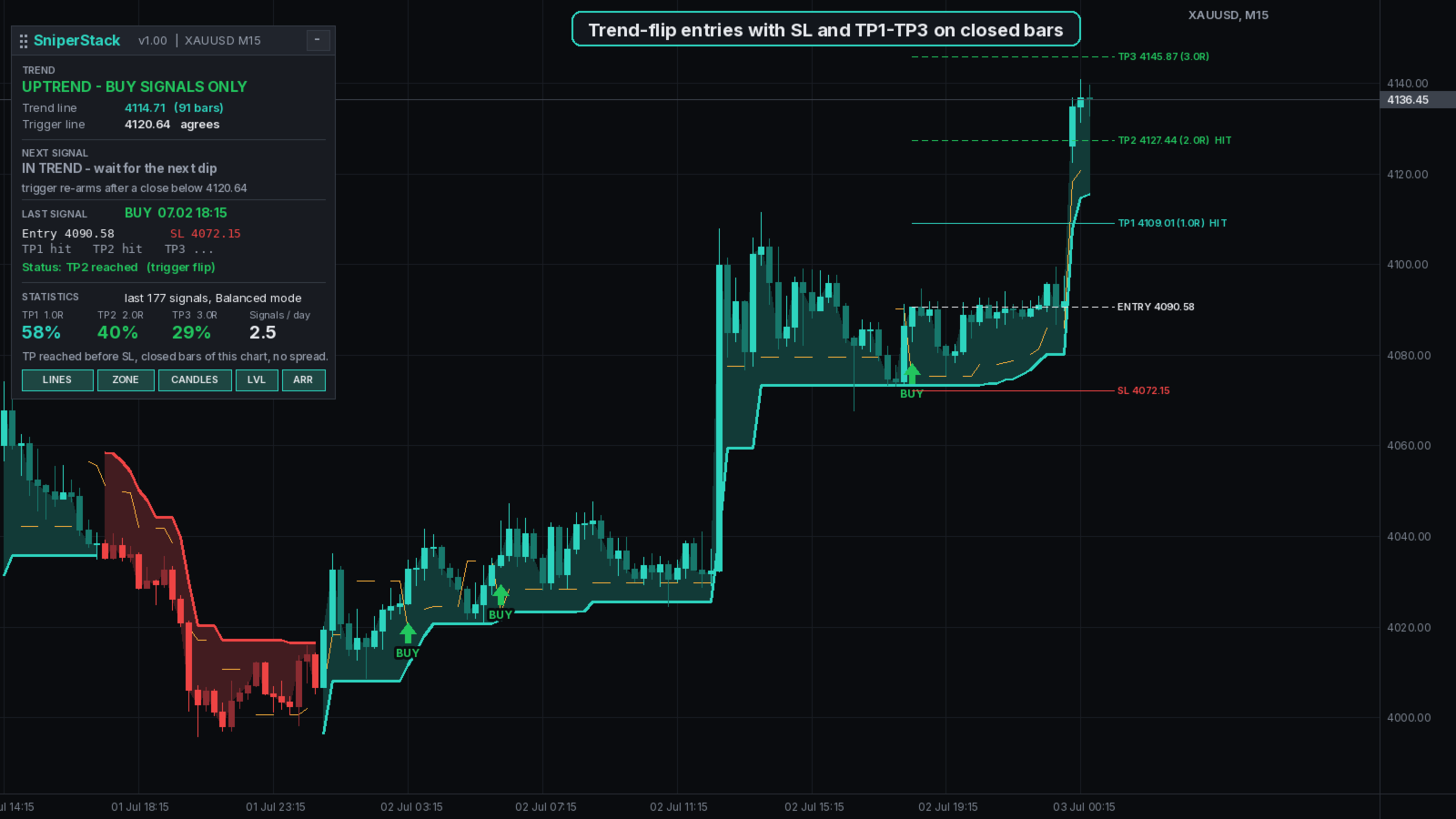
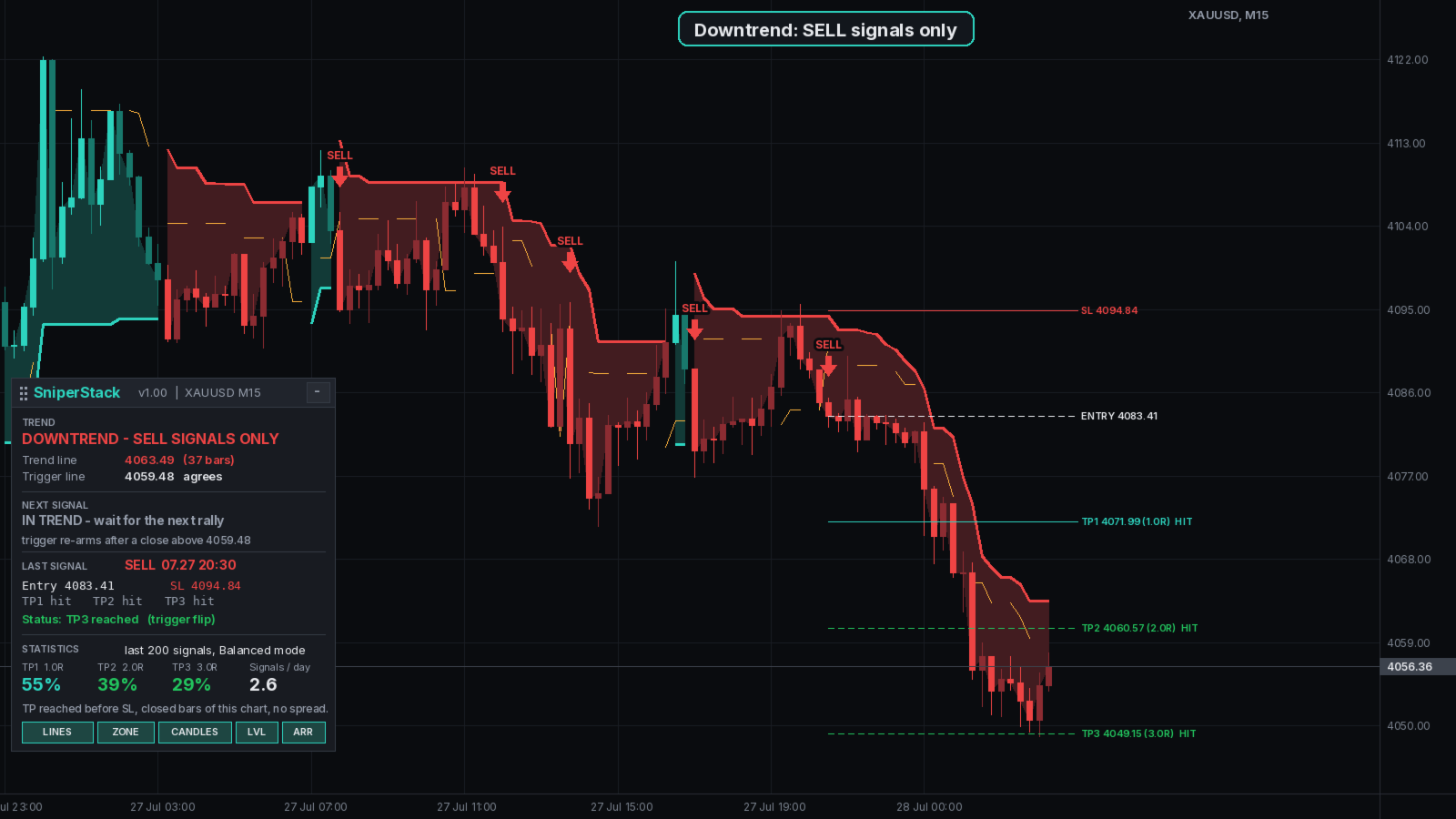
SniperStack combines two well known trend tools into one clean entry signal. A SuperTrend line decides the direction, and an ATR trailing stop in the style of UT Bot gives the trigger. A BUY arrow appears only when price has dipped against an uptrend and closes back above the trigger line while the trend line is still up. SELL signals are the mirror image. Signals are calculated on closed bars and do not repaint.
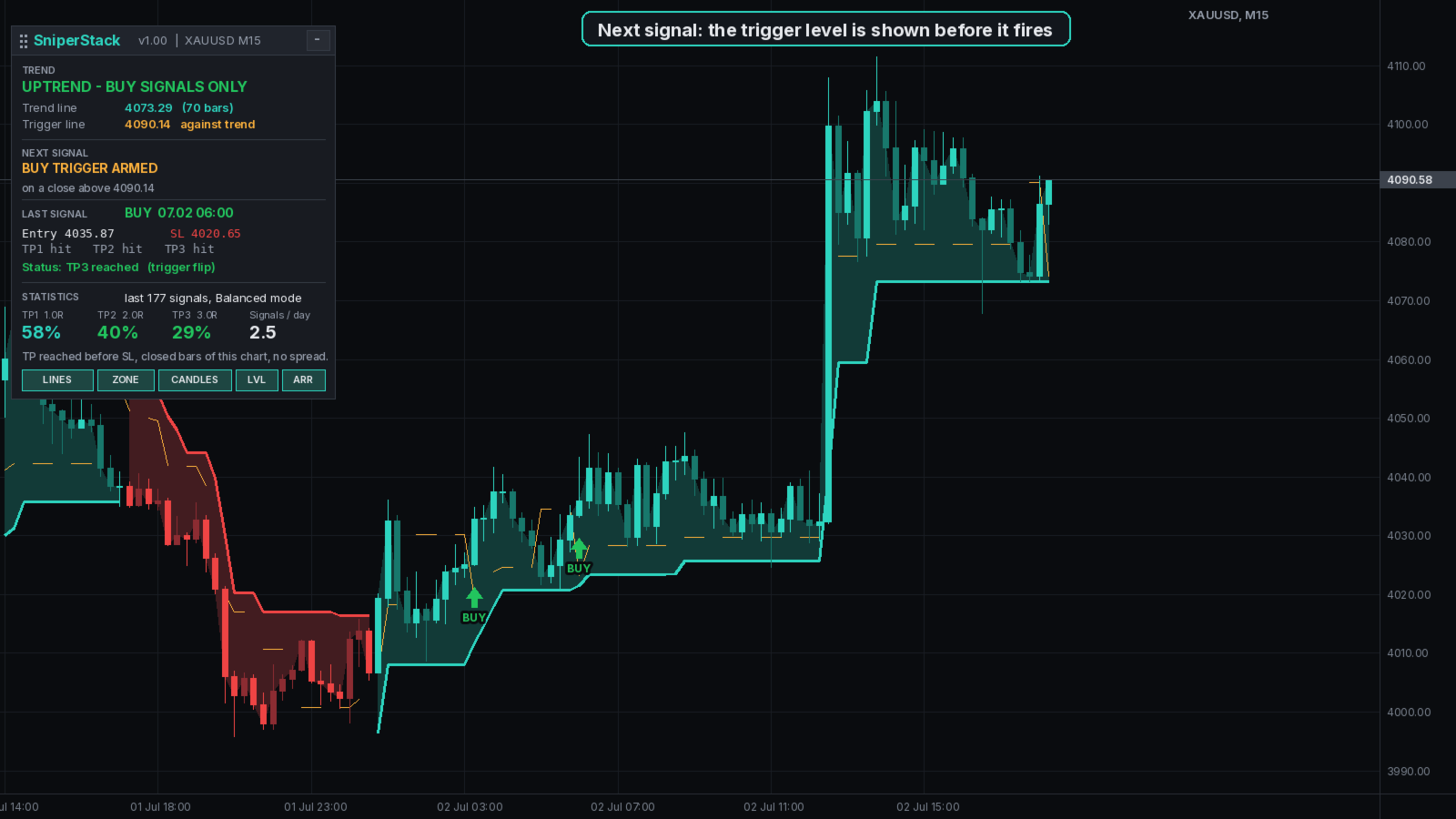
Every signal draws the entry, the stop loss (SL) behind the trend line and three take profit targets (TP1, TP2, TP3) at 1, 2 and 3 times the risk. The panel tells you in advance at which close the next signal will fire, so you are prepared instead of chasing an arrow.
How a signal is built
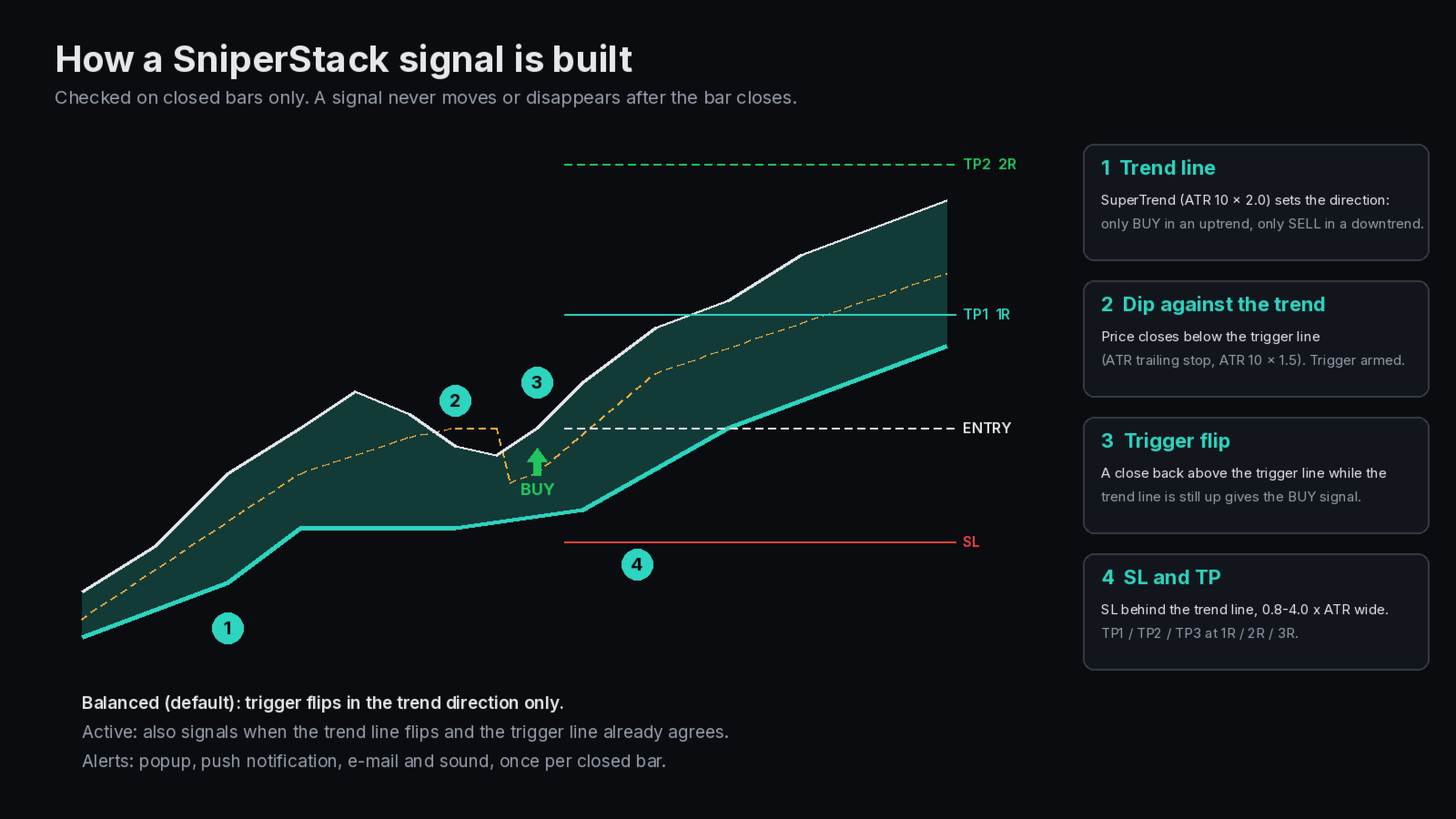
- Trend line: SuperTrend based on the average true range (ATR 10, multiplier 2.0). Only BUY signals in an uptrend, only SELL in a downtrend.
- Dip against the trend: price closes below the trigger line, an ATR trailing stop (ATR 10, multiplier 1.5). The trigger is now armed.
- Trigger flip: a close back above the trigger line while the trend line is still up gives the BUY signal.
- Levels: entry at the close of the signal bar, SL behind the trend line plus a small ATR buffer (0.8 to 4.0 x ATR wide), TP1, TP2 and TP3 at 1R, 2R and 3R.
Signal modes
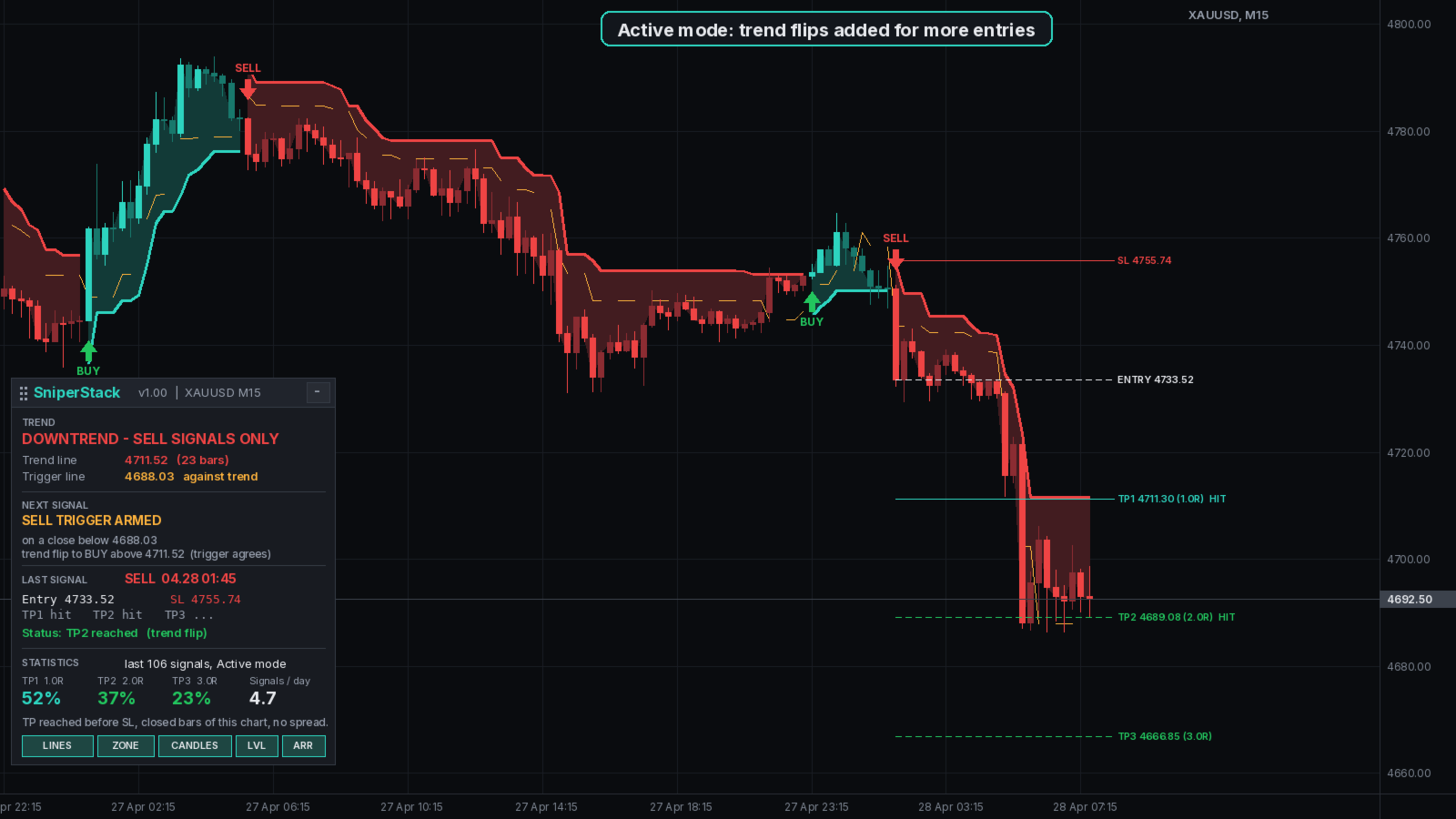
Balanced is the default and gives signals only from trigger flips in the trend direction. Active also gives a signal when the trend line itself flips and the trigger line already agrees, so it produces about twice as many signals. In Custom mode you can set both ATR periods and multipliers, the signal source, the stop loss buffer and limits, the minimum gap between signals and a GMT session filter.
Chart
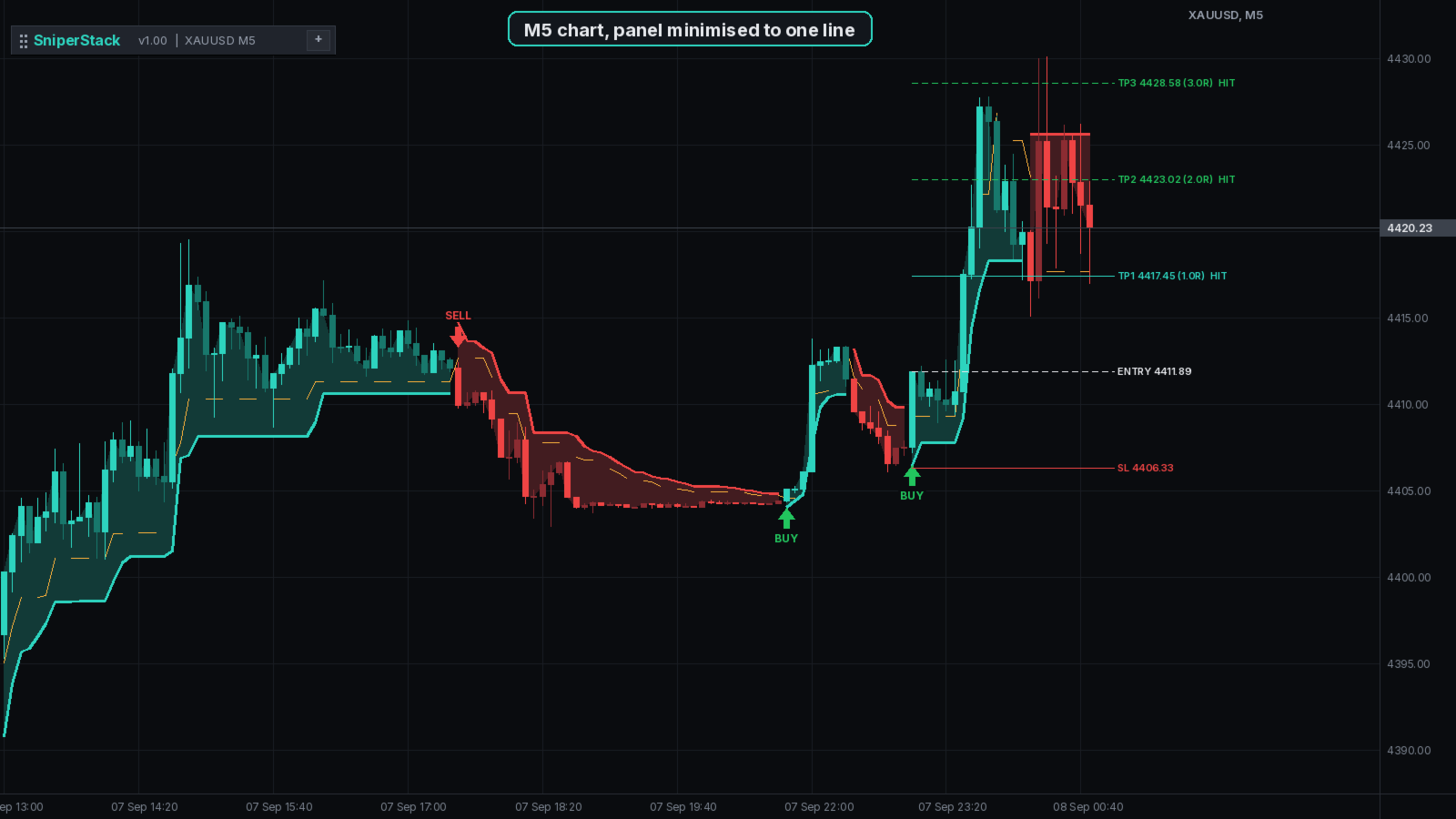
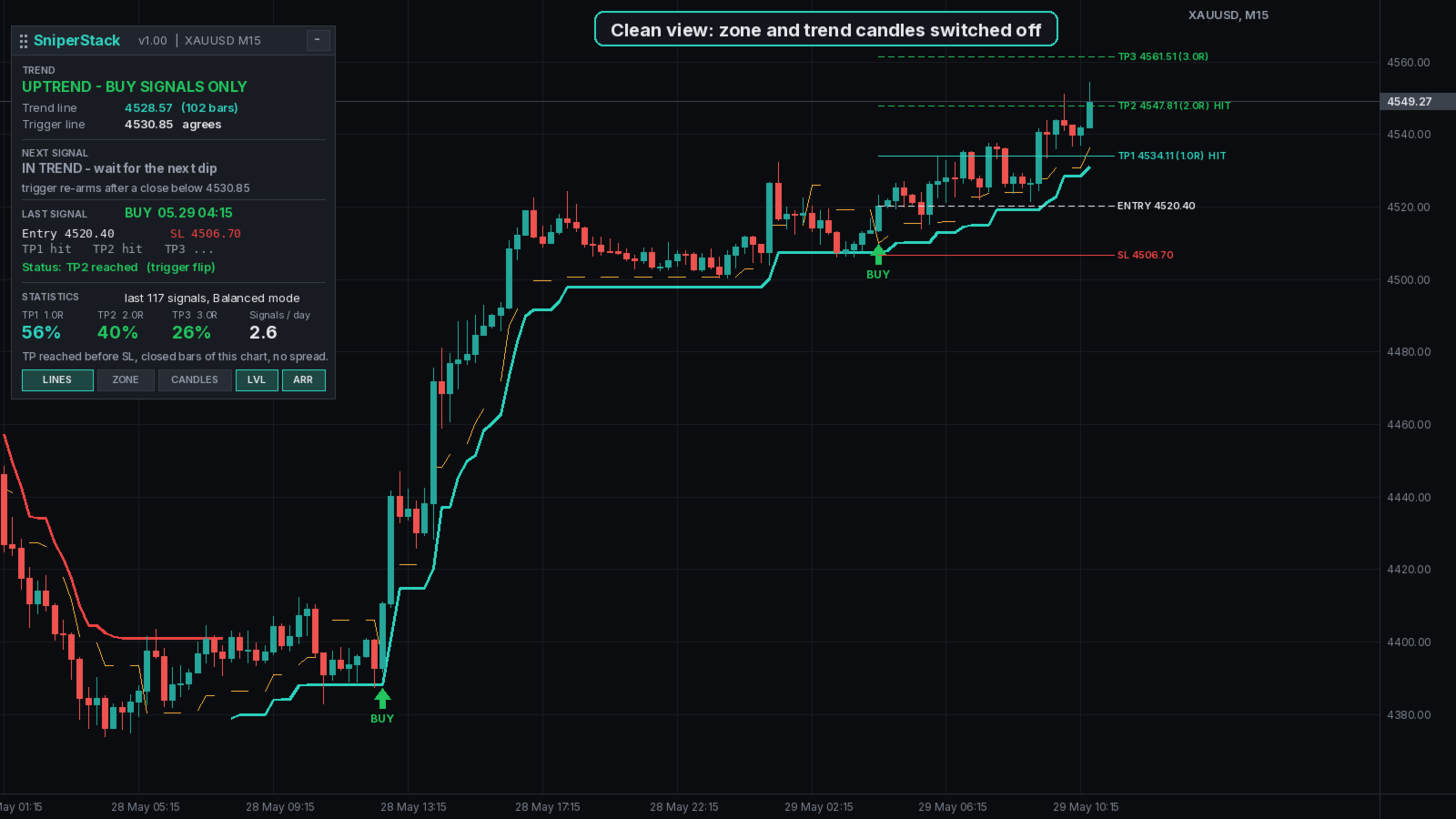
The trend line is drawn in teal in an uptrend and red in a downtrend, with a filled trend zone between price and the line. Candles are coloured by trend, and the trigger line is drawn as a dotted amber line. Each signal has an arrow with a BUY or SELL tag, and the latest signal shows entry, SL, TP1, TP2 and TP3 lines, marked HIT when a target is reached. The zone, the candle colours, the lines, the levels and the arrows can each be switched off for a cleaner chart.
Panel
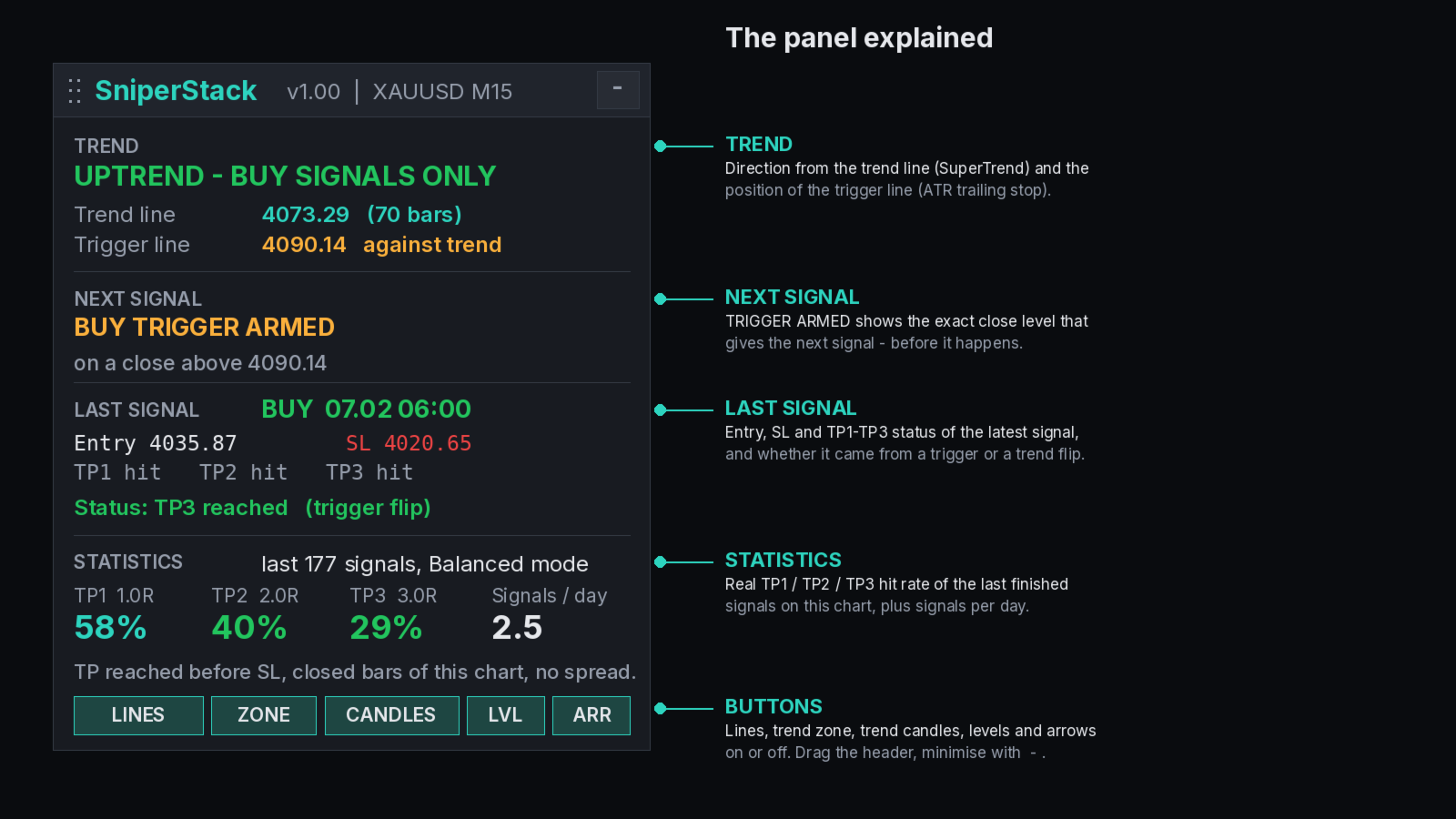
The TREND section shows the direction, the trend line price, how many bars the trend has lasted and whether the trigger line agrees. NEXT SIGNAL shows TRIGGER ARMED with the exact close level for the next signal, or that price is already moving with the trend and the trigger has to reset first. LAST SIGNAL shows entry, SL, the status of TP1 to TP3 and whether the signal came from a trigger flip or a trend flip.
Buttons switch the lines, the zone, the trend candles, the levels and the arrows on or off. Drag the header to move the panel or minimise it to one line. The position is remembered per chart.
Statistics on your chart
The panel shows how often TP1, TP2 and TP3 were reached before the stop loss over the last finished signals of your own chart, and the average number of signals per trading day. If the stop and a target are touched inside the same bar, it counts as a loss. Spread and commission are not included, so check the statistics on your own symbol and timeframe before you trade. On M5 the spread is a larger part of the stop.
The default settings were chosen on XAUUSD M15 history. The indicator does not promise any result.
Alerts and settings
An alert is sent when a BUY or SELL signal closes, with entry, SL, TP1, TP2 and TP3 in the message. An alert when the trend line flips is optional. Alerts can be sent as a popup, a push notification to the MetaTrader mobile app, an e-mail or a sound, once per closed bar.
The inputs are grouped into signal mode, custom mode settings, session filter, levels and statistics (TP multiples, bars to evaluate, number of signals), display and alerts.
For Expert Advisor developers
Buffers for iCustom: 10 buy signal, 11 sell signal, 7 trend line in an uptrend, 8 trend line in a downtrend, 9 trigger line and 16 trend direction (+1 or -1). EMPTY_VALUE means no value on that bar.
Notes
SniperStack is an analysis tool and does not open, modify or close trades. It was built for XAUUSD on M5 and M15 and also works on other symbols and timeframes. With the free demo you can run it in the Strategy Tester in visual mode to see signals, levels and statistics on history. Signals describe what happened on the chart and do not predict future prices. Use your own risk management.