TravaRisco Daily Loss Lock MT4

たった一日の損失でプロップファームのチャレンジは終わってしまいます。TravaRisco は口座を毎秒4回チェックし、ルール違反になる前に対処します。

デモ口座用 14日間 無料体験版: https://www.mql5.com/en/blogs/post/778026

v2.0 の新機能

  • プロップファームのプリセット:FTMO 2-Step、FTMO 1-Step、The5ers High Stakes、FundedNext Stellar 2-Step、またはカスタム。選んで口座サイズを入力するだけで、日次・最大損失ルールが設定されます。
  • チャレンジトラッカー:利益目標の進捗、最低取引日数、ベストデイの一貫性ルールをパネルにリアルタイム表示。目標と最低日数を達成すると、全決済して口座をロックできます。

保護機能

  • 日次損失上限(% または固定額)。当日ベースまたは初期残高から計算。
  • 上限到達時:全ポジション決済、待機注文削除、日次リセットまで新規取引をブロック。
  • ロック中に開かれた取引は、手動でも他の EA でも即座に決済。
  • 最大ドローダウン:固定、残高トレーリング、有効証拠金トレーリング。
  • 1日の最大取引数、1取引あたりの最大損失、日次利益目標(任意)。
  • 週末持ち越しを避ける金曜日決済(任意)。
  • 上限の指定 % で事前警告(ポップアップとプッシュ通知)。
  • 当日の残り上限を超えるロットを提案しないロット計算機。
  • 状態は保存されるため、MetaTrader を再起動しても日付はリセットされません。
  • パネルは英語またはポルトガル語。

使い方

  1. 任意のチャート1つに適用すると口座全体(またはそのシンボル / マジックナンバーのみ)を保護します。
  2. プロップファームのプリセットを選び口座サイズを入力、またはカスタムで独自ルールを設定。
  3. 取引日数を正しく数えるため、チャレンジ開始日を設定。
  4. 決済できるようにアルゴリズム取引を有効化。

重要

  • TravaRisco は取引を開きません。保護と計算のみを行います。
  • プリセットの値はリリース時点の各社公開ルールに基づきます。ルールは変わるため、必ず最新ルールを確認し必要に応じて調整してください。
  • 無料のロット計算機:「TravaRisco Lot Calculator」で検索。

最新情報・ガイド・無料体験版 - チャンネルをフォロー: https://www.mql5.com/en/channels/travarisco

おすすめのプロダクト
SFG Grid Manager MT4 – スマートグリッド&ミラーシステム SFG Grid Manager MT4 は、既存のポジション(手動または他のEAによって開かれたもの)を追跡し、設定されたステップ(GridPips)ごとに平均化注文を自動的に発注するプロフェッショナルな自動グリッドマネージャーです。 メインポジションがクローズまたは消失すると、マネージャーによって開かれたすべてのグリッド注文は自動的にクローズされます。 Netting および Hedging アカウントの両方に対応し、手動取引や他のEAとの併用も完全に可能です。 ️ 主な特徴 メインポジション(手動または他のEA)を追跡 ステップごとに1つの注文を追加 – マーチンゲールなし、バーストなし Forexとゴールドに対して自動的にGridPipsを調整 スプレッドおよびスリッページ保護 メインポジションがクローズされた際に全てのグリッド注文を自動クローズ Hedging / Netting アカウントに完全対応 シンプルな設定とクリーンなジャーナルログ すべてのブロー
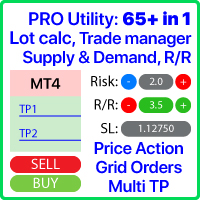
多機能取引ツール:ロット計算機、グリッド注文、R/R比率、トレードマネージャー、需給ゾーン、プライスアクションなど デモ版   |   ユーザーマニュアル トレードアシスタント はストラテジーテスターでは動作しません:この ユーティリティ をテストするには デモ版をこちら からダウンロードしてください。 ご質問 /改善のアイデア/バグ発見 の場合は 私に連絡 してください MT5版が必要な場合は、 こちら から入手できます 取引 プロセス を簡素化、高速化、自動化します。この ダッシュボード で標準ターミナルの機能を拡張します。 取引パネル はあらゆる取引銘柄で動作します:FX、株式、指数、暗号通貨など。 1. 新規取引の開始 :ロット/リスク/RR計算:手動取引のリスク管理 ロット計算機(リスクサイズに基づく取引量計算) リスク計算機(ロットサイズに基づくリスク額) リスクリワード比率 グリッド注文: + 動的間隔オプション、分割ロットオプション 注文アクショントリガー、+ 買いストップリミット/売りストップリミット:Mt4でも可能 仮想SL、仮想TP(非表示SL、非表示TP:ブロ
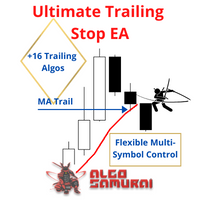
This EA Utility allows you to manage (with advanced filtering) unlimited open orders (manual or EA) with 16 trailing stop methods: fixed, percent, ATR Exit, Chandelier Exit, Moving Average, Candle High Low Exit, Bollinger Bands, Parabolic, Envelope, Fractal, Ichimoku Kijun-Sen, Alligator, Exit After X Minutes or Bars, RSI and Stochastic. The trailing stop can be either real or virtual, and you can exit fully or with a partial close percent on touch or bar close.  Moreover, you can add (overrid
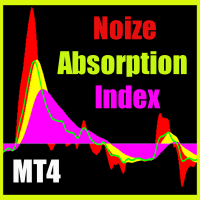
Noize Absorption Index - is the manual trading system that measures the difference of pressure between bears forces and bulls forces. Green line - is a noize free index that showing curent situation. Zero value of index shows totally choppy/flat market.Values above zero level shows how powerfull bullish wave is and values below zero measures bearish forces.Up arrow appears on bearish market when it's ready to reverse, dn arrow appears on weak bullish market, as a result of reverse expectation. S
Expert Advisor for MT4 Useful utility MUST have for all traders.  With 1 click button, you're able to close all your open positions. Its come with a warning pop up notification when you click to close all your trades, to avoid an accident press the button. Just press 'Yes' to confirm or 'No' to cancel it. The expert will close all your open positions no matter what pairs you currently open or directions. Just attach the expert on 1 of your chart, and you're good to go.
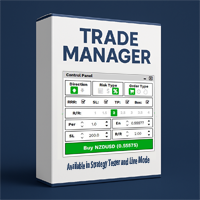
Rhino Backtest Manager - ライブ取引とストラテジーテスターのためのトレード管理パネル Rhino Backtest Manager は、ライブ取引と MetaTrader 4 のストラテジーテスターの両方で動作するトレード管理パネルです。ライブ口座と同じインターフェースのままテスター内で手動の発注と管理ができるため、ヒストリカルデータで手法を確認したあと、ツールを変えずにそのまま取引できます。 パネルは設定したリスク条件からロット数を計算し、発注前にストップロスとテイクプロフィットの金額を表示します。また、日次、週次、月次、および口座の全期間の成績を記録します。 ユーザーマニュアル: 製品の使い方 無料デモ版: デモ版をダウンロード MetaTrader 5 版: Rhino Backtest Manager MT5 版 初回起動の前に、マニュアルページで配布しているフォントをインストールしてください。フォントが無い場合、パネルは正しく表示されません。 機能 2つのモード。 同じパネルがライブ取引とストラテジーテスターモードで動作します。 注文の種類。 成行、
Grid Trading EA is a semi-automated one-click trading EA for both Normal Trading and Grid/Martingale Trading . Normal Trading Simply click Buy or Sell directly from the chart. The EA will automatically manage trades by: Setting Stop Loss and Take Profit Managing Trailing Stop Grid / Martingale Trading When Grid Trading mode is enabled, the EA will automatically open additional grid orders at specified distances while increasing the lot size based on your settings. Inputs & Settings Lots — Initia
We do not want to make you confused with an imaginary high profit screenshot from Strategy Tester which has no relation/guarantee of future profit! We just want to tell you the real thing about our EA. TrendEx Pro has been developed to trade on Gold specially, combining multiple strategies algorithm to ensure Trend catching and trading on. It can identify both short and long trends and opens positions accordingly with excellent built-in risk management logic. There is no use of any dangerous met
UMNi-GRID Grid & Basket Position Manager for MetaTrader 4 — with Telegram control UMNi-GRID runs a one-direction grid on the chart it is attached to: it opens a first level, adds levels as price moves against the basket, and closes the whole basket when price returns a set distance past the average entry. Every step is reported to Telegram, and you can start, pause or close the grid from the chart or from your phone. IMPORTANT: grid trading adds to losing positions. It can recover small moves,
SHORT DESCRIPTION: ストラテジーテスターで手動トレードを行い、ご自身の戦略を数か月ではなく数時間で検証できます。 DESCRIPTION: ストラテジーテスターで手動トレードし、結果をすぐに確認 時間を節約したいですか?このエキスパートアドバイザーはあなたのためのものです。 デモ口座でチャンスを待ちながら、何時間、何日、何か月もチャートの前に座り続ける必要はありません。ご自身の裁量戦略を過去データでバックテストできます。MetaTrader 4 のストラテジーテスターでは、好きな速度で相場を進めることができます。セットアップが現れたらワンクリックでエントリーし、その場で結果を確認できます。リアル相場なら数か月かかることが、ここでは数時間で完了します。 相場に勝る先生はいません。そして、あなた自身ほどあなたを鍛えられる人はいません。このツールを使えば、短時間でご自身の戦略による多数のトレードを行い、弱点を見つけ、実際の資金をリスクにさらす前に戦略への自信を築くことができます。 機能 - MetaTrader 本体と同じワンクリック取引パネル:Bid 価格を
FREE
Like you when I first started trading, It was overwhelming...learning about indicators, about lotsize, leverage and many more things. Its been almost 3 years. I am more knowledgeable in trading. My trading continues to improve as I work on my strategy, technical analysis, trading psychology and trade management. One thing I am not worried about though is being able to close my trades quicky if a trade goes against me or if the trade has reached my take profit level with the help of my Close Tra
Virtual Collider Manual   is a trading assistant with a built-in panel for manual trading. It automatically moves a position opened by a trader in profit using innovative adaptive grid algorithm of averaging and adaptive pyramiding Know-how of the grid algorithm of averaging and pyramiding of the   Virtual Collider Manual   trading robot is based on fully automatic adaptation of all characteristics of dynamically build order grid and pyramid with actual price movement with no need for adjusting
This tool will perform Trailing stop loss and Break even management for orders. Helps you limit or reduce the time spend watching orders on the screen, especially when you need to go to sleep. Just add this EA to 1 chart, you can manage all pairs. You can filter orders by comment, magic number, symbol, and order ticket number. When Breakeven it can add shift/offset pips (to cover the commission...). You can try in strategy tester before purchase. The EA will add Buy and Sell alternately, so yo
Angry bull Option Binary
Fabio Oliveira Magalhaes
1 (1)
Angry Bull Option Binary   This is a Binary Options robot, which contains 7 strategies, you can backtest it to check what the best strategies are Settings Initial Batch Value Dynamic Investment = If activated it will use an automatic lot according to its capital Balance ($) w/ backtest = Starting balance to backtest PorcRiscoInvestment = It will be the value of % for the automatic lot if it is activated Expiration (in minutes) = It will be the expiration time of orders in Binary Options Magic
Trading tool combining a sophisticated equity stop-loss, dynamic take-profit management (Breakeven & Trailing), and symbol-group-based closing logic. It is a complete risk management and trade supervision tool. Features: All features of `Equity Master Stop v1` (floating profit/loss limits, exit protection, skip hours). Take-Profit Override: Can force a TP on any order to lock in a `MAX_FLOATING_PROFIT`. Step Breakeven: Locks in increasing amounts of profit as a trade moves favorably (e.g., aft
Requirements Optimized to work with   EURUSD-EURCHF-USDJPY, AUDUSD-CADJPY-AUDNZD, CHFJPY-NZDJPY-NZDUSD For timeframe 4H. *(Minimum recommended deposit is $300 for each Pair) for initial lot set to 0.10, My favorite Pair are (CHFJPY-NZDJPY-EURUSD-AUDNZD-USDJPY) Warning it will be SALE only 5 Copys at 60$ Then it will be update up to 200$  You can use it the way it is, For new Set Files will be add on (Comments) ECN broker with low spread is recommended to get better results. Setup is very e
Margin Call Shield – Defend Your Margin on Your Terms Margin Call Shield   is a tool for MetaTrader 4 traders who want to decide for themselves which open positions are closed during margin call situations before the platform does so automatically based on its internal rules. By default, the broker or platform decides which positions to close, often using undisclosed algorithms. Margin Call Shield lets you set this order according to your own strategy. Why Was Margin Call Shield Created? In a  
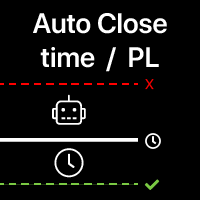
自動決済:時間指定、または利益/損失トリガー このユーティリティを使用すると、特定の条件で取引を自動的に決済できます。 多機能ユーティリティ : 66+ 機能、このツールを含む  |   質問がある場合は連絡してください   |   MT5版 自動決済を有効にするには、次のパラメータを設定する必要があります(パネル上): 1. シンボル   機能が適用される: 特定の   [Symbol]   / または   [ALL]   すべてのシンボル。 2.   条件、   決済タイミング: [if total] / [if single] / [at time]:   このパラメータに応じて、  利益/損失達成時 に決済するか、  指定時間 に決済するかのオプションが表示されます。 [close at Profit / Loss] オプションの設定: 1. [if total] / [if single]:   P/L計算方法:すべての  選択された取引を  まとめて、  または各取引を  個別に計算; 2. [Floating] / [Potential]:  浮動P/L  (未決済取引
TradePilot
Hossein Khalil Alishir
TradePilot Expert Advisor (EA) for MetaTrader 4 TradePilot is a professional and user-friendly Expert Advisor (EA) for MetaTrader 4 (MT4) . It simplifies automated trading , risk management , and trade execution using a smart trading panel . Perfect for beginners and experienced traders looking for a reliable trade manager EA with automated lot size calculation . Key Advantages User-Friendly Trading Panel: Customizable panel with buttons and hotkeys. Smart Risk Management: Supports percen
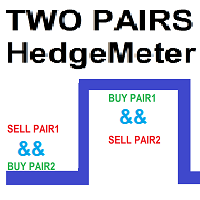
TWO PAIRS SQUARE HEDGE METER INDICATOR Try this brilliant 2 pairs square indicator It draws a square wave of the relation between your two inputs symbols when square wave indicates -1 then it is very great opportunity to SELL pair1 and BUY Pair2 when square wave indicates +1 then it is very great opportunity to BUY pair1 and SELL Pair2 the inputs are : 2 pairs of symbols         then index value : i use 20 for M30 charts ( you can try other values : 40/50 for M15 , : 30 for M30 , : 10 for H1 ,
A very simple script. It quickly places lines along zero lines and local extremes, greatly facilitating routine work at the beginning of the trading day. The lines on the round prices are placed inside the work screen in a given interval. Extremes are placed within a period defined by the trader, based on data from different timeframes from M15 to MN1 Settings: Extreme lines - switch lines at extremes (true - enabled) Zero lines - switch of lines at zero levels (true - enabled) Distance between
The Super scalper universal is a fully automated scalping Expert Advisor, which uses five indicators. Each open position is protected by a hidden stop order managed by an advanced modification algorithm. When searching for the suitable signals, the EA uses the integrated indicator in conjunction with the trend and time filters, as well as the volatility filter. It use dynamic position closure, which considers the location where the order had been opened and the subsequent price action. Profit is
CRIFLOW SCALPER PRO  Advanced Trade Management & Smart Scaling System CRIFLOW SCALPER PRO is an Expert Advisor designed to transform any manual operation into an advanced professional management system, automating scaling, capital protection and profit maximization. It's not just an input EA: is an intelligent order management engine designed for serious traders, scalpers and professionals. ⸻ Smart Trade Detection • Automatically detect manual trades • Intervenes in real time witho
MACD Trading
Matthieu Jean Baptiste Wambergue
This MT4 version is no longer maintained due to the ongoing transition from MT4 to MT5 trading accounts. For the latest features, improvements, and ongoing updates, please use the MT5 version of this Expert Advisor. Get the MT5 version here ! Automate your MACD strategy! This EA alerts and/or places orders according to MACD strategies with additional filters. It means that you can use it by 2 different ways: Receive alerts based on your MACD strategy with filters on multiple symbols simultaneou
Trading panel for manual trading. Has a fairly wide functionality. Allows you to automatically calculate the order size, open both market and pending orders. It has a wide range of options for closing orders, it is possible to partially close orders, close orders after reaching a certain profit or loss, separately close profitable and unprofitable, buy and sell, as well as pending orders. The panel also contains a simple implementation of a grid of pending orders, reverse and lock functions, tr
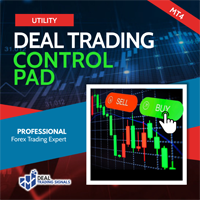
Trading Control Pad is a useful tool for all traders. To send BUY/SELL, pending order, modify and automatic setting SL and TP in one click by the current symbol. The Trading Control Pad can help you being comfortable and quickly trading.  Pad can help you automatic and manual partially close some lot at the target, breakeven and trailing stop. The Trading Control Pad features / Functionality Showing the currency pair, the total positions, the number of buy and sell orders. Standard tools for op
AnyChart is a multifunctional tool allowing you to work with non-standard charts in MetaTrader 4. It includes collector of ticks and generator of charts for trading (hst files) and testing (fxt files). Supported chart types are second, tick and renko ones. Settings Starting Date - start date for chart plotting. Ending Date - end date for chart plotting. Chart Type - chart type: Time - time chart, each bar contains a certain time interval; Tick - volume chart, each bar contains a certain number
Details of each condition Type 1. Set no use Hedging Martingale, to open the order by yourself only through the push button. TP and SL follow setting. Set Setting_Hedging =false;     Use_Signal =false;  Type 2. Semi Auto Recovery Zone You have to open the order by yourself only through the push button. If in the wrong direction and Set true on Hedging Martingale, EA will fix the order with the zone system by use Hedging Martingale Set Setting_Hedging =true;     Use_Signal =false;  Type 3. Use
Recovery Assistant Pro for MT4 Manual Recovery Trading Assistant Recovery Assistant Pro is a Manual Trading Assistant EA for Recovery trade calculations and management. Helps calculate the appropriate Lot Size. Designed to calculate Recovery trade parameters based on floating loss and the selected Target USD. Simplifies Recovery calculations that would otherwise require manual calculation. The trading panel provides direct access to the main Recovery functions from the chart. Includes a Recov
The Infinity Expert Advisor is a scalper. When the resistance and support levels are broken, trades are opened in the direction of the price movement. Open positions are managed by several algorithms based on the current market situation (fixed stop loss and take profit, trailing stop, holding positions in case of trend indication, etc.). Requirements for the broker The EA is sensitive to spread, slippages and execution quality. It is strongly recommended not to use the EA for currencies with s
このプロダクトを購入した人は以下も購入しています
Trade Manager EAへようこそ。これは、取引をより直感的、正確、そして効率的にするために設計された究極の リスク管理ツール です。これは単なるオーダー実行ツールではなく、包括的な取引計画、ポジション管理、リスク管理のためのソリューションです。初心者から上級者、迅速な実行を必要とするスキャルパーまで、Trade Manager EAはあらゆるニーズに対応し、為替、指数、商品、暗号通貨などさまざまな市場で柔軟に対応します。 Trade Manager EAを使用すると、複雑な計算が過去のものになります。市場を分析し、エントリーポイント、ストップロス、テイクプロフィットのレベルをチャート上のラインでマークし、リスクを設定するだけで、Trade Managerが最適なポジションサイズを即座に計算し、SLとTPをピップ、ポイント、口座通貨でリアルタイムに表示します。すべての取引が簡単かつ効果的に管理されます。 主な機能: ポジションサイズ計算機 :定義されたリスクに基づいて取引サイズを瞬時に決定します。 簡単な取引計画 :エントリー、ストップロス、テイクプロフィットを設定するためのド
Exp COPYLOT CLIENT for MT4
Vladislav Andruschenko
4.69 (65)
MetaTrader 4向け 高機能トレードコピーソフト MetaTrader 4 用の、高速・安定・高機能なトレードコピーソフトです。 COPYLOT は、 MetaTrader 4 と MetaTrader 5 間でFX取引をコピーでき、さまざまな口座タイプや運用スタイルに合わせて柔軟に同期できます。 COPYLOT MT4版の対応コピー方式: MetaTrader 4 → MetaTrader 4 MetaTrader 5 Hedge → MetaTrader 4 MetaTrader 5 Netting → MetaTrader 4   MT5版 詳細説明 + DEMO + PDF 購入方法 インストール方法 ログファイルの取得方法 テストと最適化の方法 Expforexの全製品 MetaTrader 5版 を使えば、 MetaTrader 5 → MetaTrader 5 および MetaTrader 4 → MetaTrader 5 のコピーにも対応します: COPYLOT CLIENT for MT5 COPYLOT は、2台、3台、さらには10台規模のターミナル環境でも
Trade Assistant MT4
Evgeniy Kravchenko
4.43 (197)
取引 ごとのリスクの 計算、新規注文 の 簡単 な 設置、部分的 な 決済機能 を 持 つ 注文管理、 7 種類 のトレーリングストップなど 、便利 な 機能 を 備 えています 。 追加の資料と説明書 インストール手順 - アプリケーションの手順   ライン機能 チャート上にオープニングライン、ストップロス、テイクプロフィットを表示します。この機能により、新規注文を簡単に設定することができ、注文を出す前にその特徴を確認することができます。   リスク計算 リスク計算機能は、設定されたリスクとストップロス注文のサイズを考慮して、新規注文のボリュームを計算します。ストップロスの大きさを自由に設定できると同時に、設定したリスクを守ることができます。 Lot calc ボタン - リスク 計算 を 有効 / 無効 にします 。 Risk フィールドでは 、必要 なリスクの 値 を 0 から 100 までのパーセンテージまたは 預金通貨 で 設定 します 。 設定」 タブで 、 リスク 計算 の 種類 を 選択 します :「 $ 通貨」、「 % 残高」、「 % エクイティ 」、「 % フリ
Local Trade Copier EA MT4
Juvenille Emperor Limited
4.96 (111)
Local Trade Copier EA MT4 は、同一の Windows PC または Windows VPS 上で稼働する複数の MetaTrader 4 口座間で、取引をコピーおよび管理するための高速で柔軟なトレードコピーツールです。 ローカルでの取引同期に加え、Receiver 側でロットサイズ、リスク管理、取引フィルター、シンボルマッピング、取引管理、口座保護を個別に設定できます。 Transmitter と Receiver のターミナルは約 1分 で設定でき、同一ブローカーまたは異なるブローカーの口座間で、手動取引や EA による取引をコピーできます。適切な条件下では、ローカルの MetaTrader ターミナル間で取引情報を 0.5秒未満 で同期できます。実際の約定速度は、ブローカーのレイテンシー、ネットワーク状況、PC/VPS の性能、ターミナルの負荷によって異なります。 ご購入前に無料デモをお試しください Local Trade Copier EA MT4 の完全機能版無料デモ を、MT4 デモ口座で 1回につき4時間 テストできます。 Local Trad
Trade Dashboard simplifies how you open, manage, and control your trades, with built-in lot size calculation. It allows you to execute trades, manage risk, and control positions directly on the chart, with tools such as partial close, breakeven, and trailing stop. Designed to reduce manual work and help you stay focused on your trading decisions. A demo version is available for testing. Detailed explanations of features are provided within the MQL5 platform. Installation instructions are include
Ultimate No Nonsense FX Backtester - You can Run Forward Test Simulation with this tool! Do Not Download the Demo Here, Please Read Below! Step by Step Manual Guide PDF for this backtester PDF List of Commands(Shortcuts) for this backtester Ultimate NNFX Backtester is a powerful utility tool that significantly reduces the length of backtesting process for NNFX followers.  As well as for Forex traders that operates their entries and exits at the close of a candle and manage the risk using ATR.
The product will copy all telegram signal to MT4   ( which you are member  ) , also it can work as remote copier.  Easy to set up, copy order instant, can work with almost signal formats, image signal, s upport to translate other language to English Work with all type of channel or group, even channel have "Restrict Saving Content", work with  multi channel, multi MT5 Work as remote copier: with signal have ticket number, it will copy exactly via ticket number. Support to backtest signal. How to
RS Trade Copier - 超高速 で動作するローカルトレードコピー機。 真の グラフィカルインターフェース搭載。口座番号の手動入力はもう終わりです。200項目を超える長大なパラメータリストとも、これでおさらばです。 複数のMT4とMT5ターミナル間で取引操作をコピーするための、信頼性が高く柔軟なツールです。経験豊富なトレーダーやシグナルサービス、個人投資家に適しています。1つまたは複数のシグナルソース(Provider)から1つまたは複数のレシーバー(Client)へ、高い精度と最小限の遅延で 取引を同期 します。シンプルな自動設定と高度な手動設定の両方をサポートしています。手動または他のEAで開かれた注文に干渉しません。すべての処理は MT4内でローカルに 行われ、サードパーティサーバーを使用しません。 RS Trade Copierと他のソリューションの比較 RS Trade Copier 他のソリューション 設定 ビジュアルステップバイステップウィザード。 設定時間は約1分。 200以上の分かりにくい入力パラメータ。 設定時間は約20分。 速度 非同期トレード操作。*
Simple button panel of trade on your chart with OneClick VZ . This trade panel will make it easier for you. Equipped with several functions that make it very easy for you. You can try Trial Version OneClick V1 in here . This version includes: Open Order Buy Open Order Sell Open Pending Order [Buy Limit - Buy Stop - Sell Limit-Sell Stop] Close ALL orders Close Order Buy Close Order Sell Delete Pending Order [Buy Limit - Buy Stop - Sell Limit-Sell Stop] Order Management: Stop Loss Take Profit Tra
Trade Indicator Assistant is a powerful MT4 utility designed to turn indicators into automated trading systems. Its main feature is the ability to automatically detect an indicator’s   BUY and SELL signal buffers , without requiring you to know the buffer numbers, search through indicator settings, or modify the indicator source code. Bonus Indicator: After purchasing Trade Indicator Assistant, contact me to receive Trade Signal Pro completely free as a bonus indicator. [Download Demo Version]
News Filter EA: Advanced Algo Trading Assistant News Filter EA is an advanced algo trading assistant designed to enhance your trading experience. By using the   News Filter EA , you can integrate a Forex economic news filter into your existing expert advisor, even if you do not have access to its source code. In addition to the news filter, you can also specify   trading days   and   hours   for your expert. The News Filter EA also includes   risk management   and   equity protection   features
Trailing Stop and Breakeven Manager - Trail Architect MT4 Auto Trailing Stop and Breakeven Manager for MT4. Protect profit with automatic break even, then trail your stop loss using Classic, Step, ATR or Candle trailing - all from one professional panel. Every trader knows the pain: a winning trade turns into a loss because the stop loss was never moved. Watching the chart all day just to move your stop to break even and trail the stop loss by hand is exhausting - and one missed move can wipe o
TradePanel MT4
Alfiya Fazylova
4.84 (95)
Trade Panelは多機能なトレーディングアシスタントです。アプリには手動取引用の50以上のトレーディング機能が搭載されており、ほとんどの取引作業を自動化することができます。 アプリの説明書: https://www.mql5.com/en/blogs/post/756482 デモ口座用アプリの試用版: https://www.mql5.com/en/blogs/post/750865 アプリのインストール方法: https://www.mql5.com/en/blogs/post/756239 アプリをビジュアルモードでテストする方法: https://www.mql5.com/en/blogs/post/770277 VPSのMetaTraderにアプリをインストールする方法: https://www.mql5.com/en/blogs/post/770190 取引。 ワンクリックで取引操作を行うことができます: リスクを自動計算して指値注文やポジションを開く。 複数の注文やポジションをワンクリックで開く。 注文のグリッドを開く。 保留中の注文やポジションをグループごとに閉じる
Grid Manual MT4
Alfiya Fazylova
4.71 (17)
「Grid Manual」は、注文のグリッドを操作するための取引パネルです。 ユーティリティはユニバーサルで、柔軟な設定と直感的なインターフェイスを備えています。 それは、損失を平均化する方向だけでなく、利益を増やす方向でも注文のグリッドで機能します。 トレーダーは注文のグリッドを作成して維持する必要はありません。 すべてが「Grid Manual」によって行われます。 注文を開くだけで十分であり、「Grid Manual」は注文のグリッドを自動的に作成し、非常に閉じるまでそれに付随します。 完全な説明とデモバージョン ここ。 ユーティリティの主な機能と機能 ユーティリティは、モバイル端末から開かれた注文を含め、あらゆる方法で開かれた注文を処理します。 「制限」と「停止」の2種類のグリッドで機能します。 グリッド間隔の計算には、固定と動的(ATRインジケーターに基づく)の2つの方法で機能します。 オープンオーダーグリッドの設定を変更できます。 チャート上の各注文グリッドの損益分岐点を表示します。 各注文グリッドの利益率を表示します。 ワンクリックでグリッドから収益性の高い注文を閉じるこ
DoIt Trade Manager - Risk Panel and EA Position Manager for MT4 Finding an entry is only half the job. Many execution mistakes happen in position sizing, partial exits, breakeven, trailing and account protection. DoIt Trade Manager puts the complete workflow on the chart. Plan the risk before entry, execute the order and apply consistent management rules to your manual trades and selected positions opened by other EAs. Full setup guide + how the free version works and where PRO starts :  https:/
Telegram to MT4 Multi-Channel Copier   は、 Telegram と Discord チャンネルのトレードシグナルを MetaTrader 4 へ自動コピーします。ボット不要、ブラウザ拡張不要、手動コピー不要。Telegram や Discord にシグナルが届くと、EA が数秒であなたのターミナルに注文を出します。 さらに、チャンネルをコピーする前に、内蔵バックテスターでそのチャンネルがあなたの口座でどう動いたかを確認できます。 製品は 2 つのコンポーネントで構成されます:Telegram チャンネルを監視する Windows アプリと、MT4 ターミナルでシグナルを執行する本 EA です。MT5 版もあります   こちら . 購入前にお試しください:   アプリは無料でダウンロードできます。ご自身のチャンネルを接続し、各シグナルがどのように読み取られるかをご確認ください。Backtest タブと実際の取引には、購入またはレンタルした EA が必要です。このページの無料デモはストラテジーテスターでのみ動作し、テスターでは Telegram と D
Close If Profit or Loss with Trailing for MetaTrader 4 — 総利益または総損失で自動決済 MetaTrader 4 用の実用的な取引管理ツールです。設定した総利益または総損失に到達すると、選択されたポジションを自動的に決済できます。 Expert Advisor は保有中の取引を監視し、含み損益を計算し、Trailing Profit を使用して、手動操作より素早くポジション管理を行うことができます。 MetaTrader 4 は現在でも、裁量トレーダー、スキャルピング、グリッド取引、EA 運用で広く使用されています。しかし、MT4 には複数ポジションを「合計結果」で簡単に自動決済する標準機能がありません。このユーティリティは、その不足している管理機能を追加します。 Close If Profit or Loss with Trailing は、裁量取引、他の Expert Advisors、グリッドシステム、ナンピン、リカバリー戦略、複数シンボルの取引と組み合わせて使用できます。ルールを設定すれば、EA が結果を監視し、条件に到
Trade copier MT4
Alfiya Fazylova
4.62 (37)
Trade Copierは、取引口座間の取引をコピーして同期するように設計された専門的なユーティリティです。 コピーは、同じコンピューターまたはvps にインストールされている、サプライヤーのアカウント/端末から受信者のアカウント/端末に行われます。 購入する前に、デモ アカウントでデモ バージョンをテストできます。 デモ版 こちら 。 詳細な説明は こちら 。 主な機能と利点: MT5ネッティングアカウントを含む、MT4> MT4、MT4> MT5、MT5> MT4のコピーをサポートします。 高いコピー速度(0.5秒未満)。 ベンダーモードと受信者モードは同じ製品内に実装されています。 チャートから直接リアルタイムでコピーを制御できる、簡単で直感的なインターフェイス。 接続が切断されたり、端末が再起動されたりしても、設定と位置が失われることはありません。 コピーするシンボルを選択できます。また、受信者のシンボルを置き換えることもできます(例:EURUSD> USDJPY)。 各シンボルごとにコピーの個別設定を行うことができます。 バックコピーをサポートします。 特定の注文のみのコピー
TelegramからMT4へ: 究極のシグナルコピーソリューション Telegram to MT4 は、DLLを必要とせず、TelegramのチャンネルやチャットからMetaTrader 4プラットフォームに取引シグナルを直接コピーできる最先端のユーティリティです。この堅牢なソリューションは、比類のない精度とカスタマイズオプションにより、シグナルのシームレスな実行を保証し、時間を節約し、効率性を向上させます。 [ Instructions and DEMO ] 主な特徴 直接的なTelegram API統合 電話番号とセキュアコードで認証します。 ユーザーフレンドリーな EXE ブリッジを使用して、チャット ID を簡単に取得および管理します。 複数のチャネル/チャットを追加、削除、更新して、同時に信号をコピーします。 高度なフィルターによる信号解析 カスタム例外語 (例: 「レポート」、「概要」) を含む不要な信号をスキップします。 柔軟な SL および TP 形式 (価格、ピップ、ポイント) をサポートします。 シグナルが価格ではなくポイントを指定する場合、エントリ ポイントを自動
Trading History - A program for trading and money management on the history of quotes in stratagy tester. It can work with pending and immediate orders, and is equipped with trailing stop, breakeven and take profit functions. Very good for training and testing different strategies. Manual (Be sure to read before purchasing) Advantages 1. Allows you to test any trading strategy in the shortest possible time 2. An excellent simulator for trading training. You can gain months of trading experience
Exit Manager
Victor Christiaanse
5 (2)
Close every trade at the right moment, automatically. Most traders spend their energy on the entry and then close too early, too late, or on a feeling. Exit Manager takes the exit off your hands. Open a trade the way you always do, by hand or with any Expert Advisor, and Exit Manager watches it and closes it, fully or partly, when the indicator signal you chose appears. You can see it working on the chart. A clean panel on your chart shows, for every open trade, which rule will close it next, ho
I have created this  MT4 Tool EA to test if it is more profitable to trade in favor of the mass sentiment of traders or it is better to go against it. Remember to authorize Myfxbook url in WebRequest options in MT4 .  Features: Market Sentiment update every 30 minutes SL TP BreakEven Trail SL Daily Target Profit Max Daily DrawDown (Useful for prop firm) Max Spread Filter Time Filter Custom Trade Comments Protection in case a pair is not read correctly from the web (Prevents improper closing or o
Drawdown Minimizer for MetaTrader 4 - your EAs pay in, old losers get paid off. This utility runs next to your other Expert Advisors and never opens a trade. It keeps a savings book of the net realized profit of your whole account and uses it to close the oldest losing positions of the EAs you choose - slice by slice, oldest first. WHY IT EXISTS Made by traders, for traders. One of our grid EAs got stuck in drawdown for months. The old positions did not come back, and they paid swap every single
ATTENTION: The Indicator cannot be backtested, as it is generated exclusively from live intraday calculations based on options flow. GEX Level Converter – Gamma Exposure Mapping for CFD Charts NASDAQ-100 edition — for US100 · NDX · NAS100 · USTECH and every Nasdaq-100 CFD equivalent Instantly see professional options-market levels directly on your MetaTrader Nasdaq-100 CFD chart. The GEX Level Converter translates the daily Gamma Exposure (GEX) zones of the NDX options market into precise pri
Risk Manager MT4   is an account protection Expert Advisor for traders who want strict risk control inside MetaTrader 4. The utility monitors your account equity, daily and weekly results, drawdown, open positions, trade count, consecutive losses, and trading hours. When a configured limit is reached, it can automatically close positions, cancel pending orders, stop other EAs, send notifications, or close the terminal. Instead of relying on discipline during a stressful trading session, you defi
The program is use to copy trading from MT4   to MT4 and MT5  on same Windows   PC or VPS .   Now you can easy copy trades to any MT4 account or MT5 account. Instants copy, speed smaller 0.1 seconds, easy to setup. Need run EA as Signal provider on one MT4 account, other MT4 / MT5 will run EA as Trade copier. You can download and try demo version on demo account Copi Trade MT4 demo   version   here   Copi Trade MT5 demo   version  here  
Az OrderGun
Jose Antonio Valle Magana
AZ_OrderGun MT4 - Professional 1-Click Trading Panel AZ_OrderGun is the all-in-one panel to execute and manage your trades without wasting time setting up SL/TP. KEY FEATURES: 1. 4 INSTANT ENTRIES: Buy SLL - Buy with SL on Low of previous candle Sell SLH - Sell with SL on High of previous candle Buy SLO / Sell SLO - SL on Open of previous candle > Fully configurable % Risk 2. ADVANCED VISUAL MANAGEMENT: Draggable lines for Pending and Market orders Auto calculation of Lot Size, $ Ri
Alerts to Telegram
Alexander Pekhterev
5 (15)
Alerts to Telegram   The utility sends Alerts of all your indicators or advisers to a telegram channel (group or personal message). Benefits: 1. There is no need to be at the terminal waiting for an alert from your indicator or advisor; 2. Simple setup. Currently works with terminal languages: 1.Russian; 2.English. If it is necessary to add your language please let me know. The utility works together with the AlertToFile indicator (put the indicator in the Indicators folder) Indicator:   Alert
Take a Break pauses your Expert Advisors when trading is a bad idea: before news, after a daily loss, outside your trading hours, or when a rule you wrote yourself says so. When the pause is over, your EAs simply continue. Account protection for all your EAs in one tool: news filter, drawdown and equity protection, time filter and custom rules. One EA on one chart protects the whole account, the free indicator gives every chart its own rules on top. Free demo | What is new in 26.09 | Support Ass
コピー機->便利で高速なインターフェースインタラクション、ユーザーはすぐに使用できます     ->>>> WindowsコンピュータまたはVPS Windowsでの使用を推奨 特徴: 多様でパーソナライズされたコピー取引設定:1. 異なるシグナルソースに異なるロットモードを設定できます。2. フォワードコピー取引とリバースコピー取引に異なるシグナルソースを設定できます。3. シグナルはコメントで設定できます。4. 契約ロットに応じてロットを調整するかどうか 多様でパーソナライズされたコピー注文設定2:1.品種ごとに異なるロットモードを設定できます2.順方向コピー注文と逆方向コピー注文に異なる品種を設定できます3.コメントでシグナルを設定できます4.契約ロットに応じてロットを調整するかどうか コメントフィルタリング、MAGICフィルタリング、シグナルロットフィルタリング、ローカル製品フィルタリング 勤務時間設定 逆同期SLAVE終了 注文バインド機能: 任意の注文を設定されたシグナルソース注文にバインドできます (テーブルをダブルクリックして編集します) アカウントリスク管理 基本
作者のその他のプロダクト
ロットサイズを当て推量で決めるのはやめましょう。TravaRisco Lot Calculator は、選んだリスクに合った正確なロットをチャート上に直接表示します。 使い方: パネルにリスク(%)とストップロス(ポイント)を入力すると、インジケーターが即座に計算します: リスク金額(口座通貨) そのストップロスでの1ロットあたりの損失 ブローカーの数量ステップに丸めた正確なロット 丸め後の実際のリスク FX、ゴールド、指数、暗号資産で動作し、お使いのブローカーのティック値を使用します。パネルは英語またはポルトガル語。取引は行わず、計算のみを行います。 パラメーター: Risk per trade:1取引あたりのリスク、残高に対する%(初期値 1%) Default stop loss:初期ストップロス(ポイント、初期値 200) Language:パネルの言語(英語またはポルトガル語) X position / Y position:チャート上のパネル位置 Background color:パネルの背景色 プロップファームのチャレンジ向けに1日の損失ロックが必要ですか?TravaRi
FREE
TravaRisco Signal Checker
Nuno Miguel Dourado Dos Santos
そのインジケーター、本当に機能していますか?それとも履歴上だけ良く見えているだけですか? バージョン 1.10:パネルに新しい成績カーブ コスト後の R 成績カーブ。勝ちは緑、負けは赤。合計、取引数、期間を表示。 Pro 版ではコスト前のカーブ、最大ドローダウン、アウトオブサンプル検証も表示。 TravaRisco Signal Checker は、売買矢印を表示するあらゆる MT5 インジケーターを検証する 無料で誠実なテストツール です。チャートに配置してインジケーター名を入力するだけで、そのシグナルが実際にどうなっていたかを数秒で確認できます。 表示内容 直近のバーで 取引をシミュレーション :次のバーの始値でエントリー、ストップロス(固定ポイントまたは ATR)、リスクリワードによるテイクプロフィット、逆シグナルで決済。 コスト前とコスト後 :スプレッド、手数料、スリッページ(ポイント)。多くの「勝てる」インジケーターはコストを含めると負けます。 勝率、プロフィットファクター、合計・平均 R、最大連敗、最大ドローダウン。 セッション別の結果 :アジア、ロンドン、ニューヨーク。

FREE
そのインジケーター、本当に機能していますか?それとも履歴上だけ良く見えているだけですか? バージョン 1.10:パネルに新しい成績カーブ コスト後の R 成績カーブ。勝ちは緑、負けは赤。合計、取引数、期間を表示。 Pro 版ではコスト前のカーブ、最大ドローダウン、アウトオブサンプル検証も表示。 TravaRisco Signal Checker は、売買矢印を表示するあらゆる MT4 インジケーターを検証する 無料で誠実なテストツール です。チャートに配置してインジケーター名を入力するだけで、そのシグナルが実際にどうなっていたかを数秒で確認できます。 表示内容 直近のバーで 取引をシミュレーション :次のバーの始値でエントリー、ストップロス(固定ポイントまたは ATR)、リスクリワードによるテイクプロフィット、逆シグナルで決済。 コスト前とコスト後 :スプレッド、手数料、スリッページ(ポイント)。多くの「勝てる」インジケーターはコストを含めると負けます。 勝率、プロフィットファクター、合計・平均 R、最大連敗、最大ドローダウン。 セッション別の結果 :アジア、ロンドン、ニューヨーク。

FREE
TravaRisco Lot Calculator
Nuno Miguel Dourado Dos Santos
ロットサイズを当て推量で決めるのはやめましょう。TravaRisco Lot Calculator は、選んだリスクに合った正確なロットをチャート上に直接表示します。 使い方: パネルにリスク(%)とストップロス(ポイント)を入力すると、インジケーターが即座に計算します: リスク金額(口座通貨) そのストップロスでの1ロットあたりの損失 ブローカーの数量ステップに丸めた正確なロット 丸め後の実際のリスク FX、ゴールド、指数、暗号資産で動作し、お使いのブローカーのティック値を使用します。パネルは英語またはポルトガル語。取引は行わず、計算のみを行います。 パラメーター: Risk per trade:1取引あたりのリスク、残高に対する%(初期値 1%) Default stop loss:初期ストップロス(ポイント、初期値 200) Language:パネルの言語(英語またはポルトガル語) X position / Y position:チャート上のパネル位置 Background color:パネルの背景色 プロップファームのチャレンジ向けに1日の損失ロックが必要ですか?TravaRi
FREE
デモ口座はあなたに嘘をついています。 デモ口座では注文は指定した価格ちょうどで約定します。リアル口座ではそうはいきません。指標発表時にはスプレッドが広がり、手数料は積み重なり、スリッページが毎回の取引を少しずつ削っていきます。しかも、これらは MetaTrader の履歴でははっきり見えません。 TravaRisco Real Cost Monitor は、このシンボルの取引に実際いくらかかっているかをチャート上に表示します。 表示内容 1. スプレッド 現在のスプレッド(ポイント、価格、基準ロットでの金額) 平均スプレッド:直近、現在の時間帯、全体 スプレッドが異常に広いときは赤色で表示 2. 1取引あたりのコスト(往復) 平均スプレッドコスト 1取引あたりの手数料(履歴から自動計算、または手動設定) 平均スリッページ:注文価格と約定価格の差を、あなた自身の注文で測定 口座通貨での1取引あたりの合計コスト 「損益ゼロにするだけで価格が有利な方向に X ポイント動く必要があります」 3. 直近 N 日間 取引回数と取引ロット数 手数料、スワップ、その他費用、推定スリッページ コスト控除
FREE
ロットの手計算やストップの移動忘れはもう終わり。リスクを%で設定し BUY か SELL をクリックするだけで、ロット・SL・TP が自動設定され、その後は建値移動・部分決済・トレーリングが自動で動きます。 デモ口座用 14日間 無料体験版: https://www.mql5.com/en/blogs/post/778026 バージョン 2.20 の新機能 アラート:サウンド付きポップアップ、スマホへのプッシュ通知、メール。 注文成立時(待機注文の約定を含む)、TP1・TP2、ストップの建値移動、決済時(結果付き)に通知。 チャート上のカラーのリスク/リワードボックス:エントリーからストップまで赤、エントリーからターゲットまで緑。 TP1 / TP2 / TP3:2回の部分決済(初期値 1Rで50%、2Rで残りの50%)と最終利確(初期値 3R)。TP1とTP2はボックス内に表示。 ターゲットのラベルは部分決済を含めた合計利益を表示。 チャート上でドラッグできる エントリー / ストップ / ターゲット ライン:ドラッグ中にロットとリスクを更新、各ラインにリスク額または利益を表示。 ワ
たった一日の損失でプロップファームのチャレンジは終わってしまいます。TravaRisco は口座を毎秒4回チェックし、ルール違反になる前に対処します。 デモ口座用 14日間 無料体験版: https://www.mql5.com/en/blogs/post/778026 v2.0 の新機能 プロップファームのプリセット: FTMO 2-Step、FTMO 1-Step、The5ers High Stakes、FundedNext Stellar 2-Step、またはカスタム。選んで口座サイズを入力するだけで、日次・最大損失ルールが設定されます。 チャレンジトラッカー: 利益目標の進捗、最低取引日数、ベストデイの一貫性ルールをパネルにリアルタイム表示。目標と最低日数を達成すると、全決済して口座をロックできます。 ニュースフィルター: MetaTrader 5 の経済指標カレンダーを使い、チャート通貨(または指定リスト)の重要指標の前後 X 分間は新規取引をブロック。保有ポジションの決済も選択できます。 保護機能 日次損失上限(% または固定額)。当日ベースまたは初期残高から計算。 上限到
TravaRisco Trade Manager
Nuno Miguel Dourado Dos Santos
ロットの手計算やストップの移動忘れはもう終わり。リスクを%で設定し BUY か SELL をクリックするだけで、ロット・SL・TP が自動設定され、その後は建値移動・部分決済・トレーリングが自動で動きます。 デモ口座用 14日間 無料体験版: https://www.mql5.com/en/blogs/post/778026 バージョン 2.20 の新機能 アラート:サウンド付きポップアップ、スマホへのプッシュ通知、メール。 注文成立時(待機注文の約定を含む)、TP1・TP2、ストップの建値移動、決済時(結果付き)に通知。 チャート上のカラーのリスク/リワードボックス:エントリーからストップまで赤、エントリーからターゲットまで緑。 TP1 / TP2 / TP3:2回の部分決済(初期値 1Rで50%、2Rで残りの50%)と最終利確(初期値 3R)。TP1とTP2はボックス内に表示。 ターゲットのラベルは部分決済を含めた合計利益を表示。 チャート上でドラッグできる エントリー / ストップ / ターゲット ライン:ドラッグ中にロットとリスクを更新、各ラインにリスク額または利益を表示。 ワ
そのインジケーターは履歴上で勝率81%。本当にそのトレードを取れたでしょうか? バージョン 1.10:パネルに新しい成績カーブ 大きな R 成績カーブ:色付きはコスト後、グレーはコスト前。コストの影響が一目で分かります。 最大ドローダウン区間を網掛け、黄色の線でアウトオブサンプルの開始を表示。 合計、最大DD、取引数、期間をチャート上に表示。 TravaRisco Signal Checker Pro は、あらゆる MT5 矢印インジケーターを誠実に検証します。無料版 TravaRisco Signal Checker の完全版で、本当の優位性ときれいなチャートを見分けるツールを備えています。 Pro 版の追加機能 シグナル遅延の補正。 多くのインジケーター(Fractals、ピボット、スイング矢印)は値動きの数本後に矢印を表示します。リアルタイム検査で遅延を測定し、使うべき値を表示します。 アウトオブサンプル検証付き SL/TP 最適化。 古い履歴で25通りを検証し、最良の組み合わせを未使用の新しい期間で再検証。失敗すれば「運だった」と表示します。 マルチタイムフレーム :M5、M1
フィルタ:
レビューなし
レビューに返信