PropBlaster Copier
- ユーティリティ
- バージョン: 1.1
- アクティベーション: 5

PropBlaster Copier - Local Trade Copier for Prop Accounts
Copy trades from one MT5 account to any number of other accounts on the same PC or VPS. One EA for master and slave, lot scaling, symbol mapping, reverse copying and a daily loss stop per account.
== Full description
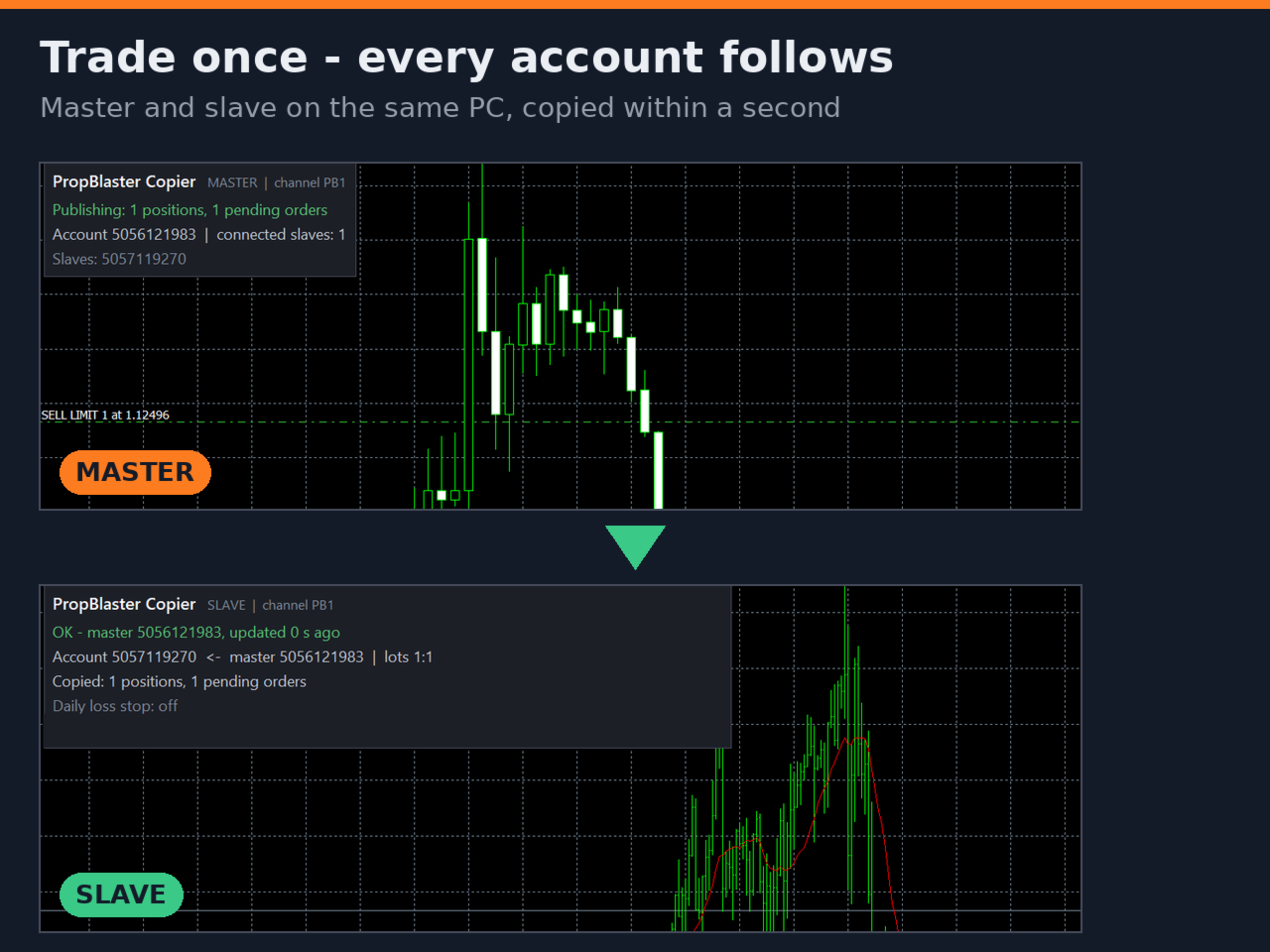
PropBlaster Copier copies your trades from one MetaTrader 5 account (the master) to any number of other MT5 accounts (the slaves) on the same computer or VPS. Trade once and every account follows: new positions, pending orders, stop loss and take profit changes, partial closes and closes.
It is made for traders who run several prop-firm challenges or funded accounts at the same time, with different account sizes, different brokers and different symbol names.
One EA for both sides
Attach the same EA to one chart in each terminal. Choose MASTER in the terminal you trade in, and SLAVE in every terminal that should copy. Use the same channel name on both sides – that is all. Several channels let you run independent master/slave groups on one PC.
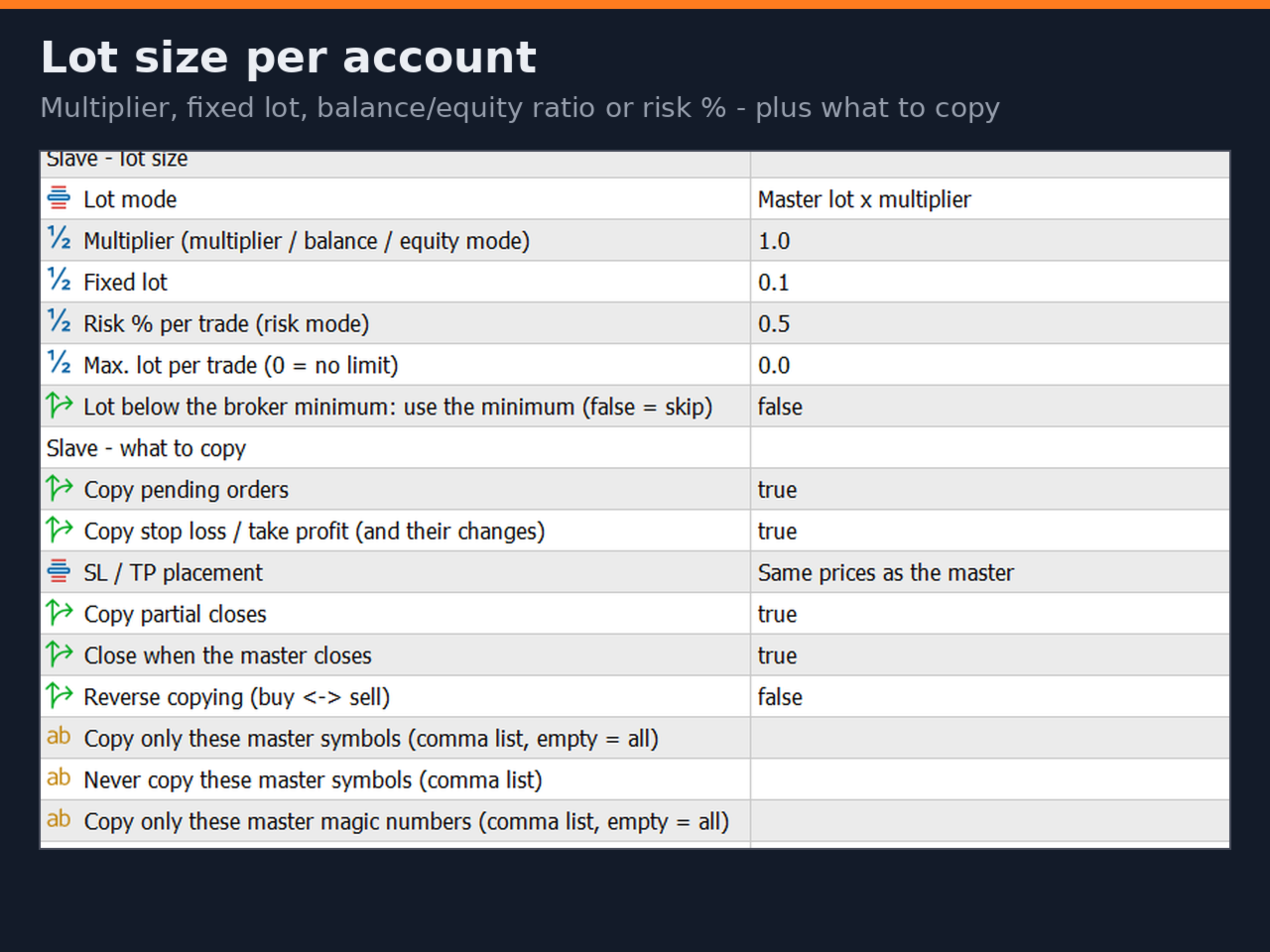
Lot size per slave account
- Master lot × multiplier
- Fixed lot
- Balance ratio or equity ratio (slave / master) × multiplier – a 100k and a 25k account trade in proportion
- Risk % of equity per trade, calculated from the stop loss
- Max. lot per trade, optional rounding up to the broker minimum
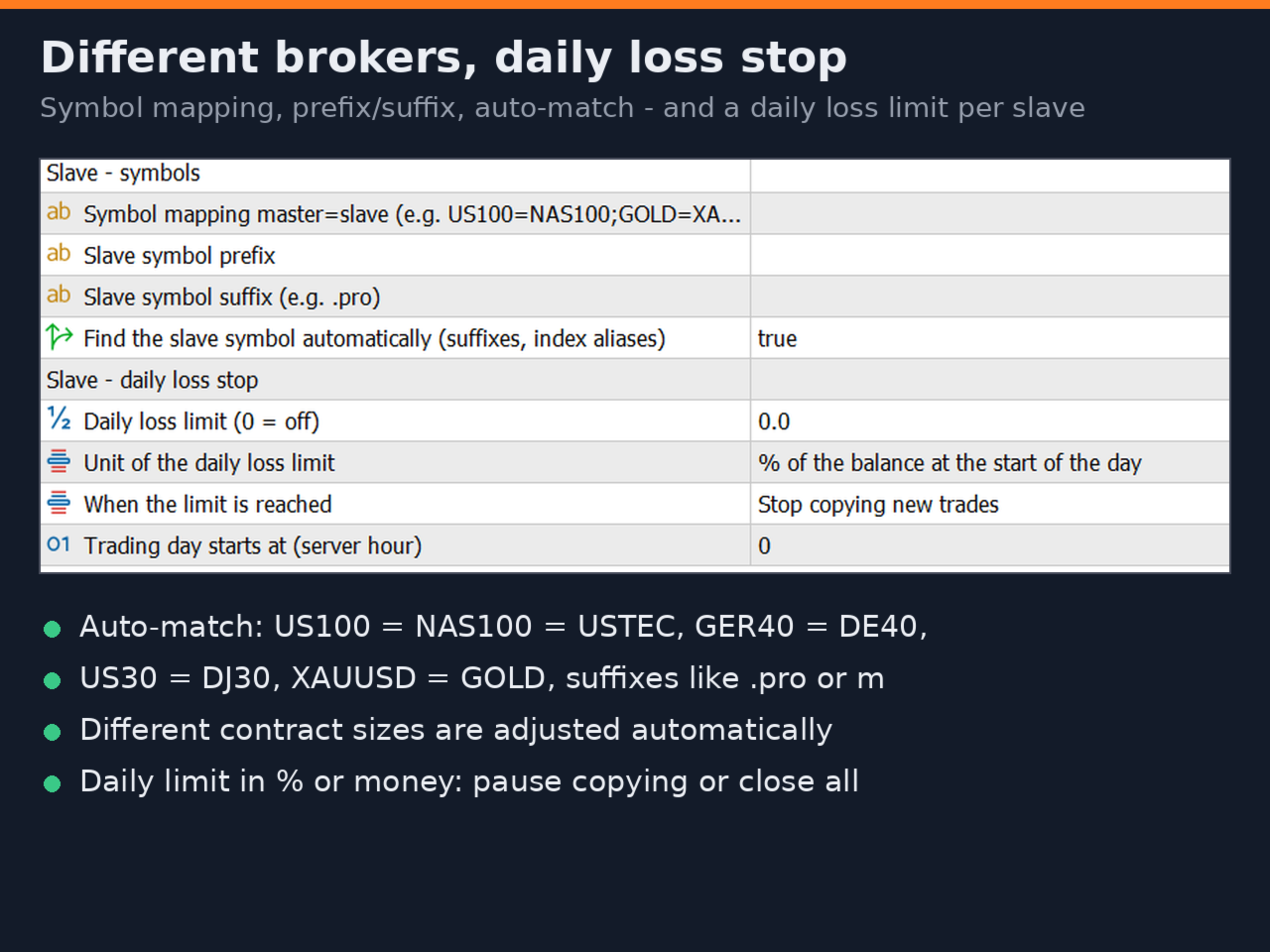
- Different contract sizes are adjusted automatically (for example 100 oz vs 1 oz gold)
Different brokers, different symbols
- Symbol mapping, for example US100=NAS100;XAUUSD=GOLD
- Prefix and suffix, for example .pro or m
- Automatic matching of common suffixes and index aliases (US100/NAS100/USTEC, GER40/DE40, US30/DJ30, XAUUSD/GOLD and more)
- Stop loss and take profit as the same prices, or as the same distance from the entry – for brokers whose prices differ
- Pending order expiry converted between broker server time zones
Control what is copied
- Copy pending orders, SL/TP, partial closes and closes – each can be switched off
- Reverse copying (buy ↔ sell, SL ↔ TP)
- Copy only selected symbols or magic numbers, or skip symbols
- Max. delay: positions the master opened too long ago are not copied
- Optional max. price difference to the master entry
Daily loss stop per slave account
Set a daily loss limit for each slave account, in percent of the day-start balance or in account currency, with the trading-day start of your prop firm. When it is reached, the slave stops copying new trades until the next trading day – or closes all copied trades at once.
Safety
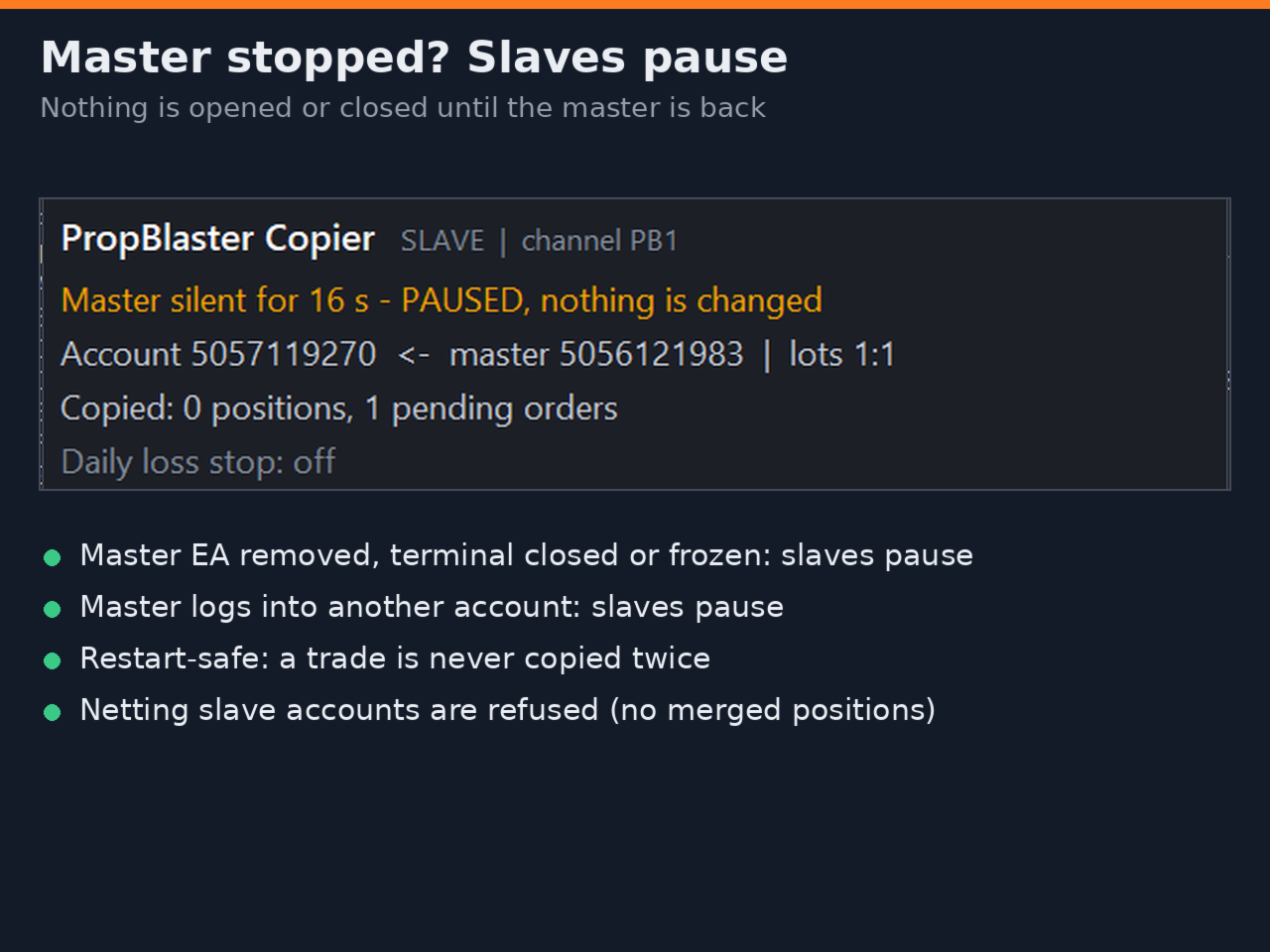
- If the master stops (EA removed, terminal closed or frozen), the slaves pause and change nothing
- If the master terminal logs into a different account, the slaves pause
- A restart never opens a trade twice
- Only one slave per terminal, so nothing is copied twice
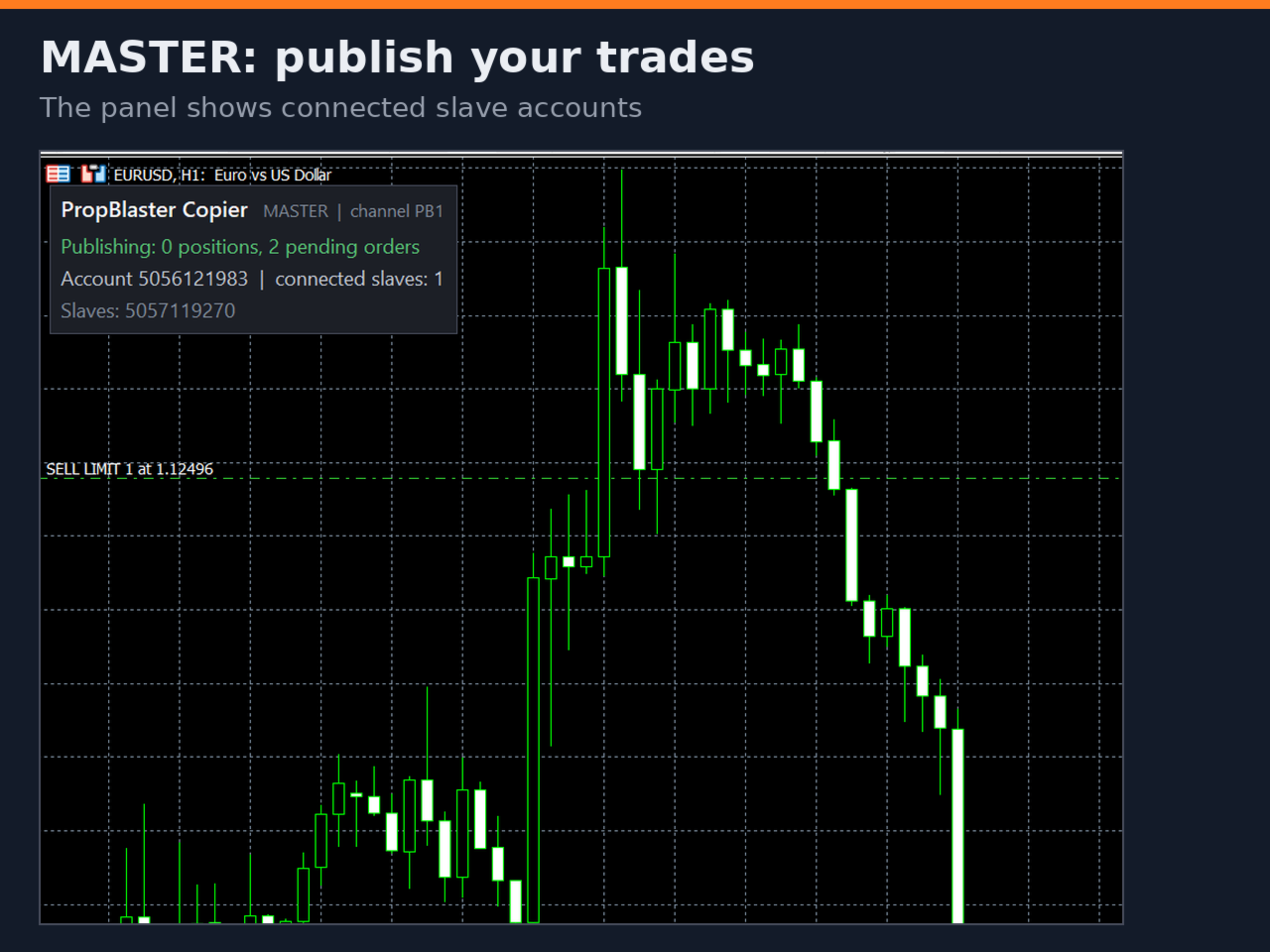
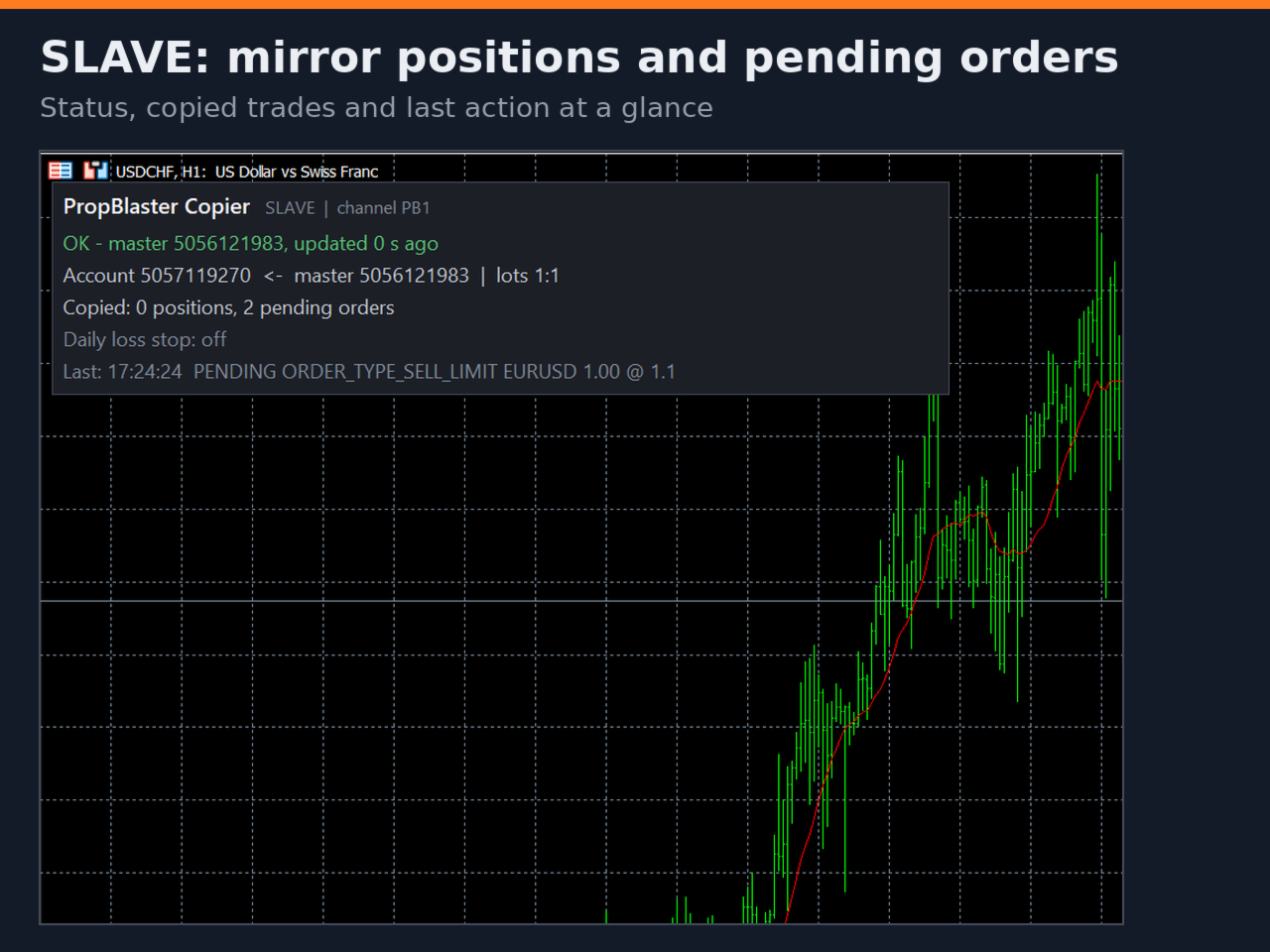
- A panel on every chart shows the status, the connected slaves, the copied trades and the last action
Requirements
- All terminals run on the same Windows PC or VPS (the copier uses the terminals' shared Common folder)
- One MetaTrader 5 installation per account – see "Several accounts at the same broker" below
- Slave accounts must be hedging accounts
- "Algo Trading" must be enabled in every terminal
- No DLLs, no internet connection required
Several accounts at the same broker or prop firm
MetaTrader 5 runs only once per installation folder, so each account needs its own installation. Accounts at different brokers usually have their own terminals already. For a second account at the same broker: run the MetaTrader 5 installer again, click "Settings" instead of "Next" and choose a new folder (for example C:\MT5\Account2). Rename the new desktop shortcut so you can tell the terminals apart, start both and log in with a different account in each. File → Open Data Folder must show a different folder in each terminal.
Support for buyers
After your purchase or rental, send me a private message on MQL5 to get an invitation to the private PropBlaster Copier group chat on mql5.com – for setup help, questions and feature requests.
Important – please check your prop firm's rules
Many prop firms allow copying only between your own accounts, some do not allow it at all, and copying someone else's trades is usually forbidden. Check the rules of your prop firm before you use any trade copier. PropBlaster Copier does not generate trading signals. Delays, slippage and different prices between brokers can lead to different results on master and slave accounts. Trading involves risk.
Strategy Tester note
Copying needs a master and a slave terminal running live, so it cannot be shown in the Strategy Tester. In the tester, the EA opens one small demonstration position at a time with stop loss and take profit. This happens only in the tester.
== Quick start
0. One MetaTrader 5 installation per account (see above), all running at the same time.
1. Master terminal: drag PropBlaster Copier onto any chart, Mode = MASTER, Channel = PB1, enable Algo Trading.
2. Each slave terminal: drag PropBlaster Copier onto any chart, Mode = SLAVE, Channel = PB1, choose the lot mode, enable Algo Trading.
3. The master panel lists the connected slaves. Open a small test trade on the master and watch it appear on the slaves.
== Screenshots
1. Master chart with the panel: "Publishing: 2 positions", "connected slaves: 3"
2. Slave chart with the panel: status OK, lot mode "balance ratio x1.00", copied positions
3. Slave inputs dialog: lot size + symbols groups
4. Two terminals side by side: same trade on master and slave (different lot sizes)
5. Slave panel with "DAILY LOSS LIMIT reached"